


Best AI Automation Tools 2026
Quick Answer: The AI automation landscape in 2026 encompasses distinct categories of platforms, from traditional robotic process automation (RPA) to emerging agentic AI systems. Organizations evaluating these tools should assess them based on automation depth, integration architecture, governance capabilities, and total cost of ownership rather than marketing positioning. According to Gartner, worldwide AI spending will reach $2.52 trillion in 2026, with 40% of enterprise applications integrating task-specific AI agents by year-end.
What This Analysis Covers:
- 18 automation platforms across five distinct categories
- Evaluation using standardized criteria: automation depth, AI maturity, integration capability, scalability, and governance features
- Enterprise deployment considerations including compliance, security, and change management
- Market context from Gartner, Forrester, and institutional research sources
Key Finding: No single automation platform addresses all enterprise use cases. Organizations typically require a combination of orchestration tools for workflow automation and specialized platforms for domain-specific automation needs. The market is rapidly shifting from rule-based automation toward agentic AI systems that can make autonomous decisions within defined parameters.
Table of Contents
Scope and Methodology
Scope Definition
This analysis examines automation platforms designed to reduce manual work through software-based task execution. The evaluation focuses on tools that support enterprise-scale deployment and integrate with business systems commonly used in organizations with 500+ employees.
Included Categories:
- Workflow orchestration platforms (connecting applications and services)
- Robotic Process Automation (RPA) systems (UI-level automation)
- Intelligent Process Automation (IPA) platforms (AI-augmented decision making)
- Low-code/no-code automation builders
- Agentic AI systems (autonomous task execution)
Explicitly Excluded:
- Single-purpose automation tools (e.g., email marketing automation only)
- Developer-only frameworks without visual interfaces (e.g., pure code libraries)
- Test automation platforms designed exclusively for QA workflows
- Infrastructure automation tools focused solely on DevOps/IT operations
Analysis Period: January 2025 – February 2026
Evaluation Framework
Each platform was assessed across five standardized criteria:
1. Automation Depth
Does the platform execute meaningful end-to-end processes, or is it limited to simple trigger-action sequences? Evaluation includes multi-step workflow support, conditional logic capabilities, and error handling mechanisms.
2. AI Maturity
Is artificial intelligence core to the platform’s functionality or an add-on feature? Assessment covers natural language workflow creation, autonomous decision-making capabilities, and self-healing automation that adapts to application changes.
3. Integration Capability
Does the platform connect to enterprise systems through pre-built connectors, APIs, or UI-level automation? Evaluation includes connector library breadth, authentication method support, and data transformation capabilities.
4. Scalability
Can the platform support increasing workflow complexity, execution volume, and user count as organizations grow? Assessment includes performance under load, multi-environment support, and role-based access controls.
5. Governance Features
Does the platform provide audit trails, approval workflows, and compliance controls required in regulated industries? Evaluation includes activity logging, version control, and data residency options.
Data Collection Methods
Information for this analysis was gathered from:
- Publicly available vendor documentation and technical specifications
- Independent technical assessments published in industry publications
- Gartner and Forrester research reports on automation market trends
- User community discussions in technical forums (for implementation challenges)
Transparency Statement
Axis Intelligence received no compensation from any vendor mentioned in this analysis. We maintain no commercial relationships with automation platform providers. This evaluation is based entirely on publicly available information and institutional research sources.
Limitations of This Analysis:
- Pricing details may change; organizations should verify current costs directly with vendors
- Platform capabilities evolve rapidly; features described reflect status as of February 2026
- Enterprise implementations often require professional services; complexity and costs vary significantly
- Vendor claims could not be independently verified in all cases
Market Context
Current State of AI Automation
The automation software market entered a period of rapid transformation in 2024-2025 as generative AI capabilities became embedded in enterprise platforms. Traditional rule-based automation, which dominated the market for over a decade, is being augmented and in some cases replaced by AI systems capable of handling unstructured data and making autonomous decisions.
According to Gartner research, worldwide spending on AI will total $2.52 trillion in 2026, representing a 44% increase year-over-year. A significant portion of this investment is directed toward automation infrastructure, with AI-optimized servers alone driving a 49% spending increase and representing 17% of total AI expenditure.
The automation market itself spans multiple technology categories. Gartner forecasts the hyperautomation-enabling software market at $1.04 trillion by 2026, with 90% of large enterprises now using hyperautomation as standard practice. The low-code automation segment reached $26.9 billion in 2023 with 19.6% annual growth, while Forrester projects this market could reach $50 billion by 2028 if AI adoption continues to accelerate development productivity.
Adoption Patterns and Enterprise Trends
Enterprise adoption of AI automation is accelerating beyond productivity tools into core business processes. Gartner predicts that by the end of 2026, 40% of enterprise applications will be integrated with task-specific AI agents, up dramatically from less than 5% in 2025. This represents one of the fastest technology adoption curves in enterprise software since the shift to cloud computing.
The nature of automation work is also shifting. By 2026, 30% of enterprises will automate more than half of their network activities, an increase from under 10% in mid-2023. This expansion reflects growing confidence in AI-augmented decision making for infrastructure and operations tasks previously considered too complex for automation.
User demographics are changing as well. Gartner research indicates that by 2026, 80% of low-code automation platform users will come from non-IT departments, up from 60% in 2021. This democratization of automation creation, often called “citizen development,” allows business users to build workflows without coding expertise. Organizations with mature citizen development programs report significantly higher innovation scores compared to those relying exclusively on IT-developed automation.
Key Challenges Organizations Face
Despite market momentum, enterprises encounter significant obstacles when implementing AI automation:
Integration Complexity
Modern organizations operate dozens or hundreds of applications across cloud and on-premise environments. Connecting these systems requires handling varied authentication methods, data formats, and API versioning. Organizations report that integration setup and maintenance often consume 40-60% of automation project timelines.
Governance and Compliance Requirements
Regulated industries face constraints on where data can be processed, who can approve automated decisions, and how long audit trails must be retained. Many automation platforms were designed for speed and ease of use rather than enterprise governance, creating gaps that require custom development or third-party tools.
Change Management and Skills
Automation shifts how work is performed, requiring changes in job responsibilities, performance metrics, and organizational structure. Less than 20% of organizations have mastered measuring hyperautomation initiative outcomes, according to Gartner. The combination of technical learning curves and organizational resistance creates implementation friction.
AI Reliability Concerns
While AI capabilities enable more sophisticated automation, they also introduce uncertainty. Large language models can generate incorrect outputs (hallucinations), and autonomous agents may make decisions outside intended parameters. Organizations must balance the power of AI-driven automation against the risks of reduced human oversight.
Total Cost of Ownership
Platform licensing represents only one component of automation costs. Professional services for implementation, ongoing maintenance, connector development, and platform-specific training can multiply initial investment by 3-5x. Organizations frequently underestimate these hidden costs when evaluating platforms.
What to Expect in 2026
The automation market is moving through what Gartner terms the “Trough of Disillusionment” for AI technologies. After initial enthusiasm, organizations are becoming more selective, prioritizing proven outcomes over speculative potential. This maturation creates several observable trends:
Shift Toward Agentic Systems
Automation is evolving from simple trigger-action workflows toward AI agents that can plan, execute, and adapt multi-step processes with minimal human direction. Gartner projects this shift will drive approximately 30% of enterprise application software revenue by 2035, surpassing $450 billion.
Consolidation Around Incumbent Platforms
Rather than purchasing standalone AI automation tools, enterprises are increasingly adopting AI capabilities embedded in existing software platforms. This “buy from incumbents” pattern reflects demand for improved return on investment predictability before scaling AI initiatives.
Emphasis on Explainability
As automation makes more autonomous decisions, organizations are requiring platforms to provide clear explanations of why specific actions were taken. This shift responds to regulatory requirements and internal audit needs, particularly in financial services and healthcare.
Integration with Vertical SaaS
Automation capabilities are being embedded directly into industry-specific applications (e.g., claims processing systems, loan origination platforms) rather than deployed as separate horizontal tools. This integration simplifies deployment but may reduce flexibility for organizations with unique requirements.
The automation landscape in 2026 is characterized by genuine capability expansion alongside increasing scrutiny of business value. Organizations that succeed with AI automation typically start with well-defined processes, clear success metrics, and realistic expectations about implementation complexity.
Tool Categories
The AI automation market encompasses several distinct technology approaches, each optimized for different types of work. Understanding these categories helps organizations identify which platforms align with their specific requirements.
Category A: Workflow Orchestration Platforms
Workflow orchestration platforms connect applications through APIs and pre-built integrations, moving data between systems based on triggers and conditional logic. These platforms excel at automating repetitive cross-application tasks like data synchronization, notification routing, and record updates.
Best suited for: Organizations needing to connect SaaS applications and cloud services without custom development. Particularly effective for sales operations, marketing automation, and customer support workflows spanning multiple tools.
Category B: Robotic Process Automation (RPA)
RPA systems automate tasks by interacting with application user interfaces the same way humans do—clicking buttons, entering data, and extracting information from screens. This approach enables automation of legacy systems and applications without APIs.
Best suited for: Enterprises with significant on-premise infrastructure, legacy applications, or processes involving desktop applications. Common in finance, insurance, and back-office operations where system modernization is not feasible.
Category C: Intelligent Process Automation (IPA)
IPA platforms augment traditional automation with AI capabilities for document processing, decision making, and handling unstructured data. These systems can extract information from invoices, classify support tickets, or route items based on learned patterns.
Best suited for: Organizations processing large volumes of documents, emails, or other unstructured content. Particularly valuable in industries with heavy compliance documentation requirements or customer service operations.
Category D: Agentic AI Systems
Agentic AI platforms deploy autonomous agents that can plan, execute, and adapt multi-step workflows with minimal human direction. These systems use large language models to understand context, make decisions, and take actions across connected applications.
Best suited for: Organizations comfortable with AI-driven decision making and willing to invest in agent training and oversight. Most applicable for knowledge work automation, research tasks, and workflows requiring contextual understanding.
Comparative Overview Table
| Platform | Primary Function | Target Users | Deployment Options | Pricing Model | Key Limitation |
|---|---|---|---|---|---|
| Zapier | Workflow orchestration | Small to mid-market teams | Cloud (SaaS) | Tiered subscription based on task volume | Limited conditional logic compared to enterprise platforms |
| Make (Integromat) | Visual workflow builder | Teams needing complex logic | Cloud (SaaS) | Usage-based (operations executed) | Steeper learning curve than simpler tools |
| n8n | Open-source workflow automation | Technical teams, self-hosters | Cloud or self-hosted | Free (self-hosted) or cloud subscription | Requires technical expertise for setup and maintenance |
| UiPath | Enterprise RPA platform | Large enterprises, finance/ops | Cloud, on-premise, hybrid | Enterprise licensing, usage-based | Significant implementation and professional services costs |
| Automation Anywhere | Cloud-native RPA | Multi-department automation programs | Cloud-first, hybrid available | Subscription with enterprise tiers | Complexity requires dedicated automation team |
| Power Automate | Microsoft ecosystem automation | Organizations using Microsoft 365 | Cloud, on-premise connectors | Per-user or per-flow pricing | Most powerful within Microsoft ecosystem only |
| Workato | Enterprise integration and automation | IT teams, large organizations | Cloud (SaaS) | Quote-based enterprise pricing | Pricing can be prohibitive for smaller deployments |
| Lindy | AI agent platform | Founders, operators, lean teams | Cloud (SaaS) | Credit-based with free tier | Relatively new platform, ecosystem less mature |
| Gumloop | Visual AI workflow builder | Marketing teams, creators | Cloud (SaaS) | Starting at $37/month | Limited enterprise governance features |
| Relay.app | Human-in-the-loop automation | Teams requiring approvals | Cloud (SaaS) | Per-user subscription | Focused on approval workflows, not full orchestration |
Individual Tool Profiles
Zapier
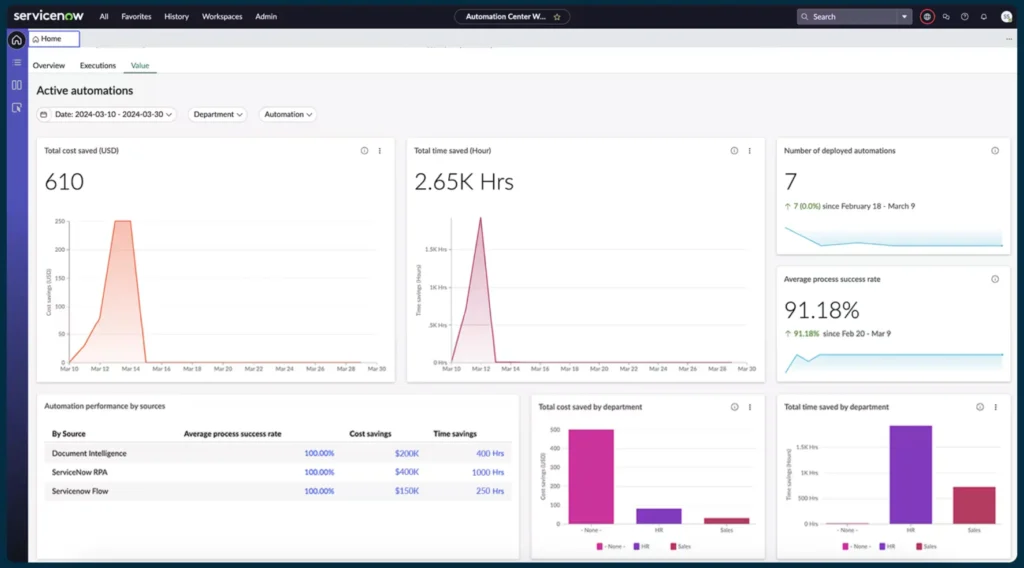
Overview: Zapier is a workflow orchestration platform that connects over 7,000 applications through pre-built integrations called “Zaps.” The platform enables users to automate data movement between applications using trigger-action logic without writing code.
Primary Capabilities:
- Extensive integration library covering most popular SaaS applications
- Multi-step workflows with filtering and data transformation
- AI-powered workflow generation from natural language descriptions (Copilot feature)
- Built-in AI actions through ChatGPT integration (no API key required)
- Table storage for managing structured data within workflows
Deployment Model: Cloud (SaaS)
Integration Ecosystem: Over 7,000 pre-built application connectors including Salesforce, HubSpot, Slack, Google Workspace, Microsoft 365, Shopify, and most major business applications. Webhook support for custom integrations.
Pricing Approach: Tiered subscription model based on task execution volume. Free tier available with 100 tasks per month. Paid plans start at $19.99/month and scale to enterprise pricing for high-volume usage.
Documented Limitations:
- Conditional logic capabilities are less sophisticated than enterprise workflow platforms
- Execution speed can be slower compared to competitors (workflows may have delays of several minutes)
- Error handling requires manual configuration; failed tasks may need manual retry
- No native support for on-premise systems without cloud connectors
Organizational Fit: Small to mid-size businesses needing straightforward application integration without technical resources. Organizations already using popular SaaS applications that prioritize ease of use over advanced workflow logic.
Make (formerly Integromat)
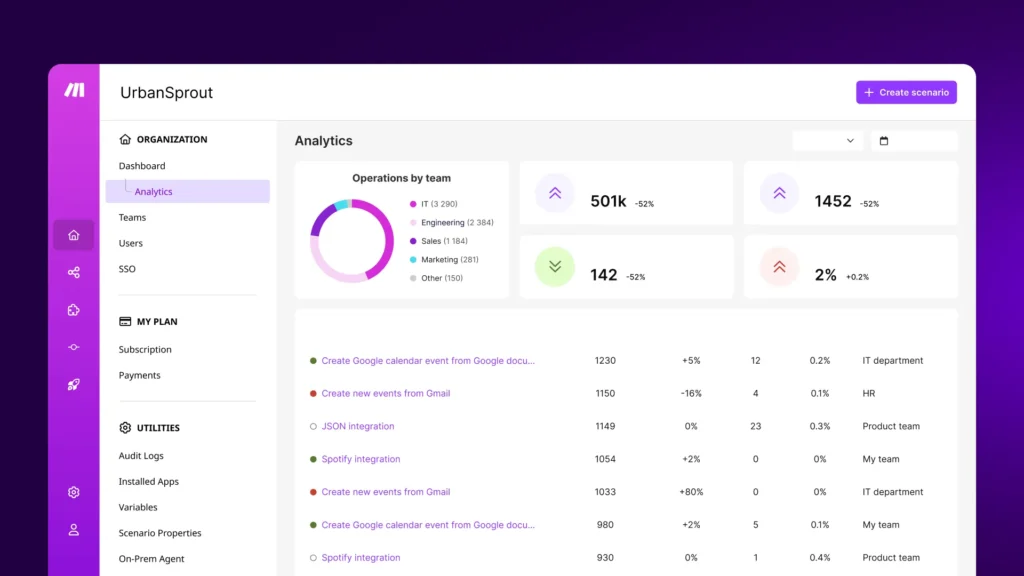
Overview: Make provides a visual canvas for building complex workflows through drag-and-drop interface design. The platform emphasizes visual logic construction, allowing users to see data flow between systems and add conditional branching, loops, and error handling.
Primary Capabilities:
- Visual workflow designer with node-based architecture
- Advanced routing and conditional logic without coding
- Built-in data transformation, aggregation, and iteration functions
- HTTP/REST API integration for custom connections
- Real-time workflow execution monitoring with detailed logs
Deployment Model: Cloud (SaaS)
Integration Ecosystem: Over 1,500 pre-built application modules. Less extensive than Zapier but covers major enterprise and consumer applications. Strong support for webhooks and custom API integration.
Pricing Approach: Usage-based pricing calculated by “operations” (individual actions within workflows). Free tier includes 1,000 operations per month. Paid plans start at $9/month and scale based on operation volume.
Documented Limitations:
- Steeper learning curve than simpler automation tools; visual builder requires understanding of data structures
- Workflow complexity can make troubleshooting difficult for non-technical users
- Customer support response times reported as slow for lower-tier plans
- No native version control for workflow backup and recovery
Organizational Fit: Teams that have outgrown simpler automation tools and require sophisticated logic, data transformation, or integration with less common applications. Organizations with users comfortable learning technical interfaces.
n8n
Overview: n8n is an open-source workflow automation platform that can be self-hosted or used as a cloud service. The platform targets technical users who want control over their automation infrastructure and data residency.
Primary Capabilities:
- Self-hostable architecture allowing complete data control
- Visual workflow editor similar to Make’s node-based design
- JavaScript code execution within workflows for custom logic
- Extensive community-contributed integrations and templates
- Webhook support for triggering workflows from external systems
Deployment Model: Self-hosted (open source) or cloud service subscription
Integration Ecosystem: Over 400 pre-built nodes (integrations) covering popular business applications. Active community creates additional custom integrations shared publicly.
Pricing Approach: Free for self-hosted deployment. Cloud service starts at $20/month per user with execution-based pricing for higher tiers. Enterprise plans include dedicated support and SLA guarantees.
Documented Limitations:
- Self-hosted deployment requires technical infrastructure management (server setup, updates, security)
- Smaller integration library compared to commercial-only platforms
- Community support quality varies; enterprise support only available on higher-tier plans
- Workflow debugging can be complex for users without programming experience
Organizational Fit: Organizations with technical teams that require data residency control, have unique integration needs, or want to avoid vendor lock-in. Companies in regulated industries where self-hosting is preferred for compliance reasons.
UiPath
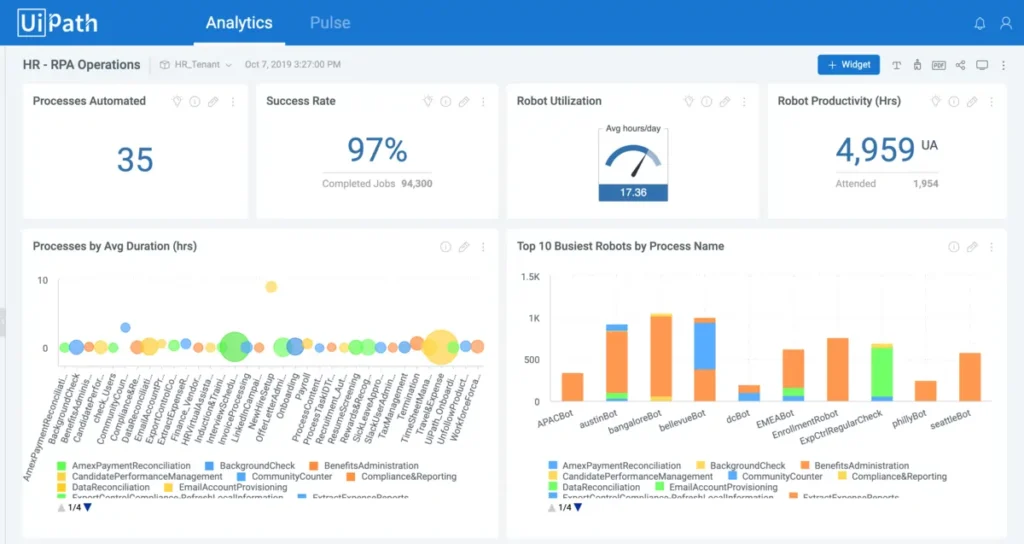
Overview: UiPath is an enterprise-grade RPA platform designed for large-scale automation programs across finance, operations, and compliance functions. The platform combines UI-level automation with document processing and process mining capabilities.
Primary Capabilities:
- Attended and unattended bot execution for desktop and server automation
- AI-powered document understanding for invoice, receipt, and form processing
- Process mining tools to identify automation opportunities from system logs
- Enterprise-grade security with role-based access controls and audit logging
- Computer vision capabilities for automating applications without accessible UI elements
Deployment Model: Cloud, on-premise, or hybrid deployment options
Integration Ecosystem: Integrations with SAP, Oracle, Salesforce, ServiceNow, and other enterprise applications. Strong support for legacy systems through UI automation. Connectors for mainframe and desktop applications.
Pricing Approach: Enterprise licensing based on bot count and features. Pricing is quote-based and varies significantly based on deployment scale. Professional services typically required for implementation.
Documented Limitations:
- High total cost of ownership including licensing, infrastructure, and professional services
- Significant implementation timeline (often 6-12 months for enterprise deployments)
- Requires dedicated automation team for bot development and maintenance
- Bot maintenance burden increases as applications change UI designs
Organizational Fit: Large enterprises with complex application portfolios, significant back-office operations, or legacy systems requiring automation. Organizations with budget for dedicated automation centers of excellence and professional services.
Automation Anywhere
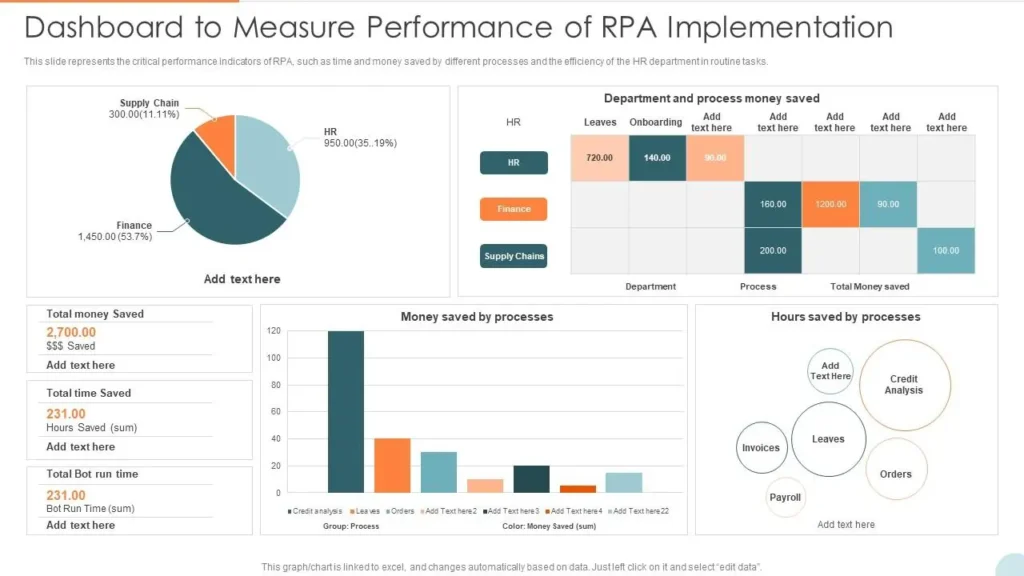
Overview: Automation Anywhere is a cloud-native RPA platform designed for organizations automating multiple departments simultaneously with centralized governance. The platform emphasizes ease of deployment and scalability across enterprise environments.
Primary Capabilities:
- Cloud-first architecture reducing infrastructure requirements
- IQ Bot for intelligent document processing using machine learning
- Bot Store marketplace with pre-built automation templates
- Discovery Bot for identifying automation opportunities through process mining
- Centralized control room for bot management, monitoring, and security
Deployment Model: Cloud-first with hybrid options available for specific requirements
Integration Ecosystem: Pre-built integrations with enterprise systems including Salesforce, Workday, SAP, and Oracle. API-based connectivity for custom applications. Support for legacy system automation through UI interaction.
Pricing Approach: Subscription-based with enterprise tiers. Pricing typically quote-based depending on deployment scale and features. Professional services available for implementation and training.
Documented Limitations:
- Complexity requires dedicated automation operations team
- Learning curve for bot developers despite “low-code” positioning
- Cloud-first architecture may not meet requirements for organizations requiring full on-premise deployment
- License costs can escalate quickly as automation scales across departments
Organizational Fit: Large organizations implementing automation programs across multiple business units with centralized governance. Companies prioritizing cloud deployment and willing to invest in automation operations capabilities.
Microsoft Power Automate
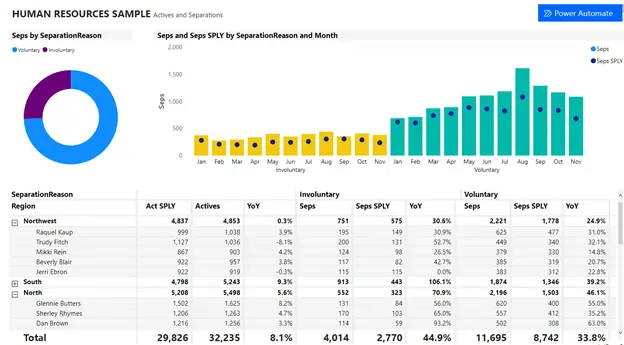
Overview: Power Automate is Microsoft’s automation platform integrated with the Microsoft 365 and Dynamics 365 ecosystems. The platform provides both cloud workflow automation and desktop RPA capabilities through a unified interface.
Primary Capabilities:
- Deep integration with Microsoft 365 applications (Outlook, Teams, SharePoint, Excel)
- Cloud flows for API-based integration and desktop flows for UI automation
- AI Builder for document processing, form recognition, and prediction models
- Process advisor for identifying automation opportunities through task mining
- Integration with Power Platform (Power Apps, Power BI) for comprehensive solutions
Deployment Model: Cloud with on-premise data gateway for connecting to internal systems
Integration Ecosystem: Over 1,000 connectors covering Microsoft products and third-party applications. Premium connectors available for enterprise systems like SAP, Salesforce, and ServiceNow.
Pricing Approach: Per-user licensing ($15/month per user) or per-flow pricing ($100/month for unlimited flows). Premium connectors require additional fees. Enterprise agreements may include Power Automate licenses.
Documented Limitations:
- Most powerful within Microsoft ecosystem; integration with non-Microsoft products less robust
- Premium connectors add significant cost for enterprise system integration
- Desktop automation requires Windows operating system
- Governance and monitoring tools less mature than dedicated RPA platforms
Organizational Fit: Organizations heavily invested in Microsoft 365 and Dynamics 365 seeking to automate processes within that ecosystem. Companies with existing Microsoft enterprise agreements can leverage included licenses.
Workato
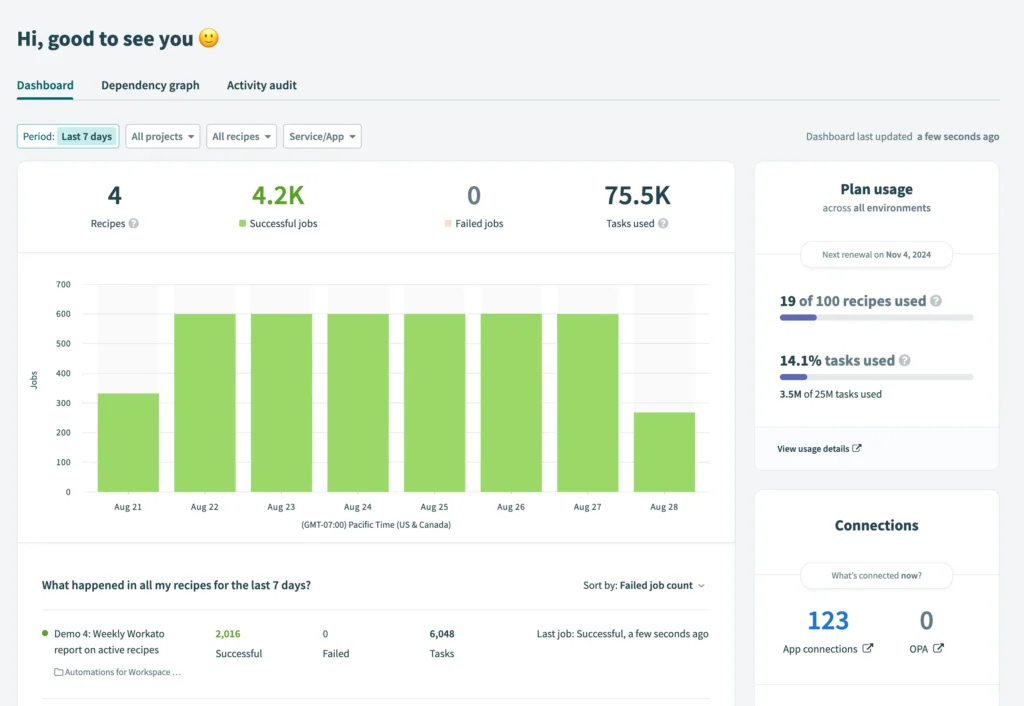
Overview: Workato is an enterprise integration and automation platform designed for IT teams managing complex system architectures. The platform combines workflow automation with API management and application integration capabilities in a unified environment.
Primary Capabilities:
- Enterprise-grade integration with support for complex data transformations
- Recipe lifecycle management with version control and testing environments
- Workbot for conversational automation within Slack and Microsoft Teams
- API platform for building and managing custom integrations
- Real-time data synchronization across cloud and on-premise applications
Deployment Model: Cloud (SaaS)
Integration Ecosystem: Over 1,200 pre-built connectors covering enterprise applications including Salesforce, ServiceNow, SAP, Oracle, Workday, NetSuite, and modern cloud platforms. Strong support for REST APIs, SOAP, and database connectivity.
Pricing Approach: Quote-based enterprise pricing. Licensing typically starts at $10,000+ annually depending on features, connector requirements, and transaction volume. Professional services available for implementation.
Documented Limitations:
- Pricing can be prohibitive for smaller organizations or limited automation use cases
- Requires technical understanding of APIs and data structures for advanced use
- Learning curve steeper than consumer-focused automation platforms
- Some enterprise connectors require additional licensing fees
Organizational Fit: Large enterprises with complex integration requirements spanning multiple business systems. Organizations with dedicated IT teams managing integration architecture and willing to invest in professional services for implementation.
Lindy
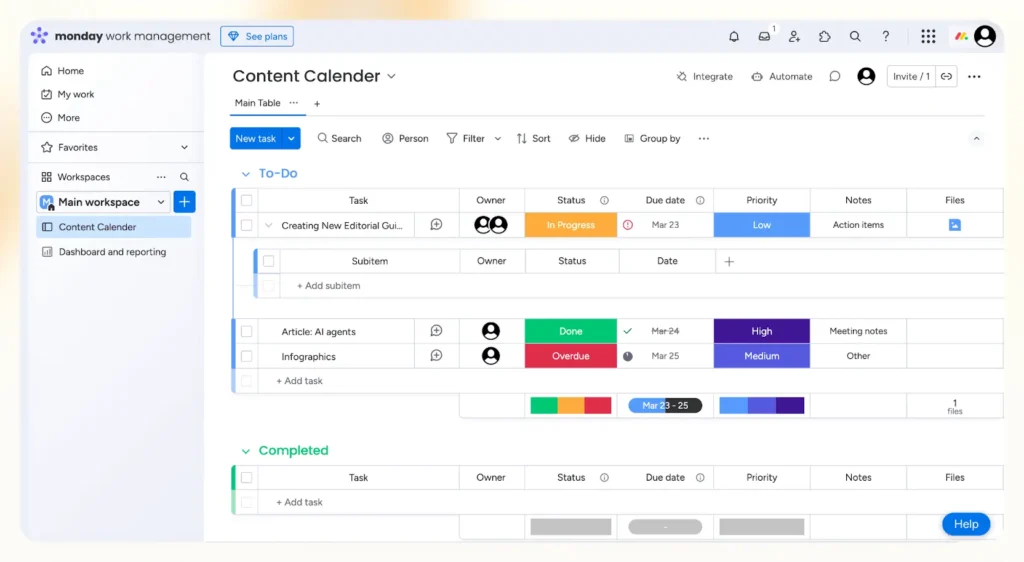
Overview: Lindy is an AI agent platform that enables users to create task-specific agents for handling email management, CRM updates, meeting preparation, and research tasks. The platform positions itself as creating “digital teammates” rather than simple automation workflows.
Primary Capabilities:
- Natural language agent configuration without coding requirements
- Email processing with classification, routing, and response generation
- CRM enrichment by extracting information from conversations and documents
- Meeting preparation through aggregating information from multiple sources
- Agent Swarms feature for applying single agent across multiple items simultaneously
Deployment Model: Cloud (SaaS)
Integration Ecosystem: Integrations with Gmail, Outlook, HubSpot, Salesforce, Slack, LinkedIn, and Google Calendar. Webhook support for custom connections. Document processing from various formats.
Pricing Approach: Credit-based model with free tier available. Paid plans scale based on agent usage and features. Pricing starts around $30/month for individual users with team and enterprise tiers available.
Documented Limitations:
- Relatively new platform with less mature ecosystem compared to established automation tools
- Agent reliability depends on quality of configuration and training
- Limited integration library compared to platforms like Zapier or Make
- Less suitable for complex multi-system workflows requiring precise orchestration
Organizational Fit: Small teams and startups seeking to automate knowledge work without technical resources. Founders and operators handling sales, recruiting, or operations tasks that involve email, CRM, and document processing.
Gumloop
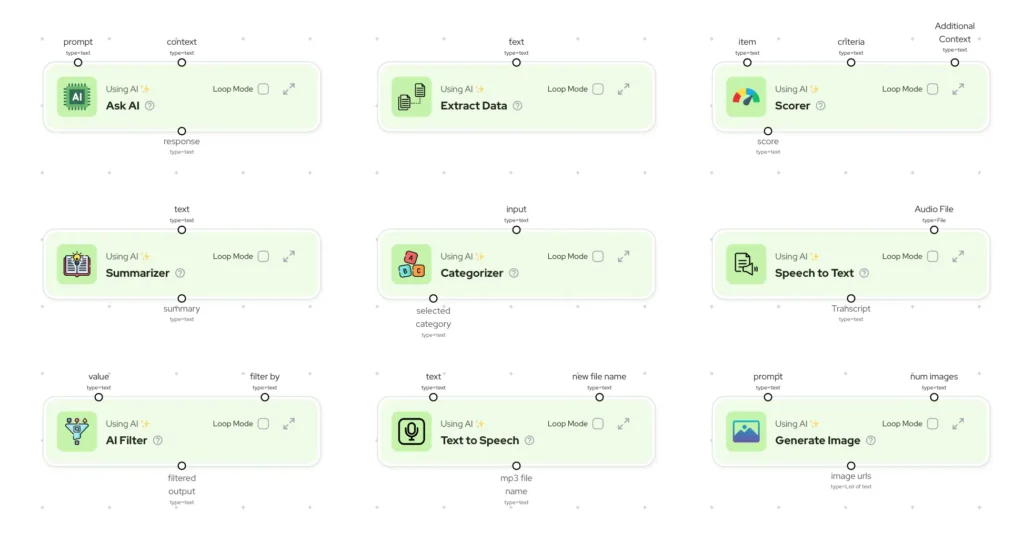
Overview: Gumloop is a visual AI workflow automation platform designed for creating flows that combine data processing, AI model interactions, and application integrations. The platform emphasizes ease of use for non-technical users while providing access to advanced AI capabilities.
Primary Capabilities:
- Visual canvas for building AI-powered workflows with drag-and-drop nodes
- Built-in access to multiple LLM models (GPT, Claude, Gemini) without separate API keys
- Data extraction, transformation, and enrichment within workflows
- Gummie AI assistant that generates workflow suggestions from natural language
- Template library with pre-built workflows for common use cases
Deployment Model: Cloud (SaaS)
Integration Ecosystem: Connections to major business applications, Google Sheets, Airtable, databases, and web services. API integration support for custom connections.
Pricing Approach: Subscription starts at $37/month with all features and included AI credits. Higher tiers provide additional execution capacity and advanced features. Free trial available.
Documented Limitations:
- Enterprise governance features (audit logs, SSO, role-based permissions) less mature
- Smaller user community compared to established automation platforms
- Limited documentation for complex use cases
- Execution performance may vary with complex AI processing workflows
Organizational Fit: Marketing teams, content creators, and operations professionals needing to incorporate AI into their workflows. Organizations seeking no-code access to AI capabilities without managing multiple API subscriptions.
Relay.app
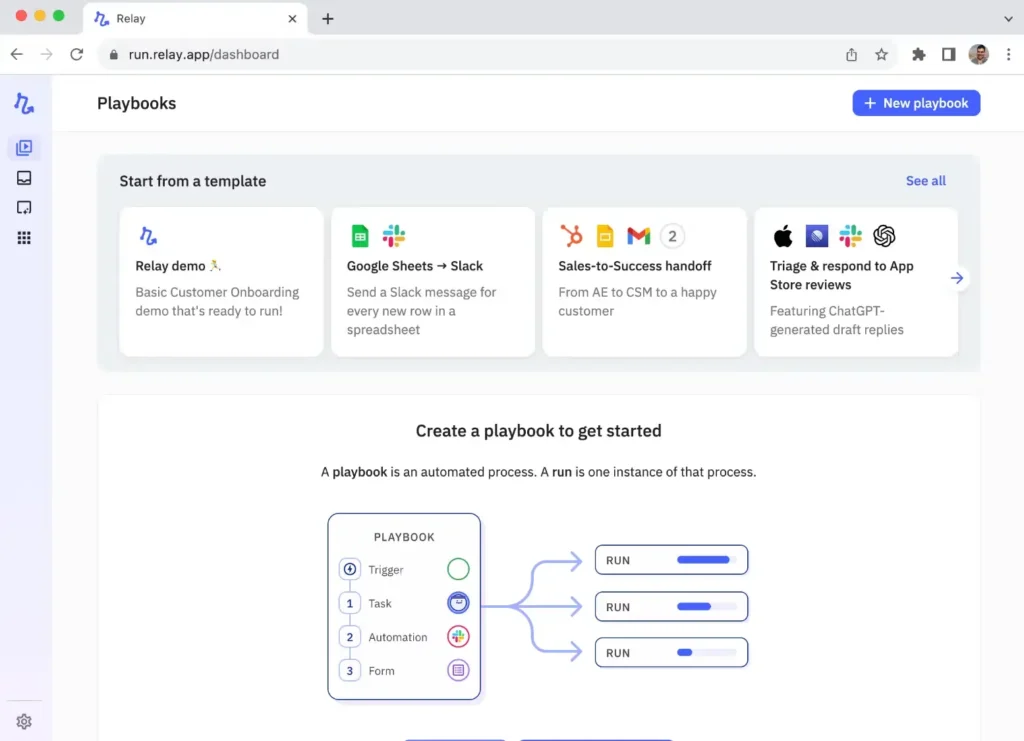
Overview: Relay.app focuses on automation workflows that require human approvals or input at specific steps. The platform is designed for teams where automation needs oversight, decision points, or collaborative review before actions are executed.
Primary Capabilities:
- Human-in-the-loop automation with approval steps built into workflows
- AI-assisted content generation and data processing within flows
- Collaborative workflow creation with shared templates and folders
- Conditional logic based on human input or approval decisions
- Integration between automated steps and team member notifications
Deployment Model: Cloud (SaaS)
Integration Ecosystem: Pre-built connections to common business applications including Google Workspace, Slack, Notion, Airtable, and major CRM platforms. Webhook and API support for custom integrations.
Pricing Approach: Per-user subscription model starting at $10-15/month per team member. Higher tiers include additional workflow complexity and AI features.
Documented Limitations:
- Focused primarily on approval-based workflows rather than full orchestration
- Integration library smaller than comprehensive automation platforms
- Not optimized for fully automated processes without human oversight
- May not be cost-effective for organizations primarily seeking autonomous automation
Organizational Fit: Teams requiring approval gates in their automation, such as marketing campaigns needing review, expense approvals, or content publishing workflows. Organizations prioritizing human oversight over fully autonomous execution.
Pipedream

Overview: Pipedream is a developer-focused automation platform that combines pre-built integrations with custom code execution. The platform targets technical teams building automations using APIs, webhooks, and serverless code.
Primary Capabilities:
- Node.js and Python code execution within workflow steps
- Instant webhook URLs for receiving data from external systems
- Pre-built actions for popular APIs reducing development time
- Event-driven architecture with automatic scaling
- Built-in state management and key-value storage
Deployment Model: Cloud (SaaS) with serverless execution
Integration Ecosystem: Over 2,000 pre-built integrations with API-first applications. Strong support for webhooks, HTTP requests, and custom code for any API integration.
Pricing Approach: Free tier with generous usage limits. Paid plans start at $19/month and scale based on workflow invocations and compute time. Enterprise pricing available for higher volumes.
Documented Limitations:
- Requires programming knowledge (JavaScript or Python) for advanced use
- Not suitable for non-technical users compared to visual automation tools
- Debugging custom code can be time-consuming
- Less structured workflow visualization compared to node-based platforms
Organizational Fit: Engineering teams and technical operations professionals who need automation flexibility beyond pre-built connectors. Organizations building custom integrations or prototyping API workflows rapidly.
LangChain + LangFlow
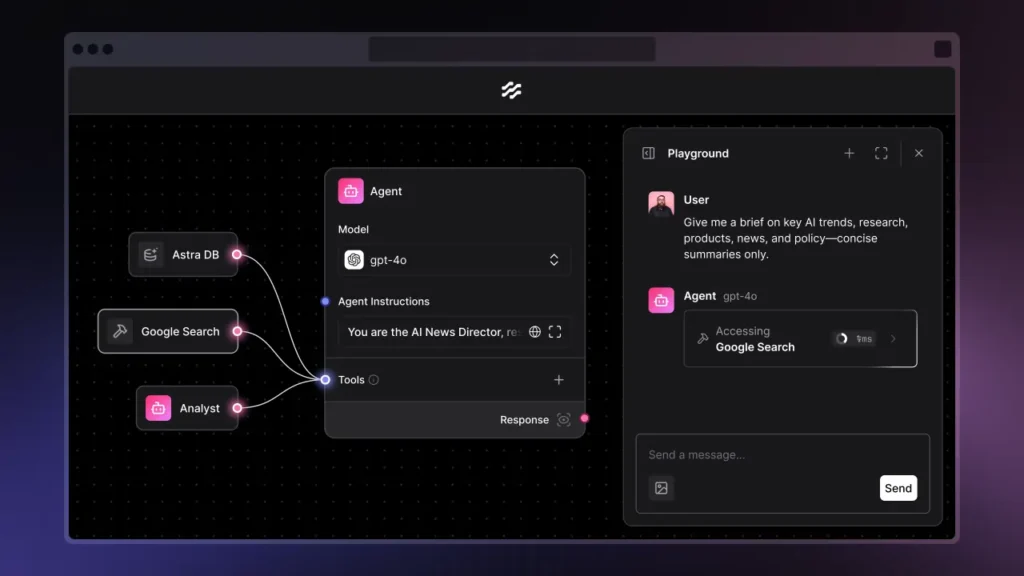
Overview: LangChain is an open-source framework for building applications powered by large language models, while LangFlow provides a visual interface for creating LangChain workflows. Together, they enable engineers to build custom AI agents and workflows with control over model selection and logic.
Primary Capabilities:
- Framework for chaining LLM calls with custom logic and data retrieval
- Memory systems for maintaining context across agent interactions
- Tool integration allowing AI agents to take actions through APIs
- Vector database integration for retrieval-augmented generation (RAG)
- LangFlow provides visual workflow builder for LangChain applications
Deployment Model: Self-hosted (open source) or cloud deployment on infrastructure of choice
Integration Ecosystem: Model provider integrations including OpenAI, Anthropic, Google, Hugging Face, and local models. Tool integrations via Python code and API connectors.
Pricing Approach: Open source and free to use. Costs include infrastructure hosting, LLM API usage, and development resources. LangSmith (monitoring platform) has separate pricing.
Documented Limitations:
- Requires significant engineering expertise in Python and AI/ML concepts
- Production deployment requires infrastructure management and monitoring
- Rapid framework evolution means frequent breaking changes
- Not a complete automation platform; focuses specifically on LLM applications
Organizational Fit: Engineering teams building custom AI agents or applications requiring specific LLM behaviors. Organizations with machine learning expertise wanting full control over AI agent architecture and deployment.
Akkio
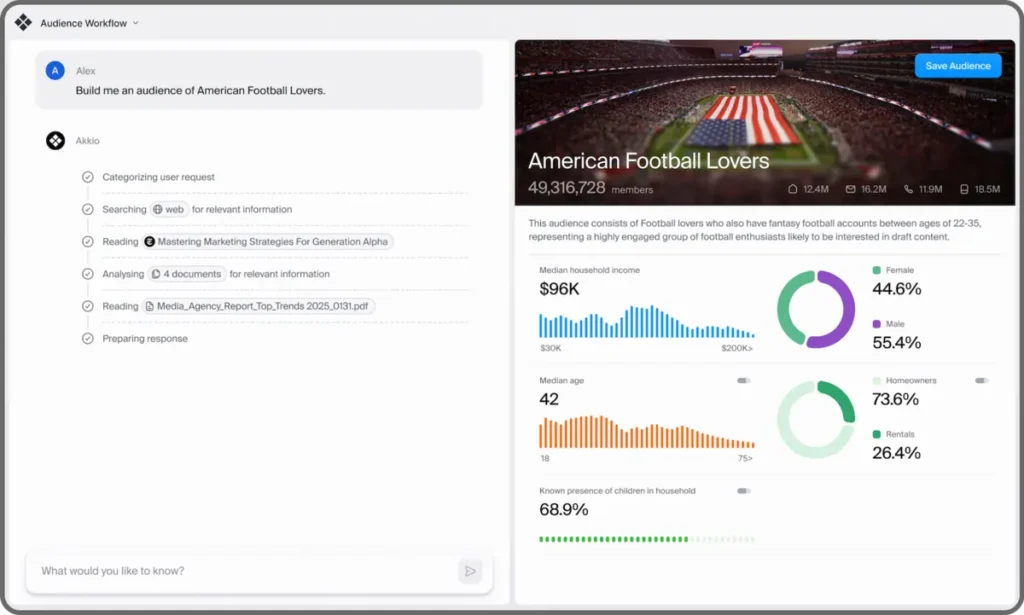
Overview: Akkio is a no-code platform for building and deploying machine learning models and predictive analytics within business workflows. The platform targets business analysts and operations teams needing to incorporate AI predictions into their processes.
Primary Capabilities:
- Automated machine learning (AutoML) for creating predictive models from data
- No-code model training with automatic feature engineering and algorithm selection
- Deployment of models as APIs for integration into workflows
- Explainable AI features showing which factors influence predictions
- Pre-built templates for common business use cases (churn prediction, lead scoring, forecasting)
Deployment Model: Cloud (SaaS)
Integration Ecosystem: Data source connections to CSV files, Google Sheets, databases, and business applications. API endpoints for model predictions. Integration with automation platforms through webhooks.
Pricing Approach: Tiered subscription based on model complexity and prediction volume. Pricing typically starts at enterprise level ($1,000+/month). Custom pricing for large-scale deployments.
Documented Limitations:
- Focused specifically on predictive analytics, not general automation
- Requires clean, structured data for effective model training
- Model accuracy depends heavily on data quality and quantity
- Not suitable for organizations needing real-time decisioning at scale
Organizational Fit: Operations teams needing predictive capabilities without data science resources. Organizations with sufficient historical data wanting to incorporate forecasting or classification into business processes.
Smythos
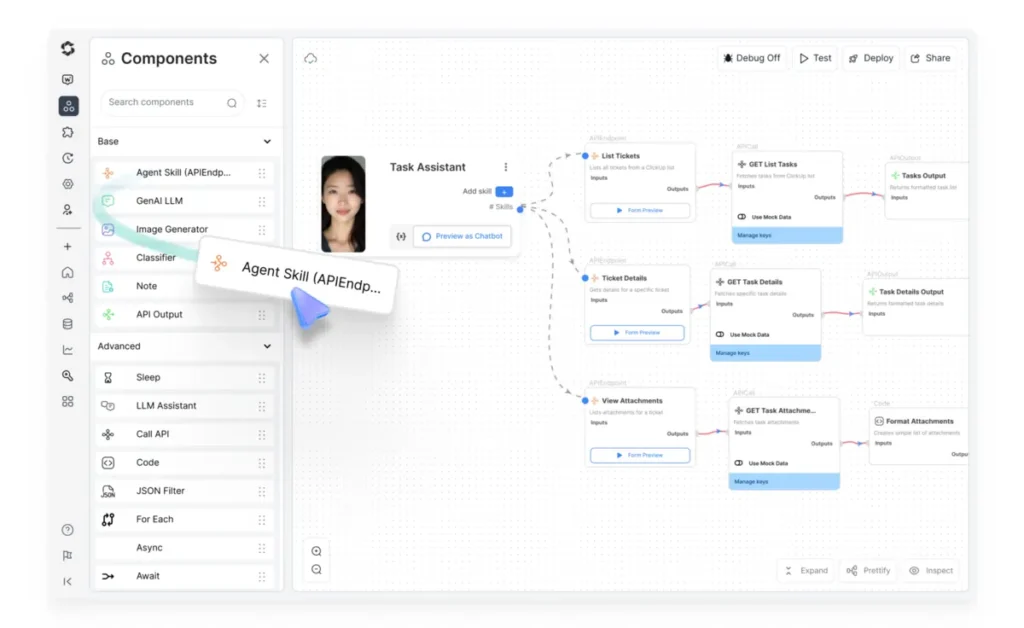
Overview: Smythos is a modular AI agent platform emphasizing multi-agent collaboration with built-in business logic and integrations. The platform positions itself as enabling organizations to deploy specialized agents that work together to accomplish complex tasks.
Primary Capabilities:
- Multi-agent architecture where specialized agents handle different tasks
- Visual workflow designer for orchestrating agent interactions
- Integration framework connecting agents to business applications
- Agent marketplace with pre-configured agents for common business functions
- Monitoring and analytics for agent performance and decision tracking
Deployment Model: Cloud (SaaS) with enterprise deployment options
Integration Ecosystem: Connections to CRM platforms, communication tools, databases, and enterprise applications. Custom integration development through API framework.
Pricing Approach: Quote-based enterprise pricing. Licensing varies based on number of agents, integration requirements, and usage volume.
Documented Limitations:
- Relatively new entrant with smaller user base and community
- Platform maturity uncertain; long-term viability not established
- Limited public documentation and case studies
- Implementation may require professional services
Organizational Fit: Organizations exploring multi-agent AI systems for complex business processes. Enterprises willing to invest in emerging technology with higher risk tolerance for platform adoption.
Relevance AI
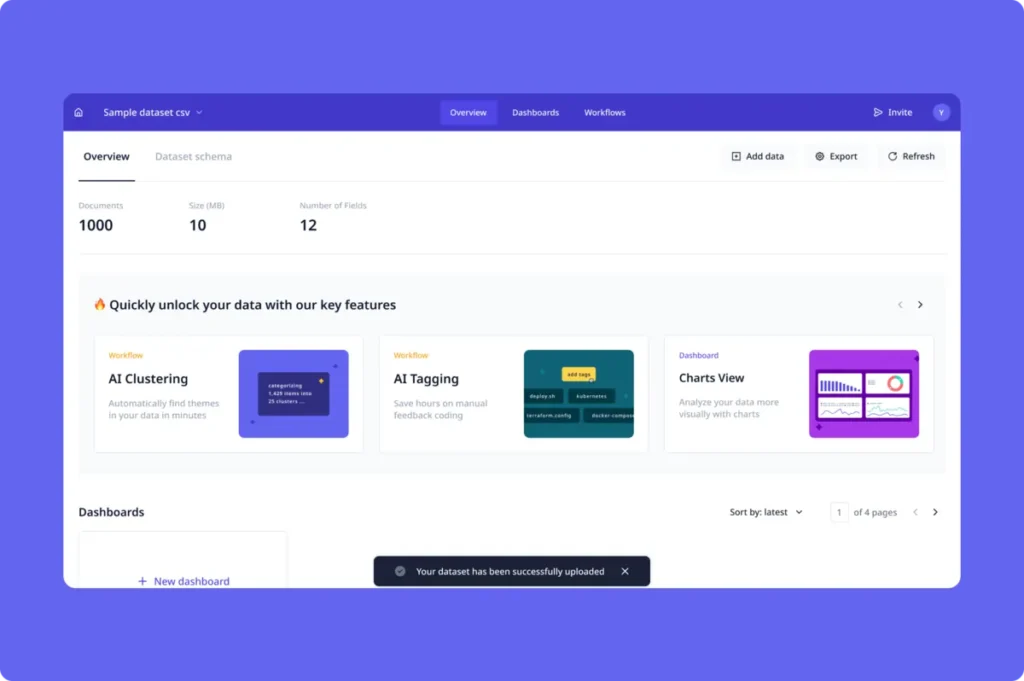
Overview: Relevance AI provides a no-code platform for building and deploying AI agent workflows with emphasis on team collaboration. The platform targets business teams wanting to create AI-powered processes without coding while maintaining governance controls.
Primary Capabilities:
- No-code builder for creating multi-step AI workflows
- Collaboration features allowing teams to build and share agent workflows
- Agent templates for common business use cases
- Integration with knowledge bases for context-aware responses
- Workflow sharing and permissions management for teams
Deployment Model: Cloud (SaaS)
Integration Ecosystem: Integrations with business applications, data sources, and communication platforms. API access for custom integrations.
Pricing Approach: Tiered pricing starting at approximately $100/month for small teams. Enterprise pricing available with additional governance and support features.
Documented Limitations:
- Newer platform with evolving feature set
- Integration library less comprehensive than established automation tools
- Community and ecosystem smaller than mature platforms
- Documentation for complex use cases still developing
Organizational Fit: Business teams wanting collaborative development of AI workflows. Organizations prioritizing ease of use and team productivity over extensive integration options.
Tray.io
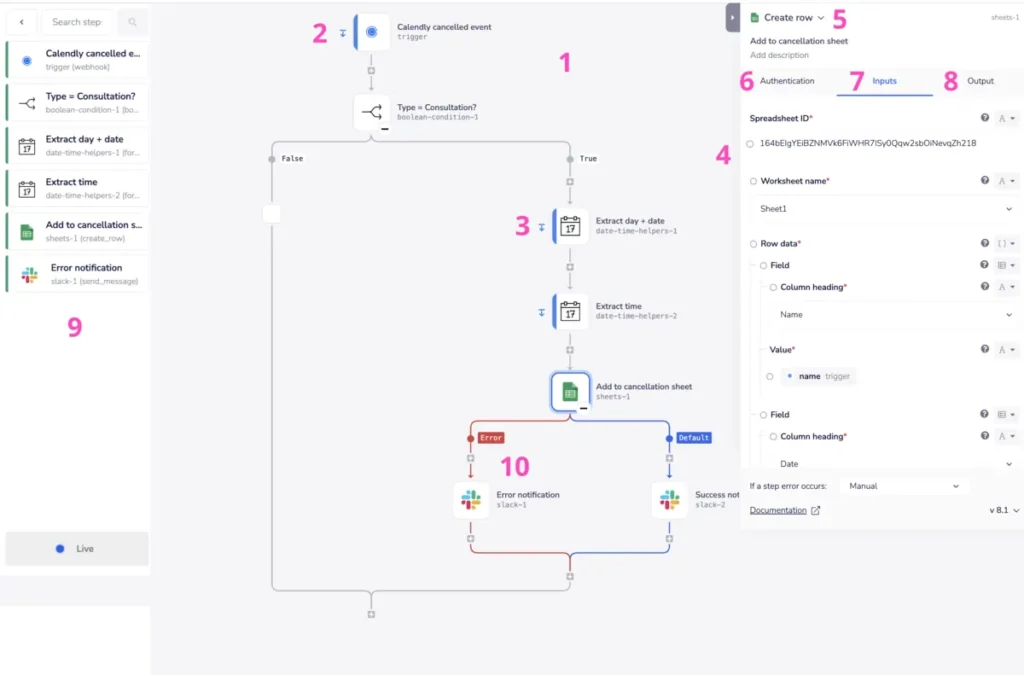
Overview: Tray.io is an enterprise-grade integration and automation platform emphasizing visual workflow construction for complex business processes. The platform targets organizations with sophisticated integration requirements spanning multiple cloud and on-premise systems.
Primary Capabilities:
- Advanced visual workflow builder with extensive logic and branching capabilities
- Enterprise connectors for systems like SAP, Oracle, Salesforce, and ServiceNow
- Embedded integration platform allowing organizations to build customer-facing integrations
- Data mapping and transformation tools for complex data structures
- Workflow testing environments and version control
Deployment Model: Cloud (SaaS)
Integration Ecosystem: Hundreds of enterprise connectors with emphasis on business-critical applications. GraphQL and REST API support. Custom connector builder for proprietary systems.
Pricing Approach: Enterprise pricing based on workflow complexity and connector usage. Typically requires annual contracts with pricing starting at $20,000+. Professional services available.
Documented Limitations:
- Pricing structure can be complex with costs varying by connector type
- Implementation requires technical expertise for complex integrations
- Overkill for organizations with simple automation needs
- Learning curve significant for users without integration experience
Organizational Fit: Mid-size to large enterprises with complex integration architectures. Organizations building customer-facing integrations or managing numerous third-party system connections.
ActivePieces
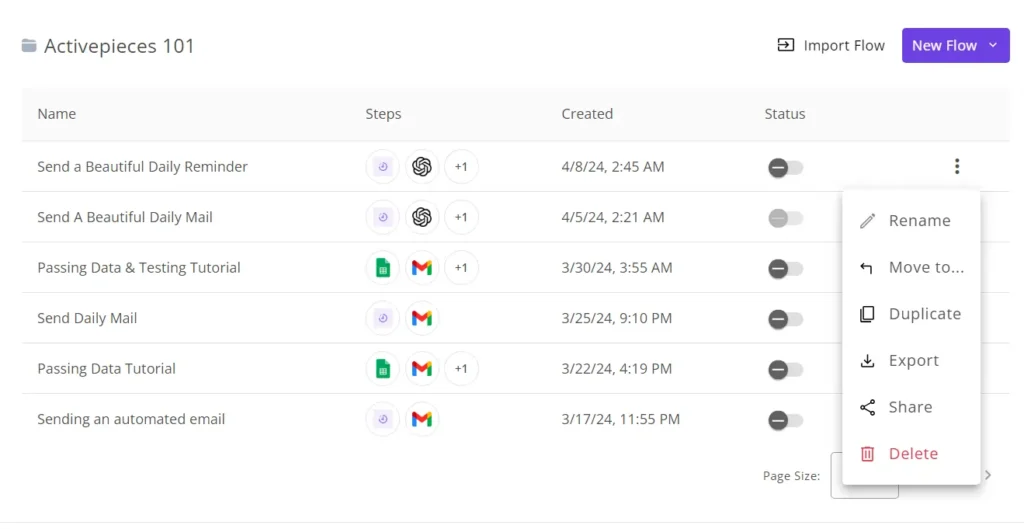
Overview: ActivePieces is an open-source automation platform providing an alternative to commercial workflow tools with self-hosting capabilities. The platform offers visual workflow building with growing integration library and community support.
Primary Capabilities:
- Visual workflow builder with trigger-action architecture
- Growing library of pre-built integrations (200+ connectors)
- Self-hosting option for complete data control
- Code execution steps for custom logic using JavaScript
- Community-contributed pieces (integrations) shared publicly
Deployment Model: Self-hosted (open source) or cloud hosting available
Integration Ecosystem: Over 200 integrations covering popular business applications. Active community developing additional connectors. Webhook and HTTP request support.
Pricing Approach: Free for self-hosted deployment. Cloud hosting available with subscription pricing starting around $20/month. Enterprise support plans available.
Documented Limitations:
- Smaller integration library compared to established commercial platforms
- Self-hosted deployment requires infrastructure management
- Community support quality variable; enterprise support limited to paid tiers
- Less mature platform with evolving features and documentation
Organizational Fit: Organizations requiring data residency control or wanting to avoid vendor lock-in. Technical teams comfortable managing open-source infrastructure with modest automation requirements.
Kissflow
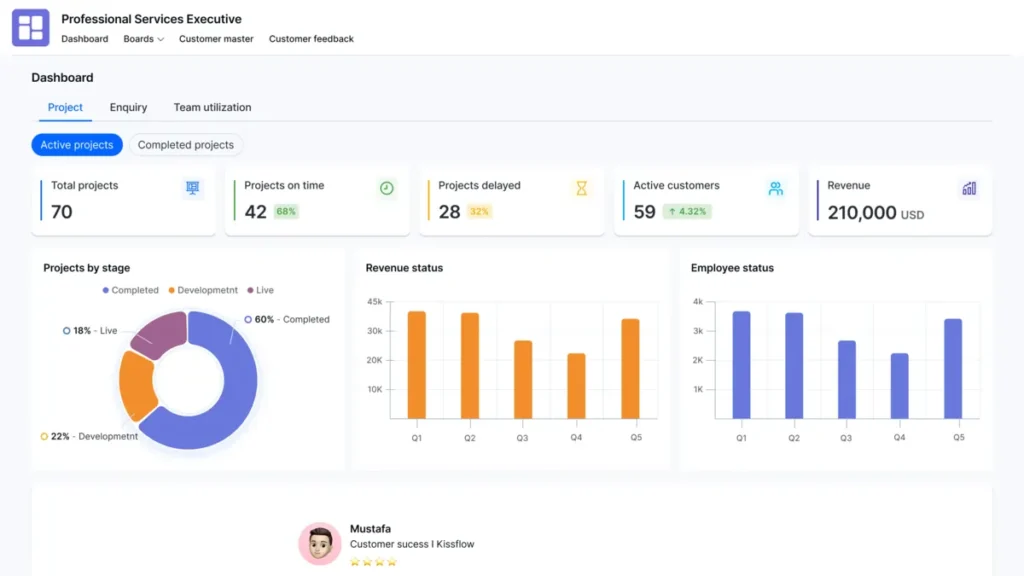
Overview: Kissflow combines workflow automation with business process management (BPM) capabilities in a unified platform. The system targets organizations needing to automate structured business processes with approval chains, forms, and reporting.
Primary Capabilities:
- Visual workflow designer with approval routing and conditional logic
- Form builder for data collection and process initiation
- Process analytics and reporting on workflow performance
- Integration with common business applications
- Mobile application for approvals and task management
Deployment Model: Cloud (SaaS)
Integration Ecosystem: Pre-built connectors for business applications including Google Workspace, Office 365, Salesforce, and Slack. REST API for custom integrations.
Pricing Approach: Per-user subscription pricing typically starting at $15-20/month per user. Higher tiers include advanced features and support. Minimum user requirements may apply.
Documented Limitations:
- Designed primarily for structured processes with human approvals rather than autonomous automation
- Integration library smaller than comprehensive automation platforms
- Best suited for workflow management within single organization rather than cross-company processes
- Some users report limitations in workflow customization for complex requirements
Organizational Fit: Organizations needing to formalize and automate approval-based business processes. Companies replacing paper-based or email-based workflows with structured digital processes.
Cross-Tool Patterns and Observations
After evaluating 18 automation platforms across multiple categories, several patterns emerge that provide insight into market direction and organizational decision-making considerations.
Common Strengths Across the Category
Low-Code/No-Code Interfaces Have Become Standard
Nearly every platform evaluated provides visual workflow builders requiring minimal coding knowledge. This democratization reflects market pressure to enable business users, not just developers, to create automation. According to Gartner research, by 2026, 80% of low-code platform users will come from non-IT departments, up from 60% in 2021. Even traditionally technical platforms like Pipedream and n8n now incorporate visual elements alongside code.
AI Integration Has Shifted From Feature to Foundation
In 2024, most automation platforms added AI features as supplementary capabilities—often through partnerships with OpenAI or Anthropic. By 2026, newer platforms like Lindy, Gumloop, and Relevance AI position AI agents as their core architecture rather than an add-on. This shift reflects broader market movement toward agentic systems that can handle unstructured inputs and make contextual decisions.
Cloud-First Architecture Dominates
With rare exceptions for open-source platforms (n8n, ActivePieces, LangChain), the market has consolidated around cloud delivery models. Organizations prioritizing on-premise deployment face increasingly limited options, though hybrid models remain available in enterprise RPA platforms like UiPath and Automation Anywhere. This reflects broader enterprise software trends documented in industry research.
Integration Breadth Varies Dramatically by Target Market
Platforms targeting small businesses (Zapier, Make) emphasize breadth with thousands of pre-built connectors to consumer and SMB applications. Enterprise platforms (Workato, Tray.io, UiPath) prioritize depth of integration with complex systems like SAP, Oracle, and ServiceNow, often with fewer total connectors but more sophisticated capabilities per system.
Shared Limitations and Trade-offs
The Governance Gap in Newer Platforms
Agentic AI platforms and newer automation tools frequently lack enterprise governance features that regulated industries require. Audit logging, role-based access controls, approval workflows, and compliance certifications are absent or immature in platforms launched after 2023. Organizations in financial services, healthcare, or government sectors face additional work implementing controls around these tools.
Hidden Costs Beyond Platform Licensing
Every platform evaluated includes costs beyond the published subscription rates. These include professional services for implementation (typically $10,000-$100,000+ for enterprise platforms), ongoing maintenance resources, training, and connector customization. Organizations frequently underestimate total cost of ownership by 3-5x when budgeting based solely on licensing fees. As one Gartner analyst notes, “AI adoption is fundamentally shaped by the readiness of both human capital and organizational processes, not merely by financial investment.”
The Maintenance Burden Increases With Automation Scale
While automation reduces manual work, it creates new maintenance requirements. Application UI changes break RPA bots. API updates require connector modifications. Workflow logic needs adjustment as business processes evolve. Organizations with mature automation programs typically dedicate 20-30% of their automation team capacity to maintenance rather than new development.
Limited Cross-Platform Workflow Portability
Despite industry standards like BPMN (Business Process Model and Notation), workflows built in one automation platform cannot be easily migrated to another. Each platform uses proprietary workflow definitions, forcing organizations to rebuild automation if switching vendors. This vendor lock-in increases switching costs and reduces negotiating leverage over time.
Pricing Model Trends
Shift Away From Per-User Pricing
Traditional software licensing charged per user accessing the system. Automation platforms increasingly use execution-based pricing (per task, per operation, per workflow run) or capacity-based pricing (number of bots, workflows, or credits). This shift reflects the reality that automation tools often run without human interaction, making per-user pricing inappropriate. However, it introduces budgeting challenges as organizations struggle to forecast automation execution volumes.
AI Credits and Token Economics
Platforms incorporating large language models typically charge separately for AI operations through credit systems or token usage. Gumloop includes credits in subscriptions while platforms like Pipedream and n8n require separate LLM API accounts. Organizations must track AI usage across automation workflows, creating new cost management complexity.
Enterprise Pricing Opacity
For platforms targeting large organizations, published pricing disappears in favor of “contact sales” models. This allows vendors to maximize revenue extraction but frustrates buyers trying to compare alternatives. Enterprise platforms like UiPath, Automation Anywhere, Workato, and Tray.io provide no transparent pricing, requiring RFP processes and lengthy negotiations before understanding true costs.
Integration Ecosystem Patterns
The Microsoft and Google Advantage
Platforms with deep Microsoft 365 or Google Workspace integration benefit from distribution through existing enterprise agreements. Power Automate leverages Microsoft’s enterprise relationships while Zapier and Make emphasize Google Workspace connectivity. Organizations heavily invested in either ecosystem gain implementation advantages from pre-existing authentication and tighter integration.
Enterprise System Integration Remains Complex
Despite decades of integration technology development, connecting to SAP, Oracle ERP, legacy mainframes, and custom-built systems still requires specialized expertise. Only enterprise-tier platforms invest in these connectors, and even then, implementation typically requires professional services. The difficulty of enterprise system integration continues to limit automation adoption in organizations with complex technical debt.
The API Economy Maturity Effect
Modern SaaS applications designed with API-first architectures integrate easily with any automation platform. Legacy applications without APIs or with poorly documented interfaces create integration barriers regardless of automation platform choice. Organizations with older application portfolios face higher automation costs independent of platform selection.
Emerging Capabilities
Multi-Agent Orchestration
Platforms like Lindy, Smythos, and Relevance AI introduce concepts of specialized agents working together on complex tasks. Rather than single monolithic workflows, these systems deploy multiple AI agents with different capabilities that coordinate execution. This architectural approach mirrors microservices in software development and may represent future automation design patterns.
Self-Healing Automation
Several platforms claim “self-healing” capabilities where AI automatically adapts workflows when applications change. UiPath’s Computer Vision and newer agentic platforms attempt to maintain automation functionality despite UI modifications. In practice, these capabilities remain limited, but directionally indicate where the market is heading as platforms attempt to reduce maintenance burden.
Natural Language Workflow Creation
Zapier’s AI Copilot, Gumloop’s Gummie assistant, and similar features allow users to describe desired automation in plain language, with AI generating the workflow. This capability lowers technical barriers to automation creation but requires users to validate generated workflows carefully, as AI may misinterpret requirements or introduce errors.
Process Mining and Opportunity Discovery
Enterprise platforms increasingly incorporate process mining capabilities (UiPath Process Mining, Automation Anywhere Discovery Bot, Power Automate Process Advisor) that analyze system logs to identify automation opportunities. This shifts automation from reactive implementation of known requirements to proactive discovery of efficiency gains. Industry research suggests process mining market growth from $34.04 billion in 2024 to $93.41 billion by 2033.
Market Maturation Indicators
The automation platform market is transitioning from rapid innovation to industry consolidation. Indicators include:
- Incumbent software vendors (Microsoft, Salesforce, ServiceNow) incorporating automation into existing products
- Venture funding for standalone automation platforms declining as market crowds
- M&A activity increasing as larger platforms acquire specialized capabilities
- Focus shifting from feature breadth to vertical specialization and industry-specific solutions
Organizations evaluating automation platforms in 2026 should consider not just current capabilities but vendor stability and long-term viability, particularly for newer entrants without established revenue or customer bases.
Selection Framework for Organizations
Organizations evaluating automation platforms should structure their assessment around strategic requirements rather than feature checklists. The following framework provides a systematic approach to identifying platforms aligned with specific organizational needs.
Key Questions for Evaluation
Technical Readiness Assessment
Does your organization have existing API management capabilities?
Platforms like Workato and Tray.io assume organizations manage API credentials, understand authentication methods, and handle data governance. Organizations without these capabilities may find success with simpler platforms like Zapier or Make that abstract technical complexity.
What is your current application architecture?
Organizations with cloud-native SaaS applications can leverage orchestration platforms with pre-built connectors. Those with legacy systems, on-premise applications, or custom-built software require RPA capabilities (UiPath, Automation Anywhere) or platforms supporting UI-level automation.
Do you have in-house development resources?
Platforms like n8n, Pipedream, and LangChain provide flexibility and cost advantages but require programming expertise. Organizations without developers should prioritize true no-code platforms with visual interfaces and pre-built integrations.
Organizational Factors
What is your team’s technical proficiency level?
Business users can succeed with platforms like Zapier, Power Automate, or Gumloop that emphasize ease of use. Technical teams may prefer platforms like n8n or Pipedream offering more control and customization despite steeper learning curves.
Do you require specific regulatory compliance?
Financial services, healthcare, and government organizations need audit logging, data residency controls, and compliance certifications (SOC 2, HIPAA, FedRAMP). Newer agentic AI platforms often lack these features. Enterprise RPA platforms and established orchestration tools provide compliance features at higher costs.
Is data residency a requirement?
Organizations in regulated industries or operating in jurisdictions with data localization laws (EU GDPR, China, Russia) may require self-hosted deployment. Open-source platforms (n8n, ActivePieces, LangChain) and enterprise RPA tools offer on-premise or private cloud options.
What approval workflows are necessary?
Some organizations require human review before automated actions execute. Platforms like Relay.app specifically support approval steps. Most enterprise platforms provide governance features, while simpler tools may require custom workarounds.
Resource Considerations
What is your implementation timeline?
Simple automation workflows can be deployed in days using platforms like Zapier or Make. Enterprise RPA implementations typically require 6-12 months including process analysis, development, testing, and change management. Organizations with urgent automation needs should start with rapid deployment platforms.
What ongoing maintenance capacity do you have?
All automation requires maintenance as applications change, APIs update, and business processes evolve. Organizations should allocate 20-30% of their automation team capacity to maintenance. Platform choice affects maintenance burden—RPA bots require more maintenance than API-based integrations.
What is your expected automation scale?
Starting with a few workflows differs from operating hundreds of automations across multiple departments. Enterprise platforms provide governance, monitoring, and management capabilities required at scale. Smaller platforms may not support growth beyond initial use cases.
What professional services budget is available?
Enterprise platforms typically require professional services for implementation, often costing $50,000-$500,000+ depending on scope. Organizations without consulting budgets should prioritize platforms with strong self-service resources and community support.
Evaluation Matrix Template
Organizations can use the following matrix to compare platforms systematically:
| Evaluation Factor | Weight (1-5) | Platform A Score | Platform B Score | Platform C Score | Notes |
|---|---|---|---|---|---|
| Technical Fit | |||||
| Integration with existing systems | Which apps need connecting? | ||||
| API vs UI automation requirements | Legacy systems present? | ||||
| Data handling complexity | Volume, sensitivity, compliance? | ||||
| Usability | |||||
| Learning curve for target users | Technical vs business users? | ||||
| Workflow creation speed | Urgent automation needs? | ||||
| Debugging and troubleshooting | Internal support capability? | ||||
| Governance & Compliance | |||||
| Audit logging capabilities | Regulatory requirements? | ||||
| Role-based access controls | Multi-team deployment? | ||||
| Data residency options | Geographic restrictions? | ||||
| Economics | |||||
| Platform licensing costs | Published or quote-based? | ||||
| Implementation services required | Budget for consultants? | ||||
| Ongoing maintenance requirements | Internal capacity? | ||||
| Scalability | |||||
| Workflow complexity limits | Simple vs sophisticated automation? | ||||
| Execution performance | Volume requirements? | ||||
| Multi-environment support | Dev/test/prod separation? | ||||
| Vendor Considerations | |||||
| Company stability and longevity | Risk tolerance? | ||||
| Community and ecosystem | Self-service support needs? | ||||
| Product roadmap alignment | Future capability requirements? |
Assign weights based on organizational priorities. Score each platform 1-5 on each factor. Calculate weighted scores to identify alignment.
Common Pitfall Avoidance
Starting Too Broadly
Organizations often attempt to automate many processes simultaneously, spreading resources thin and failing to achieve meaningful results anywhere. Start with 2-3 high-value, well-defined processes. Demonstrate success, build expertise, then expand.
Underestimating Change Management
Automation changes how work is performed, affecting job roles, performance metrics, and organizational culture. Technical implementation represents only 30-40% of automation success. Dedicate resources to training, communication, and organizational change.
Ignoring Process Optimization First
Automating inefficient processes simply creates fast, automated inefficiency. Organizations should document and optimize processes before automation. Bad processes become bad automation.
Platform Selection Based on Features Alone
Vendors market extensive feature lists, but features matter only if they address specific organizational needs. Prioritize platforms solving actual problems over those offering maximum capabilities.
Overlooking Integration Limitations
Pre-built connector libraries look comprehensive until organizations discover their specific applications or required features aren’t supported. Validate that critical integrations exist and function as needed before committing to a platform.
Frequently Asked Questions
What is the difference between RPA and workflow orchestration for automation?
RPA (Robotic Process Automation) automates tasks by interacting with application user interfaces—clicking buttons, entering data, and extracting information from screens the same way humans do. This approach enables automation of legacy systems and applications without APIs but requires maintenance when UIs change. Workflow orchestration platforms connect applications through APIs and pre-built integrations, moving data between systems based on triggers and logic. Orchestration is generally more reliable and maintainable but requires applications with API access. Organizations with modern SaaS applications typically use orchestration, while those with legacy systems or on-premise applications often require RPA capabilities.
How much do enterprise automation tools typically cost?
Automation platform costs vary dramatically by category and scale. Simple workflow orchestration platforms like Zapier or Make start at $20-50/month for small teams but can reach $1,000+/month at higher usage tiers. Enterprise RPA platforms (UiPath, Automation Anywhere) typically cost $10,000-$100,000+ annually depending on bot count and features. Enterprise integration platforms (Workato, Tray.io) generally start at $20,000-$50,000 annually. Beyond platform licensing, organizations should budget for implementation services (often 2-5x the platform cost), training, ongoing maintenance, and infrastructure. Total cost of ownership for enterprise automation programs typically ranges from $100,000 to several million dollars annually depending on scale and complexity.
What security and compliance considerations apply to automation tools?
Automation platforms access sensitive business data and systems, creating security and compliance requirements. Key considerations include data residency (where automation executes and stores data), encryption in transit and at rest, role-based access controls limiting who can create or modify automation, audit logging tracking all automation activities, and compliance certifications (SOC 2, ISO 27001, HIPAA, FedRAMP) validating security controls. Organizations in regulated industries should verify platforms provide required certifications, support data localization requirements, and enable governance controls necessary for compliance. Platforms lacking audit trails or data residency options may not be suitable for organizations with strict regulatory requirements.
What is the typical implementation timeline for automation platforms?
Implementation timelines vary significantly by platform complexity and organizational readiness. Simple workflow orchestration tools (Zapier, Make) can be deployed in days—users can create their first automation within hours. Enterprise RPA implementations typically require 6-12 months including vendor selection, infrastructure setup, process analysis, bot development, testing, and change management. Agentic AI platforms fall between these extremes, often requiring 1-3 months for initial deployment while agents are configured and trained. Organizations should allocate additional time for user training, security reviews, and integration with existing systems. Complex implementations involving multiple business units or requiring custom development may take 12-18+ months before reaching full operational maturity.
Are there viable open-source alternatives to commercial automation platforms?
Several open-source automation platforms provide alternatives to commercial tools. n8n offers workflow orchestration with self-hosting capabilities and a visual interface comparable to Make or Zapier. ActivePieces provides similar functionality with community-contributed integrations. LangChain and LangFlow enable building custom AI agents and workflows for organizations with engineering resources. Apache Airflow serves data pipeline and workflow orchestration needs for technical teams. These platforms eliminate licensing costs but require infrastructure for self-hosting, technical expertise for setup and maintenance, and internal support since commercial vendor support is limited. Organizations with technical teams and requirements for data control or cost reduction can achieve significant value from open-source platforms, while those prioritizing ease of use and vendor support typically choose commercial alternatives.
How do AI agents differ from traditional automation workflows?
Traditional automation executes predefined sequences of actions based on rules and triggers—if X occurs, do Y. AI agents can understand context, make decisions, and adapt their behavior based on unstructured inputs like natural language instructions or document contents. Where traditional automation requires explicitly programming every step, agents can plan multi-step approaches to accomplish goals. For example, traditional automation might move data from email to CRM following a fixed template. An AI agent could read an email, determine the appropriate CRM record to update, extract relevant information regardless of format, and decide what actions to take based on the email content. This flexibility enables automation of knowledge work previously requiring human judgment, but introduces uncertainty since agent behavior may not be entirely predictable. According to Gartner research, 40% of enterprise applications will integrate task-specific AI agents by the end of 2026, up from less than 5% in 2025.
What integration requirements should organizations verify before selecting a platform?
Organizations should create a detailed inventory of applications requiring integration and verify platform support for each. Specifically check: whether pre-built connectors exist for critical applications, what authentication methods are supported (OAuth, API keys, username/password), what data the connector can access (some connectors support only subsets of application functionality), whether bidirectional sync is supported or only one-way data flow, what data transformation capabilities exist within integrations, how errors are handled when integrations fail, and whether webhook support enables real-time triggers versus polling. Organizations should request proof-of-concept demonstrations using their actual applications before committing, as connector capability claims may not match real-world functionality. Applications critical to business operations require particularly careful validation since integration limitations could block essential automation.
How should organizations measure return on investment for automation initiatives?
Automation ROI measurement requires tracking both benefits and costs comprehensively. Benefits include time savings from eliminated manual work (calculated using employee hourly costs multiplied by hours saved), error reduction from improved accuracy (quantified through decreased rework, customer complaints, or compliance violations), faster process completion enabling revenue gains or customer satisfaction improvements, and employee reallocation to higher-value work (measured through productivity improvements). Costs include platform licensing, implementation services, ongoing maintenance labor, training and change management, and infrastructure requirements. Organizations should establish baseline metrics before automation (current process time, error rates, costs) and measure consistently post-implementation. According to industry research, organizations can achieve up to 70% reduction in process errors and 30% faster processing times through intelligent automation. However, benefits often take 6-12 months to fully materialize as automation scales and processes stabilize.
Can automation platforms work together, or must organizations choose one?
Organizations frequently use multiple automation platforms serving different purposes. A typical enterprise might deploy Power Automate for Microsoft 365 automation, UiPath for legacy system RPA, and Zapier for rapid prototyping of cross-application workflows. Platforms can often trigger each other through webhooks or API calls, enabling composite solutions. However, managing multiple platforms increases complexity, training requirements, and governance overhead. Organizations should start with a primary platform aligned to their most critical use cases and add specialized platforms only when clear gaps exist. Some organizations adopt integration platform as a service (iPaaS) solutions like Workato or MuleSoft as central hubs connecting multiple automation tools and applications, but this approach requires sophisticated technical architecture and significant investment.
What happens to automation when applications update or change?
Application changes present ongoing challenges for automation. API-based workflow orchestration generally handles updates well—if applications maintain API backward compatibility, automation continues functioning. When APIs introduce breaking changes, platform vendors often update connectors, though there may be delays. RPA automations interacting with user interfaces are more fragile—UI redesigns, button relocations, or field changes can break bots immediately. Organizations should monitor vendor release notes for connected applications, test automation after application updates, implement error notifications detecting automation failures, and allocate maintenance capacity for responding to breaks. Some platforms claim “self-healing” capabilities where AI adapts to application changes, but these features remain limited in practice. Organizations should expect to dedicate 20-30% of automation team capacity to maintenance and updates as their automation portfolios mature.
Key Takeaways
- The automation platform market encompasses distinct categories optimized for different use cases. Workflow orchestration platforms like Zapier and Make serve cross-application integration needs, RPA platforms like UiPath automate legacy systems through UI interaction, and emerging agentic AI platforms like Lindy handle unstructured knowledge work. Organizations typically require multiple platform types rather than a single solution, with combinations varying based on application architecture and automation maturity.
- Enterprise adoption of AI-augmented automation is accelerating rapidly but governance capabilities lag behind. Gartner forecasts 40% of enterprise applications will integrate task-specific AI agents by end of 2026, up from less than 5% in 2025. However, newer agentic platforms often lack audit logging, role-based access controls, and compliance certifications that regulated industries require. Organizations in financial services, healthcare, or government sectors should prioritize established platforms with mature governance features or accept additional work implementing controls around newer tools.
- Total cost of ownership for automation platforms extends far beyond platform licensing. Published subscription rates typically represent only 20-30% of actual costs. Professional services for implementation, ongoing maintenance resources, training programs, connector customization, and infrastructure requirements multiply initial estimates by 3-5x. Organizations should budget comprehensively and validate that expected efficiency gains justify full implementation costs rather than licensing fees alone.
- Automation maintenance requirements increase proportionally with automation scale. Organizations with mature automation portfolios dedicate 20-30% of their automation team capacity to maintaining existing workflows rather than developing new automation. Application updates, API changes, and evolving business processes require continuous adjustment. Platform choice affects maintenance burden—API-based orchestration typically requires less maintenance than UI-based RPA—but no automation approach eliminates ongoing upkeep requirements.
- No single platform dominates all automation use cases in 2026. Organizations should evaluate platforms against specific requirements using structured assessment frameworks rather than selecting based on vendor marketing or analyst positioning. Factors including existing application architecture, team technical capabilities, governance requirements, implementation timelines, and budget constraints should drive platform selection. Organizations starting automation journeys should begin with well-defined, high-value processes using platforms aligned to their current maturity level, then expand capabilities as expertise develops.
END OF ANALYSIS
This analysis was prepared by Axis Intelligence as an independent evaluation of AI automation platforms. We maintain no commercial relationships with vendors mentioned and received no compensation for this assessment. Organizations should validate information directly with vendors as capabilities and pricing evolve rapidly in this market.