

Best Free Live TV Apps 2026
By Alex Rivera | Axis Intelligence | Updated April 2026
Axis Intelligence is editorially independent. We earn no affiliate commissions from the apps covered here. Our recommendations are based on hands-on testing and publicly verifiable data.
Quick Answer: The best free live TV apps in 2026 are Pluto TV (best for cable-style channel surfing), Tubi (best on-demand library with solid live channels), The Roku Channel (best for Roku device owners), Samsung TV Plus (best pre-installed option on Samsung TVs), and Sling Freestream (most channels of any free service at 650+). You do not need a subscription, credit card, or even an account to start watching on most of these. You will watch ads — typically 4 to 8 minutes per hour depending on the app.
Table of Contents
Why Free Live TV Got Serious in 2026
Cord-cutting used to mean trading live TV for on-demand streaming. That trade-off is largely gone now. The FAST (Free Ad-Supported Streaming Television) sector has grown into a $12.26 billion market in 2025, projected to reach $27.14 billion by 2030 at a 17.22% CAGR, according to Mordor Intelligence — and that growth is being driven by the fact that the apps have gotten genuinely good.
Nielsen’s Gauge data from May 2025 confirmed that streaming eclipsed the combined audience of broadcast and cable television for the first time, capturing 44.8% of total U.S. TV usage. Within that, the three largest free platforms — Pluto TV, Tubi, and The Roku Channel — together accounted for 5.7% of all TV viewing, beating the individual audience share of any single broadcast network. According to EMARKETER, FAST users in the U.S. will reach 131.4 million in 2026, representing 54% of all connected TV users.
Live TV on cable now costs north of $85 per month for a basic package. The free apps covered here cost exactly $0.
There is one thing worth clarifying before you start downloading apps: “free live TV” covers two genuinely different experiences, and most articles don’t bother to explain the difference.
- Linear FAST channels are programmed streams that run like traditional TV — you tune in, and whatever is playing is playing. You cannot pause, rewind, or choose the next episode. Pluto TV is the clearest example.
- AVOD with live channels is primarily an on-demand library (search and play anything) with a live TV section bolted on. Tubi is the clearest example.
Some apps are strong at both. Some are almost entirely one or the other. That distinction will determine whether a given app actually solves your problem — which is why I built the matrix below before getting into individual reviews.
The FAST Finder Matrix: How These Apps Actually Compare
| App | Live Channels | On-Demand Library | Avg. Ad Load | Sign-Up Required? | Device Universality |
|---|---|---|---|---|---|
| Pluto TV | ~425 | Moderate | ~4–5 min/hr | No | ✅ Universal |
| Tubi | ~200 | Very Large (40K+ titles) | ~5–7 min/hr | No (optional) | ✅ Universal |
| The Roku Channel | 500+ | Large | ~5–6 min/hr | No | ⚠️ Best on Roku |
| Samsung TV Plus | 700+ (US) | Limited | ~4–6 min/hr | No | ❌ Samsung only |
| Sling Freestream | 650+ | Large (41K+ titles) | ~5–7 min/hr | No | ✅ Universal |
| Peacock (Free Tier) | Very limited | Small (NBC catalog only) | ~8–10 min/hr | ✅ Yes | ✅ Universal |
| Xumo Play | ~200 | Moderate | ~5–6 min/hr | No | ⚠️ Best on Comcast/Xumo TVs |
“Device Universality” measures whether the service works equally well regardless of which streaming hardware you own. ✅ = works on all major platforms. ⚠️ = works everywhere but is meaningfully better on specific hardware. ❌ = device-locked.
1. Pluto TV — Best for People Who Miss Cable
Pluto TV | Free | No account required
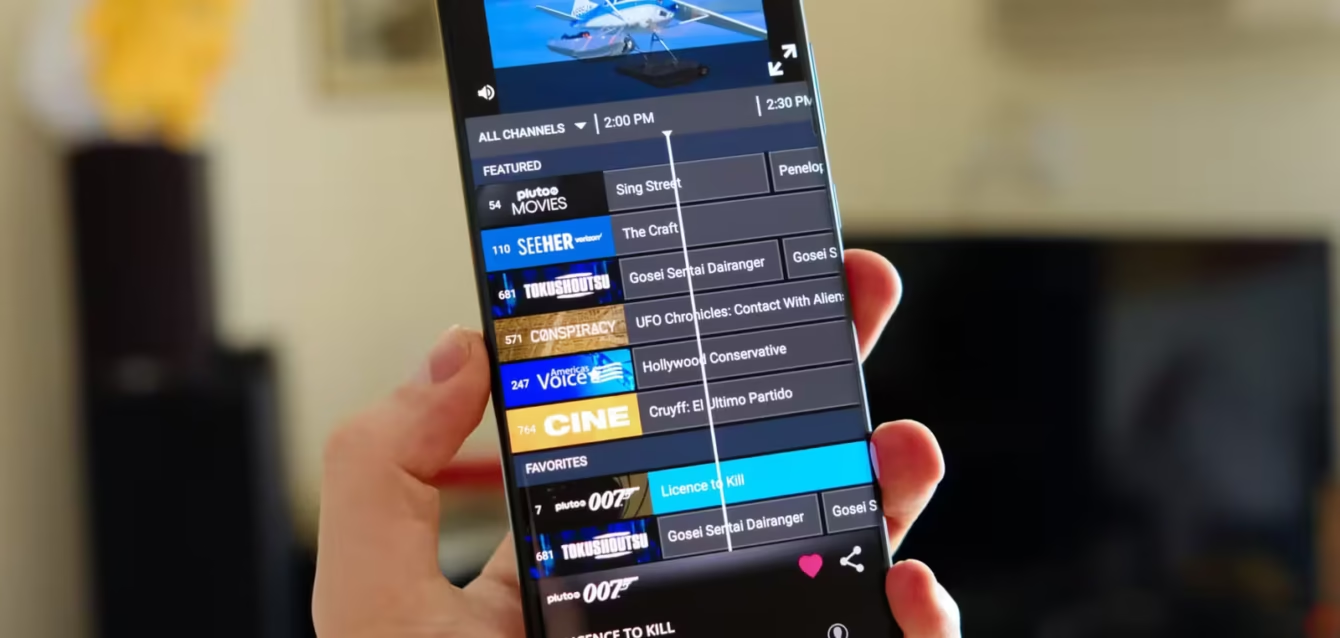
What stands out: Pluto TV is the app that convinces channel-flippers to stop mourning cable. Owned by Paramount Global, it runs approximately 425 linear channels in the U.S. — organized into a proper electronic program guide (EPG) with scheduled time slots, just like a cable grid. There are dedicated channels for re-runs of CSI, Star Trek, NCIS, and Top Gear, plus a Comedy Central channel, an MTV Hits channel, and niche oddities like a 24/7 true crime stream and a dedicated anime block via Crunchyroll. Paramount-owned content including recent episodes of CBS shows like NCIS and Tracker shows up on Pluto shortly after airing, which is a meaningful differentiator.
The cable-grid interface is deliberate and it works. You can genuinely sit down, pull up the EPG, and channel-surf for an hour without making a single deliberate content decision. For viewers who have cut cable but genuinely miss the passive, lean-back experience — the habit of just having something on — Pluto TV replicates that feeling better than anything else on this list.
The platform has expanded to over 35 countries, with localized content in each region. In the U.S., it also includes an on-demand section with movies and older TV shows, though that library is smaller than Tubi’s.
Where it falls short: Most of Pluto’s live channels are themed programming loops — the same show running in rotation across a 24-hour window. That’s not the same as actual live television. You’re not watching cable; you’re watching a well-curated loop. There are no live local news broadcasts, no live sports in the traditional sense, and no ability to watch CBS, NBC, or ABC live. The on-demand selection skews toward catalog titles from 5 to 20 years ago. Newer releases are rare.
Who should use it: Anyone who wants a passive, background-TV experience with zero setup friction. It is the single best free replacement for the habit of channel surfing. Add it as the “lazy Sunday” app in any free streaming stack.
Who should look elsewhere: If you want current-season broadcast TV, live local news, or live sports with real stakes, Pluto TV will disappoint you. Its channel count is impressive, but most of those channels are loops rather than live feeds.
2. Tubi — Best On-Demand Library, With Solid Live Channels Too
Tubi | Free | Account optional
What stands out: Tubi’s numbers are genuinely hard to ignore. Owned by Fox Corporation — which acquired Tubi for $440 million in 2020 — the service had surpassed 97 million monthly active users by the end of 2024 and logged over 10 billion streaming hours that year. By the fourth quarter of 2025, Tubi commanded 6.2% of all ad-supported streaming viewing according to Nielsen, placing it ahead of Peacock and Paramount+ on total engagement. Fox has even streamed the Super Bowl through Tubi, making it the rare free app with a genuinely live major sports event in its history.
The on-demand library is where Tubi genuinely embarrasses its competition. With over 40,000 movies and TV episodes, it includes titles that you’d expect to find only on paid services: The Princess Bride, Se7en, Pulp Fiction, Mad Max, and all of Law & Order, CSI, and ER. The recommendation engine is unusually good — if you spend a week watching 1980s horror, it will start surfacing Italian giallo films and obscure slashers that you’d never have searched for.
Tubi also offers over 200 live channels in the U.S., covering sports, news, lifestyle, and documentary content 24/7. Spanish-language programming is a genuine strength, with a bilingual content catalog that no direct competitor matches at the free tier. You can start watching without creating an account — registration is optional and only needed for watchlist syncing and parental controls.
Where it falls short: The live TV section, while real, is secondary to the on-demand experience. The live channels largely follow the loop format (scheduled programming streams), not genuine live broadcasts. Local news and live network TV are absent. Ad frequency is slightly higher than Pluto TV — roughly 5 to 7 minutes of ads per hour — and the ads cannot be skipped.
Who should use it: Anyone who wants a Netflix-style browsing experience without paying for Netflix. Tubi works best as the on-demand anchor of a free streaming stack. It’s particularly strong for film enthusiasts, Spanish-language viewers, and anyone building a “cable replacement” setup on a strict budget.
Who should look elsewhere: Live sports fans, anyone who needs current-season network TV, and viewers who find the higher ad load genuinely disruptive. Tubi also lacks a live EPG experience — if channel-surfing is what you want, Pluto TV does that better.
3. The Roku Channel — Best for Roku Device Owners (and a Legitimate Standalone Option)
The Roku Channel | Free | No account required
What stands out: The Roku Channel benefits from a structural advantage that none of its competitors can match: it comes pre-installed on over 90 million Roku devices and smart TVs, giving it a built-in audience at a scale that took Pluto and Tubi years of marketing to approach. According to Nielsen’s November 2025 Gauge data, The Roku Channel held 2.9% of total U.S. TV usage — leading all FAST platforms and outpacing several paid services including Paramount+ and Peacock.
What has changed in 2026 is that The Roku Channel has become a genuine sports destination. Roku secured a multi-year deal with MLB for “Sunday Leadoff” live baseball games (previously a Peacock exclusive), created a dedicated NFL Zone within its sports section, and launched an NBA Zone with free game coverage and G League games. It also carries live Formula E races. That sports investment puts The Roku Channel in a different conversation than Pluto TV or Tubi when live sports actually matters to you — and it’s all free.
The platform offers 500+ live channels alongside an on-demand library that includes exclusive content from a Lionsgate deal (the first time Lionsgate films are available free anywhere). Roku has also licensed Warner Bros. Discovery content at scale. For users who own Roku hardware, The Roku Channel is deeply integrated into the home screen — there’s no separate app to find or launch.
Where it falls short: Outside of Roku hardware, The Roku Channel is available on smart TVs, iOS, Android, and the web, but the experience is noticeably better when you’re in the Roku ecosystem. The sports content, while genuinely impressive for a free service, is still niche (G League, Formula E, Sunday Leadoff) rather than the major live events that sports fans actually care about during playoffs. The on-demand library, while broad, is less deep than Tubi’s.
Who should use it: Anyone who owns a Roku device should have The Roku Channel at the top of their free app list — it’s the best-integrated free option available. For non-Roku users, it’s still worth installing for the sports content and Lionsgate film library, but the experience won’t be as seamless.
Who should look elsewhere: Non-Roku users who don’t watch niche sports may find that Pluto TV or Tubi offers a more relevant content selection for their habits. If live NFL, NBA, or MLB at the full broadcast level is what you want, you’ll still need a paid service.
4. Samsung TV Plus — Best Pre-Installed Option (If You Own a Samsung)
Samsung TV Plus | Free | No account required
What stands out: Samsung TV Plus is the biggest free TV service most people have never deliberately chosen — because they didn’t have to. Pre-installed on every Samsung Smart TV manufactured since 2016, it’s simply there when you turn on your television. Samsung TV Plus offers over 700 free channels in the U.S. and more than 3,500 channels globally across 30 countries, making it the largest FAST service by raw channel count worldwide.
Samsung TV Plus surpassed 2,400 global channels in 2024, and its expansion has continued aggressively into sports in 2026. The service now carries over 50 dedicated sports channels in the U.S., including an NFL Channel, MLB Channel, PGA Tour, and UFC content. In February 2026, Samsung announced a multi-year partnership with V10 Entertainment to bring the entire MotoAmerica motorcycle racing season — all 10 events — live and free to Samsung TV Plus. The platform also carries live hockey games (NHL Dallas and Anaheim), NASCAR, and PBR RidePass, a range of live sports that genuinely competes with what you’d get on a cable sports tier.
Samsung TV Plus also secured exclusive creator content: channels from Mark Rober and the Jonas Brothers are available only here, a differentiator that no other FAST service has pursued at this scale. The platform reported 30% viewership growth and 177% more on-demand hours in 2026 compared to the prior year, according to Samsung’s own metrics — though on-demand depth remains thinner than Tubi.
Where it falls short: The ecosystem lock-in is absolute. Samsung TV Plus is only available on Samsung Smart TVs, Samsung Galaxy devices, and Samsung Smart Monitors. If you don’t own Samsung hardware, this service does not exist for you. The on-demand catalog is more limited than Tubi or Sling Freestream, and the channel lineup changes frequently — channel numbers shift without warning, which is disorienting when you have favorites saved. Samsung pushes ads aggressively when navigating the home screen, not just during content.
Who should use it: Samsung TV owners who haven’t explored Samsung TV Plus yet — you’re leaving free content on the table. The sports lineup in particular has improved dramatically, and MotoAmerica and NASCAR live are genuinely better than what some paid services offer in those categories.
Who should look elsewhere: Anyone who doesn’t own Samsung hardware should not factor this service into their plans at all. There is no workaround, no web version, and no third-party device support. If you’re evaluating free live TV apps for a Roku, Fire TV, or Apple TV, Samsung TV Plus is irrelevant.
5. Sling Freestream — Most Live Channels of Any Free Service
Sling Freestream | Free | No account required
What stands out: Sling Freestream is the free tier of Sling TV, the paid live TV service owned by DISH Network. As a standalone free product, it has grown dramatically: it launched with approximately 400 channels in early 2023 and now carries over 650 free live channels in 2026, alongside an on-demand library of 41,000+ movies and TV episodes. No other free service matches it for sheer live channel volume.
The news lineup is a genuine strength. Sling Freestream carries ABC News Live, CBSN, Bloomberg Quicktake, Al Jazeera, France 24, and several local news networks — giving it arguably the most comprehensive free news offering of any app on this list. For someone who wants a real news-watching experience without paying for it, this is the right choice.
The service is also notable for requiring no sign-up to use on most devices. You can open it on a Fire TV or Roku and start watching immediately, with no email address and no credit card — an increasingly rare thing. For nervous or privacy-conscious users who don’t want to create yet another streaming account, that frictionless access is a meaningful differentiator.
Sling Freestream also benefits from the “gateway” effect: it looks and feels like the paid Sling TV product, which makes the upsell to a paid plan ($45.99/month for Sling Blue) very easy if you decide you want live ESPN or CNN. If you’re already evaluating paid live TV services, testing Freestream first is a logical way to assess the interface.
Where it falls short: Despite the large channel count, most of Sling Freestream’s 650+ channels are niche loops and genre streams — not live network broadcasts. As with Pluto TV, the live sports and current-season network TV coverage is essentially absent at the free tier. The on-demand library, while large, skews toward older content. The experience is also deliberately designed to make the paid upgrade feel natural, which some users find mildly pushy.
Who should use it: News junkies who want ABC, CBS, and international news streams for free. Viewers who want the largest possible channel variety without any account setup. People evaluating whether to pay for Sling TV who want to test the interface first.
Who should look elsewhere: The 650-channel number sounds huge, but if you’re looking for a curated, high-quality selection, you may find Pluto TV’s 425 more-focused channels more satisfying than Freestream’s wider but thinner grid. Sports fans and network TV viewers will hit the same wall they hit everywhere else on this list.
6. Peacock Free Tier — Narrower Than You Think, But Useful in Specific Situations
Peacock | Free tier available | Account required
What stands out: Peacock is NBCUniversal’s streaming service, and its free tier exists primarily as an upsell mechanism — a way to sample NBC content before paying $7.99/month for the “Essential” tier. That said, the free tier does offer genuine value in specific use cases. You get next-day access to many NBC shows after they air on broadcast, classic NBC series from the Peacock vault (including The Office, Parks and Recreation, and older seasons of SNL), and select Universal film catalog titles.
Peacock’s free tier also gives you access to a subset of Peacock’s live news and event coverage, including some NBC News programming. For occasional NBC watchers who don’t want to pay a subscription, the free tier is a functional solution.
Where it falls short: The free tier is intentionally restrictive in ways that competitors aren’t. You must create an account to watch anything. The ad load is the heaviest on this list — approximately 8 to 10 minutes of ads per hour, compared to 4 to 5 minutes on Pluto TV. Premium content is locked behind the paid tiers, including Premier League soccer, WWE, Sunday Night Football, and most original series. The free tier was once more generous and has been progressively restricted over the past two years as NBCUniversal pushes subscribers toward paid plans.
As a practical live TV replacement, the free tier does very little. There are no live channels comparable to what Pluto TV, Sling Freestream, or The Roku Channel offer. What you get is a limited on-demand catalog with heavy ad frequency.
Who should use it: Fans of specific NBC shows who want to catch up on recent seasons without paying for cable. Viewers who occasionally want to watch something specific from NBC’s catalog. Nobody should use Peacock’s free tier as their primary free TV app.
Who should look elsewhere: Almost everyone reading this article can skip Peacock free and get a better experience from any other app on this list. The account requirement, restricted content, and high ad load make it the weakest general-purpose free option here. If NBC content is your primary need, consider whether $7.99/month for Peacock Essential is actually worth paying — at that price, you get substantially more content including Premier League and Sunday Night Football.
7. Xumo Play — The Sleeper Option for Comcast and Xumo TV Households
Xumo Play | Free | No account required
What stands out: Xumo Play is owned by Comcast and carries approximately 200+ live channels across news, entertainment, sports, and lifestyle programming. The service is available on smart TVs, Roku, Fire TV, iOS, and Android, making it reasonably universal — but it has a particular advantage for households that own an Xumo TV (the Comcast/Charter joint venture smart TV brand) or Comcast Xfinity subscribers, where it integrates directly into the device’s interface.
Xumo Play’s channel guide is one of the cleanest and most intuitively designed EPG interfaces in the FAST space. Channels are clearly labeled, organized logically, and the guide actually loads quickly — something that sounds like a low bar until you’ve dealt with Pluto TV’s occasionally sluggish grid on older hardware. The service recently became the backbone of Hisense Channels, meaning Hisense TV owners (a large and growing smart TV brand) now have Xumo-powered content pre-loaded on their devices.
Where it falls short: Xumo Play has a smaller channel lineup than Pluto TV, The Roku Channel, or Sling Freestream. Its on-demand library is less comprehensive than Tubi. For non-Comcast, non-Xumo TV, non-Hisense households, it doesn’t offer a compelling reason to choose it over the stronger universal competitors. Its market positioning in 2026 is primarily as an embedded OEM service rather than a destination app you’d seek out independently.
Who should use it: Xumo TV and Hisense TV owners who want to use what’s built in. Comcast subscribers who find it integrated into their set-top box experience. Anyone who wants a clean, simple EPG with zero friction.
Who should look elsewhere: Anyone evaluating free TV apps from scratch should put Pluto TV, Tubi, or Sling Freestream ahead of Xumo Play. It’s a solid service that earns its place in specific hardware ecosystems, but it’s not a destination for users who aren’t already in its orbit.
How to Build a Free TV Stack That Actually Replaces Cable
No single free app replaces cable. The right approach is building a two-to-three app stack that covers your actual viewing habits. Here’s the framework:
The Cord-Cutter’s Foundation Stack:
- Pluto TV — live channel surfing, background TV, casual news
- Tubi — on-demand movies and TV shows, Spanish-language content
- The Roku Channel or Sling Freestream — depending on whether you own a Roku (former) or want more news channels (latter)
This stack costs $0, requires no credit card, covers roughly 1,500+ combined channels and 80,000+ on-demand titles, and is available on every major streaming device.
If you own a Samsung TV: Add Samsung TV Plus to the rotation for sports coverage (MotoAmerica, NASCAR, MLB, NFL Channel) and reduce your reliance on Pluto TV, which covers overlapping territory less effectively.
If news is your primary use case: Sling Freestream’s lineup (ABC News Live, CBSN, Bloomberg, Al Jazeera, France 24) is the strongest free news offering available. Build your stack around it.
What a free stack cannot replace: Live local network broadcasts (CBS, NBC, ABC, Fox in real time), live playoff sports from major leagues, current-season premium cable (HBO, ESPN), and anything from a streaming original like Netflix or Disney+. For the first two, a $20 TV antenna solves the local network problem entirely. For the rest, selective paid subscriptions — rotated quarterly — is the most cost-effective approach.
Frequently Asked Questions
Are free live TV apps legal?
Yes. Every app on this list is a legitimate, licensed service that operates with content rights agreements. Tubi is owned by Fox Corporation, Pluto TV by Paramount Global, and The Roku Channel by Roku Inc. These are billion-dollar companies with proper licensing deals. They are not piracy sites. You are watching ads in exchange for free content, exactly like broadcast TV has worked for 70 years.
Do I need a smart TV to use these apps?
No. Every app on this list except Samsung TV Plus is available on streaming sticks (Roku, Amazon Fire TV), Apple TV, iOS, Android, gaming consoles (PS4/PS5, Xbox), and most smart TVs from any manufacturer. Samsung TV Plus is the only device-locked exception.
How many ads will I actually watch?
Roughly 4 to 10 minutes per hour depending on the platform. Pluto TV and Tubi run the lightest ad loads at 4 to 7 minutes per hour. Peacock’s free tier runs the heaviest at 8 to 10 minutes. Unlike cable or broadcast TV, which typically runs 16 to 20 minutes of commercials per hour, free streaming ad loads are meaningfully lower — you’re watching less advertising, not more, compared to traditional television.
Can I watch local news for free?
Sling Freestream’s ABC News Live and CBSN streams are the best free alternative to local news — they provide 24/7 national news coverage. For genuine local news from your city’s ABC, CBS, NBC, or Fox affiliate, a $20 to $30 digital TV antenna remains the most reliable free solution. Local news live streams from those affiliates are generally not available on any free app.
Is Peacock’s free tier actually worth using?
Marginally, for specific NBC content. As a general-purpose free TV app, it’s the weakest option on this list due to the heavy ad load, account requirement, and restricted library. Most users who need NBC content regularly will find the $7.99/month Peacock Essential tier — which unlocks Premier League, WWE, and Sunday Night Football — worth the cost.
Can I watch sports for free?
More than you’d expect. The Roku Channel carries MLB Sunday Leadoff games, G League basketball, and Formula E races free. Samsung TV Plus has MotoAmerica, NASCAR, NHL games, and dedicated NFL, MLB, and PGA Tour channels. Pluto TV carries beIN Sports XTRA and dedicated 24/7 sports loop channels. Tubi has aired Super Bowl content in the past. You won’t watch live NBA playoffs or NFL Sunday Ticket for free, but niche leagues and secondary sports have significant free coverage in 2026.
Do I need to pay for Sling TV to use Sling Freestream?
No. Sling Freestream is a completely separate product from paid Sling TV. It’s free, requires no account on most devices, and is entirely standalone. The two share a visual interface and branding, but Freestream is not a trial version — it’s a permanent free tier with its own content.
Which app has the best movie library?
Tubi is the clear winner on volume, with 40,000+ movies and TV episodes. The Roku Channel is competitive on quality, with an exclusive Lionsgate deal giving it first-to-free access to theatrical releases. For specific genres, Pluto TV’s on-demand section includes curated collections from Paramount’s catalog including classic films.
What happened to Amazon Freevee?
Amazon Freevee was largely absorbed into Prime Video’s ad-supported tier starting in 2024. If you have Amazon Prime, some free Freevee content remains accessible within Prime Video. As a standalone free TV app, Freevee no longer exists as a distinct branded product in the U.S. market.
Will these services still be free in the future?
The FAST model is supported by advertising revenue — platforms earn money from ads shown to viewers, removing any need to charge subscribers. As long as advertising budgets continue shifting toward connected TV (CTV ad spending is on track to reach $38 billion in 2026), platforms have strong financial incentives to keep the free tier. None of the services on this list have announced plans to introduce a mandatory subscription.
The Honest Verdict
The best free live TV app in 2026 depends on what “live TV” means to you.
If you miss channel surfing, Pluto TV is your app. Nothing else replicates cable’s lean-back, passive-viewing experience as well.
If you want the deepest on-demand library with live channels on the side, Tubi is the clear choice. Its 40,000+ title library, near-zero sign-up friction, and growing sports presence make it the strongest general-purpose free streaming app available.
If you own a Roku, The Roku Channel earns a permanent spot on your home screen — particularly for the sports content and Lionsgate film access.
If you own a Samsung TV, Samsung TV Plus deserves more exploration than most owners give it. The sports lineup has become genuinely impressive in 2026.
If you want the most channels and the best news coverage, Sling Freestream’s 650+ channels and strong news lineup make it the top choice for news-focused viewers.
The right approach isn’t choosing one — it’s building a stack of two or three complementary apps. Pluto TV + Tubi + Sling Freestream costs $0, covers nearly every viewing habit, and together offers more total content than any cable package ever did. The free tier of streaming has become a genuinely complete entertainment option. The only thing it cannot fully replace is live local network TV — and for that, a $25 antenna still works better than any app.
Alex Rivera covers gadgets, streaming, and consumer tech for Axis Intelligence. Have a tip or correction? Contact us.
[simple-author-box]