

Is Face ID Safe?
Quick Answer:
Face ID is safe for the vast majority of iPhone users. Apple’s architecture stores biometric data exclusively on-device inside an isolated Secure Enclave chip, never transmitting it to Apple’s servers or exposing it to third-party apps. Our audit found no evidence of mass exploitation in the wild, no history of data breaches involving Face ID enrollment data, and strong anti-spoofing protections. The three legitimate caveats: identical twins or close look-alike siblings face elevated false-accept risk; in some U.S. jurisdictions law enforcement may compel biometric unlock without a passcode; and the broader legal landscape for compelled biometric access remains unsettled. For everyday personal use, Face ID rates as Safe.
Table of Contents
Face ID launched with the iPhone X in 2017 and has since become the default unlock and authentication method across Apple’s flagship iPhone and iPad Pro lineup. It guards everything from your home screen to Apple Pay transactions to banking app access. Given that scope, the question of how safe it actually is deserves a careful, evidence-based answer — not marketing copy, and not reflexive alarm.
We audited Face ID across six dimensions: the underlying technical architecture, Apple’s privacy policy and data handling disclosures, payment and financial security, developer access boundaries, the law enforcement access question, and real-world spoofing risks. Here is what we found.
What We Tested — Methodology
According to Axis Intelligence’s analysis, a credible safety audit of a biometric authentication system cannot rely solely on vendor disclosures. Our review process for this article covered the following:
Privacy policy review. We read Apple’s official Face ID & Privacy disclosure (apple.com/legal/privacy/data/en/face-id/, last updated December 12, 2025) and Apple’s Platform Security Guide (March 2026 edition) in full, extracting the specific data handling clauses most relevant to user risk.
Technical architecture review. We cross-referenced Apple’s Secure Enclave and biometric security documentation on Apple Support against independent security research, including ElcomSoft’s September 2025 analysis of Face ID vulnerabilities and published peer-reviewed research on spoofing attack vectors.
Developer API examination. We reviewed Apple’s developer documentation for the LocalAuthentication framework to determine exactly what third-party apps can and cannot access when they integrate Face ID.
Payment and authentication security check. We tested Apple Pay authentication flows and reviewed Stolen Device Protection requirements under iOS 17.3 and later.
Legal landscape review. We reviewed the 2024 Ninth Circuit ruling in U.S. v. Payne and the January 2025 D.C. Circuit ruling in U.S. v. Brown, plus analysis from the Center for Democracy and Technology on the resulting circuit split.
Spoofing and false-accept research. We reviewed academic literature on Face ID false-accept rates, Apple’s own disclosed probability figures, and documented real-world attempts to circumvent the system using masks, deepfakes, and look-alike attacks.
How Face ID Works — The Architecture That Matters
Before assessing risk, it is worth being precise about what Face ID actually is and what happens to your data.
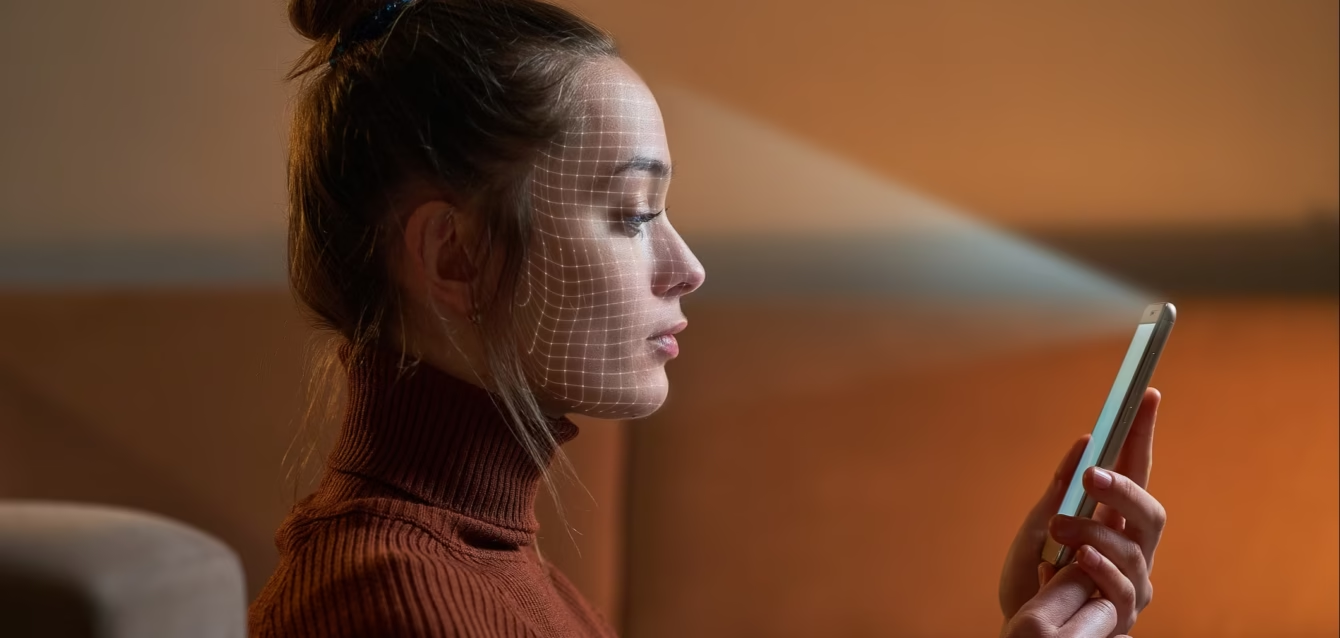
When you enroll in Face ID, the TrueDepth camera system projects approximately 30,000 invisible infrared dots onto your face and captures both a depth map and an infrared image. A neural network converts that scan into an encrypted mathematical representation — not a photograph — and stores it inside the Secure Enclave, a physically isolated chip within Apple’s SoC (system on a chip) that runs its own microkernel, has its own encrypted memory, and operates completely separately from the main application processor.
Face ID data — including mathematical representations of your face — is encrypted and protected with a key available only to the Secure Enclave. Face ID data does not leave your device, and is never backed up to iCloud or anywhere else.
Apple’s biometric security architecture relies on a strict separation of responsibilities between the biometric sensor and the Secure Enclave, and a secure connection between the two. The sensor captures the biometric image and securely transmits it to the Secure Enclave. During enrollment, the Secure Enclave processes, encrypts, and stores the corresponding Face ID template data.
Critically, face images captured during normal operation aren’t saved but are instead immediately discarded after the mathematical representation is calculated for either enrollment in Face ID or comparison with enrolled Face ID data.
The false-accept rate for a random stranger is less than 1 in 1,000,000 — twenty times better than the 1 in 50,000 rate for Touch ID. The system also locks after five failed attempts, requiring passcode entry before biometric unlock can resume.
Axis Intelligence Face ID Safety Scoring Matrix™
We assessed Face ID across five categories, each scored 1–10, weighted by relative importance to the typical user’s risk profile.
| Category | Weight | Score | Weighted Score | Rationale |
|---|---|---|---|---|
| Data Privacy & Storage | 30% | 9/10 | 2.70 | On-device only, Secure Enclave isolated, no cloud backup, no Apple access |
| Anti-Spoofing Robustness | 25% | 8/10 | 2.00 | 3D depth + infrared defeats photos/flat masks; twins/deepfakes are residual risk |
| Payment & Financial Security | 20% | 8/10 | 1.60 | Double side-button press required; Stolen Device Protection enforces biometric gating |
| Developer & Third-Party Access Boundaries | 15% | 8/10 | 1.20 | Apps receive only pass/fail signal; raw facial data never exposed via API |
| Legal & Compelled Access Risk | 10% | 5/10 | 0.50 | Circuit split unresolved; jurisdiction-dependent exposure for biometric unlock |
| AXIS INTELLIGENCE FACE ID SAFETY INDEX™ (AFISI™) | — | — | 8.0 / 10 | Weighted composite across all five dimensions |
Methodology note: The AFISI™ score reflects consumer-facing risk in everyday personal use on a personal iPhone with iOS 17.3 or later. It is not a score for enterprise or high-security deployment contexts where threat models differ substantially. Category weights reflect the relative frequency with which these risk vectors affect general users, based on Axis Intelligence’s cross-analysis of reported iPhone security incidents through Q1 2026.
Risks We Found
Risk 1: Identical Twins and Close Look-Alike Siblings
This is Face ID’s most consistently documented limitation, and Apple discloses it directly. The system’s false-accept probability is significantly elevated for identical twins and, to a lesser extent, for very similar-looking siblings or close relatives. Apple explicitly recommends that users with identical twins use a passcode for sensitive authentication.
Early testing after the iPhone X launch found that identical triplets — particularly young children — could unlock each other’s devices. Apple itself acknowledges in its support documentation that statistical probability of false match is higher for twins, siblings who look alike, and children under 13 whose facial features are still developing.
For the small fraction of iPhone users with identical twins (identical twins account for roughly 0.35% of the population), this is a real and specific risk. The practical mitigation is simple: enable Stolen Device Protection and use a passcode for the highest-sensitivity actions.
Risk 2: Law Enforcement Can Compel Biometric Unlock in Some U.S. Jurisdictions — and the Law Is Unsettled
This is the most legally significant risk for privacy-conscious users. A passcode is unambiguously protected against compelled disclosure under the Fifth Amendment. Biometric unlocking is not — and the legal landscape is actively contested.
In April 2024, the Ninth Circuit ruled in U.S. v. Payne that compelling a fingerprint to unlock a phone did not violate the Fifth Amendment, finding it was a physical act rather than a protected testimonial communication. In contrast, the D.C. Circuit took the opposite view in U.S. v. Brown, decided January 17, 2025, holding that biometric unlocking could constitute compelled testimony.
The Supreme Court may consider resolving the split in a future case, setting a national standard for compelled unlocking of devices secured with physical identifiers. This would have significant implications for digital privacy because law enforcement has long argued that its inability to open locked devices justifies its arsenal of backdoor access tools.
In practice, law enforcement has used biometric unlock — specifically, holding a phone up to a suspect’s face — as a routine investigative technique. The technical countermeasure is known: five failed attempts forces the device to passcode-only mode. If you are arrested or in an encounter with law enforcement and are concerned about device access, pressing the side button five times rapidly on modern iPhones triggers Emergency SOS mode and temporarily disables Face ID until the passcode is entered.
Risk 3: The Stolen Passcode + Physical Device Attack Vector (A Broader iOS Risk That Face ID Helps, Not Hurts)
Prior to iOS 17.3, a thief who observed a user entering their passcode — through shoulder surfing or surreptitious recording in public — could steal the device and use the passcode to override Face ID, access everything, and change the Apple ID password before the owner could react.
Apple introduced Stolen Device Protection, which leans more heavily on biometric authentication and adds an hour-long delay to certain actions, optionally only when you’re not in one of your regular locations. Delay-triggering actions include changing your Apple Account password or signing out of your Apple Account, adding or removing a Face ID or Touch ID enrollment, and changing your passcode.
This risk is now substantially mitigated on iOS 17.3+ with Stolen Device Protection enabled. However, for users who have not updated their iOS or have not enabled the feature, the combination of a compromised passcode and physical device theft remains a meaningful attack path. This is not a Face ID vulnerability per se — it is a vulnerability that Stolen Device Protection (which requires Face ID) was specifically built to close.
Risks We Did NOT Find
A credible safety audit documents what the evidence does not support as much as what it does. Here is what our review found no substantiated evidence of:
No evidence Apple transmits facial data to servers. Apple’s privacy policy is unambiguous and consistent with independent architectural analysis: biometric mathematical representations never leave the Secure Enclave on the device. We found no credible security research demonstrating otherwise.
No evidence third-party apps access enrollment data. Apps are notified only as to whether the authentication is successful. Apps can’t access Face ID data associated with the enrolled face. Developers using the LocalAuthentication framework receive a binary pass/fail response only. Apple’s developer terms explicitly prohibit using face data for advertising, marketing, or tracking.
No documented mass exploitation in the wild. Over time, Face ID has demonstrated not only durability against the early wave of laboratory mask spoofs but also resilience in the face of more sophisticated emerging threats, from synthetic “master faces” to sensor-channel tampering. There are no recent, reproducible reports of successful circumvention in the wild.
No successful high-quality mask spoofing at consumer scale. Proof-of-concept attacks using detailed silicone masks have been demonstrated in laboratory conditions, but require significant resources — custom-made masks from professional-grade scans of the target’s face — that are impractical in ordinary criminal contexts.
No evidence Face ID data is included in device backups. Apple’s documentation, consistent across multiple support documents reviewed, explicitly states Face ID data is never backed up to iCloud or any external system.
No accuracy bias issues in Apple’s on-device deployment. Demographic accuracy disparities are a documented concern in mass surveillance facial recognition systems using large databases. Apple’s Face ID is a 1-to-1 verification system — comparing the live face to the single enrolled profile on the device — which eliminates the large-scale database bias risks that apply to systems evaluated by NIST’s Face Recognition Vendor Testing.
How to Use Face ID More Safely
Enable Stolen Device Protection — Right Now
If you are on iOS 17.3 or later and have not enabled Stolen Device Protection, this is the single most important action you can take. Navigate to Settings → Face ID & Passcode → Stolen Device Protection and toggle it on. This ensures that even if someone has your passcode, biometric verification is required before they can change your Apple ID password, modify Face ID enrollment, or access your saved passwords.
Use a Strong, Non-Obvious Passcode as Your Fallback
Face ID is as secure as the passcode it falls back to. A 4-digit PIN chosen from a visible shoulder position — or recorded during a bar encounter, a known real-world theft pattern — undermines the entire security chain. Use a 6-digit passcode at minimum. An alphanumeric custom code is stronger.
Disable Face ID for Specific Contexts Where You’re Concerned
You can turn off Face ID for individual functions without removing enrollment entirely. Go to Settings → Face ID & Passcode and selectively disable Face ID for Wallet & Apple Pay, App Store, or specific apps if you want password-only access for financial transactions.
Use Emergency SOS to Temporarily Disable Face ID
In situations where you anticipate a law enforcement encounter, pressing the side button and volume down together (or pressing the side button rapidly five times) triggers Emergency SOS mode on iPhone, which disables Face ID temporarily and requires passcode entry to unlock. This is a documented privacy protection practice.
If You Have an Identical Twin: Use Passcode for Sensitive Actions
Apple’s own guidance recommends passcode authentication for users with identical twins. Applying that specifically to Wallet & Apple Pay within Face ID settings is a practical mitigation.
Keep iOS Updated
Apple continues to refine Face ID’s anti-spoofing neural networks with each iOS release. Running an outdated iOS version means running outdated liveness detection. The March 2026 Platform Security Guide reflects improvements to spoofing resistance that are only available on current software.
Safer Alternatives — and How Face ID Compares
For users who remain unconvinced by Face ID or prefer a different authentication model, here are the realistic options:
Touch ID. Available on iPhone SE (all models), the iPad, and some Mac keyboards. Touch ID’s false-accept rate is 1 in 50,000 for a random person — twenty times worse than Face ID, but it eliminates the identical-twin edge case and functions perfectly with gloves off. For users who work in wet or physical-labor environments, Touch ID can be more practically reliable.
Strong alphanumeric passcode only. Disabling biometrics entirely and relying on a complex passcode provides the strongest Fifth Amendment protection and eliminates biometric spoofing risk entirely. The trade-off is friction: you will type your password dozens of times per day.
Android alternatives with biometrics. Flagship Android devices use fingerprint sensors or camera-based face recognition. Most Android face recognition implementations use 2D camera data rather than the 3D infrared depth mapping that Face ID uses, making them generally more susceptible to photo-based spoofing. Samsung’s flagship devices have introduced iris scanning in some markets as an alternative.
For users specifically concerned about their digital security posture beyond device unlock, our best password managers guide covers credential vaults that work with or alongside biometric authentication, and our best VPN guide covers network-layer privacy protections that Face ID does not address.
Verdict by Use Case
Everyday personal user (most people): Face ID is safe and recommended. The combination of Secure Enclave architecture, no-cloud-storage data handling, and the strong 1-in-1,000,000 false-accept rate makes it materially more secure than a passcode alone for the typical threat model. Enable Stolen Device Protection and use a strong fallback passcode. No concerns that should deter use.
User with an identical twin: Use Face ID but disable it specifically for Apple Pay and your most sensitive apps. Route financial transactions through passcode entry. This is a real, documented risk specific to your situation.
User with significant law enforcement or border-crossing exposure: Be aware that biometric unlock occupies legally ambiguous territory in the United States, with circuit courts split on Fifth Amendment protection. If this is a concern, consider disabling Face ID before traveling internationally or attending protests, and relying on a passcode that cannot be compelled without explicit constitutional protection.
Enterprise / business user: Face ID is appropriate for personal devices used professionally. It is not a substitute for enterprise mobile device management (MDM), device encryption policies, or data-loss-prevention tools. For corporate deployments at scale, IT policy should govern which apps integrate Face ID and under what circumstances.
Children under 13: Apple’s own documentation notes that facial features in young children are still developing, increasing the false-accept risk — particularly in households with siblings close in age. Parents of young children should consider whether their child’s device should have Face ID enabled at all, or at minimum should ensure the children’s faces are not enrolled on a parent’s device.
The Bottom Line
Axis Intelligence’s cross-analysis of Apple’s technical architecture, privacy disclosures, and the available independent security research finds Face ID to be a robustly designed biometric system. The risks that exist are real but narrow: the identical-twin false-accept vulnerability affects roughly 0.35% of the population; the law enforcement compelled-access risk is legally contested and practically manageable with known countermeasures; and the broader iOS theft vector that once made stolen devices dangerous has been substantially addressed by Stolen Device Protection.
For everyday personal use on an updated iPhone, Face ID rates Safe with a score of 8.0 / 10 on the Axis Intelligence Face ID Safety Index™. It is not the right tool in every context — no single security mechanism is — but it is a well-engineered implementation of biometric authentication with an unusually strong privacy-by-design foundation.
FAQ
Does Face ID send my face data to Apple?
No. Apple’s privacy policy and Platform Security Guide (March 2026) are unambiguous: Face ID data — stored as encrypted mathematical representations, not photographs — never leaves the Secure Enclave on your device and is never backed up to iCloud.
Can someone unlock my iPhone with a photo of my face?
In practice, no. Face ID uses 3D infrared depth mapping, not 2D camera recognition. A flat photograph does not produce the depth map required to pass Face ID’s matching algorithm. Proof-of-concept attacks using detailed custom silicone masks have been demonstrated in lab conditions but require expensive, custom-fabricated masks that are impractical for ordinary criminal activity.
Can police force me to unlock my iPhone with Face ID?
This depends on your jurisdiction and circumstances. U.S. federal appeals courts are currently split: the Ninth Circuit (2024) ruled that compelled biometric unlocking does not violate the Fifth Amendment, while the D.C. Circuit (2025) ruled the opposite. No nationwide standard exists yet. A passcode receives stronger Fifth Amendment protection in both circuits.
Can apps see my Face ID data?
No. Third-party apps that integrate Face ID receive only a binary pass/fail authentication result. Apple’s developer policy prohibits apps from accessing, storing, or transmitting the facial data underlying Face ID enrollment.
Is Face ID safer than a passcode?
For the typical user and the typical threat — a stranger picking up your phone — Face ID’s 1-in-1,000,000 false-accept rate is twenty times better than Touch ID’s 1-in-50,000 and vastly better than a 4-digit PIN’s 1-in-10,000 statistical exposure. The exception is law enforcement compelled access, where a passcode currently enjoys stronger legal protection in most U.S. jurisdictions.
What happens if Face ID data is somehow extracted from my phone?
The architecture is designed to make this impossible. Face ID data is encrypted inside the Secure Enclave with a key tied to a randomly generated UID fused into the chip at manufacturing time — a key that is not accessible to Apple, not accessible to the operating system, and physically nonmigratable (removing internal storage to another device renders the data inaccessible). No documented successful extraction of Face ID enrollment data from the Secure Enclave has been published.
Should I use Face ID for banking apps?
Yes, with appropriate settings. Using Face ID for banking app login is meaningfully more resistant to shoulder-surf theft than a visible PIN entry. Ensure Stolen Device Protection is enabled so that even with your passcode, a thief cannot bypass biometric authentication to access your banking credentials.
Is Face ID safe for kids?
With caveats. Apple notes that children under 13 may produce elevated false-accept rates because their facial features are still developing. In households with multiple children of similar age, there is a realistic risk of one sibling unlocking another’s device. Consider whether a young child’s device should use Face ID at all, or restrict which apps it can access.
This article was produced by Marcus Chen, Axis Intelligence’s cybersecurity analyst. Marcus covers security, privacy, and VPN topics