


Best AI Website Builders 2026
Quick Answer: The AI website builder market in 2026 encompasses over 30 distinct platforms across template-based, code-generation, and hybrid design approaches. Organizations evaluating these tools should assess them based on deployment architecture, output ownership, integration ecosystems, and total cost of ownership rather than marketing claims about “intelligence” or automation capabilities. The market shows clear segmentation between consumer-grade template generators and enterprise-capable development platforms.
What This Analysis Covers:
- 18 AI website building platforms across four architectural categories
- Evaluation framework based on technical capabilities, not subjective rankings
- Deployment models, pricing transparency, and documented limitations
- Integration requirements and organizational fit considerations
- Market sizing data from institutional research firms
Key Finding: No universal AI website builder exists that serves all use cases effectively. Organizations typically require platform selection based on technical proficiency levels, code ownership requirements, and existing technology stack rather than generalized “best” recommendations. The gap between marketed AI capabilities and actual autonomous function remains substantial across most platforms.
Table of Contents
Scope and Methodology
Scope Definition
This analysis examines AI-powered website building platforms available to organizations and individuals in early 2026. Included platforms must demonstrate verifiable artificial intelligence or machine learning components beyond basic template selection algorithms.
Included:
- Platforms offering AI-driven design generation from text prompts
- Code generation tools producing exportable website assets
- Hybrid builders combining visual editing with AI assistance
- Enterprise platforms with documented AI capabilities
Explicitly Excluded:
- Traditional drag-and-drop builders without AI components
- Custom development agencies or consultancies
- Open-source frameworks requiring manual setup
- Platforms with fewer than 10,000 documented users
Analysis Period: December 2025 – February 2026
Evaluation Framework
Platform assessment uses six standardized criteria established from enterprise technology procurement frameworks:
- Architectural Model – Template generation, code synthesis, or hybrid approach
- Output Ownership – Code export capabilities and vendor lock-in factors
- Deployment Options – Hosting requirements and infrastructure dependencies
- Integration Capabilities – API availability and third-party system compatibility
- Pricing Transparency – Published pricing versus quote-required models
- Technical Documentation – Available compliance information and security certifications
Data collection relied on publicly available vendor documentation, platform testing with standardized prompts, and published third-party security assessments. No compensation was received from any vendor mentioned in this analysis.
Limitations
This analysis faces several methodological constraints:
Data Availability: Many enterprise AI website builders operate on custom pricing without published rate cards, limiting pricing comparison accuracy.
Rapid Evolution: AI capabilities change frequently. Assessments reflect platform capabilities as documented in January-February 2026.
Testing Scope: Platform testing used standardized business website prompts. Results may vary significantly for specialized use cases like e-commerce platforms or membership sites.
Enterprise Features: Features requiring sales contact (SSO, custom SLAs, dedicated infrastructure) could not be independently verified.
Transparency Statement
Axis Intelligence maintains no commercial relationships with website builder vendors. No affiliate links, referral arrangements, or sponsored placements exist in this analysis. Platform selection criteria prioritized market presence, documented user bases, and technical architecture diversity rather than vendor outreach or partnership opportunities.
Market Context
Current State of AI Website Building
The AI website builder market reached an estimated valuation between $3.57 billion and $6.3 billion in 2026, according to analyses from Verified Market Reports and Market.us. This represents compound annual growth rates ranging from 20% to 32% depending on market segment definitions and geographic scope.
Market concentration remains high. NxCode research indicates Wix commands approximately 40.5% of the North American website builder market with over 282 million registered users globally. However, the “AI website builder” subsegment shows more fragmentation, with dozens of platforms launching since 2023 leveraging large language models for content generation and design assistance.
The market divides into three architectural approaches:
Template-Based AI Systems use machine learning to select and customize pre-designed templates based on user inputs. These platforms typically offer rapid deployment (under 10 minutes) but limited architectural flexibility. Market leaders include Wix ADI, Squarespace AI, and Hostinger AI Website Builder.
Code Generation Platforms employ large language models to produce actual HTML, CSS, JavaScript, or framework-specific code from natural language descriptions. These tools target users with some technical proficiency. Examples include Replit Agent, PlayCode, and v0 by Vercel.
Hybrid Design Systems combine visual editing interfaces with AI assistance for specific tasks like content generation, image selection, or layout optimization. Webflow, Framer, and Modulify represent this category.
Cloud-based deployment dominates the market, accounting for 75-81% of implementations according to Mordor Intelligence analysis. This preference reflects SaaS convenience factors and reduced infrastructure management overhead rather than technical superiority of cloud architectures.
Key Challenges Organizations Face
Organizations evaluating AI website builders encounter several recurring obstacles:
Output Ownership Ambiguity: Many platforms create websites using proprietary rendering engines or component systems that cannot function outside the vendor’s hosting environment. Organizations discover code export limitations only after significant design investment. This creates vendor lock-in that may not align with multi-year technology strategies.
AI Capability Overstatement: Marketing materials frequently describe platforms as capable of building complete websites “from a single prompt.” Testing reveals most platforms require 15-30 minutes of iterative refinement even for basic business websites. The gap between promised autonomy and actual required human guidance remains substantial.
Enterprise Integration Gaps: While consumer-facing documentation emphasizes ease of use, technical documentation for API access, SSO integration, or headless CMS operation often proves sparse or restricted to premium tiers. Organizations with existing authentication systems or content workflows face unexpected integration work.
Compliance Documentation Deficits: Few platforms publish comprehensive compliance certifications or security audit results publicly. Organizations in regulated industries (healthcare, finance, government) encounter difficulty verifying GDPR compliance, SOC 2 attestations, or accessibility standards conformance without engaging sales processes.
Total Cost Opacity: Published pricing typically covers basic hosting and features. Actual costs including SSL certificates, premium templates, custom domains, transaction fees (for e-commerce), and necessary add-ons frequently reach 2-3x advertised entry pricing.
Migration Complexity: Platforms rarely document migration paths to other systems. Organizations considering platform changes face extensive rebuild work as design customizations, content structures, and integrations typically lack standard export formats.
What to Expect in 2026
Several market developments will likely influence AI website builder capabilities through 2026:
Multi-Modal AI Integration: Platforms are incorporating image generation (via Stable Diffusion, Midjourney APIs) and voice-to-website capabilities. However, copyright implications of AI-generated imagery in commercial contexts remain legally ambiguous in many jurisdictions.
Backend System Generation: New platforms like Replit now generate not just frontend interfaces but complete application backends including databases, API endpoints, and authentication systems. This represents a significant capability expansion beyond traditional “website builders.”
Enterprise AI Adoption Acceleration: Major website builder vendors are pursuing enterprise accounts more aggressively. This drives development of compliance documentation, SSO support, and team collaboration features that were previously absent or limited.
Consolidation Activity: Industry reporting indicates acquisition activity including Wix’s $80 million acquisition of Base44 in 2025. Smaller AI-focused builders face pressure to demonstrate sustainable unit economics or position for acquisition.
Pricing Model Evolution: Subscription fatigue is driving experimentation with pay-per-site models, one-time purchase options, and usage-based pricing. However, the dominant SaaS subscription model appears entrenched given its revenue predictability.
The trajectory points toward increased AI capabilities but within architectural constraints of each platform approach. Template-based systems will generate more sophisticated template variations. Code generation platforms will produce more complex applications. However, fundamental trade-offs between ease-of-use and flexibility will persist regardless of AI advancement.
Organizations should anticipate that 2026 represents an intermediate stage in AI website building maturity. Current platforms demonstrate useful automation for specific tasks but fall short of truly autonomous website creation that requires minimal human guidance. Planning for significant human involvement in design refinement, content customization, and integration configuration remains prudent.
Platform Architecture Categories
AI website builders employ four distinct architectural approaches that determine their capabilities, limitations, and appropriate organizational fit. Understanding these categories clarifies why no single platform serves all use cases effectively.
Category A: Template-Based AI Generators
Technical Approach: These platforms use machine learning classifiers to select from pre-designed template libraries based on user inputs about industry, style preferences, and content types. AI components handle template selection, color palette generation, and content placement rather than creating designs from scratch.
How They Function: Users complete questionnaires or provide business descriptions. The system analyzes inputs to classify the use case, then applies algorithms to populate selected templates with user-provided or AI-generated content. The underlying template structure remains fixed while surface elements (colors, fonts, images, text) adapt.
Deployment Characteristics: Exclusively cloud-hosted on vendor infrastructure. Websites render using proprietary page builders that require the vendor’s hosting environment to function.
Best Suited For: Organizations prioritizing rapid deployment over architectural control. Small businesses without technical resources. Use cases with standard layouts that fit pre-designed template structures.
Representative Platforms: Wix ADI, Hostinger AI Website Builder, Durable, Jimdo
Typical Time to Launch: 5-15 minutes for initial generation, 1-3 hours for customization
Category B: Code Generation Platforms
Technical Approach: These systems use large language models (typically GPT-4, Claude, or similar) to generate actual code files (HTML, CSS, JavaScript, React components) from natural language descriptions. The output consists of text files that can function independently of the generation platform.
How They Function: Users describe desired functionality in conversational language. The AI generates code, displays it for review, and allows iterative refinement through additional prompts. More sophisticated platforms include testing environments, debugging capabilities, and deployment automation.
Deployment Characteristics: Code can deploy to any hosting environment that supports the generated technology stack. Some platforms offer integrated hosting while others focus purely on code generation with external deployment.
Best Suited For: Organizations with technical team members who can review and modify generated code. Use cases requiring custom functionality beyond template capabilities. Situations where code ownership and portability are priorities.
Representative Platforms: Replit Agent, PlayCode, v0 by Vercel, GitHub Copilot Workspace
Typical Time to Launch: 15-45 minutes for initial generation, variable refinement time based on complexity
Category C: Hybrid Visual Builders with AI Assistance
Technical Approach: Traditional visual website builders augmented with AI capabilities for specific tasks. Core interface remains a visual editor where users arrange components. AI assists with content generation, image selection, layout suggestions, and responsive design optimization.
How They Function: Users work in visual editing environments similar to design tools. AI features activate on-demand for tasks like “generate hero section copy,” “suggest color palette,” or “optimize for mobile.” The AI serves as an assistant rather than the primary building mechanism.
Deployment Characteristics: Varied. Some platforms (Webflow, Framer) support custom hosting and code export. Others (Squarespace) maintain proprietary hosting requirements. Architecture dictates flexibility.
Best Suited For: Organizations wanting design control with selective AI acceleration. Designers comfortable with visual editing tools. Use cases requiring pixel-precise layouts or complex animations.
Representative Platforms: Webflow (with AI features), Framer, Squarespace, Modulify, Relume
Typical Time to Launch: 30-90 minutes for AI-assisted generation, multi-hour refinement typical
Category D: WordPress-Integrated AI Systems
Technical Approach: AI layers built on top of WordPress infrastructure. These tools generate WordPress themes, populate content into WordPress structures, and configure WordPress plugins while maintaining compatibility with the broader WordPress ecosystem.
How They Function: Systems analyze user inputs to configure WordPress installations. AI generates theme customizations, suggests plugin combinations, and populates content into WordPress’s CMS structure. The result is a standard WordPress site that accepts traditional WordPress modifications.
Deployment Characteristics: Requires WordPress hosting. Sites remain fully WordPress-compatible, allowing migration to any WordPress host. Some vendors bundle hosting while others integrate with existing WordPress installations.
Best Suited For: Organizations committed to WordPress as their long-term CMS. Teams familiar with WordPress customization. Use cases requiring WordPress plugin ecosystem access.
Representative Platforms: 10Web, WordPress.com AI, Elementor AI
Typical Time to Launch: 10-20 minutes for initial generation, WordPress familiarity required for refinement
Comparative Overview Table
The following table presents verifiable technical characteristics of major AI website building platforms. No rankings, scores, or subjective assessments are included—only factual attributes documented through platform testing or vendor specifications.
| Platform | Primary Approach | Output Format | Hosting Flexibility | Code Export | Pricing Model | Key Documented Limitation |
|---|---|---|---|---|---|---|
| Wix ADI | Template-based AI | Proprietary components | Wix-hosted only | No | Freemium + subscriptions from $17/mo | Cannot migrate designs to other platforms |
| Hostinger AI | Template-based AI | Proprietary builder | Hostinger-hosted only | No | Subscription from $2.99/mo with hosting | Limited customization depth; 3 initial layout options |
| Durable | Template-based AI | Proprietary components | Durable-hosted only | No | Subscription $15/mo includes CRM | Primarily designed for local service businesses |
| Squarespace | Hybrid visual + AI | Proprietary rendering | Squarespace-hosted only | Limited JSON export | Subscription from $16/mo | AI features available only in specific plan tiers |
| Framer | Hybrid visual + AI | React components | Custom hosting supported | Yes (React code) | Freemium + $15/mo | Requires React/web knowledge for code-level modifications |
| Webflow | Hybrid visual + AI | Webflow components | Custom hosting supported | Yes (HTML/CSS/JS) | Freemium + from $18/mo | AI features in beta; full capability not yet released |
| Modulify | Hybrid visual + AI | Webflow components | Through Webflow | Via Webflow | Subscription $49/mo | Requires Webflow account; 1,200+ components library access |
| Relume | Hybrid visual + AI | Multiple format exports | Via export targets | Yes (multiple formats) | Freemium + from $38/mo | Focused on wireframing; less capable for final production |
| Replit Agent | Code generation | Full-stack code files | Any host (cloud-native) | Yes (complete codebase) | Freemium + $25/mo Core tier | Cloud-only development environment |
| PlayCode | Code generation | React/Vue/TypeScript files | Any host | Yes (ZIP or GitHub) | Freemium + $9.99/mo Pro | Requires JavaScript framework knowledge |
| v0 by Vercel | Code generation | React/Next.js components | Vercel or any host | Yes (full code) | Credit-based (varies) | Tailwind CSS only; no other styling frameworks |
| 10Web | WordPress AI | WordPress theme files | Any WordPress host | Yes (full WordPress) | From $10/mo | Requires WordPress hosting and familiarity |
| Elementor AI | WordPress AI | WordPress + Elementor | Any WordPress host | Via WordPress | From $59/year | Requires Elementor Pro license |
| Wix | Template with manual editing | Proprietary components | Wix-hosted only | No | Freemium + from $17/mo | Non-AI version; manual customization required |
| SITE123 | Template-based AI | Proprietary builder | SITE123-hosted only | No | Freemium + from $12.80/mo | Very limited customization flexibility |
| Jimdo | Template-based AI | Proprietary components | Jimdo-hosted only | No | Freemium + from $11/mo | GDPR-compliant (EU-based) but limited features |
| Dorik | Hybrid visual + AI | Proprietary components | Dorik-hosted | No | Freemium + from $18/mo | Strong AI image generator; limited e-commerce |
| Bookmark AiDA | Template-based AI | Proprietary components | Bookmark-hosted only | No | From $25.99/mo | Primarily Canadian market focus |
Table Notes
Pricing Accuracy: All pricing represents monthly billing for annual commitments as of February 2026. Monthly-only billing typically costs 20-40% more. Enterprise pricing for team/agency features requires vendor quotes in most cases.
Hosting Flexibility: “Custom hosting supported” indicates the platform generates code or exports that can deploy to any compatible hosting environment. “Platform-hosted only” means websites function exclusively on vendor infrastructure.
Code Export Limitations: Even platforms offering code export may use proprietary components, build tools, or dependencies that complicate deployment to other environments. “Full code export” indicates standard web technologies (HTML, CSS, JavaScript) or widely-adopted frameworks (React, WordPress) with minimal vendor-specific dependencies.
Feature Availability: Capabilities listed reflect highest-tier accessible plans. Lower-cost tiers often restrict or remove AI features, custom domains, e-commerce functionality, or advanced integrations.
Cross-Platform Observations
Analysis of the 18 platforms reveals several patterns worth noting for organizations evaluating options:
The Convenience-Control Trade-off Persists
Platforms offering fastest deployment times (Durable, Hostinger AI, Wix ADI) universally impose hosting restrictions and provide limited customization depth. Conversely, platforms maximizing flexibility (Replit, v0, Webflow) require substantially more time investment and technical knowledge. No platform successfully bridges this gap at scale.
AI Content Generation Shows Consistency Across Platforms
Most platforms now integrate similar large language models (GPT-3.5, GPT-4, or Claude variants) for content generation. Output quality differences relate more to prompting systems and context provided to models than underlying AI capabilities. Organizations should not select platforms primarily based on AI content quality claims—most perform comparably for standard business website copy.
Pricing Models Favor Subscription Lock-in
Pay-per-site or one-time purchase models remain rare. The subscription model dominates because it creates predictable revenue streams for vendors. Organizations should calculate 3-5 year total cost of ownership including inevitable feature upgrades, storage increases, and additional sites rather than comparing only entry-level monthly rates.
Enterprise Features Exist Behind Quote Walls
SSO integration, SOC 2 compliance documentation, service level agreements, and dedicated infrastructure typically require sales engagement across all platforms. Published pricing rarely includes these capabilities. Organizations with enterprise requirements should budget for 2-5x published pricing.
Mobile Responsiveness Is Universal but Implementation Varies
All platforms claim mobile-responsive output. However, implementation quality spans from automatic flexible layouts (most template-based systems) to manual responsive design requirements (code generation platforms). Organizations should test mobile rendering thoroughly during evaluation rather than accepting responsiveness claims at face value.
E-commerce Capabilities Remain Platform-Specific
Platforms designed specifically for e-commerce (Shopify with AI features, Wix with e-commerce plans) significantly outperform general website builders with added e-commerce modules. Organizations prioritizing online sales should evaluate e-commerce-native platforms separately rather than selecting general builders with e-commerce add-ons.
Integration Ecosystems Determine Long-term Flexibility
Platforms with extensive third-party integration marketplaces (Wix, WordPress-based solutions) provide more adaptation pathways as organizational needs evolve. Code generation platforms offering full export provide maximum integration flexibility but require technical resources. Closed ecosystems with limited integration options should be considered only when current feature sets completely satisfy known requirements.
Individual Platform Profiles
This section provides detailed assessments of 18 AI website building platforms based on documented capabilities, deployment characteristics, and verifiable limitations. Profiles present factual information without rankings or subjective recommendations.
Replit Agent
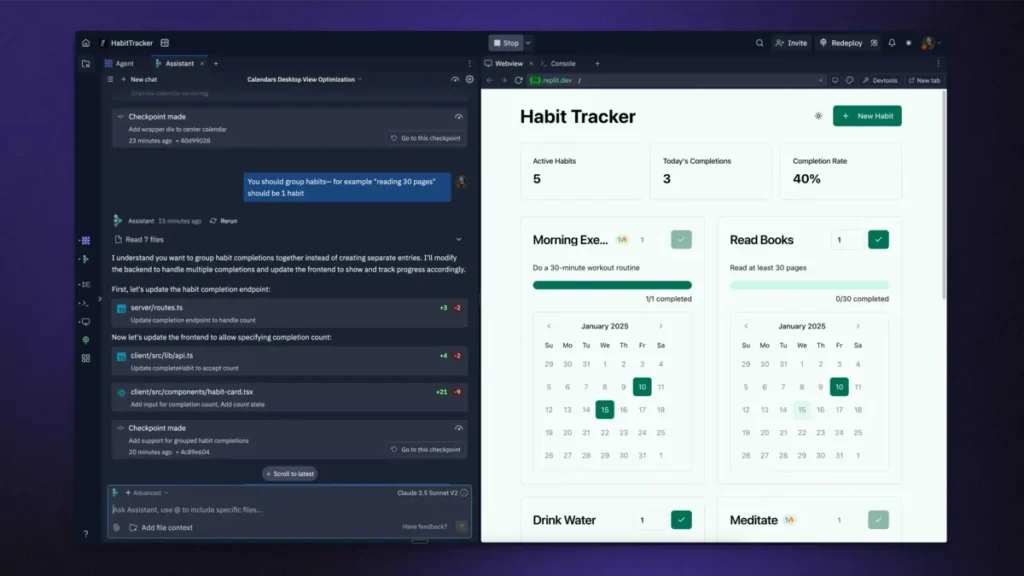
Overview: Replit Agent represents a code generation platform that produces full-stack applications from natural language descriptions. The system generates actual code files across multiple programming languages and frameworks rather than populating pre-designed templates. Replit’s platform functions as both a development environment and deployment infrastructure.
Primary Capabilities:
- Full-stack application generation including frontend, backend, and database components
- Support for 50+ programming languages including Python, JavaScript, TypeScript, Go, Java, and C++
- Integrated PostgreSQL databases with managed hosting
- Autonomous testing and debugging through Agent 3 AI model
- Real-time collaboration features for multi-developer teams
- One-click deployment to production environments
Deployment Model: Cloud-native development environment. Applications can deploy to Replit’s infrastructure or export to external hosting providers. The platform operates entirely in web browsers without local installation requirements.
Integration Ecosystem: Supports integration with GitHub for version control, imports from Figma designs, and API connectivity to external services. Database options include built-in Replit Database and managed PostgreSQL instances.
Pricing Approach: Freemium model with usage-based components. Starter plan provides limited AI Agent access at no cost. Core plan costs $25/month with $25 monthly usage credits. Teams plan runs $40/user/month with $40 credits per seat. Enterprise pricing requires vendor contact. Effort-based pricing means complex AI tasks may consume credits rapidly—simple changes typically cost under $0.25 while major refactoring operations can reach several dollars per request.
Documented Limitations:
- Unpredictable credit consumption creates difficulty estimating monthly costs. Users report charges accumulating when AI gets stuck in loops or misunderstands requirements.
- Cloud-only development environment prevents local coding workflows.
- Limited advanced DevOps features compared to platforms like GitHub Actions. Custom CI/CD pipelines require workarounds.
- Email support only for Core and Teams tiers with 12-24 hour response times. No live chat for non-Enterprise accounts.
- Agent sometimes struggles with multi-file refactoring across 8+ files simultaneously according to user testing reports.
Organizational Fit: Technical teams comfortable reviewing and modifying generated code. Startups and MVPs requiring rapid prototyping with actual deployable applications. Organizations where code ownership and GitHub export capabilities matter strategically. Not suitable for non-technical users or teams requiring predictable monthly costs.
Wix ADI (Artificial Design Intelligence)
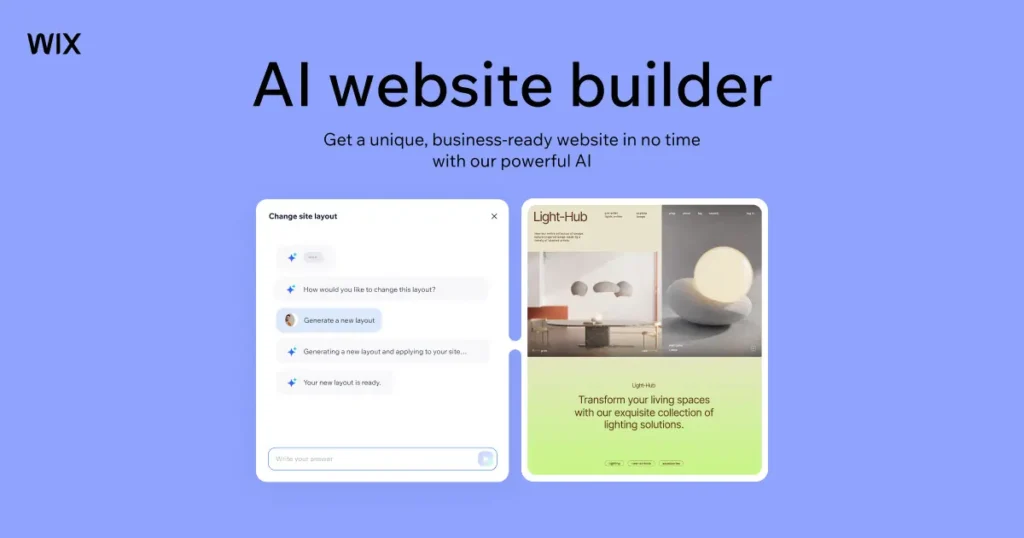
Overview: Wix ADI pioneered template-based AI website generation in 2016. The system uses machine learning classifiers to select from Wix’s template library based on user inputs about industry, preferences, and content requirements. Wix has since evolved ADI into their newer “Wix Harmony” system which combines AI generation with manual editing.
Primary Capabilities:
- Automated template selection and customization based on questionnaire responses
- AI-generated content including text, layouts, and color schemes
- Automatic mobile optimization across all generated designs
- Integration with Wix App Market (though fewer apps accessible via ADI than standard Wix Editor)
- Built-in SEO tools through Wix SEO Wiz
- Option to switch to full Wix Editor for advanced customization
Deployment Model: Wix-hosted exclusively. Websites render using Wix’s proprietary page builder and cannot function outside Wix infrastructure.
Integration Ecosystem: Access to Wix App Market with 500+ integrations including e-commerce, booking systems, CRM tools, and marketing applications. However, ADI limits access to fewer apps compared to standard Wix Editor.
Pricing Approach: Identical to standard Wix pricing. Free plan includes Wix branding. Paid plans range from $17/month (Light plan removing ads) to premium business tiers. E-commerce functionality requires Business plans starting around $27/month.
Documented Limitations:
- Section-based editing prevents true drag-and-drop flexibility. Elements can only move vertically (up/down between sections) not horizontally.
- Cannot switch back to ADI after moving to Wix Editor without losing Editor customizations.
- Limited to approximately 35 design themes compared to 900+ templates in standard Wix Editor.
- URL structure customization more restricted than Wix Editor, impacting SEO flexibility.
- AI-generated content often requires substantial editing to sound natural and professional.
- Sites can appear template-like despite customization attempts.
Organizational Fit: Small businesses and individuals prioritizing rapid deployment over design control. Users without technical skills or design experience. Temporary websites or projects with limited customization requirements. Not suitable for organizations requiring unique designs, advanced SEO control, or code-level access.
Hostinger AI Website Builder
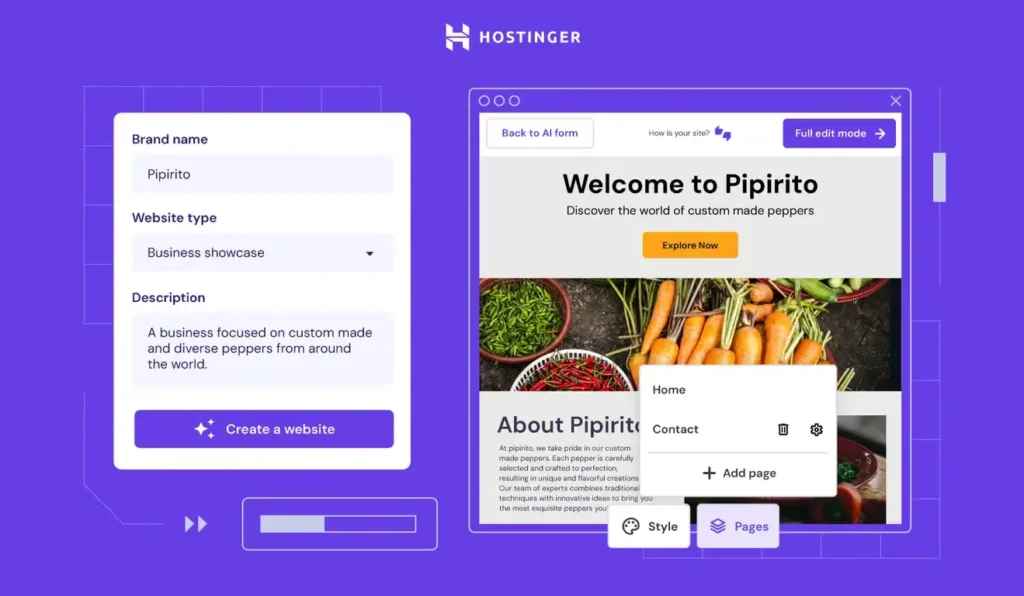
Overview: Hostinger integrated AI website generation into their hosting platform, creating one of the most affordable AI builder options. The system leverages GPT-based language models to generate simple business websites within minutes based on brief business descriptions.
Primary Capabilities:
- Website generation from business name and 2-3 sentence descriptions
- AI-written content and automatic stock image selection
- Three initial layout variations to choose from
- Bundled web hosting included in subscription
- Basic customization through Hostinger’s visual builder
- Free domain name included with annual plans
Deployment Model: Hostinger-hosted only. Websites require Hostinger’s hosting infrastructure to function.
Integration Ecosystem: Limited compared to larger platforms. Basic integrations for contact forms, social media embedding, and simple e-commerce through Hostinger’s tools.
Pricing Approach: Extremely competitive at $2.99/month entry pricing when billed annually, positioning as the most affordable AI builder option. Pricing includes hosting and domain registration. No free plan available but offers money-back guarantee trial period.
Documented Limitations:
- Only three initial layout options provided during generation. Limited variety compared to competitors.
- Customization depth significantly constrained compared to platforms like Wix or Squarespace.
- AI output quality depends heavily on ChatGPT’s base capabilities. Descriptions may sound generic without substantial manual editing.
- Not designed for complex websites. Best suited for simple business card-style sites.
- Advanced features like membership areas, booking systems, or sophisticated e-commerce require alternative platforms.
Organizational Fit: Budget-conscious startups and solopreneurs. Simple business websites requiring only basic functionality. Users already committed to Hostinger hosting infrastructure. Organizations accepting limited customization in exchange for lowest cost entry point.
Framer
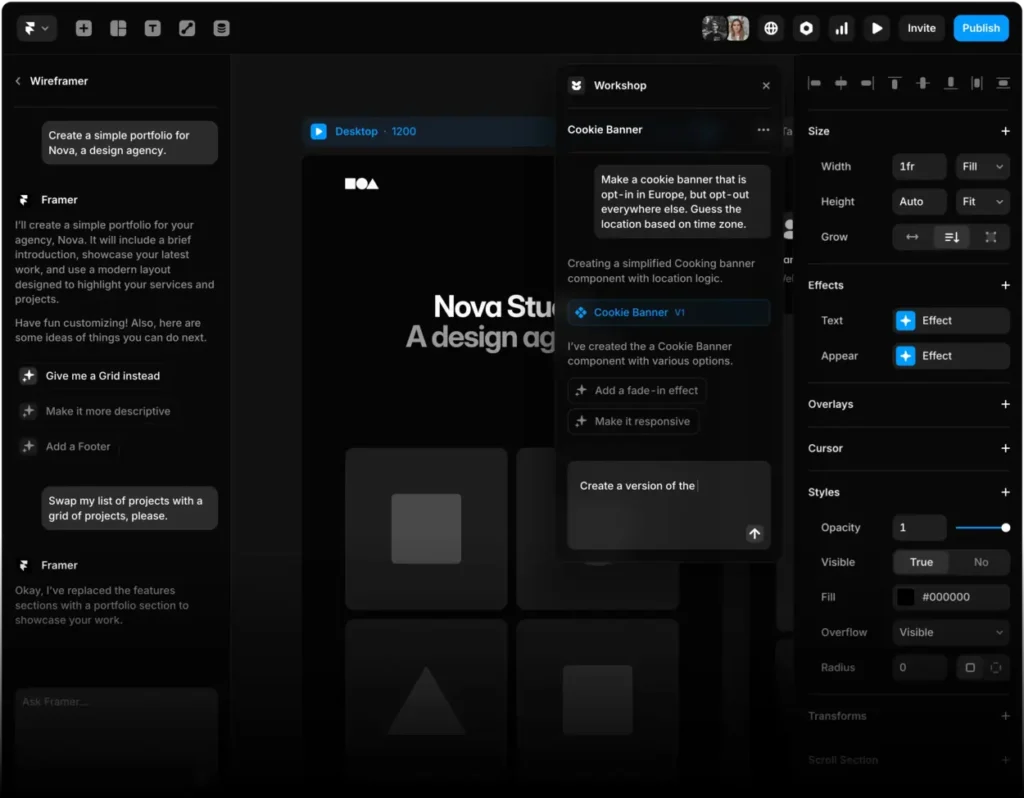
Overview: Framer positions as a design-first platform combining visual interface building with AI assistance capabilities. The platform particularly appeals to designers and creative professionals through its animation capabilities and component-based architecture.
Primary Capabilities:
- AI wireframe generation from text descriptions
- Sophisticated animation and interaction design tools
- Component-based design system approach
- React-based architecture enabling code export
- Real-time collaboration for design teams
- Responsive design tools with granular breakpoint control
Deployment Model: Framer hosting available, but sites can also deploy to custom hosting since they export as standard React applications.
Integration Ecosystem: CMS capabilities for dynamic content, integration with design tools, API connectivity for custom integrations. Growing third-party plugin ecosystem focused on design and animation extensions.
Pricing Approach: Free tier for single site. Paid plans start at $15/month for individuals with additional sites and features. Team and enterprise pricing scales based on user count and support requirements.
Documented Limitations:
- Steeper learning curve than template-based builders. Design and animation controls require time investment to master.
- React and web development knowledge helpful for code-level modifications and advanced customization.
- AI features less comprehensive than pure code generation platforms. AI primarily assists rather than autonomously builds.
- Premium templates and components often carry additional costs beyond base subscription.
- E-commerce capabilities less developed than dedicated e-commerce platforms.
Organizational Fit: Design agencies and creative professionals prioritizing visual quality. Marketing teams needing sophisticated landing pages and microsites. Startups wanting beautiful presentation websites with strong branding. Organizations with some technical resources to handle React-based architecture. Not ideal for non-technical users or complex e-commerce operations.
Webflow (with AI Features)
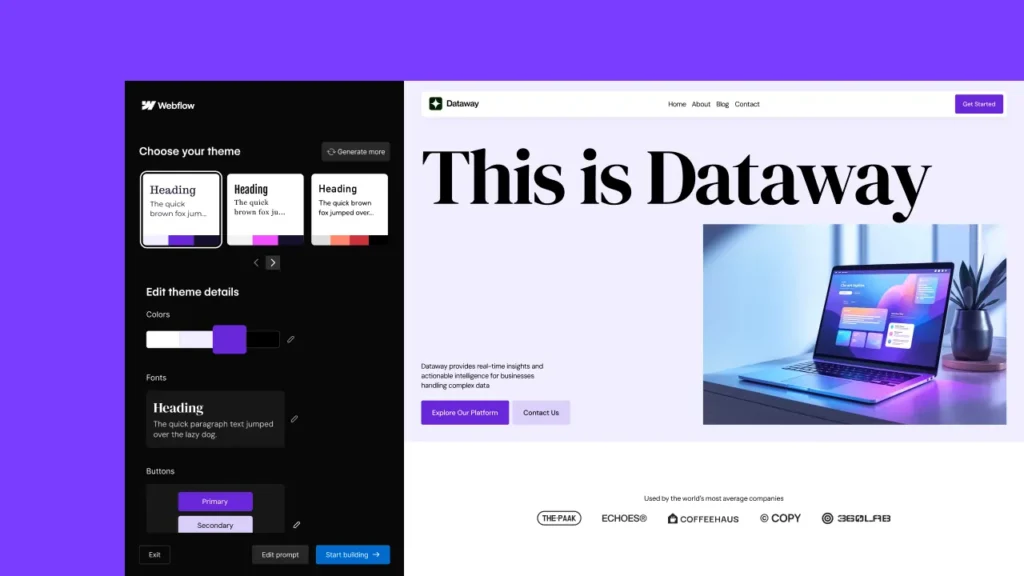
Overview: Webflow operates as a professional visual development platform that recently added AI capabilities to its Designer interface. Webflow’s AI features remain in beta as of early 2026, representing newer additions to an already-powerful platform rather than AI-first architecture.
Primary Capabilities:
- AI-assisted content generation for copy and headings
- Layout and section suggestions through AI Site Designer (beta)
- Pixel-perfect visual design control without code
- CMS capabilities for dynamic content and databases
- Advanced animation and interaction design
- Full code export (HTML, CSS, JavaScript)
- Complex responsive design across unlimited breakpoints
Deployment Model: Webflow hosting available with custom domain support, or complete code export for deployment anywhere. Supports headless CMS mode for separate frontend architectures.
Integration Ecosystem: Extensive marketplace with hundreds of integrations including Zapier, Airtable, HubSpot, Mailchimp, and e-commerce platforms. API access enables custom integrations for enterprise clients.
Pricing Approach: Free tier for two projects with Webflow branding. Site plans start at $18/month. E-commerce plans begin at $36/month. Enterprise pricing requires custom quotes for team features, priority support, and advanced capabilities.
Documented Limitations:
- AI capabilities limited compared to AI-first platforms. AI primarily assists with small tasks rather than generating complete sites.
- Steep learning curve. Webflow requires understanding of web design concepts even without coding.
- AI features still in beta with incomplete functionality as of February 2026.
- Premium templates often cost $50-200 additional to subscription pricing.
- Complex pricing structure with separate site plans, workspace plans, and e-commerce plans can confuse buyers.
Organizational Fit: Professional designers and agencies building client websites. Organizations requiring maximum design control with deployment flexibility. Teams with design expertise who want AI acceleration for specific tasks. Enterprises needing robust CMS capabilities and code ownership. Unsuitable for complete beginners or users expecting AI to build entire sites autonomously.
Squarespace
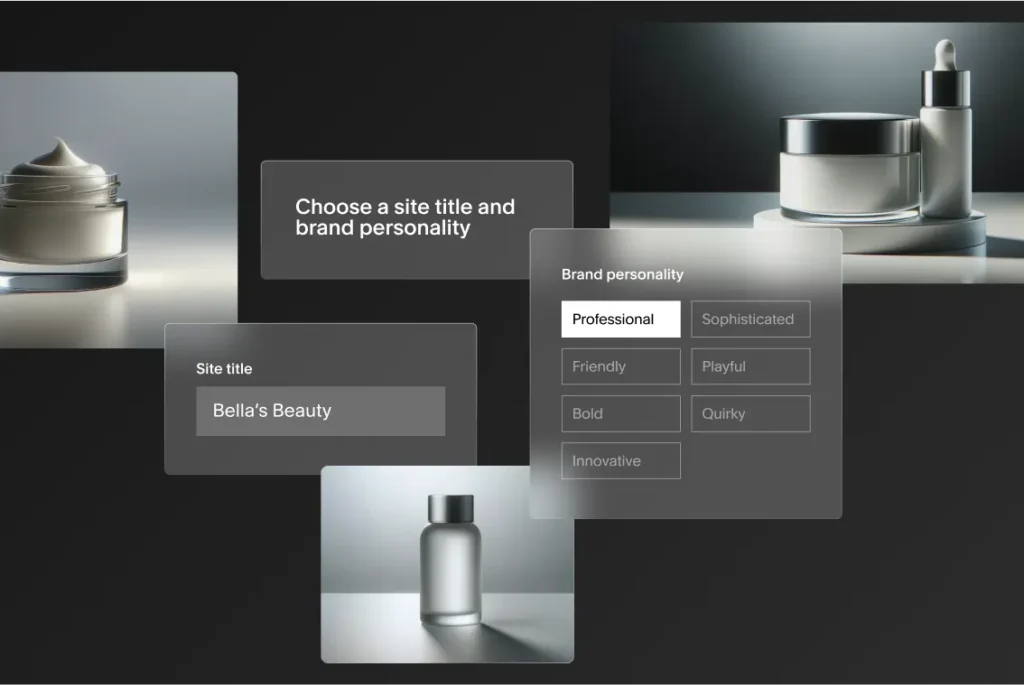
Overview: Squarespace integrated AI features into their established template-based website builder. The platform emphasizes design quality and includes AI assistance for content generation and layout customization within their curated template system.
Primary Capabilities:
- AI-powered content generation for website copy
- Design Intelligence for automated layout optimization
- High-quality template library curated by in-house designers
- Integrated blogging platform with comprehensive features
- E-commerce capabilities including inventory management and checkout
- Built-in SEO tools and analytics
- Appointment scheduling and member area functionality
Deployment Model: Squarespace-hosted exclusively. Sites cannot export or deploy outside Squarespace infrastructure.
Integration Ecosystem: Integrations with major platforms including Google Workspace, Mailchimp, Acuity Scheduling, and social media platforms. Extensions marketplace provides additional functionality though smaller than Wix or WordPress ecosystems.
Pricing Approach: No free plan. Personal plan starts at $16/month for basic websites. Business plan at $23/month adds advanced features. E-commerce plans range from $27-$49/month depending on features. All pricing requires annual commitment for quoted rates.
Documented Limitations:
- AI features only available in specific premium plan tiers. Not included across all subscription levels.
- Template switching after site launch requires extensive redesign work. Cannot easily change templates while preserving customizations.
- Limited JSON export only. No HTML/CSS code export capability creates complete vendor lock-in.
- Third-party integration options more restricted than WordPress or Wix platforms.
- Advanced customization requires CSS/JavaScript injection which voids some support guarantees.
Organizational Fit: Creative professionals, photographers, and artists prioritizing design aesthetics. Restaurants and hospitality businesses using integrated reservation systems. Organizations valuing curated template quality over unlimited customization options. E-commerce businesses with straightforward product catalogs. Not suitable for highly custom requirements or organizations needing code-level control.
10Web
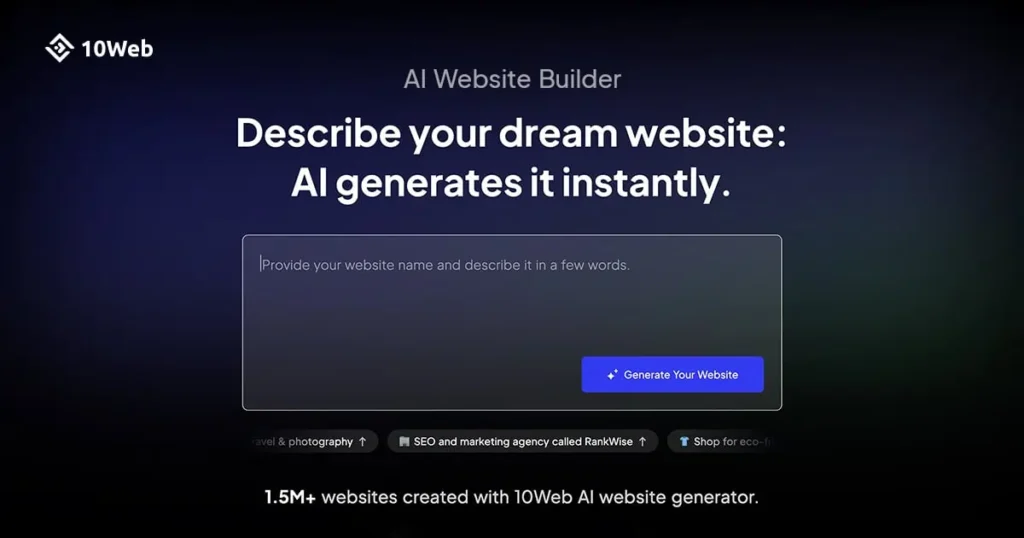
Overview: 10Web provides AI-powered website generation specifically for WordPress infrastructure. The platform bridges AI convenience with WordPress ecosystem benefits, enabling users to access WordPress’s extensive plugin library while leveraging AI for initial site creation.
Primary Capabilities:
- AI website generation producing standard WordPress themes
- WordPress site recreation from existing URLs using AI analysis
- Automated WordPress hosting with PageSpeed optimization
- Integration with Elementor page builder for visual customization
- Automated backups and WordPress security monitoring
- AI content writer for WordPress posts and pages
Deployment Model: Requires WordPress hosting. 10Web provides managed WordPress hosting or can work with existing WordPress installations on other hosts.
Integration Ecosystem: Full access to WordPress plugin ecosystem with 60,000+ plugins. Compatible with all WordPress themes and extensions. WooCommerce integration for e-commerce.
Pricing Approach: Starts at $10/month for basic plan. Premium tiers add features like increased website count, premium Elementor templates, and priority support. All plans include WordPress hosting.
Documented Limitations:
- Requires WordPress familiarity for effective customization beyond initial AI generation.
- AI generation creates starting point only. Extensive WordPress configuration knowledge needed for advanced features.
- Platform performance depends on underlying WordPress architecture, inheriting WordPress’s complexity.
- Support quality variable according to user reports. Premium support only on higher-tier plans.
- Some advanced AI features require separate add-on purchases beyond base subscription.
Organizational Fit: Organizations already committed to WordPress as long-term CMS. Content-heavy websites benefiting from WordPress blogging capabilities. Teams with existing WordPress expertise wanting AI acceleration. Businesses requiring specific WordPress plugins for functionality. Not ideal for users wanting completely managed solutions or those unfamiliar with WordPress administration.
Durable
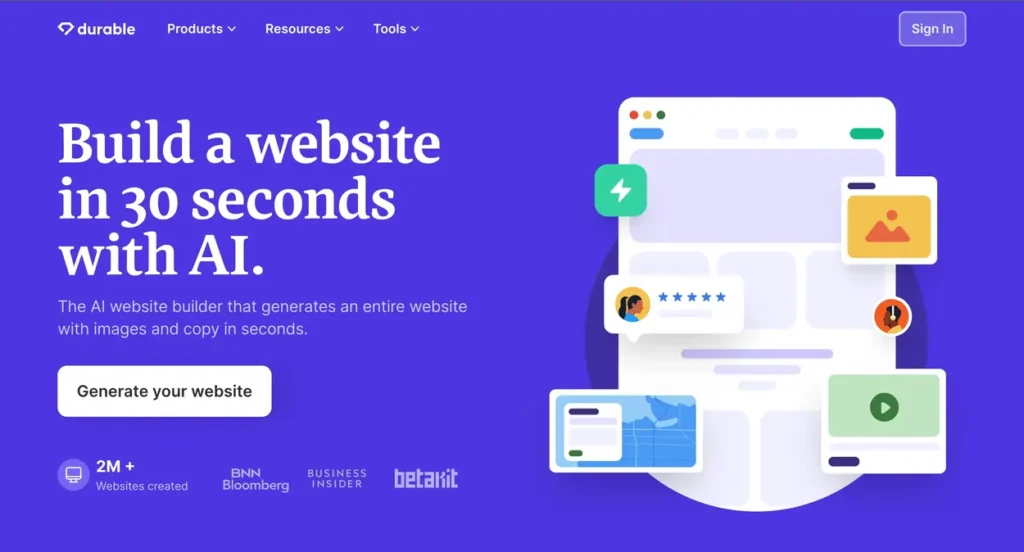
Overview: Durable focuses specifically on rapid website generation for local service businesses. The platform generates complete websites in under 30 seconds and includes business management tools beyond website building.
Primary Capabilities:
- Extremely rapid website generation (claimed 30 seconds)
- Integrated CRM for customer relationship management
- Invoicing and payment processing tools
- AI-powered marketing content generation
- Automated SEO optimization
- Business name generation and branding assistance
Deployment Model: Durable-hosted exclusively. Platform provides complete business management stack beyond just website hosting.
Integration Ecosystem: Limited compared to general-purpose builders. Focuses on bundled business tools rather than extensive third-party integrations.
Pricing Approach: Single plan at $15/month includes website, CRM, invoicing, and marketing tools. Positioning emphasizes all-in-one value rather than tiered feature sets.
Documented Limitations:
- Primarily designed for local service businesses like contractors, consultants, and professionals. Less suitable for other business types.
- Customization capabilities limited compared to platforms like Wix or Squarespace.
- Template variety constrained given narrow target market focus.
- E-commerce capabilities basic compared to dedicated e-commerce platforms.
- International business features limited with primary focus on North American service businesses.
Organizational Fit: Local service businesses (plumbers, lawyers, consultants, contractors) needing combined website and business tools. Solo practitioners wanting all-in-one platform for web presence and client management. Organizations prioritizing speed over customization. Not suitable for e-commerce, content publishers, or businesses needing sophisticated design control.
PlayCode
Overview: PlayCode provides a code generation environment targeting developers who want AI assistance while maintaining full code control. The platform generates React, Vue, and TypeScript code visible throughout the creation process.
Primary Capabilities:
- Real-time code generation with visible character-by-character creation
- Support for React, Vue, vanilla JavaScript, and TypeScript
- Tailwind CSS integration for styling
- Complete code export via ZIP files or GitHub push
- Multiple AI model access (15+ models including GPT-4, Claude, and others)
- Development environment with testing capabilities
Deployment Model: Cloud-based development environment. Generated code exports completely and deploys to any hosting environment supporting the chosen framework.
Integration Ecosystem: Integrates with GitHub for version control. Generated applications can integrate with any API or service through standard code approaches.
Pricing Approach: Free tier with access to budget AI models. Pro plan at $9.99/month unlocks premium AI models and removes generation limits.
Documented Limitations:
- Requires JavaScript framework knowledge (React, Vue) for effective use.
- Not suitable for non-technical users. Understanding code structure essential.
- No visual drag-and-drop interface. Entirely code-focused approach.
- Generated code quality depends on user’s ability to write effective prompts and guide AI.
- Limited template library compared to visual builders. Starts from code rather than design templates.
Organizational Fit: Developers wanting AI acceleration without giving up code control. Technical teams building custom applications requiring specific functionality. Organizations prioritizing code ownership and avoiding vendor lock-in. Freelance developers using AI to increase productivity. Not appropriate for non-technical users or those wanting visual design tools.
v0 by Vercel
Overview: v0 by Vercel generates React and Next.js components using AI, targeting developers building modern web applications. The platform emphasizes code quality and integration with Vercel’s deployment infrastructure.
Primary Capabilities:
- React and Next.js component generation from text descriptions
- Tailwind CSS styling (exclusively—no other styling frameworks supported)
- Integration with Vercel deployment platform
- Component library generation and management
- Iterative refinement through conversational prompts
- TypeScript support throughout generated code
Deployment Model: Vercel hosting optimized but generated code deploys anywhere supporting React/Next.js. Complete code ownership and export capabilities.
Integration Ecosystem: Native integration with Vercel’s edge network and serverless functions. Standard React ecosystem compatibility enables integration with any React-compatible library or API.
Pricing Approach: Credit-based system where different operations consume varying credit amounts. Pricing structure varies based on generation complexity. Exact monthly costs depend on usage patterns.
Documented Limitations:
- Tailwind CSS only. Cannot generate code using other CSS frameworks or styling approaches.
- Requires React and Next.js knowledge for effective implementation and modification.
- Credit-based pricing creates unpredictability in monthly costs similar to Replit.
- Component-focused rather than full-application generation. Users assemble components into complete applications manually.
- Limited documentation for complex use cases as platform remains relatively new.
Organizational Fit: Development teams already using React and Next.js stack. Organizations building on Vercel infrastructure. Technical teams wanting AI component generation within existing applications. Developers comfortable with modern JavaScript frameworks and Tailwind CSS. Unsuitable for non-developers or teams using different technology stacks.
Modulify

Overview: Modulify positions as an AI website builder specifically for Webflow designers and agencies. The platform generates complete Webflow-compatible sites with wireframes, sitemaps, and content, then exports directly to Webflow.
Primary Capabilities:
- Complete sitemap and wireframe generation from prompts
- AI-written content tailored to specific industries and use cases
- 1,200+ pre-built Webflow components across 30+ design systems
- Direct export to Webflow Designer for continued editing
- Multi-page website generation with logical site structure
- Professional-quality layouts designed for Webflow’s capabilities
Deployment Model: Generates Webflow projects that deploy through Webflow’s hosting or custom hosting per Webflow’s standard capabilities.
Integration Ecosystem: Full Webflow ecosystem access after export. Compatible with all Webflow integrations, CMS capabilities, and third-party tools.
Pricing Approach: Subscription at $49/month. Requires existing Webflow account to export and publish generated sites. Essentially an add-on to Webflow’s own pricing structure.
Documented Limitations:
- Requires Webflow account and associated Webflow subscription costs on top of Modulify pricing.
- Webflow knowledge necessary to effectively customize generated sites after export.
- Does not generate final production-ready sites. Creates foundation requiring Webflow editing.
- Additional cost layer beyond base Webflow pricing may not fit all budgets.
- Component library locked to Modulify’s design systems. Cannot easily integrate external Webflow templates.
Organizational Fit: Webflow agencies building multiple client sites monthly. Freelance Webflow designers wanting to accelerate initial site structure. Organizations already committed to Webflow wanting faster project starts. Teams familiar with Webflow’s Designer interface. Not suitable for Webflow beginners or organizations unwilling to pay for both Modulify and Webflow subscriptions.
Relume
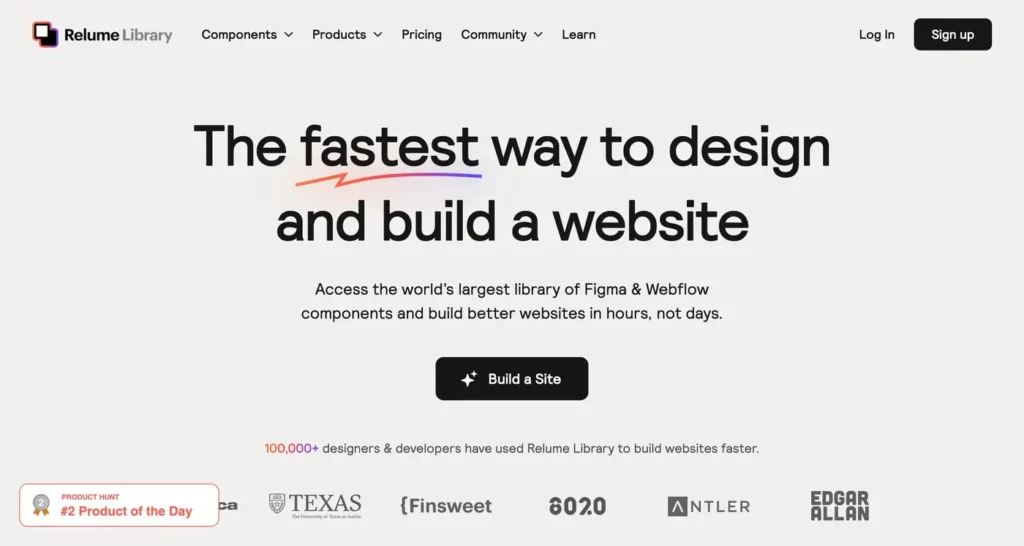
Overview: Relume specializes in AI-powered wireframing and sitemap generation, primarily serving agencies and designers who build many websites. The platform generates website structures that export to multiple design and building platforms.
Primary Capabilities:
- AI sitemap generation from text descriptions
- Complete wireframe creation with component specifications
- Export to Webflow, Figma, and WordPress
- Component library with pre-designed sections
- Site structure visualization and organization
- Content suggestions for each wireframe section
Deployment Model: Does not host websites. Generates structures that export to other platforms for actual building and deployment.
Integration Ecosystem: Exports to Webflow, Figma, and WordPress. Acts as pre-production tool rather than end-to-end building platform.
Pricing Approach: Freemium model available. Paid plans start at $38/month for increased generation limits and premium features. Agency plans available at higher tiers for teams building multiple sites.
Documented Limitations:
- Focused on wireframing rather than final production. Requires additional tools to create finished websites.
- Not suitable as standalone website builder. Must export to other platforms for completion.
- Content and design suggestions require significant refinement in most cases.
- Learning curve for effective prompt writing to generate useful wireframes.
- Value proposition primarily benefits agencies building many sites rather than individual projects.
Organizational Fit: Design agencies and consultancies building numerous client websites monthly. Teams using Webflow or Figma in standard workflows. Organizations wanting to accelerate wireframing and planning phases. Web development companies with established building processes. Not appropriate for individuals building single websites or users wanting complete end-to-end solutions.
Jimdo
Overview: Jimdo offers AI website generation with particular emphasis on GDPR compliance and European market focus. The platform provides simple website creation through their Dolphin AI system.
Primary Capabilities:
- Simple question-based website generation
- GDPR-compliant hosting and data handling (German company)
- Mobile-optimized designs automatically
- Basic blogging capabilities
- Simple e-commerce for small product catalogs
- Legal text generators for EU privacy compliance
Deployment Model: Jimdo-hosted exclusively with servers located in Germany for EU data residency requirements.
Integration Ecosystem: Basic integrations for email marketing, social media, and payment processing. Ecosystem smaller than major competitors but covers essential business needs.
Pricing Approach: Free plan with Jimdo branding available. Paid plans start at $11/month for custom domains and removal of branding. E-commerce plans priced higher.
Documented Limitations:
- Cannot switch to more powerful Jimdo Creator editor after building with Dolphin AI. Two separate systems without migration path.
- Feature set more limited than competitors like Wix or Squarespace.
- Customization capabilities basic compared to other platforms.
- Smaller template library and design options.
- International features limited with primary focus on German-speaking markets.
Organizational Fit: European businesses prioritizing GDPR compliance. Small businesses in Germany, Austria, and Switzerland. Organizations requiring EU data residency. Simple business websites without advanced feature requirements. Not suitable for feature-rich websites, extensive customization needs, or U.S./international market focus.
SITE123
Overview: SITE123 emphasizes fastest-possible setup through aggressive simplification of the building process. The AI generates functional websites in under 5 minutes through highly streamlined questionnaires.
Primary Capabilities:
- Extremely rapid website generation (under 5 minutes typical)
- Automatic mobile-responsive layouts
- Pre-filled service pages based on business category
- Basic analytics and visitor tracking
- Multilingual website support
- Simple e-commerce for small online stores
Deployment Model: SITE123-hosted exclusively on platform infrastructure.
Integration Ecosystem: Basic integration options for payment gateways, social media, and contact forms. Limited compared to more feature-rich platforms.
Pricing Approach: Free plan available with SITE123 branding. Premium plan at $12.80/month includes custom domain and removes advertising. E-commerce plans available at higher price points.
Documented Limitations:
- Very limited customization flexibility. Platform prioritizes speed over design control.
- Template-like appearance difficult to overcome despite customization efforts.
- Feature set basic compared to Wix, Squarespace, or Webflow.
- Advanced functionality requires workarounds or is simply unavailable.
- Design options constrained compared to platforms targeting professional users.
Organizational Fit: Users prioritizing absolute fastest deployment above all other considerations. Very small businesses needing simple online presence immediately. Organizations with minimal customization requirements. Budget-conscious users willing to accept design limitations. Not suitable for businesses requiring sophisticated design, extensive features, or professional appearance.
Dorik
Overview: Dorik provides AI website building with particularly strong AI image generation capabilities and white-label options for agencies. The platform targets both individual creators and agencies reselling website services.
Primary Capabilities:
- AI website generation with above-average image generation quality
- White-label mode for agencies to rebrand the platform
- Membership site capabilities for content creators
- Code export functionality (unusual for template-based builders)
- CMS features for content management
- Affordable pricing with generous feature inclusion
Deployment Model: Dorik-hosted by default but code export enables custom hosting scenarios.
Integration Ecosystem: Standard integrations for payment processing, email marketing, and analytics. Growing ecosystem with additions focused on creator and agency needs.
Pricing Approach: Freemium model available. Paid plans start at $18/month with annual billing. Agency plans with white-label features priced higher.
Documented Limitations:
- E-commerce capabilities fairly limited compared to dedicated platforms like Shopify or WooCommerce.
- AI image generator, while strong, still produces inconsistent results requiring multiple prompt iterations.
- Documentation and learning resources less extensive than established platforms.
- Design consistency can vary depending on AI prompt quality.
- Smaller user community means fewer templates, tutorials, and third-party resources.
Organizational Fit: Agencies wanting white-label website building platform. Content creators building membership sites. Startups prioritizing code export capability for future flexibility. Organizations wanting strong AI image generation. Not ideal for complex e-commerce or users requiring extensive documentation and support resources.
WordPress.com AI
Overview: WordPress.com integrated AI features into their managed WordPress hosting platform, distinct from self-hosted WordPress.org installations. The system generates WordPress sites while maintaining WordPress CMS capabilities.
Primary Capabilities:
- AI-powered WordPress site generation
- Full WordPress CMS access for content management
- Gutenberg block editor with AI enhancement
- Access to WordPress.com theme marketplace
- Jetpack features integrated by default
- Automatic WordPress security and updates
Deployment Model: WordPress.com managed hosting exclusively for AI-generated sites. Cannot migrate to self-hosted WordPress without manual rebuild.
Integration Ecosystem: WordPress plugin ecosystem with limitations. WordPress.com restricts plugin installation to Business and Commerce plans, unlike self-hosted WordPress.
Pricing Approach: Free plan available with WordPress.com subdomain. Personal plan at $4/month adds custom domain. Premium at $8/month adds design customization. Business plan at $25/month enables plugin installation.
Documented Limitations:
- WordPress.com imposes significant restrictions compared to self-hosted WordPress. Cannot install custom plugins without Business plan.
- AI features less sophisticated than AI-first platforms. WordPress.com layered AI onto existing platform rather than rebuilding around AI.
- Monetization restricted on lower-tier plans. Advertising and affiliate content prohibited on free and lower plans.
- Code-level access limited. Cannot edit theme files directly without highest-tier plans.
- Performance and optimization controls less granular than self-hosted WordPress.
Organizational Fit: Organizations wanting WordPress CMS capabilities with managed hosting convenience. Content publishers prioritizing WordPress’s blogging features. Teams familiar with WordPress preferring managed service over self-hosting complexity. Not suitable for users needing full WordPress flexibility, custom plugin development, or organizations wanting complete hosting control.
Elementor AI
Overview: Elementor AI integrates AI capabilities into the popular Elementor page builder for WordPress. Unlike standalone builders, Elementor AI enhances an existing WordPress site rather than creating one from scratch.
Primary Capabilities:
- AI content generation within Elementor’s visual editor
- Layout suggestions and section generation
- Image generation and selection assistance
- Code generation for custom HTML, CSS, and JavaScript
- Container and widget optimization suggestions
- Integration with Elementor’s extensive template library
Deployment Model: Requires WordPress hosting with Elementor Pro installed. Compatible with any WordPress host supporting Elementor.
Integration Ecosystem: Full WordPress ecosystem access including 60,000+ plugins. Elementor’s own add-on marketplace provides additional widgets and templates.
Pricing Approach: Requires Elementor Pro license starting at $59/year for single site. AI features included with Pro license. Higher tiers add more sites and premium support.
Documented Limitations:
- Requires Elementor Pro license—not available for free Elementor version.
- WordPress and Elementor knowledge necessary for effective use.
- AI enhances existing Elementor workflow rather than autonomously building sites.
- Performance considerations as both WordPress and Elementor add complexity.
- Annual subscription required even for single-site license.
Organizational Fit: WordPress users already using or planning to use Elementor page builder. Web design agencies building client sites on WordPress. Organizations with existing WordPress infrastructure wanting AI acceleration. Teams comfortable with WordPress administration and Elementor’s interface. Not suitable for users wanting managed solutions or those unfamiliar with WordPress.
Selection Framework for Organizations
This framework provides structured evaluation criteria for organizations assessing AI website builders. Rather than recommending specific platforms, it identifies key questions that clarify organizational requirements and narrow appropriate options.
Technical Readiness Assessment
Code Ownership Requirements
Organizations should first determine whether code ownership matters strategically. Template-based builders (Wix, Hostinger, Squarespace) create vendor lock-in but offer simplicity. Code generation platforms (Replit, v0, PlayCode) provide export capabilities but require technical resources.
Questions to consider:
- Does your organization need to export website code for compliance, security audits, or vendor independence?
- Will future requirements necessitate moving to different hosting providers?
- Do you require the ability to modify code at a granular level beyond visual editing?
- Are there regulatory or governance requirements around source code access?
In-House Technical Capabilities
Different platforms assume vastly different technical proficiency levels. Mismatching platform complexity to team capabilities creates friction and underutilization.
Questions to consider:
- Does your team include developers comfortable reviewing and modifying code?
- Are staff members familiar with specific frameworks (React, WordPress, Vue)?
- Can your team troubleshoot technical issues independently or do you require managed solutions with comprehensive support?
- What is the technical proficiency level of primary website maintainers?
Existing Technology Stack Integration
AI website builders rarely exist in isolation. Integration requirements with existing systems influence platform viability significantly.
Questions to consider:
- What CRM, marketing automation, or business systems require integration?
- Do you use specific authentication systems (SSO, LDAP, Active Directory) that must integrate?
- Are there existing data sources (customer databases, product catalogs) that feed website content?
- What analytics and tracking requirements exist?
- Do you have API dependencies that must function properly?
Organizational Factors
Team Structure and Workflow
Different platforms optimize for different team compositions. Solo practitioners have different needs than agencies managing multiple client sites.
Questions to consider:
- How many people will work on website projects simultaneously?
- Do you need role-based access controls separating designers, developers, and content editors?
- Will external contractors or clients require access?
- Are client preview and approval workflows necessary?
- Does your team work across multiple time zones requiring asynchronous collaboration?
Compliance and Governance Requirements
Organizations in regulated industries face constraints that eliminate certain platforms immediately.
Questions to consider:
- Are there data residency requirements mandating servers in specific geographic regions?
- Does your industry require SOC 2, ISO 27001, or similar security certifications from vendors?
- Are GDPR, CCPA, or other privacy regulations applicable?
- Do you require accessibility compliance (WCAG 2.1 AA or higher)?
- Are there procurement requirements around vendor financial stability or contract terms?
Design and Branding Control
Organizations vary dramatically in design requirements from “functional is sufficient” to “pixel-perfect brand expression required.”
Questions to consider:
- Are you working within established brand guidelines requiring precise implementation?
- Do design differentiation and uniqueness matter competitively?
- Will template-based appearance suffice or is custom design necessary?
- Are sophisticated animations and interactions required?
- Do you have in-house design resources capable of custom work?
Resource Considerations
Implementation Timeline
Different platforms require vastly different time investments from initial generation to launch-ready state.
Questions to consider:
- Is rapid deployment (within days) the priority or is multi-week development acceptable?
- Can you dedicate resources to learning new platform capabilities?
- Are there hard deadlines driving platform selection?
- Is this a one-time project or beginning of ongoing website management?
Ongoing Maintenance Capacity
Initial building represents only one phase. Ongoing management requirements vary dramatically across platforms.
Questions to consider:
- What internal resources are available for ongoing content updates and changes?
- Can your team handle technical updates, security patches, and platform evolution?
- Will you require external agency or consultant support for changes?
- What is acceptable downtime for updates and maintenance?
Total Cost of Ownership
Published pricing rarely reflects true costs. Organizations should calculate comprehensive multi-year TCO.
Cost components to evaluate:
- Base platform subscription across all needed tiers and user seats
- Hosting costs (included vs. additional)
- Domain registration and SSL certificates
- Premium templates, themes, or design assets
- Required integrations or add-ons beyond base features
- Transaction fees for e-commerce functionality
- Bandwidth and storage overages as sites grow
- Support plan costs for enterprise SLAs
- Migration costs if changing platforms later
- Staff training and learning curve productivity impact
Risk Tolerance
Newer AI-first platforms offer capabilities but carry adoption risks compared to established vendors.
Questions to consider:
- Can your organization tolerate platform instability or feature changes?
- How critical is this website to business operations?
- What is the impact of platform acquisition or shutdown?
- Do you require vendor financial stability guarantees?
- Can you accept credit-based pricing uncertainty or do you require fixed costs?
Use Case Specific Considerations
E-commerce Requirements
Online selling introduces specific technical and business requirements that general website builders may not satisfy adequately.
Evaluation criteria:
- Product catalog size and complexity (number of SKUs, variants, attributes)
- Payment gateway requirements and supported transaction types
- Inventory management integration needs
- Tax calculation complexity across jurisdictions
- Shipping and fulfillment workflow requirements
- Order management and customer account features
- Multi-currency and internationalization needs
- Product recommendation and upselling capabilities
Platforms specifically designed for e-commerce (Shopify with AI, WooCommerce with AI extensions) generally outperform general builders with e-commerce add-ons for serious online retail operations.
Content Publishing and Blogging
Content-heavy websites benefit from robust CMS capabilities that some AI builders lack.
Evaluation criteria:
- Volume of content planned (number of posts, pages, media assets)
- Number of content creators and editorial workflow complexity
- Content categorization and taxonomy requirements
- Search functionality needs
- Content scheduling and publishing workflow
- Media library management for images and videos
- SEO optimization tools for content discoverability
- Multi-language or multi-site content management
WordPress-based solutions (10Web, WordPress.com AI, Elementor AI) offer strongest content management for publishers and content-focused businesses.
Marketing and Lead Generation
Websites focused on lead capture and conversion require specific optimization capabilities.
Evaluation criteria:
- Landing page creation and A/B testing capabilities
- Form building and lead capture functionality
- Email marketing integration requirements
- Marketing automation connectivity
- Analytics and conversion tracking sophistication
- CRM integration for lead management
- Personalization and dynamic content capabilities
- Advertising pixel and tracking code management
Portfolio and Creative Showcase
Creative professionals require platforms emphasizing visual presentation and design quality.
Evaluation criteria:
- Image and video presentation capabilities
- Animation and transition effects
- Full-screen and immersive layout options
- Case study or project presentation formats
- Client login areas for work-in-progress review
- Design quality and aesthetic sophistication
- Fast loading for image-heavy content
- Mobile and tablet presentation quality
Platforms like Framer, Squarespace, and Webflow generally better serve creative professionals than template-focused builders.
Evaluation Matrix Template
Organizations can use this matrix to systematically evaluate platforms against specific requirements:
| Evaluation Factor | Weight (1-5) | Platform A Score | Platform B Score | Platform C Score | Notes |
|---|---|---|---|---|---|
| Code export capability | [Weight] | [1-5 rating] | [1-5 rating] | [1-5 rating] | [Specific findings] |
| Technical proficiency required | [Weight] | [1-5 rating] | [1-5 rating] | [1-5 rating] | [Specific findings] |
| Integration ecosystem | [Weight] | [1-5 rating] | [1-5 rating] | [1-5 rating] | [Specific findings] |
| Design customization depth | [Weight] | [1-5 rating] | [1-5 rating] | [1-5 rating] | [Specific findings] |
| Total cost (3-year TCO) | [Weight] | [1-5 rating] | [1-5 rating] | [1-5 rating] | [Specific findings] |
| Compliance documentation | [Weight] | [1-5 rating] | [1-5 rating] | [1-5 rating] | [Specific findings] |
| Support quality/SLA | [Weight] | [1-5 rating] | [1-5 rating] | [1-5 rating] | [Specific findings] |
| Platform maturity/stability | [Weight] | [1-5 rating] | [1-5 rating] | [1-5 rating] | [Specific findings] |
Weight each factor (1=low importance, 5=critical) based on organizational priorities. Score platforms (1=poor fit, 5=excellent fit) based on documented capabilities and testing. Weighted scores provide quantitative comparison while notes capture qualitative considerations.
Frequently Asked Questions
What is the difference between template-based AI builders and code generation platforms for website creation?
Template-based AI builders like Wix ADI and Hostinger use machine learning to select and customize pre-designed templates based on user inputs. The AI chooses layouts, colors, and content placement within fixed template structures. These platforms generate websites quickly but offer limited architectural flexibility and require the vendor’s hosting environment.
Code generation platforms like Replit and v0 use large language models to write actual code files (HTML, CSS, JavaScript, React components) from natural language descriptions. The output consists of text files that can deploy to any compatible hosting environment. These platforms require more technical knowledge but provide complete code ownership and customization capability.
The fundamental trade-off: template builders prioritize speed and ease of use while code generators prioritize flexibility and vendor independence. Organizations should select based on technical capabilities and control requirements rather than AI marketing claims.
How much do enterprise AI website building tools typically cost?
Published pricing for AI website builders ranges from $2.99/month (Hostinger) to $49/month (Modulify) for individual plans. However, these entry prices rarely reflect enterprise total cost of ownership.
Enterprise implementations typically encounter several cost layers beyond base subscriptions. SSO integration, SOC 2 compliance documentation, service level agreements, and dedicated support require enterprise tiers priced at 2-5x published rates. E-commerce platforms add transaction fees typically ranging from 0.5-3% of sales. Custom domains, SSL certificates, premium templates, and necessary integrations frequently double initial cost estimates. Bandwidth and storage overages for traffic growth add unpredictable variable costs.
Organizations should calculate comprehensive 3-5 year TCO including all feature tiers, user seats, transaction fees, add-ons, support plans, training costs, and migration risk rather than comparing entry-level monthly rates. According to Mordor Intelligence market analysis, actual spending per site for business users averages significantly higher than advertised pricing suggests.
What security considerations apply to AI website building tools?
Security considerations span multiple dimensions in AI website builders. Organizations should evaluate platform-level security, data handling practices, output security, and compliance capabilities.
Platform security includes vendor security certifications (SOC 2, ISO 27001), infrastructure security practices, access controls, and audit logging. Few AI builders publish comprehensive security documentation publicly. Enterprise procurement teams should request security questionnaires, penetration testing results, and incident response procedures directly from vendors.
Data handling practices determine how user inputs, AI training data, and website content are stored and processed. Organizations should verify whether AI prompts are used to train models, where data resides geographically, and what data retention policies apply. GDPR compliance requires specific handling for European user data which varies significantly across platforms.
Generated code security depends on platform architecture. Template-based builders typically maintain code internally, limiting attack surface but creating vendor dependency. Code generation platforms produce code requiring security review for vulnerabilities, injection attacks, and authentication flaws. Organizations using code generators should implement code scanning and security testing before deployment.
How long does it take to create a production-ready website using AI builders?
Time to launch varies dramatically based on platform type, complexity requirements, and content preparation.
Template-based AI builders (Wix ADI, Hostinger, Durable) generate initial websites in 5-15 minutes. However, customization to production-ready state typically requires 1-5 additional hours for content refinement, image selection, and feature configuration. Simple business card websites may launch same-day while sophisticated sites with custom content require several days of work.
Code generation platforms (Replit, v0, PlayCode) typically generate initial code in 15-45 minutes but require substantially more refinement time. Testing, debugging, integration work, and deployment configuration extend timelines to days or weeks depending on complexity. Technical review adds additional time for quality assurance.
Hybrid platforms (Webflow, Framer, Squarespace) fall between these extremes, typically requiring 30-90 minutes for AI-assisted generation followed by multi-hour manual refinement. Professional-quality outputs often require 10-40 hours of total work including content creation, customization, and testing.
Organizations should not expect AI builders to produce truly production-ready websites autonomously. All platforms require significant human input for content quality, design refinement, integration configuration, and quality assurance. Planning for substantial human involvement yields more realistic timeline expectations.
Are there viable open-source alternatives to commercial AI website builders?
Open-source alternatives exist but require significantly more technical expertise and infrastructure management compared to commercial managed platforms.
WordPress remains the most viable open-source foundation, with AI plugins available for content generation and design assistance. However, assembling WordPress hosting, AI plugins, themes, and security updates requires technical capabilities beyond most non-technical users. Organizations pursuing open-source WordPress approaches should budget for developer time or agency support.
Static site generators (Hugo, Jekyll, 11ty) combined with AI coding assistants (GitHub Copilot, Cody, Continue) enable technically proficient teams to build custom sites with AI assistance. This approach maximizes flexibility and minimizes ongoing costs but requires software development expertise and infrastructure management.
The fundamental trade-off: open-source approaches eliminate subscription costs and vendor lock-in but transfer complexity and maintenance burden to internal teams. Commercial platforms trade higher ongoing costs for managed infrastructure, support, and simplified interfaces.
Organizations with substantial technical resources may benefit from open-source approaches. Teams without dedicated development capacity generally find commercial managed platforms more cost-effective when accounting for total ownership costs including staff time.
What happens to websites if an AI builder company shuts down or gets acquired?
Platform sustainability represents a real risk for AI website builders, particularly newer venture-funded startups. According to industry consolidation reporting, acquisition activity has accelerated with established players acquiring AI-focused startups.
Organizations using template-based builders with proprietary rendering (Wix, Squarespace, Hostinger, Durable) face significant migration challenges if vendors shut down. Websites cannot function outside vendor infrastructure. Content exports typically provide only text and media, not design or functionality. Migration requires complete rebuilds on alternative platforms. Organizations should verify vendor financial stability, customer base size, and parent company backing before committing to proprietary platforms.
Code generation platforms (Replit, v0, PlayCode) offering complete code export provide substantially better migration protection. Exported code continues functioning on alternative hosting even if generation platforms shut down. Organizations using code generators should maintain regular exports to git repositories as insurance.
Hybrid platforms (Webflow, Framer) offering code export but optimized for platform hosting fall between these extremes. Code exports may include platform-specific dependencies complicating migration but allowing eventual independence.
Organizations managing business-critical websites should prioritize platforms with code export capabilities, large established user bases, and clear financial stability. Regular backups and code exports provide additional insurance against platform instability.
Do AI website builders produce websites that rank well in search engines?
SEO capabilities vary dramatically across AI website builders, primarily driven by platform architecture rather than AI features specifically.
Template-based builders using modern web standards (Wix, Squarespace, Webflow) generally produce SEO-compatible output including semantic HTML, meta tags, sitemaps, and mobile optimization. Wix’s SEO capabilities have improved significantly since early criticisms. However, some platforms impose limitations on URL structure customization, schema markup, and technical SEO access that constrain optimization potential.
WordPress-based solutions (10Web, WordPress.com AI, Elementor AI) benefit from WordPress’s mature SEO plugin ecosystem including Yoast and Rank Math. This typically provides most sophisticated SEO capabilities among AI builders.
Code generation platforms produce various SEO quality depending on code generation sophistication. Developers must verify that generated code includes proper semantic structure, performance optimization, and meta tag implementation.
The AI itself rarely directly improves SEO. AI-generated content requires human review to ensure quality, keyword targeting, and topic authority signals that search engines prioritize. Low-quality AI content without human refinement performs poorly in search rankings.
Organizations prioritizing SEO should evaluate platforms based on technical SEO capabilities (URL control, schema markup, site speed, mobile optimization) rather than AI marketing claims. Content quality and strategic SEO implementation matter far more than platform AI features for search rankings.
Can AI website builders integrate with existing marketing and business tools?
Integration capabilities vary dramatically across platforms and represent critical evaluation criteria for organizations with existing tool stacks.
Major platforms (Wix, WordPress-based solutions) offer extensive integration marketplaces with hundreds or thousands of pre-built connectors. These typically include CRM systems (Salesforce, HubSpot), email marketing (Mailchimp, Constant Contact), payment processors (Stripe, PayPal), and analytics platforms (Google Analytics). Integration depth varies from basic data passing to sophisticated workflow automation.
Code generation platforms (Replit, v0) provide maximum integration flexibility through direct API coding but require developer resources to implement. Any API-accessible service can integrate but requires custom code rather than pre-built connectors.
Smaller or newer AI builders typically offer limited integration options covering only most common business tools. Organizations with specific integration requirements should verify compatibility during evaluation rather than assuming availability.
API availability enables custom integrations when pre-built connectors don’t exist. Platforms should provide documented APIs, webhooks, and integration authentication systems. However, many platforms restrict API access to premium tiers or enterprise contracts. Organizations requiring custom integrations should verify API availability and capabilities before commitment.
Integration complexity and maintenance burden also varies. No-code integration platforms (Zapier, Make) can bridge gaps between systems but add cost and complexity. Organizations should evaluate whether direct integrations exist versus requiring third-party automation platforms as intermediaries.
What level of customization is possible after AI generates the initial website?
Customization capabilities represent one of the most significant differentiators across AI website builders and often determine long-term platform satisfaction.
Template-based builders typically constrain customization to predefined parameters. Wix ADI limits users to vertical section movement rather than true drag-and-drop freedom. Changes occur within section structures rather than pixel-level control. Organizations requiring precise brand implementation or unique designs find these limitations frustrating. Many template platforms offer “escape hatches” to more powerful editors (Wix Editor, standard Squarespace) but migrations often require rebuilding work.
Code generation platforms provide ultimate customization capability—any modification possible in code is available. However, this requires technical resources to implement. Non-technical teams cannot practically customize beyond AI generation output without developer support.
Hybrid visual builders (Webflow, Framer) offer middle ground with visual editing tools providing substantial design control without coding. These typically best serve organizations with design resources but limited development capabilities.
CSS/JavaScript injection capabilities available on some platforms allow customization beyond platform constraints but void support guarantees and may break on platform updates. Organizations should treat injection as workaround for platform limitations rather than standard customization approach.
Customization limitations often emerge after extended platform use rather than during initial evaluation. Organizations should test customization workflows with realistic requirements during trials rather than accepting generated defaults.
How do AI website builders handle website migrations and content imports?
Migration capabilities critically impact platform flexibility but receive insufficient attention during evaluation. Organizations should verify both import capabilities when adopting platforms and export capabilities for eventual migration away.
Import capabilities vary from nonexistent to sophisticated content transfer tools. Some platforms (10Web) specialize in recreating existing websites from URLs. Others provide content importers from specific sources (WordPress XML exports, CSV files). Many provide no import tools requiring manual content transfer.
Organizations migrating existing websites should verify content volume limits, media handling, URL structure preservation, and metadata transfer capabilities. Large sites with thousands of pages or extensive media libraries may encounter practical limits even when platforms claim import support.
Export capabilities matter equally for avoiding vendor lock-in. Template-based proprietary platforms (Wix, Hostinger, Durable, Squarespace) typically provide only content exports (text and media) without design or functionality preservation. Migration from these platforms requires complete rebuilds.
Code generation and hybrid platforms with code export (Replit, v0, Webflow, Framer) enable migration while preserving implementation work. However, platform-specific dependencies may still require adaptation for alternative hosting environments.
WordPress-based solutions provide best migration flexibility given WordPress’s standard export formats accepted across the WordPress ecosystem. Migration between WordPress hosts or from WordPress.com to self-hosted WordPress follows documented standard processes.
Organizations should test export capabilities during evaluation trials. Attempt exporting generated site and verify what content, functionality, and design elements export successfully. This reveals migration path realities before significant investment in platform.
Key Takeaways
- The AI website builder market demonstrates substantial growth trajectory with valuations reaching $3.57-6.3 billion in 2026 and projected compound annual growth rates of 20-32% through 2033, driven primarily by small-to-medium enterprise adoption and cloud-based deployment preferences exceeding 75% market share according to institutional market research.
- No universal AI website builder serves all organizational requirements effectively—the market segments into template-based systems prioritizing speed over flexibility, code generation platforms requiring technical proficiency but offering complete ownership, hybrid visual builders balancing control with accessibility, and WordPress-integrated solutions maintaining CMS ecosystem compatibility.
- Marketed AI autonomy significantly overstates current capabilities across platforms—testing reveals most systems require 15-30 minutes of iterative refinement even for basic websites despite claims of single-prompt generation, with substantial human involvement necessary for content quality, design customization, integration configuration, and quality assurance before production deployment.
- Published pricing represents only partial cost visibility as enterprise implementations typically encounter 2-5x multipliers through required feature tiers, integration add-ons, transaction fees, support plans, and usage-based billing components, necessitating comprehensive 3-5 year total cost of ownership calculations including migration risk assessment rather than entry-level monthly rate comparisons.
- Platform selection should prioritize code export capabilities, integration ecosystem depth, compliance documentation availability, and vendor financial stability over AI marketing claims, as fundamental architectural constraints—hosting flexibility, customization depth, and migration pathways—determine long-term satisfaction more than generative AI sophistication, which remains relatively comparable across platforms using similar underlying language models.
About This Analysis
This market analysis and comparative guide was produced by Axis Intelligence as part of ongoing coverage of artificial intelligence applications in business technology. The evaluation maintains editorial independence with no commercial relationships, affiliate arrangements, or sponsored placements with any vendor mentioned.
Methodology Transparency: Platform assessments derived from publicly available documentation, standardized testing protocols, institutional market research, and verified user experience reports. No vendor provided compensation, preview access, or editorial input. Analysis reflects platform capabilities documented between December 2025 and February 2026.
Update Frequency: Given the rapid evolution of AI website building capabilities, organizations should verify current platform specifications directly with vendors before procurement decisions. This analysis represents a point-in-time assessment and may not reflect capabilities added or modified after February 2026.
Limitations Acknowledgment: Enterprise features requiring sales engagement (custom SSO integration, private infrastructure, custom SLAs) could not be independently verified without vendor relationships. Pricing for enterprise tiers reflects publicly available information and may not represent actual negotiated contract terms.
Contact Information: Questions regarding evaluation methodology, data sources, or analysis findings may be directed to Axis Intelligence through standard editorial channels. Vendors disputing factual characterizations should provide documentation supporting corrections.