

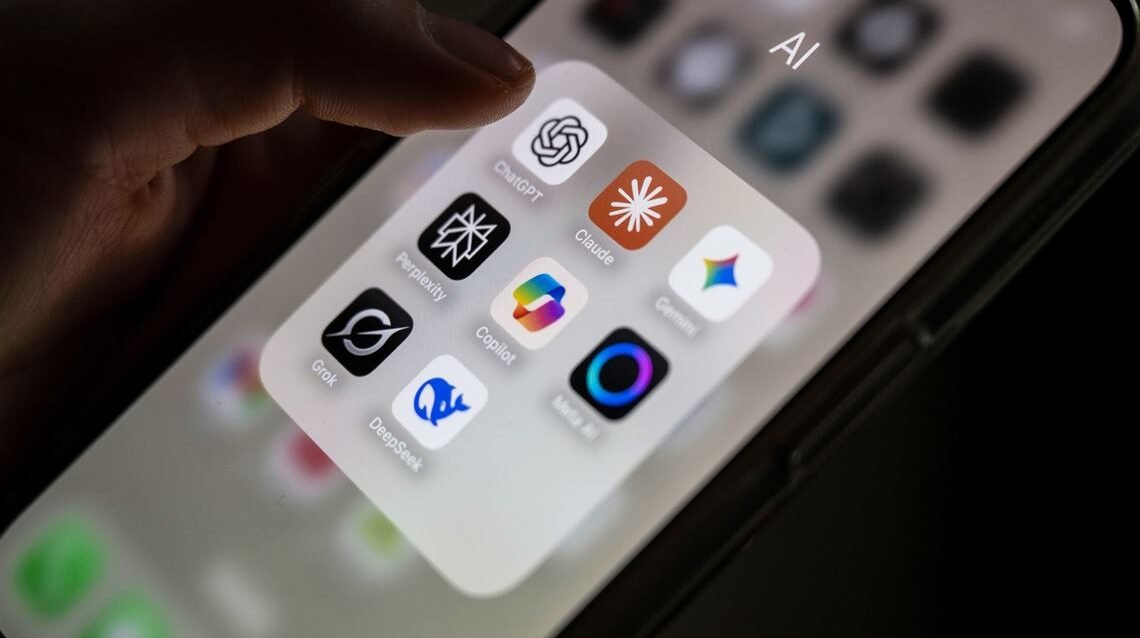
Best AI Apps 2026
Quick Answer: In 2026, ChatGPT remains the most downloaded and versatile AI app for both iPhone and Android, with over 500 million installs on Google Play alone. For research-heavy users, Perplexity delivers the best source-cited answers on mobile. Claude stands out for nuanced writing and long-form analysis, while Google Gemini offers the deepest native integration with Android and Google Workspace. If you need an AI writing keyboard that works across every app on your phone, Grammarly is the clear leader.
What we evaluated: 12 AI mobile apps across core intelligence, mobile-specific features, pricing transparency, cross-platform availability, and real-world daily usability on both iOS and Android.
Key finding: The AI app market has fragmented into a four-tier pricing structure in 2026 — free, ~$8/month “lite” plans, ~$20/month standard plans, and $200/month “pro” tiers — making it harder than ever to determine which subscription actually matches your usage. Most users overpay for features they never touch on mobile.
Table of Contents
Why Trust This Analysis
Axis Intelligence evaluates AI apps based on real-world mobile usage, not spec sheets. We installed every app on both iPhone and Android, tested them across daily workflows — drafting emails, researching topics, editing photos, transcribing meetings — and verified all pricing directly on vendor websites and app stores in February 2026.
Our approach: Hands-on testing across both platforms, feature comparison against vendor claims, pricing verification through official sources, and cross-referencing user reviews on the App Store and Google Play.
What we prioritize: Mobile-specific performance (not just desktop capability ported to a small screen), actual free tier usefulness, battery and data impact, and whether the app justifies its subscription on a phone versus a browser.
Independence note: Axis Intelligence maintains no commercial relationships with vendors in this analysis. Our revenue comes from advertising and sponsored content, which is always clearly labeled and separate from editorial evaluations.
Best AI Apps for iPhone and Android at a Glance
| App | Best For | Starting Price | Free Plan | Standout Feature | Key Limitation |
|---|---|---|---|---|---|
| ChatGPT | All-around AI assistant | $8/mo (Go) | Yes | GPT-5.2 with voice, vision, and image generation | Free tier limited to 10 messages every 5 hours |
| Claude | Long-form writing & analysis | $20/mo (Pro) | Yes | 200K token context window for deep document work | No native image generation |
| Google Gemini | Android users & Google Workspace | $7.99/mo (AI Plus) | Yes | Native Android integration with Gemini Live voice | Full capabilities require Google AI Pro ($19.99/mo) |
| Perplexity | Research with citations | $20/mo (Pro) | Yes | Real-time web search with inline source citations | Weaker at creative and long-form content |
| Microsoft Copilot | Microsoft 365 users | Free / $20/mo (Pro) | Yes | Deep integration with Word, Excel, Outlook on mobile | Requires M365 subscription for best features |
| Grammarly | Writing assistance everywhere | $12/mo (annual) | Yes | Keyboard-level AI writing on every mobile app | English only; premium features need Pro plan |
| Otter.ai | Meeting transcription | $16.99/mo (Pro) | Yes | Real-time transcription with speaker identification | Free plan limited to 300 minutes/month |
| Notion AI | Productivity & project management | $10/mo (add-on) | Yes (Notion free) | AI writing and search built into workspace | AI features are a paid add-on to Notion subscription |
| Lensa AI | AI photo editing & avatars | $3.99 (avatar pack) | Limited | Magic Avatars using Stable Diffusion | Core avatar feature requires one-time purchase |
| Picsart | Creative photo & image generation | $5/mo (annual) | Yes | Prompt-based image generation plus full editor | Best features locked behind subscription |
| Seeing AI | Visual accessibility | Free | Yes | Object and scene recognition for visually impaired users | iOS only; limited to accessibility use cases |
| Socratic by Google | Student learning | Free | Yes | Camera-based homework help with step-by-step solutions | Only useful for academic subjects |
ChatGPT
Best for: Everyday AI tasks — from quick questions to complex writing, coding, and image generation on the go
ChatGPT is the dominant AI app on mobile with over 500 million Android downloads as of early 2026 and a consistent #1 ranking in the App Store’s Productivity category. The release of GPT-5.2 in late 2025 introduced three engine tiers — Instant, Thinking, and Pro — which fundamentally changed what the app can do across different subscription levels.
On mobile, ChatGPT supports Advanced Voice Mode for natural spoken conversations, camera-based vision for analyzing objects and documents, DALL·E image generation, and web browsing. The app syncs seamlessly between phone and desktop, so a conversation started during your commute continues at your desk.
What stands out:
- GPT-5.2 delivers measurably stronger reasoning than any previous version, with a 70.9% score on the GDPval benchmark for the Thinking variant
- Advanced Voice Mode feels genuinely conversational, handling follow-up questions and context switching naturally
- Sora video generation (limited) is now accessible directly from the app on paid plans
Where it falls short:
- The free tier caps usage at approximately 10 messages every 5 hours before falling back to a lightweight model — a significant restriction for regular users
- OpenAI is introducing ads in the free and Go tiers in the US, degrading the experience for non-paying users
- The new four-tier pricing structure (Free, Go at $8/mo, Plus at $20/mo, Pro at $200/mo) makes it confusing to know what you actually get at each level
Pricing: Free (limited GPT-5.2 Instant) · ChatGPT Go at $8/month (more messages, still ad-supported) · ChatGPT Plus at $20/month (GPT-5.2 Thinking, ad-free, Sora preview) · ChatGPT Pro at $200/month (unlimited access, GPT-5.2 Pro, full Sora 2)
Who should consider it: Anyone who wants a single, do-everything AI assistant on their phone. The Plus plan at $20/month remains the sweet spot for most professionals. Who should look elsewhere: Users who primarily need research with cited sources (Perplexity does this better), or those unwilling to deal with increasingly aggressive upselling on free tiers.
Claude
Best for: Nuanced writing, document analysis, and tasks that require sustained reasoning over long content
Claude, built by Anthropic, has earned a reputation as the thinking person’s AI assistant. Where ChatGPT optimizes for breadth, Claude’s strength is depth — particularly on mobile where you might paste a 50-page PDF and need a thorough analysis. The app is available on iOS and Android, with the latest Opus 4.6 and Sonnet 4.5 models powering the experience.
Claude’s mobile app supports Projects for organizing work, web search for current information, Artifacts for visual outputs, and a clean interface that prioritizes the conversation. The 200K token context window (expandable to 1M via the API) means Claude can process entire documents, long reports, or book chapters in a single session.
What stands out:
- The highest-quality writing output among major AI apps — Claude consistently produces prose that reads naturally and requires less editing
- Sonnet 4.6, released in February 2026, delivers near-Opus-level intelligence at one-fifth the cost, improving the mobile experience significantly
- Safety-focused design means fewer hallucinations and more honest “I don’t know” responses
Where it falls short:
- No native image generation — you cannot create AI images directly in Claude
- The free tier’s usage limits are tighter than competitors, particularly during peak hours
- Smaller plugin and integration ecosystem compared to ChatGPT
Pricing: Free (limited daily usage) · Claude Pro at $20/month (5× more usage, access to all models, Projects) · Claude Max at ~$100/month (highest usage tier with Claude Code access)
Who should consider it: Writers, analysts, researchers, students, and anyone who works with long documents and values accuracy over flashiness. Who should look elsewhere: Users who want image generation, video creation, or a large third-party plugin ecosystem.
Google Gemini
Best for: Android users and anyone deeply embedded in Google Workspace (Gmail, Docs, Drive)
Gemini is Google’s flagship AI, and on Android it holds a unique advantage: it can replace Google Assistant as the default system-level AI, meaning you can summon it with a long press of the home button or a “Hey Google” command. No other third-party AI app gets this level of OS integration. The app runs on Gemini 3 Pro and supports Gemini Live for natural voice conversations, camera-based analysis, and deep integration with Gmail, Docs, and Drive.
Google restructured its AI plans in early 2026. The new Google AI Plus at $7.99/month offers Gemini 3 Pro and 200GB of storage, making it the most affordable premium AI option. The Google AI Pro at $19.99/month adds 2TB storage, Gemini in Workspace apps, Deep Research, video generation via Veo 3.1, and NotebookLM upgrades. Google reported over 350 million Google AI users as of early 2026.
What stands out:
- Gemini Live voice mode allows genuinely natural, multi-turn spoken conversations — it handles interruptions and topic changes better than competitors on Android
- Native integration with Google apps means you can ask Gemini to summarize your recent emails, find a document in Drive, or draft a reply in Gmail without switching apps
- The AI Plus plan at $7.99/month is the cheapest premium AI subscription, undercutting both ChatGPT Go ($8) and Perplexity Pro ($20)
Where it falls short:
- On iPhone, Gemini runs as a standalone app without system-level integration, significantly reducing its utility compared to Android
- The free tier uses the lightweight Flash model, which noticeably lacks the reasoning depth of the paid Gemini 3 Pro
- Google’s plan naming (AI Plus vs AI Pro vs Ultra) creates unnecessary confusion about what you get at each level
Pricing: Free (Gemini with Flash model) · Google AI Plus at $7.99/month (Gemini 3 Pro, 200GB storage) · Google AI Pro at $19.99/month (2TB, Deep Research, Workspace AI, Veo 3.1) · Google AI Ultra at $124.99/3 months (highest access, Deep Think model)
Who should consider it: Android users who live in Google’s ecosystem. The native integration alone makes it the default choice for Gmail, Docs, and Drive power users. Who should look elsewhere: iPhone users who want deep OS integration (Apple Intelligence handles that role), or users who need citation-backed research answers.
Perplexity
Best for: Research, fact-checking, and anyone who needs AI answers backed by verifiable sources
Perplexity has carved out a distinct position in the AI app landscape: it is the only major app that treats source citation as a first-class feature. Every answer includes inline references to the web sources it pulled from, making it invaluable for professionals and students who need to verify information. Perplexity processes over 500 million searches per month and was among the top-growing AI apps of 2025.
The mobile app supports Focus modes (Academic, Writing, Math, Video), file uploads for analysis, and a Research mode that produces multi-step, multi-source reports. Pro subscribers get access to GPT-5.2, Claude Sonnet 4.5, and Gemini 3 Pro within the same interface, allowing model switching based on task.
What stands out:
- Every response includes clickable source citations — this is genuinely unique and solves the “is this real?” problem that plagues other AI chatbots
- Multi-model access on Pro means you can use GPT-5.2 for one query and Claude for another without switching apps
- Research mode generates detailed, multi-page reports with source verification — ideal for professionals and academics
Where it falls short:
- Weak at creative writing, brainstorming, and open-ended conversational tasks — it is a research tool, not a creative partner
- The free tier limits Pro Searches to approximately 5 per day, which most active users will burn through quickly
- Complex Labs workflows and extended research sessions work better on desktop than mobile
Pricing: Free (unlimited basic searches, ~5 Pro Searches/day) · Perplexity Pro at $20/month or $200/year (unlimited Pro Searches, multi-model access, Research mode, file uploads) · Perplexity Max at $200/month (unlimited advanced model access)
Who should consider it: Journalists, researchers, students, analysts, and anyone whose work requires factual accuracy with traceable sources. Who should look elsewhere: Users who primarily want creative writing, image generation, or a casual conversational AI.
Microsoft Copilot
Best for: Users already invested in the Microsoft 365 ecosystem who want AI integrated into Word, Excel, Outlook, and Teams
Microsoft Copilot’s mobile app serves a dual role: a standalone AI chatbot and, for Microsoft 365 subscribers, an AI assistant that connects directly to your work documents, emails, and calendar. The free version offers basic AI chat with access to GPT-4 during off-peak hours and 15 daily image generation boosts via Microsoft Designer.
The real value emerges with a Microsoft 365 subscription. The Personal plan ($9.99/month) includes Copilot in Word, Excel, PowerPoint, Outlook, and OneNote on mobile. The Premium plan ($19.99/month) adds the highest Copilot usage limits and advanced features including AI agents. For businesses, Microsoft 365 Copilot costs $30/user/month as an add-on to qualifying enterprise plans.
What stands out:
- Copilot can summarize email threads, draft replies, analyze Excel data, and create PowerPoint slides directly on your phone — no other AI app has this depth of productivity suite integration
- Visual AI features let you point your phone camera at objects and get contextual information
- The free tier is genuinely useful for casual AI chat without a subscription
Where it falls short:
- The best features require an existing Microsoft 365 subscription, making the true cost higher than $20/month for many users
- AI performance in mobile Office apps can feel sluggish compared to the desktop experience
- The pricing structure is among the most complex in the AI app market — free vs. Personal vs. Family vs. Premium vs. Business vs. Enterprise creates significant confusion
Pricing: Free (basic chat, limited image generation) · Microsoft 365 Personal at $9.99/month (includes Copilot in Office apps) · Microsoft 365 Premium at $19.99/month (highest Copilot access) · Microsoft 365 Copilot for Business at $30/user/month (enterprise add-on)
Who should consider it: Anyone already paying for Microsoft 365 who wants AI deeply embedded in their existing workflow. Who should look elsewhere: Users who don’t use Microsoft’s productivity suite — the standalone chatbot doesn’t offer enough to justify choosing Copilot over ChatGPT or Claude.
Grammarly
Best for: Real-time writing improvement across every app on your phone — emails, messages, social media, documents
Grammarly is not a chatbot. It is a keyboard-level AI writing assistant that integrates directly into your iPhone or Android keyboard, checking grammar, tone, and clarity in real time as you type in any app. With over 40 million daily active users globally, it is the most widely adopted AI writing tool on mobile, and its recent rebrand from “Premium” to “Pro” added team collaboration features without raising the price.
The Grammarly keyboard catches errors, suggests full-sentence rewrites, detects tone, and — with the Pro plan — offers 2,000 monthly AI generative prompts via GrammarlyGO for drafting, rewriting, and brainstorming directly from the keyboard. It also includes a plagiarism checker that scans content against ProQuest’s academic database.
What stands out:
- Works inside every app on your phone — Gmail, Slack, WhatsApp, LinkedIn, Google Docs, and more — without switching between tools
- Tone detection shows how your message will be perceived before you send it, which is invaluable for professional communication
- The free version is genuinely useful, covering grammar, spelling, punctuation, and basic clarity improvements without paying anything
Where it falls short:
- English only — no support for other languages, which limits its usefulness for multilingual users
- The Pro plan at $30/month (monthly billing) is steep; annual billing brings it to $12/month, but the upfront $144 commitment may deter some users
- GrammarlyGO’s AI-generated text is functional but noticeably less sophisticated than dedicated chatbots like ChatGPT or Claude
Pricing: Free (basic grammar, spelling, punctuation, 100 AI prompts/month) · Grammarly Pro at $12/month billed annually or $30/month billed monthly (full rewrites, tone suggestions, plagiarism detection, 2,000 AI prompts/month) · Enterprise (custom pricing for organizations)
Who should consider it: Non-native English speakers, professionals who send dozens of emails daily, students, and anyone who wants passive writing improvement without actively opening an AI app. Who should look elsewhere: Users who need a general-purpose AI assistant, multilingual writing support, or creative AI capabilities beyond text editing.
Otter.ai
Best for: Automatic meeting transcription, note-taking, and conversation summaries on the go
Otter.ai has become the default AI transcription app for professionals who attend frequent meetings, interviews, or lectures. The app records audio and generates real-time transcriptions with speaker identification, making it easy to review key points without manual note-taking. It integrates with Zoom, Google Meet, and Microsoft Teams to automatically join and transcribe scheduled meetings.
The app’s AI assistant, OtterPilot, can attend meetings on your behalf when you cannot, generating transcripts and summaries that are ready when you need them. The AI Chat feature lets you ask questions about your transcripts — “What did Sarah say about the Q3 budget?” — and get instant, contextual answers.
What stands out:
- Real-time transcription with speaker identification works remarkably well for English conversations, even in noisy environments
- OtterPilot automatically joins your calendar meetings and creates searchable transcripts, eliminating manual recording
- AI Chat lets you query across all your transcripts, turning months of meetings into a searchable knowledge base
Where it falls short:
- The free plan is limited to 300 transcription minutes per month and 30 minutes per conversation — active professionals will hit this quickly
- Accuracy drops significantly with heavy accents, multilingual conversations, or overlapping speakers
- The app works primarily with English; support for other languages is limited
Pricing: Free (300 min/month, 30 min/conversation) · Otter Pro at $16.99/month or $8.33/month billed annually (1,200 min/month, 90 min/conversation) · Business at $30/user/month (6,000 min/month, 4-hour conversations)
Who should consider it: Professionals in meeting-heavy roles, journalists conducting interviews, students attending lectures, and anyone who needs to capture spoken information accurately. Who should look elsewhere: Users who need transcription in languages other than English, or those who attend fewer than a few meetings per month (the free plan may suffice).
Notion AI
Best for: All-in-one workspace users who want AI writing, search, and task management integrated into their productivity system
Notion is already one of the most popular productivity apps on mobile, used by over 100 million users for notes, project management, databases, and wikis. Notion AI adds a layer of intelligence on top of this workspace — it can draft content, summarize pages, generate action items from meeting notes, and answer questions about your entire Notion workspace using natural language.
The AI features are particularly useful on mobile when you need quick answers from your notes without scrolling through dozens of pages. Ask “What were the action items from last week’s team meeting?” and Notion AI pulls the relevant information from your workspace.
What stands out:
- AI that understands the context of your entire workspace — not just the page you are on, but related pages, databases, and documents
- Q&A mode lets you ask questions about your own notes and projects, turning your Notion workspace into a queryable knowledge base
- Autofill for databases can populate tables based on patterns and templates, saving significant time for project management
Where it falls short:
- Notion AI is a $10/month add-on on top of your Notion subscription — for free Notion users, this means paying just for the AI layer feels expensive
- The mobile app experience for AI features is functional but slower and more limited than desktop
- AI-generated content quality is adequate for drafts but generally weaker than dedicated AI chatbots for polished writing
Pricing: Notion Free + AI at $10/member/month · Notion Plus + AI at $10/member/month (add-on to $10/month Plus plan) · Business + AI at $10/member/month (add-on to $18/month Business plan)
Who should consider it: Existing Notion users who want to add intelligence to their workspace without switching to a separate AI app. Who should look elsewhere: Users who do not already use Notion — paying for a workspace plus an AI add-on is expensive compared to a standalone AI app.
Lensa AI
Best for: AI-powered photo editing, selfie enhancement, and generating artistic AI avatars
Lensa AI gained viral popularity for its Magic Avatars feature, which uses Stable Diffusion to transform selfies into artistic, AI-generated portraits across dozens of styles. Beyond avatars, Lensa is a capable photo editing app that uses AI to enhance skin tones, remove blemishes, blur backgrounds, and retouch portraits automatically.
The app continues to be one of the most popular AI photo tools on both iOS and Android, particularly among users who want polished selfies and social media content without learning complex editing tools.
What stands out:
- Magic Avatars produce genuinely impressive, artistic portraits in styles ranging from anime to oil painting — the results are consistently share-worthy
- One-tap photo enhancement intelligently adjusts lighting, skin smoothing, and background blur without manual editing
- AI-generated video clips tailored to music beats are increasingly popular for social media content
Where it falls short:
- The avatar feature requires a one-time purchase starting at $3.99 for a pack of 50 — the “free” app framing can feel misleading
- Privacy concerns persist around uploading selfies to AI processing servers, despite the company’s data handling policies
- The editing features beyond avatars are competent but not significantly better than free alternatives like Google Photos
Pricing: Free (basic editing features) · Avatar packs from $3.99 (one-time purchase for 50 avatars) · Subscription plans available for full editing suite
Who should consider it: Social media users who want unique, artistic profile photos; casual photographers who want quick, AI-powered portrait enhancements. Who should look elsewhere: Users who need general-purpose photo editing (Picsart or Adobe Lightroom offer more flexibility), or those concerned about uploading facial data to AI servers.
Picsart
Best for: Creative photo editing combined with AI image generation for social media content
Picsart combines traditional photo editing tools with AI-powered features, making it a hybrid creative app that serves both manual editors and users who prefer AI to do the heavy lifting. The app offers prompt-based AI image generation, background removal, AI-powered filters, and a full editing suite with layers, text, and stickers.
With over 150 million monthly active users, Picsart has evolved from a simple photo editor into a creative platform that competes with both Canva (for design) and dedicated AI image generators.
What stands out:
- AI Image Generator lets you create images from text prompts directly on your phone, with hundreds of style presets ranging from photorealistic to illustration
- Background Remover uses AI to cleanly isolate subjects — one of the best implementations on mobile, rivaling paid desktop tools
- The editing suite is genuinely deep, offering layers, masking, brushes, and effects that go well beyond basic filter apps
Where it falls short:
- The best AI features and high-resolution exports are locked behind the Gold subscription at $5/month (annual) or $13/month (monthly)
- Ads in the free version are frequent and disruptive to the editing workflow
- AI-generated images are adequate for social media but lack the quality of dedicated generators like Midjourney or DALL·E
Pricing: Free (basic editing, limited AI features, ads) · Picsart Gold at $5/month billed annually or $13/month billed monthly (full AI features, no ads, premium content)
Who should consider it: Social media content creators, small business owners who need quick graphics, and casual designers who want AI-assisted editing without learning professional tools. Who should look elsewhere: Professional designers who need precise control (Adobe suite is better), or users who only want AI image generation without the editing tools.
Seeing AI
Best for: Visually impaired users who need AI-powered scene recognition, text reading, and object identification
Seeing AI, developed by Microsoft, is a free app that uses the phone’s camera to describe the world for people with visual impairments. It can read printed text aloud, identify products via barcodes, recognize faces and describe people, detect light levels, and describe entire scenes. It represents one of the most meaningful applications of AI on mobile — technology that genuinely changes daily life for millions.
What stands out:
- Entirely free with no subscription or in-app purchases — Microsoft offers this as an accessibility tool, not a revenue product
- Scene description reads a room or environment aloud, providing spatial context that other apps do not attempt
- Document and currency recognition is fast and accurate, supporting independence for visually impaired users
Where it falls short:
- Currently available only on iOS — Android users have no equivalent from Microsoft
- The app is purpose-built for accessibility; it is not designed for general-purpose AI image analysis
- Scene descriptions, while useful, are still less nuanced than what a sighted person would observe
Pricing: Free (all features included, no ads, no subscriptions)
Who should consider it: Visually impaired users and their support networks. This is an essential download for anyone with low vision. Who should look elsewhere: This is not a general-purpose AI app — users looking for creative or productivity AI should choose from other options in this guide.
Socratic by Google
Best for: Students who need step-by-step help with homework across math, science, history, and other academic subjects
Socratic uses Google’s AI to help students understand homework problems. Point your camera at a math equation, science question, or textbook passage, and Socratic provides step-by-step explanations, relevant video tutorials, and curated web resources. It draws from Google’s Knowledge Graph and educational content to deliver grade-appropriate answers.
What stands out:
- Camera-based problem input is remarkably intuitive — take a photo of a math problem and get a solution with steps
- Integrations with educational content sources provide context beyond a bare answer, helping students actually learn the material
- Completely free with no ads, subscriptions, or upselling
Where it falls short:
- Limited to academic subjects — it cannot help with professional work, creative projects, or general knowledge queries
- Complex, multi-step problems occasionally produce incomplete or incorrect explanations
- The app has received fewer updates than major AI competitors, and its underlying AI is less advanced than ChatGPT or Gemini for complex reasoning
Pricing: Free (all features included)
Who should consider it: Students from middle school through college who want homework help with clear explanations, and parents who want a safe AI tool for their children. Who should look elsewhere: Anyone who needs AI beyond academic assistance. Students tackling advanced university-level problems may find ChatGPT or Claude more capable.
What’s Changing in AI Mobile Apps in 2026
The AI app market on mobile has entered a maturation phase where the initial excitement of “AI on your phone” has given way to real questions about value, pricing, and practical utility.
The market is massive and accelerating. According to Sensor Tower, generative AI apps approached 4 billion downloads and generated approximately $4.8 billion in in-app purchase revenue in 2025. Consumer spending on AI apps is expected to exceed $10 billion in 2026, placing the category among the top five mobile app categories by revenue. The global AI apps market was valued at approximately $2.94 billion in 2024, with projections to reach $26.36 billion by 2030 at a 38.7% compound annual growth rate, according to Grand View Research.
Mobile is becoming the primary AI interface. By December 2025, mobile-only AI usage in the US had climbed to roughly 50% of the market, surpassing web-only usage which declined to approximately 27%, according to Sensor Tower data. This reversal from 2024 — when web dominated at 60% — signals that smartphones are now the default way most consumers interact with AI.
Pricing has fragmented into confusing tiers. Every major AI provider now offers between 3 and 5 pricing tiers. OpenAI has Free, Go ($8), Plus ($20), and Pro ($200). Google has Free, AI Plus ($8), AI Pro ($20), and Ultra ($42/mo equivalent). Anthropic has Free, Pro ($20), and Max. This proliferation means users must carefully evaluate which features they actually need on mobile versus desktop — and whether a $20/month mobile AI subscription truly replaces or merely supplements other tools they already pay for.
On-device AI is changing the game. Apple Intelligence on iPhone and Google’s on-device AI on Pixel phones are handling an increasing share of AI tasks without cloud processing — writing suggestions, photo editing, summarization, and notification prioritization all happen locally. This raises an important question for paid AI app subscribers: if the built-in AI handles 60% of your needs for free, is the remaining 40% worth $20/month?
How to Choose the Right AI App for Your Phone
Start with your primary use case
Not all AI apps are interchangeable. Choosing based on your most frequent need prevents subscription regret:
- General questions and daily assistance: ChatGPT or Google Gemini (Android) — these cover the widest range of tasks
- Writing and editing: Claude for long-form content, Grammarly for real-time corrections across all apps
- Research with sources: Perplexity is the clear winner for factual, cited answers
- Meetings and transcription: Otter.ai dominates real-time meeting capture
- Productivity and note-taking: Notion AI adds intelligence to an existing workflow
- Photo editing and creative work: Picsart for editing; Lensa for AI portraits
- Microsoft users: Copilot is the obvious choice if you already pay for Microsoft 365
Budget considerations
The AI app pricing spectrum in 2026 breaks into clear tiers:
Free tier (good for casual users): ChatGPT, Gemini, Perplexity, Copilot, and Grammarly all offer functional free versions. For occasional questions and light use, you may not need to pay anything.
$8-12/month (good for regular users): Google AI Plus ($7.99), ChatGPT Go ($8), and Grammarly Pro ($12/mo annual) offer meaningful upgrades at an affordable price. This tier works for users who interact with AI daily but do not depend on it for professional work.
$20/month (the standard for professionals): ChatGPT Plus, Claude Pro, Perplexity Pro, and Google AI Pro all cluster at this price point. If AI is a core part of your daily workflow, this is the tier where quality and usage limits stop being frustrating.
$100-200/month (power users and enterprises): Claude Max, ChatGPT Pro, and Perplexity Max target users who need unlimited access and the most powerful models. Most individual users do not need this tier.
Subscription stacking warning: It is easy to accumulate $50-80/month across ChatGPT Plus ($20), Claude Pro ($20), Perplexity Pro ($20), and Grammarly Pro ($12). Audit your actual usage before subscribing to multiple services — most users would be well-served by one primary AI chatbot plus Grammarly.
Technical requirements to check
Before downloading and subscribing, verify the following:
- Platform availability: Most major AI apps support both iOS and Android, but Seeing AI is iOS-only and some features (like Gemini’s system-level integration) are Android-exclusive
- Storage requirements: AI apps with offline capabilities can consume 500MB-2GB of storage. Check available space, especially on older devices
- Battery impact: Voice conversation modes in ChatGPT, Gemini, and Copilot are notably battery-intensive. Background transcription in Otter.ai also draws significant power
- Data privacy: Review each app’s data handling policy. Apps that process data on-device (Apple Intelligence, some Google AI features) offer stronger privacy than cloud-only processing
Red flags to watch for
- “Free” apps that require immediate payment for core features — if the app’s main advertised capability requires a purchase, the free label is misleading
- Apps that demand microphone, camera, and contacts access without clear justification — legitimate AI apps explain why each permission is needed
- Subscription lock-in without easy cancellation — always verify how to cancel before subscribing, especially through the App Store or Google Play
- AI apps that store your conversations or data for training by default — check settings for options to opt out of data training. OpenAI’s ChatGPT and Anthropic’s Claude both offer opt-out mechanisms, but they are not always enabled by default
Frequently Asked Questions
What is the best AI app for iPhone in 2026?
ChatGPT is the best overall AI app for iPhone in 2026, ranking #1 in both Free Apps and Productivity on the App Store with over 500 million downloads across platforms. It handles the widest range of tasks — writing, coding, image generation, voice conversations, and web browsing — in a single app. However, if your primary need is research with sources, Perplexity is the stronger choice on iPhone. For writing assistance that works inside every iOS app, Grammarly’s keyboard integration is unmatched. Apple Intelligence, built into iOS 18 and later on iPhone 15 Pro and iPhone 16 models, also handles basic AI tasks like summarization and writing suggestions natively without downloading anything.
What is the best AI app for Android in 2026?
Google Gemini is the best AI app for Android users because it can replace Google Assistant as the system-level AI, responding to “Hey Google” commands and long-press home button activation. No third-party app gets this level of OS integration. The Google AI Plus plan at $7.99/month makes it the most affordable premium AI option available. ChatGPT is the best alternative for Android users who want broader capabilities including image generation and coding assistance, and it works identically on Android and iOS.
Are there free AI apps that are actually good in 2026?
Yes, several AI apps offer genuinely useful free tiers. ChatGPT’s free plan provides access to GPT-5.2 Instant, though it is limited to approximately 10 messages every 5 hours. Gemini’s free tier includes the Flash model with Gemini Live voice mode. Perplexity offers unlimited basic searches with about 5 Pro Searches per day. Grammarly’s free version covers grammar, spelling, and punctuation across all apps. Seeing AI and Socratic by Google are entirely free with no subscriptions or limitations. The key trade-off across all free tiers is usage caps — if you interact with AI more than a few times daily, you will likely hit restrictions that push you toward a paid plan.
How much do AI apps cost in 2026?
AI app pricing in 2026 follows a four-tier structure. Free tiers are available from all major providers but come with strict usage limits. Budget plans around $8/month — including ChatGPT Go ($8) and Google AI Plus ($7.99) — offer expanded access to current models with some feature restrictions. Standard plans at $20/month — ChatGPT Plus, Claude Pro, Perplexity Pro, and Google AI Pro ($19.99) — unlock the full experience for most users. Premium tiers at $100-200/month — Claude Max, ChatGPT Pro ($200), and Perplexity Max ($200) — target power users who need unlimited access and the strongest models. Most professionals find the $20/month tier sufficient for daily use on mobile.
What is the difference between ChatGPT and Claude in 2026?
ChatGPT and Claude are both premium AI chatbots available on iPhone and Android, but they excel at different tasks. ChatGPT is broader — it generates images via DALL·E, creates videos via Sora, supports a massive plugin ecosystem, and has the largest user base with over 700 million weekly active users. Claude is deeper — it produces higher-quality long-form writing, handles 200K-token documents in a single session, and provides more nuanced, less hallucination-prone responses. ChatGPT is the better general-purpose assistant; Claude is the better thinking and writing partner. Both cost $20/month for their standard paid plans. A practical approach is to try both free tiers and see which output style matches your needs before committing.
Is ChatGPT Plus worth $20 per month in 2026?
ChatGPT Plus at $20/month is worth it for users who interact with AI multiple times daily for professional or creative work. It unlocks GPT-5.2 Thinking mode with significantly stronger reasoning than the free tier, removes ads, provides Sora video preview access, and offers substantially higher message limits. However, if you only use AI for occasional questions, the free tier or ChatGPT Go at $8/month may be sufficient. The $20 price point faces increasing competition from Google AI Plus ($7.99/month) and Claude Pro ($20/month), so evaluate whether ChatGPT’s specific strengths — image generation, voice mode, and ecosystem breadth — justify the cost versus alternatives that may better fit your primary use case.
Can AI apps replace Siri or Google Assistant?
Partially. Google Gemini can fully replace Google Assistant on Android devices, handling system-level commands like setting alarms, making calls, and controlling smart home devices while adding superior conversational AI capabilities. On iPhone, no third-party AI app can replace Siri at the system level due to Apple’s restrictions, though Apple Intelligence has significantly improved Siri’s capabilities in iOS 18. For conversational AI, apps like ChatGPT and Claude are dramatically more capable than both Siri and Google Assistant for complex questions, writing, and reasoning. The practical approach for most users in 2026 is to use the built-in assistant (Siri or Gemini) for quick device commands and a dedicated AI app for substantive tasks.
What should beginners look for in an AI app?
Beginners should prioritize three things: a functional free tier that lets you explore without payment pressure, an intuitive mobile interface that does not require learning prompt engineering, and a clear use case match. ChatGPT is the safest starting point because it handles the widest range of tasks and has the most intuitive interface. Grammarly is the best entry point for writing improvement because it works passively — you do not need to actively prompt it. For students, Socratic offers the gentlest introduction with camera-based homework help. Avoid committing to paid plans until you have used a free tier consistently for at least two weeks and identified specific limitations that a paid plan would solve.
Do AI apps work well offline on mobile?
Most AI apps require an internet connection because they process queries on cloud servers. ChatGPT, Claude, Gemini, and Perplexity all need connectivity to function. However, Apple Intelligence features on iPhone 15 Pro and later — including writing tools, notification summaries, and some Siri improvements — work on-device without internet. Google’s on-device AI on Pixel phones handles similar local tasks. Grammarly’s basic grammar checking works with limited offline capability. For users who frequently travel or work in low-connectivity environments, the built-in on-device AI features are more reliable than cloud-dependent AI apps.
Are AI apps safe for children and students?
AI apps require parental judgment. ChatGPT has minimum age requirements (13+ in most countries, 18+ in some) and offers content filtering, but it can still generate inappropriate content if prompted. Socratic by Google is the safest option for students — it is designed for educational use, is entirely free, and does not include social features or mature content risks. Grammarly is safe for students of all ages as a writing tool. Character AI, a popular companion chatbot among young users, has faced safety concerns and legal challenges related to minors forming deep attachments to fictional characters. Parents should review each app’s privacy policy, age restrictions, and content moderation approach before allowing children to use them.
Which AI app has the best voice conversation mode?
Google Gemini Live and ChatGPT’s Advanced Voice Mode are the two leaders for voice conversations on mobile in 2026. Gemini Live handles interruptions and topic changes more naturally on Android, thanks to its system-level integration. ChatGPT’s Advanced Voice Mode offers more expressive vocal responses and works equally well on both iPhone and Android. Claude does not currently offer a dedicated voice conversation mode. For users who want to talk to their AI rather than type, both Gemini and ChatGPT deliver genuinely conversational experiences that feel closer to speaking with a person than issuing commands to an assistant.
The Bottom Line
The AI app landscape on mobile in 2026 is rich with capable options, but the best choice depends entirely on how you actually use AI on your phone — not on which app has the flashiest features list.
For everyday AI assistance on Android: Google Gemini is the default choice. The system-level integration, competitive $7.99/month AI Plus pricing, and seamless Google Workspace connectivity make it the most practical option for the majority of Android users.
For everyday AI assistance on iPhone: ChatGPT Plus at $20/month delivers the broadest capability set — writing, image generation, voice, vision, and web browsing in one app. No other iPhone AI app matches its versatility.
For writing and analysis: Claude Pro at $20/month consistently produces the highest-quality written output and handles long documents better than any competitor. If your phone is where you draft, edit, and analyze, Claude earns its subscription.
For research and fact-checking: Perplexity Pro at $20/month is the only AI app that treats source citation as a core feature. If accuracy and verifiability matter more than creative capability, Perplexity has no real competition.
For writing improvement across all apps: Grammarly Pro at $12/month (annual) works inside every app on your phone without requiring you to switch contexts. It is the most “invisible” AI tool — and that is its greatest strength.
Best value overall: Google AI Plus at $7.99/month offers Gemini 3 Pro, 200GB of storage, and access to Google’s growing AI ecosystem at the lowest premium price point in the market.
If budget is unlimited: A combination of ChatGPT Plus ($20) for general tasks and image generation, Claude Pro ($20) for writing and analysis, and Grammarly Pro ($12) for passive editing creates the most capable AI toolkit on mobile for $52/month total.
This analysis reflects pricing and features verified in February 2026. AI app capabilities and pricing change frequently — verify current details on vendor websites and app stores before subscribing.