

Best AI Graphic Design Tools 2026
Quick Answer: AI graphic design tools in 2026 span a diverse market of platforms that range from generative image engines to full-suite visual editors with embedded artificial intelligence. This analysis evaluates 16 solutions across five functional categories — all-in-one design suites, generative image platforms, specialized design tools, AI-enhanced professional software, and collaborative design environments — to help designers, marketers, and business users identify the platform architecture that fits their specific workflow requirements.
What This Analysis Covers:
- 16 AI graphic design platforms evaluated across consistent criteria including core capabilities, deployment model, integration ecosystem, pricing structure, and documented limitations
- Five functional categories reflecting how the market has segmented in 2026, from template-driven design suites to open-source generative models
- Pricing models ranging from free open-source deployment to enterprise subscription tiers exceeding $80 per month
- Audience-specific considerations for professional designers, marketing teams, freelancers, small business owners, content creators, and non-designers who need visual output
Key Finding: The AI graphic design tool market in 2026 is converging around two distinct paradigms: platforms that embed AI into traditional design workflows (exemplified by Adobe’s integration of Firefly across Creative Cloud) and platforms built natively around AI generation as the primary interaction model (such as Midjourney and Kittl). According to Adobe’s 2025 Creators’ Toolkit Report, which surveyed 16,000 creators globally, 86% of content creators now use creative generative AI in their workflows. This dual-paradigm market structure means that tool selection increasingly depends not on which platform has “better AI” but on whether users need AI-assisted design editing or AI-first content generation.
Table of Contents
How We Evaluated These AI Graphic Design Solutions
Scope
This analysis covers AI-powered tools that serve graphic design use cases including but not limited to image generation, layout creation, brand asset production, social media visual design, logo creation, illustration, and photo editing. Tools evaluated must offer AI-driven capabilities as a core feature rather than a peripheral add-on. The analysis period covers platform capabilities and pricing as of February 2026.
Explicitly excluded: Pure video generation tools (Runway, Sora) unless they include significant graphic design capabilities; general-purpose AI assistants (ChatGPT, Claude) unless accessed through a dedicated design interface; code-based design tools without visual AI features; and print-only production software.
Target Audience
This analysis serves a broad audience reflecting the diverse user base of AI graphic design tools in 2026:
- Professional graphic designers seeking AI augmentation of existing workflows
- Marketing teams and content creators producing visual assets at scale
- Freelancers and solopreneurs needing cost-effective design solutions
- Small business owners creating brand materials without dedicated design staff
- Non-designers (developers, writers, project managers) who need occasional visual output
The evaluation framework, pricing analysis, and selection guidance are calibrated to serve all five segments rather than prioritizing any single user profile.
Evaluation Framework
Each platform was assessed against seven criteria:
- Core AI Capabilities — Range and quality of AI-driven design features (generation, editing, enhancement, automation)
- Ease of Adoption — Learning curve, interface design, and accessibility for users of varying technical backgrounds
- Output Quality and Control — Resolution, customization options, and consistency of AI-generated outputs
- Integration Ecosystem — Compatibility with existing tools, file format support, and API availability
- Pricing Transparency — Clarity of pricing structure, presence of free tiers, and cost predictability
- Commercial Viability — Licensing terms for commercial use, copyright safety, and brand asset management
- Documented Limitations — Known constraints, community-reported issues, and platform-acknowledged gaps
Data Sources
Evaluations are based on: official vendor documentation and publicly available feature specifications; independent benchmark reports and analyst assessments; publicly available pricing pages verified as of February 2026; community feedback from professional design forums and verified review platforms; and market data from institutional research sources including Mordor Intelligence, Precedence Research, and industry survey data from Adobe, Figma, and Envato.
What This Analysis Does Not Cover
This analysis does not assess subjective “artistic quality” rankings between AI image generators, as output quality is highly dependent on prompt engineering skill and use-case context. It does not provide implementation guides for individual platforms. Enterprise procurement processes including RFP templates, vendor negotiation, and security audits are beyond scope. This analysis does not evaluate AI ethics or bias in generated outputs, which warrants dedicated investigation.
Independence Statement
This analysis was conducted independently. Axis Intelligence maintains no commercial relationship with any vendor mentioned. No compensation was received for inclusion or placement. All evaluations are based on publicly available information, vendor documentation, and independent technical assessments.
The State of AI Graphic Design Tools in 2026
Market Overview
The global graphic design market is estimated at $59.29 billion in 2026, growing from $55.1 billion in 2025, according to Mordor Intelligence’s January 2026 market assessment. Within this broader market, the AI-powered design tools segment is projected to reach $18.16 billion by 2030 at a compound annual growth rate of 21.9%, according to The Business Research Company. The generative AI in design market specifically is valued at approximately $1.33 billion in 2026 and is expanding at a 32.75% CAGR through 2035, per Precedence Research data published in January 2026.
These figures reflect a market that has moved decisively beyond the experimental phase. Adobe’s Firefly platform alone generated $125 million in annualized recurring revenue during 2025, as noted in Adobe’s Q1 2025 financial results. Creative Cloud subscriptions climbed to $4.23 billion revenue in Q1 2025, according to Mordor Intelligence’s analysis, underscoring how firms are equipping teams for continuous, cross-platform creation. Meanwhile, 56% of creative agencies have adopted AI-powered design tools according to Business Research Insights’ 2025 market analysis.
Key Challenges Users Face
The proliferation of AI design tools has created its own set of challenges for users attempting to select the right platform:
Tool fragmentation remains a primary pain point. With dozens of platforms offering overlapping but distinct capabilities, users frequently maintain subscriptions to multiple tools — one for generation, another for editing, a third for brand management — creating both cost overhead and workflow friction.
Commercial licensing uncertainty persists across AI-generated content. While platforms like Adobe Firefly have addressed this through training exclusively on licensed and public-domain content, many generative AI tools rely on training data whose copyright status remains subject to ongoing litigation. For businesses requiring legally defensible visual assets, this creates meaningful risk differentiation between platforms.
Quality-control bottlenecks emerge when AI generation speed outpaces human review capacity. According to Adobe’s October 2025 Creators’ Toolkit Report, which surveyed 16,000 creators globally, 99% of creative professionals use generative AI in some capacity, and 88% report that it helps them produce content faster. However, the same survey indicates that the quality of AI outputs still requires human refinement, particularly for brand-critical applications. A separate Adobe and Advanis study found that 97% of creative professionals use generative AI across all stages of production — from ideation (60%) to creation (59%) to production (72%).
Skill-gap displacement is reshaping team dynamics. As AI automates routine design tasks, the value proposition for designers shifts toward creative direction, prompt engineering, and quality curation rather than manual execution. According to Figma’s 2025 AI Report, 30% of designers strongly agree that AI significantly enhances their efficiency, a figure that has grown year over year since 2024. The same report found that 23% of designers and developers say most of their work is now on AI-powered products, up from 17% the year before.
What’s Changing in 2026
Several structural shifts are reshaping the AI graphic design landscape this year:
Multi-model access within single platforms has become a defining feature. Adobe now offers partner models from Google, OpenAI, and others directly within Firefly and Creative Cloud applications. Kittl provides access to models including Nano Banana, Ideogram, FLUX, and DALL·E 3 within its unified editor. This multi-model approach allows users to select the optimal generation engine for each specific task without switching platforms.
Credit-based pricing models are replacing unlimited generation. Both Adobe and Canva have transitioned to tiered credit systems that meter AI usage, with premium features like video generation and advanced image models consuming credits at different rates. Adobe documents this transition in its generative credits FAQ, while Canva details its AI allowance system on its help center. This shift changes the cost calculus for high-volume users significantly.
Commercially safe AI generation is emerging as a competitive differentiator. Adobe’s Firefly, trained exclusively on Adobe Stock images and public-domain content, positions commercial safety as a primary value proposition. As reported by Reuters and tracked by numerous legal outlets, copyright litigation around AI training data continues through courts globally, making this differentiation increasingly significant for enterprise buyers.
Design-as-subscription models are scaling through AI automation. Fixed-fee unlimited design packages have become commercially viable because AI can now draft layouts, adapt formats, and generate variants in seconds, as noted in Mordor Intelligence’s 2026 market analysis. Freelance design platforms facilitated $4.1 billion in gross services volume during 2025, according to Upwork’s published financial data, as creative work becomes increasingly distributed globally.
How AI Graphic Design Solutions Are Organized
The AI graphic design tool market in 2026 falls into five functional categories. Understanding these categories is essential for matching platform capabilities to specific workflow requirements.
Category 1: All-in-One AI Design Suites
All-in-one AI design suites are platforms that combine template-based design editing with integrated AI capabilities including image generation, text generation, background removal, and automated layout creation. These platforms prioritize accessibility and breadth of features over depth in any single AI capability. They are designed to serve the widest possible user base, from complete beginners to experienced marketers.
Typically used by: Marketing teams, social media managers, small business owners, non-designers, educators Price range: Free tiers available; paid plans typically $10–$30/month per user
Category 2: Generative Image Platforms
Generative image platforms are tools whose primary function is converting text prompts into visual outputs using diffusion models or transformer-based architectures. These platforms prioritize image generation quality, style control, and prompt adherence over traditional design editing features. Users interact primarily through text descriptions rather than visual manipulation.
Typically used by: Digital artists, illustrators, concept designers, creative directors, marketing teams needing custom imagery Price range: $0 (open-source self-hosted) to $60/month for professional tiers
Category 3: Specialized AI Design Tools
Specialized AI design tools focus on specific graphic design verticals such as typography and logo creation, print-on-demand merchandise design, infographic generation, or brand identity systems. They combine AI capabilities with domain-specific features that general-purpose platforms lack.
Typically used by: Print-on-demand sellers, brand designers, infographic creators, specialized content producers Price range: Free tiers available; professional plans $10–$30/month
Category 4: AI-Enhanced Professional Design Software
AI-enhanced professional design software refers to established, industry-standard applications that have integrated AI capabilities into existing professional workflows. These are full-featured design environments where AI augments rather than replaces traditional design tools. They require higher skill levels but offer maximum creative control.
Typically used by: Professional graphic designers, UI/UX designers, photographers, print production specialists, creative agencies Price range: $10–$90/month depending on application bundle
Category 5: Collaborative AI Design Environments
Collaborative AI design environments are platforms built primarily around team-based design workflows with AI features that enhance collaboration, prototyping, and design system management. AI capabilities in this category typically focus on automating handoff processes, generating layout suggestions, and accelerating the prototype-to-production pipeline.
Typically used by: Product design teams, UX/UI designers, development teams, design system managers Price range: Free tiers available; team plans $12–$75/month per editor
AI Graphic Design Tools Comparison: Key Features at a Glance
| Solution | Category | Primary Function | Target Users | Pricing Model | Notable Limitation |
|---|---|---|---|---|---|
| Canva Magic Studio | All-in-One Suite | Template-based design with AI generation, editing, and brand management | Marketers, SMBs, non-designers | Freemium; Pro $15/mo | AI credit limits shared across all premium features |
| Adobe Firefly | AI-Enhanced Professional | Generative AI for images, vectors, video, and audio across Creative Cloud | Professional designers, creative teams | Freemium; Standard $9.99/mo; Pro $29.99/mo | Premium features consume credits at varying rates |
| Midjourney | Generative Image | Text-to-image generation with high aesthetic quality | Digital artists, creative directors | Subscription; Basic $10/mo | No free tier; limited editing capabilities within platform |
| DALL·E 3 (via ChatGPT) | Generative Image | Conversational text-to-image generation with strong text rendering | General users, marketers, content creators | Included with ChatGPT Plus ($20/mo); limited free access | Artistic quality below specialized generators for complex styles |
| Stable Diffusion | Generative Image (Open-Source) | Customizable text-to-image generation with local deployment option | Developers, technical creatives, privacy-focused users | Free (self-hosted); cloud API varies | Requires technical knowledge for optimal results |
| Kittl | Specialized Design | Typography-focused design with multi-model AI generation | Print-on-demand sellers, brand designers, logo creators | Freemium; Pro $10/mo; Expert $30/mo | Primarily browser-based; no mobile app |
| Figma AI | Collaborative Design | UI/UX design platform with AI-powered layout and asset features | Product teams, UX designers, developers | Freemium; Professional $15/mo/editor | AI features still emerging; not primarily a graphic design tool |
| Adobe Photoshop (with Firefly) | AI-Enhanced Professional | Industry-standard image editing with generative fill and AI tools | Professional designers, photographers | Subscription; part of Creative Cloud from $22.99/mo | Steep learning curve; high cost for casual users |
| Piktochart | Specialized Design | AI-powered infographic and presentation creation | Marketers, educators, data communicators | Freemium; paid from $29/mo | Limited for complex visual design beyond infographics |
| Visme | All-in-One Suite | AI design generator for presentations, infographics, and brand materials | Marketers, educators, corporate teams | Freemium; Starter $12.25/mo | AI generation quality varies; can feel template-constrained |
| Microsoft Designer | All-in-One Suite | AI-powered design integrated with Microsoft 365 ecosystem | Microsoft 365 users, office workers, SMBs | Free with Microsoft account; premium with M365 | Limited advanced design controls; ecosystem-dependent |
| Looka | Specialized Design | AI-powered logo and brand identity generation | Entrepreneurs, startups, small businesses | Pay-per-download; brand kit subscriptions available | Narrow focus on logos; limited post-generation editing |
| Ideogram | Generative Image | Text-to-image generation with superior text rendering in images | Marketers needing text-heavy graphics, social media creators | Freemium; paid plans available | Narrower style range than Midjourney |
| FLUX (Black Forest Labs) | Generative Image | High-fidelity text-to-image generation across multiple model variants | Photographers, content creators, marketing professionals | Free (Schnell variant); Pro models via API or platforms | Newer platform; smaller community than established competitors |
| Recraft | Specialized Design | Vector and brand-consistent graphic generation from prompts | Brand designers, marketers needing editable vector outputs | Freemium; paid plans available | Less established ecosystem; feature set still expanding |
| Adobe Illustrator (with Firefly) | AI-Enhanced Professional | Industry-standard vector design with generative AI capabilities | Professional illustrators, brand designers, print specialists | Subscription; part of Creative Cloud from $22.99/mo | Steep learning curve; overkill for simple design tasks |
Individual Platform Profiles
Canva Magic Studio
Overview: Canva Magic Studio is the AI-powered feature layer within Canva’s browser-based design platform, offering a suite of over 25 AI tools integrated into a drag-and-drop visual editor. The platform combines a library of over 250,000 free templates with AI capabilities spanning image generation, text creation, background removal, layout automation, and brand kit management. Canva’s AI allowance system governs access to premium AI features through plan-based monthly limits.
Core Capabilities:
- Magic Design generates complete design sets (presentations, social posts, documents) from text prompts or uploaded files, producing 8–12 template variations per query
- Magic Media provides text-to-image and text-to-video generation with style controls; Dream Lab offers additional image generation capabilities
- Magic Write generates copy for captions, headlines, and longer content directly within design elements
- Magic Eraser, Magic Grab, and Magic Expand offer AI-powered photo editing including object removal, subject isolation, and canvas extension
- Background Remover works on both images and videos with single-click operation
- Brand Kit integration applies logos, colors, and fonts across AI-generated designs for consistency
Deployment: Cloud-based (browser); desktop and mobile applications available
Integration Ecosystem: HubSpot, Google Drive, Dropbox, social media platforms (direct publishing to 8+ channels), Slack, Microsoft Teams, Salesforce. Canva has also integrated Anthropic’s Claude for enhanced AI language capabilities within the platform.
Pricing Approach: Freemium model. Free plan includes 5GB storage, access to 250,000+ templates, and limited AI credits (approximately 50 total Magic Write uses; limited Magic Media generations). Canva Pro costs $15/month or $120/year and provides 1TB storage, 140M+ stock assets, and approximately 500 monthly AI credits. Canva for Teams costs $10/user/month (minimum 3 users) with shared credit pools and collaboration features. Enterprise pricing is quote-based. Starting March 2026, Canva is introducing real-time AI usage tracking in user settings.
Documented Limitations:
- AI credit allowances are shared across all premium AI tools within a single monthly pool, meaning heavy use of image generation reduces availability for other AI features
- Prompt refinement controls are limited compared to specialized generators — users cannot adjust parameters like stylization intensity or composition guidance
- Style consistency across multiple AI generations is inconsistent; the platform does not maintain style memory between sessions
- Export to PowerPoint format can produce formatting inconsistencies including misaligned text and shifted design elements
- The 2024–2025 price increase (approximately 300% for Teams plans in some regions) drew significant user criticism, with AI features bundled into higher-priced tiers without opt-out
Typical Users: Canva’s user base reflects its accessibility-first design philosophy. Marketing teams use it for social media content calendars and campaign assets. Small business owners create brand materials without design training. Educators produce classroom visuals and presentations. Freelancers manage multi-client design workloads. According to Canva’s published data, the platform serves over 190 million monthly active users globally.
Adobe Firefly
Overview: Adobe Firefly is Adobe’s family of generative AI models designed specifically for creative content generation, available as a standalone web application and integrated across Adobe Creative Cloud applications including Photoshop, Illustrator, Express, and Premiere Pro. A distinguishing characteristic of Firefly is that its models are trained exclusively on Adobe Stock images, openly licensed content, and public-domain material, positioning it as a commercially safe option for AI-generated assets.
Core Capabilities:
- Text-to-image generation with style reference matching, composition controls, and resolution up to 2K
- Text-to-video generation (five-second clips) with camera angle, movement, and aspect ratio controls
- Generative Fill and Generative Expand within Photoshop for contextual image editing
- Vector generation in Illustrator from text prompts
- Text effects generation creating stylized typography
- Firefly Boards (beta) for mood boarding and visual concepting with AI-generated elements
- Partner model access including Google Imagen, OpenAI GPT image generation, FLUX, and ElevenLabs audio directly within the Firefly interface (available on premium plans)
Deployment: Cloud-based (web application at firefly.adobe.com); integrated within Creative Cloud desktop applications; mobile app available
Integration Ecosystem: Native integration across Adobe Creative Cloud (Photoshop, Illustrator, Express, Premiere Pro, InDesign). Adobe Firefly API available for enterprise custom integrations. Firefly plans can be linked to Creative Cloud accounts to enable AI features across all Adobe desktop applications.
Pricing Approach: Adobe Firefly Standard costs $9.99/month and provides unlimited access to Adobe’s AI image and vector generation features plus 2,000 generative credits (equivalent to approximately 20 five-second AI videos). Firefly Pro costs $29.99/month with expanded credits for approximately 70 five-second videos. A Firefly Premium tier is available with higher credit limits. Creative Cloud Pro ($69.99/month) includes 4,000 monthly generative credits and access to all Creative Cloud applications. Free accounts receive limited complimentary generations for exploring premium features. From January 23 to March 16, 2026, select paid subscribers receive unlimited image model generations as a promotional offer.
Documented Limitations:
- Image generation quality, while commercially safe, is generally considered less artistically distinctive than Midjourney’s output for creative and stylized applications
- Credit consumption rates vary significantly across features: standard image generation uses 1 credit, while premium features like video generation and partner models consume substantially more
- The transition from Creative Cloud All Apps to the new Creative Cloud Pro plan includes a price increase from approximately $60/month to $70/month (annual billing), which has generated user concern
- Video generation is limited to five-second clips, and the model remains in earlier development compared to dedicated video platforms
- Enterprise-specific features like Custom Models (training on company-specific assets) require Enterprise tier pricing
Typical Users: Professional designers working within the Adobe ecosystem who need commercially licensed AI-generated assets. Creative agencies requiring clear IP ownership chains for client deliverables. Enterprise marketing teams operating under brand governance requirements. Photographers using Generative Fill for image editing within Photoshop workflows.
Midjourney

Overview: Midjourney is an AI image generation platform known for producing visually distinctive, high-aesthetic-quality images from text prompts. Originally accessible exclusively through Discord, the platform has expanded to include a web interface with more intuitive controls. Midjourney’s output is recognized for its cinematic quality, refined lighting, and artistic composition that frequently resembles professional concept art or high-end photography.
Core Capabilities:
- Text-to-image generation with V6 and V7 models offering improved prompt understanding, facial realism, and detail accuracy
- Style reference (‘sref’) and character reference (‘cref’) parameters for maintaining visual consistency across multiple generations
- Image editing through Vary (Region) for targeted modifications of existing generations
- Upscaling to 4K+ resolution for print and large-format applications
- Customizable parameters including stylize, chaos, and weirdness sliders for controlling aesthetic output
- Aspect ratio flexibility and multi-image generation from single prompts
Deployment: Cloud-based; accessible via Discord bot interface and web application (midjourney.com)
Integration Ecosystem: Limited native integrations. Primarily accessed through Discord or standalone web interface. Third-party integrations exist through API access for developers, and the platform is available as a partner model within other platforms (including Kittl).
Pricing Approach: Subscription-only model with no free tier. Basic Plan: $10/month (approximately 200 generations with limited fast GPU time). Standard Plan: $30/month (approximately 900 generations with more fast GPU time). Pro Plan: $60/month (maximum fast GPU time plus private generation mode). Companies with annual gross revenue exceeding $1 million are required to subscribe to Pro or Mega plans to retain commercial usage rights.
Documented Limitations:
- No free tier is available; all usage requires a paid subscription
- In-platform editing capabilities are limited compared to design suites — no text overlay, no layout composition, no multi-element manipulation
- Character consistency across generations remains imperfect; facial features and details can drift between image sets despite the ‘cref’ parameter
- Text rendering within generated images is unreliable — signs, labels, and embedded typography frequently contain errors or garbled characters
- The Discord-based interface presents a learning curve for users unfamiliar with the platform, though the web interface has improved accessibility
- The distinctive Midjourney aesthetic, while a strength for creative work, can make it difficult to achieve neutral, documentary-style, or corporate visual tones
Typical Users: Digital artists and illustrators creating concept art, fantasy landscapes, and portfolio-quality imagery. Creative directors sourcing visual references and mood board materials. Marketing professionals generating high-impact campaign visuals. Game developers and film studios in pre-production concepting phases.
DALL·E 3 (via ChatGPT)

Overview: DALL·E 3 is OpenAI’s third-generation image generation model, primarily accessed through the ChatGPT interface. Unlike dedicated design tools, DALL·E 3 operates through a conversational interaction model — users describe desired images in natural language, and ChatGPT automatically enhances prompts before generating outputs. The platform’s most significant technical distinction is its ability to render readable text within images with substantially greater accuracy than competing generators.
Core Capabilities:
- Conversational text-to-image generation through ChatGPT’s natural language interface
- Automatic prompt enhancement that rewrites simple descriptions into detailed generation instructions
- Superior text rendering within images — signs, labels, typography, and embedded words render legibly and accurately in most cases
- Strong adherence to complex, multi-element prompts including specific spatial arrangements and foreground/background relationships
- Image editing through follow-up conversational instructions (e.g., “make the background darker” or “add a person on the left”)
- Integration with ChatGPT’s broader capabilities including data analysis and code generation for design-adjacent workflows
Deployment: Cloud-based; accessed through ChatGPT web interface, mobile apps, and OpenAI API
Integration Ecosystem: Available through ChatGPT Plus, ChatGPT Team, and ChatGPT Enterprise subscriptions. DALL·E 3 API enables programmatic image generation for developers ($0.040–$0.120 per image depending on size and quality). Available as a partner model within Adobe Firefly and Kittl.
Pricing Approach: DALL·E 3 is included with ChatGPT Plus ($20/month) and ChatGPT Team ($25/user/month) with no separate per-image charges within the chat interface. Free ChatGPT users receive limited DALL·E 3 access (approximately 2 images per day, though exact limits are not officially published). API pricing is $0.040 per image at standard 1024×1024 quality, scaling up to $0.120 for larger, higher-quality outputs.
Documented Limitations:
- Artistic quality is generally below Midjourney’s standard for stylized, atmospheric, or fine-art-oriented outputs; images can appear flat, overly smooth, or identifiably AI-generated
- Lacks specialized design parameters (stylize, chaos, weirdness controls) available in platforms like Midjourney
- No built-in design editing tools — image output must be taken to separate applications for layout work, compositing, or brand application
- Upscaling capabilities are limited compared to dedicated generators; native output resolution is lower
- Generation access is tied to ChatGPT subscription, which may not represent optimal value for users who only need image generation
- OpenAI’s content policies restrict certain types of image generation more aggressively than some competitors
Typical Users: ChatGPT subscribers who need occasional image generation without maintaining a separate design tool subscription. Marketers creating quick social media graphics and blog illustrations. Professionals generating text-heavy visual content (mockups, signage, labeled diagrams) where accurate text rendering is critical. Non-designers who prefer natural language interaction over visual editing interfaces.
Stable Diffusion
Overview: Stable Diffusion is an open-source generative AI model developed by Stability AI that enables text-to-image generation with full user customization. Unlike cloud-only competitors, Stable Diffusion can be deployed locally on personal hardware, offering unique advantages in privacy, cost (zero per-image charges after hardware investment), and customization through community-developed models, extensions, and fine-tuning capabilities. The latest generation, Stable Diffusion 3.5, was released in three variants offering different quality-performance tradeoffs. The model and its community ecosystem are accessible through Hugging Face, the leading open-source AI model repository.
Core Capabilities:
- Text-to-image generation with Stable Diffusion 3.5 offering significantly improved quality over predecessor models SDXL and Stable Cascade
- Local deployment capability — runs on consumer-grade GPUs with 8GB+ VRAM, providing unlimited free generation after initial hardware setup
- Thousands of community-created specialized models (checkpoints) for specific styles including photorealism (Realistic Vision, Juggernaut), illustration, anime, and architectural visualization
- LoRA (Low-Rank Adaptation) support enabling fine-tuning on custom datasets for brand-specific or style-specific generation
- ControlNet integration for precise composition guidance using reference poses, depth maps, and edge detection
- Extensive plugin ecosystem through community-developed UIs (Automatic1111, ComfyUI, Forge) that add features including inpainting, outpainting, and batch processing
Deployment: Local installation on personal hardware (Windows, macOS, Linux); cloud-based access through third-party platforms (Stability AI API, Hugging Face, various hosted services)
Integration Ecosystem: Open-source architecture enables integration with virtually any workflow through APIs and community-developed tools. Available through hosted platforms including Kittl, Hugging Face Spaces, and various third-party web interfaces. ComfyUI provides a node-based workflow system for complex, automated generation pipelines.
Pricing Approach: Free and open-source for local deployment (requires compatible GPU hardware, typically $300+ investment). Stability AI’s cloud API charges per generation with pricing varying by model and resolution. Third-party hosted platforms offer various subscription and pay-per-use models. The FLUX.1 Schnell variant (from Black Forest Labs, a related open-source project) is also free for commercial use.
Documented Limitations:
- Steep learning curve for local deployment; users must understand concepts including checkpoints, samplers, CFG scale, LoRAs, and generation parameters to achieve optimal results
- Base model performance on text rendering within images is poor; even fine-tuned models cannot match DALL·E 3’s text accuracy
- Hardware requirements for local deployment (GPU with 8GB+ VRAM minimum; 12GB+ recommended) exclude users without compatible equipment
- Quality of outputs is heavily dependent on model selection, parameter tuning, and prompt engineering skill — the same prompt can produce dramatically different results based on configuration
- Stability AI’s financial challenges have created uncertainty about long-term corporate support for the base model, though the open-source community continues independent development
- No unified interface; users choose from multiple community-developed UIs with different features, learning curves, and stability profiles
Typical Users: Technically proficient creatives who value customization and control over convenience. Developers building AI image generation into custom applications. Privacy-conscious users who prefer local processing without cloud data transmission. High-volume content producers who need unlimited generation without per-image costs. Researchers and experimenters in the generative AI space.
Kittl
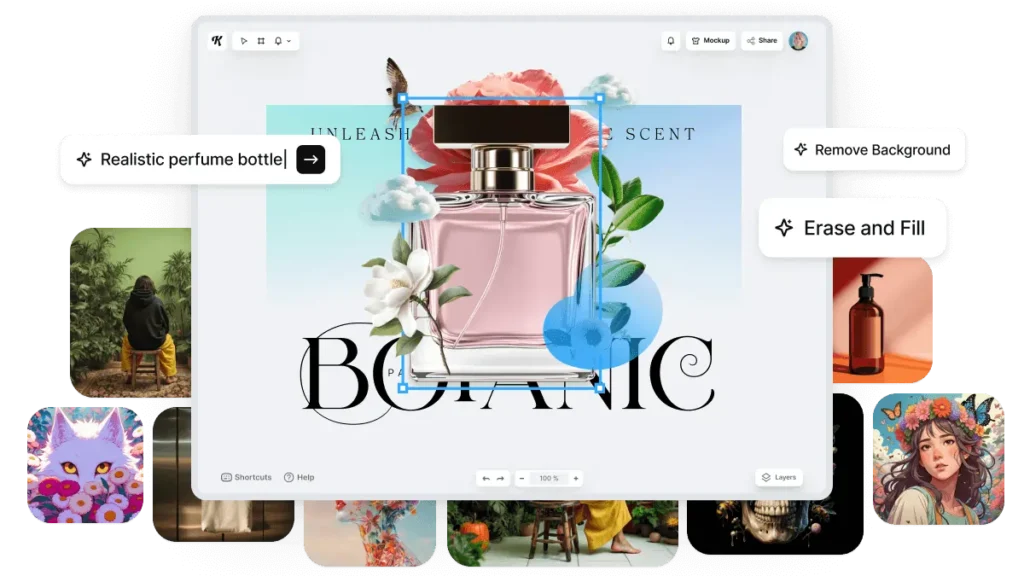
Overview: Kittl is a browser-based design platform that differentiates itself through advanced typography tools, professional vector editing capabilities, and multi-model AI image generation — all within a single unified editor. While platforms like Canva focus on template-driven accessibility, Kittl targets users who need more granular design control, particularly for typography-heavy projects, logo creation, and print-ready merchandise design.
Core Capabilities:
- Multi-model AI image generation within a single interface, supporting models including ChatGPT Image, Google Imagen 4, FLUX 1.1 Pro, Ideogram 3, Nano Banana, DALL·E 3, and Seedream 3
- Advanced text effects and typography tools including curved text, neon effects, warping, and professional font manipulation that exceed what general-purpose design suites offer
- AI-powered vectorizer that converts raster images to editable vectors
- One-click background removal and AI image upscaling
- Infinite canvas with multi-artboard support for managing complex, multi-asset projects
- Curated library of over 10,000 customizable illustrations, vectors, photos, and textures
- High-resolution export in PDF, SVG, and PNG formats optimized for print production including screen printing and direct-to-garment
Deployment: Cloud-based (browser); currently no dedicated mobile application
Integration Ecosystem: Exports to standard file formats (SVG, PDF, PNG) compatible with all major design and print workflows. Print-on-demand integration for merchandise designers. No direct third-party application integrations documented.
Pricing Approach: Freemium. Free plan provides access to core editor, templates, and limited exports. Pro plan at $10/month includes vector file exports, advanced editing tools, premium AI features, and 250 AI credits. Expert plan at $30/month adds unlimited AI generations, 600 AI credits, 100GB storage, brand kits, 30 saved image generation styles, priority support, and beta feature access. Kittl Plus (enterprise tier) is in early access with quote-based pricing, offering team collaboration, dedicated account management, and professional design services.
Documented Limitations:
- No mobile application is available, limiting on-the-go design workflows
- Element library is more limited than larger platforms like Canva, particularly for photos and stock imagery
- Mockup quality has received mixed user feedback, with some users noting that mockups can appear AI-generated rather than photorealistic
- AI credit system means generation limits apply based on subscription tier
- Platform is narrower in scope than all-in-one suites — strong for typography, logos, and print design but less equipped for presentation or video workflows
Typical Users: Print-on-demand sellers designing t-shirts, posters, mugs, and merchandise where vector export quality is critical. Logo designers and brand identity creators who need advanced typography controls. Graphic designers working on projects that demand precise text manipulation beyond what Canva or similar tools offer. Small businesses creating branded marketing materials with a focus on print output quality.
Figma AI
Overview: Figma is a collaborative, browser-based design platform that is the industry standard for UI/UX design and has expanded its capabilities with AI-powered features in 2025–2026. While Figma is not primarily a graphic design tool in the traditional sense, its AI features — including Make Design (generative layout creation), AI image editing, and automated design system management — extend its utility into graphic design workflows, particularly for teams producing visual assets within broader product design contexts. According to Figma’s 2025 AI Report, 1 in 3 Figma users surveyed planned to launch AI-powered products, a 50% jump from the previous year.
Core Capabilities:
- Figma Make generates multiple design and technical approaches from text descriptions, accelerating prototyping and concept exploration
- AI-powered image editing features built for designers, marketers, and product teams
- Real-time collaborative design with built-in comments, sharing, and version control for teams of any size
- Dev Mode for developer handoff with automated spec generation and export
- Design system management with AI-assisted component creation and maintenance
- Auto Layout and responsive design features that adapt designs to different screen sizes
- Plugin ecosystem with hundreds of community-developed extensions
Deployment: Cloud-based (browser); desktop applications available for macOS and Windows; mobile viewer for iOS and Android
Integration Ecosystem: Developer-focused integrations including Jira, Slack, Microsoft Teams, and GitHub. Extensive plugin marketplace. FigJam (whiteboarding tool) for ideation and brainstorming workflows. Design token export for development teams.
Pricing Approach: Free plan includes unlimited personal files, limited collaborative files, and basic Figma features. Professional plan at $15/month per editor (billed annually) includes unlimited projects, advanced prototyping, and team libraries. Organization plan at $45/month per editor adds design system analytics, centralized libraries, and SSO. Enterprise plan at $75/month per editor provides advanced security, dedicated support, and custom integrations.
Documented Limitations:
- AI features remain in relatively early stages compared to design-first AI platforms; generative capabilities are focused on layout and UI patterns rather than graphic design assets like illustrations or marketing materials
- Not designed primarily for traditional graphic design workflows — lacks many features that dedicated graphic design tools provide (advanced image editing, print production, typography effects)
- Performance can degrade with very complex files containing thousands of layers or high-resolution images
- Free plan limitations make it impractical for team-based work; meaningful use requires Professional tier or above
- AI image generation capabilities are not comparable to dedicated generators like Midjourney or DALL·E for standalone image creation
Typical Users: Product design teams creating and maintaining design systems. UX/UI designers building application interfaces and prototypes. Cross-functional teams (design + development) needing shared design access and handoff tools. Organizations with established design systems that need AI-assisted management and scaling. According to Figma’s 2025 AI Report, 23% of designers and developers report that most of their work is now on AI-powered products, up from 17% the previous year.
Adobe Photoshop (with Firefly Integration)
Overview: Adobe Photoshop is the industry-standard raster image editing application, now enhanced with Firefly-powered AI features that bring generative capabilities into professional photo editing and graphic design workflows. The integration of Generative Fill, Generative Expand, and AI-powered selection tools transforms Photoshop from a purely manual editing environment into a hybrid platform where AI assists with both creative generation and technical editing tasks.
Core Capabilities:
- Generative Fill uses Firefly models to add, remove, or replace elements within images through text prompts and selection-based editing
- Generative Expand extends images beyond their original borders with contextually appropriate AI-generated content
- AI-enhanced selection tools including Select Subject, Select Sky, and Content-Aware Fill for automated masking and compositing
- Neural Filters for AI-powered adjustments including skin smoothing, color transfer, style transfer, and expression modification
- AI-enhanced denoise for removing background noise from photographs
- Access to partner AI models (Google, OpenAI, FLUX) for Generative Fill, expanding the range of generation styles available
- Full professional editing suite including layers, masks, adjustment layers, typography tools, and color management
Deployment: Desktop application (macOS, Windows); Photoshop on the web (limited feature set); mobile apps (Photoshop Express, Photoshop Camera)
Integration Ecosystem: Deep integration across Adobe Creative Cloud ecosystem (Illustrator, InDesign, Lightroom, Premiere Pro, After Effects). Adobe Stock integration. Adobe Libraries for shared asset management. Third-party plugin ecosystem. Industry-standard file format support (PSD, TIFF, PNG, JPEG, RAW formats).
Pricing Approach: Photoshop is available as part of multiple Creative Cloud subscription options. Photography plan (Photoshop + Lightroom) starts at approximately $9.99/month. Single app subscription at $22.99/month. Creative Cloud Pro (all apps) at $69.99/month. All paid plans include Firefly generative credits for AI features. The Creative Cloud Standard plan at $54.99/month offers a lower-cost option with reduced generative credits.
Documented Limitations:
- Steep learning curve; Photoshop’s full feature set requires significant training to utilize effectively, making it impractical for users seeking quick, simple design outputs
- Subscription-only model with no perpetual license option, creating ongoing cost commitments
- Resource-intensive application that requires capable hardware for smooth operation, particularly when working with large files and AI features
- Generative Fill results, while commercially safe, sometimes produce artifacts or inconsistencies at element boundaries
- The transition to Creative Cloud Pro pricing represents a cost increase for existing All Apps subscribers
- Mobile and web versions have significantly reduced feature sets compared to desktop
Typical Users: Professional photographers editing and compositing images with AI assistance. Graphic designers creating complex, multi-layer compositions for print and digital. Retouching specialists working in fashion, product, and portrait photography. Creative agencies producing high-end visual content where maximum control over output quality is required.
Piktochart
Overview: Piktochart is an AI-powered visual content platform specializing in the transformation of text, data, and documents into infographics, presentations, reports, and social media visuals. Through its Pikto AI Studio, the platform converts text prompts into complete visual layouts in under 10 seconds, with a particular strength in data-driven content where charts, maps, and statistical visualizations are central to the design.
Core Capabilities:
- AI Design Generator creates infographics, presentations, reports, and social media graphics from text prompts with automatic layout and content structuring
- AI Outline feature organizes ideas into logical content structures before visual generation
- Text-to-report, text-to-presentation, and text-to-infographic generation from document uploads or text input
- Interactive charts and maps with CSV import and live Google Sheets data integration
- AI image generation for custom visuals within designs (25 credits per generation)
- AI Object Eraser and AI Image Resizer for post-generation refinement
- Preserve Content feature maintains existing content structure during format transformations
Deployment: Cloud-based (browser); no dedicated mobile application
Integration Ecosystem: Google Drive, Zoom, IconScout for premium icons and illustrations. CSV and Google Sheets data import for chart creation. Published visuals include traffic tracking for view counts.
Pricing Approach: Freemium. Free plan includes 60 AI credits per month, access to most templates, and limited downloads with Piktochart watermark. Pro plan at approximately $14/month (billed annually) provides 500 AI credits monthly, unlimited watermark-free downloads, and brand asset kits. Business plan at $24/month offers 1,000 AI credits and team collaboration features. Education Pro at $39.99/year and NPO Pro at $60/year offer discounted access for qualifying organizations. Enterprise pricing is quote-based.
Documented Limitations:
- Design scope is narrower than all-in-one suites; the platform is optimized for infographics, reports, and data presentations rather than general-purpose graphic design
- AI-generated content can require significant revision when prompts produce insufficient information or incorrect page counts
- Chart customization options are limited; labels can overlap and data visualization can be difficult to read in complex datasets
- No mobile application available
- Designing from scratch (without AI prompts or templates) is less intuitive than template-first workflows
- Performance can degrade on complex, detail-heavy projects
Typical Users: Data analysts and researchers creating visual summaries of quantitative findings. Marketing teams producing data-driven campaign reports and infographics. Educators developing classroom visuals, study guides, and academic presentations. HR and internal communications teams creating employee-facing visual content. Non-profit organizations producing awareness materials on limited budgets.
Visme
Overview: Visme is a visual content creation platform combining AI-powered design generation with interactive content capabilities across presentations, infographics, documents, videos, social media graphics, and forms. The platform differentiates from simpler design tools through its emphasis on interactive elements including embedded animations, clickable hotspots, quizzes, and data-driven dynamic content. Visme reports serving over 27 million users globally, with organizations including IBM and Gartner among its customer base.
Core Capabilities:
- AI Design Generator creates complete presentations, ebooks, reports, and branded content from text prompts
- AI Presentation Maker builds slide decks with automated layout, content structuring, and visual matching
- Interactive content features including hotspots, embedded video, animations, scroll-triggered effects, and quiz/survey integration
- Data visualization AI transforms datasets into charts, graphs, maps, and infographics with automatic formatting
- Brand Kit integration enforces organizational colors, fonts, logos, and guidelines across all generated content
- Content library with millions of stock photos, videos, audio tracks, icons, and design elements
- SCORM export for Learning Management System integration (Enterprise tier)
Deployment: Cloud-based (browser); offers both cloud and on-premise deployment options for enterprise
Integration Ecosystem: Social media publishing, Google Drive, Dropbox, Slack, Microsoft Teams, Salesforce, HubSpot. Embedding capabilities for websites and blogs. Analytics dashboard for tracking content engagement.
Pricing Approach: Freemium. Free plan allows limited project creation with basic templates and 100MB storage. Starter plan at $12.25/month (billed annually) includes full template access, download options (JPG, PNG, PDF), and increased storage. Pro plan at $24.75/month adds Brand Kit, analytics, advanced AI access including unlimited generations, premium templates, and advanced export options. Visme for Teams offers custom pricing with collaboration features, centralized branding, and admin controls. Enterprise pricing is quote-based with advanced security and SCORM support.
Documented Limitations:
- Interface can feel complex compared to simpler tools like Canva; users report a learning curve for mastering the full feature set
- Performance slows notably with large, element-heavy projects
- Resizing projects has been reported as unintuitive, with AI-powered resize sometimes creating entirely new projects rather than adjusting existing ones
- Free plan is significantly limited, with essential features like PDF export locked behind paid tiers
- Text editing can be inconsistent, with formatting errors and unreliable undo functionality reported by users
- Pricing is perceived as high relative to competitors, particularly for teams and small organizations
Typical Users: Marketing teams producing interactive campaign reports, social media content, and branded presentations. Corporate training departments creating SCORM-compatible e-learning content. Sales teams building client proposals with embedded analytics and interactive elements. Educators developing visually rich lesson materials and student-facing resources.
Microsoft Designer
Overview: Microsoft Designer is an AI-powered graphic design application integrated into the Microsoft 365 ecosystem. Built on DALL·E technology, it generates designs from text prompts and offers template-based editing for social media posts, invitations, flyers, and other visual content. Its primary value proposition is accessibility for existing Microsoft users who need design capabilities without adopting a separate platform or subscription.
Core Capabilities:
- Text-to-image generation powered by DALL·E integration for creating custom visuals from descriptions
- AI-powered design suggestions and layout generation from text prompts
- Template library for social media posts, invitations, logos, flyers, and marketing materials
- Background removal and image editing tools
- Integration with Microsoft 365 applications (PowerPoint, Word, Outlook) for in-context design creation
- Brand Kit functionality for maintaining visual consistency across designs
- Image Creator from Microsoft Bing for supplementary image generation
Deployment: Cloud-based (browser at designer.microsoft.com); integrated within Microsoft 365 applications; mobile app available
Integration Ecosystem: Native integration with Microsoft 365 ecosystem including PowerPoint, Word, OneDrive, and Outlook. Bing Image Creator integration. Export to standard image formats.
Pricing Approach: Free to use with a Microsoft account. Premium AI features and expanded generation limits available through Microsoft 365 subscriptions (Personal at $6.99/month or Family at $9.99/month). Microsoft Copilot Pro at $20/month provides additional AI generation capacity across Microsoft applications.
Documented Limitations:
- Design capabilities and template variety are more limited than dedicated design platforms like Canva or Adobe Express
- Advanced design controls (layers, masks, precision typography, vector editing) are absent
- The platform is heavily dependent on the Microsoft ecosystem; users outside Microsoft 365 may find limited standalone value
- AI generation quality for complex or highly specific design requests can be inconsistent
- Export options and file format support are narrower than professional design tools
- Brand kit and team features are less developed than mature competitors
Typical Users: Microsoft 365 subscribers needing quick visual content without adopting additional tools. Office workers creating presentations, internal communications, and social media content. Small businesses leveraging existing Microsoft subscriptions for basic design needs. Educators and students within Microsoft-equipped institutions.
Looka
Overview: Looka is an AI-powered platform focused specifically on logo design and brand identity generation. Unlike broader graphic design tools, Looka occupies a narrow vertical — transforming business information and aesthetic preferences into logo options and complete brand identity kits including business cards, social media assets, and brand guidelines. The platform uses machine learning trained on design principles and font pairing to generate logo variations.
Core Capabilities:
- AI logo generation from business name, industry, style preferences, color choices, and symbol selections
- Iterative refinement process allowing users to adjust colors, fonts, layouts, icons, and spacing on generated logos
- Brand Kit generation producing social media profiles, business cards, email signatures, and brand guidelines from the selected logo
- Over 300 logo templates as starting points for customization
- High-resolution file exports including SVG, PNG, EPS, and PDF for print and digital applications
Deployment: Cloud-based (browser)
Integration Ecosystem: Limited integrations. Exports to standard file formats for use in any design application. No direct publishing or third-party tool integrations documented.
Pricing Approach: Logo browsing and generation are free. Downloading requires purchase. Basic Logo Package is a one-time payment (approximately $20) for a single low-resolution PNG file. Premium Logo Package (approximately $65) provides multiple high-resolution file formats and color variations. Brand Kit subscription at $96/year provides ongoing access to 300+ branded marketing materials that update automatically when the logo is modified.
Documented Limitations:
- Extremely narrow scope limited to logos and brand identity; not suitable for general graphic design workflows
- Post-generation editing is constrained; complex logo modifications beyond the platform’s adjustment tools require external software
- Output quality, while professional for simple logos, may not match the sophistication of custom designs by experienced brand designers
- One-time purchase model for individual logo files can become expensive if multiple iterations or file formats are needed
- No collaborative or team features; the platform is designed for individual, typically one-time use
Typical Users: Entrepreneurs and startup founders needing a logo during early business formation. Small business owners without access to or budget for professional brand design services. Freelancers creating initial brand identities for personal projects. Side-project creators who need quick, professional-looking logos without extended design processes.
Ideogram
Overview: Ideogram is a generative AI platform distinguished by its ability to render accurate, legible text within AI-generated images. While most image generation models struggle with typography — producing garbled, misspelled, or illegible text in generated visuals — Ideogram has specifically optimized for this capability. This makes it particularly valuable for graphic design use cases that require readable text such as posters, social media graphics, logos with taglines, product labels, and meme-style content.
Core Capabilities:
- Text-to-image generation with Ideogram 3 model optimized for typography accuracy and visual quality
- Superior text rendering within generated images — readable words, signs, and labels integrated into visual compositions
- Style presets including 3D rendering, anime, cinematic, design, fashion, illustration, painting, and photo styles
- Multiple aspect ratio support for various design format requirements
- Image remixing and editing capabilities for iterating on existing generations
- API access for programmatic image generation
Deployment: Cloud-based (web application at ideogram.ai); available as a partner model within Kittl
Integration Ecosystem: API access for developer integration. Available within multi-model platforms including Kittl. Standard image file exports.
Pricing Approach: Freemium. Free tier provides limited daily generations. Paid plans provide expanded generation limits, priority processing, and higher resolution outputs. Specific pricing tiers are subject to change and should be verified on the Ideogram website.
Documented Limitations:
- Overall artistic style range is narrower than Midjourney’s, with less consistency in producing highly atmospheric or cinematic imagery
- While text rendering is a clear strength, the platform’s general image quality for non-text-centric applications may not match top-tier dedicated generators
- The platform is relatively newer and has a smaller community ecosystem compared to established competitors like Midjourney or Stable Diffusion
- Feature set beyond text-to-image generation is more limited than full design suites
- Enterprise-grade features like brand management, team collaboration, and custom model training are less developed
Typical Users: Marketers creating social media graphics, posters, and advertisements that incorporate readable text elements. Content creators producing memes, quote graphics, and text-overlay designs. Designers generating concept mockups with placeholder text that needs to be legible. E-commerce sellers creating product labels and packaging concepts.
FLUX (Black Forest Labs)
Overview: FLUX is a family of text-to-image generation models developed by Black Forest Labs, a company founded by former Stability AI researchers. The FLUX model family has rapidly established itself as a leading option for high-fidelity image generation, with multiple variants offering different tradeoffs between quality, speed, and licensing. FLUX.1 Schnell (fast variant) is free for commercial use, making it notable as one of the most capable commercially licensed open-weight models available.
Core Capabilities:
- Text-to-image generation across multiple model variants: FLUX.1 Pro (highest quality), FLUX.1 Dev (development/research), FLUX.1 Schnell (fastest, commercially free)
- FLUX.1 Pro Ultra delivers high-resolution output with strong photorealism and detail accuracy
- FLUX Kontext Pro enables image editing and style experiments through reference-based generation
- Strong prompt adherence with accurate rendering of complex multi-element scenes
- Compatible with the broader Stable Diffusion ecosystem of tools, UIs, and extensions
- Available as a partner model within Adobe Firefly and Kittl platforms
Deployment: Cloud-based via Black Forest Labs API; available through third-party platforms (Kittl, Adobe Firefly, Replicate, Hugging Face); local deployment possible for Dev and Schnell variants
Integration Ecosystem: Hugging Face for model access and community development. Available within Adobe Firefly as a partner model. Replicate API for cloud-based generation. Compatible with ComfyUI and other Stable Diffusion community interfaces.
Pricing Approach: FLUX.1 Schnell is free and open-weight for commercial use. FLUX.1 Pro and Pro Ultra are available through Black Forest Labs’ API with per-generation pricing. Access through third-party platforms (Kittl, Adobe Firefly) follows those platforms’ respective credit and subscription models.
Documented Limitations:
- Newer platform with a smaller community and ecosystem compared to Midjourney or Stable Diffusion
- No proprietary design interface; users access FLUX through third-party platforms or API integration
- Local deployment of Pro models is not available; highest quality variants require cloud API access
- Documentation and community resources are less extensive than more established competitors
- Brand management, collaboration, and enterprise features are absent from the core model offering
Typical Users: Photographers and content creators needing photorealistic image generation. Marketing professionals accessing FLUX through multi-model platforms like Kittl or Adobe Firefly. Developers integrating high-quality image generation into custom applications via API. Cost-conscious creators who need commercial-grade generation with the free Schnell variant.
Recraft
Overview: Recraft is an AI-powered design platform focused on generating editable vector graphics, illustrations, and brand-consistent visual assets from text prompts. Unlike raster-focused generators that produce flat image files, Recraft’s output includes editable vector elements — a critical distinction for graphic designers who need scalable, modifiable assets for logos, icons, illustrations, and brand materials that will be used across multiple formats and sizes.
Core Capabilities:
- Text-to-vector generation producing editable SVG files from text prompts
- Style guide and color palette controls for maintaining brand consistency across generations
- Icon and illustration generation in consistent visual styles
- Mockup generation for visualizing designs in real-world contexts
- Image generation with style locking to produce series of visually coherent assets
- Batch generation for creating multiple variations of a concept simultaneously
- Export in vector formats (SVG) and raster formats (PNG, JPEG) at various resolutions
Deployment: Cloud-based (web application at recraft.ai)
Integration Ecosystem: Standard file format exports (SVG, PNG, JPEG) compatible with all major design tools. API access available for developer integration.
Pricing Approach: Freemium. Free tier provides limited daily generations with standard features. Paid plans expand generation limits, provide priority processing, and unlock advanced features including higher resolution outputs and commercial licensing. Specific tier pricing should be verified on the Recraft website.
Documented Limitations:
- Platform is still relatively early-stage with a developing feature set; capabilities are expanding but not yet at parity with mature design suites
- Community and ecosystem are smaller than established competitors
- Vector output quality, while distinctive, may require post-editing in professional tools like Adobe Illustrator for complex production requirements
- Brand management and team collaboration features are less developed than enterprise-oriented platforms
- Enterprise-grade security, compliance, and administrative controls are limited
Typical Users: Brand designers creating logo concepts, icon sets, and illustration libraries. Marketing teams needing editable, brand-consistent visual assets that can be scaled for different applications. Graphic designers who value vector output for print production and multi-format asset management. Design system managers building consistent visual component libraries.
Adobe Illustrator (with Firefly Integration)
Overview: Adobe Illustrator is the industry-standard vector graphics editor, now enhanced with Firefly-powered generative AI capabilities that bring text-to-vector generation, generative recoloring, and AI-assisted pattern creation into professional vector workflows. Illustrator’s AI features are specifically designed for vector-native output, producing scalable graphics that maintain quality at any resolution — a critical requirement for logo design, print production, packaging, and brand identity work.
Core Capabilities:
- Text-to-vector generation produces editable vector graphics from text prompts, creating objects that can be individually modified, scaled, and colored
- Generative Recolor changes the entire color palette of vector artwork through text prompts or color theme selections, generating multiple variations simultaneously
- Text-to-pattern creates seamless repeating patterns from descriptions for textile, packaging, and surface design applications
- Full professional vector editing suite including pen tool, shape builder, live trace, gradient mesh, and advanced typography
- Variable fonts and OpenType feature support for sophisticated typographic design
- Multi-artboard workflow for managing complex design projects with numerous asset variations
- Integration with Adobe’s Content Credentials system for AI-generated content transparency
Deployment: Desktop application (macOS, Windows); Illustrator on the web (limited feature set); available within iPad application
Integration Ecosystem: Native integration across Adobe Creative Cloud ecosystem. Direct interoperability with Photoshop, InDesign, After Effects, and other Adobe applications. Adobe Libraries for shared asset management. Industry-standard file format support (AI, EPS, SVG, PDF). Third-party plugin ecosystem.
Pricing Approach: Available through Adobe Creative Cloud subscriptions. Single app subscription at $22.99/month. Creative Cloud Pro (all apps) at $69.99/month. Creative Cloud Standard at $54.99/month. All paid plans include Firefly generative credits for AI features. Education and business pricing available.
Documented Limitations:
- Steep learning curve; Illustrator is a professional-grade application requiring significant training to use effectively
- Subscription-only pricing model with no perpetual license; ongoing cost commitment is substantial for individual users
- AI-generated vector output sometimes requires manual cleanup and refinement to meet professional production standards
- Resource-intensive application; optimal performance requires capable hardware
- Overkill for simple design tasks — users needing quick social media graphics or basic layouts would be better served by simpler tools
- Generative AI features consume credits from the same pool as Photoshop, Firefly, and other Creative Cloud applications
Typical Users: Professional illustrators and vector artists working on editorial, branding, and commercial illustration. Brand identity designers creating logo systems, icon sets, and visual identity packages. Packaging designers requiring precise vector artwork for print production. Fashion and textile designers using AI pattern generation for surface design. Print production specialists preparing files for commercial printing processes.
Market Patterns and Key Observations
Common Capabilities Across Solutions
Several AI capabilities have become table stakes in the graphic design tool market as of 2026. Text-to-image generation is now available across all five categories, from dedicated generators to all-in-one suites. Background removal, once a differentiating feature, is offered by virtually every platform in this analysis. Template-based design with AI-powered customization is standard across all non-generator platforms. Export to standard formats (PNG, JPEG, PDF, and increasingly SVG) is universally supported.
The rapid standardization of these features means that competitive differentiation increasingly comes from execution quality, ecosystem integration depth, and specialized capabilities rather than feature presence alone.
Shared Limitations and Trade-offs
A consistent pattern across all AI graphic design tools is the quality-control gap between AI generation and production-ready output. No platform in this analysis produces consistently production-ready visual assets without human review and refinement. According to Adobe’s 2025 survey of creative professionals, 87% believe AI has improved the quality of their work, but the same data shows that AI is used across production stages (72%) and creation (59%) — indicating that AI assists rather than replaces human creative judgment.
Brand consistency remains an unsolved problem at scale. While platforms like Canva and Visme offer Brand Kit functionality, AI-generated outputs can drift from brand guidelines, particularly across multiple generation sessions. Users report that maintaining a consistent visual voice across dozens or hundreds of AI-generated assets requires manual oversight.
Credit fatigue is emerging as a new pain point. As both Adobe and Canva have transitioned to credit-based AI usage metering, users managing multiple projects find that AI generation limits introduce workflow interruptions. High-volume design teams may need to factor credit consumption into project planning, a consideration that did not exist in the pre-AI credit era.
Pricing Trends
The AI graphic design tool market in 2026 shows three dominant pricing paradigms:
Freemium with credit metering is the most common model, employed by Canva, Adobe Firefly, Kittl, Piktochart, Visme, and most all-in-one suites. Free tiers provide limited AI access to drive adoption; paid tiers expand generation limits and unlock premium features. Monthly credits create predictable revenue for vendors but introduce usage anxiety for high-volume users.
Flat-rate subscription remains the model for platforms like Midjourney and Figma, where usage is metered by time-based fast GPU access (Midjourney) or per-editor seats (Figma) rather than per-generation credits. This model provides more predictable cost structures for users.
Open-source and API-based models (Stable Diffusion, FLUX Schnell) offer zero or near-zero marginal cost per generation after infrastructure investment, making them the most cost-effective option for high-volume, technically capable users.
The overall pricing trajectory in 2026 is upward. Adobe’s Creative Cloud price increase (from ~$60/month to ~$70/month for the Pro plan) and Canva’s Teams plan increases reflect the infrastructure cost of running AI generation at scale. Users should expect continued price pressure as platforms embed more computationally intensive AI features.
Integration and Ecosystem Patterns
The market shows a clear ecosystem consolidation trend. Adobe’s strategy of integrating Firefly across the entire Creative Cloud suite and adding partner models creates a gravitational pull toward its ecosystem. Canva’s expansion into Documents, Whiteboards, and Websites aims to reduce the need for users to leave the platform. Microsoft Designer’s integration into Microsoft 365 follows the same pattern.
For users deeply embedded in one ecosystem, switching costs are increasing as AI features become interconnected with document management, brand asset libraries, team collaboration, and publishing workflows. This has implications for tool selection: the best standalone AI generator may not be the best choice if it creates friction within an established workflow.
Emerging Capabilities in 2026
Multi-model access within single platforms is the most significant structural development. Users no longer need to subscribe to multiple AI generators; platforms like Kittl and Adobe Firefly offer access to Midjourney-adjacent quality (via FLUX), DALL·E 3, Google’s Nano Banana, and proprietary models from a single interface. This development compresses the value proposition of standalone generators.
AI video within design tools is rapidly expanding. Adobe Firefly’s video generation, Canva’s AI video features, and Piktochart’s planned AI Video Generator (H1 2026) indicate that the boundary between graphic design and video production tools is dissolving. According to Precedence Research, the generative AI in design market’s 32.75% CAGR is partly driven by the expansion from static to dynamic visual content within existing design platforms.
Commercially safe AI is becoming a market segmentation axis. Adobe’s Firefly, trained on licensed content, targets organizations that require clear IP ownership chains. This is increasingly relevant as copyright litigation around AI training data continues globally, with implications for which tools enterprise legal departments will approve for commercial use.
What the Data Suggests
The convergence of AI capabilities across platforms suggests that within 12–18 months, the core AI generation quality gap between platforms will narrow significantly. Multi-model access democratizes generation quality; a Kittl user can access FLUX Pro, Nano Banana, and Ideogram 3 simultaneously. This means that platform selection is shifting from “which has the best AI” toward “which best fits my workflow, budget, and commercial requirements.”
For professional designers, the Adobe ecosystem’s integration depth creates a defensible position despite higher pricing. For non-designers and marketing teams prioritizing speed and accessibility, Canva’s breadth and ease of use remain difficult to match. For specialized use cases — typography (Kittl), data visualization (Piktochart), vector generation (Recraft, Illustrator), or maximum customization (Stable Diffusion) — niche tools continue to outperform generalists in their specific domains.
The most significant risk for users is vendor lock-in through AI-dependent workflows. As organizations build processes around specific AI credit systems, brand kit configurations, and platform-specific generation styles, migration costs increase. Evaluating not just current capabilities but ecosystem trajectory and pricing sustainability is increasingly important for long-term tool selection.
How to Choose the Right AI Graphic Design Tool
Selecting an AI graphic design tool requires matching platform capabilities to specific workflow requirements, technical skill levels, and budget constraints. The following framework provides structured decision criteria organized by the dimensions that most significantly impact tool satisfaction across different user profiles.
Key Questions to Ask Before Choosing
Budget and Cost Structure:
- What is your monthly design tool budget, and does it accommodate credit-based pricing that fluctuates with usage volume?
- Are you evaluating total cost of ownership, including potential costs for additional AI credits, premium exports, and team seats?
- Would an open-source solution (Stable Diffusion, FLUX Schnell) with hardware investment costs provide better long-term value than subscription models for your generation volume?
- Do you already subscribe to an ecosystem (Adobe Creative Cloud, Microsoft 365, ChatGPT Plus) that includes AI design capabilities at no additional cost?
Technical Skill Level and Learning Curve:
- Does your team include trained designers who can leverage professional tools (Photoshop, Illustrator), or do you need platforms designed for non-designers (Canva, Microsoft Designer)?
- Are you willing to invest time in learning prompt engineering techniques that significantly improve AI generation quality, or do you need template-first workflows that produce usable results with minimal input?
- Does your use case require technical capabilities like local model deployment, custom fine-tuning, or API integration (Stable Diffusion, FLUX)?
Commercial and Legal Requirements:
- Do you need AI-generated assets with clear, defensible commercial licensing for client deliverables or public-facing materials?
- Does your organization’s legal or compliance team require AI tools trained exclusively on licensed content (Adobe Firefly)?
- Are your generated assets for internal use only (lower licensing risk) or for commercial distribution (higher licensing risk)?
Output Requirements and Quality Standards:
- Do you primarily need vector outputs (logos, icons, print materials) or raster outputs (social media, photographs, web graphics)?
- What resolution and quality standards do your use cases demand — social media posts versus large-format print versus packaging production?
- Do you need text embedded within generated images (Ideogram, DALL·E 3 strength), or are your text elements added separately in post-production?
Workflow Integration and Scale:
- How many visual assets does your team produce per week, and does your chosen platform’s credit system accommodate that volume?
- Which existing tools (Adobe Creative Cloud, Microsoft 365, Google Workspace, project management platforms) must the design tool integrate with?
- Do you need real-time collaboration features for team-based design workflows (Figma, Canva Teams)?
Decision Matrix Template
| Factor | Weight (Your Priority) | Questions to Verify |
|---|---|---|
| AI Generation Quality | High / Medium / Low | Does the platform produce output that meets your visual standards without excessive manual refinement? |
| Ease of Use | High / Medium / Low | Can your least technical team member produce usable output within their first session? |
| Commercial Licensing | High / Medium / Low | Can you confirm clear commercial usage rights for all AI-generated outputs? |
| Ecosystem Integration | High / Medium / Low | Does the tool connect with your existing workflow without manual file transfer steps? |
| Pricing Predictability | High / Medium / Low | Can you forecast monthly costs accurately, including AI credit consumption? |
| Vector Output | High / Medium / Low | Does the tool produce editable vector files (SVG, AI) if your workflow requires them? |
| Team Collaboration | High / Medium / Low | Does the platform support simultaneous editing, review workflows, and brand governance for teams? |
| Specialization Depth | High / Medium / Low | Does the tool excel specifically in your primary use case (data viz, typography, photo editing, etc.)? |
Frequently Asked Questions About AI Graphic Design Tools
What are AI graphic design tools and how do they work?
AI graphic design tools are software platforms that use machine learning models — primarily diffusion models and transformer architectures — to assist with visual content creation. These tools operate across a spectrum: some generate complete images from text descriptions (Midjourney, DALL·E 3, Stable Diffusion), others embed AI capabilities into traditional design editors (Adobe Photoshop’s Generative Fill, Canva’s Magic Studio), and some combine both approaches (Kittl, Adobe Firefly). The underlying technology analyzes patterns in visual data to produce new images that match user descriptions, modify existing images based on instructions, or automate design tasks like background removal and layout generation. According to Adobe’s 2025 Creators’ Toolkit Report, 86% of content creators globally now use generative AI in their creative workflows.
How much do AI graphic design tools typically cost in 2026?
AI graphic design tool pricing in 2026 spans four tiers. Free options include Stable Diffusion (self-hosted, requires GPU hardware), FLUX.1 Schnell (open-weight for commercial use), and free tiers from Canva, Kittl, and Microsoft Designer with limited AI credits. Budget-tier tools ($10–$15/month) include Canva Pro, Kittl Pro, Adobe Firefly Standard, and Midjourney Basic. Professional-tier tools ($20–$60/month) include Midjourney Pro, Adobe Firefly Pro, ChatGPT Plus (with DALL·E 3), and Visme Pro. Enterprise and professional suite pricing ($55–$70+/month) covers Adobe Creative Cloud Standard and Pro plans, which include Photoshop, Illustrator, and full Firefly integration. Most platforms have moved toward credit-based systems where AI generation consumes monthly credits; Adobe documents its credit system and Canva details its AI allowance on their respective help centers.
Which AI graphic design tool is most suitable for beginners with no design experience?
For users without design training, platforms with template-first workflows and minimal technical requirements provide the most accessible entry point. Canva Magic Studio combines a low learning curve with broad functionality — users select templates, modify them through drag-and-drop, and can generate images and copy through AI without understanding design principles. Microsoft Designer offers similar accessibility within the Microsoft 365 ecosystem. For pure image generation without design editing, DALL·E 3 via ChatGPT provides the most intuitive interface — users simply describe what they want in conversational language, and the system handles prompt optimization automatically. Piktochart serves users who specifically need data-driven visuals (infographics, reports, presentations) with AI that structures content from text input.
What are the main copyright and commercial licensing considerations for AI-generated design assets?
Copyright considerations for AI-generated graphic design assets remain legally evolving in 2026. The core issue is that most generative AI models are trained on large datasets that include copyrighted images, creating uncertainty about the legal status of outputs. Adobe Firefly has addressed this directly by training exclusively on Adobe Stock images, openly licensed content, and public-domain material, positioning itself as the commercially safest option currently available. Midjourney, DALL·E 3, and Stable Diffusion use broader training datasets. In practical terms: users generally retain rights to images they generate through these platforms (subject to each platform’s terms of service), but the underlying legal question of whether AI-generated images trained on copyrighted data can themselves be copyrighted remains unsettled. Organizations producing commercial visual assets should consult legal counsel and consider platforms with clear provenance documentation, such as Adobe’s Content Credentials system, which functions as a digital provenance label for AI-generated content.
Can AI graphic design tools replace professional graphic designers?
AI graphic design tools augment professional design work rather than replacing it. According to Figma’s 2025 AI Report, 30% of designers strongly agree that AI significantly enhances their efficiency, but the same data reflects that AI is dissolving entry-level production tasks while elevating the strategic and creative role of experienced designers. AI tools excel at generating initial concepts, producing variations at speed, automating repetitive tasks (resizing, background removal, format adaptation), and enabling non-designers to create acceptable visual content. However, they do not replicate strategic creative direction, brand strategy development, complex multi-element composition, nuanced typography at a professional level, or the contextual judgment needed for high-stakes visual communications. The emerging professional dynamic positions designers increasingly as creative directors and quality curators who orchestrate AI outputs rather than producing every pixel manually.
What is the difference between AI-powered design suites and AI image generators?
AI-powered design suites (Canva, Visme, Adobe Express) are comprehensive platforms that embed AI capabilities within traditional design editing environments featuring templates, drag-and-drop editors, brand management tools, and multi-format export. AI image generation is one capability among many. AI image generators (Midjourney, DALL·E 3, Stable Diffusion, FLUX) are specialized platforms whose primary function is converting text prompts into visual outputs. They produce standalone images but lack design editing tools like text overlays, layout composition, template systems, and brand management. The practical difference is workflow orientation: design suites serve users who need finished, publish-ready visual assets; image generators serve users who need visual starting points that will be refined, composited, or integrated into larger designs using other tools.
Are there free AI graphic design tools suitable for professional use?
Several free options exist for professional-level AI graphic design work, though each involves tradeoffs. Stable Diffusion is entirely free for self-hosted deployment and can produce professional-quality images, but requires technical setup (compatible GPU, software installation, parameter knowledge). FLUX.1 Schnell from Black Forest Labs is free for commercial use and delivers high-quality image generation through third-party platforms and local deployment. Canva’s free tier provides access to basic design tools and limited AI features (approximately 50 Magic Write uses and limited image generations), sufficient for low-volume professional work. Microsoft Designer is free with a Microsoft account and provides AI-powered design templates. Adobe Firefly offers limited free generations for exploring premium features. The key limitation across all free options is volume: professional teams producing dozens or hundreds of assets per week will encounter credit limits or capability constraints that necessitate paid subscriptions.
How long does it take to learn and integrate AI graphic design tools into existing workflows?
Learning curves vary dramatically across AI graphic design tools. Template-driven platforms like Canva and Microsoft Designer can be productive within 1–2 hours of initial use; the interface design prioritizes immediate accessibility. AI image generators like DALL·E 3 (via ChatGPT) require minimal technical skill but 1–2 weeks of prompt experimentation to achieve consistent, high-quality results. Midjourney’s parameter system and aesthetic conventions require 2–4 weeks of active learning for proficiency. Professional tools like Adobe Photoshop and Illustrator with Firefly integration require 1–3 months for users unfamiliar with the applications, though existing Adobe users can adopt AI features within days. Open-source platforms like Stable Diffusion have the steepest learning curve: 2–8 weeks for basic proficiency and months for advanced customization. Full workflow integration — including team training, brand kit setup, and process documentation — typically requires 2–6 weeks for most organizations.
What should content creators and marketers prioritize when choosing AI design tools?
Content creators and marketing teams should prioritize three factors: production velocity, brand consistency, and platform coverage. Production velocity refers to how quickly the platform can produce publish-ready assets — Canva and Adobe Express optimize for this with template-to-publish workflows. Brand consistency requires robust Brand Kit features that enforce organizational visual standards across AI-generated content; Canva Pro, Visme, and Adobe Express offer this functionality. Platform coverage refers to the range of content formats the tool supports natively (social media dimensions, email headers, presentation slides, print formats); all-in-one suites like Canva and Visme cover the widest range. For teams producing 50+ visual assets per week, credit-based pricing should be carefully modeled against actual generation volumes. According to Adobe’s research, content demand has doubled for 96% of marketers, making scalability a critical evaluation criterion.
How do AI graphic design tools handle brand consistency across multiple assets?
Brand consistency management varies significantly across platforms. Enterprise-tier solutions like Adobe Creative Cloud’s Libraries system allow teams to centralize brand assets (logos, color palettes, typography, approved imagery) that synchronize across all Creative Cloud applications. Canva’s Brand Kit (Pro tier and above) enforces brand colors, fonts, and logos across generated designs, with Teams plans supporting up to 1,000 Brand Kits. Visme offers similar brand governance with templates locked to organizational guidelines. Kittl provides brand kits in its Expert tier with saved image generation styles. However, AI generation within these platforms does not automatically enforce brand guidelines without explicit configuration — users must define brand parameters, and AI outputs still require human review for brand alignment. For enterprises requiring strict brand governance, platforms with approval workflows (Canva Enterprise, Visme Enterprise) add an additional control layer, but no platform in this analysis fully automates brand-compliant AI generation without human oversight.
What emerging trends should users watch when selecting AI graphic design tools?
Three trends will shape AI graphic design tool selection through 2026–2027. First, multi-model convergence will accelerate as more platforms offer access to multiple AI generation engines from a single interface, reducing the need for platform-specific subscriptions. Adobe and Kittl have pioneered this approach, and others are likely to follow. Second, AI video integration within graphic design tools is expanding rapidly; Adobe Firefly, Canva, and Piktochart are all adding or planning video generation features, blurring the boundary between static and dynamic design. According to Precedence Research, the generative AI in design market is projected to grow at a 32.75% CAGR through 2035, driven significantly by the expansion from static to dynamic visual content. Third, commercially safe AI will increasingly bifurcate the market between platforms that can demonstrate clear IP provenance (Adobe Firefly) and those that cannot, with enterprise buyers increasingly requiring the former.
Key Takeaways
- The AI graphic design tools market reached an estimated $59.29 billion in 2026 (broader graphic design market, per Mordor Intelligence), with the AI-powered design tools segment projected to reach $18.16 billion by 2030 at a 21.9% CAGR, reflecting a market that has moved decisively from experimentation to operational deployment.
- Multi-model access within single platforms is compressing the competitive landscape, as tools like Kittl and Adobe Firefly now offer access to multiple generation engines (FLUX, DALL·E 3, Nano Banana, Ideogram) from a single interface, reducing the need for users to subscribe to standalone generators separately.
- Credit-based pricing has become the dominant billing model, replacing unlimited generation across both Adobe and Canva, meaning that high-volume design teams must model AI credit consumption against production needs when evaluating total cost of ownership.
- Commercially safe AI generation (trained on licensed content) is emerging as a meaningful differentiator, with Adobe Firefly’s approach to IP provenance becoming increasingly relevant as copyright litigation around AI training data continues across jurisdictions globally.
- The professional designer’s role is shifting toward creative direction and AI output curation rather than manual asset production, with 86% of creators using generative AI and 30% of designers reporting that AI significantly enhances their efficiency, according to surveys from Adobe and Figma respectively.
This analysis was last updated February 2026. The AI graphic design tool market evolves rapidly; readers should verify current pricing, features, and licensing terms directly with vendors.