


Best AI Tools for Business 2026
Quick Answer: For most businesses in 2026, the right AI tool depends on your existing tech stack and primary use case. ChatGPT Enterprise delivers the broadest capabilities across departments, while Microsoft Copilot is the strongest choice for organizations already running Microsoft 365. Google Gemini offers the best value for Google Workspace teams, with AI now bundled into every plan. For deep research and fact-finding, Perplexity Enterprise outperforms general-purpose chatbots. Claude excels at complex analysis, long-document processing, and code generation.
What we evaluated: 15 AI platforms across six business-critical categories — general-purpose AI assistants, productivity suite integrations, research and knowledge management, workflow automation, content and marketing, and analytics.
Key finding: The biggest shift in 2026 isn’t which AI tool is “best” — it’s that AI capabilities are being bundled into productivity suites at no extra cost. Google Workspace now includes Gemini in every plan, and Microsoft is embedding Copilot features into baseline M365 subscriptions. Businesses paying for standalone AI subscriptions alongside their productivity suite may be paying twice for overlapping capabilities. Gartner predicts this bundling trend will trigger a $58 billion shake-up in the productivity tool market through 2027.
Why Trust This Analysis
Axis Intelligence evaluates AI tools through the lens of real business workflows — not feature checklists from vendor marketing pages. Our methodology focuses on how these tools perform in actual work scenarios: drafting strategy documents, analyzing financial data, automating repetitive processes, and supporting customer-facing operations.
Our approach: We tested each platform’s business-tier offering, verified all pricing against official vendor documentation as of March 2026, and evaluated capabilities across multiple departments rather than in isolation.
What we prioritize: Practical ROI for business teams, integration depth with existing tools, transparent pricing (including hidden costs), and honest assessment of limitations that vendors rarely disclose.
Independence note: Axis Intelligence maintains no commercial relationships with vendors in this analysis. Our revenue comes from advertising and sponsored content, which is always clearly labeled and separate from editorial evaluations.
AI Tools for Business Comparison at a Glance
| Tool | Best For | Starting Price | Free Plan | Standout Feature | Key Limitation |
|---|---|---|---|---|---|
| ChatGPT Enterprise | All-purpose business AI | ~$25-30/user/mo (Team); custom (Enterprise) | Yes (limited) | GPT-5.2 with unlimited usage, custom GPTs | Enterprise pricing requires sales engagement; credit-based model adds complexity |
| Microsoft Copilot | Microsoft 365 organizations | $21/user/mo (Business add-on) | Basic Copilot Chat free | Deep integration into Word, Excel, Outlook, Teams | Requires existing M365 subscription; $30/mo enterprise add-on on top of base license |
| Google Gemini | Google Workspace teams | Included in Workspace ($7-22/user/mo) | Gemini app is free | AI bundled at no extra cost in Workspace plans | Capabilities vary significantly by Workspace tier; Starter plan only gets Gemini in Gmail |
| Claude | Long-form analysis, coding, document processing | $20/mo (Pro); $25/user/mo (Team) | Yes (limited) | 1M-token context window, Claude Code for developers | Usage caps on lower tiers can be frustrating; smaller app ecosystem than ChatGPT |
| Perplexity Enterprise | Business research and fact-finding | $40/user/mo (Enterprise Pro) | Yes (limited) | Real-time cited research replacing manual web searching | Not designed for content generation or workflow automation; API billed separately |
| Notion AI | Knowledge management and project docs | $20/user/mo (Business, AI included) | Limited trial | AI Agents that work autonomously across your workspace | Full AI requires Business plan; performance degrades with very large databases |
| Zapier AI | Workflow automation | $29.99/mo (Professional) | Yes (limited) | 8,000+ app integrations with AI-powered automation | Costs scale quickly with task volume; complex automations require technical setup |
| Salesforce Einstein | CRM and sales intelligence | Included in Enterprise+ editions | No | AI predictions trained on your actual sales data | Only valuable within Salesforce ecosystem; significant implementation cost |
| Jasper | Marketing content at scale | $49/mo (Creator); $125/mo (Pro) | No | Brand voice consistency across all content types | Expensive for small teams; quality depends heavily on prompt engineering |
| Grammarly Business | Business writing and communications | $25/user/mo | Yes (basic) | Real-time writing assistance across 500,000+ apps | AI generation features lag behind dedicated AI writers; limited to text |
| ClickUp Brain | Project management with AI | $7/user/mo (Unlimited plan) | Yes (limited) | AI embedded directly in project management workflows | AI features still maturing; can feel overwhelming due to feature density |
| ElevenLabs | Voice and audio content | $22/mo (Starter); $99/mo (Scale) | Yes (limited) | Most realistic AI voice synthesis available | Costs add up fast for high-volume audio; ethical concerns around voice cloning |
| Midjourney | Visual content creation | $10/mo (Basic); $30/mo (Standard) | No | Highest-quality AI image generation for marketing | No API for business automation; Discord-only interface frustrates enterprise users |
| Make | Advanced workflow automation | $10.59/mo (Core) | Yes (limited) | Visual workflow builder with deeper logic than Zapier | Steeper learning curve; smaller app library than Zapier |
| Writer | Enterprise content governance | Custom pricing | No | AI guardrails preventing brand and compliance violations | Enterprise-only pricing excludes small businesses; requires significant setup |
General-Purpose AI Assistants
These platforms handle the broadest range of business tasks — from drafting emails to analyzing spreadsheets to brainstorming strategy. Most businesses need at least one general-purpose AI tool as their foundation.
ChatGPT Enterprise (OpenAI)
Best for: Organizations that need a versatile AI assistant across every department
ChatGPT remains the most widely adopted AI platform in business, with over 700 million weekly active users across all tiers as of mid-2025, according to OpenAI. The Enterprise offering strips away the consumer limitations and adds the security and admin controls that IT departments require.
What stands out:
- GPT-5.2 access with virtually unlimited usage and faster response times than consumer plans
- Custom GPTs let teams build department-specific assistants (a sales GPT trained on your playbook, an HR GPT that knows your policies) without any coding
- Projects feature organizes work by client or initiative with persistent context, so the AI remembers ongoing work
- Memory capabilities learn your preferences and writing style across conversations
- 60+ app integrations bring tools like Slack, Google Drive, SharePoint, and GitHub directly into ChatGPT
Where it falls short:
- Enterprise pricing is custom and requires a sales conversation — most mid-market companies report spending $250K-$400K annually for 300-500 users when factoring in integration and governance costs
- The shift to a credit-based flexible pricing model in 2026 makes cost prediction harder, especially for heavy users of reasoning models and advanced features
- No built-in project management, CRM, or domain-specific business tools — it’s a general-purpose brain, not a specialized worker
- Data privacy concerns persist despite enterprise protections, particularly in regulated industries
Pricing: Free tier available with basic GPT-5.2 access. Plus at $20/mo for individuals. Team at $25-30/user/mo with shared workspace. Enterprise requires custom pricing through sales.
Who should consider it: Companies that want one AI platform serving multiple departments and are willing to invest in building custom GPTs and workflows around it.
Who should look elsewhere: Small teams on tight budgets who only need AI for one specific function (writing, research, or automation) — a specialized tool will deliver better ROI. Also, organizations in highly regulated industries (healthcare, finance) should evaluate whether ChatGPT’s compliance posture meets their specific requirements before committing.
Claude (Anthropic)
Best for: Teams handling complex analysis, long documents, and software development
Claude has carved out a distinct position among AI assistants by excelling where others struggle: processing massive documents, writing nuanced long-form analysis, and generating high-quality code. Anthropic’s focus on safety and accuracy gives Claude an edge in tasks where getting the details right matters more than speed.
What stands out:
- A 1-million-token context window means Claude can ingest and analyze entire codebases, lengthy legal contracts, or hundreds of pages of research in a single conversation — no other major AI assistant matches this capacity
- Claude Code is a dedicated command-line tool for developers that handles complex coding tasks autonomously, from feature implementation to debugging, directly in the terminal
- Extended thinking capabilities let Claude work through complex reasoning problems step by step, producing more reliable outputs for analytical tasks
- Constitutional AI approach results in fewer hallucinations and more calibrated uncertainty than competitors on analytical tasks
Where it falls short:
- Usage caps on Pro and even Team plans can interrupt workflows mid-task — heavy users regularly hit limits and must wait for resets
- The app and integration ecosystem is smaller than ChatGPT’s; fewer third-party tools connect natively to Claude
- No built-in image generation (unlike ChatGPT’s DALL-E integration) — Claude focuses purely on text and code
- Enterprise pricing is opaque; reported figures suggest $60+ per seat with minimum user requirements of 70+ users for Enterprise tier
Pricing: Free tier with limited usage. Pro at $20/mo (or $17/mo billed annually). Max at $100-200/mo for power users. Team Standard at $25/user/mo (annual) or $30/mo (monthly). Enterprise pricing is custom.
Who should consider it: Development teams, legal departments, research analysts, and anyone who regularly works with documents longer than 50 pages. Claude’s analytical capabilities genuinely outperform alternatives on complex reasoning tasks.
Who should look elsewhere: Teams that need heavy image generation, voice features, or broad third-party integrations. Businesses with fewer than five team members may find the Team plan’s minimum requirements restrictive.
Google Gemini (Workspace Integration)
Best for: Organizations already using Google Workspace who want AI without an additional subscription
The most significant Gemini development in 2026 isn’t a model upgrade — it’s a pricing strategy shift. Google now bundles Gemini AI features directly into every Google Workspace plan, from the $7/month Starter tier through Enterprise. For the millions of businesses already paying for Workspace, this means AI capabilities at effectively zero incremental cost.
What stands out:
- AI assistance embedded directly in Gmail, Docs, Sheets, Meet, and Slides — no app switching required
- NotebookLM (included from Business Standard up) turns your documents into an interactive research assistant that can synthesize information across files
- Deep Research feature scans your Gmail, Drive, and the web to produce multi-page research reports on demand
- Gemini app provides a standalone conversational AI comparable to ChatGPT, included with Workspace at no extra charge
- Google Vids creates AI-powered video content from text prompts — useful for training materials and presentations
Where it falls short:
- The Starter plan ($7/mo) only includes Gemini in Gmail — full AI features across Docs, Sheets, Meet, and other apps require Business Standard ($14/mo) or higher
- Gemini’s writing quality for long-form content consistently trails Claude and ChatGPT in blind testing
- Workspace prices increased 16-22% in 2025 specifically because of the Gemini bundling — businesses pay for AI whether they use it or not
- Limited customization compared to ChatGPT’s custom GPTs or Claude’s Projects — Gemini works well with Google data but is less flexible for custom workflows
Pricing: Bundled with Workspace plans: Starter at $7/user/mo (annual), Standard at $14/user/mo, Plus at $22/user/mo, Enterprise via custom pricing. Additional AI expansion add-ons available for education and specific use cases.
Who should consider it: Any organization already paying for Google Workspace Business Standard or higher. You’re already paying for Gemini — the question is whether you’re using it. SMBs that want AI capabilities without a separate AI subscription will find excellent value here.
Who should look elsewhere: Businesses requiring the most advanced reasoning capabilities (Claude or ChatGPT’s latest models still outperform Gemini on complex tasks). Organizations not using Google Workspace gain no advantage — the AI is tightly coupled to Google’s ecosystem.
Productivity Suite AI
For businesses that live inside a specific productivity ecosystem, AI tools embedded directly in those platforms deliver the most frictionless value. The AI doesn’t replace your workflow — it accelerates it.
Microsoft Copilot (Microsoft 365)
Best for: Companies running Microsoft 365 that want AI embedded in Word, Excel, PowerPoint, Outlook, and Teams
Microsoft Copilot represents the largest enterprise AI rollout in history, with over 90% of Fortune 500 companies now using it in some capacity. The 2026 landscape for Copilot has evolved significantly — Microsoft now offers a dedicated Copilot Business tier for SMBs at $21/user/mo, alongside the existing $30/user/mo enterprise add-on.
What stands out:
- Works inside the Microsoft apps your team already uses daily — summarize meetings in Teams, draft emails in Outlook, analyze data in Excel, create presentations in PowerPoint, all without leaving the application
- Work IQ is Copilot’s intelligence layer that learns your work patterns, relationships, and workflows to deliver increasingly personalized responses over time
- Copilot Studio enables custom AI agent creation without coding — build specialized assistants for onboarding, inventory management, or customer service workflows
- Microsoft’s internal data shows users complete tasks 29% faster with Copilot, with meeting catch-up happening nearly 4x faster
Where it falls short:
- The total cost is deceptive: you need both a qualifying M365 subscription (Business Standard starts at $12.50/user/mo) AND the Copilot add-on ($21-30/user/mo), bringing real per-user costs to $33-42+/mo
- Early enterprise adopters report a significant gap between Copilot’s demo capabilities and real-world performance, particularly in Excel data analysis and PowerPoint generation
- M365 pricing increases are coming July 1, 2026, raising base subscription costs across all commercial tiers — factor this into annual budgets
- Copilot respects your existing Microsoft 365 permissions, which sounds like a feature but means it can surface data employees shouldn’t see if your permissions are poorly configured
Pricing: Copilot Business for SMBs at $21/user/mo (requires M365 Business Basic, Standard, or Premium). Enterprise add-on at $30/user/mo (requires E3/E5 or Business Premium). Promotional pricing through March 2026 offers 15% off. Free Copilot Chat available for basic AI functionality.
Who should consider it: Any organization with 10+ employees already paying for Microsoft 365 Business Standard or higher. The tight integration means faster adoption since employees use familiar tools. Companies prioritizing meeting productivity will see the clearest ROI from Teams summarization and follow-up generation alone.
Who should look elsewhere: Organizations using Google Workspace (Gemini is your equivalent). Small businesses under 10 employees where the per-user cost stacks too high relative to value. Teams that primarily need creative content generation — Copilot is strong at productivity tasks but weaker at marketing copy, creative writing, and visual content.
Notion AI
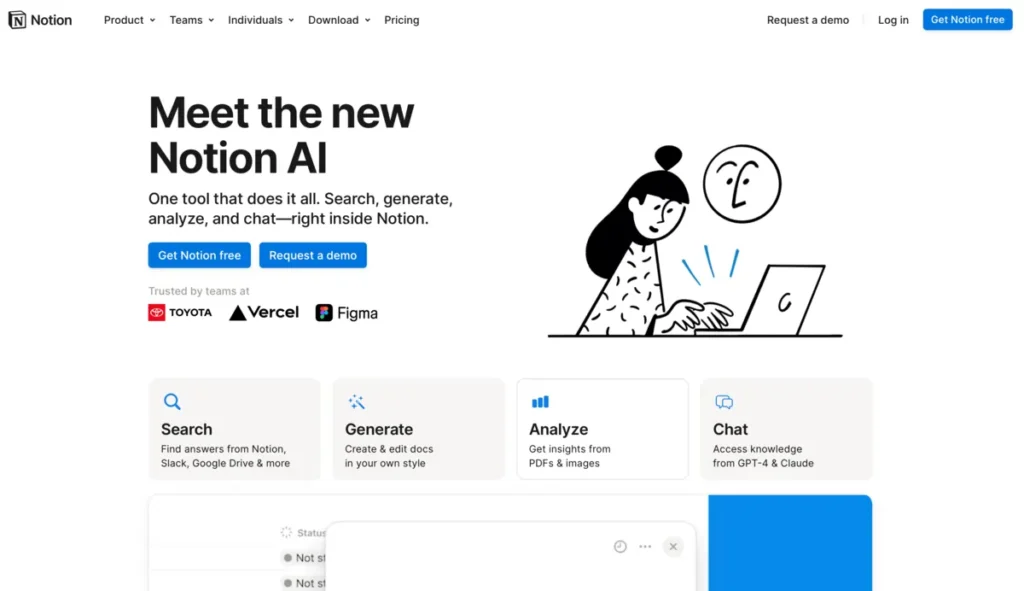
Best for: Teams that use Notion as their central workspace and want AI that understands their entire knowledge base
Notion’s 3.0 release transformed it from a note-taking tool with an AI add-on into an AI-powered workspace where autonomous agents can execute multi-step tasks across your entire knowledge base. The critical pricing change: full AI access now requires the Business plan ($20/user/mo) — it’s no longer available as a separate add-on for lower-tier plans.
What stands out:
- AI Agents can work autonomously for up to 20 minutes, performing multi-step tasks across hundreds of pages in your workspace — fundamentally different from chatbot-style AI that only responds to single prompts
- Enterprise Search connects Slack, Google Drive, GitHub, and other tools, letting you search across your entire tech stack from one interface
- Multi-model AI access toggles between GPT-5, Claude, and other models based on the task, giving you the best model for each specific need
- AI Meeting Notes capture details and generate actionable summaries directly in your project workspace, eliminating the gap between meetings and follow-up
- Custom Agents (currently free on Business/Enterprise plans through May 2026) run on schedules or triggers, automating recurring tasks like weekly report generation
Where it falls short:
- The pricing restructure forces a jump from $10/user/mo (Plus) to $20/user/mo (Business) for AI access — a 100% increase with no mid-tier option
- Performance degrades noticeably with very large databases (10,000+ pages), particularly when AI features scan across extensive workspaces
- Free and Plus plans get only approximately 20 lifetime AI responses as a trial — not 20 per month, 20 total — which is barely enough to evaluate the feature
- Custom Agents will start consuming Notion credits after May 2026, introducing usage-based costs that are difficult to predict during budgeting
Pricing: Free plan with limited features. Plus at $10/user/mo (annual) with limited AI trial. Business at $20/user/mo (annual) or $24/mo (monthly) with full AI included. Enterprise with custom pricing. Custom domain add-on at $8-10/mo.
Who should consider it: Teams of 10-200 people who already use Notion (or are willing to migrate) and want a single platform for documentation, project management, and AI assistance. The Business tier at $20/user/mo delivers exceptional value when you consider it replaces separate AI subscriptions, wiki tools, and project management software.
Who should look elsewhere: Teams that only need AI chat without a full workspace platform — you’d be paying for Notion’s project management and wiki features you may not use. Organizations with very large knowledge bases (50,000+ pages) should test performance before committing. Solo users and very small teams (under 5) will find the Free or Plus plan sufficient without AI.
Research and Knowledge Management
These tools specialize in finding, synthesizing, and organizing information — the foundation of good business decisions.
Perplexity Enterprise
Best for: Teams that spend significant time researching competitors, markets, regulations, or technical topics
Perplexity has positioned itself as the answer engine for professionals who need accurate, cited information fast. Unlike ChatGPT or Claude, which generate responses from training data, Perplexity searches the live web in real time and provides citations for every claim — a critical distinction for business research where accuracy is non-negotiable.
What stands out:
- Every response includes inline citations from real, verifiable sources — eliminating the “did the AI make this up?” uncertainty that plagues other platforms
- Deep Research mode conducts autonomous, multi-step analysis on complex topics, producing comprehensive reports that would take a human researcher hours
- Enterprise Pro includes SSO, admin controls, SOC 2 compliance, and a guarantee that your data is never used for model training
- Perplexity processes over 500 million searches per month, making it one of the largest AI-native search platforms
Where it falls short:
- Perplexity is a research tool, not a general-purpose AI assistant — it won’t draft your emails, generate images, create presentations, or automate workflows
- Enterprise Pro at $40/user/mo is expensive if you only need occasional research; the cost is justified only for teams doing daily deep research
- API access is billed separately from subscription plans, and costs can escalate quickly for programmatic use cases
- Enterprise Max at $325/user/mo is difficult to justify for most organizations — the gap between Pro and Max is enormous for incremental features
Pricing: Free tier with limited daily queries. Pro at $20/mo for individuals. Enterprise Pro at $40/user/mo or $400/year. Enterprise Max at $325/user/mo or $3,250/year. Discounts available for 250+ seat organizations, education, and nonprofits.
Who should consider it: Strategy teams, competitive intelligence analysts, legal researchers, investment professionals, and any team where the quality and accuracy of information directly impacts business outcomes. If your team currently spends 5+ hours per week on web research, Perplexity Enterprise Pro pays for itself in time savings.
Who should look elsewhere: Teams that need a general-purpose AI assistant for writing, coding, and automation. Businesses with fewer than 5 researchers will find the individual Pro plan sufficient. Organizations that primarily need internal knowledge search (Notion AI or Microsoft Copilot handle this better).
Workflow Automation
AI-powered automation tools connect your existing business applications and eliminate manual, repetitive processes. The category has shifted in 2026 from simple “if this, then that” rules to AI agents that can make decisions and handle complex multi-step workflows.
Zapier AI
Best for: Non-technical teams that need to automate workflows across a large number of business applications
Zapier connects over 8,000 apps — more than any competitor — and has layered AI capabilities on top of its existing automation platform. The result is a system where you can describe what you want automated in plain English, and Zapier’s AI builds the workflow for you.
What stands out:
- Copilot feature lets you describe workflows in natural language (“summarize new leads in Slack every morning”) and automatically builds, connects, and tests the automation
- AI by Zapier provides built-in access to ChatGPT within workflows without requiring your own API key, enabling text analysis, summarization, and generation as automation steps
- Zapier Agents are autonomous AI teammates that handle multi-step workflows across your tech stack — from drafting email responses to preparing sales reports
- The 8,000+ app library means virtually any business tool you use can be connected
Where it falls short:
- Costs scale with task volume, not user count — a single power user automating hundreds of tasks monthly can run up bills exceeding $100/mo on the Professional plan
- Complex multi-step automations with conditional logic require significant setup time and testing, despite the AI-assisted builder
- Zapier’s AI capabilities are more limited than dedicated AI tools; it’s best for embedding AI steps into larger workflows rather than as a standalone AI assistant
- Free plan limits you to 100 tasks per month with only 5 active automations — barely enough for basic testing
Pricing: Free plan with 100 tasks/mo. Professional at $29.99/mo (750 tasks). Team at $103.50/mo (2,000 tasks). Enterprise with custom pricing. All paid plans include AI features.
Who should consider it: Operations teams, marketing departments, and small businesses that use 10+ different SaaS tools and spend significant time on manual data entry, notification routing, or cross-platform synchronization. The ROI is clearest when you can identify 3-5 repetitive workflows consuming hours per week.
Who should look elsewhere: Teams that only use tools within a single ecosystem (Microsoft or Google) — those platforms’ native AI handles internal automation. Businesses requiring complex conditional logic should evaluate Make (formerly Integromat) for deeper customization. Enterprises with strict data governance requirements may find Zapier’s cloud-based architecture concerning.
Make (formerly Integromat)
Best for: Technical teams building sophisticated automations with complex logic, branching, and error handling
Make is the power user’s alternative to Zapier. Where Zapier prioritizes simplicity and breadth of integrations, Make offers a visual workflow builder with deeper logic capabilities — routers, iterators, error handlers, and data transformations that let you build automation logic that mirrors real business processes.
What stands out:
- Visual scenario builder displays your entire workflow as a flowchart, making complex multi-branch automations easier to understand and debug than text-based alternatives
- Operations-based pricing (rather than task-based) means you pay for actual computation, not just trigger events — more predictable for complex workflows
- Deeper data transformation capabilities let you restructure, filter, and combine data between apps without external tools
- HTTP/webhook modules enable integration with virtually any API, even apps not in Make’s native library
Where it falls short:
- The learning curve is significantly steeper than Zapier — expect 2-4 weeks before non-technical team members are comfortable building automations
- App library, while growing, is smaller than Zapier’s 8,000+ integrations — check that your critical tools are supported before committing
- Community support and documentation are less extensive, particularly for niche integrations
- AI capabilities lag behind Zapier’s dedicated AI agents and natural language workflow builder
Pricing: Free plan with 1,000 operations/mo. Core at $10.59/mo (10,000 operations). Pro at $18.82/mo (10,000 operations with advanced features). Teams at $34.12/mo. Enterprise with custom pricing.
Who should consider it: DevOps teams, technical operations managers, and businesses with complex automation requirements that involve data transformation, conditional branching, or API integrations. If your automations frequently need “if this condition, do X; otherwise, do Y” logic, Make handles it more elegantly than Zapier.
Who should look elsewhere: Non-technical teams who need simple, quick automations. Businesses that require 8,000+ app integrations will find Zapier’s library more comprehensive. Organizations that want AI to build automations from natural language descriptions should stick with Zapier’s Copilot.
Content, Marketing, and Creative Tools
These AI platforms specialize in producing business content — from marketing copy and brand assets to voice content and visual materials.
Jasper
Best for: Marketing teams producing high volumes of on-brand content across multiple channels
Jasper has evolved from a simple AI copywriting tool into a marketing-specific AI platform with brand voice controls, campaign workflows, and team collaboration features. The differentiation matters: while ChatGPT can write marketing copy, Jasper is built to write your marketing copy, maintaining brand consistency across every piece of content.
What stands out:
- Brand Voice feature learns your company’s tone, terminology, and style guidelines, then applies them consistently across all generated content — no more re-editing AI output to sound like your brand
- Campaign workflows connect briefs to multi-channel content generation: one input produces blog posts, ad copy, social media posts, and email sequences simultaneously
- Knowledge base integration lets Jasper reference your existing content, product documentation, and style guides when generating new material
- Connects to thousands of apps through Zapier, enabling automated content pipelines from campaign brief to CMS upload
Where it falls short:
- Pricing is steep for small teams: Creator starts at $49/mo for one seat, and the Pro plan (which most teams need for brand voice and collaboration) runs $125/mo for up to 3 seats
- Content quality still requires human editing — Jasper generates good first drafts but rarely produces publish-ready content, particularly for technical or industry-specific topics
- The platform is marketing-focused; it’s poorly suited for internal communications, technical documentation, or analytical writing
- AI models powering Jasper lag behind the frontier: dedicated users of ChatGPT or Claude often produce better individual pieces, though less efficiently at scale
Pricing: Creator at $49/mo (1 seat, 1 brand voice). Pro at $125/mo (up to 3 seats, 3 brand voices). Business with custom pricing for larger teams. 7-day free trial available.
Who should consider it: Marketing teams of 3+ people producing 20+ pieces of content per month who need brand consistency across channels. Agencies managing multiple brand voices will find Jasper’s multi-brand capabilities particularly valuable. The ROI works when content production speed matters more than per-piece quality.
Who should look elsewhere: Solo marketers can achieve similar results with ChatGPT Plus at $20/mo and a well-crafted system prompt. Teams prioritizing content quality over volume should invest in Claude Pro for stronger long-form writing. Non-marketing teams (engineering, operations, finance) will find Jasper’s capabilities irrelevant to their needs.
Grammarly Business

Best for: Organizations that want to improve the quality and consistency of all written business communication
Grammarly occupies a unique position: rather than generating content from scratch, it works alongside your team as they write, providing real-time suggestions for grammar, clarity, tone, and brand voice compliance across virtually every text input on the web.
What stands out:
- Works everywhere your team writes — embedded in 500,000+ apps and websites including Gmail, Slack, Microsoft Office, Google Docs, and web browsers
- Tone detection and adjustment ensures customer-facing communications maintain appropriate professional tone, even from team members who struggle with written English
- Brand voice and style guide features enforce consistent terminology and tone across the organization without requiring manual review
- Analytics dashboard shows team-wide writing quality metrics, identifying common errors and tracking improvement over time
Where it falls short:
- AI generation capabilities (GrammarlyGO) are significantly weaker than dedicated AI writers — it handles short-form suggestions well but isn’t a replacement for ChatGPT or Claude for content creation
- At $25/user/mo for Business, costs add up quickly for larger teams — and you likely still need a separate AI tool for content generation
- The value proposition weakens as your team becomes more proficient; diminishing returns set in once basic writing issues are resolved
- Limited to text — no help with presentations, data analysis, or any non-writing business task
Pricing: Free tier with basic grammar checking. Premium at $30/mo (individual). Business at $25/user/mo (minimum 3 users). Enterprise with custom pricing.
Who should consider it: Customer-facing teams (support, sales, account management) where every email represents your brand. International teams where English isn’t the first language. Organizations in regulated industries where precise language in communications matters legally.
Who should look elsewhere: Teams that primarily need content generation rather than editing. Small businesses under 5 people where a free browser extension covers basic grammar needs. Organizations already using Microsoft Copilot or Google Gemini, which include similar (though less specialized) writing assistance.
ElevenLabs
Best for: Businesses producing audio content — podcasts, video narration, training materials, customer service audio
ElevenLabs has established itself as the leader in AI voice synthesis, producing audio so realistic that listeners frequently cannot distinguish it from human recordings. For businesses, this unlocks scalable audio content creation at a fraction of traditional voiceover costs.
What stands out:
- Voice quality is industry-leading: emotion, pacing, and natural speech patterns are captured at a level that rivals professional voice actors
- Voice cloning creates a digital replica of any voice (with consent), enabling consistent brand voice across all audio content
- Supports 32+ languages with natural-sounding output, making content localization dramatically faster and cheaper
- Dubbing feature translates and re-voices video content while preserving the original speaker’s voice characteristics
Where it falls short:
- Costs scale with usage: the Starter plan at $22/mo includes only 30 minutes of audio, which depletes quickly for regular content production; the Scale plan at $99/mo provides 100 minutes
- Voice cloning raises legitimate ethical and legal concerns that businesses must navigate carefully — policies vary by jurisdiction
- Generated audio still occasionally produces artifacts (unnatural pauses, mispronunciations of specialized terminology) that require manual editing
- No built-in podcast or content management features — ElevenLabs is purely a voice engine, not a content production platform
Pricing: Free plan with limited generation. Starter at $22/mo (30 minutes). Scale at $99/mo (100 minutes). Business at $330/mo (500 minutes). Enterprise with custom pricing.
Who should consider it: Content marketing teams producing regular audio or video content. Training and L&D departments creating e-learning materials. Companies localizing content across multiple languages. Podcasters and media companies scaling production without expanding their voice talent roster.
Who should look elsewhere: Businesses that don’t produce audio or video content. Organizations in industries with strict regulations about synthetic media (some financial services and healthcare contexts). Companies uncomfortable navigating the ethical implications of voice cloning technology.
CRM and Sales Intelligence
Salesforce Einstein
Best for: Organizations already using Salesforce that want AI predictions trained on their actual customer data
Einstein isn’t a standalone AI tool — it’s an AI layer embedded throughout the Salesforce platform that becomes more valuable as it learns from your specific sales patterns, customer interactions, and pipeline data. This distinction matters: unlike general-purpose AI tools that offer generic sales advice, Einstein’s predictions reflect your business reality.
What stands out:
- Lead scoring uses machine learning trained on your historical conversion data, not generic benchmarks — predictions improve over time as Einstein learns what actually converts for your business
- Opportunity insights surface deal risks and recommended next actions based on patterns across your entire pipeline
- Einstein Copilot provides a conversational AI assistant within Salesforce that can look up records, summarize accounts, draft follow-up emails, and update CRM fields through natural language
- Agent Builder enables custom AI agents for specific sales and service workflows without requiring data science expertise
Where it falls short:
- Einstein only makes sense if you’re already in the Salesforce ecosystem — implementing Salesforce just for Einstein is like buying a car to use the radio
- Enterprise and Unlimited editions (where Einstein capabilities are most robust) carry significant licensing costs: expect $165-330/user/mo for Salesforce before any AI-specific add-ons
- The learning curve for configuring Einstein effectively is substantial; many organizations underutilize it for months after deployment
- AI prediction accuracy depends entirely on your CRM data quality — garbage data produces garbage predictions, and most organizations have messy CRM data
Pricing: Einstein features are included in Enterprise edition ($165/user/mo) and Unlimited edition ($330/user/mo). Some advanced AI capabilities require additional licenses. Contact Salesforce sales for custom Enterprise pricing.
Who should consider it: Sales organizations with 50+ reps already using Salesforce Enterprise or above, particularly those with clean, well-maintained CRM data. The value compounds over time — organizations that have been on Salesforce for 2+ years see the strongest AI predictions.
Who should look elsewhere: Small businesses or startups not already on Salesforce. Organizations with fewer than 20 sales reps where CRM data volume may be insufficient for meaningful AI predictions. Companies using HubSpot, Pipedrive, or other CRMs should evaluate those platforms’ native AI features first.
Analytics and Business Intelligence
Writer

Best for: Large enterprises that need AI content generation with strict brand compliance and governance controls
Writer differentiates itself from consumer AI tools by focusing on what enterprises fear most: an employee using AI to publish something that violates brand guidelines, contains inaccurate claims, or creates compliance exposure. Writer’s proprietary LLMs are specifically trained to enforce your organization’s rules.
What stands out:
- AI guardrails actively prevent content that violates your brand guidelines, compliance requirements, or factual accuracy standards — content is checked before it reaches the user, not after
- Proprietary LLMs trained specifically for enterprise use cases, rather than relying on third-party models like GPT or Claude
- Knowledge Graph connects to your internal data sources so generated content reflects actual company information, not AI fabrications
- Pre-built apps for common enterprise workflows: RFP responses, product descriptions, support article generation, and more
Where it falls short:
- Enterprise-only pricing excludes small and mid-size businesses entirely — Writer doesn’t publish pricing, but enterprise contracts typically start at $18/user/mo for large-scale deployments
- Implementation requires significant effort: connecting data sources, configuring brand rules, and training the system on your specific requirements takes weeks to months
- The proprietary model approach means Writer’s raw language generation capabilities don’t match frontier models like GPT-5.2 or Claude Opus 4.6 on open-ended creative tasks
- Switching costs are high once you’ve invested in configuring Writer’s guardrails and knowledge base
Pricing: Custom enterprise pricing only. Contact Writer’s sales team. Reported pricing typically ranges from $18-25/user/mo for large deployments (500+ users).
Who should consider it: Large enterprises (500+ employees) in regulated industries — financial services, healthcare, pharmaceuticals, insurance — where content compliance isn’t optional. Organizations that have experienced brand-damaging AI mistakes and need guardrails to prevent recurrence.
Who should look elsewhere: Small and mid-size businesses priced out of enterprise-tier AI. Companies that prioritize creative flexibility over compliance — Writer’s guardrails can feel restrictive. Organizations already managing content governance through other means (human review teams, existing compliance software).
What’s Changing in AI for Business in 2026
The AI tools landscape is evolving rapidly, and understanding the broader trends helps businesses make better purchasing decisions today.
The market is enormous — and growing fast
Global spending on AI is forecast to reach $2.53 trillion in 2026, representing a 44% increase year-over-year according to Gartner. This isn’t speculative investment: McKinsey research shows companies actively implementing AI are realizing revenue increases of 3-15%, with sales teams reporting 10-20% ROI from AI-enabled strategies.
Agentic AI is the defining trend
Gartner predicts that 40% of enterprise applications will include task-specific AI agents by the end of 2026, up from less than 5% in 2025. This shift transforms AI from a tool you ask questions to into a coworker that independently handles multi-step processes. We’re seeing this across the tools reviewed here: Notion’s Custom Agents, Zapier’s AI Agents, ChatGPT’s autonomous capabilities, and Salesforce’s Agent Builder all represent this evolution.
AI is being bundled, not sold separately
The most disruptive pricing trend is the bundling of AI into existing productivity suites. Google embedding Gemini into all Workspace plans and Microsoft introducing Copilot Chat for free represent a strategic shift: AI capabilities are becoming expected features, not premium add-ons. Gartner’s prediction that GenAI and AI agents will create a $58 billion shake-up in the productivity tool market reinforces this trajectory. For businesses, this means evaluating whether standalone AI subscriptions overlap with capabilities already included in tools you’re paying for.
The “trough of disillusionment” is real
Gartner places generative AI in the “Trough of Disillusionment” throughout 2026, meaning organizations are recalibrating expectations after initial hype. More than 80% of AI projects globally fail to deliver expected outcomes, often because organizations treat AI as a technology problem rather than a workflow integration challenge. The takeaway: invest more in training, change management, and identifying specific high-impact use cases rather than deploying AI broadly across the organization and hoping for results.
Critical thinking atrophy is a genuine concern
Gartner’s 2026 strategic predictions warn that GenAI-dependent thinking could push 50% of global organizations to require “AI-free” skill assessments. For businesses, this means establishing clear guidelines about when employees should use AI assistance versus when they should rely on independent judgment — particularly for strategic decisions, creative direction, and customer relationship management.
How to Choose the Right AI Tool for Your Business
Selecting the right AI platform isn’t about finding the “best” tool — it’s about finding the right tool for your specific situation. This framework walks you through the decision based on factors that actually matter.
Start with your existing tech stack
This is the single most important factor most comparison articles ignore. If your company runs on Microsoft 365, Copilot is your lowest-friction AI investment. If you’re a Google Workspace organization, Gemini is already included in your subscription. Starting with ecosystem-native AI avoids integration headaches, reduces training time, and often costs less than adding a standalone tool.
If you use Microsoft 365 → Evaluate Copilot Business first ($21/user/mo add-on) If you use Google Workspace → You already have Gemini — start using it before buying anything else If you use Notion → Business plan ($20/user/mo) bundles AI that understands your entire workspace If you use Salesforce → Einstein AI is built into Enterprise editions If you don’t have a dominant platform → Start with ChatGPT or Claude as a general-purpose foundation
Define your primary use case
Different AI tools excel at different tasks. Rather than buying the “best overall” tool, match the tool to your highest-value use case:
General productivity across departments: ChatGPT Enterprise or Claude Team. These handle the broadest range of tasks from any department.
Writing and communication quality: Grammarly Business for editing and consistency; Jasper for marketing content generation at scale.
Research and competitive intelligence: Perplexity Enterprise for cited, real-time research that you can trust without verification.
Workflow automation: Zapier AI for breadth of integrations and ease of use; Make for complex, logic-heavy automations.
Customer relationship management: Salesforce Einstein if you’re already on Salesforce; otherwise, evaluate your CRM’s native AI features first.
Audio and video content: ElevenLabs for voice synthesis; Midjourney for visual content. These are specialized tools that complement, not replace, general-purpose AI.
Budget considerations
AI tool spending for business falls into predictable tiers:
Under $50/mo (sole proprietors and freelancers): ChatGPT Plus ($20/mo) or Claude Pro ($20/mo) covers most needs. Combine with Zapier’s free tier for basic automation.
$20-50/user/mo (small teams of 5-25): Your best value is ecosystem-native AI — Copilot Business ($21/user/mo add-on) or Gemini included in Workspace ($14/user/mo for Standard with full AI). Add Notion Business ($20/user/mo) if you need a knowledge management layer.
$50-100/user/mo (mid-market teams of 25-200): This is where specialized tools start making sense alongside a general-purpose platform. ChatGPT Team ($25-30/user/mo) plus Perplexity Enterprise Pro ($40/user/mo) for research-heavy teams. Or Copilot ($30/user/mo enterprise add-on) plus Jasper for marketing departments.
$100+/user/mo (enterprise deployments): ChatGPT Enterprise, Microsoft Copilot Enterprise, or Claude Enterprise as the foundation. Layer specialized tools based on department needs. Budget for integration, training, and change management — these typically cost 2-3x the subscription fees.
Technical requirements to verify before purchasing
Before committing to any AI business tool, check these factors that vendor sales pages rarely address upfront:
Data residency and compliance: Where is your data processed and stored? For businesses subject to GDPR, HIPAA, SOC 2, or industry-specific regulations, this determines which tools are even eligible.
SSO and identity management: Enterprise security teams typically require SAML SSO integration. Most AI tools gate this behind their highest-tier plans.
Integration depth: “Integrates with Slack” could mean anything from a basic notification to deep workflow automation. Test the specific integration before committing.
Usage limits and throttling: Nearly every AI tool enforces usage caps that aren’t prominently disclosed. Ask specifically about rate limits, token caps, and what happens when you exceed them.
Data training policies: Verify whether the vendor uses your business data to train their models. Most enterprise tiers promise they don’t, but read the actual terms of service.
Red flags to watch for
“Contact sales for pricing” with no pricing guidance: If a vendor won’t give you a ballpark, expect enterprise-level costs and long procurement cycles. This is appropriate for large organizations but wastes time for small businesses.
Free trials shorter than 14 days: Complex business AI tools need at least 2-3 weeks of evaluation with real workflows. Seven-day trials push you toward purchasing before you’ve properly evaluated the tool.
Usage-based pricing without clear estimates: Token-based or credit-based pricing (increasingly common in 2026) makes budgeting difficult. Ask the vendor for typical usage scenarios and monthly cost estimates for your team size.
Feature-gated security: If basic security features like SSO or data encryption require upgrading to the most expensive tier, the vendor is using security as a sales lever rather than a baseline commitment.
Frequently Asked Questions
What is the best AI tool for business in 2026?
There is no single best AI tool — the right choice depends on your existing tech stack and primary use case. For Microsoft 365 organizations, Copilot delivers the best integration value. For Google Workspace teams, Gemini is already included at no extra cost. For businesses that need a versatile standalone AI assistant, ChatGPT Enterprise offers the broadest capabilities. Claude excels specifically at complex analysis and long-document processing.
How much do AI tools for business cost in 2026?
Business AI tool pricing spans a wide range. Individual plans start at $20/month (ChatGPT Plus, Claude Pro). Team plans typically run $25-40/user/month (ChatGPT Team, Claude Team, Perplexity Enterprise Pro). Productivity suite add-ons cost $21-30/user/month (Microsoft Copilot). Enterprise plans require custom pricing, with mid-market companies reporting total annual AI spending of $250K-$400K for 300-500 users when including integration and governance costs.
Are there free AI tools for business that actually work?
Yes, but with significant limitations. ChatGPT’s free tier provides GPT-5.2 access with usage caps. Google Gemini is included free with all Workspace plans (though the Starter tier only gets Gemini in Gmail). Claude offers a free tier with limited usage. Grammarly’s free browser extension handles basic grammar checking. These free options work for light, exploratory use, but any team relying on AI for daily business operations will quickly outgrow free-tier limitations.
What is the difference between ChatGPT Enterprise and Microsoft Copilot?
ChatGPT Enterprise is a standalone AI platform that handles any text-based task across departments. Microsoft Copilot is an AI layer embedded within Microsoft 365 apps (Word, Excel, Teams, Outlook). Choose ChatGPT Enterprise if you want maximum AI flexibility across diverse use cases. Choose Copilot if your team lives in Microsoft 365 and wants AI that works directly inside their existing tools without switching apps. Many large organizations deploy both.
Is Microsoft Copilot worth $30 per month for business?
For organizations already paying for Microsoft 365 Business Premium or Enterprise, Copilot’s value depends on how heavily your team uses Office apps. Microsoft’s own data shows users are 29% faster on tasks and catch up on missed meetings 4x faster. The clearest ROI comes from Teams meeting summarization, Outlook email drafting, and Excel data analysis. However, the total cost includes both the M365 base subscription ($12.50-57/user/mo) plus the Copilot add-on ($21-30/user/mo), which stacks up quickly.
Can AI tools replace employees in 2026?
Not in most business functions. AI tools augment employees by handling repetitive tasks, accelerating content creation, and surfacing insights from data. The World Economic Forum estimates that 34% of business tasks are performed by machines, but the remaining 66% still require human judgment, creativity, and relationship management. Organizations see the best ROI when AI handles the mundane work (data entry, scheduling, first drafts) while humans focus on strategy, decision-making, and customer relationships.
What should small businesses look for in an AI tool?
Small businesses should prioritize three factors: low total cost (avoid tools requiring expensive base subscriptions), ease of adoption (your team should be productive within one week, not one month), and integration with tools you already use. The best starting point for most small businesses is Google Workspace with included Gemini AI ($14/user/mo for Business Standard) or ChatGPT Plus ($20/mo) for a single versatile assistant. Avoid enterprise-tier tools that require sales conversations, lengthy implementations, or minimum user commitments.
How do I measure ROI on business AI tools?
Start with time savings: track how long specific tasks take before and after AI adoption. Common benchmarks include email drafting time (typically reduced 40-60%), meeting follow-up generation (reduced from 30 minutes to 5 minutes), and research tasks (reduced 50-70%). Multiply time saved by employee hourly cost to calculate dollar value. For a concrete example: if 10 employees each save 5 hours per week using AI tools, and average loaded cost is $50/hour, the annual value is $130,000 — which easily justifies $30-50/user/month in AI subscriptions.
Is Google Gemini better than ChatGPT for business?
Gemini is better value for Google Workspace organizations because it’s bundled at no extra cost. However, ChatGPT and Claude both outperform Gemini on complex reasoning, nuanced writing, and creative tasks based on current benchmarks. The practical answer: if you’re a Google Workspace team, start with Gemini (it’s already paid for), and only add ChatGPT or Claude if you consistently find Gemini’s output quality insufficient for your needs.
What AI tools do Fortune 500 companies use?
Over 90% of Fortune 500 companies use Microsoft Copilot in some capacity. ChatGPT Enterprise is widely adopted across industries. Salesforce Einstein powers AI in sales organizations using the Salesforce platform. Many large enterprises deploy multiple AI tools: a general-purpose platform (ChatGPT or Claude) for broad productivity, an ecosystem-native tool (Copilot or Gemini) for daily workflows, and specialized tools (Perplexity for research, Jasper for marketing) for department-specific needs.
Are AI business tools safe to use with confidential data?
Enterprise-tier AI tools (ChatGPT Enterprise, Claude Enterprise, Copilot Enterprise, Perplexity Enterprise) offer data encryption in transit and at rest, contractual guarantees that your data won’t be used for model training, SOC 2 compliance, and admin controls over data retention. However, safety depends on proper configuration — particularly access permissions and data governance policies. Free and consumer-tier plans typically offer weaker privacy protections. Always review the vendor’s actual terms of service, not just their marketing claims.
Should my business use one AI tool or multiple AI tools?
Most businesses benefit from a layered approach: one general-purpose AI platform as a foundation (ChatGPT, Claude, or ecosystem-native AI) plus one or two specialized tools for high-value functions. The risk of using too many tools is that employees fragment their AI usage across platforms, losing the context and efficiency gains that come from consistent use of one primary tool. Start with one, build proficiency, then add specialized tools only when you’ve identified specific capability gaps.
The Bottom Line
The AI tools landscape for business in 2026 is both more powerful and more confusing than ever. More tools, more capabilities, more pricing complexity. But the decision framework is simpler than vendors want you to believe.
For Microsoft 365 organizations: Start with Copilot Business ($21/user/mo add-on). It’s the lowest-friction path to meaningful AI productivity gains. Add ChatGPT or Claude if you need capabilities beyond what Copilot delivers in Office apps.
For Google Workspace teams: You already have Gemini — use it. Seriously. Most Workspace users haven’t explored the AI features they’re already paying for. Only invest in additional AI tools once you’ve fully utilized what’s included.
For teams needing the most capable AI assistant: Claude offers the strongest performance on complex analysis and long-document processing. ChatGPT Enterprise provides the broadest feature set and largest integration ecosystem.
For research-heavy teams: Perplexity Enterprise Pro ($40/user/mo) pays for itself if your team spends more than an hour per day on web research.
Best value for small businesses: Google Workspace Business Standard at $14/user/mo with included Gemini AI, or ChatGPT Plus at $20/mo as a standalone assistant. Both options deliver meaningful AI capabilities without enterprise-level commitments.
If budget is unlimited: Deploy ChatGPT Enterprise or Claude Enterprise as the general-purpose foundation, Microsoft Copilot or Gemini for productivity suite integration, and layer in specialized tools (Perplexity for research, Jasper for marketing, ElevenLabs for audio) based on department needs.
The businesses gaining the most from AI in 2026 aren’t the ones using the most tools — they’re the ones that identified their highest-value use cases, chose one or two tools that fit, and invested in training their teams to use them effectively.
This analysis is updated regularly. Last verified: March 2026. Pricing and features change frequently — verify current details on vendor websites before purchasing.