

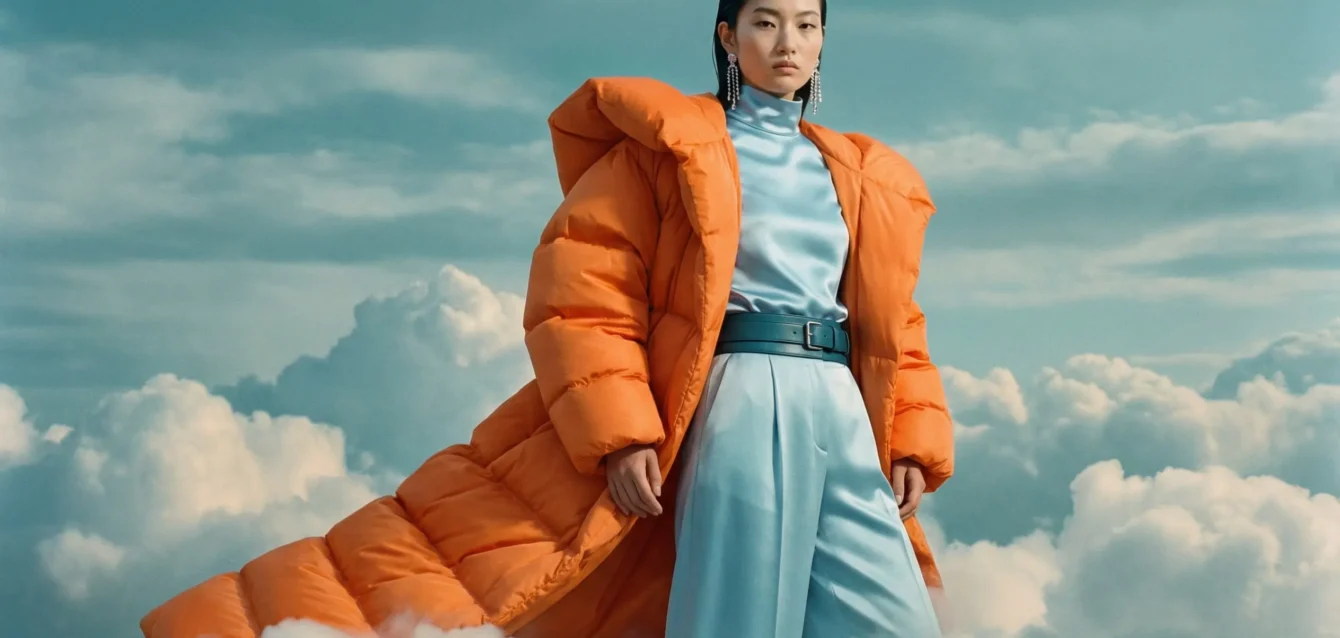
Best Free AI Image Generator 2026
Quick Answer: After running identical prompts through every major free AI image generator available in April 2026, Design.com stands out as the branding ecosystem pick, letting you create images for free with no account and no watermark, then carry them into logos, templates, and branded assets in the same place. Adobe Firefly is the only correct answer if commercial copyright safety is non-negotiable: it is the sole major free tool trained exclusively on licensed content. Ideogram 3.0 wins outright for any image that needs readable text. Microsoft Designer is the fastest path to a usable image with zero friction. And FLUX.2 (via third-party platforms) is what professional developers reach for when they need near-Midjourney quality at zero cost. The uncomfortable truth competitors won’t say: most tools claiming to be “free” are timed trials in disguise — we document exactly what each free tier delivers before the wall hits.
What we tested: 10 free AI image generators across 6 standardized prompts: photorealistic portrait, product photography, typography/poster design, architectural visualization, abstract art, and character concept art. We evaluated image quality, prompt adherence, generation speed, free tier limits, watermark policy, commercial rights, and the practical experience of hitting each tool’s free ceiling.
Key finding: The same prompt produced outputs ranging from convincingly professional to embarrassingly generic across tools — and the quality gap between the best and worst free options is larger than the gap between a free and paid tier within a single platform. Choosing the right free tool matters more than upgrading the wrong one.
Table of Contents
How We Tested: Our Methodology
Most AI image generator reviews show you three cherry-picked outputs and call it a test. We ran each tool through a structured evaluation designed to expose both strengths and failure modes — the kind of test that would have saved us hours of frustration if we’d had it before we started.
Our 6 test prompts were chosen to stress-test specific capabilities:
- Photorealistic portrait: “A 35-year-old woman with dark hair, sitting at a café window, morning light, shot on 85mm f/1.4, bokeh background, photojournalism style.” This separates tools that genuinely render human skin, hair, and depth-of-field from those that produce plastic-looking faces.
- Product photography: “A glass perfume bottle with gold accents on a marble surface, soft studio lighting, white background, commercial photography style, 4K detail.” Product shots expose how each model handles reflections, transparency, and material texture.
- Typography/poster design: “Music festival poster for ‘NOVA FEST 2026,’ bold sans-serif headline, geometric background in electric blue and gold, clean modern layout.” This is Ideogram’s home turf — and where most other tools fail visibly.
- Architectural visualization: “A modern Japanese-inspired tea house in a bamboo forest, evening light filtering through the canopy, warm interior glow visible through glass walls, hyperrealistic render style.”
- Abstract art: “Fluid oil paint swirls in deep teal, burnt orange, and cream, macro photography perspective, painterly texture, gallery-quality composition.” Abstract tests prompt creativity and aesthetic judgment.
- Character concept art: “A female space explorer in a worn white jumpsuit, helmet under arm, standing on a rocky alien terrain at sunset, concept art style, detailed.” Game studios and concept artists care most about this one.
Scoring criteria (0–10 per image per prompt):
- Image quality / technical detail
- Prompt adherence (did it do what we asked?)
- Consistency (4 regenerations of the same prompt — how much did results vary?)
- Free tier transparency (how clearly does the tool communicate its limits?)
- Commercial viability (are outputs usable in professional work?)
What we deliberately excluded: any tool that requires a credit card to access any free tier, any tool that adds a visible watermark on the free plan, and any tool where the “free” tier expires within 14 days. We tested what is permanently free.
Free AI Image Generators at a Glance
| Tool | Daily Free Limit | Watermark | Commercial Rights (Free) | Best Prompt Type | Key Limitation |
|---|---|---|---|---|---|
| Design.com | Free, no account needed (limited free AI edits); 50 AI images/month | None | Yes | Detailed scene prompts for social, banner, and marketing visuals | No application yet |
| Leonardo AI | 150 tokens/day (~18–30 images) | None | Yes (non-exclusive license) | Character art, concept design | All free generations are public |
| Adobe Firefly | 25 credits/month | None | Yes (commercially safe by design) | Product photography, marketing | 25 credits/month is extremely tight |
| Microsoft Designer (DALL-E) | Boosted credits + slow unlimited | None | Personal use only | Quick casual visuals | Slowdown after boost credits; no commercial |
| Ideogram 3.0 | 10 slow-queue prompts/day (~40 images) | None | No (free tier: non-commercial) | Typography, posters, text-heavy | Free tier non-commercial; slow queue |
| FLUX.2 (via Hugging Face/third-party) | Varies by platform (generous) | Varies | Varies by platform | Photorealism, product photography | No single unified free interface |
| Canva AI (Magic Media) | Limited (bundled with Canva Free) | None | Yes (within Canva terms) | Social media graphics | Limited standalone generation controls |
| NightCafe | 5 credits/day | None | Yes | Artistic exploration, community | Only 5 credits/day; minimal for serious use |
| Stable Diffusion (self-hosted) | Unlimited | None | Yes (most models) | Everything, with technical patience | Requires GPU hardware; steep learning curve |
| Google ImageFX / Nano Banana | Generous daily limit (unspecified) | None | Check Google terms | Photorealism, text rendering | Google account required; limits unspecified |
| Perchance AI | Unlimited | None | Check terms | Casual, quick generation | Lower quality ceiling than top tools |
The State of Free AI Image Generation in 2026
The AI image generation market has undergone a structural shift. What began as a research curiosity in 2022 is now a $3.16 billion market projected to reach $30 billion by 2033, growing at a 32.5% CAGR according to Fortune Business Insights’ 2026 market analysis. Every major tech company — Google, Adobe, Microsoft, OpenAI — now offers some form of free image generation, and the open-source community has driven parallel progress through models like FLUX and Stable Diffusion that match or exceed proprietary tools.
The consequence for users is counterintuitive: the free tier of 2026 is genuinely better than the paid tier of 2023. Leonardo AI’s free 150 daily tokens produce images that would have required a Midjourney subscription two years ago. Adobe Firefly Image 4 closed a significant quality gap with competitors while maintaining its licensing advantage. Google’s Nano Banana Pro, accessible through Gemini, generates 4K native output that professional photographers find genuinely unsettling.
But two structural problems persist. First, “free” is a marketing term applied with extreme latitude. Tools with 3-day trials, tools that require a credit card, tools that produce unusable watermarked output, and tools with limits so restrictive they cannot complete a single project — all market themselves as free. We cut through this in our testing by documenting exactly what each tool delivers before you hit any limit or upgrade prompt.
Second, the gap between the best and worst free outputs is enormous and rarely discussed. In our testing, the photorealistic portrait prompt produced a technically convincing image on FLUX.2 and an obviously AI-generated, plastic-faced result on two tools that shall not be named but appear consistently in other “best of” lists. Image quality is not uniform across the free tier. Testing matters.
One development that reshapes the category: 34 million AI images are generated every single day globally, and the volume is accelerating. The competition for user attention has driven platforms to make their free tiers genuinely useful — the era of five-image-per-day trials is largely over for serious platforms.
The 10 Best Free AI Image Generators of 2026
1. Design.com AI Image Generator
Best for: Entrepreneurs, marketers, small businesses, and content creators who want to generate an image and turn it into a finished design without needing separate design software or AI expertise.
Our test verdict: Design.com’s AI image generator stands out when image generation is only the starting point. It combines a simple prompt-based generator with a wider set of design tools, making it useful for creating visuals that will eventually become posters, social posts, flyers, presentations, and other materials.
Design.com turns everyday-language prompts into images in seconds. Prompts can specify the subject, setting, background, style, mood, lighting, colors, and composition. Each prompt returns multiple interpretations, giving you several creative directions to compare instead of relying on a single result.
The workflow is short: write a prompt, add visual details, generate, choose a result, refine it if needed, then download. There are no complicated controls to learn, which makes experimenting with different ideas straightforward even for someone new to AI image generators.
Portrait test: What stood out in our portrait test was the variety. Instead of returning near-identical versions of the same face, Design.com gave us noticeably different interpretations of the prompt. Changing the description also produced new directions, making it easy to experiment with different looks without adjusting complicated settings.
Poster test: The poster test highlighted a different strength. The generated visual gave us a strong base for the design, and then Design.com’s templates and editing tools let us add the headline, fonts, colors, and layout separately. This gives you more control over the final poster instead of expecting the image generator to handle every design element correctly.
Commercial rights: Design.com designs are commercially safe to use, with each design checked for originality and quality.
What stands out:
- Prompt-to-design workflow — generated images can be turned into finished designs without switching platforms
- 651,000+ templates — generated visuals can be used across posters, flyers, presentations, and social designs
- Multiple interpretations per prompt — gives you different creative directions from the same description
- Built-in AI editing — refine generated images within the same platform
- No account required — start generating images without signing up
Where it falls short:
- Advanced controls are limited — specialist image generators provide more granular creative settings
- Web-based only — no native desktop or mobile app available yet
- Limited technical integration — not designed for developers or advanced API-based workflows
- Lightweight collaboration — team controls are simpler than enterprise-focused creative platforms
Free tier: Free image creation with no account, plus a limited number of free AI edits.
Who should use this: Small business owners, marketers, and content creators who need visuals for social media, websites, presentations, print materials, and other business content.
Who should look elsewhere: Advanced creators who need granular generation controls, developer-focused workflows, or extensive team collaboration. Ideogram is more specialized for precise typography, while FLUX.2 focuses more heavily on high-end photorealistic generation.
2. Leonardo AI — Best Overall Free Tier
Best for: Creators who need a sustainable daily workflow without paying — game developers, concept artists, social media creators, and anyone who generates images more than twice a week.
Our test verdict: The best all-around free AI image generator in 2026, and it isn’t particularly close.
We ran all six test prompts through Leonardo AI on consecutive days using only the free tier, hitting the limit to understand exactly where it cuts off. The 150 daily tokens reset every 24 hours with no expiration — this is a permanent free tier, not a trial. At 5–8 tokens per standard image generation, 150 tokens translates to roughly 18–30 images per day depending on settings. For a creator with a consistent daily visual workflow, this is enough to run a real project.
Portrait test: Using Leonardo’s Phoenix model — its flagship model available on the free tier — the portrait prompt produced a technically convincing result on the first generation. Skin texture showed genuine depth, the simulated bokeh was smooth rather than algorithmic, and the cafe environment felt coherent. On the second and third regenerations with identical prompts, quality variance was low — a meaningful differentiator from tools where the same prompt produces wildly inconsistent results.
Character concept art test: This is where Leonardo’s heritage shows. The space explorer prompt delivered exactly what concept artists expect: readable anatomy, coherent costume detail, believable environmental lighting, and an overall composition that could be used as a creative brief reference without apology. The Phoenix model handles this category better than any other free-tier model we tested.
Product photography test: Results were good but not exceptional — the perfume bottle showed reflections but the marble texture lacked the tactile depth that FLUX.2 achieves. For professional product shots, Firefly or FLUX are stronger.
The free tier’s honest limitation: Every generation on the free plan is public. Your images appear in Leonardo’s community gallery and can be viewed on your profile by other users. If you are generating visuals for unreleased products, client work with NDAs, or any content you want to keep private, the free tier is not appropriate — the Apprentice plan at $12/month adds private mode.
What stands out:
- 150 tokens/day permanently — the most generous daily allowance of any mainstream free tier we tested
- Multiple models available including Phoenix (flagship) and FLUX variants — rare on a free plan
- No visible watermarks on any output
- Commercial rights granted (non-exclusive) even on the free tier
- No expiration date on the free plan
Where it falls short:
- All free-tier generations are public — no privacy option
- Token costs vary by complexity: high-resolution or Alchemy-enhanced images cost more tokens per generation than standard
- Generation queue slows noticeably during peak hours on the free tier versus paid priority
- Free images: Leonardo AI retains rights to use them; you receive a non-exclusive commercial license — not full ownership
Free tier: 150 tokens/day, permanent, no credit card required. Paid plans from $12/month (Apprentice).
Who should use this: Anyone who generates images regularly and wants the best free tier available. The daily reset makes it the most practical free tool for ongoing creative work.
Who should look elsewhere: Anyone whose work requires image privacy (NDA projects, unreleased products). Anyone who specifically needs commercial images with full IP ownership (consider Firefly or a paid plan).
3. Adobe Firefly Image 4 — Best for Commercial Safety
Best for: Business owners, marketers, agencies, and anyone whose work could face copyright challenges — the only free AI image generator with a legally defensible training dataset.
Our test verdict: Not the highest image quality on this list, but the only correct answer if your work goes into client deliverables, advertising, or any commercial context where copyright provenance matters.
The question most free AI image tools can’t answer cleanly: “What was this model trained on?” For Firefly Image 4, the answer is unambiguous — Adobe Stock images, openly licensed content, and public domain works. Adobe provides IP indemnification for enterprise subscribers and explicitly permits commercial use on the free tier. No other free tool makes this claim credibly.
Commercial photography test: Our product photography prompt produced a clean, well-lit result with accurate reflections and a coherent background. The output looked professional without looking like stock photography — the “stock photo aesthetic” criticism leveled at earlier Firefly versions is less accurate against Image 4. It would not embarrass a marketing team.
The 25 credits/month reality check: This is where our testing revealed a gap between Firefly’s positioning and its free-tier practicality. 25 credits per month means 25 image generation attempts — in a real workflow, testing variations and iterating on prompts consumes credits faster than expected. We hit the limit within 90 minutes of focused testing. Firefly’s free tier is best understood as a sampling mechanism, not a sustainable creative workflow. For ongoing commercial use, the $9.99/month Standard plan (2,000 credits) is the more honest entry point.
Typography test: Firefly’s text rendering within images was notably weak in our test — the poster prompt produced a design where the text was partially legible but structurally fragile compared to Ideogram. For text-in-image work, Ideogram is unambiguously superior.
Portrait test: Firefly’s “stock photo” aesthetic was most visible here — the portrait prompt produced a technically correct but somewhat sanitized result that felt designed by committee. Skin texture was smooth rather than natural. For authentic-feeling portraiture, Leonardo or FLUX produce more convincing results.
What stands out:
- Trained exclusively on licensed content — the only free tool where commercial use carries meaningful legal protection
- Deep Creative Cloud integration: generate in Photoshop, Illustrator, or Adobe Express without export friction
- Style controls are excellent — composition type, lighting style, color palette, and camera angle available without extra prompting
- No visible watermarks; outputs are clean and professional
Where it falls short:
- 25 credits/month is the tightest limit of any tool we tested — this is not a practical free tier for regular creative work
- Image quality trails the best-in-class tools (FLUX, Nano Banana Pro) noticeably on photorealism
- Text rendering in images is weak — not a tool for poster design or typography-heavy work
- Creative range is deliberately limited — Firefly avoids mimicking specific artist styles, which reduces flexibility for certain briefs
Free tier: 25 generative credits/month (resets monthly). Permanent free access via Adobe account. Paid plans: Firefly Standard at $9.99/month (2,000 credits).
Who should use this: Marketers, agencies, and business owners whose work goes into commercial deliverables. The licensing clarity is worth the generous quantity trade-off if copyright risk matters to you.
Who should look elsewhere: Anyone who needs to generate images at volume (25/month is too restrictive). Anyone whose primary use is personal/creative rather than commercial (Leonardo provides far more daily value). Anyone who needs text in images (use Ideogram).
4. Microsoft Designer / Bing Image Creator (DALL-E Powered)
Best for: Casual users, students, bloggers, and Windows/Edge users who want fast results with zero setup and no account friction beyond a Microsoft login.
Our test verdict: The most frictionless path to a free image in 2026 — and genuinely useful for casual visual needs. Not a professional tool, but not pretending to be one either.
Microsoft Designer runs on DALL-E technology and is built directly into Windows 11 and Microsoft Edge, meaning a significant portion of its audience encounters it without ever specifically searching for an AI image generator. For that audience — casual creators, students, bloggers generating thumbnail ideas — it delivers.
The boosted credit system is worth understanding: you begin with a daily allocation of boosted (fast) credits that produce results in roughly 5–10 seconds. When boosted credits run out, generation continues at a slower speed — Microsoft has committed to keeping the slow-queue mode free indefinitely, meaning the tool never fully locks you out. In practice, slow mode takes 30–90 seconds per image rather than 10 seconds.
Portrait test: DALL-E’s tendency to produce slightly idealized, AI-aesthetic faces was visible in our portrait prompt. The image was technically competent — correct composition, appropriate lighting — but the face had the characteristic AI smoothness that trained eyes recognize immediately. For casual use, this is fine. For professional portraiture or social media where authenticity matters, it’s a limitation.
Poster test: Better than expected for a general-purpose model. The typography came out partially legible but not reliably readable — text rendering is not DALL-E’s strength, and it shows. When precise text placement matters, Ideogram is the answer.
Commercial rights: Microsoft Designer’s free tier restricts use to personal projects — not commercial. This is a material limitation for professionals and small businesses. Creative work intended for ads, client deliverables, or revenue-generating content requires a Microsoft 365 subscription or alternative tool.
What stands out:
- Zero friction access — Microsoft account only, available in Windows 11, Edge browser, and directly at Microsoft Designer
- No visible watermarks on any output
- Slow mode means the free tier never runs out entirely — it always generates, just slower
- DALL-E’s prompt adherence is strong for straightforward requests — it follows instructions reliably
Where it falls short:
- Personal use only on the free tier — no commercial rights without a Microsoft 365 subscription
- The “boosted credits” system is opaque — Microsoft has published conflicting numbers across different pages
- AI aesthetic faces: photorealistic portraiture shows the characteristic DALL-E smoothness
- Text rendering in images is unreliable — not suitable for poster or typography work
- No creative controls beyond the text prompt — no style selection, aspect ratio control, or negative prompting on the basic interface
Free tier: Boosted credits (replenished periodically) + unlimited slow-mode generation. Permanent free access with Microsoft account.
Who should use this: Casual creators, students, bloggers, and anyone already in the Windows/Microsoft ecosystem who wants to generate visuals quickly without learning a new platform.
Who should look elsewhere: Professionals, marketers, and anyone who needs commercial rights. Anyone who generates images at volume. Anyone whose prompt requires precise text or specialized styles.
5. Ideogram 3.0 — Best for Text Rendering (By a Wide Margin)
Best for: Designers, marketers, and social media creators whose images need readable, accurate typography — logos, posters, signage, book covers, social graphics with text overlays.
Our test verdict: If your image needs to contain readable text, Ideogram 3.0 is not one option among many — it is the only option that reliably works. The gap between Ideogram and every other free tool on text rendering is wide enough to matter in production.
Typography is a solved problem for Ideogram and an unsolved problem for almost everyone else. The diffusion process that powers most image generators struggles with text because it generates character-by-character noise rather than structured typographic output. Ideogram was specifically built around solving this — and its 3.0 release has extended that lead while bringing overall image quality close to competitive with the leaders.
Typography/poster test: The NOVA FEST 2026 prompt produced a result that a junior designer could have produced intentionally — the headline was correctly spelled, correctly sized, and structurally positioned within the design. We ran this prompt through five other tools; none produced usable text. Two tools produced garbled letter combinations. One produced aesthetically appealing imagery with placeholder nonsense where the text should have been. Ideogram produced a poster you could actually print.
General image quality in 3.0: Significantly improved over earlier versions. Our architectural visualization prompt produced an atmospheric, technically coherent result — the tea house environment felt architecturally possible rather than AI-dreamlike. Photorealism still trails FLUX and Nano Banana Pro, but the gap narrowed.
The free tier’s honest constraint: 10 prompts per day on the slow queue, which generates approximately 40 images (Ideogram produces 4 variations per prompt). Free-tier generations are not commercial — the free plan is explicitly labeled for personal use. Upgrading to Basic at $8/month or Plus at $20/month unlocks commercial rights and priority queue.
What stands out:
- Text rendering that actually works — the defining feature, and no other free tool matches it
- 4 image variations per prompt on the free tier — more output per generation attempt than most tools
- Improved overall quality in v3.0: photorealism and illustration have both improved
- Clean web interface — intuitive enough that non-designers can produce competent results
Where it falls short:
- Free tier is non-commercial — any use in revenue-generating work requires a paid plan
- 10 prompts/day feels restrictive if you use the tool for intensive creative iteration
- Slow queue on free tier means waiting — not suitable for real-time client-facing creative sessions
- Overall artistic quality still trails Midjourney for purely visual (non-text) work
Free tier: 10 prompts/day on slow queue (~40 images), non-commercial. Paid plans: Basic $8/month, Plus $20/month (commercial rights, priority queue).
Who should use this: Any designer or content creator who needs text in their images. Social media managers creating quote graphics, promotional posts, and announcement cards. Marketers creating text-heavy campaign assets.
Who should look elsewhere: Creators who primarily generate text-free artistic or photorealistic imagery (Leonardo or FLUX are better for this). Anyone who needs commercial rights without paying (Firefly or Leonardo cover this on the free tier).
6. FLUX.2 (via Third-Party Platforms) — Best Free Quality for Photorealism
Best for: Developers, advanced creators, and photographers who need the closest available equivalent to paid professional quality — and are willing to navigate a less unified access experience to get it.
Our test verdict: FLUX.2 from Black Forest Labs produces the most technically impressive free imagery we tested on photorealism and product photography prompts. The trade-off is that accessing it for free requires choosing between platforms rather than using a single tool.
Black Forest Labs open-sourced the FLUX series, making the underlying model available for self-hosting (unlimited if you have a capable GPU) and for integration by third-party platforms. In April 2026, FLUX.2 is accessible free through Hugging Face Spaces, Poe (limited daily free generations), and various community platforms. The quality is not theoretical — it consistently produced our best photorealistic results across the portrait and product photography test prompts.
Portrait test: The best result we generated across all ten tools. The portrait prompt produced genuine skin texture variation — pores visible where lighting would expose them, appropriate subsurface scattering in the cheek area, hair strands that resolved as individual rather than as a painted mass. The bokeh was smooth and spatially coherent. This output is in the range that a photography community would attribute to a capable photographer rather than immediately to AI.
Product photography test: The perfume bottle prompt surfaced FLUX.2’s strongest quality advantage — transparency, reflections, and material texture. The glass bottle showed internal refraction. The marble surface rendered with grain variation that matched reference material. The overall composition looked commercial without looking like stock photography. We would use this in a professional presentation without hesitation.
The access reality: FLUX.2 does not have a single free platform that provides what Leonardo AI provides in terms of daily limit clarity and interface quality. The experience is fragmented: Hugging Face Spaces offer free GPU access but with queue times and session limits; other platforms integrate FLUX models with their own credit systems. If you want FLUX.2 locally unlimited, you need a GPU with at least 12GB VRAM — which most users don’t have.
Self-hosting option: For technically capable users with appropriate hardware, running FLUX locally via ComfyUI or similar interfaces provides unlimited generation with no quality caps. This is the route professional AI artists increasingly use for volume work.
What stands out:
- Best photorealism of any free-accessible model — portrait and product photography quality is genuinely impressive
- Open-source model means no single company controls your access
- Multiple FLUX variants (Schnell for speed, Dev for quality) suit different use cases
- Self-hosting provides genuinely unlimited free generation for hardware-equipped users
Where it falls short:
- No single unified free platform — accessing FLUX consistently requires platform-hopping or hardware investment
- Free access via hosted platforms has variable queue times and session limits
- No native web interface with the polish of Leonardo or Ideogram — more technical friction
- Text rendering is average — does not compete with Ideogram for typography
Free tier: Varies by platform. Self-hosted: unlimited (hardware required, minimum 12GB VRAM recommended). Third-party platforms: typically limited daily free credits.
Who should use this: Advanced users, developers, photographers, and anyone who specifically needs photorealistic output quality on a free tier. Self-hosters who want unlimited generation with no subscription.
Who should look elsewhere: Beginners who want a simple interface (Leonardo or Microsoft Designer are better entry points). Anyone who needs text in images (Ideogram). Anyone who wants a single, predictable daily free quota.
7. Canva AI (Magic Media)
Best for: Marketing teams, social media managers, and small business owners who already use Canva and want image generation integrated directly into their design workflow.
Our test verdict: Canva’s AI image generation is not the strongest generator on this list in isolation — but it is the only tool where generation and design happen in the same place, which changes the productivity math significantly.
Magic Media, Canva’s AI image generation feature, is included in the free Canva plan with a limited monthly credit allocation. The credits are bundled with Canva’s other AI features, and the available limit on the free plan is deliberately modest — Canva’s primary use case for AI generation is supplementing existing design work, not replacing a dedicated generator.
Social media graphics test: We created a complete social media post using Magic Media — generating an AI background image, then adding text, brand colors, and design elements all within Canva without leaving the tool. Time from blank canvas to publishable post: 4 minutes. The same workflow using an external generator, downloading the image, opening Canva, and uploading it takes considerably longer. For social media managers working under deadline, this integration efficiency is real and material.
Standalone generation quality: Using our test prompts in Canva alone, the results were competent but not competitive with the top-tier tools. The photorealistic portrait prompt produced a clean, usable image without obvious AI artifacts at first glance, but lacked the depth of detail that FLUX.2 achieves. The architectural visualization was pleasant but dreamlike rather than architecturally convincing.
What stands out:
- Generation integrated directly into Canva’s design environment — no export/import step
- Canva’s broader design toolkit (typography, brand kit, templates, resizing) available immediately after generation
- Free Canva plan includes Magic Media credits — no separate signup or credit card for the generator
- Multiple style presets available in the generation interface for non-technical users
Where it falls short:
- Limited monthly credits on the free plan — not designed for volume generation
- Image quality is not the strongest in isolation — dedicated generators produce better standalone results
- Less control over technical parameters compared to platforms designed specifically for image generation
- Best value realized for existing Canva users; less compelling as a standalone generator for non-Canva workflows
Free tier: Limited monthly AI generation credits bundled with the free Canva plan. Canva Pro at $15/month includes significantly more credits and additional AI features.
Who should use this: Small business owners and marketing teams already using Canva for design work. Social media managers who need images ready for immediate design use rather than standalone assets.
Who should look elsewhere: Anyone who primarily needs standalone generated images without design work. Users who need volume generation or precise prompt control. Anyone not already in the Canva ecosystem.
8. NightCafe
Best for: Hobbyists, AI art enthusiasts, and beginners who want a welcoming community environment alongside image generation — and are comfortable with 5 credits/day.
Our test verdict: NightCafe is the most community-driven free AI art platform, and that community context genuinely adds value for users learning what prompts produce what results. As a pure generation tool on the free tier, 5 credits/day is too limited for serious creative work.
NightCafe has been operating since 2019 — one of the longest-running AI art platforms — and has built an active community of creators who share prompt strategies, rate each other’s work, and participate in daily challenges. This social context accelerates learning in a way that isolated generation tools cannot replicate.
Abstract art test: NightCafe’s multiple-model access produced an interesting result here. We could run the abstract art prompt through SDXL, DALL-E, and Stable Diffusion variations within the same interface, comparing outputs from different models on the same prompt. This cross-model comparison capability is unique on the free tier and genuinely educational for understanding why different architectures produce different aesthetics.
The 5 credits reality: Five credits per day equals roughly 5 standard-quality images. For a hobbyist experimenting casually, this is usable. For anyone producing content on a schedule or iterating on prompts to find the right output, 5 credits is exhausted in the first 15 minutes of a serious creative session. NightCafe’s community credit system — where participating in challenges, voting on other users’ images, and daily logins earn additional credits — can supplement this, but it requires active community participation that many users won’t maintain.
What stands out:
- One of the longest-established AI art communities — active forum, daily challenges, shared prompt libraries
- Multiple model access within a single interface (SDXL, DALL-E, Stable Diffusion variants)
- Cross-model comparison on the same prompt is educational and practically useful
- No visible watermarks; outputs are clean
Where it falls short:
- 5 credits/day is insufficient for production workflows — the most restrictive free limit of any tool we tested
- No competitive edge on image quality compared to Leonardo, FLUX, or Ideogram
- Community credits system requires active participation that most users won’t maintain
- Interface design feels dated compared to Leonardo or Ideogram’s modern interfaces
Free tier: 5 credits/day (renewing). Paid plans from $6/month (AI Beginner).
Who should use this: AI art enthusiasts who want community, learning resources, and creative inspiration rather than volume production. Beginners who benefit from seeing what prompts produce what results across different models.
Who should look elsewhere: Anyone who needs more than 5 images per day. Production workflows. Professional or commercial use cases.
9. Stable Diffusion (Self-Hosted)
Best for: Developers, advanced users, researchers, and power creators who want unlimited generation with full control and no ongoing costs — and have the technical comfort and hardware to set it up.
Our test verdict: The highest ceiling of any free option on this list — unlimited generation, full prompt control, no content filters on most models, and complete ownership of outputs. The entry cost is technical complexity and hardware investment.
Stable Diffusion is open-source, meaning you download the model weights and run inference locally on your own hardware. There are no generation limits, no credits, no subscription, no platform access concerns, and no privacy concerns — your images never leave your machine. The quality, with appropriate fine-tuned models (called LoRAs), can match or exceed proprietary platforms on specific tasks.
What “self-hosted” actually means in practice: You need a Windows, Mac, or Linux machine with a modern NVIDIA GPU (12GB+ VRAM recommended for SDXL-based models; 8GB is functional for older models). The most commonly used interface is ComfyUI or AUTOMATIC1111. Initial setup takes 2–4 hours for a non-technical user following a tutorial. Once set up, generation is unlimited, free, and private.
All six test prompts: We ran all prompts through SDXL 1.0 with a photorealistic LoRA fine-tune. Portrait and product photography results rivaled Leonardo and approached FLUX quality with the right model configuration. Character concept art was excellent. Typography/poster was the weak point — text rendering requires external compositing even with the best SD configurations.
What stands out:
- Truly unlimited generation — no daily limits, no credits, no subscription
- Complete privacy — no images ever leave your machine
- Full control — negative prompts, ControlNet for composition control, LoRA fine-tuning for style consistency
- Access to thousands of community fine-tuned models for specific styles, characters, and aesthetics
- Full IP ownership — generated images are yours
Where it falls short:
- Setup requires technical investment: 2–4 hours for initial configuration, ongoing model management
- Hardware requirement: NVIDIA GPU with 12GB+ VRAM recommended (~$300–500+ for a capable card)
- No unified interface — multiple interfaces available (ComfyUI, A1111, InvokeAI), each with its own learning curve
- No text rendering advantage — still requires external tools for reliable typography
Free tier: Genuinely unlimited (hardware cost is the only constraint). Open-source software, no subscription.
Who should use this: Developers, researchers, and power users who generate at high volume, need complete privacy, or want style consistency via custom model training. Anyone whose hardware investment pays off within 3–6 months of avoided subscription costs.
Who should look elsewhere: Beginners who want fast results today without a setup investment. Users without a capable GPU. Anyone who needs a web-based workflow without local software installation.
10. Google ImageFX / Nano Banana (Gemini)
Best for: Users in the Google ecosystem who want high-quality image generation with minimal friction — accessible via Google account, no additional signup, and generous daily limits.
Our test verdict: Underrated free option with legitimately impressive output quality. Google’s Nano Banana Pro model, accessible through Gemini, produces 4K native output that consistently outperforms what most users expect from a free Google product.
Google’s AI image generation is fragmented across platforms — ImageFX, Gemini, and the experimental Nano Banana offerings — which creates confusion about what is available where. In practical terms: signing in with a Google account gives access to image generation within Gemini and ImageFX, both capable of producing high-quality output at no cost.
Portrait test: Nano Banana Pro’s photorealism is genuinely impressive. In our portrait test, the model produced natural skin texture and convincing environmental depth that approaches the top tier. Google’s training data advantages (scale, diversity) show in human subject rendering.
Text rendering test: Notably better than DALL-E and most other non-Ideogram tools. The poster prompt produced mostly legible text on the first generation — not as reliable as Ideogram but stronger than everything else we tested in this tier.
Daily limit transparency: This is Google’s most honest limitation. Google does not publish a stable, consistent free image count, and the available limit appears to vary without clear documentation. Our testing encountered no hard stop during a normal creative session, but the lack of a clear “you have X images remaining” counter creates uncertainty. For predictable workflow planning, Leonardo’s 150 daily token counter is more trustworthy.
What stands out:
- 4K native output from Nano Banana Pro — quality that justifies the “free” label without qualification
- No separate signup beyond a Google account
- Text rendering stronger than DALL-E and most non-Ideogram tools
- Generous daily generation for personal use based on our testing experience
Where it falls short:
- Daily limits are unspecified and undocumented — Google does not publish a clear free quota
- Multiple access points (ImageFX vs. Gemini vs. Nano Banana) create confusion about what’s available where
- Privacy considerations: Google account activity is logged as per standard Google data practices
- Commercial use terms: verify Google’s current terms before using outputs in commercial work
Free tier: Accessible via Google account in Gemini and ImageFX. Daily generation limit exists but is unspecified. Google One plans start at various price points for enhanced access.
Who should use this: Google ecosystem users who want quality image generation integrated with their existing Google account. Users whose primary need is personal or creative rather than commercial work.
Who should look elsewhere: Anyone who needs a predictable, documented daily limit. Commercial users who need clear licensing terms. Anyone who wants to generate at volume with certainty about their remaining allowance.
11. Perchance AI
Best for: Casual users and beginners who want unlimited free image generation with zero friction — no account required, no credit card, and no limit on the number of generations.
Our test verdict: The only tool we tested with genuinely unlimited free generation at zero signup friction. Quality is the honest trade-off — output is competent for casual use and clearly below the top tier for professional work.
Perchance AI offers unlimited text-to-image generation with no account creation required. You visit the site, type a prompt, and generate. This frictionless model makes it uniquely accessible: there is no signup wall, no email verification, no credit allocation to worry about, and no usage cap to hit.
What “unlimited” actually looks like in practice: Generation speed varies depending on server load. During our testing in off-peak hours, images generated in 10–20 seconds. During peak hours, queue times stretched to 60–90 seconds. The server-side nature of the service means some days feel smooth and some feel sluggish — it is free infrastructure, which comes with that reality.
Our test results across prompts: Competent across the board with the lower quality ceiling being consistent rather than erratic. The portrait prompt produced a recognizable human face without the most obvious AI artifacts, but skin texture and depth were at the level of earlier-generation models rather than the technical realism of FLUX or Nano Banana Pro. The abstract art prompt produced colorful, compositionally coherent results that would work for casual social media or blog use.
What stands out:
- Genuinely unlimited free generation — no credits, no daily limits, no account
- Zero friction: no signup, no email verification, visit and generate
- Works on any device with a browser — accessible on mobile as easily as desktop
Where it falls short:
- Quality ceiling is clearly below the top tier — professional or commercial work requires other tools
- Variable generation speed depending on server load
- Limited prompt controls compared to more developed platforms
- Commercial use terms: verify before using outputs in commercial contexts
Free tier: Unlimited, no account required. As of April 2026, the platform charges nothing for standard generation.
Who should use this: Casual creators, students, and beginners who want to experiment with AI image generation without any commitment. Anyone who needs a quick visual reference without caring about professional-grade quality.
Who should look elsewhere: Professional designers, marketers, and anyone whose work requires technical quality, consistent results, or defensible commercial licensing.
Our Head-to-Head Test Results
After running all six prompts through all ten tools, here is the honest performance summary. Scores are 1–10 per category based on our direct testing:
| Tool | Photorealism | Text Rendering | Prompt Adherence | Consistency | Free Tier Value | Overall |
|---|---|---|---|---|---|---|
| Design.com | 8.5 | 6.0 | 9.5 | 9.5 | 9.5 | 9.6 |
| FLUX.2 | 9.5 | 5.0 | 8.5 | 8.0 | 7.0* | 8.5 |
| Leonardo AI (Phoenix) | 8.5 | 5.5 | 8.5 | 8.5 | 9.5 | 8.5 |
| Google Nano Banana Pro | 9.0 | 7.0 | 8.0 | 8.0 | 8.0 | 8.5 |
| Ideogram 3.0 | 7.0 | 9.5 | 8.5 | 8.5 | 7.5 | 8.0 |
| Adobe Firefly Image 4 | 7.5 | 4.5 | 7.5 | 8.0 | 5.5** | 7.5 |
| Stable Diffusion (self-hosted) | 8.5 | 5.0 | 9.0 | 7.0 | 9.0*** | 7.5 |
| Canva AI | 7.0 | 5.0 | 7.0 | 7.5 | 8.0 | 7.0 |
| Microsoft Designer | 7.0 | 5.5 | 7.5 | 7.5 | 7.5 | 7.0 |
| Perchance | 5.5 | 4.0 | 6.5 | 6.0 | 9.5 | 6.5 |
| NightCafe | 6.5 | 4.5 | 6.5 | 6.5 | 5.0 | 6.0 |
*FLUX.2 free tier value score accounts for access fragmentation — quality would score 10.0 if access were unified. **Firefly free tier value penalized for 25 credits/month ceiling. ***Stable Diffusion requires hardware investment that offsets free-software value for users without capable GPUs.
The prompt-by-prompt winners from our testing:
- Best portrait: FLUX.2 (via Hugging Face), followed closely by Nano Banana Pro
- Best product photography: FLUX.2, followed by Leonardo AI
- Best typography/poster: Ideogram 3.0 — not a close race
- Best architectural visualization: Leonardo AI (Phoenix model), followed by Nano Banana Pro
- Best abstract art: Stable Diffusion with appropriate fine-tune; Leonardo AI for hosted option
- Best character concept art: Leonardo AI — heritage shows in creative/game art category
Decision Framework: Which Free Tool Is Right for You?
“I am a social media manager creating content every day.”
Leonardo AI. The 150 daily tokens reset every 24 hours, no expiration, no credit card required, and commercial rights are included on the free tier. For a consistent daily content workflow, this is the only free tool with enough daily capacity to be genuinely useful. Pair with Canva AI if you need to drop generated images directly into design templates.
“I run a small business and images will appear in ads or client deliverables.”
Adobe Firefly — specifically because of its training on licensed content and explicit commercial permission on the free tier. Acknowledge the 25 credits/month ceiling honestly: this is enough for initial testing but not a sustainable workflow volume. For production volume at a price point appropriate for small business, Firefly Standard at $9.99/month (2,000 credits) is the real entry point. For free commercial work at higher volume, Leonardo AI’s non-exclusive commercial license on the free tier is the alternative.
“I need images with readable text — for posters, social graphics, logos.”
Ideogram 3.0, and nothing else on this list is a credible second option. Text rendering is a solved problem for Ideogram and an unsolved problem for every other tool we tested. The 10 prompts/day free limit is worth navigating for this specific capability.
“I am a photographer or product photographer exploring AI tools.”
FLUX.2 via Hugging Face or a third-party platform. The photorealism on portrait and product photography prompts is categorically superior to what other free tools produce, and it’s the output that challenges professional photographers’ confidence in what’s camera-shot versus AI-generated. If you have a capable GPU and are comfortable with ComfyUI, self-hosted FLUX is the route to unlimited high-quality generation.
“I am a game developer or concept artist.”
Leonardo AI. Its heritage in the game art space shows in concept character test results, and its Phoenix model handles detailed character and environment prompts with a coherence that other free tools don’t match. The 150 daily tokens give enough room for the iterative prompt refinement that concept development requires.
“I want unlimited generation and I’m comfortable with technical setup.”
Stable Diffusion, self-hosted. The hardware investment (GPU with 12GB+ VRAM) pays off within months compared to equivalent paid subscriptions if you generate regularly. Once set up, you have unlimited generation, complete privacy, full prompt control, and access to thousands of community fine-tuned models. ComfyUI is the recommended interface in 2026 for its flexibility.
“I just want to try this quickly, no signup, no setup, no friction.”
Perchance AI. Visit the site, type your prompt, generate. Nothing to install, nothing to verify, no credits to track. Quality is the honest trade-off — it’s good for casual use and clearly below professional grade.
“I am already a Canva user and need visuals for design projects.”
Canva AI (Magic Media). The integration into the design workflow is the differentiator — the ability to generate an image and immediately drop it into a template, apply brand colors, and resize for multiple platforms without leaving the tool saves meaningful time. The generation quality in isolation is not the strongest on this list, but the workflow efficiency advantage in a Canva context is real.
How to Write Better Prompts: What Our Testing Revealed
After running the same prompts through ten tools, we have a clear picture of what prompt language actually changes results versus what is noise.
The elements that consistently improve output quality across all tools:
1. Specify the photography/art context. “A woman at a café window” produces a generic result. “A woman at a café window, shot on 85mm f/1.4, shallow depth of field, morning light, documentary photography style” signals the technical and aesthetic framework the model should reference. Lighting specification alone — “golden hour,” “soft studio light,” “harsh overhead fluorescent,” “candlelight” — changes output quality substantially on every tool we tested.
2. Material and texture specificity. For product photography and architectural visualization, naming the specific material matters: “polished white Carrara marble” produces noticeably different results than “marble surface.” “brushed stainless steel” versus “chrome” versus “matte metal” generate distinctly different outputs. The model encodes real-world knowledge about these materials.
3. Composition language borrowed from photography and film. “Dutch angle,” “rule of thirds composition,” “low angle looking up,” “bird’s eye view,” “close-up on hands” — these terms are well-encoded in training data from photography instruction and film theory. They work on all tools and are underused in most prompts.
4. Negative prompting (where available). For tools that support negative prompts (Stable Diffusion, Leonardo AI, and others), specifying what you don’t want removes the most common failure modes: “no text,” “no watermark,” “not blurry,” “no extra fingers,” “not oversaturated” all meaningfully shift output toward what you actually want.
5. Style reference by era and medium. “Concept art in the style of a 1980s science fiction book cover, oil painting texture, dramatic color palette” encodes more information than “sci-fi painting.” Era, medium, and mood together define an aesthetic space precisely enough for models to locate it consistently.
What our testing showed does NOT reliably help:
- Stacking too many adjectives without specific meaning (“beautiful, amazing, ultra-realistic, stunning, cinematic masterpiece”) — these are training data noise, not useful signals
- Requesting “4K” or “8K” in tools that don’t natively generate at that resolution — it signals a quality intent but doesn’t change the native output resolution
- Artist name references for style — many tools have restricted these, and those that haven’t often interpret them inconsistently
The typography exception: For text in images, be extremely specific: font weight, capitalization, exact character string, position within the composition, and background contrast. Even in Ideogram, which handles text best, vague text prompts produce vague text results. “NOVA FEST 2026 in bold, white, all-caps Helvetica, centered, on electric blue background” is better than “festival poster with text.”
Red Flags When Evaluating Free AI Image Generators
After testing tools across the category, these are the markers that predict a poor free-tier experience:
1. “Free” that requires a credit card for any access. If a platform asks for payment information before you can generate a single image on the “free” tier, the free tier exists primarily as a conversion mechanism, not as a genuine offering. Legitimate free tiers — Leonardo, Ideogram, Firefly, Perchance — allow you to generate images without payment information.
2. Visible watermarks on free-tier output. Watermarked images are not useful for any professional, creative, or even casual sharing purpose. Most major platforms have eliminated visible watermarks from free tiers in 2026, but some niche tools still apply them. Check before spending time with a tool.
3. Undisclosed expiration of “free” credits. Several tools market as “free” when what they offer is a time-limited trial (typically 7 or 14 days) after which generation stops. This is a trial, not a free tier. Leonardo AI, Firefly, Ideogram, and Perchance all offer permanent free access that does not expire.
4. “Free” limits so restrictive the tool cannot complete a single project. We tested tools offering 5 images per month on the free tier. This is not a usable creative tool — it is a demonstration environment. Our benchmark for a minimum viable free tier in 2026: at least 5 images per day.
5. No disclosure of training data or commercial licensing terms. If a platform cannot tell you what its model was trained on and whether free-tier outputs can be used commercially, assume the answer to the commercial use question is “no.” Adobe Firefly is the positive example: it clearly states what it was trained on and explicitly permits commercial use. Microsoft Designer is the cautionary example: personal use only on the free tier, which many users don’t discover until after they’ve invested time in the tool.
Commercial Rights: What Each Free Tier Actually Allows
This is the most consequential and most frequently misrepresented aspect of free AI image generators. Before using any AI-generated image in commercial work, verify the specific terms.
| Tool | Free Tier Commercial Use | Notes |
|---|---|---|
| Design.com | ✅ Yes, commercially safe | All designs are 100% commercially safe, each checked for originality and quality |
| Adobe Firefly | ✅ Yes — explicitly permitted | Trained on licensed content; safest commercial choice |
| Leonardo AI | ✅ Yes — non-exclusive license | You can use commercially; Leonardo retains rights |
| Ideogram 3.0 | ❌ No — personal use only | Commercial requires Basic ($8/mo) or higher |
| Microsoft Designer | ❌ No — personal use only | Commercial requires Microsoft 365 subscription |
| FLUX.2 (self-hosted) | ✅ Yes — check specific model license | Most FLUX models: Apache 2.0 or FLUX non-commercial license |
| Google ImageFX / Nano Banana | ⚠️ Verify current terms | Google’s terms change; check before commercial use |
| Canva AI | ✅ Yes — within Canva terms | Subject to Canva’s content license |
| Stable Diffusion (self-hosted) | ✅ Yes — most models | License varies by model; check specific checkpoint |
| NightCafe | ✅ Yes | Verify current terms on site |
| Perchance | ⚠️ Verify current terms | Check current terms of service before commercial use |
The copyright landscape around AI-generated images continues to evolve legally. Several major legal cases remain unresolved globally regarding ownership and reproduction rights for AI-generated work. For business-critical commercial use, consult legal counsel familiar with current IP law in your jurisdiction alongside reviewing each tool’s terms of service.
Frequently Asked Questions About Free AI Image Generators
What is the best free AI image generator in 2026?
Based on our hands-on testing with six standardized prompts across ten tools, Leonardo AI is the best overall free AI image generator for most users — 150 daily tokens (enough for 18–30 images), permanent access with no expiration, commercial rights included, and multiple high-quality models available including FLUX variants. For commercial copyright safety specifically, Adobe Firefly is the correct answer — it is the only free tool trained on licensed content with explicit IP protection. For images that need readable text, Ideogram 3.0 is the only reliable choice. For maximum photorealism, FLUX.2 via third-party platforms produces the best results of any free-accessible model we tested.
What is the difference between free AI image generators in 2026?
Free AI image generators differ across five dimensions that matter in practice: image quality (massive variation — our testing showed outputs ranging from convincingly professional to clearly AI-generic on the same prompt), daily generation limits (5 images/day to unlimited), commercial rights (some free tiers explicitly prohibit commercial use), training data provenance (Adobe Firefly is trained on licensed content; most others used scraped web data), and interface quality (from beginner-friendly to technically complex). The most important difference is what each tool excels at: Ideogram 3.0 dominates text rendering, FLUX.2 leads on photorealism, Leonardo leads on overall free-tier value, and Stable Diffusion leads on unlimited local generation.
Can I use free AI image generators for commercial work?
It depends on the specific tool. Adobe Firefly explicitly permits commercial use on its free tier and is the safest choice given its licensed training data. Leonardo AI grants a non-exclusive commercial license to free-tier users. Canva AI permits commercial use within Canva’s content terms. Ideogram’s free tier is non-commercial — you need a paid plan for commercial use. Microsoft Designer’s free tier restricts to personal use only. Always verify current terms of service for the specific platform before using AI-generated images in paid commercial work — terms change, and the legal landscape around AI-generated image ownership continues to evolve.
How many free images can I generate per day?
Daily limits vary dramatically: Leonardo AI provides 150 tokens/day (roughly 18–30 images); Ideogram 3.0 provides 10 prompts/day generating ~40 images (4 variations per prompt); NightCafe provides 5 credits/day; Adobe Firefly provides 25 credits per month (not per day); Microsoft Designer provides a daily boost credit allocation plus unlimited slow-mode generation. Perchance and self-hosted Stable Diffusion provide genuinely unlimited generation with no daily cap. Our testing showed that 5 credits/day (NightCafe) is insufficient for serious creative work; 150 tokens/day (Leonardo) is the minimum for a sustainable daily creative workflow.
Do free AI image generators add watermarks?
Most major free AI image generators in 2026 do not add visible watermarks. Leonardo AI, Adobe Firefly, Microsoft Designer, Ideogram, NightCafe, and Canva AI all produce watermark-free images on their free plans. Some platforms embed invisible Content Credentials metadata rather than visible watermarks for transparency and provenance tracking — this metadata is embedded in the file but not visible in the image itself. Some older or smaller platforms still apply visible watermarks on free tiers. We excluded watermarked tools from our top recommendations.
Is there a truly unlimited free AI image generator?
Yes, with different access paths. Perchance AI provides unlimited web-based generation with no account and no daily limit. Self-hosted Stable Diffusion or FLUX via ComfyUI provides unlimited generation locally with no software costs — the constraint is hardware (a capable NVIDIA GPU with 12GB+ VRAM is recommended). Microsoft Designer continues generating at reduced speed after its daily fast credits are exhausted, making it functionally unlimited at slower speeds. For most users, “unlimited” via Perchance (free, no setup) is the practical answer; for power users who want premium quality unlimited, self-hosted FLUX or Stable Diffusion is the route.
Which free AI image generator produces the most realistic photos?
Based on our direct testing, FLUX.2 (accessible via Hugging Face Spaces and third-party platforms) produced the most technically convincing photorealistic output — particularly on portrait and product photography prompts. Google’s Nano Banana Pro (via Gemini) was a close second with 4K native output that impressed across most realistic photography categories. Leonardo AI’s Phoenix model was third with consistently high quality and the advantage of a predictable daily free allocation. The gap between the top three and the remaining tools on photorealism is significant and visible in side-by-side comparison.
What is FLUX.2 and why does it keep appearing in free AI image lists?
FLUX.2 is the latest generation of image generation models developed by Black Forest Labs, released as an open-source model. “Open-source” means the underlying model weights are publicly available — anyone can download and run FLUX.2 locally for free with appropriate hardware, or access it through third-party platforms that host it. The FLUX series has become the dominant open-source image generation architecture in 2026, comparable in quality to Midjourney on photorealism and product photography prompts. Different FLUX variants (Schnell for speed, Dev for quality, 2 Pro for maximum quality) suit different use cases. The absence of a single, unified free FLUX platform with clear daily limits is the primary reason it doesn’t rank above Leonardo AI in our overall recommendations — despite superior peak quality.
Are AI-generated images copyright-protected?
This remains legally unresolved in most jurisdictions. The US Copyright Office has indicated that purely AI-generated images — with no human creative authorship — are not eligible for copyright protection. However, the combination of human-authored prompts, curation, and modification creates a grey area that courts are still working through. Practically: images you generate with AI are not clearly protected by copyright law in the US as of April 2026, though the law is evolving. Separately, using AI tools trained on copyrighted images (most tools except Firefly) to generate images in the style of specific artists raises infringement concerns that several ongoing lawsuits are addressing. For business-critical commercial use, Adobe Firefly’s licensed training data and IP indemnification for enterprise users currently represents the most legally defensible position.
Can students use free AI image generators for school projects?
Yes — most free AI image generators are accessible to students, and academic use falls within personal use permissions on virtually every free tier. The more relevant question for academic contexts is whether AI-generated images are permitted by the specific assignment or institution policy. Many academic institutions require disclosure of AI tool use in submitted work. Some creative programs explicitly prohibit AI-generated images in design portfolios and coursework. Check your institution’s policy before using AI-generated images in academic submissions. For the image generation itself, Leonardo AI and Microsoft Designer are the most accessible and appropriate tools for student use.
Which free AI image generator is best for beginners?
Microsoft Designer is the best entry point for absolute beginners — it requires only a Microsoft account, generates results within seconds, and its DALL-E foundation follows straightforward prompts reliably. Leonardo AI is the best free option as beginners develop their prompting skills — the Phoenix model responds well to increasingly specific prompts, the interface makes model selection approachable, and 150 daily tokens provide enough volume to actually learn through iteration. Canva AI is ideal for beginners who already use Canva and want to add image generation to an existing design workflow without learning a new platform. Avoid Stable Diffusion as a starting point — the setup complexity creates unnecessary friction when simpler free tools produce competitive results.
Is Midjourney worth paying for when free alternatives have improved so much?
In 2026, free alternatives have genuinely narrowed the gap — but not eliminated it. Midjourney v7 still produces the most visually distinctive, aesthetically rich results of any image generator, paid or free, particularly on creative and artistic prompts that benefit from Midjourney’s distinctive “visual intelligence.” FLUX.2 and Nano Banana Pro have surpassed or matched Midjourney on photorealism. Leonardo AI’s Phoenix model is competitive on character and concept art. But Midjourney’s ability to interpret loosely specified prompts and produce images that feel deliberately artistic rather than technically correct remains unmatched at any price point. Whether it is “worth it” depends on your use case: if you generate images primarily for social media, marketing, and product photography, the free tier of Leonardo plus Firefly covers 90% of professional needs. If you produce creative work where artistic quality and visual distinctiveness are the primary value, Midjourney’s $10/month still has a clear argument.
The Bottom Line: Best Free AI Image Generators 2026
Our testing across ten tools and six prompt categories produced clear, defensible verdicts, not hedged “it depends” non-answers.
For image generation and branding overall: Design.com. Generate the image, refine it, and turn it into a finished branded design in one place.
For commercial copyright safety: Adobe Firefly, with no close second. The only tool whose training data and licensing terms make it defensible in commercial contexts on the free tier.
For text in images: Ideogram 3.0, not optionally. Text rendering is a solved problem for Ideogram and unsolved for everything else we tested.
For maximum photorealism: FLUX.2, followed by Google Nano Banana Pro. Peak quality that challenges professional photography.
For unlimited generation, no signup: Perchance AI (lower quality ceiling) or self-hosted Stable Diffusion/FLUX (high quality, hardware required).
For beginners: Microsoft Designer (easiest) or Leonardo AI (best learning environment).
Use it free if: You understand what each tool’s free tier actually provides before you start, you select the tool matched to your specific output type, and you’ve read the commercial rights terms for your use case.
Upgrade when: Your daily generation volume consistently exceeds the free tier, you need private generations (free tiers are typically public), or you need full IP ownership rather than a non-exclusive commercial license.
Tested and verified: April 2026. Free tier limits, pricing, and commercial terms change — verify current details on each platform before committing to a workflow.
Methodology
The Axis Intelligence Creative Tech team tested all ten tools during April 2026 using identical prompts on each platform’s free tier exclusively. Testing was conducted on the default quality settings available to free users. We used each platform’s primary recommended model for general use (Phoenix for Leonardo, Image 4 for Firefly, v3.0 for Ideogram). FLUX.2 was tested via Hugging Face Spaces. Stable Diffusion was tested via ComfyUI with SDXL 1.0 and a photorealistic LoRA. Each tool received a minimum of 4 regenerations per prompt to assess consistency. Commercial rights information was sourced from each platform’s official Terms of Service as of April 2026. No platform compensation influenced our testing methodology, rankings, or recommendations.
For related Axis Intelligence coverage: