


Best Password Managers 2026
Quick Answer: For most users in 2026, Bitwarden delivers the strongest overall value with unlimited passwords on unlimited devices for free — and just $10/year for premium features. 1Password remains the most polished option for families and teams, though a 33% price hike effective March 2026 has shaken user confidence. NordPass strikes the best balance between modern security (XChaCha20 encryption) and affordability at $1.38/month. For privacy-first users already in the Proton ecosystem, Proton Pass is the standout pick with built-in email aliases and Swiss jurisdiction.
What we evaluated: 12 password managers across security architecture, pricing transparency, cross-platform performance, free tier generosity, passkey support, and breach history.
Key finding: The password manager landscape in 2026 is splitting into two camps — privacy-focused tools built around zero-knowledge architecture and ecosystem plays from companies like Apple and Google that trade security depth for convenience. Choosing between them depends less on features and more on how much control you want over your credentials.
Table of Contents
Why Trust This Analysis
Axis Intelligence is an independent technology publication. We evaluated these 12 password managers by examining their encryption standards, auditing their pricing against official vendor pages, analyzing breach histories, testing cross-platform availability, and comparing free-tier limitations. We did not accept vendor demos, affiliate arrangements, or sponsored placements for this article.
Our approach: Feature-by-feature comparison using official documentation, verified pricing as of March 2026, independent security audit reports, and real-world usability across Windows, macOS, iOS, and Android. Encryption evaluations follow the standards outlined in NIST Special Publication 800-63B for digital identity authentication.
What we prioritize: Encryption strength and zero-knowledge architecture, pricing honesty (including hidden add-on costs), free plan generosity, and passkey readiness aligned with FIDO Alliance standards for the post-password future.
Independence note: Axis Intelligence maintains no commercial relationships with vendors in this analysis. Our revenue comes from advertising and sponsored content, which is always clearly labeled and separate from editorial evaluations.
Password Manager Comparison at a Glance
| Tool | Best For | Starting Price | Free Plan | Encryption | Standout Feature | Key Limitation |
|---|---|---|---|---|---|---|
| Bitwarden | Best free option | $0.83/mo ($10/yr) | Yes — unlimited | AES-256 + PBKDF2 | Open-source, self-hosting option | Interface feels utilitarian |
| 1Password | Families & teams | $3.99/mo ($47.88/yr) | No (14-day trial) | AES-256 + Secret Key | Travel Mode, Watchtower | No free tier; price hike in March 2026 |
| NordPass | Everyday users | $1.38/mo | Yes — 1 device | XChaCha20 + Argon2id | Email masking via SimpleLogin | Free plan limited to single device |
| Proton Pass | Privacy-focused users | $1.99/mo ($23.88/yr) | Yes — unlimited | AES-256 GCM + SRP | Built-in email aliases, Swiss jurisdiction | No desktop app (browser-based) |
| Dashlane | All-in-one security | $2.75/mo ($33/yr) | No (discontinued Sept 2025) | AES-256 | Built-in VPN, phishing alerts | Priciest option; no free plan |
| Keeper | Security-first users | $2.92/mo ($34.99/yr) | Limited (10 records, mobile only) | AES-256 + PBKDF2 | BreachWatch, encrypted chat | Dark web monitoring is a paid add-on |
| RoboForm | Form-filling power users | $1.99/mo ($23.88/yr) | Yes — 1 device | AES-256 + PBKDF2 | Best-in-class form filling, batch logins | Dated interface on some platforms |
| LastPass | Legacy users | $3.00/mo ($36/yr) | Yes — 1 device type | AES-256 + PBKDF2 | Extensive app integrations (1,200+) | 2022 breach severely damaged trust |
| Enpass | Offline-first users | $1.99/mo ($23.99/yr) | Yes — 25 items | AES-256 + PBKDF2-SHA512 | One-time purchase option ($99.99) | No cloud sync built-in; closed-source |
| Apple Passwords | Apple ecosystem users | Free | Yes — fully free | AES-256 + iCloud encryption | Seamless Apple device integration | No Android support; basic features |
| Google Password Manager | Chrome/Android users | Free | Yes — fully free | AES-256 (Google infrastructure) | Automatic breach alerts in Chrome | Limited outside Chrome; no vault export |
| Bitdefender SecurePass | Antivirus bundle users | $2.99/mo | No | AES-256 | Bundled with Bitdefender security suite | Limited standalone value |
Bitwarden
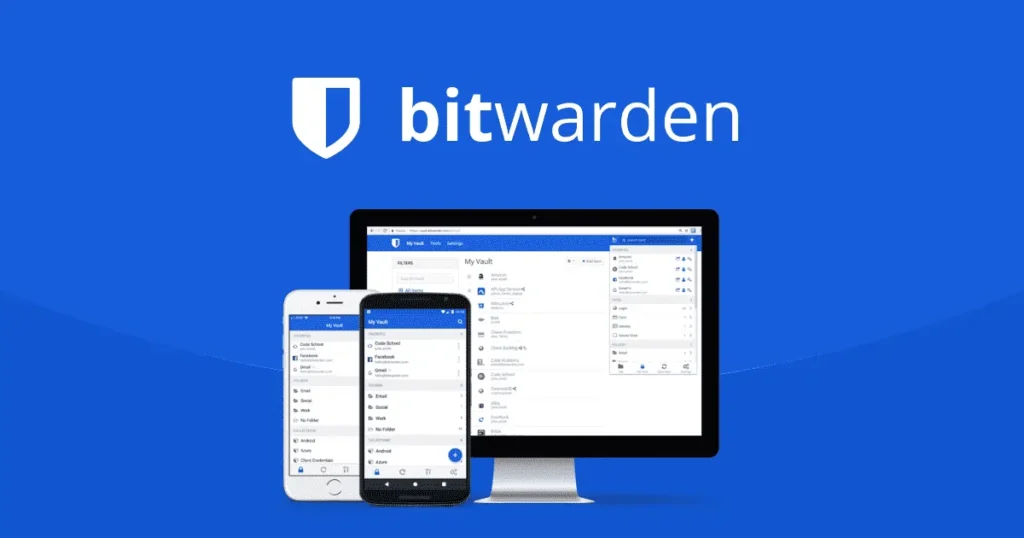
Best for: Budget-conscious users, open-source advocates, and technical users who want self-hosting control
Bitwarden is the password manager that keeps embarrassing commercial competitors. Its free tier includes unlimited passwords on unlimited devices with full sync — features that NordPass, Keeper, and LastPass restrict to paid plans. The fact that it’s fully open-source means its security claims are verifiable, not just marketing promises.
What stands out:
- The most generous free plan in the category: unlimited passwords, unlimited devices, passkey management, and vault sharing with one user — all without paying anything
- Fully open-source codebase (available on GitHub) with regular independent security audits, giving transparent verification of zero-knowledge architecture
- Self-hosting option for organizations or privacy-conscious individuals who want complete control over where their encrypted vault data lives
Where it falls short:
- The interface prioritizes function over form — it works well but lacks the polish of 1Password or NordPass, which can discourage less technical users
- Premium features like the built-in TOTP authenticator and vault health reports require the $10/year upgrade, though that price point is still remarkably low
- iOS app experience lags behind Android in terms of responsiveness and feature parity
Pricing: Free plan available with full core features. Premium is $10/year. Families plan covers 6 users for $40/year. Business teams start at $4/user/month.
Who should consider it: Anyone who values transparency and cost-efficiency. Developers and IT professionals will particularly appreciate the self-hosting capability and CLI access. Families on a budget get an exceptional deal at $40/year for six accounts.
Who should look elsewhere: Users who want a highly polished, guided experience out of the box. If interface design matters as much as security to you, 1Password or NordPass will feel more refined.
1Password
Best for: Families sharing credentials and teams that need structured access controls
1Password has been the gold standard for password management polish since 2005 — but 2026 is testing that reputation. A 33% price increase taking effect March 27, 2026 (individual plans jumping from $35.88 to $47.88/year, family plans from $59.88 to $71.88/year) has frustrated long-time users, especially as free competitors like Bitwarden and Apple Passwords grow more capable.
That said, 1Password still does certain things better than anyone else. Its unique dual-encryption model combines AES-256 with a 128-bit Secret Key that never leaves your device, making brute-force attacks against your vault effectively impossible even if 1Password’s servers were compromised. The company has never experienced a data breach in nearly two decades.
What stands out:
- Travel Mode lets you temporarily remove sensitive vaults from your devices when crossing borders — a unique feature no competitor has meaningfully replicated
- Watchtower proactively identifies weak passwords, reused credentials, compromised accounts, and sites where you haven’t enabled two-factor authentication
- Family and team sharing is exceptionally well-designed, with granular vault permissions that make credential management intuitive even for non-technical household members
Where it falls short:
- No free plan at all — the 14-day trial is barely enough time to properly evaluate a tool you’ll integrate into your daily workflow
- The desktop app transitioned from a native Mac application to Electron, resulting in noticeably slower performance that power users have criticized
- At $47.88/year post-increase, it’s now over 4x the price of Bitwarden Premium and significantly more expensive than NordPass or RoboForm for comparable core features
Pricing: Individual $3.99/mo ($47.88/yr billed annually) effective March 27, 2026. Families $5.99/mo ($71.88/yr) for 5 users. Teams Starter Pack $19.95/mo for up to 10 users. Business $7.99/user/mo.
Who should consider it: Families who actively share passwords and want the most intuitive shared vault experience available. Frequent international travelers who benefit from Travel Mode. Teams under 10 who want structured access without enterprise complexity.
Who should look elsewhere: Solo users on a budget — $48/year for password management is hard to justify when Bitwarden offers comparable security for $10/year or free. Users who primarily work within the Apple ecosystem may find Apple Passwords sufficient at no cost.
NordPass
Best for: Non-technical users who want modern security without complexity
NordPass represents the new generation of password managers — built from the ground up with XChaCha20 encryption (paired with Argon2id key derivation) rather than the industry-standard AES-256. This isn’t just a marketing distinction: XChaCha20 is faster on devices without hardware AES acceleration and eliminates certain categories of implementation vulnerabilities that have historically affected AES deployments.
Backed by Nord Security (the company behind NordVPN), NordPass benefits from serious infrastructure investment and 24/7 live chat support — a rarity in this category where most competitors limit you to email tickets.
What stands out:
- XChaCha20 encryption with Argon2id key derivation represents a genuinely modern cryptographic approach, independently audited and SOC 2 certified
- Email masking through integrated SimpleLogin aliases lets you generate unique email addresses for every service signup, reducing your exposure in data breaches
- The cleanest, most approachable interface among dedicated password managers — NordPass consistently gets praised for making security feel simple rather than intimidating
Where it falls short:
- The free plan restricts you to a single device at a time, making it impractical as a daily driver unless you upgrade — Bitwarden and Proton Pass are far more generous here
- Emergency Access is not available on macOS, a surprising gap for a premium product
- No truly unique differentiating feature beyond email masking — it lacks 1Password’s Travel Mode, Dashlane’s VPN, or Keeper’s encrypted messaging
Pricing: Free plan available (single device). Premium starts at $1.38/mo (with promotional pricing; regular $1.99/mo). Family plan covers 6 users at $2.79/mo. Business plans from $1.79/user/mo for teams up to 10.
Who should consider it: Users migrating from browser-based password storage who want something more secure but equally simple. Anyone who values clean design and doesn’t want to think about encryption algorithms — NordPass makes strong security the default without requiring technical knowledge.
Who should look elsewhere: Power users who want self-hosting, open-source transparency, or deep customization. If you need emergency access on macOS or want the absolute cheapest premium option, Bitwarden is the better call.
Proton Pass
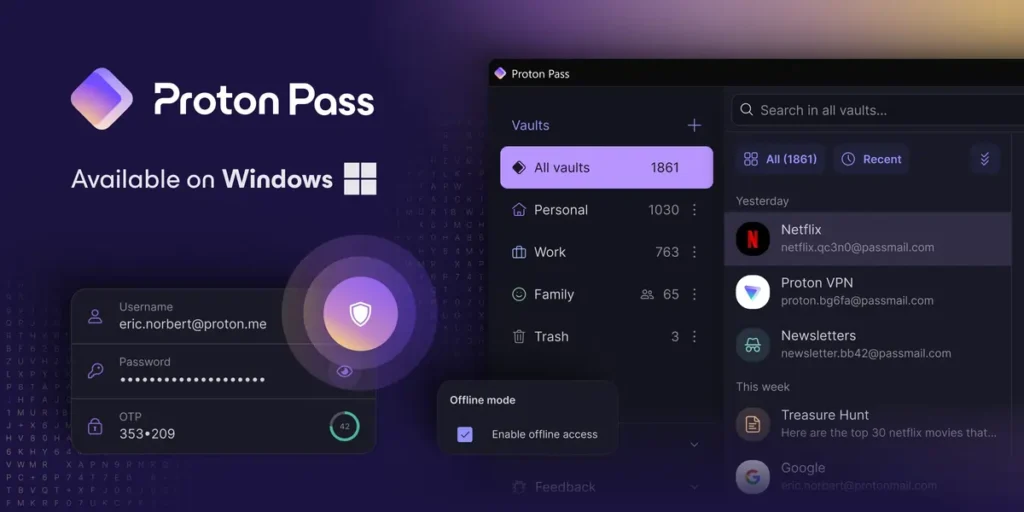
Best for: Privacy advocates and users already in the Proton ecosystem
Proton Pass launched more recently than most competitors on this list, but it comes from Proton AG — the Swiss company behind ProtonMail and Proton VPN, with over a decade of credibility in the privacy space. Switzerland’s Federal Act on Data Protection (FADP) adds a jurisdictional advantage that matters to users concerned about government data requests.
The standout feature is deeply integrated email aliasing. While NordPass offers this through a SimpleLogin partnership, Proton Pass builds it natively — you can create, manage, and even send emails from aliases without leaving the password manager. This makes Proton Pass as much an identity protection tool as a credential manager.
What stands out:
- Fully open-source with completed independent security audits, combining the transparency of Bitwarden with the design polish of a commercial product
- Built-in email alias generation (unlimited on paid plans) with the ability to send and receive from aliases — the most complete alias integration in any password manager
- Proton Sentinel combines AI monitoring with human security reviewers to detect and block suspicious login attempts on your Proton account, a feature typically reserved for enterprise security products
Where it falls short:
- No standalone desktop application — Proton Pass operates through browser extensions and mobile apps, which can feel limiting for users who prefer a dedicated vault application
- The mobile app’s autofill is inconsistent, sometimes failing to detect login fields and requiring manual copy-paste from the vault
- Premium pricing at $23.88/year is reasonable standalone, but the real value unlocks with Proton Unlimited ($119.88/year), which bundles VPN, encrypted email, cloud storage, and calendar alongside the password manager
Pricing: Free plan with unlimited passwords and devices, plus 10 email aliases. Pass Plus at $1.99/mo ($23.88/yr). Family plan for 6 users at $4.49/mo ($53.88/yr). Proton Unlimited bundles all Proton services for $9.99/mo ($119.88/yr).
Who should consider it: Anyone already using ProtonMail or Proton VPN — the ecosystem synergy is significant. Privacy-conscious users who want Swiss jurisdiction and open-source verification. People who are tired of creating new email addresses for every service and want robust alias management built into their password workflow.
Who should look elsewhere: Users who strongly prefer a dedicated desktop vault application. If you don’t care about email aliasing or the broader Proton ecosystem, Bitwarden offers comparable open-source security at a lower price point.
Dashlane
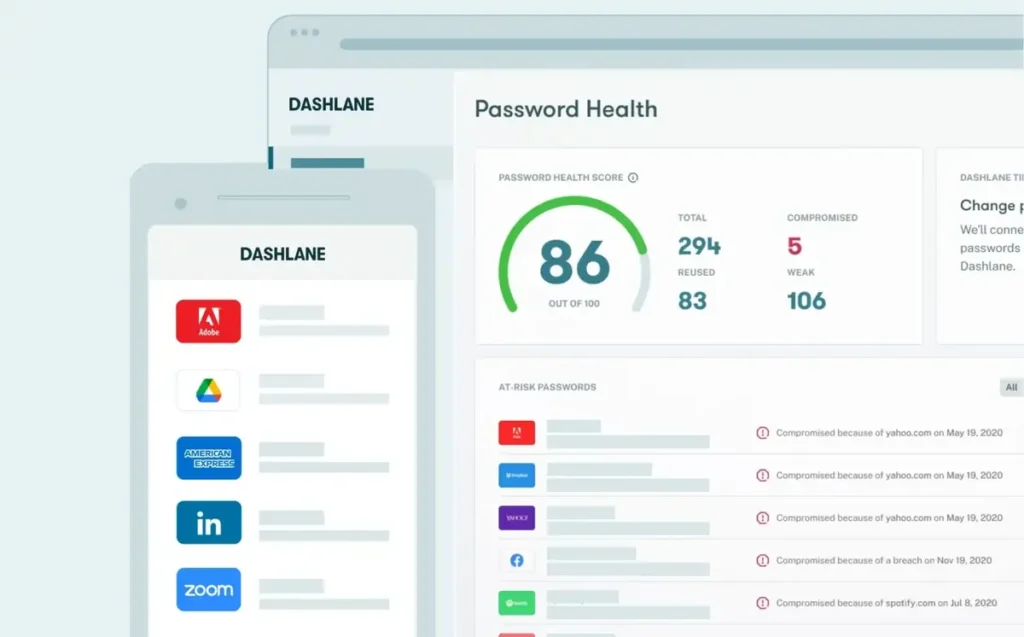
Best for: Users who want a VPN and password manager in a single subscription
Dashlane has made a bold strategic bet in 2026: it discontinued its free plan entirely in September 2025 and launched Omnix, an AI-powered credential protection platform aimed at enterprise customers. For individual users, this means Dashlane is now a premium-only product competing on features rather than accessibility.
The most distinctive feature remains its bundled unlimited-data VPN (powered by Hotspot Shield), which effectively makes Dashlane the cheapest way to get both a password manager and VPN in a single subscription — see our Best VPN Services 2026 comparison for how Dashlane’s bundled VPN stacks up against standalone providers. If you’d otherwise pay for a standalone VPN, the math changes significantly in Dashlane’s favor.
What stands out:
- Built-in VPN with unlimited data included in every paid plan — no other password manager bundles a full VPN service, making this genuine added value for users who need both
- Real-time phishing alerts that actively warn you before you enter credentials on known malicious sites, going beyond the passive breach monitoring most competitors offer
- The Friends & Family plan covers up to 10 users for $89.88/year — the highest user count of any family plan in this comparison
Where it falls short:
- No free plan since September 2025 — existing free users can only export their data until September 2026, after which access is cut entirely
- At $33/year for individuals and $59.88/year for Premium, it’s among the most expensive options unless the VPN inclusion justifies the cost for your situation
- Import functionality is limited on iOS and macOS — you can only import passwords via Android or the web app, a frustrating limitation for Apple-primary users
Pricing: Advanced plan at $2.75/mo ($33/yr). Premium at $4.99/mo ($59.88/yr) includes VPN. Friends & Family at $7.49/mo ($89.88/yr) for up to 10 users.
Who should consider it: Users who currently pay separately for a VPN and password manager — consolidating into Dashlane Premium could save money while simplifying your security stack. Large families benefit from the 10-user family plan, the most generous user count in this comparison.
Who should look elsewhere: Budget-conscious users who don’t need a VPN. If password management is your only requirement, Bitwarden, NordPass, or Proton Pass deliver comparable credential security at a fraction of the cost.
Keeper
Best for: Security-conscious users and organizations with strict compliance requirements
Keeper positions itself as the most security-focused consumer password manager, and it backs that claim with architectural decisions other vendors haven’t matched. Notably, Keeper deliberately omits an automatic password-change feature — a convenience offered by some competitors — because even that automated process would require momentary access to your decrypted credentials. That’s the kind of paranoid-by-design thinking that appeals to security professionals.
The platform has never experienced a data breach, uses AES-256 encryption with over 8 million PBKDF2 iterations (significantly more than most competitors), and offers a zero-knowledge architecture that’s been independently audited.
What stands out:
- BreachWatch monitors the dark web for compromised credentials tied to your vault entries and alerts you in real-time — though it’s a paid add-on at $19.99/year on top of the base subscription
- KeeperChat provides end-to-end encrypted messaging, making it the only password manager in this comparison that doubles as a secure communication tool
- Business plans include a free family plan for every registered employee — an unusual perk that adds genuine value for organizations evaluating enterprise password management
Where it falls short:
- The free tier is nearly unusable: limited to 10 records on a single mobile device, it’s more of a demo than a functional free plan — Bitwarden and Proton Pass leave it far behind
- Dark web monitoring, secure file storage expansion, and encrypted messaging all cost extra on top of the base subscription, making the “all-in” price significantly higher than advertised
- The interface has improved significantly but still feels more clinical than approachable compared to NordPass or 1Password, particularly on mobile
Pricing: Personal plan at $2.92/mo ($34.99/yr). Family plan for 5 users at $6.25/mo ($74.99/yr). Plus Bundle (includes BreachWatch + extra storage) at $4.58/mo ($54.99/yr). Business Starter at $2/user/mo. Business at $3.75/user/mo. Frequent 50% promotional discounts available.
Who should consider it: Users who prioritize security architecture above all else and don’t mind paying for add-ons to build a comprehensive setup. Organizations in regulated industries (healthcare, finance) where compliance requirements — including HIPAA and PCI DSS — demand documented zero-knowledge credential management. Military, medical professionals, and students can access discounts of 30-50%.
Who should look elsewhere: Casual users who want a simple, affordable password manager. If you want everything included in a single subscription without surprise add-on costs, NordPass or Dashlane are more straightforward.
RoboForm
Best for: Users who manage complex web forms and need fast, accurate autofill beyond just passwords
RoboForm has been in the password management business for over 20 years, and its longevity shows in one specific area: form filling. No other password manager matches RoboForm’s ability to accurately populate complex web forms — addresses, credit cards, passport details, insurance information, and even vehicle data. If you regularly fill out lengthy online forms, this alone may justify choosing RoboForm.
The platform has never been breached, uses AES-256 encryption with over 8 million PBKDF2 iterations, and offers a local-only storage option for users who don’t want their vault in any cloud — a feature that aligns with CISA’s guidance on credential storage security and is increasingly rare among modern password managers.
What stands out:
- Form-filling accuracy that consistently outperforms every competitor in this comparison, including the ability to handle multi-page forms and batch-login to multiple sites simultaneously
- Built-in TOTP authenticator included in the paid plan at no extra cost — unlike Keeper, which charges additionally for comparable features
- Local-only storage option lets you keep your entire vault on your device without any cloud sync, appealing to users with high-security requirements or limited internet access
Where it falls short:
- The interface design shows its age on certain platforms, particularly the desktop application, which lacks the modern feel of NordPass or 1Password
- The Security Center for analyzing password health is functional but basic compared to 1Password’s Watchtower or Dashlane’s comprehensive dashboard
- No encrypted messaging, no email aliasing, no VPN — RoboForm focuses narrowly on password and form management without the additional security features bundled by some competitors
Pricing: Free plan available (single device, limited features). Premium at $1.99/mo ($23.88/yr). Family plan for 5 users at $3.98/mo ($47.75/yr). Business from $3.35/user/mo.
Who should consider it: Professionals who regularly complete complex web forms — real estate agents, insurance brokers, administrative staff, and anyone tired of manually entering the same information repeatedly. Users who want local-only vault storage as a non-negotiable requirement.
Who should look elsewhere: Users who prioritize modern interface design and additional security features beyond core password management. If email masking, VPN integration, or encrypted chat matter to you, other options in this comparison serve those needs better.
LastPass
Best for: Existing users who have already rebuilt trust after the 2022 breach — difficult to recommend for new users
LastPass was once the default recommendation in virtually every password manager comparison. Then came the 2022 breach. Attackers accessed encrypted customer vault data along with customer information including company names, end-user names, billing addresses, email addresses, telephone numbers, and IP addresses. The breach fundamentally damaged LastPass’s reputation, and the aftermath — including lawsuits and a measurable exodus of users to competitors — continues to shape how the industry views the platform.
To its credit, LastPass has invested heavily in rebuilding security since 2022, implementing enhanced encryption, mandatory MFA for all accounts, and PBKDF2 iteration increases. But for a tool whose entire value proposition is trust, the path back is long.
What stands out:
- Integration with over 1,200 applications makes LastPass one of the most broadly compatible password managers for enterprise environments
- The administrative console for business plans is mature and feature-rich, reflecting years of enterprise deployment experience that newer competitors haven’t matched
- Recent security investments include enhanced monitoring, increased PBKDF2 iterations, and mandatory MFA — demonstrating genuine commitment to addressing the breach’s root causes
Where it falls short:
- The 2022 breach remains the elephant in the room — encrypted vault data was stolen, and while AES-256 encryption means brute-forcing individual vaults is impractical, users with weak master passwords at the time of the breach remain at elevated risk
- The free plan restricts you to a single device type (mobile or desktop, not both), severely limiting its utility as a cross-platform solution
- Premium pricing at $3/month ($36/year) sits at a point where competitors with cleaner security histories offer more features for less money
Pricing: Free plan (single device type). Premium at $3/mo ($36/yr). Families at $4/mo ($48/yr) for 6 users. Business from $4/user/mo.
Who should consider it: Organizations already deeply integrated with LastPass’s enterprise tools where migration costs outweigh the reputational concerns. Existing users who stayed through the breach, updated their master passwords, and enabled MFA should have reasonable confidence in the current security posture.
Who should look elsewhere: New users evaluating password managers for the first time. With competitors like Bitwarden (open-source, never breached), NordPass (modern encryption, no breach history), and 1Password (20 years breach-free), there’s no compelling reason to choose the one major vendor that has been breached unless you have a specific integration requirement.
Enpass
Best for: Users who want full control over their data with offline-first architecture and an option to avoid recurring subscriptions
Enpass takes a fundamentally different approach from every other password manager in this comparison: your vault never touches Enpass’s servers. Sync happens exclusively through your own cloud service (Google Drive, iCloud, Dropbox, OneDrive) or via local Wi-Fi. This means Enpass itself has zero access to your data at any point, even theoretically.
The lifetime purchase option at $99.99 is increasingly rare in a market dominated by subscriptions, making Enpass uniquely appealing to users who dislike recurring charges for software they consider essential.
What stands out:
- True offline-first design where your vault data never passes through Enpass’s infrastructure — sync is handled entirely through your preferred cloud provider or local network
- One-time purchase option at $99.99 eliminates subscription fatigue entirely — after approximately 4 years of use, it becomes cheaper than virtually every competitor
- Uses 320,000 PBKDF2-SHA512 iterations for key derivation and AES-256 encryption, with vault data physically stored only on your devices and your chosen cloud
Where it falls short:
- Closed-source code means security claims rely on third-party audits rather than community verification — a significant trust gap compared to Bitwarden and Proton Pass
- No built-in sharing mechanism comparable to 1Password’s shared vaults or Bitwarden’s Send feature — sharing credentials with family or colleagues requires workarounds
- No emergency access feature, meaning trusted contacts cannot retrieve your vault if something happens to you — a critical gap for users who rely on their password manager as a digital legacy tool
Pricing: Free plan (25 items on mobile). Individual at $1.99/mo ($23.99/yr). Family for 6 users at $3.99/mo ($47.99/yr). Lifetime purchase at $99.99 (one-time).
Who should consider it: Privacy purists who want zero server-side exposure of their vault data. Users who philosophically object to SaaS subscriptions for essential security tools. Technical users comfortable managing their own cloud sync configuration.
Who should look elsewhere: Non-technical users who want a set-and-forget experience. Anyone who needs credential sharing, emergency access, or seamless onboarding for family members. If your priority is ease of use over architectural control, most other options in this comparison will serve you better.
Apple Passwords
Best for: Users fully embedded in the Apple ecosystem who want effortless password management at no cost
Apple debuted its standalone Passwords app with iOS 18 in 2024, separating password management from the buried Settings menu and giving it a proper interface. For users who own an iPhone, Mac, and iPad, it’s the path of least resistance — passwords sync automatically through iCloud Keychain, autofill works natively across Safari and system prompts, and there’s nothing to install, configure, or pay for.
The app supports passkeys, generates strong passwords, detects compromised credentials, and shares passwords via Family Sharing groups. For many Apple users, this is genuinely enough.
What stands out:
- Completely free with no premium tier, no ads, and no upsells — Apple’s business model doesn’t depend on password management revenue, so there’s no pressure to convert you to a paid plan
- Zero-friction integration across iPhone, iPad, Mac, and Apple Watch with automatic iCloud sync — no browser extensions to manage or apps to install
- Passkey support is first-class, aligned with Apple’s implementation of the FIDO2 standard, positioning Apple Passwords as a bridge to the post-password future for users within the Apple ecosystem
Where it falls short:
- No Android support at all. Windows support exists only through iCloud for Windows, which is widely regarded as clunky and unreliable. If any device in your workflow isn’t Apple, this is a dealbreaker.
- Feature set is basic compared to dedicated password managers — no secure notes with attachments, no shared vaults beyond Family Sharing, no dark web monitoring, no email aliases, no VPN
- Storing all credentials in iCloud ties your security to your Apple ID — a compromised Apple account means compromised passwords, and Apple’s account recovery processes don’t always inspire confidence among security professionals
Pricing: Free. Included with every Apple device running iOS 18 or later, macOS Sequoia or later.
Who should consider it: Apple-only households who use Safari as their primary browser and don’t need advanced features like secure file storage, emergency access, or cross-platform sharing beyond Apple’s ecosystem. Users who simply want their passwords to work without thinking about it.
Who should look elsewhere: Anyone with even one Android device, Chromebook, or Linux machine. Users who need advanced security features, organizational tools, or cross-ecosystem flexibility. If your password needs extend beyond basic login credentials, a dedicated manager like Bitwarden or 1Password will serve you significantly better.
Google Password Manager
Best for: Chrome-primary users who want automatic password management without installing anything
Google Password Manager is already built into Chrome and Android, which means hundreds of millions of people are technically already using it without realizing it. It generates passwords, autofills credentials, checks for compromised passwords against known breach databases, and syncs across every device where you’re logged into Chrome.
For users whose entire digital life flows through Google services, it’s invisible and effortless. But that effortlessness comes with significant trade-offs.
What stands out:
- Zero setup required — if you use Chrome, Google Password Manager is already active. Breach alerts are automatic, password generation happens inline, and sync is instant across Chrome instances
- Deep integration with Android means passwords, passkeys, and Wi-Fi credentials are available system-wide, not just within a browser
- Automatic credential checkup warns you about weak, reused, or compromised passwords without requiring you to manually run security audits
Where it falls short:
- Essentially non-functional outside Chrome and Android. Safari, Firefox, and standalone desktop apps don’t have meaningful Google Password Manager integration, locking you into Google’s browser ecosystem
- No secure vault for storing non-credential data like secure notes, documents, credit cards (beyond basic payment autofill), or identity information
- Your passwords are ultimately secured by your Google account. If your Google account is compromised — and Google accounts are among the highest-value targets for attackers — every stored password goes with it. No Secret Key, no independent encryption layer beyond Google’s infrastructure
Pricing: Free. Built into Chrome and Android.
Who should consider it: Users who exclusively use Chrome across all devices and are comfortable with their passwords being managed by Google’s infrastructure. It’s a massive improvement over reusing passwords or writing them on sticky notes, making it a good starting point for users who would otherwise use nothing.
Who should look elsewhere: Anyone who uses multiple browsers, values independence from Google’s ecosystem, or needs features beyond basic credential storage and autofill. Security-conscious users will find the lack of an independent encryption layer concerning — Bitwarden and Proton Pass offer stronger security architecture at zero cost.
Bitdefender SecurePass
Best for: Existing Bitdefender antivirus subscribers who want password management integrated into their security suite
Bitdefender launched SecurePass as an extension of its broader cybersecurity platform — see our Best Antivirus Software 2026 review for how Bitdefender compares as a security suite — aiming to give existing subscribers a convenient way to add password management without adopting a separate tool. It covers the fundamentals — AES-256 encryption, zero-knowledge architecture, cross-platform sync, and password generation.
What stands out:
- Tight integration with the Bitdefender security ecosystem means password management, antivirus, VPN, and identity protection can be managed from a single dashboard
- Competitively priced for users already paying for Bitdefender’s security suite, where SecurePass may be included or available at a reduced add-on cost
- Clean, modern interface that reflects Bitdefender’s design standards across its product line
Where it falls short:
- As a standalone password manager, it offers fewer features than every dedicated competitor in this comparison — no self-hosting, limited sharing, no email aliases, no encrypted messaging
- Relatively new product without the track record, independent audits, or community scrutiny that established players like Bitwarden, 1Password, or even NordPass have built
- Limited appeal outside the Bitdefender ecosystem — if you don’t already use Bitdefender products, there’s little reason to choose SecurePass over more established alternatives
Pricing: Standalone starting at approximately $2.99/mo. Often bundled with Bitdefender Total Security or Premium Security subscriptions at reduced or no additional cost.
Who should consider it: Existing Bitdefender subscribers who value consolidating their security tools under one vendor and one dashboard. Users who are already paying for Bitdefender’s antivirus suite and want to add password management at minimal additional cost.
Who should look elsewhere: Anyone not already in the Bitdefender ecosystem. As a standalone product, SecurePass doesn’t match the feature depth, pricing, or track record of Bitwarden, NordPass, Proton Pass, or 1Password. If you’re choosing a password manager independently of your antivirus decision, dedicated options are stronger across every evaluation criterion.
What’s Changing in Password Management in 2026
The password manager market is projected to reach $2.94 billion in 2026, growing at a compound annual growth rate of 22.39% through 2031, according to Mordor Intelligence. Grand View Research pegs the broader market trajectory at $11.86 billion by 2030. Whichever estimate you prefer, the direction is clear: password management is transitioning from a niche security tool to a baseline expectation.
Several forces are reshaping how these tools work and who uses them.
Stolen credentials remain the top attack vector. The 2025 Verizon Data Breach Investigations Report — based on over 22,000 security incidents and 12,195 confirmed breaches across 139 countries — found that stolen credentials were the initial access vector in 22% of breaches. In attacks against basic web applications specifically, stolen credentials were involved in 88% of cases. Infostealer malware analysis revealed that the median user reuses the same password across 51% of their accounts. These numbers make the case for dedicated password management more compelling than any vendor marketing.
Passkeys are gaining traction but haven’t replaced passwords. Apple, Google, and Microsoft have all committed to FIDO2/WebAuthn passkey standards, and 1Password, Bitwarden, NordPass, Proton Pass, and Dashlane all support passkey storage and management. However, adoption remains uneven — most websites still require traditional passwords as a fallback, and passkey support varies significantly by platform. Password managers that handle both credentials and passkeys are positioned as bridge technologies for the transition period, which industry analysts expect to last at least through 2028.
The free tier war is intensifying. Bitwarden and Proton Pass offer unlimited passwords on unlimited devices for free. Apple Passwords and Google Password Manager are entirely free (within their ecosystems). Meanwhile, Dashlane eliminated its free tier entirely. This polarization means users increasingly face a clear choice: use a generous free option or pay for a premium experience with advanced features like VPN integration, email masking, or enterprise controls.
Consumer password manager adoption is growing but still low. Approximately 36% of U.S. adults (roughly 94 million people) now use a password manager, according to recent survey data — up from 34% the previous year. Among password manager users, 17% experienced identity theft or credential theft in the past year, compared to 32% among non-users. The protection gap is real and measurable, and the growing demand for cybersecurity professionals to manage these tools across organizations reflects in rising cybersecurity salaries across the industry.
Enterprise spending is surging faster than consumer adoption. Large organizations accounted for approximately 63% of password management spending in 2025, with the banking, financial services, and insurance sector alone representing 29% of revenue, per Fortune Business Insights. Cloud-hosted deployments held roughly 64% market share, though hybrid models that keep sensitive vaults on-premises are growing as data residency laws tighten in Europe and the Middle East.
How to Choose the Right Password Manager
Start with your platform reality
The single most important question isn’t about features or pricing — it’s about which devices you actually use daily. A password manager that doesn’t work seamlessly across every device in your workflow creates friction, and friction leads to workarounds that undermine security.
If you’re entirely Apple: Apple Passwords works with zero configuration. If you need more features, 1Password and Bitwarden both offer excellent Apple platform support.
If you’re mixed Apple and Android/Windows: Eliminate Apple Passwords and Google Password Manager from consideration. Bitwarden, NordPass, 1Password, and Proton Pass all provide strong cross-platform performance.
If you need Linux support: Bitwarden, NordPass, 1Password, Proton Pass (via browser), and Enpass all support Linux. Apple Passwords and Google Password Manager do not.
Budget considerations
Free options that are genuinely usable: Bitwarden (unlimited everything), Proton Pass (unlimited passwords and devices, 10 email aliases), Apple Passwords (full-featured within Apple), Google Password Manager (full-featured within Chrome/Android).
Best value in the $10-25/year range: Bitwarden Premium ($10/yr) is the price-to-feature champion. RoboForm ($23.88/yr) and NordPass (from $16.56/yr with promotional pricing) offer solid premium experiences without breaking the budget.
Premium tier ($25-50/year): 1Password ($47.88/yr), Dashlane Advanced ($33/yr), and Keeper ($34.99/yr before add-ons) justify their prices through unique features — Travel Mode, bundled VPN, and BreachWatch respectively.
Best family value: Bitwarden Families at $40/year for 6 users is the clear winner on price. Dashlane Friends & Family at $89.88/year covers 10 users — the most generous user count. 1Password Families at $71.88/year offers the most polished sharing experience.
Security architecture differences that actually matter
Not all “AES-256 encrypted, zero-knowledge” claims are created equal. Here’s what to look at beyond the marketing:
Encryption algorithm: Most use AES-256. NordPass uses XChaCha20 (equivalent security, different implementation advantages). Both are considered unbreakable by current technology.
Key derivation: PBKDF2 is the standard, but iteration counts vary enormously. Keeper and RoboForm use 8 million+ iterations. Bitwarden defaults to 600,000 with OWASP-recommended settings. NordPass uses Argon2id, considered more resistant to GPU-accelerated attacks.
Additional encryption layers: 1Password’s Secret Key adds a 128-bit locally-stored key that’s combined with your master password — meaning a compromised server alone isn’t enough to decrypt your vault. This is architecturally stronger than competitors that rely solely on master password encryption.
Open-source verification: Bitwarden and Proton Pass publish their source code. This allows independent researchers to verify security claims rather than trusting vendor assertions. Closed-source tools (NordPass, 1Password, Keeper) rely on periodic third-party audits instead.
Red flags to watch for
Hidden add-on pricing. Keeper’s headline price looks competitive until you add BreachWatch ($19.99/yr) and extra storage — the “complete” package costs significantly more than advertised. Always check what’s included versus what’s an upsell.
Breach history. LastPass’s 2022 breach is the most significant, but always check whether a vendor has disclosed security incidents. Tools that have never been breached (1Password, Bitwarden, NordPass, Keeper, RoboForm, Proton Pass) have a meaningful trust advantage.
Ecosystem lock-in. Apple Passwords and Google Password Manager are designed to keep you in their respective ecosystems. Switching away means exporting credentials — a process that varies in difficulty and completeness. The FTC has noted the importance of data portability in consumer technology, and dedicated password managers generally offer better portability.
Free tier restrictions that push unnecessary upgrades. NordPass’s single-device free plan and LastPass’s single-device-type free plan are designed to create inconvenience that drives upgrades. Bitwarden and Proton Pass prove that genuinely useful free tiers are possible — don’t accept artificial limitations as the norm.
Frequently Asked Questions
What is the best password manager in 2026?
Bitwarden is the best password manager for most users in 2026, offering unlimited passwords on unlimited devices for free, open-source code verified by independent audits, and a premium plan at just $10/year. For users who prefer a more polished interface and don’t mind paying more, 1Password remains the strongest option for families and teams, while NordPass provides the best balance of modern security and simplicity for non-technical users. The right choice depends on whether you prioritize cost (Bitwarden), polish (1Password), simplicity (NordPass), or privacy (Proton Pass).
How much do password managers cost in 2026?
Password manager pricing in 2026 ranges from completely free to approximately $90/year for family plans. Bitwarden and Proton Pass offer the most capable free plans with unlimited passwords and devices. Paid individual plans range from $10/year (Bitwarden Premium) to $59.88/year (Dashlane Premium with VPN). Family plans covering 5-10 users range from $40/year (Bitwarden) to $89.88/year (Dashlane for 10 users). Enterprise pricing is typically per-user, starting around $2-8/user/month depending on the vendor and feature tier.
Are free password managers safe to use?
Yes — several free password managers provide enterprise-grade security at no cost. Bitwarden’s free tier uses AES-256 encryption with zero-knowledge architecture and has been independently audited. Proton Pass Free offers unlimited passwords with AES-256 GCM encryption and open-source transparency. Apple Passwords uses strong encryption through iCloud Keychain. The main trade-offs with free plans are feature limitations (fewer organizational tools, limited sharing), not weaker security. Avoid free plans that severely restrict device count or vault size, as these create friction that encourages insecure workarounds.
Is 1Password worth the price increase in 2026?
1Password’s March 2026 price increase to $47.88/year for individuals and $71.88/year for families represents a 33% jump that’s difficult to justify purely on features. Bitwarden Premium offers comparable core security at $10/year. However, 1Password still leads in specific areas: Travel Mode for international travelers, the best family sharing interface, and nearly 20 years without a breach. If shared vault management, polished UX, and the Secret Key encryption model matter to you, the premium may be worthwhile — but casual users should evaluate Bitwarden or NordPass as alternatives before renewing.
What is the difference between 1Password and Bitwarden?
1Password and Bitwarden both offer strong AES-256 encryption and zero-knowledge architecture, but differ significantly in approach. 1Password is closed-source with a polished interface, unique features like Travel Mode and Secret Key encryption, and no free plan (starting at $47.88/year). Bitwarden is open-source, offers a generous free tier with unlimited passwords and devices, supports self-hosting, and costs just $10/year for premium features. 1Password excels at user experience and family sharing; Bitwarden wins on transparency, value, and flexibility. For most individuals, Bitwarden is the better value. For families who share extensively, 1Password’s sharing tools justify the price difference.
Can password managers be hacked?
Password managers can be targeted, as LastPass’s 2022 breach demonstrated when encrypted vault data was stolen. However, strong encryption means that even stolen vaults remain protected — AES-256 encryption with a strong master password would take billions of years to brute-force with current technology. The risk lies with weak master passwords. Use a master password of at least 14 characters combining words, numbers, and symbols — consistent with NIST password guidelines. Enable two-factor authentication on your password manager account. Tools like 1Password that add a Secret Key provide an additional layer that makes brute-forcing stolen vault data effectively impossible, even with a relatively weak master password.
Should I use my browser’s built-in password manager?
Browser-based password managers (Chrome, Safari, Firefox) are significantly better than using no password manager at all, but they have meaningful limitations compared to dedicated tools. They typically lack advanced features like secure sharing, emergency access, secure notes, and cross-browser sync. More critically, they tie your passwords to your browser account (Google, Apple) — if that account is compromised, every stored password is exposed. Dedicated password managers like Bitwarden or NordPass add independent encryption layers, work across any browser and device, and include features like breach monitoring and password health analysis that browser tools don’t match.
What happens to my passwords if a password manager company shuts down?
Most reputable password managers store your encrypted vault locally as well as in the cloud, meaning you maintain access to your passwords even if the service goes offline. All major password managers in this comparison support CSV export of your vault data, which can be imported into a competitor. Bitwarden and Proton Pass, being open-source, offer additional insurance: the software itself could be maintained by the community even if the company ceased operations. The self-hosting option with Bitwarden provides the strongest continuity guarantee, as your data never depends on any external service.
Do password managers work with passkeys?
Yes — most major password managers now support passkey storage and authentication alongside traditional passwords. 1Password, Bitwarden, NordPass, Proton Pass, and Dashlane all support creating, storing, and using passkeys for websites that accept them. Passkeys use public-key cryptography that eliminates the risk of credential phishing entirely, making them more secure than passwords by design. However, passkey adoption by websites remains incomplete in 2026, so password managers that handle both passkeys and traditional credentials are the most practical choice during this transition period.
Are password managers safe for storing credit card information?
Dedicated password managers like 1Password, Bitwarden, NordPass, and Dashlane encrypt credit card information with the same strong encryption applied to passwords — AES-256 or XChaCha20 with zero-knowledge architecture. This is substantially more secure than storing card details in browser autofill, which is typically protected only by your browser account credentials. Keeper and Bitwarden also allow encrypted file attachments for storing documents like card images or financial records. The primary risk isn’t the encryption itself but the master password protecting your vault — use a strong, unique master password and enable two-factor authentication.
Which password manager is best for families?
For families on a budget, Bitwarden Families ($40/year for 6 users) offers the strongest combination of features and value. For families that prioritize a polished sharing experience, 1Password Families ($71.88/year for 5 users) provides the most intuitive shared vault management and individual vault privacy. For large families, Dashlane Friends & Family ($89.88/year) supports up to 10 users — the most generous user count available. Proton Pass Family ($53.88/year for 6 users) is the pick for privacy-focused families who want Swiss jurisdiction and open-source transparency.
The Bottom Line
The password manager market in 2026 rewards informed choosers. The gap between the best free options and premium products has narrowed significantly, which means the days of paying $50/year for basic password management are over unless you need specific premium features.
For most individuals: Bitwarden is the strongest recommendation. Its free tier is more capable than most competitors’ paid plans, its open-source transparency provides verifiable security, and $10/year for premium is an extraordinary value. It’s the password manager we’d recommend to anyone who asks.
For families who share frequently: 1Password remains the gold standard for shared vault management despite its price increase. The interface for managing shared credentials across family members is noticeably superior to competitors. Bitwarden Families is the budget alternative at roughly half the price.
For privacy-first users: Proton Pass, especially within the broader Proton ecosystem, delivers Swiss jurisdiction, open-source code, and built-in email aliasing that no competitor matches. If you’re already using ProtonMail or Proton VPN, adding Pass is an obvious move.
For simplicity seekers: NordPass offers the cleanest onboarding experience with genuinely modern encryption. It’s the password manager most likely to be used correctly by people who otherwise wouldn’t use one at all.
Best value overall: Bitwarden Premium at $10/year. No other paid plan in any software category offers this ratio of security, features, and transparency per dollar.
If budget is unlimited: 1Password plus Proton Unlimited. Use 1Password for credential management and Proton’s ecosystem for email, VPN, and cloud storage — a comprehensive security stack without relying on a single vendor. For complementary security layers, see our Best Identity Theft Protection 2026 and Best Antivirus Software 2026 guides.
This analysis is updated regularly. Last verified: March 2026. Pricing and features change frequently — verify current details on vendor websites before purchasing. 1Password pricing reflects post-March 27, 2026 rates.