


Core App Dashboard
If you’re managing any kind of application in 2025, you’ve probably heard the term “core app dashboard” thrown around. But what actually is it, and why does it matter for your business?
A core app dashboard is a centralized interface that gives you real-time visibility into your application’s performance, user behavior, and critical business metrics, all in one place. Think of it as your app’s mission control center.
What Is a Core App Dashboard?
A core app dashboard aggregates data from multiple sources and presents it through a single interface. Instead of switching between Google Analytics, your database admin panel, error logging tools, and customer feedback platforms, everything lives in one customizable view.
According to DrapCode, a core app dashboard provides real-time insights into application performance, user behavior, and system health from a centralized interface. It’s designed to scale as your application grows, from MVPs to enterprise-level systems.
Core App Dashboard vs Regular Dashboard
Here’s the distinction: a regular dashboard might show you website traffic or sales numbers. A core app dashboard specifically monitors your application’s technical health, user engagement within the app, and operational metrics that directly impact performance.
Regular Dashboard: Tracks business KPIs like revenue, conversion rates, marketing metrics Core App Dashboard: Monitors app uptime, API response times, user session duration, error rates, feature usage, server load
Both are valuable, but they serve different purposes. You need both.
Why Businesses Actually Need Core App Dashboards
The average business application generates massive amounts of data every second. Without a centralized dashboard, that data sits in silos, making it nearly impossible to spot problems before they escalate.
Real Problems Core App Dashboards Solve
Problem 1: Slow Issue Detection Your app crashes at 2 AM. Without a dashboard, you find out when angry customers email support in the morning. With a core app dashboard, automated alerts notify you within seconds.
Problem 2: Data Fragmentation Your engineering team uses one tool, product uses another, and customer success has their own platform. Nobody has a complete picture. Core app dashboards consolidate everything.
Problem 3: Reactive Instead of Proactive You fix problems after users complain. Dashboards let you identify performance degradation, error rate spikes, or usage pattern changes before they become customer-facing disasters.
Fram^ reports that businesses using core app dashboards reduce downtime by identifying issues 70% faster than those relying on manual monitoring.
Key Features of Effective Core App Dashboards
Not all dashboards are created equal. Here’s what actually matters:
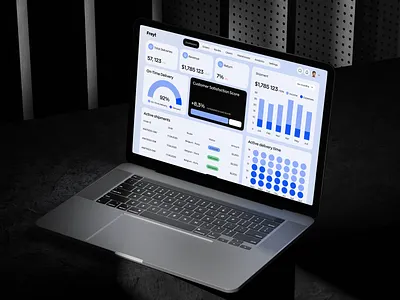
1. Real-Time Data Monitoring
Real-time monitoring means seeing what’s happening right now, not 10 minutes ago. When your API response time jumps from 200ms to 2 seconds, you need to know immediately.
What to monitor in real-time:
- Application uptime and availability
- Error rates and types
- API response times
- Active user sessions
- Database query performance
- Server CPU and memory usage
2. Customizable Visualizations
Every business has different priorities. Your dashboard should let you:
- Drag and drop widgets to rearrange layout
- Create custom charts for specific metrics
- Set thresholds for color-coded alerts (green/yellow/red)
- Choose visualization types (line graphs, pie charts, heat maps)
NocoBase’s analysis shows that customizable dashboards increase user adoption by 60% compared to rigid, one-size-fits-all solutions.
3. Automated Alerts and Notifications
Manual monitoring doesn’t scale. Set up alerts for:
- Error rates exceeding thresholds (e.g., 1% error rate)
- Performance degradation (response time >500ms)
- Traffic spikes that might crash servers
- Security events or unauthorized access attempts
- Feature usage dropping below baseline
Alerts should go where your team already works: Slack, email, SMS, or PagerDuty.
4. User Behavior Analytics
Understanding how people actually use your app reveals optimization opportunities:
- Which features get used most/least
- Where users drop off or abandon flows
- Session duration and engagement metrics
- User paths through the application
- Feature adoption rates after releases
5. Integration Capabilities
Your core app dashboard needs to pull data from your existing tech stack:
- Databases: PostgreSQL, MySQL, MongoDB
- Cloud Platforms: AWS, Google Cloud, Azure
- Error Tracking: Sentry, Rollbar, Bugsnag
- Analytics: Mixpanel, Amplitude, Segment
- APIs: REST, GraphQL endpoints
- Third-Party Tools: Stripe, Twilio, SendGrid
6. Role-Based Access Control
Different team members need different data:
- Executives: High-level KPIs, business metrics
- Engineering: Technical performance, error logs
- Product: User engagement, feature usage
- Customer Success: User satisfaction, support tickets
How to Build a Core App Dashboard (Step-by-Step)
Building an effective dashboard requires planning. Here’s the actual process:
Step 1: Define Your Key Metrics
Don’t try to monitor everything. Start with 5-10 critical metrics that directly impact your business.
For SaaS apps:
- Daily/Monthly Active Users (DAU/MAU)
- App uptime percentage
- Average response time
- Error rate
- User retention rate
- Feature engagement
For e-commerce apps:
- Transaction success rate
- Payment processing time
- Cart abandonment rate
- Search performance
- Product page load time
- API availability
Step 2: Choose Your Dashboard Platform
You have three options:
Build from scratch – Maximum customization, highest development cost, longest timeline Use dashboard builders – Balance of customization and speed (recommended) Buy pre-built solutions – Fastest deployment, least flexibility
Step 3: Connect Your Data Sources
Most dashboard platforms use connectors or APIs to pull data:
- Database connections (direct or read replicas)
- API integrations with third-party services
- Webhooks for real-time event streaming
- Log aggregation tools (Datadog, New Relic)
Kohezion emphasizes that having a single source of truth eliminates data duplication and improves accuracy.
Step 4: Design Your Layout
Organize information by priority:
- Top section: Critical alerts and real-time status indicators
- Middle section: Key performance metrics with trend lines
- Bottom section: Detailed analytics and drill-down views
- Sidebar: Navigation and time range selectors
Step 5: Set Up Alerts and Automation
Configure thresholds for automated notifications:
- Critical: Page immediately (app down, major errors)
- High: Alert within 5 minutes (performance degradation)
- Medium: Alert within 30 minutes (minor issues)
- Low: Daily summary (optimization opportunities)
Step 6: Test and Iterate
Roll out the dashboard to a small group first:
- Gather feedback on usability
- Identify missing metrics
- Adjust visualizations for clarity
- Refine alert thresholds to reduce noise
Best Tools for Building Core App Dashboards
Here are the proven platforms for different use cases:
1. Grafana (Best for Technical Monitoring)
Pros:
- Open source and free
- Excellent for time-series data
- Massive plugin ecosystem
- Powerful alerting system
- Self-hosted or cloud options
Cons:
- Steeper learning curve
- Requires technical setup
- Less suited for non-technical users
Best for: Engineering teams, DevOps, infrastructure monitoring
2. Tableau (Best for Data Analysis)
Pros:
- Incredibly powerful visualizations
- Excellent for complex data relationships
- Strong business intelligence features
- Great for executive reporting
Cons:
- Expensive (starts at $70/user/month)
- Overkill for simple monitoring
- Requires data expertise
Best for: Data analysts, business intelligence teams, enterprise reporting
3. Power BI (Best for Microsoft Ecosystem)
Pros:
- Seamless Microsoft integrations
- AI-powered insights
- Relatively affordable ($10-20/user/month)
- Good learning resources
Cons:
- Limited outside Microsoft stack
- Can be slow with large datasets
- Customization limitations
Best for: Companies using Microsoft products, business analysts
4. Looker (Best for Embedded Dashboards)
Pros:
- Excellent embedded analytics
- Powerful for customer-facing dashboards
- Cloud-native and scalable
- Strong data modeling
Cons:
- Very expensive (enterprise pricing)
- Requires SQL knowledge
- Complex setup
Best for: SaaS companies, embedded analytics, enterprise
5. NocoBase (Best for No-Code Solution)
Pros:
- No coding required
- Quick setup and deployment
- Affordable for small teams
- Good customization options
Cons:
- Less powerful than code-based solutions
- Limited advanced features
- Newer platform (less mature)
Best for: Small teams, non-technical users, rapid prototyping
6. Plasmic (Best for App Integration)
Plasmic specializes in building dashboards that integrate directly into existing applications without coding from scratch.
Pros:
- Deep application integration
- Visual builder interface
- Custom component support
- Fast deployment
Cons:
- Focused on specific use case
- Limited standalone functionality
- Requires existing application
Best for: Teams building dashboards within existing apps
Real-World Core App Dashboard Examples
SaaS Application Dashboard
Key Metrics:
- Current active users (real-time)
- API health status (green/yellow/red)
- Error rate over last 24 hours
- Feature usage heatmap
- Customer support ticket volume
- Subscription churn rate
Alert Setup:
- API downtime > 1 minute → Page on-call engineer
- Error rate > 2% → Slack alert to dev team
- Active users drop 30% → Email product manager
E-Commerce App Dashboard
Key Metrics:
- Transaction success rate
- Average order value
- Cart abandonment rate
- Search queries with no results
- Product page load times
- Payment gateway response time
Alert Setup:
- Payment processing fails > 5% → Immediate alert
- Search performance degrades → Alert within 10 minutes
- Inventory sync issues → Daily summary
Mobile App Dashboard
Key Metrics:
- App crash rate by version
- Session duration
- Screen transition times
- Push notification engagement
- In-app purchase conversion
- Battery/data usage
Alert Setup:
- Crash rate > 1% → Alert immediately
- Session duration drops 20% → Daily summary
- Critical screens load > 3 seconds → Alert within 30 minutes
Common Mistakes to Avoid
1. Tracking Too Many Metrics
More data isn’t better. Focus on metrics that drive action. If a metric doesn’t lead to a decision or change, remove it.
2. No Clear Ownership
Dashboards need owners. Assign someone to:
- Maintain and update configurations
- Review alerts and refine thresholds
- Onboard new team members
- Add new metrics as needed
3. Ignoring Mobile Optimization
Many team members check dashboards on phones. Ensure your dashboard works on mobile devices, not just desktop browsers.
4. Setting and Forgetting
Dashboards need maintenance:
- Review metrics quarterly
- Remove outdated KPIs
- Add new ones based on business changes
- Update alert thresholds as baselines shift
5. No Context for Metrics
A metric without context is meaningless. Always include:
- Comparison to previous period
- Historical trends
- Targets or benchmarks
- Related metrics for correlation
How Much Does a Core App Dashboard Cost?
DIY Open Source (Grafana)
- Software: Free
- Hosting: $50-200/month
- Setup Time: 40-80 hours
- Ongoing Maintenance: 5-10 hours/month
- Total First Year: $3,000-8,000
Commercial Platform (Tableau, Power BI)
- Licensing: $10-70/user/month
- Implementation: $5,000-20,000
- Training: $2,000-5,000
- Ongoing: $1,200-8,400/year
- Total First Year: $15,000-50,000
Custom Development
- Development: $30,000-100,000
- Ongoing Maintenance: $1,000-3,000/month
- Total First Year: $42,000-136,000
For most businesses, commercial platforms offer the best ROI.
Measuring Dashboard Success
How do you know if your dashboard is actually useful?
Quantitative Metrics
- Time to detect issues (should decrease)
- Mean time to resolution (should decrease)
- Number of “war room” emergency meetings (should decrease)
- Team members actively using dashboard (should increase)
- Alerts leading to action (should be >80%)
Qualitative Feedback
- Do team members check it daily?
- Can new hires understand it within a week?
- Does it reduce cross-team questions?
- Do people reference it in meetings?
If your dashboard sits unused, it’s not solving real problems. Iterate.
Getting Started with Your Core App Dashboard
Start small and expand:
Week 1: Define your 5 most critical metrics Week 2: Choose a platform and set up account Week 3: Connect one data source and build first widget Week 4: Add 2-3 more metrics and invite team to test Month 2: Expand data sources and refine based on feedback Month 3: Set up automated alerts and reporting
Don’t aim for perfection. Ship version 1.0 with basic functionality, then improve based on real usage.
FAQs About Core App Dashboards
What’s the difference between a core app dashboard and a BI dashboard?
Core app dashboards focus on application performance and technical metrics (uptime, errors, response times). BI dashboards focus on business intelligence and analytics (revenue, conversion rates, customer segments). Many businesses use both.
Can small startups benefit from core app dashboards?
Absolutely. Even simple dashboards help small teams catch issues faster. Start with free tools like Grafana or affordable options like Power BI to keep costs low.
How long does it take to build a core app dashboard?
Using platform builders: 1-2 weeks for basic dashboard. Custom development: 2-6 months. The setup time depends on complexity and number of data sources.
What if my app doesn’t generate much data yet?
Start with basic metrics: uptime, error logs, and user count. As you grow, add more sophisticated monitoring. It’s easier to expand an existing dashboard than build from scratch later.
Should dashboards be public or internal only?
Internal dashboards show operational metrics for your team. Some companies create simplified public status pages (like status.stripe.com) to show uptime and performance to customers. Different tools for different audiences.
How often should dashboard data refresh?
Real-time (every few seconds) for critical metrics like uptime and error rates. Every 5-15 minutes for usage analytics. Hourly or daily for trend analysis. Balance freshness with data processing costs.
The Bottom Line
Core app dashboards transform how teams monitor, manage, and improve applications. They consolidate fragmented data, enable faster issue detection, and provide actionable insights that drive better decisions.
The key is starting simple: pick 5 critical metrics, choose a platform that fits your budget and technical skills, and ship version 1.0 quickly. You can always expand and refine based on real usage.
For most businesses, commercial platforms like Power BI or Grafana offer the best balance of cost, features, and ease of use. Custom development only makes sense for very specific needs or enterprise scale.
Whether you’re running a SaaS app, e-commerce platform, or mobile application, a core app dashboard is no longer optional in 2025. It’s essential infrastructure for any team serious about application performance and user experience.