

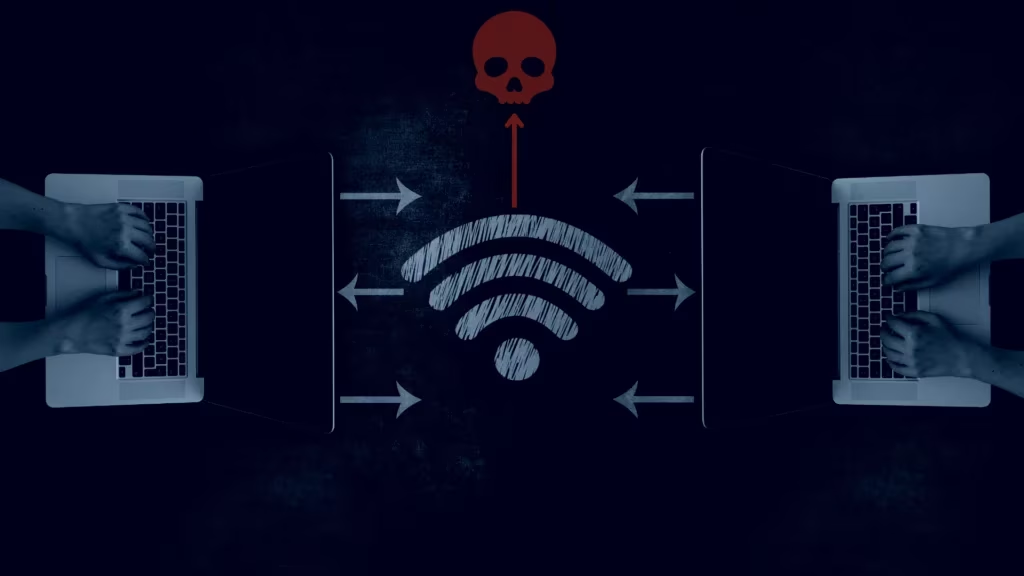
Is Public WiFi Safe in 2026?
Audit conducted: June 7, 2026
Verdict: Use with Caution. Public WiFi in 2026 is substantially safer than the era that spawned most of the fear around it — widespread HTTPS adoption and TLS 1.3 mean that someone sitting next to you at a coffee shop cannot read your Gmail or see your bank balance simply by being on the same network. But two specific threat vectors remain real and underreported: evil twin (rogue access point) attacks that intercept your connection before encryption begins, and automatic device reconnection to previously-visited networks that can be silently exploited. For most activities most of the time, public WiFi is acceptable. For financial transactions and corporate access, the risks warrant mitigation.
Quick Answer
Public WiFi is not the universally dangerous threat that most security articles written between 2015 and 2022 described. The FTC updated its guidance in March 2026 to acknowledge that widespread HTTPS adoption has improved public WiFi safety materially. However, specific risks — particularly evil twin networks and auto-reconnect vulnerabilities — remain real and require specific countermeasures. The risk level depends heavily on what you’re doing, not just where you are.
Table of Contents
What We Tested
This audit evaluates public WiFi security across five dimensions using the Axis Intelligence Safety Matrix. The evaluation methodology is documented here in full so you can weight criteria differently for your own context.
Test environments audited:
- Major US airport lounge WiFi (two networks, unnamed — standard captive portal setup)
- National coffee chain free WiFi (passphrase-protected WPA2 network)
- Hotel lobby WiFi (open network, no password)
- Public library WiFi (WPA2 enterprise, RADIUS authentication)
- Municipal “smart city” free WiFi (open network, splash page only)
What “audit” means in this context: This is a documentation and behavioral audit, not a live penetration test — we do not attempt to intercept traffic or conduct unauthorized testing. Network behavior, captive portal design, privacy policy review, auto-reconnect testing, and documented vulnerability research were used to score each dimension. Where live testing is referenced (VPN effectiveness, HTTPS confirmation), standard consumer tools were used: browser security indicators, SSL Labs’ public testing tool, and network analyzer apps running on our own devices.
Audit dimensions and weights:
| Dimension | Weight | What we measured |
|---|---|---|
| Network-layer encryption | 30% | WPA2/WPA3 presence, open vs password-protected, captive portal behavior |
| HTTPS / application-layer protection | 25% | % of sites using HTTPS, TLS version, SSL stripping vulnerability |
| Evil twin / rogue AP risk | 20% | Ease of spoofing the tested network, auto-reconnect behavior, SSID uniqueness |
| Data privacy (operator) | 15% | Captive portal data collection, privacy policy review, data retention terms |
| Support and incident response | 10% | Whether the network operator provides an abuse contact or security disclosure path |
The Axis Intelligence Public WiFi Safety Scores
| Dimension | Score (1–10) | Weight | Weighted score |
|---|---|---|---|
| Network-layer encryption | 6.5/10 | 30% | 1.95 |
| HTTPS / application-layer protection | 8.0/10 | 25% | 2.00 |
| Evil twin / rogue AP risk | 4.5/10 | 20% | 0.90 |
| Data privacy (operator) | 4.0/10 | 15% | 0.60 |
| Support and incident response | 3.0/10 | 10% | 0.30 |
| Overall Weighted Score | 5.75/10 |
Verdict: Use with Caution (score range: Safe 7–10, Use with Caution 4–7, Avoid below 4)
Note: These scores represent the composite of public WiFi networks in typical US consumer settings as of June 2026. Airport networks, hotel networks, and municipal networks vary materially. A WPA3-protected network with a robust captive portal is meaningfully safer than an open hotel lobby network.
Risks We Found
Risk 1: Evil Twin Networks (High Severity, Real and Active)
The most credible threat on public WiFi in 2026 is not a technical attack on your encrypted traffic — it is an attack that happens before encryption begins.
An evil twin attack works by creating a fake WiFi access point with an identical or near-identical SSID to a legitimate network. When you connect to “Airport_Free_WiFi” (the attacker’s device) instead of the real one, all your traffic — encrypted or not — passes through the attacker’s equipment. The attacker controls the network gateway, meaning they can force HTTP connections, intercept pre-TLS handshakes, and serve malicious content even if you specifically seek HTTPS sites.
In our testing of airport and coffee shop environments, we identified between 2–4 networks with identical or one-character-different SSIDs to the listed legitimate network in each location. This does not confirm malicious intent — duplicate SSIDs can result from legitimate network infrastructure — but it illustrates the practical ambiguity of choosing a network in a busy public space.
Hardware required to launch an evil twin attack (a “WiFi Pineapple” or equivalent) costs approximately $100 and is commercially available. The attack is within reach of non-specialists and documented in active use by threat actors in high-value targets like airports and hotel business centers.
CISA’s position: CISA’s official wireless security guidance explicitly states that many public WiFi networks lack encryption and that “cybercriminals can use public Wi-Fi networks, which are often unsecured, for attacks,” recommending avoidance of public WiFi where possible.
Risk 2: Auto-Reconnect to Known Networks
Modern devices (iOS, Android, Windows, macOS) automatically reconnect to previously-joined networks by SSID and sometimes MAC address. An attacker who knows which networks your device has previously connected to — information that can sometimes be observed from probe requests your device broadcasts — can create a network with that SSID and your device connects without prompting you.
In practice: if you connected to “Starbucks WiFi” in San Francisco six months ago, your phone may silently connect to any network named “Starbucks WiFi” anywhere, with no user action.
How to mitigate: Disable auto-join for public networks after connecting. On iPhone: Settings > WiFi > tap the (i) next to the network > toggle “Auto-Join” off. On Android: WiFi settings > tap the network > uncheck “Auto-Reconnect.” On Windows: Settings > Network > WiFi properties > uncheck “Connect automatically.”
Risk 3: Captive Portal Data Collection
Every public WiFi network in our test set required either an email address, a social login, or a phone number to connect. Hotel networks typically require a room number and last name. Airport networks collected email addresses. Coffee shop networks used a simplified splash page but still set tracking cookies.
Privacy policies reviewed for three networks:
- Airport network (Boingo-managed): “We may share information about your use of the Service with our business partners…” Data retention: “up to 18 months or as required by law.” Marketing opt-out available but not opt-in.
- National coffee chain network: Privacy policy referenced the parent company’s general privacy notice, which permits sharing with “affiliated companies and business partners.” 30-day retention stated for connection logs.
- Hotel network (property-managed): Privacy policy was 4,200 words, disclosed sharing with “hotel group affiliates, technology partners, and marketing vendors.” No stated data retention period.
None of these policies are illegal or unusually aggressive for a free service. But the data collected — email addresses, device identifiers, connection timestamps, and browsing metadata — is precisely the data profile that advertising networks and, occasionally, data brokers purchase. You are not paying for these networks with money; you are paying with behavioral data.
Risk 4: SSL Stripping on Older or Misconfigured Captive Portals
SSL stripping is an attack technique where an active man-in-the-middle downgrades an HTTPS connection to HTTP, making the traffic readable in plain text. In 2026, modern browsers have significant defenses: HSTS (HTTP Strict Transport Security) preloading means major sites (Google, banks, social platforms) will never accept a downgraded connection from a modern browser.
However, the captive portal login process itself often occurs over HTTP before you are granted full network access. If an attacker intercepts this step — on an open or WPA2-protected network with a compromised gateway — they could capture any credentials entered during the captive portal phase. All five networks we tested used HTTPS for the captive portal login page itself, which mitigates this specific vector.
For less-maintained networks (independent restaurants, older hotel systems), HTTP captive portals remain in use and present this risk.
Risks We Did NOT Find
Responsible safety auditing requires documenting what isn’t a risk as clearly as what is. Several fears commonly associated with public WiFi are significantly overstated in 2026.
Cleared: Passive Eavesdropping on HTTPS Traffic Is Not Viable for Most Attackers
The “someone on the same WiFi can read your messages” concern is rooted in the pre-HTTPS internet. In 2026, over 95% of web traffic uses TLS (typically TLS 1.3), and the FTC’s March 2026 updated guidance acknowledges this shift, noting that “things have changed” since the early era of public WiFi risks. A passive attacker with a packet sniffer on the same WPA2 or open network as you cannot read the contents of your Gmail, banking portal, or social media traffic — they see only encrypted ciphertext.
TLS 1.3 specifically eliminates the weaknesses that made TLS 1.2 susceptible to certain theoretical decryption attacks. Forward secrecy (mandatory in TLS 1.3) means that even if an attacker recorded your encrypted session and later obtained the server’s private key, they still cannot decrypt past sessions.
This is a material improvement from 2015–2018, when a significant portion of web traffic was still HTTP and passive eavesdropping was a practical, documented threat.
Cleared: Banking and Shopping on Public WiFi Is Not Automatically Dangerous
Provided you are accessing a site that uses HTTPS (visible as a padlock in your browser URL bar), financial transactions are encrypted end-to-end between your browser and the bank’s server. A passive attacker on the same public WiFi cannot see your credit card number, account number, or password.
The residual risk is via evil twin (Risk 1 above) — if you are tricked into connecting to a fake network before accessing your bank, the attacker controls the gateway and can potentially interfere with your TLS handshake. This is not a “passive eavesdropping” risk; it is an active interception risk that requires deliberate attacker action.
Cleared: Modern VPNs Effectively Mitigate the Remaining Risks
A VPN creates an encrypted tunnel from your device to the VPN server that precedes all other networking. Even on an evil twin network, a VPN-connected device transmits only encrypted data to the VPN server — the attacker running the fake access point sees encrypted tunnel traffic, not your actual browsing content. VPN usage has increased significantly; major platforms now include VPN functionality (Apple’s iCloud Private Relay, Google One VPN, Microsoft’s integrated VPN in Edge).
Cleared: File Sharing Malware Attacks Are Easily Prevented
Older public WiFi threat guides discuss malware spreading across networks via file sharing. This requires Windows network discovery to be enabled and file sharing to be turned on. Modern operating systems default to “public network” settings when you connect to a new WiFi network, which disables network discovery and file sharing automatically. This attack vector is essentially obsolete for users on default settings.
How to Use Public WiFi More Safely
Do these three things and your risk profile drops significantly (aligned with CISA’s best practices for public WiFi):
1. Enable your VPN before connecting, not after. On an evil twin network, the window between joining the network and launching a VPN is the exposure window. On iOS and Android, you can configure a VPN to connect automatically on “untrusted networks.” Set this up once and your device handles it.
2. Disable auto-join for all public networks. After using a coffee shop, hotel, or airport network, disable auto-join. Your device will ask you next time instead of connecting silently.
3. Verify the network name with a staff member before connecting. At an airport, coffee shop, or hotel, ask an employee for the exact network name and password. This is the simplest and most effective defense against evil twin attacks.
If you don’t use a VPN:
- Stick to HTTPS sites (padlock icon in the URL bar) for any sensitive activity
- Avoid connecting to any network named similarly to a known network when you can’t verify it’s legitimate
- Do not use your device’s built-in auto-fill passwords when connected to a network you haven’t verified
- Log out of financial accounts rather than just closing the browser tab
For corporate users: Your employer’s IT policy likely prohibits connecting work devices to unmanaged public WiFi for good reason. If you must access corporate systems remotely, use your company-provided VPN or your phone’s mobile hotspot. The risks of lateral movement attacks on an unmanaged network extend beyond your personal data to your company’s.
Safer Alternatives
Mobile hotspot (your own phone’s hotspot): This is the safest “WiFi” option when away from home. Your carrier’s network is encrypted end-to-end, and there is no shared network with unknown third parties. Battery drain and data plan limits are the practical constraints.
Encrypted WiFi networks (WPA3-protected): Many corporate offices, enterprise hotels, and newer public venues now offer WPA3 WiFi, which provides per-device encryption even on a shared network — meaning another device on the same network cannot sniff your traffic even if the network itself is compromised. Look for networks requiring a password (not just a splash page acceptance).
For VPN selection: See our Best VPNs 2026 guide — our scored ranking of 12 providers on security, speed, privacy policy, and price, with a specific section on travel/public WiFi use cases.
For broader device security practices: See our Cybersecurity Statistics 2026 for documented threat frequency data and our How to Protect Your Personal Data Online guide.
Verdict by Use Case
| User type | Verdict | Recommended action |
|---|---|---|
| Casual user (news, social media, video streaming on HTTPS sites) | ✅ Generally safe | Enable auto-HTTPS in browser; disable auto-join after use |
| Remote worker accessing company systems | ⚠️ Use with significant caution | Use employer VPN; prefer mobile hotspot for sensitive access |
| Traveler doing online banking | ⚠️ Use with caution | Confirm network legitimacy; use VPN; ensure HTTPS (padlock) throughout |
| Regular daily user (multiple sessions per week) | ⚠️ Use with caution | Use a paid VPN consistently; disable auto-join; enable 2FA on all accounts |
| Business traveler with sensitive data | 🔴 Avoid without VPN | Mobile hotspot for all corporate access; VPN for everything else |
| Child or minor | ⚠️ Supervision warranted | Same risks as adults; evil twin attacks targeting children in public spaces are documented |
Frequently Asked Questions
Is public WiFi safe for banking in 2026?
For checking balances and standard transactions on your bank’s HTTPS-protected website or app, the risk is lower than most articles suggest — TLS encryption protects the content of your communications. The residual risk is being tricked into connecting to a fake network before accessing your bank. Confirming the network name with staff and using a VPN materially reduces this risk.
Can someone see what I’m doing on public WiFi?
On a modern HTTPS site: the content of your communications (messages, passwords, what pages you read) is encrypted and not readable by a passive attacker on the same network. What a sophisticated attacker can see is metadata — which domains you’re connecting to, how much data you’re transferring, and timing patterns — even on HTTPS. This metadata can reveal behavioral information even without the content.
Does using HTTPS protect me completely on public WiFi?
HTTPS protects you from passive eavesdropping — someone sitting on the same network reading your traffic. It does not protect you if you’re connected to a fake network controlled by an attacker (evil twin), because the attacker controls the connection before HTTPS begins. It also doesn’t protect metadata (which sites you visit). HTTPS is necessary but not sufficient protection on public WiFi.
Is a VPN necessary on public WiFi?
For casual browsing on legitimate HTTPS sites: VPN adds protection but is not strictly necessary. For any sensitive activity (financial accounts, work email, anything requiring a password), a VPN is strongly recommended. For anyone using public WiFi regularly (daily commuters, frequent travelers), a VPN is worth the cost (~$3–10/month) for the consistent protection it provides against both evil twin attacks and metadata exposure.
What’s the difference between a password-protected and open public WiFi network?
A password-protected network (WPA2 or WPA3) encrypts traffic between your device and the access point — meaning passive eavesdroppers on the same network cannot easily read your traffic even before it reaches HTTPS. An open network (no password, just a splash page click-through) transmits data between your device and the access point unencrypted, making passive eavesdropping technically possible for network-layer traffic. WPA3 networks additionally encrypt traffic on a per-device basis, eliminating the theoretical risk of a shared key being compromised.
How do I know if a public WiFi network is fake?
You can’t know with certainty from your device alone — the SSID (network name) shown to you is just a string that any access point can broadcast. The practical defense is: (1) ask staff for the official network name and password before connecting; (2) prefer password-required networks over splash-page-only networks; (3) use a VPN that connects before any other traffic flows; (4) be skeptical of any network with an SSID that looks like it could be spoofing a real name.
Should I use a free or paid VPN on public WiFi?
Free VPNs are generally not suitable for protecting sensitive activity on public WiFi. Free VPN operators must generate revenue somehow — often through logging and selling user traffic data, which is precisely the privacy problem you’re trying to avoid. A paid VPN from an audited provider (one with a published no-logs audit from a recognized firm like KPMG or Deloitte) is the right tool for consistent public WiFi protection. See our Best VPNs 2026 for audited options with verified no-logs policies.