


Best Antivirus Software 2026
Quick Answer: Norton 360 Deluxe ($49.99/first year) offers the strongest combination of malware protection, extra features, and independent lab scores for most users in 2026. Bitdefender Total Security ($19.99/first year) delivers near-identical protection with a lighter system footprint and lower entry price. For users who want antivirus bundled with a premium VPN, Surfshark One ($2.49/month) is the best value package on the market.
What we evaluated: 12 antivirus solutions across malware detection, system performance impact, real-time protection, bundled features, pricing transparency, and independent lab results from AV-TEST and AV-Comparatives.
Key finding: Renewal pricing is the hidden trap of the antivirus industry. First-year promotional prices can triple upon renewal — Bitdefender Antivirus Plus jumps from $9.99 to $39.99, TotalAV leaps from $29 to $129, and Norton 360 Deluxe goes from $49.99 to $119.99. The best antivirus for you depends as much on the renewal price you’re willing to pay long-term as on protection quality.
Table of Contents
Why Trust This Analysis
The antivirus market is dominated by affiliate-driven comparisons where rankings correlate suspiciously well with commission rates. This analysis takes a different approach: we cross-reference results from two independent testing laboratories — AV-TEST (Germany) and AV-Comparatives (Austria) — alongside verified pricing, documented limitations, and real feature audits.
Our approach: Every tool was evaluated on current malware detection rates, system performance impact during scans, real-time protection effectiveness, quality of bundled extras (VPN, password manager, identity protection), and pricing honesty — including renewal rates that most reviews conveniently omit.
What we prioritize: Protection effectiveness (does it actually stop threats?), system impact (does it slow your computer?), value transparency (what does it really cost after year one?), and cross-platform coverage (does it protect all your devices?).
Independence note: Axis Intelligence maintains no affiliate relationships with any antivirus vendor in this analysis. Our revenue comes from advertising and sponsored content, which is always clearly labeled and separate from editorial evaluations.
Antivirus Software Comparison at a Glance
| Antivirus | Best For | First-Year Price | Renewal Price | Free Plan | Standout Feature | Key Limitation |
|---|---|---|---|---|---|---|
| Norton 360 Deluxe | Overall protection | $49.99/yr | $119.99/yr | No | AI-powered scam detection + LifeLock integration | No free tier; renewal is steep |
| Bitdefender Total Security | Lightweight protection | $19.99/yr | $89.99/yr | Yes (basic) | Advanced threat defense with minimal system impact | VPN limited to 200MB/day unless Premium |
| Surfshark One | VPN + antivirus bundle | ~$33.62/yr | ~$33.62/yr | No | Unlimited devices + top-tier VPN included | Not independently tested by AV-Comparatives |
| TotalAV | Beginners | $29/yr | $129/yr | Limited | System optimization tools + ad blocker | Massive renewal price jump; no firewall |
| McAfee Total Protection | Multi-device families | $29.99/yr | $84.99/yr | No | Unlimited device coverage on higher plans | Heavy system resource usage during scans |
| ESET Home Security | Advanced users | $39.99/yr | $49.99/yr | No | Lowest system impact; granular controls | Fewer features on macOS and mobile |
| Avast One | Ease of use | $35.88/yr | $95.88/yr | Yes | Smart Scan beyond malware (junk files, network) | Pushes its own browser aggressively |
| AVG Internet Security | Budget paid option | $35.88/yr | $71.88/yr | Yes | Shared engine with Avast; lower renewal | No parental controls |
| Avira Free Security | Best free option | Free | N/A | Yes | Real-time protection included free | Constant upsell prompts; limited VPN data |
| Microsoft Defender | Built-in Windows users | Free | N/A | Yes (built-in) | Zero install required; decent baseline | Lacks advanced features; fewer protections than dedicated suites |
| Webroot AntiVirus | Older/slower PCs | $23.99/yr | $39.99/yr | No | Ultra-lightweight cloud-based scans | Limited extras; no VPN or identity tools |
| Malwarebytes Premium | Malware removal | $44.99/yr | $59.99/yr | Yes (scan only) | Industry-leading malware remediation | Real-time protection weaker than top competitors |
Norton 360 Deluxe
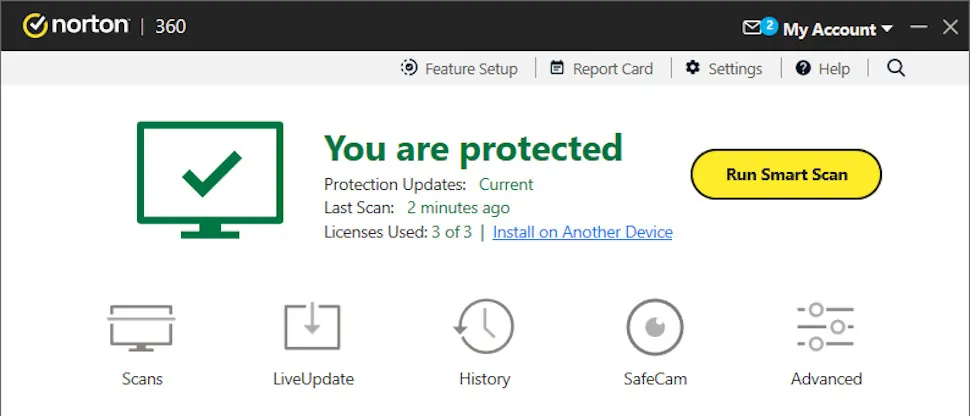
Best for: Users who want comprehensive, set-it-and-forget-it protection with identity monitoring
Norton 360 Deluxe consistently earns the highest aggregate scores across independent testing labs. In AV-TEST’s December 2025 evaluation, Norton achieved a perfect 18/18 score across protection, performance, and usability. AV-Comparatives named Norton a Top-Rated Product for 2025, awarding it seven Advanced+ ratings and Gold for real-world protection.
What stands out:
- Perfect or near-perfect malware detection rates across all major independent labs throughout 2025
- AI-powered scam protection that detects phishing in texts, emails, and deepfake videos — a 2026 addition that competitors haven’t matched
- Integrated VPN with unlimited data on all plans, unlike Bitdefender’s 200MB daily cap
- 50GB cloud backup included (Windows only), which doubles as a ransomware recovery tool
Where it falls short:
- Renewal pricing jumps significantly — the Deluxe plan goes from $49.99 to $119.99 after year one, with a further price increase effective March 2026
- No free tier whatsoever; even the 7-day trial requires a payment method upfront
- The Norton interface, while functional, can feel cluttered with upsells for additional LifeLock tiers
Pricing: Antivirus Plus starts at $19.99/yr (1 device). Norton 360 Standard: $39.99/yr (1 device + VPN). Norton 360 Deluxe: $49.99/yr (5 devices + parental controls). Norton 360 with LifeLock Select: $99.99/yr (10 devices + identity theft monitoring). All prices are first-year promotional rates.
Who should consider it: Anyone willing to pay a premium for the most complete protection suite that bundles antivirus, VPN, cloud backup, dark web monitoring, and parental controls into one subscription.
Who should look elsewhere: Budget-conscious users who will be hit hard by the renewal price jump. If you only need antivirus protection without identity monitoring extras, Bitdefender offers comparable malware defense at a fraction of the cost.
Bitdefender Total Security
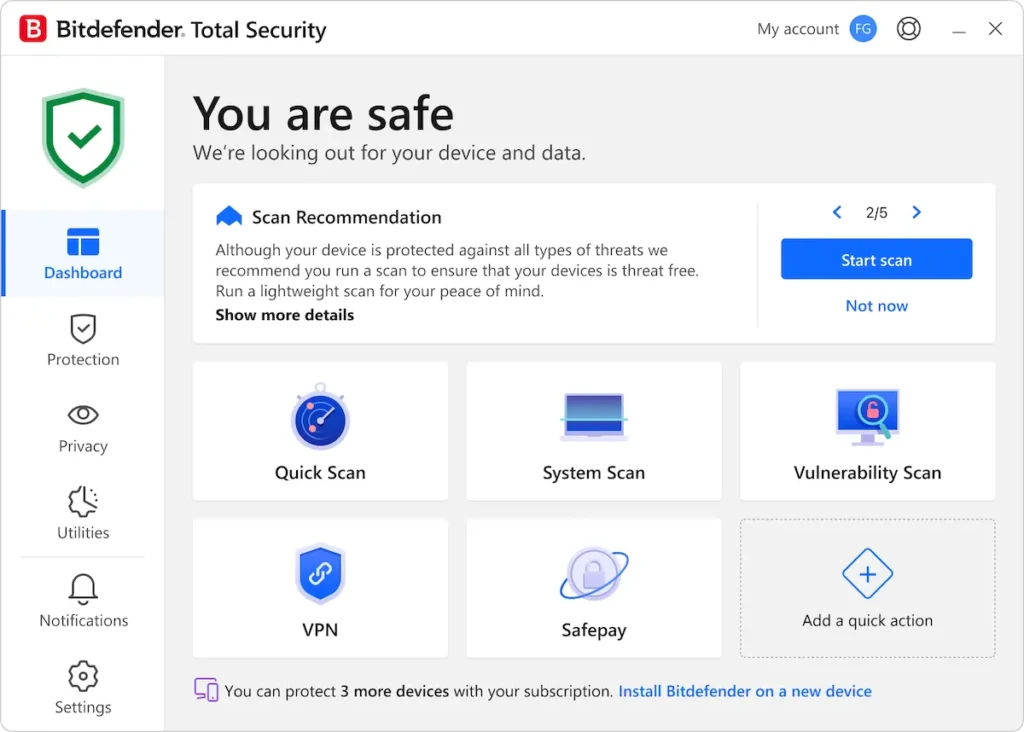
Best for: Users who want top-tier malware protection without slowing down their computer
Bitdefender is a consistent top performer in independent lab testing. AV-Comparatives awarded it Top-Rated Product status for 2025 and Gold in the Advanced Threat Protection test. Bitdefender and ESET were the only two products to block all 15 targeted attacks in AV-Comparatives’ 2025 Advanced Threat Protection testing — a critical metric for stopping sophisticated, real-world attacks.
What stands out:
- Exceptional advanced threat defense: blocks ransomware, fileless attacks, and zero-day exploits using behavioral detection layered on top of signature-based scanning
- Minimal system performance impact — consistently rated among the lightest antivirus suites by independent labs
- Free Windows antivirus available with the same core malware engine as paid plans, making it one of the best free options for basic protection
- Cross-platform coverage across Windows, macOS, Android, and iOS with a single subscription
Where it falls short:
- The built-in VPN is capped at 200MB per day unless you purchase the Premium Security plan ($79.99/yr first year), which limits its usefulness for everyday browsing
- Renewal prices are steep: Total Security jumps from $19.99 to $89.99 after year one, and Premium Security goes from $79.99 to $159.99
- macOS and iOS versions lack several features available on Windows, including the device optimizer and some advanced threat defense modules
Pricing: Antivirus Plus (Windows only): $9.99/yr first year. Total Security: $19.99/yr first year (5 devices). Premium Security: $79.99/yr first year (10 devices, unlimited VPN). Ultimate Security: $89.99/yr first year (adds identity protection). Free antivirus available for Windows with basic real-time protection.
Who should consider it: Performance-conscious users who run resource-intensive applications (gaming, video editing, development) and need protection that won’t create noticeable lag. Also excellent for anyone who wants to start with the free tier and upgrade only if needed.
Who should look elsewhere: Users who rely heavily on a VPN should look at Norton (unlimited VPN included) or Surfshark One (premium VPN bundled) rather than paying Bitdefender’s premium tier just for unlimited VPN access.
Surfshark One
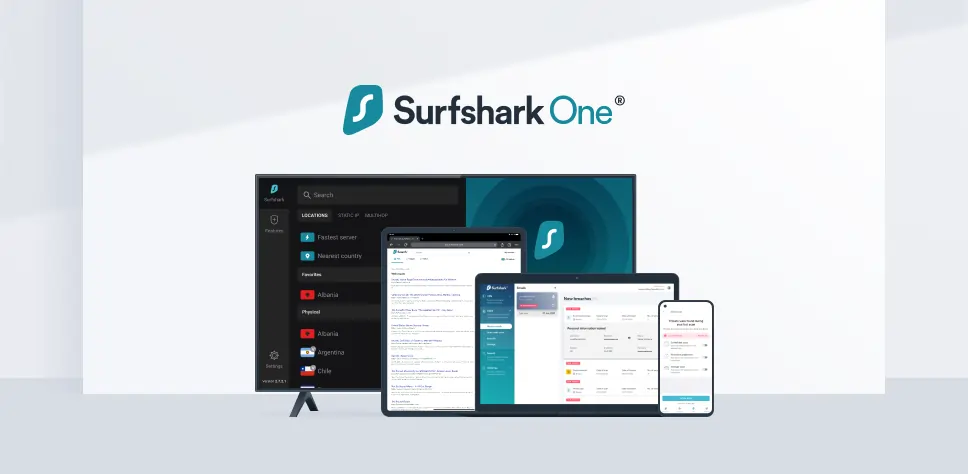
Best for: Users who want a combined antivirus and premium VPN at the lowest total cost
Surfshark built its reputation as a VPN provider, but its antivirus component has matured significantly. Surfshark earned AV-TEST certification for its Windows antivirus, and independent reviewers have noted strong real-time protection performance, though the product is not yet regularly tested by AV-Comparatives.
What stands out:
- Unlimited device coverage on a single subscription — no artificial device caps, unlike most competitors
- The bundled VPN is genuinely one of the best on the market, rated highly for speed, streaming compatibility, and privacy
- No dramatic renewal price increases — Surfshark’s pricing structure is more transparent than most antivirus vendors
- Webcam protection (beta) blocks unauthorized camera access, a feature missing from McAfee and TotalAV
Where it falls short:
- Not regularly tested by AV-Comparatives, the gold standard for independent antivirus evaluation, which means less third-party verification of its detection rates
- Lacks a built-in firewall, which competitors like Bitdefender, Norton, and ESET include as standard
- No parental controls or password manager included — if you need family safety features, look elsewhere
- Scan times can be slower than competitors, particularly for full system scans
Pricing: Surfshark One: ~$2.49/month (billed every two years). Surfshark One+: adds data removal service at a higher monthly rate. All plans include the full VPN, antivirus, data breach alerts, and private search engine.
Who should consider it: Anyone already paying separately for a VPN and antivirus. Combining both through Surfshark One typically costs less than a standalone premium VPN alone.
Who should look elsewhere: Enterprise or power users who need verified, lab-tested protection backed by extensive independent evaluations. Norton or Bitdefender offer more thoroughly documented detection rates.
TotalAV
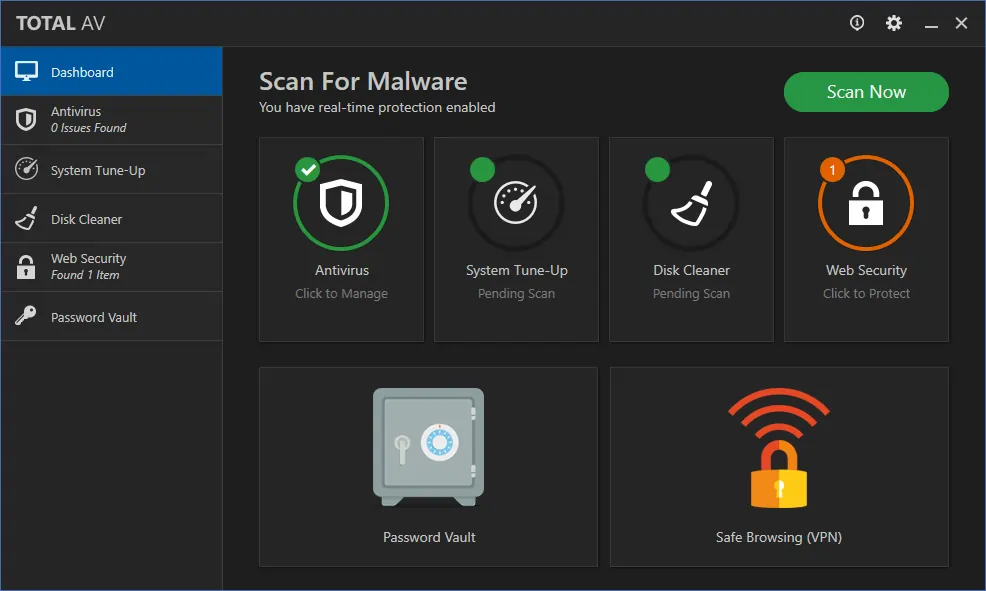
Best for: First-time antivirus users who want simple, beginner-friendly protection
TotalAV has earned perfect 6/6 scores from AV-TEST across protection, performance, and usability since December 2024, putting it in rare company alongside Norton and McAfee. Its interface is among the most approachable in the industry, making it a strong choice for non-technical users.
What stands out:
- Extremely beginner-friendly interface with clear visual indicators and minimal configuration needed
- System optimization tools that actually work — Total Adblock prevents malicious scripts while reducing page load times, and the junk file cleaner freed several gigabytes in our testing
- Affordable first-year pricing starting at $29 for the Antivirus Pro plan covering three devices
- Strong web protection through WebShield, which flags malicious URLs, blocks suspicious downloads, and enforces HTTPS connections
Where it falls short:
- The renewal price jump is among the worst in the industry: from $29 to $129 per year for Antivirus Pro — more than a 4x increase
- No built-in firewall on any plan, which means you’re relying on your operating system’s default firewall
- Real-time protection showed mixed results in some independent tests, with lower detection rates than Norton or Bitdefender in certain malware sample evaluations
- The free version is essentially useless — real-time protection expires after a brief trial period, leaving only manual scans
Pricing: Antivirus Pro: $29/yr first year (3 devices). Internet Security: $39/yr first year (5 devices, VPN included). Total Security: $49/yr first year (6 devices, adds password manager). Renewal rates jump to $129, $149, and $179 respectively.
Who should consider it: Non-technical users who want a clean, easy-to-navigate interface with useful optimization tools bundled in. Best approach: sign up for the first year at the promotional price and evaluate alternatives before renewal hits.
Who should look elsewhere: Power users who want a firewall, granular controls, or consistent long-term pricing. The renewal rate makes TotalAV one of the most expensive options by year two.
McAfee Total Protection
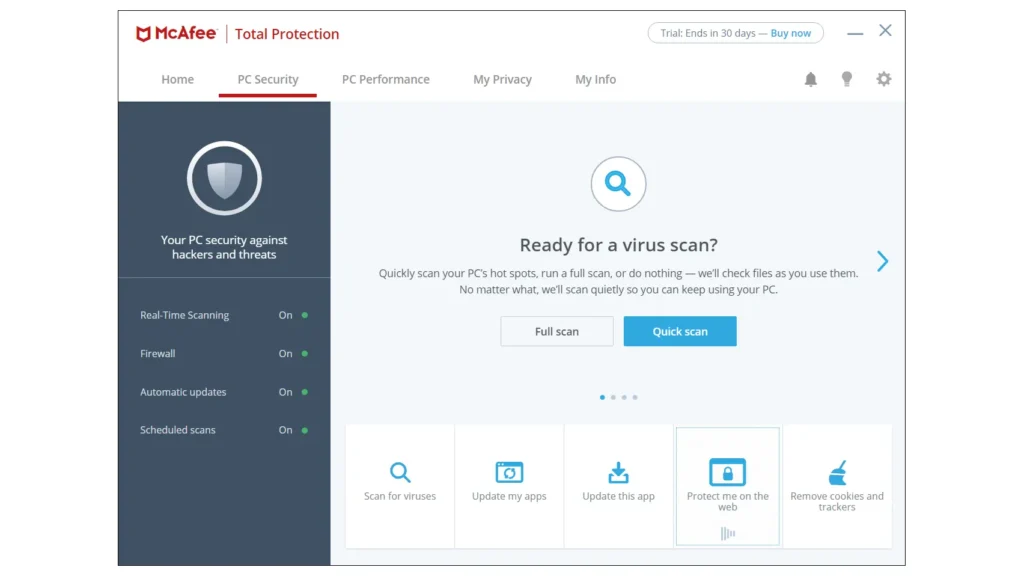
Best for: Large families who need protection across an unlimited number of devices
McAfee is one of the oldest names in antivirus, and its 2026 strategy centers on breadth: higher-tier plans cover unlimited devices across Windows, macOS, Android, iOS, and ChromeOS. For households with 10+ devices, this can represent significant savings compared to per-device licensing.
What stands out:
- Unlimited device coverage on McAfee+ plans, which no other major vendor offers at comparable price points
- Comprehensive identity monitoring even on mid-tier plans, including VPN, password manager, and personal data cleanup
- AI-powered scam detection for text messages and emails added in 2026
- AV-Comparatives recognized McAfee with Bronze awards for real-world protection in 2025 — not top-tier, but still above the baseline
Where it falls short:
- Heavier system resource usage than competitors during scans — noticeable on older hardware or during multitasking
- Customer support is limited to phone only; no email or live chat options, which can be frustrating for quick questions
- Renewal pricing is aggressive: McAfee+ Advanced jumps from $89.99 to $199.99 per year, more than doubling
- AV-Comparatives results place McAfee below Bitdefender, Norton, ESET, and Avast in overall detection effectiveness
Pricing: McAfee Total Protection (Basic): $29.99/yr first year (1 device). McAfee Essential: $39.99/yr (5 devices). McAfee+ Premium: $49.99/yr (unlimited devices). McAfee+ Advanced: $89.99/yr (unlimited devices + enhanced identity protection). 30-day free trial available.
Who should consider it: Families with many devices who need comprehensive coverage without per-device charges. The unlimited device model genuinely saves money for households with 8+ smartphones, tablets, and computers.
Who should look elsewhere: Performance-sensitive users, gamers, or anyone with older hardware. McAfee’s resource footprint during scans is noticeably heavier than Bitdefender, ESET, or Surfshark.
ESET Home Security
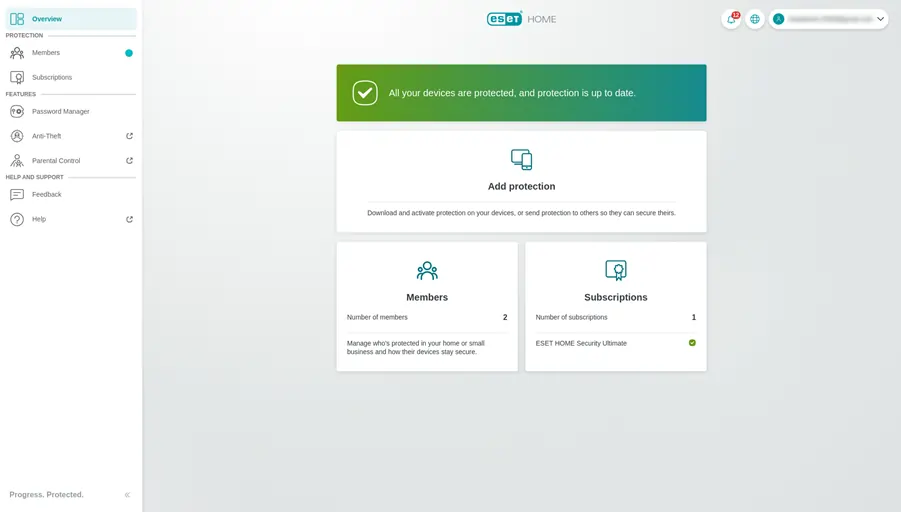
Best for: Advanced users and gamers who need maximum control with minimal system impact
ESET achieved something no other product matched in AV-Comparatives’ 2025 testing: it earned the highest Advanced+ rating in all seven tests across the full Consumer Main-Test Series. Alongside Bitdefender, ESET was one of only two products to block all 15 targeted attacks in the Advanced Threat Protection evaluation. For users who care about raw detection performance, ESET’s track record is difficult to argue with.
What stands out:
- The lightest system footprint among premium antivirus suites — built on the NOD32 engine refined over decades to monitor system calls without visible lag
- Gamer mode pauses all notifications and background tasks automatically, making it the strongest choice for gamers
- No mandatory auto-renewal — ESET, along with G Data, is one of the few vendors that doesn’t force auto-renewal at checkout, a consumer-friendly practice that deserves recognition
- Deep configurability: botnet protection, brute force attack prevention, UEFI scanner, and customizable firewall rules that power users will appreciate
Where it falls short:
- macOS and mobile apps have significantly fewer features than the Windows version, making ESET less compelling for mixed-device households
- The interface is functional but not intuitive for beginners — designed for users who know what they’re configuring
- More expensive than Bitdefender at comparable feature levels, particularly in the Premium and Ultimate tiers
Pricing: ESET Antivirus: $39.99/yr (1 device). Home Security Essential: $49.99/yr (5 devices). Home Security Premium: $69.99/yr (adds password manager, VPN, encryption). ESET Ultimate: $89.99/yr (adds unlimited VPN + identity protection). 30-day free trial on all plans.
Who should consider it: Technical users, gamers, and professionals running resource-heavy workflows who want military-grade detection without the system overhead. Also a strong choice for anyone who appreciates transparent, non-predatory subscription practices.
Who should look elsewhere: Non-technical users and mixed Mac/PC households. Bitdefender or Norton provide a smoother, more consistent cross-platform experience.
Avast One
Best for: Beginners who want solid protection without needing to understand security settings
Avast earned Top-Rated Product status from AV-Comparatives in 2025, reaching Advanced+ in six of seven tests and winning Gold for overall performance. Its Smart Scan feature — which checks for malware, system vulnerabilities, and junk files in a single pass — makes it the easiest antivirus to recommend to users who just want to click one button and stay safe.
What stands out:
- Smart Scan goes beyond malware detection to identify outdated software, weak passwords, and network vulnerabilities in a single automated scan
- Free version is genuinely useful — includes real-time protection, limited VPN, and basic firewall, putting it above most free competitors
- Low false positive rate, meaning legitimate files and websites are rarely blocked incorrectly
- Default settings require almost no configuration; protection works out of the box
Where it falls short:
- Avast aggressively promotes its own browser during installation and periodically pushes notifications to switch default browsers, which frustrates many users
- No parental controls on any plan, which limits its appeal for families with children
- Paid plans are relatively expensive for what you get: Avast One starts at $35.88/yr but goes up to $95.88 on renewal — more than Bitdefender Total Security
- VPN data is limited on lower tiers, requiring the Premium plan for unlimited bandwidth
Pricing: Avast Free Antivirus: Free (basic malware protection + limited VPN). Avast One (Individual): $35.88/yr first year (5 devices). Avast One (Family): $47.88/yr first year (30 devices). Renewal rates approximately double.
Who should consider it: People setting up protection for less tech-savvy family members, or anyone who wants dependable baseline protection without the learning curve. The free tier is one of the strongest available.
Who should look elsewhere: Users who dislike intrusive upselling or need parental controls. The aggressive browser promotion alone drives many users to Bitdefender or Norton.
AVG Internet Security
Best for: Budget-conscious users who want paid protection without a hefty price tag
AVG shares Avast’s malware engine — both are owned by Gen Digital (formerly NortonLifeLock/Avast Group) — and earned identical Top-Rated Product status from AV-Comparatives in 2025 with Gold awards. The key difference: AVG’s renewal pricing is lower, making it a better long-term value for users who want a paid product without the renewal shock.
What stands out:
- Same advanced malware engine as Avast, meaning identical detection rates and lab scores
- Lower renewal pricing than Avast: $71.88/yr versus Avast’s $95.88 for comparable coverage
- Excellent free version — AVG Free Antivirus consistently ranks among the best free options for Windows
- Clean, straightforward interface with less aggressive upselling than Avast
Where it falls short:
- No parental controls, same as Avast
- No built-in VPN — if you need VPN coverage, you’ll need a separate subscription
- Feature set on the paid tier is more basic than Norton or Bitdefender at similar price points
- Brand perception: many users still associate AVG with the pre-acquisition era when free AVG was considered “budget” security
Pricing: AVG Free Antivirus: Free. AVG Internet Security: $35.88/yr first year (10 devices). AVG Ultimate (includes VPN + tuneup): $55.99/yr first year. Renewal: $71.88/yr for Internet Security.
Who should consider it: Users who want the core malware protection of Avast at a lower ongoing cost, without needing VPN or parental controls bundled in.
Who should look elsewhere: Users who need a complete security suite with VPN, identity protection, and parental controls. Norton or Bitdefender offer more at a slightly higher price.
Avira Free Security
Best for: Users who want the most feature-rich free antivirus available
Avira’s free tier stands out because it includes real-time protection, a basic VPN (1GB/month data), a password manager, and a software updater — a package that paid competitors charge $30+ per year to match. Consumer Reports ranked Avira as its top free and paid antivirus for Windows in early 2026, and AV-Comparatives’ 2025 real-world protection test showed Avira blocking 99.5% of threats.
What stands out:
- The most generous free tier in the market: real-time protection, limited VPN, password manager, and software updater at no cost
- Strong malware detection rates validated by AV-Comparatives, with solid performance across both real-world and on-demand testing
- Software updater notifies users of outdated applications and drivers — a practical feature that reduces vulnerability exposure
- Available on Windows, macOS, Android, and iOS even on the free plan
Where it falls short:
- Constant upsell prompts to purchase Avira Prime (the paid suite), which degrades the user experience significantly
- The free VPN is limited to 1GB per month — enough for occasional emergency use but not daily browsing
- Paid plans (Avira Prime: $59.99/yr first year) don’t offer enough extra value over competitors like Bitdefender to justify the upgrade
- Customer support is limited on the free tier — essentially forum and FAQ only
Pricing: Avira Free Security: Free. Avira Antivirus Pro: $26.99/yr first year. Avira Prime: $59.99/yr first year (includes unlimited VPN, all premium features). Avira Internet Security: $34.99/yr first year.
Who should consider it: Anyone who categorically refuses to pay for antivirus but wants more than basic protection. Avira Free genuinely delivers a useful security package at zero cost.
Who should look elsewhere: Users who are annoyed by frequent upgrade prompts. If you’re going to pay for antivirus anyway, Bitdefender’s $9.99/yr first-year plan offers more polished protection without the nag screens.
Microsoft Defender
Best for: Windows users who practice safe browsing habits and want zero-configuration baseline protection
Microsoft Defender comes pre-installed on every Windows 10 and Windows 11 PC, and its detection capabilities have improved dramatically over the past few years. AV-TEST awarded Defender a perfect 18/18 score in its December 2025 evaluation, matching Norton and McAfee. However, AV-Comparatives results are more mixed, with Defender earning a range of Advanced+ and Advanced ratings — strong but not consistently top-tier.
What stands out:
- Zero cost, zero installation — already active on every modern Windows PC
- No ads, no upsells, no subscription traps — a refreshing contrast to every third-party option
- Improving steadily: recent versions include ransomware protection, controlled folder access, and SmartScreen phishing protection
- Tight integration with the Windows Security dashboard for a native experience
Where it falls short:
- Fewer advanced features than any paid competitor: no VPN, no password manager, no identity monitoring, no cloud backup
- Protection is Windows-only — doesn’t extend to macOS, Android, or iOS devices in any meaningful way
- Real-world protection rates fluctuate more than dedicated antivirus suites; AV-Comparatives results show more variation across testing rounds
- No phone support, limited troubleshooting resources beyond Microsoft’s community forums
Pricing: Free (included with Windows 10/11).
Who should consider it: Tech-savvy Windows users who keep their OS and software updated, use a separate password manager, avoid downloading files from untrusted sources, and don’t need cross-device protection. Defender is a legitimate baseline that many security professionals use on their personal machines.
Who should look elsewhere: Anyone who wants set-and-forget protection, multi-device coverage, or bundled extras like VPN and identity monitoring. Defender requires more user vigilance to stay safe than a comprehensive suite like Norton or Bitdefender.
Webroot AntiVirus
Best for: Users with older or resource-limited computers who need the lightest possible protection
Webroot takes a fundamentally different approach than traditional antivirus: instead of maintaining large local malware databases, it processes threat analysis almost entirely in the cloud. The result is an antivirus with an installation footprint under 4MB and scan times measured in seconds rather than minutes — a genuine advantage for aging hardware.
What stands out:
- Ultra-lightweight: installs in under 4MB and runs scans in roughly 20 seconds, dramatically faster than any competitor
- Cloud-based architecture means the local application barely touches system resources, even on machines with 4GB RAM or less
- Identity theft protection included in the higher-tier Internet Security Plus plan
- 70-day money-back guarantee — more generous than the standard 30-day window most competitors offer
Where it falls short:
- Not tested by AV-Comparatives or AV-TEST in recent consumer rounds, which means no independent lab verification of its detection rates
- No VPN, no firewall, no system optimization tools — this is pure antivirus with minimal extras
- The cloud-dependent model means offline protection is limited; if you’re disconnected, threat analysis capability drops significantly
- The interface feels dated compared to Norton, Bitdefender, or even the free tier of Avast
Pricing: Webroot AntiVirus: $23.99/yr (1 device). Internet Security Plus: $37.49/yr (3 devices, adds password manager). Internet Security Complete: $47.99/yr (5 devices, adds cloud backup). Renewal prices are higher but less dramatic than competitors.
Who should consider it: Users running older laptops, budget PCs, or machines that struggle under the weight of traditional antivirus suites. Webroot’s cloud-first approach genuinely solves the performance problem other suites create.
Who should look elsewhere: Anyone who needs a comprehensive security suite. Webroot is antivirus-only; for VPN, identity monitoring, or parental controls, you’ll need to supplement with additional services.
Malwarebytes Premium
Best for: Users who need to clean an already-infected system or want a second-opinion scanner alongside their primary antivirus
Malwarebytes built its reputation as the tool that security professionals recommend when other antivirus software has failed to remove persistent malware. Its Premium version adds real-time protection, but the core strength remains malware remediation — finding and removing threats that are already embedded in a system.
What stands out:
- Industry-leading malware removal capabilities — widely regarded as the best tool for cleaning infected systems
- Can run alongside other antivirus software as a second-opinion scanner without conflicts
- Browser Guard extension effectively blocks malicious ads, trackers, and phishing attempts independently
- Simple, clean interface with no bloatware or aggressive cross-selling
Where it falls short:
- Real-time protection in the Premium tier is weaker than dedicated suites like Norton or Bitdefender in independent testing
- No firewall, no VPN, no parental controls, no system optimization — very limited beyond malware detection and removal
- Not consistently tested by AV-Comparatives in the consumer main-test series, making it harder to benchmark against competitors
- The free version can only scan and remove threats after infection — it doesn’t prevent threats in real time
Pricing: Malwarebytes Free: Free (on-demand scan and removal only). Malwarebytes Premium: $44.99/yr (1 device). Premium + Privacy (includes VPN): $59.99/yr (5 devices). Renewal rates are $59.99 and $79.99 respectively.
Who should consider it: Anyone dealing with an active malware infection, or security-conscious users who want a secondary scanner alongside their primary antivirus. Malwarebytes Free remains the go-to recommendation for malware removal across IT support communities.
Who should look elsewhere: Users looking for a primary, all-in-one security suite. Malwarebytes Premium lacks the breadth of features that Norton, Bitdefender, or even the free tier of Avast provides.
A Note on Kaspersky: Why It’s Not Included
Kaspersky products consistently earn top marks from independent testing labs — AV-Comparatives awarded Kaspersky Top-Rated Product status for 2025 with Advanced+ ratings across all tests and Gold awards for malware protection and lowest false positives. By pure technical merit, Kaspersky belongs in any antivirus comparison.
However, we’ve excluded it from our recommendations because of the U.S. government ban effective September 29, 2024. The U.S. Department of Commerce prohibited Kaspersky from selling software or providing updates to U.S. customers, citing national security concerns related to Russia’s ability to leverage Kaspersky’s deep system access. Existing U.S. installations were automatically migrated to UltraAV — in many cases without user consent.
For readers outside the U.S. where Kaspersky remains available, it is technically one of the strongest antivirus products on the market. But for a U.S.-focused recommendation, including a product that can no longer receive security updates would be irresponsible.
What’s Changing in Antivirus Software in 2026
The antivirus market in 2026 is defined by three converging trends: AI-powered threats demanding AI-powered defense, the shift from standalone antivirus to security platforms, and a growing free-vs-paid quality gap that’s narrowing faster than vendors want to admit.
The market is enormous and growing. The global antivirus software market is valued at approximately $4.97 billion in 2026, projected to exceed $8 billion by 2035 at a compound annual growth rate above 6%. North America accounts for roughly 48% of the global market, driven by high cyberattack frequency and established cybersecurity infrastructure.
Cybercrime is accelerating faster than defense. The FBI’s 2024 Internet Crime Report documented $16.6 billion in cybercrime losses from 859,532 complaints — a 33% increase over 2023. Phishing, extortion, and personal data breaches were the three most reported crimes. Ransomware remained the most pervasive threat to critical infrastructure, with complaints rising 9% year-over-year.
Antivirus is becoming an identity security platform. Every major vendor — Norton, McAfee, Bitdefender, ESET — now bundles VPN, password management, dark web monitoring, and identity theft protection alongside traditional malware defense. According to a Security.org consumer study, approximately 169 million American adults use antivirus software on at least one device, but free solutions rebounded to 61% adoption in 2025 (up from 52% in 2024), suggesting many users still resist paying for security suites.
Free antivirus is genuinely competitive. AV-Comparatives’ 2025 testing included free products from Avast, AVG, Avira, Microsoft, and Panda alongside paid suites. Several free options matched paid competitors in core protection scores. The gap now lies primarily in extras — VPN, identity protection, customer support, and multi-device management — rather than in the ability to detect and block malware.
AI is both the weapon and the shield. Norton’s AI-powered scam detection, Bitdefender’s behavioral analysis engine, and ESET’s machine-learning-enhanced threat identification all represent the industry’s pivot toward anticipating attacks rather than reacting to known signatures. This is a direct response to the rise of AI-generated phishing campaigns and polymorphic malware that mutates to evade traditional detection.
How to Choose the Right Antivirus Software
Antivirus software is not one-size-fits-all. The right choice depends on your device ecosystem, threat model, technical comfort level, and how much you’re willing to pay — not just in year one, but on an ongoing basis. Here’s a framework for making a decision you won’t regret.
Start with your primary use case
If you’re protecting a single Windows PC and practice reasonably safe browsing habits, Microsoft Defender plus Malwarebytes Free as an occasional scanner may genuinely be enough. This costs nothing and provides a solid baseline.
If you’re protecting multiple devices across Windows, macOS, and mobile platforms, you need a cross-platform suite. Norton 360 Deluxe (5 devices), Bitdefender Total Security (5 devices), or McAfee (unlimited devices on higher plans) are the primary contenders here. The question becomes which bundled extras matter to you: Norton leads on identity protection, Bitdefender on lightweight performance, and McAfee on device quantity.
If your primary concern is online privacy alongside security, Surfshark One provides an excellent VPN paired with competent antivirus protection for less than most standalone VPN subscriptions.
Budget considerations
The antivirus pricing model is built on aggressive first-year discounts followed by substantial renewal increases. Here’s the honest breakdown by tier:
Free tier ($0): Microsoft Defender, Avira Free Security, Avast Free, AVG Free, and Bitdefender Free all provide real-time protection. Avira Free includes the most extras (VPN, password manager). The trade-off: limited customer support, frequent upsells, and fewer advanced features.
Budget paid tier ($10-40/year, first year): Bitdefender Antivirus Plus ($9.99), TotalAV Antivirus Pro ($29), and McAfee Basic ($29.99) all offer improved detection rates and additional features. Watch the renewal: Bitdefender jumps to $39.99, TotalAV to $129, and McAfee to $84.99.
Mid-range tier ($40-80/year, first year): Norton 360 Deluxe ($49.99), Bitdefender Premium Security ($79.99), and ESET Home Security Premium ($69.99) add VPN, identity monitoring, and parental controls. This tier offers the best feature-to-value ratio for families.
Premium tier ($80+/year, first year): Norton 360 with LifeLock ($99.99+) and McAfee+ Advanced ($89.99) add comprehensive identity theft insurance and credit monitoring. Worth it only if you don’t already have separate identity protection coverage.
Technical requirements to check before buying
Before committing, verify that your chosen antivirus meets these practical requirements:
Platform coverage. List every device you need to protect: Windows PCs, Macs, Android phones, iPhones, tablets. Not all antivirus suites offer equal protection across platforms — ESET and Avira are notably weaker on macOS and iOS.
Device count. Count your actual devices. A household with two adults and two teenagers easily has 8-12 devices. McAfee’s unlimited device plans start making financial sense at this scale.
Integration needs. If you already use a separate VPN, password manager, or identity protection service, paying for an antivirus that bundles inferior versions of tools you already own is wasteful. Choose the antivirus that fills your actual gaps.
System resources. If you run demanding applications — gaming, video editing, software development — prioritize lightweight options. ESET and Bitdefender consistently show the smallest performance impact in independent testing. Norton and McAfee are heavier.
Red flags to watch for when shopping
Introductory pricing without clear renewal rates. Any vendor that buries renewal pricing is counting on inertia. Always check what year two costs before committing.
Mandatory auto-renewal with difficult cancellation. ESET and G Data stand out as vendors that don’t force auto-renewal. Most others enable it by default and make cancellation a multi-step process.
Bundling bloatware. Avast’s aggressive browser installation, McAfee’s pre-installation on new PCs, and Norton’s attempts to install additional Gen Digital products are all examples of vendors trading user experience for cross-sell revenue.
Claims without lab verification. If a vendor doesn’t submit its product to AV-TEST or AV-Comparatives for independent evaluation, treat its protection claims with skepticism. Transparency in testing is a strong indicator of confidence in the product.
Antivirus Compared: Performance, Privacy, and Pricing Side by Side
Individual tool profiles tell you what each product does well. But choosing the right antivirus in 2026 means comparing how they stack up head-to-head across the dimensions that actually matter day-to-day. Below, we break down every product by system performance impact, privacy practices, and true long-term cost — the three areas where marketing claims diverge most sharply from reality.
Performance Comparison: Which Antivirus Slows Your Computer the Least?
System performance impact is the silent dealbreaker. An antivirus that slows file operations, delays application launches, or causes visible lag during scans is one that users eventually disable — which defeats the entire purpose. Both AV-TEST and AV-Comparatives dedicate separate testing rounds to measuring performance impact, and the results reveal meaningful differences between products.
AV-Comparatives’ September 2025 Performance Test evaluated 19 antivirus products on a high-end Windows 11 system (Intel Core i7, 16GB RAM, SSD) across file copying, archiving, application launching, downloading, and browsing tasks. Their April 2025 test used a low-end system (Intel Core i3, 8GB RAM) — crucial because slower hardware exposes performance differences that high-end machines mask.
| Antivirus | AV-Comparatives Performance Award (2025) | AV-TEST Performance Score (Dec 2025) | Real-World Impact | Best For |
|---|---|---|---|---|
| ESET | Advanced+ (both rounds) | 6/6 | Minimal — virtually invisible during daily use | Gamers, developers, video editors |
| Avast | Advanced+ (both rounds) | 6/6 | Very low — Smart Scan efficient | General use, older hardware |
| AVG | Advanced+ (both rounds) | 6/6 | Very low — same engine as Avast | Budget-conscious users |
| Norton | Advanced+ (both rounds) | 6/6 | Low — fast scan completion (~22 min full scan) | Users who want speed + protection |
| Bitdefender | Advanced+ / Advanced (mixed) | 6/6 | Low idle, but full scans can be slow (~2 hrs reported) | Performance-sensitive users (idle mode) |
| McAfee | Advanced+ (both rounds) | 6/6 | Moderate — noticeable during full scans on older hardware | Users with newer hardware |
| Surfshark | Not tested by AV-Comparatives | 6/6 (AV-TEST) | Low — lightweight background processes | VPN-first users |
| TotalAV | Advanced (not Advanced+) | 6/6 | Moderate — CPU spikes during full scan (32-100%) | Users who scan infrequently |
| Avira | Advanced (not Advanced+) | 6/6 | Moderate — free version includes background upsell processes | Free tier users (accept the trade-off) |
| Microsoft Defender | Mixed (Advanced+ / Advanced / Standard) | 6/6 | Low idle, variable during active scans | Windows-only, minimal-config users |
| Webroot | Not tested | Not tested | Ultra-low — cloud-based, sub-4MB footprint | Older/budget PCs |
| Malwarebytes | Not tested in consumer series | Not tested | Low to moderate — designed as secondary scanner | Supplement to primary antivirus |
Key takeaway: ESET, Avast, AVG, and Norton consistently earn Advanced+ performance ratings across both low-end and high-end hardware. Bitdefender is lightweight during normal use but its full scan takes significantly longer than competitors — a trade-off that matters if you schedule scans during work sessions rather than overnight. McAfee improved in 2025 but remains heavier than the top performers, particularly on machines with limited RAM.
For gamers specifically: ESET’s dedicated gamer mode is the industry benchmark — it pauses all notifications and background tasks automatically when a full-screen application is detected. Avast includes a similar gaming mode enabled by default. Norton and Bitdefender both offer game/silent modes, but require manual activation in most configurations.
Privacy Comparison: How Much Data Does Your Antivirus Collect?
Antivirus software operates with deep system access — it scans every file, monitors network traffic, and tracks application behavior. This privileged position means your antivirus vendor knows more about your digital activity than almost any other software on your computer. In 2026, the privacy practices of antivirus vendors deserve as much scrutiny as their malware detection rates.
| Antivirus | Jurisdiction | Data Collection Level | Key Privacy Concern | VPN No-Log Policy | Auto-Renewal Transparency |
|---|---|---|---|---|---|
| Norton | USA (Gen Digital) | Moderate-High | Collects device telemetry, browsing data for threat analysis; extensive data sharing within Gen Digital ecosystem | VPN: no-log policy claimed | Auto-renewal mandatory; 60-day refund window |
| Bitdefender | Romania (EU) | Moderate | Subject to GDPR; collects usage data, crash reports | VPN limited; no-log claimed | Auto-renewal mandatory; 30-day refund |
| Surfshark | Netherlands (EU) | Low | GDPR-governed; independent audit of no-log VPN policy | VPN: independently audited no-log | Transparent pricing; no dramatic renewal jumps |
| ESET | Slovakia (EU) | Low | GDPR-governed; does not impose auto-renewal | N/A (VPN on higher tiers only) | No mandatory auto-renewal — notable exception |
| Avast | Czech Republic (Gen Digital) | Moderate-High | Fined $16.5M by FTC in 2024 for selling browsing data via Jumpshot subsidiary | VPN: limited data on free tier | Auto-renewal mandatory |
| AVG | Czech Republic (Gen Digital) | Moderate-High | Same parent company as Avast; subject to same data practices | N/A (no built-in VPN) | Auto-renewal mandatory |
| TotalAV | UK | Moderate | Collects device identifiers, usage statistics | VPN included on mid-tier+ | Auto-renewal; difficult cancellation process reported |
| McAfee | USA (Gen Digital) | Moderate-High | Collects browsing data, device info, network data for threat analysis | VPN: no-log claimed | Auto-renewal mandatory; phone-only cancellation |
| Avira | Germany (Gen Digital) | Moderate | GDPR jurisdiction, but part of Gen Digital ecosystem since 2021 | VPN: limited free data (1GB/mo) | Auto-renewal mandatory |
| Microsoft Defender | USA (Microsoft) | Moderate | Integrated into Windows telemetry ecosystem; data collection tied to Windows settings | N/A | No subscription; no auto-renewal |
| Webroot | USA (OpenText) | Low-Moderate | Cloud-based scanning sends file hashes to cloud servers for analysis | N/A | Auto-renewal; 70-day refund window |
| Malwarebytes | USA | Low | Transparent privacy policy; collects minimal telemetry | VPN on Premium+Privacy plan | Auto-renewal; straightforward cancellation |
Key takeaway: The elephant in the room is Gen Digital. Following the Norton-Avast merger, Gen Digital now owns Norton, Avast, AVG, Avira, and LifeLock — meaning five of the most popular antivirus brands share a single corporate parent with a documented history of data monetization issues. In 2024, the FTC fined Avast $16.5 million for selling browsing data harvested through its antivirus products via the Jumpshot subsidiary. While Gen Digital has since shut down Jumpshot and updated privacy policies, the concentration of antivirus market share under one entity with this track record is worth considering.
For privacy-first users: Surfshark (Netherlands, independently audited VPN), ESET (Slovakia, no auto-renewal), and Bitdefender (Romania, GDPR-governed) offer the strongest combination of effective protection and privacy-respecting practices. Malwarebytes also maintains a notably transparent privacy stance.
For U.S. users concerned about jurisdiction: All U.S.-headquartered vendors (Norton, McAfee, Webroot, Malwarebytes, Microsoft) are subject to U.S. surveillance laws including FISA Section 702. EU-based vendors operate under GDPR, which imposes stricter limits on data collection and sharing. This distinction matters more for VPN usage than antivirus scanning, but it’s relevant when evaluating all-in-one security suites.
Pricing Comparison: What Antivirus Actually Costs Over 3 Years
First-year promotional pricing is the antivirus industry’s most effective marketing tool — and its most misleading. Nearly every vendor advertises a low introductory rate that doubles, triples, or even quadruples at renewal. To make an honest comparison, you need to look at the total cost over three years, which accounts for one promotional year and two years at renewal rates.
| Antivirus | First-Year Price | Renewal Price/Year | 3-Year Total Cost | Devices Covered | Cost Per Device/Year (3-Year) |
|---|---|---|---|---|---|
| Bitdefender Total Security | $19.99 | $89.99 | $199.97 | 5 | $13.33 |
| Surfshark One (2-yr plan) | ~$33.62 | ~$33.62 | ~$100.86 | Unlimited | <$1 per device |
| TotalAV Antivirus Pro | $29.00 | $129.00 | $287.00 | 3 | $31.89 |
| AVG Internet Security | $35.88 | $71.88 | $179.64 | 10 | $5.99 |
| Norton 360 Deluxe | $49.99 | $119.99 | $289.97 | 5 | $19.33 |
| McAfee Essential | $39.99 | $84.99 | $209.97 | 5 | $14.00 |
| McAfee+ Premium (unlimited) | $49.99 | $139.99 | $329.97 | Unlimited | <$2 per device |
| ESET Home Security Essential | $49.99 | $49.99 | $149.97 | 5 | $10.00 |
| Avast One | $35.88 | $95.88 | $227.64 | 5 | $15.18 |
| Avira Prime | $59.99 | $99.99 | $259.97 | 25 | $3.47 |
| Webroot AntiVirus | $23.99 | $39.99 | $103.97 | 1 | $34.66 |
| Malwarebytes Premium | $44.99 | $59.99 | $164.97 | 1 | $54.99 |
| Norton 360 + LifeLock Select | $99.99 | $179.99 | $459.97 | 10 | $15.33 |
Key takeaway: The three-year total cost reshuffles the rankings dramatically. ESET stands out as the fairest long-term value among premium antivirus suites — its renewal price ($49.99) is identical to its first-year price, making it the only major vendor that doesn’t punish loyalty with inflated renewal rates. Surfshark One offers the lowest total cost for unlimited devices, making it the undisputed value champion for multi-device households.
TotalAV has the most aggressive renewal jump: from $29 to $129, a 345% increase. Norton’s jump from $49.99 to $119.99 (140%) is industry standard but still significant. Users who sign up for any antivirus should set a calendar reminder 30 days before renewal to evaluate alternatives or negotiate a retention discount — several vendors (including TotalAV and McAfee) offer 50-70% off when users initiate cancellation.
The cancellation discount strategy: Multiple independent reviewers report that TotalAV, McAfee, and Norton offer steep retention discounts (up to 70-80% off) when users attempt to cancel their auto-renewal. This means the “real” renewal price for savvy users is often significantly lower than the listed rate — but it requires actively initiating cancellation each year, which is an intentional friction barrier designed to capture revenue from less attentive subscribers.
Best strategy for budget-conscious users: Sign up for Bitdefender Total Security at $19.99, set a cancellation reminder for month 11, and either accept a retention offer or switch to ESET (flat $49.99/yr) or Surfshark One (~$33.62/yr) for year two. This approach delivers top-tier protection without ever paying full renewal rates.
Frequently Asked Questions
What is the best antivirus software in 2026?
Norton 360 Deluxe is the strongest overall antivirus for most users in 2026, earning perfect scores from AV-TEST and Top-Rated Product status from AV-Comparatives across the full 2025 testing series. It bundles malware protection with an unlimited VPN, dark web monitoring, 50GB cloud backup, and parental controls for $49.99 in the first year. However, Bitdefender Total Security offers nearly identical malware detection at $19.99 for the first year — making it the better choice for users who prioritize cost over bundled extras.
How much does antivirus software cost in 2026?
Antivirus pricing in 2026 ranges from free (Microsoft Defender, Avira Free, Avast Free) to $200+ per year for premium identity protection bundles. The most common first-year price for a quality paid antivirus is $30-50, but renewal rates typically double or triple. Bitdefender Antivirus Plus offers the lowest entry point among paid options at $9.99 for the first year, while McAfee’s unlimited device plans represent the best per-device value for large households.
Are free antivirus programs actually good enough in 2026?
Several free antivirus options provide genuinely strong malware protection in 2026. Avira Free Security includes real-time protection, a basic VPN, and a password manager. Avast Free and AVG Free earned Top-Rated Product status from AV-Comparatives with detection rates comparable to paid suites. Microsoft Defender scored 18/18 on AV-TEST. The main trade-offs with free antivirus are fewer extra features, limited customer support, and frequent upgrade prompts.
What is the difference between Norton and Bitdefender?
Norton 360 Deluxe and Bitdefender Total Security are the two strongest antivirus suites in 2026 by independent lab performance. Norton includes an unlimited VPN, cloud backup, and the LifeLock identity protection ecosystem. Bitdefender offers lighter system performance, a lower entry price ($19.99 vs. $49.99 first year), and a usable free tier — but caps its VPN at 200MB per day unless you upgrade to Premium Security. Norton is better for comprehensive, all-in-one protection; Bitdefender is better for performance-conscious users and budget-first buyers.
Is Windows Defender good enough to use alone?
Microsoft Defender provides legitimate baseline protection and earned a perfect 18/18 from AV-TEST in December 2025. For users who keep their OS updated, avoid risky downloads, and use a separate password manager, Defender may be sufficient. However, it lacks features that dedicated suites provide: VPN, identity monitoring, parental controls, cross-device coverage, and advanced ransomware remediation. Security-conscious users who want layered protection benefit from a third-party antivirus, though Defender combined with good security hygiene is a valid strategy.
Is McAfee worth it in 2026?
McAfee is worth considering primarily for its unlimited device coverage on higher-tier plans. If you have a large household with many devices, McAfee+ plans can be more cost-effective than competitors that cap coverage at 5-10 devices. However, McAfee’s protection scores from AV-Comparatives (Bronze awards) trail behind Norton, Bitdefender, ESET, and Avast. It also uses more system resources during scans. For smaller households with five or fewer devices, Norton 360 Deluxe or Bitdefender Total Security provide stronger protection per dollar.
What happened to Kaspersky in the United States?
The U.S. Department of Commerce banned Kaspersky from selling software or providing updates to U.S. customers effective September 29, 2024, citing national security concerns. The ban prohibits new sales and security updates. Existing U.S. installations were automatically transitioned to UltraAV. Despite Kaspersky’s consistently excellent independent lab results, U.S. users can no longer safely rely on Kaspersky products because the software no longer receives malware signature updates domestically.
Do Macs need antivirus software?
Yes. While macOS is targeted less frequently than Windows — accounting for approximately 6% of malware incidents compared to Windows’ 54% — the threat is real and growing. According to Security.org research, only 37% of macOS users have antivirus installed versus 69% of Windows users, creating a large pool of unprotected targets. Bitdefender, Norton, and Avast all offer macOS versions with strong detection rates. Intego is the specialist option built specifically for Mac users.
What should I look for in an antivirus for gaming?
Gamers need antivirus that won’t cause frame drops, lag spikes, or intrusive notifications during gameplay. ESET is the strongest choice — its gamer mode automatically pauses background tasks and notifications, and its NOD32 engine has the smallest measured system footprint among premium antivirus suites. Bitdefender’s game mode is the second-best option. Avast includes a gaming mode enabled by default. Avoid McAfee and Norton for gaming PCs unless you manually configure scan schedules to avoid overlap with gaming sessions.
Can antivirus software protect against phishing and scams?
Modern antivirus suites in 2026 extend well beyond traditional virus detection. Norton’s AI-powered scam protection detects phishing in texts, emails, and deepfake videos. Bitdefender’s Scam Copilot identifies phishing and fraud attempts in real time. TotalAV’s WebShield flags malicious URLs before they load. However, no antivirus catches every phishing attempt — user awareness remains the most effective defense against social engineering attacks, which the FBI identified as the most common cybercrime vector in 2024.
Is it worth paying for antivirus when free options exist?
The value of paid antivirus in 2026 comes primarily from bundled extras rather than core malware protection. Free options from Avast, AVG, Avira, and Microsoft match paid competitors in basic detection rates. Paid suites add VPN services, password managers, identity theft monitoring, parental controls, cloud backup, and priority customer support. If you already have separate subscriptions for a VPN and password manager, the incremental value of a paid antivirus is lower. If you want everything consolidated in one subscription, paid suites like Norton 360 Deluxe or Surfshark One provide genuine convenience value.
The Bottom Line
The antivirus market in 2026 is simultaneously more competitive and more confusing than ever. Independent lab testing confirms that detection quality across the top 10 products has largely converged — the actual protection gap between Norton, Bitdefender, ESET, and Avast is smaller than their marketing would suggest. What separates them is the ecosystem: pricing honesty, bundled features, system impact, and user experience.
For overall protection: Norton 360 Deluxe remains the most complete security package available. Its combination of lab-verified detection rates, unlimited VPN, cloud backup, and the LifeLock identity protection ecosystem is unmatched. The $119.99 renewal price is the cost of that comprehensiveness.
For value-conscious users: Bitdefender Total Security delivers protection that’s functionally equivalent to Norton at $19.99 for the first year. Its lighter system footprint and usable free tier make it the smartest choice for budget-first buyers who still want top-tier detection.
For VPN-first users: Surfshark One bundles a genuinely premium VPN with solid antivirus at a lower combined price than buying either separately. If you’re already paying for a VPN or considering one, this is the most efficient option.
For families with many devices: McAfee’s unlimited device plans solve the per-device cost problem that makes Norton and Bitdefender expensive at scale. Accept the slightly lower lab scores in exchange for the convenience of covering every device in the house.
For budget zero: Avira Free Security offers the most generous free package (real-time protection + VPN + password manager), while Microsoft Defender provides the cleanest ad-free experience for Windows-only users.
Best value overall: Bitdefender Total Security at $19.99/yr for the first year offers the highest ratio of protection quality to cost in the entire market.
This analysis reflects pricing and features as of February 2026. Antivirus vendors change pricing, features, and plan structures frequently. Verify current pricing on vendor websites before purchasing. Independent lab results are updated regularly — check AV-TEST and AV-Comparatives for the latest evaluations.