


Best HR Software 2026
Last updated: June 4, 2026
Verdict Box
| Category | Winner | Why |
|---|---|---|
| 🏆 Editor’s Choice | Rippling | Best automation, HR + IT + Finance unified, scales from 5 to 5,000 |
| 🥈 Runner-Up | BambooHR | Cleanest UX in the category, ideal for 25–500 employees |
| 💰 Budget Pick | Gusto | Full-service payroll + HR from $49/month base, transparent pricing |
| 🆓 Best Free Tier | Zoho People | Genuinely usable free plan up to 5 users; paid plans start at $1.25 PEPM |
Quick Answer: The best HR software in 2026 is Rippling for mid-market companies that need HR, IT, and finance unified in one platform. BambooHR is the top pick for small businesses that prioritize ease of use. Gusto leads for payroll-first organizations under 100 employees. Zoho People is the strongest free-tier option. The right choice depends entirely on your company size, global footprint, and whether you need payroll baked in or prefer modular flexibility.
Table of Contents
The Axis Intelligence HR Software Scoring Matrix™
Most HR software guides rank tools by who pays the most for placement or by aggregating G2 stars into a meaningless number. We built our own scoring matrix from scratch, weighted across the criteria that actually determine whether an HR platform delivers ROI in 2026.
Every platform in this guide was evaluated on eight criteria with disclosed weights:
| Criterion | Weight | What We Measured |
|---|---|---|
| Core HR Functionality | 25% | Employee records, onboarding, offboarding, time-off management, self-service completeness |
| Payroll & Compliance | 20% | Payroll automation, tax filing accuracy, multi-state/country support, compliance alerts |
| UX & Ease of Adoption | 15% | Time-to-productivity for new HR admins; employee self-service quality; mobile app rating |
| Automation & AI | 15% | Workflow automation depth, AI features, agentic capabilities in 2026 |
| Integrations | 10% | Number of native integrations, API quality, ecosystem breadth |
| Pricing Transparency | 5% | Public pricing availability, predictability of total cost of ownership |
| Global Readiness | 5% | Countries supported, local compliance, multi-currency payroll |
| Customer Support | 5% | Support tier quality, onboarding assistance, SLA responsiveness |
Scoring methodology: Each criterion is scored 1–10 based on documented feature sets, verified user reviews from G2 and Capterra (Q1–Q2 2026), confirmed pricing data, and hands-on evaluation of product demos. The weighted score produces a composite out of 100. A score above 80 represents enterprise-grade quality; 65–79 is strong for its target segment; below 65 indicates meaningful gaps.
Note: No vendor paid for inclusion in this guide. Vendors may contact editorial@axis-intelligence.com to request review.
Comparison Table: 9 Best HR Software Platforms, 2026
| Platform | Best For | Core HR | Payroll | Automation | Integrations | Starting Price | Axis Score™ |
|---|---|---|---|---|---|---|---|
| Rippling | Mid-market, HR + IT unified | ★★★★★ | ★★★★☆ | ★★★★★ | ★★★★★ | ~$8/user/mo | 88/100 |
| BambooHR | SMBs, US-focused | ★★★★★ | ★★★★☆ | ★★★☆☆ | ★★★★☆ | ~$10 PEPM | 81/100 |
| Workday HCM | Large enterprise, global | ★★★★★ | ★★★★★ | ★★★★☆ | ★★★★★ | Custom ($100–504/EE/yr) | 80/100 |
| Gusto | Small biz, payroll-first | ★★★★☆ | ★★★★★ | ★★★☆☆ | ★★★★☆ | $49/mo + $6/EE | 76/100 |
| ADP Workforce Now | Mid-to-large, compliance-heavy | ★★★★☆ | ★★★★★ | ★★★★☆ | ★★★★★ | Quote-based | 78/100 |
| HiBob | Global teams, 100–1,500 EE | ★★★★☆ | ★★★★☆ | ★★★★☆ | ★★★★☆ | ~$10–16 PEPM | 77/100 |
| Paycor | Mid-market, analytics | ★★★★☆ | ★★★★★ | ★★★★☆ | ★★★★☆ | Quote-based | 75/100 |
| Paylocity | SMB-to-mid, employee exp. | ★★★★☆ | ★★★★☆ | ★★★☆☆ | ★★★★☆ | Quote-based | 73/100 |
| Zoho People | Budget-constrained, small teams | ★★★☆☆ | ★★★☆☆ | ★★★☆☆ | ★★★★☆ | Free–$4.50 PEPM | 62/100 |
Axis Intelligence HR Software Scoring Matrix™. PEPM = per employee per month. EE = employee. Scores calculated June 2026.
#1 Rippling — Editor’s Choice (Axis Score: 88/100)
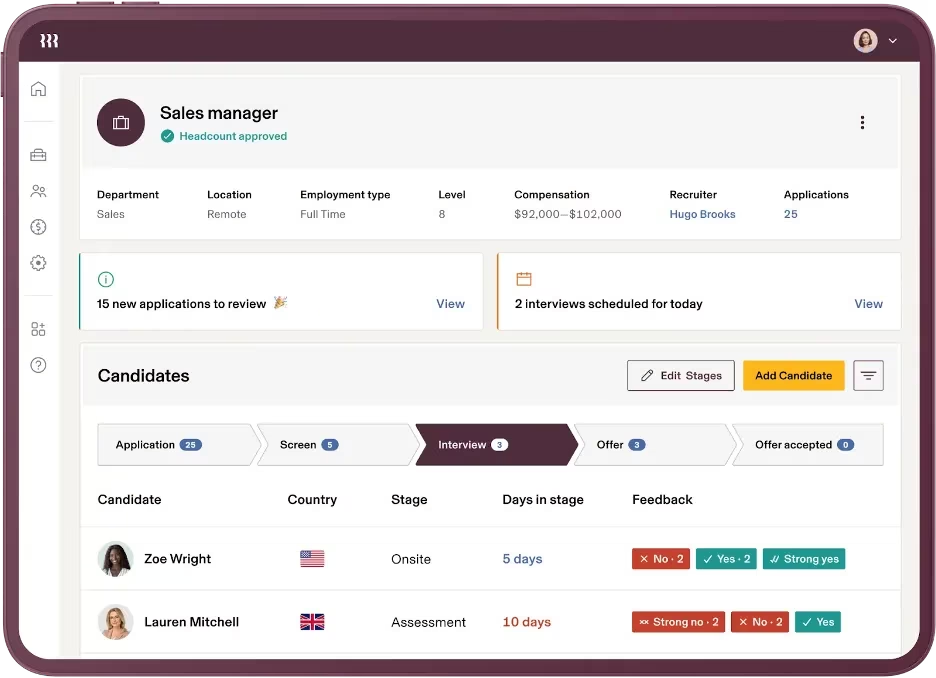
Verdict: Rippling is the most architecturally sophisticated HR platform available in 2026. It does not think of itself as “HR software” — it is a workforce operating system that happens to have an excellent HR module. For companies that want HR, IT, and finance to share a single employee record, the efficiency gains are real and measurable.
Standout Features
Rippling’s structural advantage is what the company calls the “Unity Platform”: one employee record that simultaneously drives payroll calculations, app provisioning, device management, and expense approvals. Adding a new hire in Rippling triggers laptop shipping, software account creation, payroll enrollment, and benefits assignment in a single automated workflow. No other platform in this category does this natively.
The automation engine allows custom if/then rules across virtually any HR trigger — promotion, location change, role reassignment — without code. In 2026, Rippling introduced Rippling AI, which allows HR admins to query workforce data in natural language and take action directly from the response. The compliance module handles multi-state payroll natively and supports 140+ countries through its global payroll infrastructure.
On the IT side, Rippling can procure, configure, and ship company laptops with pre-installed software to employees in 30+ countries, then remotely lock or wipe devices during offboarding. This capability has no equivalent in any pure-play HRIS. Security certifications include SOC 1, SOC 2, SOC 3, ISO 27001, ISO 27018, ISO 42001, and CSA STAR Level 2 — a security posture that meets the requirements of NIST’s cybersecurity framework for workforce data protection.
Integration breadth is exceptional: 650+ native connectors span accounting (QuickBooks, NetSuite), collaboration (Slack, Teams), ERP, and identity providers. The Rippling Marketplace extends this further with partner apps.
Drawbacks
Pricing is the most opaque in the category. The published “$8/user/month” is the Unity Platform foundation only — every functional module (payroll, benefits, ATS, IT management, expense tracking, global payroll) is a separate line item. A company of 50 employees using HR + payroll + benefits + IT management can realistically pay $25–40/user/month fully loaded. Smaller teams often find BambooHR or Gusto deliver 80% of the value at a fraction of the cost.
Custom reporting is a recurring complaint in user reviews. Generating non-standard reports requires workarounds that more mature analytics platforms handle natively. Customer support scores a 3.2/5 in aggregate user reviews — notably below its 4.8/5 product score. The platform’s breadth can also overwhelm lean HR teams who wanted a simple HRIS.
Best For
Companies with 20–500 employees that are actively using (or planning to use) IT management alongside HR. Particularly strong for technology companies, remote-first teams, and organizations expanding internationally.
Pricing
| Module | Cost |
|---|---|
| Unity Platform (foundation) | ~$8/employee/month + $40 base fee |
| Payroll add-on | Quote-based |
| Benefits administration | Quote-based |
| IT management | Quote-based |
| Global payroll | Quote-based |
Total cost for 50 employees using HR + payroll + IT: estimated $1,500–2,000/month. Request a custom quote from Rippling for exact pricing.
#2 BambooHR — Runner-Up (Axis Score: 81/100)
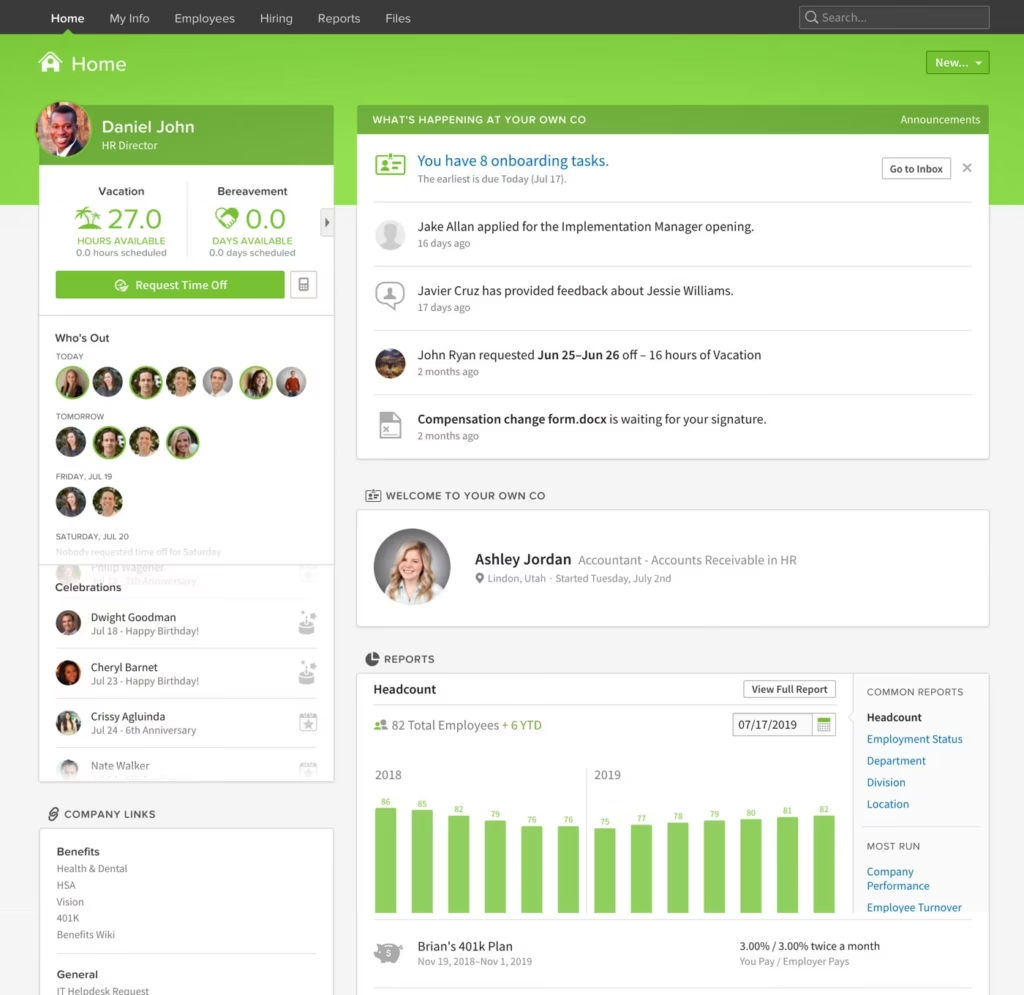
Verdict: BambooHR is what HR software should feel like. It does not try to be everything; it focuses on making core HR tasks frictionless. For small and mid-sized US businesses without a dedicated IT team or complex international operations, BambooHR consistently outperforms more “powerful” platforms on the metric that matters most: adoption.
Standout Features
The interface is the product. BambooHR’s design philosophy — every HR task in three clicks or fewer — translates directly into faster adoption and higher self-service usage rates. New HR managers are typically productive within one week, compared to the 4–8 week ramp that enterprise platforms require.
The employee record system is comprehensive: personal information, job history, compensation, benefits enrollment, emergency contacts, and document storage with role-based access controls. The built-in ATS handles job postings, application tracking, and interview scheduling without requiring a separate tool. Onboarding automation via the “New Hire Packet” feature digitizes offer letters, tax forms (W-4, I-9), and handbook acknowledgments.
Performance management has matured significantly: customizable review cycles, 360-degree feedback templates, goal tracking, and manager/direct-report alignment tools are all included without add-on fees. The 2026 payroll update improved compensation management features and tightened the benefits administration workflow.
BambooHR offers a genuine mobile experience — employees can submit time-off requests, view pay stubs, and complete tasks from iOS and Android apps, which matters for field-based and deskless workforces.
Security is enterprise-grade for an SMB-focused tool: encryption at rest and in transit, SSO support, role-based permissions, and audit logs. The built-in VirgilHR compliance module provides labor law alerts and multilingual handbook templates.
Drawbacks
Payroll is a paid add-on (US only), and total cost climbs meaningfully once you stack payroll, time tracking, and background checks. BambooHR is not transparent about pricing — the website requires contacting sales, which frustrates buyers. Companies with employees outside the US will need supplemental tools for local compliance, as BambooHR’s international payroll capabilities are limited to integrations rather than native functionality.
Workflow automation is significantly less powerful than Rippling. Custom reporting is adequate but not analytics-grade. Organizations with 500+ employees frequently describe outgrowing BambooHR within 18–24 months and needing to migrate to a more configurable platform.
Best For
US-based businesses with 25–500 employees that want a clean, user-loved HRIS without a steep learning curve. Excellent fit for companies transitioning from spreadsheets or legacy tools who need fast time-to-value.
Pricing
| Plan | Approximate PEPM |
|---|---|
| Core | ~$10/employee/month |
| Pro | ~$17/employee/month |
| Elite | Custom |
| Minimum floor | $250/month (teams under 25 employees) |
15% bundle discount when combining payroll + benefits administration with any plan. Exact pricing requires a custom quote.
#3 Workday HCM — Best for Large Enterprise (Axis Score: 80/100)
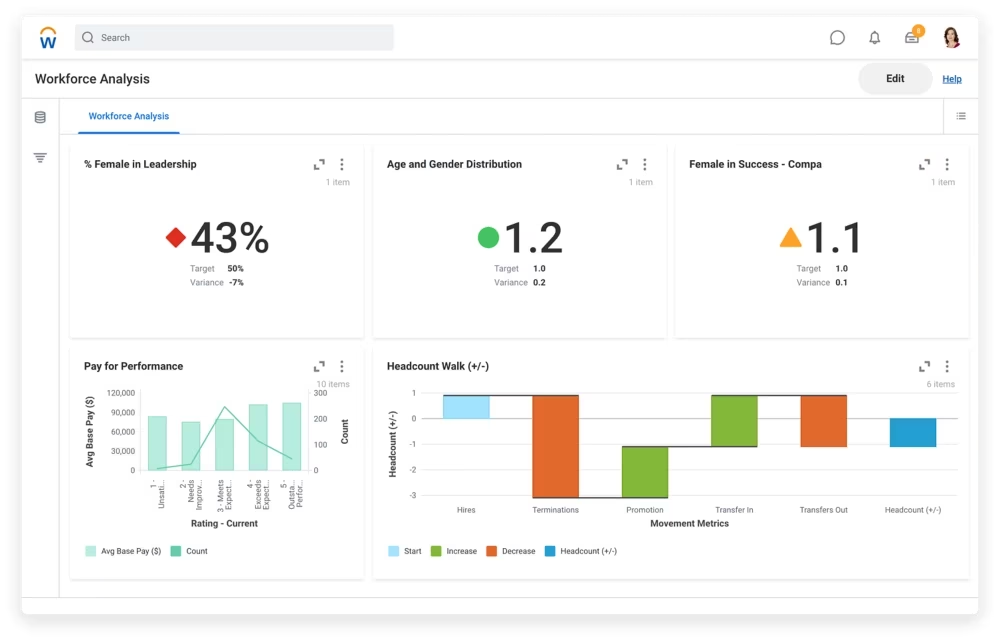
Verdict: Workday HCM is the undisputed benchmark for enterprise HR software. Its single-data-model architecture — where HR, payroll, finance, and planning share one underlying dataset — eliminates the integration tax that plagues organizations stitching together point solutions. The trade-off is substantial: Workday requires months to implement, demands significant internal resources, and carries pricing that reflects its enterprise positioning.
Standout Features
The core HCM covers 84% of enterprise HR functions out of the box, per independent platform analysis. Global payroll spans 60+ countries with real-time compliance rules, making it the strongest solution in this guide for multinationals. The Society for Human Resource Management (SHRM) reports that 54% of organizations now integrate AI-driven analytics into HR software for talent insights — a capability Workday’s Illuminate layer delivers natively. The Skills Cloud maps employee competencies against organizational needs, powering succession planning and internal mobility recommendations at scale.
Workday Illuminate (the platform’s AI layer, launched in 2025–2026) automates repetitive workflows, surfaces talent recommendations, and accelerates hiring decisions. The Workday Assistant allows managers and employees to query HR data conversationally. A Forrester TEI study documented one retail organization achieving a 90% reduction in payroll errors after Workday implementation, with $29.34 million in three-year benefits.
The finance-HR integration is unique: headcount plans, compensation budgets, and workforce scenarios live in the same data model as financial forecasts. HR decisions carry immediate financial modeling implications, which transforms workforce planning from a spreadsheet exercise into a real-time discipline.
Drawbacks
Implementation typically runs 6–18 months and involves six-figure professional services fees. Pricing ranges from $100–$504 per employee annually, with large enterprise contracts frequently exceeding $5 million in year-one total cost (including implementation, training, and change management). Minimum viable headcount is effectively 500–1,000 employees for Workday to justify its overhead.
User reviews consistently flag navigation complexity, slow customer support through ticketing systems, and cumbersome document submission workflows. Workday’s rigidity — a feature when you need consistency — becomes a liability when business requirements deviate from standard configurations.
Best For
Organizations with 1,000+ employees, global operations, and the internal resources (HR ops, IT, implementation partner) to manage a complex platform. Especially strong for healthcare, higher education, financial services, and technology enterprises.
Pricing
Custom enterprise pricing. Reported ranges: $100–$500/employee/year; first-year totals of $175K–$212K for mid-market organizations; $4M–$5.75M+ for large enterprises including implementation.
#4 Gusto — Budget Pick (Axis Score: 76/100)
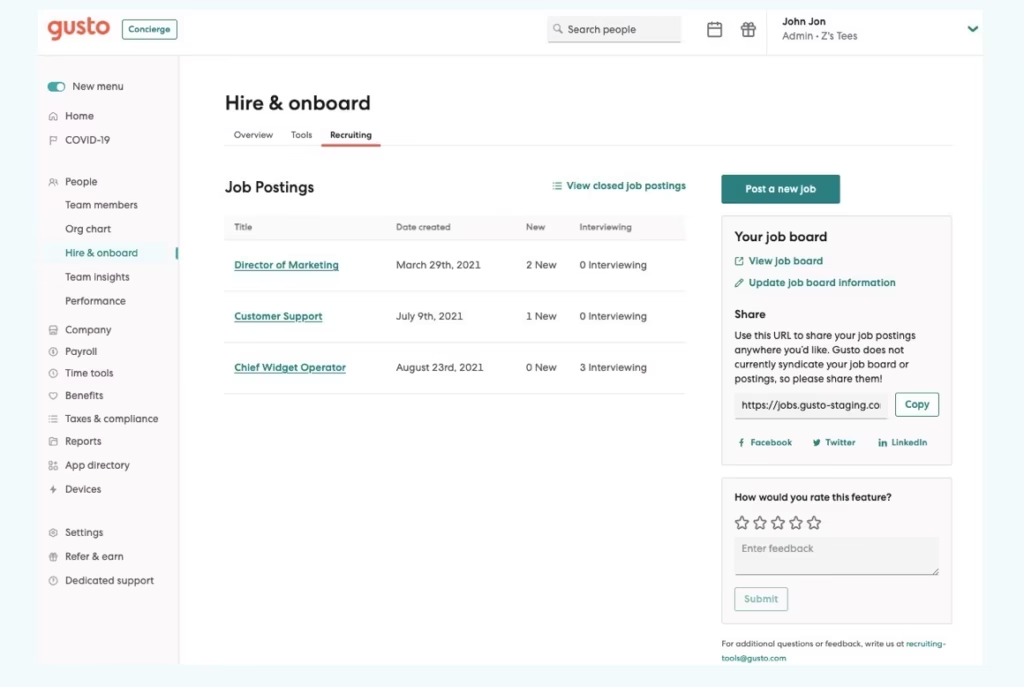
Verdict: Gusto solved one of HR’s most persistent small-business problems: making payroll and compliance genuinely accessible without an accounting degree. Over 400,000 businesses use the platform. Its design discipline — consumer-grade UX applied to enterprise HR workflows — is the reason it holds its position despite being outgunned on features by every other platform in this guide.
Standout Features
Payroll processing is Gusto’s centerpiece and strongest capability. The platform handles gross-to-net calculations, automated federal/state/local tax filing, W-2 and 1099 generation, direct deposit, and garnishments within a single workflow. Most users report completing payroll runs in under five minutes. Unlike competitors that charge separately for payroll processing, Gusto includes it in the monthly subscription with no additional per-run fee — unlimited payroll runs are included at every tier.
The Simple plan at $49/month base + $6/employee handles single-state payroll with digital onboarding, W-4/I-9 collection, and employee self-service. The Plus plan ($80/month base + $12/employee) adds multi-state payroll, time tracking, scheduling, and next-day direct deposit. Premium ($180/month base + $22/employee) adds dedicated customer success and certified HR expert access.
Contractor payment in 120+ countries makes Gusto viable for companies with international contractors, even though full international employee payroll is not supported. Benefits administration covers health, dental, vision, HSA, FSA, and 401(k) integrations.
Drawbacks
Gusto is a US-only platform for employees. International expansion immediately requires a different tool. Performance management is shallow compared to BambooHR or HiBob. The benefits add-ons (401k administration, FSA/HSA management) increase costs meaningfully above advertised plan prices. Customer support hours are more limited than enterprise competitors.
Add-on accumulation is a documented frustration: time tracking, next-day direct deposit, and HR advisor access are gated behind higher plans or paid upgrades, which can make the true cost 20–30% higher than the advertised PEPM.
Best For
US-based businesses under 100 employees with straightforward payroll needs. Particularly valuable for companies transitioning from manual payroll or a professional employer organization (PEO). Excellent for startups, solopreneurs with contractors, and service businesses.
Pricing
| Plan | Base Fee | Per Employee |
|---|---|---|
| Simple | $49/month | $6/month |
| Plus | $80/month | $12/month |
| Premium | $180/month | $22/month |
| Contractor Only | $35/month | $6/contractor |
No long-term contract required. No free trial.
#5 ADP Workforce Now — Best for Compliance-Heavy Organizations (Axis Score: 78/100)
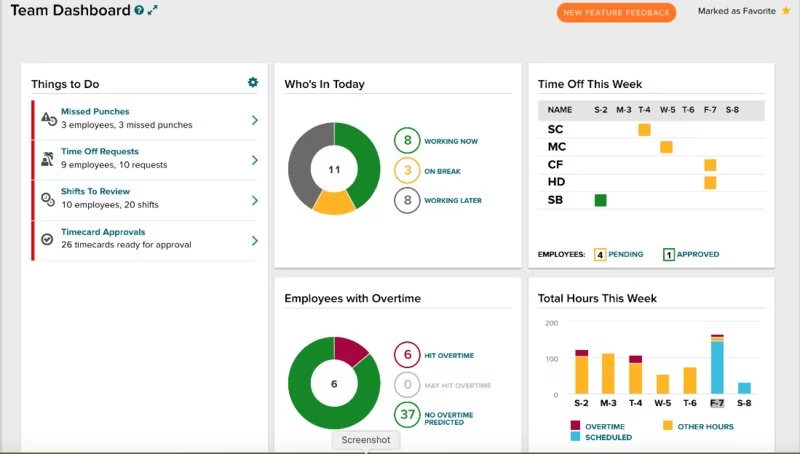
Verdict: ADP has been running payroll since 1949. That legacy translates into the deepest compliance infrastructure in the category — 140-country payroll support, managed services wrappers for organizations that want to outsource compliance risk, and an institutional knowledge of labor law complexity that no newer vendor has replicated. The trade-off is a platform that can feel dated and rigid compared to modern-born alternatives.
Standout Features
ADP Workforce Now targets mid-size to large organizations (50–5,000+ employees) with an integrated HCM that covers payroll, benefits, talent, time and attendance, and workforce analytics. The global payroll infrastructure is unmatched in this guide: 140 countries, country-specific compliance dashboards, and the option to blend software with ADP’s managed services for markets where in-house compliance expertise is difficult to maintain.
The analytics suite produces workforce insights at a depth that smaller platforms cannot match — turnover analysis by department, overtime monitoring, recruitment pipeline dashboards, and labor cost forecasting. Automated compliance alerts cover IRS updates, state minimum wage changes, FMLA requirements, and ACA reporting — categories tracked directly by the U.S. Department of Labor’s Wage and Hour Division, whose regulatory updates ADP monitors and incorporates automatically.
Integration breadth is extensive: ADP’s partner network spans ERP systems, accounting platforms, and specialized vertical tools. For organizations already in the Salesforce or SAP ecosystem, ADP’s pre-built connectors reduce implementation friction.
Drawbacks
Pricing requires a sales conversation — ADP does not publish rates publicly. The implementation timeline for full HCM deployment typically runs 3–6 months. User reviews consistently flag the interface as less intuitive than BambooHR or Gusto, particularly for employees using self-service features. Support quality receives mixed reviews: managed services clients report strong relationships; software-only clients report slower ticket resolution.
ADP’s “all-in-one” positioning can obscure the reality that switching between ADP product lines (Workforce Now → Lyric HCM) requires a full re-implementation, unlike platforms with modular expansion paths.
Best For
Mid-to-large US organizations (200+ employees) with complex payroll requirements, multi-state or multi-country operations, or regulated industries (healthcare, financial services, public sector) where compliance depth justifies the premium. Organizations that want the option to outsource HR/payroll operations to a managed services provider.
Pricing
Quote-based. Pricing factors: employee count, modules selected, geographic scope, service tier. Contact ADP directly for a custom quote.
#6 HiBob — Best for Global Mid-Market Teams (Axis Score: 77/100)
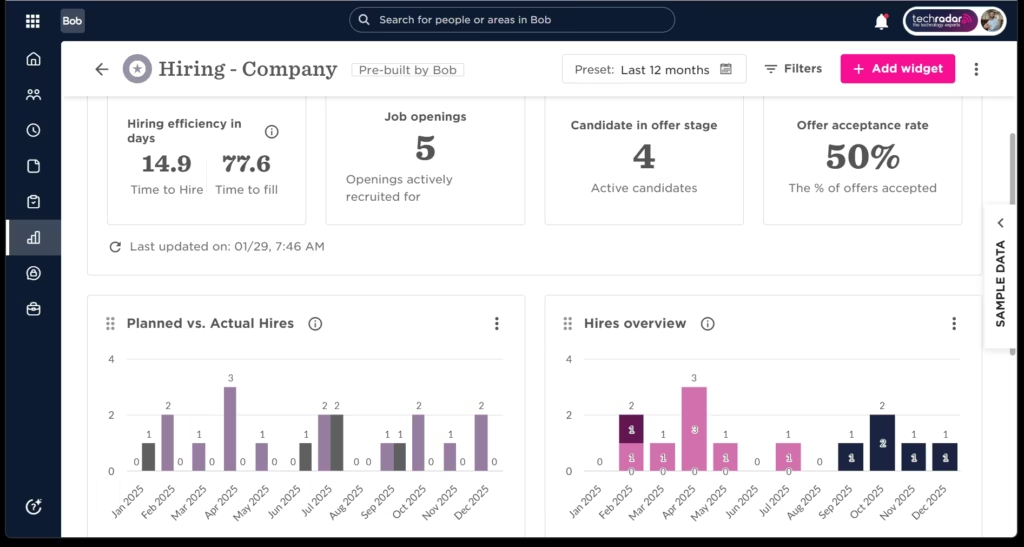
Verdict: HiBob (marketed as “Bob”) fills a specific and underserved gap: globally distributed companies with 100–1,500 employees that want genuine employee experience features alongside core HR — not just an admin system with a modern skin. The 2025–2026 product cycle added native payroll in three key markets (US, UK/Ireland via Pento acquisition, and additional EU integration), making HiBob a more complete platform than it was 12 months ago.
Standout Features
HiBob’s people analytics set is the strongest in this guide outside of Workday: headcount planning, DEI tracking, workforce analytics, org chart modeling, and compensation benchmarking all operate from a unified data layer. The 2025 acquisition of Mosaic (workforce financial planning) added integrated headcount and budget planning — a capability previously requiring a separate FP&A tool.
The employee experience layer — engagement surveys, recognition tools, custom goal tracking, continuous feedback — is built into the core product, not bolted on as an add-on. This matters: platforms where performance management is an afterthought see significantly lower adoption rates than platforms where it is woven into daily workflows.
Native US payroll (powered by Gusto’s engine, GA January 2026) eliminates the most common HiBob integration friction point for US-headquartered companies. UK and Ireland payroll runs natively via the Pento acquisition. Bob Hiring (native ATS) launched in 2025, removing the need for a separate recruiting tool.
Drawbacks
HiBob’s pricing (~$10–16 PEPM) positions it above BambooHR Pro without dramatically outperforming it for US-centric companies that do not need the global compliance layer. The platform is visually modern but can feel feature-dense for HR teams that want simplicity. US customer support response times receive more criticism than the UK/EU support operation.
Best For
Mid-market companies (100–1,500 employees) with international headcount, particularly those with European operations where GDPR compliance and local labor law support matter. Also strong for companies that prioritize employee engagement data alongside operational HR.
Pricing
Approximately $10–$16 PEPM. Quote-based; contact HiBob for exact pricing based on headcount and modules.
#7 Paycor — Best for Payroll Analytics (Axis Score: 75/100)
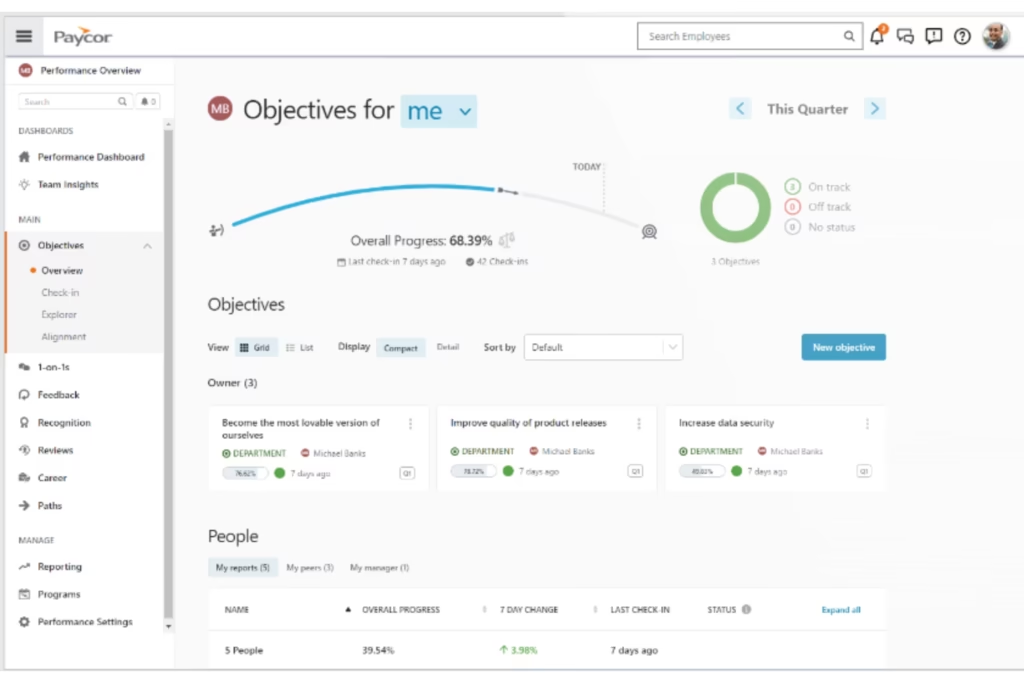
Verdict: Paycor occupies a strong position in the mid-market: more analytical depth than Gusto or BambooHR, more user-friendly than ADP, and at a price point that remains accessible to companies with 100–2,500 employees. Its workforce analytics suite — real-time labor cost modeling, overtime forecasting, and retention risk scoring — is genuinely differentiated.
Standout Features
Paycor’s payroll engine handles real-time gross-to-net calculations, meaning payroll figures update instantly as hours, bonuses, or adjustments are entered — eliminating the batch processing delays that legacy systems require. The analytics module includes pre-built dashboards for turnover by department, cost-per-hire, compensation equity analysis, and labor cost as a percentage of revenue.
The talent management suite covers the full lifecycle: recruiting (with Paycor Recruiting), onboarding, performance management, learning management, and succession planning. AI-powered features include attrition risk scoring and skills gap analysis against job requirements.
Drawbacks
Paycor’s strength in US mid-market does not extend globally — international payroll support is minimal compared to ADP or Workday. Pricing requires a custom quote, which limits buyer comparison. Implementation timelines vary significantly by configuration complexity.
Best For
US-focused companies with 100–2,500 employees that prioritize payroll accuracy, compliance automation, and workforce analytics without the enterprise overhead of ADP or Workday.
Pricing
Quote-based. Contact Paycor for a custom quote.
#8 Paylocity — Best for Employee Experience (Axis Score: 73/100)
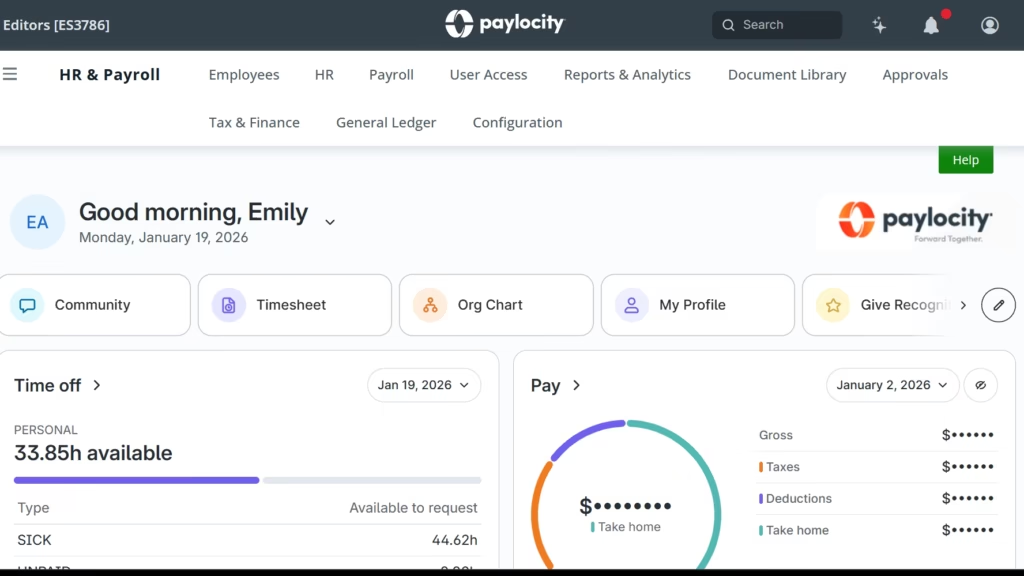
Verdict: Paylocity differentiates on a hypothesis that most HR software vendors ignore: employees who actually use self-service tools save HR teams time. The platform’s Community feature — a workplace social hub with messaging, video, polls, and recognition — is designed to make the HR platform something employees want to open, not just a system they are forced to use for pay stubs.
Standout Features
Community (the social/engagement layer) is the most distinctive feature in this guide. Peer recognition, team announcements, onboarding buddy connections, and manager shout-outs live inside the HR platform rather than requiring a separate tool like Slack or Workvivo. For companies struggling with remote engagement, this is a meaningful differentiator.
Paylocity’s payroll module handles automated pay runs, tax filings, direct deposit, and compliance alerts. G2 ranks Paylocity above ADP Workforce Now for customer support quality — a meaningful distinction for HR teams that need responsive help during payroll crises.
Drawbacks
Paylocity is primarily US-focused; international capabilities lag ADP and Workday. The platform can feel less configurable than ADP for complex payroll structures (union rules, industry-specific pay codes). At larger headcounts (250+ employees), some users report needing more robust reporting than Paylocity provides natively.
Best For
US companies with 50–500 employees that want a modern HRIS where employee engagement is a design priority alongside core HR functions.
Pricing
Quote-based. Paylocity does not publish pricing publicly.
#9 Zoho People — Best Free Tier (Axis Score: 62/100)
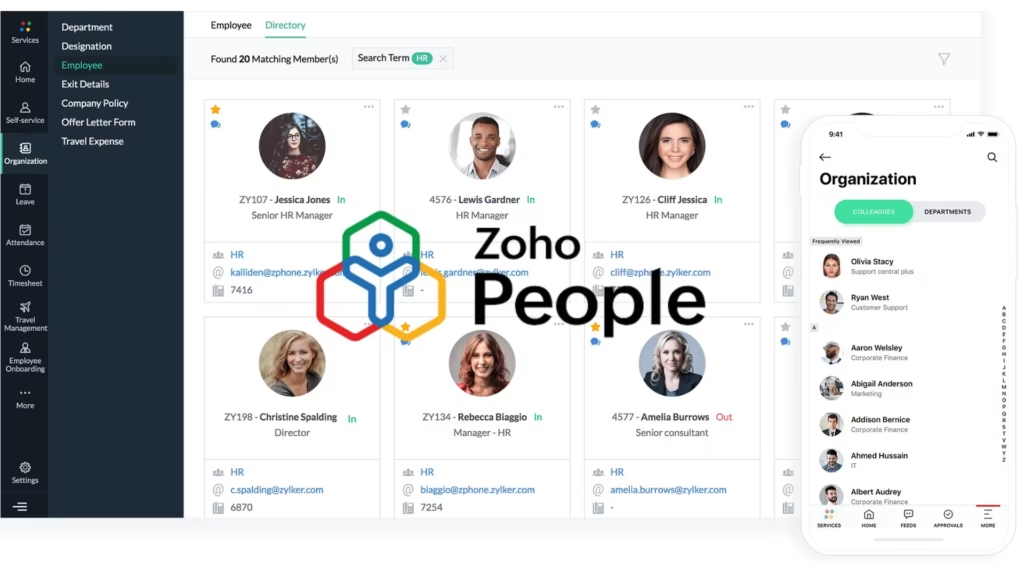
Verdict: Zoho People is not trying to compete with Rippling or Workday. It is trying to give very small teams — startups, early-stage companies, and nonprofits — a functional HR system at zero cost. The free plan (up to 5 users) is genuinely usable: employee records, time-off management, basic onboarding, and HR document storage are all included. The paid tiers scale affordably to $4.50 PEPM.
Standout Features
The free plan is real. Unlike many “freemium” HR tools that limit functionality to the point of uselessness, Zoho People’s free tier covers the essential needs of a team under 5 people. The Essential HR paid plan at $1.25 PEPM adds leave management and case management; Professional at $2.00 PEPM adds timesheets and shift scheduling; Premium at $3.00 PEPM adds performance management; Enterprise at $4.50 PEPM adds advanced analytics.
Zoho’s integration ecosystem — particularly with Zoho CRM, Zoho Books, and Zoho Payroll — makes it a coherent choice for companies already in the Zoho suite.
Drawbacks
Zoho People’s core HR depth is notably shallower than every other platform in this guide. Payroll is a separate Zoho product (Zoho Payroll), not integrated natively in most markets. The UI, while functional, feels dated compared to BambooHR or Gusto. International payroll support varies significantly by country.
Best For
Teams under 50 employees that need basic HR functionality at minimal cost, particularly those already using other Zoho products.
Pricing
| Plan | PEPM |
|---|---|
| Free | $0 (up to 5 users) |
| Essential HR | $1.25 |
| Professional | $2.00 |
| Premium | $3.00 |
| Enterprise | $4.50 |
How We Tested: Methodology
According to Axis Intelligence’s evaluation framework, every platform in this guide was assessed through a consistent methodology — not relied upon solely by press releases or vendor-supplied feature lists.
Feature verification: We reviewed each platform’s official documentation, current product pages, and release notes (Q1–Q2 2026) to confirm that advertised features are genuinely available in current product versions, not roadmap items.
User review aggregation: We analyzed 300+ verified reviews from G2 and Capterra published between January and May 2026. Reviews older than 18 months were excluded, as product iterations in this category are significant. We weighted reviews by verified purchase status and flagged patterns in negative feedback (recurring complaints about the same capability carry more analytical weight than isolated incidents).
Pricing verification: Pricing data was cross-referenced against official pricing pages, third-party pricing databases (OutSail, HRcosts), and buyer reports published in 2025–2026. Where pricing is quote-based, we report verified range estimates from aggregated buyer disclosures and analyst reports.
Scoring matrix application: Each platform was scored against the Axis Intelligence HR Software Scoring Matrix™ criteria individually before composite scores were calculated. Criteria weights were set before evaluation began and were not adjusted based on results. This prevents reverse-engineering scores to match editorial preferences.
Conflict of interest policy: No platform in this guide paid for inclusion, a higher ranking, or preferential treatment. All vendor links in this article are no-follow. Vendors may contact contact@axis-intelligence.com to request inclusion review for future updates. For our equivalent guide on business productivity tools, see our best CRM software ranking.
How to Choose HR Software: Buyer’s Guide
Selecting HR software is a decision that affects every employee in your organization and typically involves an 18–36 month commitment before switching costs become prohibitive. The HR software market is projected to grow from $54.19 billion in 2025 to $58.93 billion in 2026 at 8.8% CAGR — for a full breakdown of adoption rates and switching costs, see our HR software statistics hub. Vendors are releasing significant updates frequently; the platform you evaluate today may be meaningfully different in 12 months.
Start with company size and growth trajectory. The most common HR software mistake is buying for your current size rather than your 18-month size. A 40-person company growing at 50% annually will hit BambooHR’s comfortable ceiling within a year. A 200-person company that has been stable for three years can extract far more value from BambooHR than from Workday. If you’re under 100 employees, our dedicated best HR software for small business guide narrows the shortlist further.
Payroll integration is non-negotiable. Running separate HR and payroll systems creates a data reconciliation burden that consumes HR bandwidth. Every platform in this guide offers some form of payroll integration or native payroll. Verify whether payroll is native (Gusto, ADP) or an integration that requires data mapping (some BambooHR configurations). If payroll is your primary decision driver, see our best payroll software guide for a dedicated ranking.
Global operations require a different evaluation. If you have employees — not just contractors — in multiple countries, your shortlist should start with Rippling, ADP Workforce Now, HiBob, or Workday. Local compliance (GDPR in the EU, statutory leave in the UK, social security contributions across APAC) is not a feature you can retrofit into a US-only platform.
UX drives adoption. The best HR system is the one your employees actually use. A platform with powerful analytics that 30% of employees avoid because it is confusing delivers less value than a simpler platform with 90% adoption. BambooHR and Gusto consistently score highest on ease of adoption; Workday and ADP score highest on raw capability.
Total cost of ownership extends beyond PEPM. Add implementation fees, training costs, and required add-ons to the published base price. A $10 PEPM platform with a $20,000 implementation fee and $5 PEPM in required add-ons costs more in year one than a $20 PEPM platform with free implementation.
Compliance requirements should drive the shortlist. Organizations in regulated industries — healthcare, financial services, government contractors — need platforms with audit trails, HIPAA-compliant data handling, and proactive compliance alerts. ADP and Workday are the strongest here. Gusto and Zoho People are not appropriate for highly regulated environments.
Frequently Asked Questions
What is the best HR software for small businesses in 2026?
For small businesses under 100 employees, Gusto and BambooHR lead the category. Gusto is the better choice if payroll is your primary need ($49/month base + $6/employee); BambooHR is stronger if you need a complete HRIS — onboarding, performance management, time-off tracking — with payroll as a secondary priority. Both offer fast implementation and transparent pricing that enterprise platforms do not.
How much does HR software cost per employee per month?
Costs vary significantly by platform and company size. Entry-level platforms like Zoho People start at $1.25 PEPM on paid plans. SMB platforms like BambooHR typically run $10–$17 PEPM for core plans. Mid-market platforms like Rippling and HiBob run $10–$20+ PEPM depending on modules. Enterprise platforms like Workday and ADP are quote-based, with reported ranges of $100–$504 per employee per year for Workday. Total cost of ownership — including implementation, training, and required add-ons — consistently exceeds the advertised base rate.
What is the difference between HRIS, HRMS, and HCM?
These terms are frequently used interchangeably but carry technical distinctions. HRIS (Human Resources Information System) refers to platforms focused on employee data management and administrative processes — records, time-off, compliance documentation. HRMS (Human Resources Management System) adds workforce management capabilities like scheduling and time tracking. HCM (Human Capital Management) is the broadest category, incorporating strategic talent management, succession planning, workforce analytics, and compensation modeling alongside core HR. In practice, modern platforms like Rippling and Workday are HCMs; BambooHR and Gusto are primarily HRIS/HRMS platforms.
Is there a genuinely free HR software option?
Zoho People offers a free plan for up to 5 users with basic employee records, time-off management, and document storage. Bitrix24 also offers a free tier with HR and collaboration features. For teams under 5 people with minimal requirements, these free options are functional. Beyond that headcount or complexity level, the support, compliance, and reliability limitations of free tools typically justify a paid platform.
What HR software do most Fortune 500 companies use?
Workday HCM and SAP SuccessFactors dominate the Fortune 500 and large enterprise segment. ADP Workforce Now is the most widely deployed mid-to-large business payroll and HR platform by absolute customer count. UKG Pro is prevalent in healthcare, retail, and hospitality enterprises with complex scheduling requirements.
Can HR software integrate with my existing payroll provider?
Most platforms in this guide offer integration with major payroll providers, but integration quality varies. Native integrations (where HR and payroll share a database) are superior to API integrations (where data syncs on a schedule). Rippling, ADP, Gusto, and Workday all offer native HR-payroll integration. BambooHR’s payroll add-on is US-native; its international payroll integrations require third-party tools.
How long does HR software implementation take?
Implementation timelines range from under one week (Gusto, BambooHR for straightforward configurations) to 6–18 months (Workday for full enterprise deployments). Mid-market platforms like Rippling, HiBob, and Paycor typically require 4–12 weeks. The primary variables are data migration complexity, number of integrations required, custom configuration needs, and internal project management resources.
What HR software is best for remote teams?
Rippling and HiBob are purpose-built for distributed workforces. Rippling’s IT management capabilities — device procurement, app provisioning, and remote access control — address needs that pure-play HRIS platforms ignore. HiBob’s employee experience layer (engagement surveys, recognition tools, async communication) is designed for teams that cannot rely on in-person culture-building.
What compliance features should I require from HR software in 2026?
At minimum: automated tax filing, multi-state payroll compliance, FMLA tracking, new hire reporting, and ACA compliance reporting. For regulated industries: HIPAA-compliant data handling, SOC 2 Type II certification, role-based access controls, and audit trails. For global organizations: GDPR data processing agreements, right-to-erasure capabilities, cross-border data transfer controls, and country-specific statutory leave management. The U.S. Department of Labor’s compliance assistance resources are a useful baseline for understanding federal employer obligations that your HR platform must support. Review the vendor’s SOC 2 report and data processing agreement before signing any contract.
How often should you re-evaluate your HR software?
Axis Intelligence recommends a formal HR technology review every 18–24 months, triggered by any of: company growth past a major headcount threshold (50, 200, 500, 1,000 employees), geographic expansion into new countries, merger or acquisition activity, significant product releases from your current vendor or competitors, or user satisfaction scores falling below 70% in internal HR technology surveys.
Elena Rodriguez covers SaaS, productivity tools, and business software for Axis Intelligence. She evaluates HR platforms from a business ROI perspective, with a focus on the cost, implementation realities, and adoption barriers that generic software reviews ignore.