


Best Workflow Automation Tools 2026
Updated May 2026
Quick Answer: The best workflow automation tool for your business depends almost entirely on two variables that competing guides ignore: your team’s technical capacity and your expected automation volume in Year 2 — not Year 1. For non-technical teams running fewer than 5,000 tasks/month, Zapier remains the fastest path to operational automation. For visual complexity at 60–70% lower cost, Make wins. For technical teams, regulated industries, or anyone processing more than 20,000 tasks/month, n8n — self-hosted or cloud — is structurally cheaper than every alternative. For organizations inside the Microsoft ecosystem, Power Automate is already partially licensed. For enterprise-grade multi-system integration, Workato is what procurement teams and IT leaders actually deploy. Every article in this category tells you what these tools do. This one tells you what they actually cost when you scale — and which ones create vendor lock-in you’ll regret in 18 months.
Table of Contents
What Every Competitor Gets Wrong About Workflow Automation Guides
Most “best workflow automation tools” articles are written by vendors about themselves — Zapier‘s comparison page ranks Zapier first; Make’s blog ranks Make; stepper.io puts Stepper at the top of its own roundup. The ones that aren’t vendor-written are affiliate-driven: they make money when you click and buy, which means they have no financial incentive to tell you that Zapier’s per-task pricing becomes genuinely punishing above 10,000 tasks per month.
Three things this guide does that no competing article does:
1. The Total Cost of Automation Matrix (TCA Matrix) — actual modeled costs at three volume tiers (low, medium, high) for five platforms over 24 months. This is the number you need before you sign anything.
2. The Automation Maturity Ladder — a five-level framework that maps where your business is in its automation journey to which tool is genuinely appropriate at that stage. Most businesses buy the wrong tool because they buy for where they want to be, not where they are.
3. The Pricing Trap section — an explicit, named breakdown of the billing mechanics that create surprise invoices: Zapier’s task-counting model, Make’s operations vs. scenarios distinction, Power Automate’s premium connector gates, n8n’s self-hosting hidden costs. Every vendor buries this. We surface it.
Why Workflow Automation Decisions Are More Consequential in 2026
Two structural shifts make tool selection harder — and more important — than it was two years ago.
The AI integration layer has arrived. Every major platform now ships native AI agent capabilities: Zapier has AI Orchestration and Agents; Make launched AI Agents in October 2025; n8n ships native LangChain integration with 70+ AI nodes covering chains, memory, vector stores, and RAG pipelines. This isn’t cosmetic. The difference between a platform that can call an AI API and one with genuine AI agent architecture is the difference between “my workflow can summarize an email” and “my workflow can autonomously decide which emails require human review, draft responses for the others, route urgent items to a Slack channel, and log decisions to a CRM — without an operator in the loop.”
That architectural difference matters when you’re evaluating a tool you’ll rely on for 3–5 years.
Data sovereignty is no longer optional for regulated businesses. GDPR enforcement has accelerated under NIS2 implementation, and US state privacy laws (CCPA, Virginia VCDPA, Texas TDPSA) are creating data residency questions that didn’t exist when many businesses first chose their automation platforms. Zapier processes all workflow data on AWS servers in the United States — a hard blocker for EU healthcare, financial services, and any organization subject to data localization requirements. n8n’s self-hosted deployment model addresses this directly. Power Automate offers EU data residency through Azure’s European data centers. Every article in this category ignores this distinction. This one doesn’t.
The market reflects the urgency: according to Mordor Intelligence’s January 2026 analysis, the workflow automation market stands at $26.01 billion in 2026 and is projected to reach $40.77 billion by 2031 at a 9.41% CAGR. The fastest-growing deployment segment is cloud-with-compliance — organizations that want cloud delivery but with data sovereignty controls that pure-cloud vendors can’t provide.
The Automation Maturity Ladder: The Framework That Determines Which Tool You Actually Need
Every automation tool vendor wants you to believe their platform is appropriate for any organization at any stage. It isn’t. Buying an enterprise-grade workflow orchestration platform when your team has never automated a single process is as wasteful as trying to run a complex multi-system data pipeline on Zapier’s free plan.
The Automation Maturity Ladder maps five organizational stages to appropriate tool categories. It’s the decision framework this category has been missing.
Level 1 — Manual Everything Profile: Tasks flow through email, spreadsheets, and Slack messages. No automation tools in use. The team doesn’t know what it’s losing to manual work. Priority: Prove value with one simple automation before evaluating platforms. A single Zap connecting form submissions to a CRM, or an automated weekly report, changes the conversation from “should we automate?” to “what else can we automate?” Right tool: Zapier Free, Make Free tier, or Microsoft Power Automate (if already on M365). Complexity doesn’t matter here — speed to first success does.
Level 2 — Point Automation Profile: 3–15 active automations, all simple (trigger → action). Most connect two applications. One or two people own all automations informally. Priority: Cost predictability and reliability. Runaway loops and surprise invoices are the primary risks at this stage. Right tools: Zapier Pro (up to ~5,000 tasks/month before cost becomes uncomfortable), Make Core (up to 10,000 operations/month at significantly lower cost), Activepieces (open source, unlimited, free if self-hosted).
Level 3 — Cross-Functional Automation Profile: 15–50+ automations spanning multiple departments. Branching logic, data transformation, multi-step workflows. At least one person owns automation as a defined responsibility. Priority: Visual complexity handling, error management, and the ability to build workflows that non-technical users can modify without breaking them. Right tools: Make (best visual complexity/cost balance in this tier), n8n (if any technical staff available), Power Automate (if Microsoft-centric).
Level 4 — Process Architecture Profile: Automation is a strategic asset. Workflows touch ERP, CRM, HRIS, and financial systems. IT governance and security reviews are required. Multiple departments build their own automations under central policy. Priority: Governance, audit trails, role-based access control, enterprise connectors to core business systems. Right tools: Power Automate Enterprise (M365 organizations), Workato (complex enterprise systems), n8n Enterprise (technical teams with data sovereignty requirements).
Level 5 — AI Orchestration Profile: Workflows include autonomous AI decision-making. Agents process unstructured inputs (emails, documents, voice), make classification decisions, and initiate multi-step actions without human direction at each step. Priority: AI architecture depth, agent memory and state management, observability and audit trails for AI decisions. Right tools: n8n with LangChain integration, Workato with AI/ML connectors, specialized platforms (Relevance AI, Make AI Agents for specific use cases).
The Total Cost of Automation Matrix (TCA Matrix)
This is the table that doesn’t exist anywhere else. Every comparison shows you monthly starting prices. None show you what you actually pay when your automation program grows — which it will, because organizations that automate one workflow typically expand to 5–10 automated workflows within 18 months (Forrester, 2025).
The TCA Matrix models costs across three volume tiers for five platforms, over 24 months:
- Low volume: 3,000 tasks/workflow-executions per month
- Medium volume: 20,000 tasks/workflow-executions per month
- High volume: 100,000 tasks/workflow-executions per month
A critical definitional note: Zapier counts every individual action step as a task. A 5-step workflow running 1,000 times consumes 5,000 tasks. n8n and Activepieces count the entire workflow run as one execution — a 20-step workflow running 1,000 times consumes 1,000 executions. Make counts operations similarly to Zapier (per action step). This counting methodology difference is the single most important pricing fact in this category, and the one most consistently buried by vendors.
TCA Matrix: 24-Month Modeled Cost by Volume Tier
| Platform | Low Vol. (3K tasks/mo) Year 1 | Low Vol. Year 2 | Medium Vol. (20K tasks/mo) Year 1 | Medium Vol. Year 2 | High Vol. (100K tasks/mo) Year 1 | High Vol. Year 2 |
|---|---|---|---|---|---|---|
| Zapier Pro/Team | ~$240–$588 | ~$240–$588 | ~$1,800–$3,600 | ~$2,100–$4,200 | ~$9,600–$12,000+ | ~$11,000–$14,000+ |
| Make Core/Pro | ~$180–$360 | ~$180–$360 | ~$600–$960 | ~$720–$1,080 | ~$3,600–$5,400 | ~$3,600–$5,400 |
| n8n Cloud | ~$240–$600 | ~$240–$600 | ~$600–$1,200 | ~$600–$1,200 | ~$1,200–$2,400 | ~$1,200–$2,400 |
| n8n Self-Hosted | ~$120–$180 (server) | ~$120–$180 | ~$120–$300 (server only) | ~$120–$300 | ~$240–$600 (larger server) | ~$240–$600 |
| Power Automate | $0 (M365 standard) or $180/yr (premium) | Same | ~$1,800–$3,600 (premium connectors) | Same | Custom/Enterprise | Custom/Enterprise |
| Workato | N/A (min. ~$10,000/yr) | N/A | ~$10,000–$20,000 | ~$10,000–$20,000 | ~$20,000–$60,000 | ~$20,000–$60,000 |
Costs are modeled estimates based on published pricing as of May 2026. Zapier and Make costs use average task-per-workflow assumptions of 5 steps; actual costs vary by workflow complexity. n8n self-hosted includes $10–50/month VPS costs but excludes IT administration labor. Power Automate “standard” flows are included in many M365 plans; premium connector access requires additional licensing. Enterprise pricing at all vendors is negotiated individually. Always model your specific workflow step counts before committing.
The headline finding: At medium volume (20,000 executions/month), n8n Cloud costs approximately 50–80% less than Zapier. At high volume, the gap grows to 80–90%. The case for n8n is purely economic once your automation program reaches maturity — the question is whether you have the technical capacity to operate it.
The Real Cost of “Starting Free”: Why Year 2 Matters More Than Year 1
The automation tool market is built on freemium acquisition. Every platform offers a free tier designed to get your workflows and institutional knowledge embedded before you hit the usage wall and must upgrade. Understanding the upgrade cliff — the point at which your usage crosses a plan boundary and costs step up materially — is more important than understanding the starting price.
At Zapier, that cliff arrives when you cross 750 tasks/month (the Pro entry-level cap) and again when multi-step workflows start multiplying task consumption. Heavy users on community forums have documented monthly bills between $1,000 and $3,500 once AI Agents and Chatbots are added as separate add-ons. The platform does not auto-throttle runaway loops — it simply charges for every task until you notice the overage.
At Make, the cliff is gentler because operation costs are lower, but the structure is similar: you pay per operation, operations compound in complex scenarios, and the free tier’s 1,000 monthly operations disappears fast on multi-step workflows.
At n8n self-hosted, the cliff is replaced by a different cost: IT administration time. Setting up the server, managing updates, configuring backups, and handling downtime is real work that consumes hours that have dollar value. A developer spending 2 hours/month maintaining n8n infrastructure at a $100/hour opportunity cost spends $2,400/year in implicit labor — potentially more expensive than Zapier Pro at the same usage level, though still cheaper than Zapier at high volume.
The honest answer to “which tool is cheapest?” requires knowing your workflow step counts, your monthly execution volume, and the dollar value of the IT labor you have available.
1. Zapier
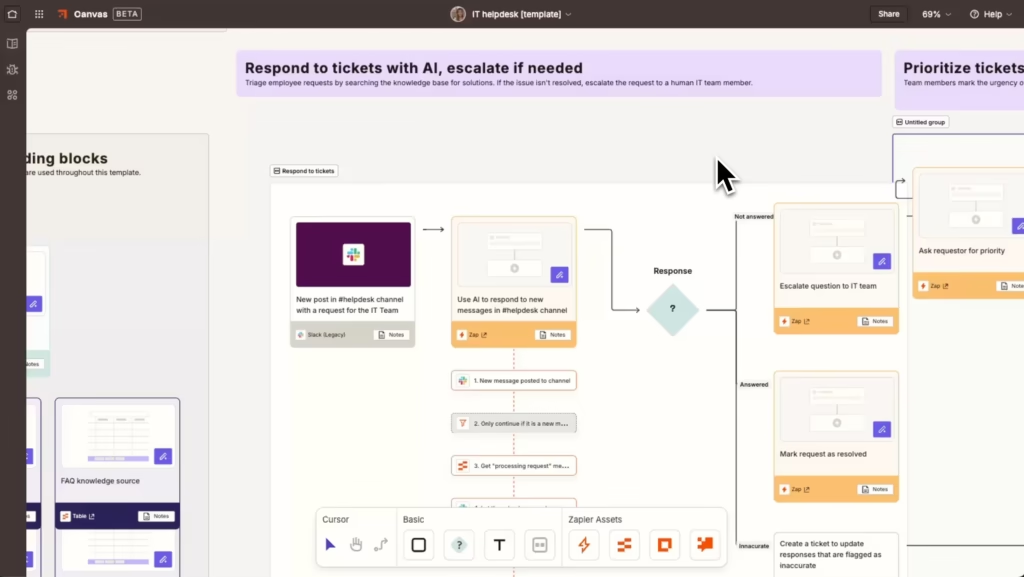
Zapier is the tool that defined the no-code automation category when it launched in 2011 from Columbia, Missouri, and it remains the correct choice for a specific audience: non-technical teams who need to be operational in hours, not days, and whose automation volume stays below the point where per-task pricing becomes punishing.
The numbers bear this out. Zapier connects 8,000+ apps — more than any competitor by a significant margin, including long-tail SaaS tools that dedicated alternatives like n8n, Make, and Pipedream don’t support natively. Every day, 800,000 AI tasks are automated on the platform. A non-technical marketing manager can connect HubSpot → Slack → Google Sheets → Notion in under 15 minutes without help desk support. That time-to-value advantage is real and worth paying for in the early stages of an automation program.
The 2025–2026 platform additions are substantive: Copilot (natural language Zap builder), Zapier Agents (autonomous AI teammates that can read email, run research, and take actions), Tables, Interfaces, Chatbots, and an MCP server that exposes 30,000+ Zapier actions to external LLMs. For organizations building AI-augmented workflows that don’t require custom AI agent architecture, these additions cover a wide range of practical use cases.
What actually works well: The time from “I need this automated” to “this is running” is shorter on Zapier than on any other platform. For a 15-person operations team where no one has programming experience, that speed differential is significant. Error notifications are clear, retry logic is automatic, and the interface doesn’t require reading documentation to understand what went wrong.
What’s frustrating in practice: The task-counting model creates budgeting unpredictability at scale that no amount of dashboard monitoring fully prevents. A single misconfigured Zap that loops — sending a webhook, which triggers another Zap, which fires back — can consume a month’s task allocation in hours. Zapier’s billing does not hard-stop at plan limits; it runs overages at 1.25x the base task cost. The platform has a 1.4 Trustpilot score across hundreds of reviews, with surprise billing the dominant complaint.
There is no self-hosting option. All workflow data, execution history, and credentials live on Zapier’s AWS infrastructure in the United States. For EU organizations, healthcare providers, financial services firms, or any organization with data residency requirements, this is a structural disqualifier — not a preference.
AI features are modular add-ons, not architectural foundations. Zapier Agents, Chatbots, and the AI features exist as separate product tiers on top of the base task subscription. A team using Copilot + Agents Pro + Advanced Chatbot stacks $150–$200/month in add-on fees above the base plan.
Realistic 2026 pricing:
- Free: 100 tasks/month, 2-step Zaps only
- Professional: $19.99/month (annual) for 750 tasks — this is where most people start and underestimate
- Team: $69/month (annual) for 2,000 tasks, multi-user
- Enterprise: Custom pricing (typically negotiated above $1,000/month for large deployments)
- Overages: 1.25x task rate above plan cap — not automatically capped
- AI add-ons: Agents Pro $20/month, Advanced Chatbot $50/month additional
Who should look elsewhere: Any business whose automation program has grown beyond 10 workflows or 5,000 tasks/month should model their Year 2 costs explicitly before renewing. Technical teams, developers, or organizations with EU data residency requirements should evaluate n8n before signing a Zapier enterprise contract. Anyone building AI agent workflows with custom logic (memory, tool selection, RAG) will hit Zapier’s architectural limits.
2. Make (formerly Integromat)
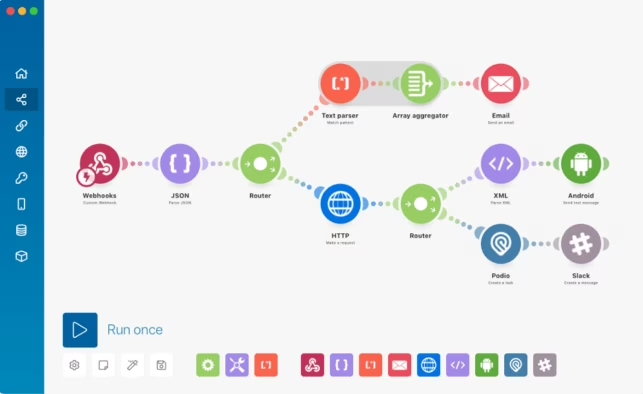
Make occupies the most strategically defensible position in the automation market: more powerful than Zapier for complex workflows, dramatically cheaper at equivalent volume, and still accessible to non-developers through its canvas-based visual builder. As of 2026, Make serves over 250,000 active businesses and is part of the Celonis ecosystem — which brings enterprise distribution and integration depth that its independent-startup phase couldn’t offer.
The canvas interface is genuinely different from Zapier’s linear, step-by-step approach. Make lets you build branching paths, parallel processing, routers, iterators, and aggregators in a single visual scenario — capabilities that require premium Zapier plans or extensive workarounds on simpler platforms. A data enrichment workflow that pulls from three sources, applies conditional logic to route records differently based on five criteria, transforms outputs for two different destination apps, and handles errors with custom retry logic is a 30-minute Make build. On Zapier, it’s a premium-plan, multi-Zap project with substantially higher task consumption.
The October 2025 AI Agents update is Make’s most significant capability addition. Make AI Agents can now execute multi-step autonomous sequences — researching company information, qualifying leads, and drafting outreach — without requiring operator input at each decision point. The AI integration sits natively within the Make canvas rather than as a separate product add-on, which is architecturally cleaner than Zapier’s modular approach.
What actually works well: The operations-based pricing model prices fairly relative to workflow complexity. A 20-step scenario costs the same as a 5-step scenario for the same number of runs — unlike Zapier, where step count multiplies task consumption directly. The free tier (1,000 operations/month, two active scenarios) is the most generous in the category and genuinely lets teams validate workflows before committing budget. Make’s error handling — automatic retries, error routes, break functions — produces production-ready automation behavior that Zapier’s simpler error model doesn’t match.
What’s frustrating in practice: The learning curve is steeper than Zapier’s. Non-technical users who are comfortable with Zapier’s guided interface consistently take longer to become productive on Make’s canvas. Make’s data handling — JSON parsing, array manipulation, iterators — requires understanding data structures that Zapier abstracts away. Teams with no technical members at all will spend more time in Make’s support documentation than in Zapier’s.
Make is a cloud-only service. Self-hosting is not supported, which creates the same data residency constraint as Zapier for regulated environments — though Make’s EU data processing (part of the Celonis ecosystem, headquartered in Germany) gives European organizations cleaner GDPR compliance documentation than Zapier’s US-only infrastructure.
Realistic 2026 pricing:
- Free: 1,000 operations/month, 2 active scenarios
- Core: $10.59/month (annual) for 10,000 operations
- Pro: $18.82/month for 10,000 operations + additional features
- Teams: $34.12/month for 10,000 operations, multi-user
- Enterprise: Custom (volume discounts from ~$34/month per 10K operations)
- Additional operations: purchased in bundles — more predictable than Zapier’s per-task model
Who should look elsewhere: Teams where all automation builders are non-technical and time-to-first-automation matters more than cost at scale should start on Zapier. Organizations requiring self-hosting or strict data localization beyond GDPR-compliant EU cloud should evaluate n8n. Enterprise organizations with complex ERP/CRM integration requirements and IT governance mandates should evaluate Workato.
3. n8n
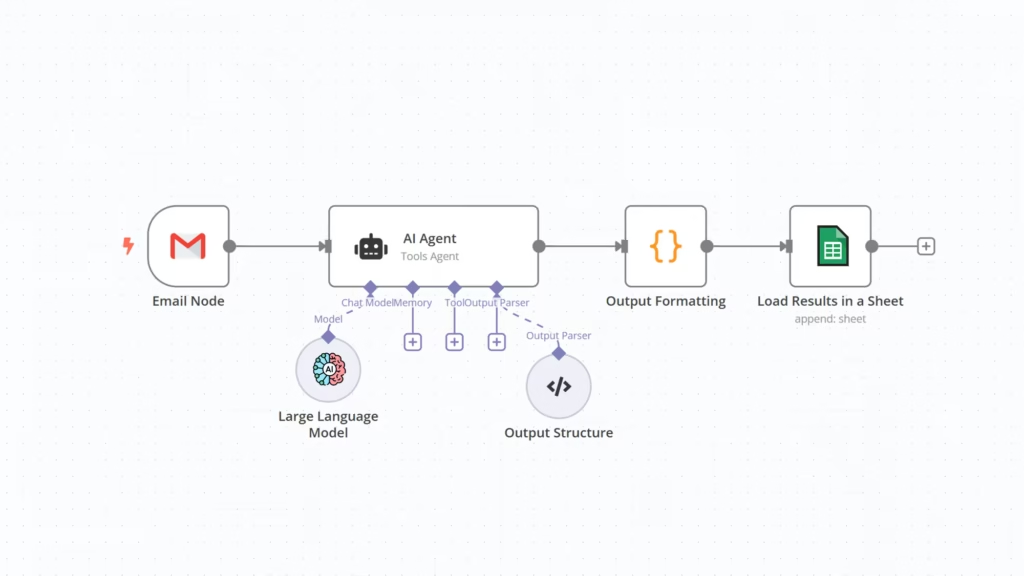
n8n is the most technically interesting platform in this comparison and the one most consistently underestimated by buyers who encounter it only through cost comparisons. It raised $55 million in Series B funding in 2024, launched a managed cloud service that removes the infrastructure burden for teams that don’t want to self-host, and shipped 70+ dedicated AI nodes covering LangChain chains, memory, vector stores, embeddings, and full RAG pipeline architecture. For organizations building AI-native workflows — not just calling an AI API from inside an existing automation, but building autonomous agents that reason about inputs and decide which tools to invoke — n8n currently has a genuine architectural advantage over Zapier and Make.
The pricing model is its most disruptive feature. n8n counts the entire workflow execution as one run, regardless of how many nodes it passes through. A 20-node workflow processing a customer support ticket — reading from a CRM, classifying intent with an LLM, checking a knowledge base, drafting a response, logging to a database, and sending via email — costs the same as a 2-node workflow connecting two apps. At high automation volumes, this pricing structure produces savings of 80–90% compared to Zapier’s task-counting model at equivalent complexity.
Self-hosted vs. n8n Cloud: The self-hosted option (Community Edition, free) runs on any Linux server or Docker container. A basic $10–15/month VPS handles most small-to-medium workloads. At 100,000 executions per month, that same $10–15/month VPS handles the load that would cost Zapier $9,600–$12,000/year. The catch — and it’s a real catch — is that “free” infrastructure is not zero-cost. Server setup, security configuration, update management, backup procedures, and uptime monitoring are real responsibilities. A technical team that treats self-hosted n8n as a set-and-forget deployment will eventually have a production outage at 2am on a weekend. Budget the IT labor honestly before declaring n8n self-hosted the obvious cost winner.
n8n Cloud removes that operational burden at $20–$50/month for most SMB use cases — still dramatically cheaper than Zapier or Make at equivalent volume, and with Offensive Security’s (n8n Cloud’s) infrastructure, uptime monitoring, and automatic updates managed by the vendor.
What actually works well: The AI agent architecture is the best available in this pricing tier. n8n’s AI Agent node wraps LangChain tools, memory, and vector stores in a configuration that allows genuinely autonomous workflows: agents that receive unstructured inputs, decide which tools to call, maintain conversational memory, query vector stores for contextual information, and chain multi-step actions without human intervention at each step. This is the architecture that enterprise AI builders at companies like Vodafone (£2.2M in documented operational savings) and Delivery Hero (200+ hours saved monthly) are deploying.
The data sovereignty story is the strongest in this comparison. Self-hosted n8n gives you complete control: all workflow data, execution history, credentials, and business logic stays on your infrastructure. n8n Cloud EU offers data residency in European data centers. SAML SSO and LDAP integration are available on Enterprise plans. For healthcare, financial services, legal, and government organizations operating under GDPR, HIPAA, or similar frameworks, n8n’s deployment flexibility addresses compliance requirements that Zapier and Make cannot meet.
What’s frustrating in practice: The learning curve is real. Building useful workflows in n8n requires understanding data structures, JSON manipulation, and the node-based canvas paradigm. Non-technical users — the marketing manager, the HR coordinator, the account executive — cannot build their own n8n workflows without training or technical assistance. In organizations where “democratizing automation” means enabling everyone to build their own automations, n8n pushes that work back to a technical resource. The innovation bottleneck that Zapier’s model avoids is precisely what n8n’s model creates.
Community integrations (as opposed to native nodes) vary in quality. n8n’s HTTP Request node closes most of this gap — anything with a REST API can be integrated — but it requires knowing what an HTTP request is, which not everyone does.
Realistic 2026 pricing:
- Community Edition (self-hosted): $0 software + $10–50/month server costs
- Starter Cloud: $20/month (2,500 executions)
- Pro Cloud: $50/month (10,000 executions)
- Enterprise: Custom (on-premise or managed cloud, SAML SSO, advanced admin)
- Execution model: Per workflow run (not per step) — structurally cheaper at any volume above basic
Who should look elsewhere: Organizations with no technical staff, or where IT capacity is already constrained, should not self-host n8n unless they’re willing to budget IT labor honestly. Companies that need non-technical business users to build and modify their own automations independently — without IT involvement — will find Zapier or Make more appropriate despite the higher cost. For truly simple automation needs (2–3 basic connections, low volume), n8n’s learning curve outweighs its cost advantage.
4. Microsoft Power Automate
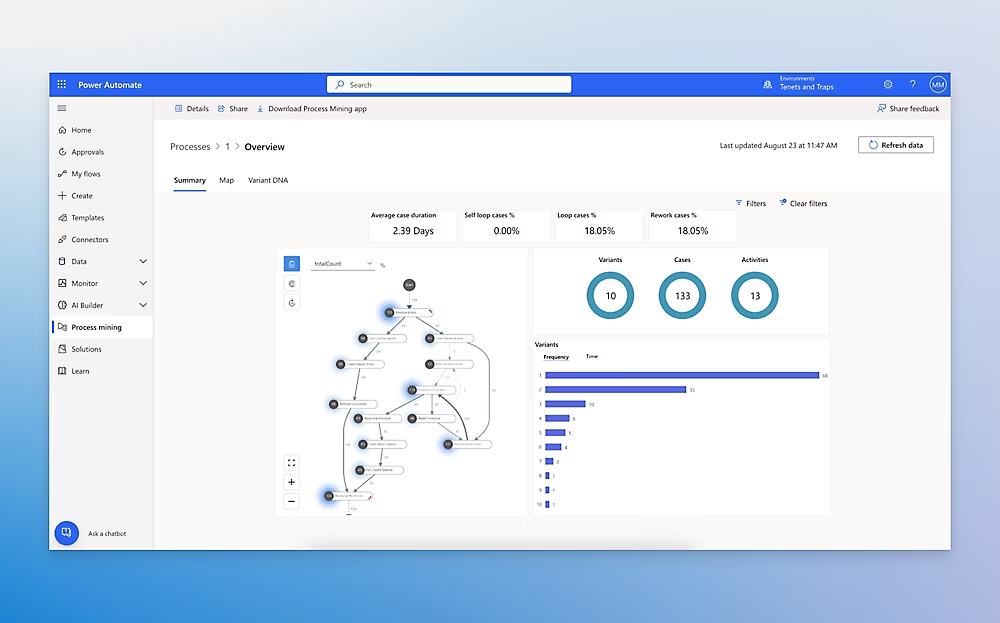
Power Automate’s strategic position is simple: if your organization already runs on Microsoft 365, you likely have partial access to it already, and the incremental cost to expand that access is lower than adopting an alternative platform from scratch. This logic is compelling, correct in the right circumstances, and consistently overextended by organizations that buy into it beyond the point where it applies.
The per-user Premium plan at $15/user/month covers unlimited cloud flows for a single user, with access to both standard connectors (SharePoint, Outlook, Teams, OneDrive — all deeply integrated with the M365 fabric) and premium connectors (Salesforce, SAP, Oracle, Dynamics 365 outside basic tiers). Standard connector flows are included in most M365 E3 and E5 licenses at no additional cost, which means many organizations already have meaningful Power Automate capability without knowing it.
For organizations running hybrid automation — cloud flows for document approvals, Outlook-triggered notifications, and Teams-based onboarding sequences — plus robotic process automation (RPA) for desktop processes, Power Automate is the only single-vendor platform that handles both. The Process plan at $150/bot/month covers unattended RPA bots; Hosted Process at $215/bot/month adds cloud-hosted bot infrastructure. At those rates, Power Automate’s RPA tier is slightly more expensive than UiPath’s attended robot pricing ($420/user/year) but meaningfully cheaper than most enterprise RPA platforms when bundled with existing M365 licensing.
What actually works well: Microsoft’s ecosystem integration depth is unmatched. Automating approval workflows in SharePoint, routing forms to Teams channels, processing Outlook attachments into OneDrive with metadata tagging, and connecting Dynamics 365 with Power BI dashboards are natural, low-friction operations that require premium connectors or API workarounds on every non-Microsoft platform. For organizations standardized on Microsoft infrastructure, Power Automate reduces integration complexity in ways that translate directly to deployment speed.
The AI Builder component (AI models for document processing, prediction, object detection, and form extraction) is genuinely capable for structured document automation use cases — particularly invoice processing, contract extraction, and approval routing, where its pre-built models work well without requiring custom ML engineering.
What’s frustrating in practice: The connector pricing model creates a specific and consistent frustration. Standard connectors in M365 flows are free. Premium connectors — which include Salesforce, ServiceNow, Zendesk, Hubspot, and most CRMs and ticketing platforms — require a Premium license at $15/user/month per user who triggers or runs a flow using that connector. A 50-person sales team that wants Salesforce integration doesn’t pay $15/month total; they pay $15 × every user whose workflows touch Salesforce. That 50-person team pays $750/month in additional Power Automate licensing on top of their M365 subscriptions. This is the “premium connector gate” that Power Automate deployments consistently underestimate in budget planning.
The desktop flow RPA capability, while technically impressive, requires the Power Automate desktop client installed on each attended machine and a Process license per unattended bot. Organizations expecting seamless “build once, run everywhere” automation hit this constraint when their workflows span both cloud and desktop environments.
For developers or technical teams wanting custom logic, extensibility, and AI agent architecture, Power Automate’s low-code-first design means working around the platform rather than with it in ways that n8n or even Make handle more elegantly.
Realistic 2026 pricing (May 2026):
- Included in M365: Standard connector cloud flows (unlimited, within M365 plan)
- Per-User Premium: $15/user/month — standard + premium connectors, unlimited flows
- Process: $150/bot/month — unattended RPA, one bot
- Hosted Process: $215/bot/month — cloud-hosted bot
- AI Builder credits: 1 million credits/month for $500/month (additional beyond plan allocations)
- The hidden cost: premium connector licensing multiplies by every user who touches Salesforce, SAP, or other non-Microsoft tools
Who should look elsewhere: Organizations not standardized on Microsoft 365 have no strategic reason to choose Power Automate over Make or n8n — the ecosystem advantage that justifies its complexity doesn’t apply, and they’d be accepting Microsoft’s premium connector pricing model without the offsetting integration benefit. Technical teams that need custom code, flexible data structures, and AI agent architecture will find the low-code-first design limiting. Small businesses not on M365 E3+ will face higher effective costs than equivalent Make or n8n plans.
5. Workato
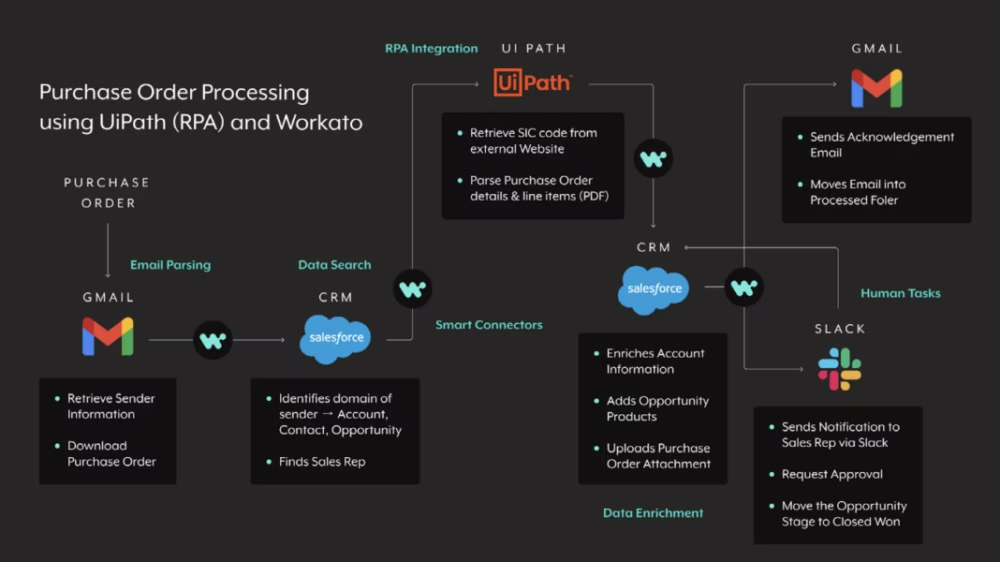
Workato is the enterprise-grade answer to the automation question, and understanding what “enterprise-grade” means here is the key to understanding when it’s the right choice. At minimum pricing of approximately $10,000–$20,000/year (and commonly $30,000–$80,000+ for large deployments), Workato is not competing with Zapier or Make for the SMB market. It’s competing with MuleSoft, Boomi, and ServiceNow for IT-governed, multi-system enterprise integration that requires security, compliance, and operational maturity that no-code automation platforms can’t provide.
What Workato does that Zapier and Make cannot: it handles enterprise system integration at production scale with the audit trails, role-based access controls, data masking, customer data isolation, and compliance documentation that enterprise procurement and IT security teams require. ERP integrations (SAP, Oracle, NetSuite), supply chain automation, HR system synchronization across HRIS, payroll, and benefits platforms, and compliance workflow automation with immutable audit logs are Workato’s territory — not “sync HubSpot to Google Sheets.”
Gartner positions Workato as a Leader in the 2025 Magic Quadrant for Integration Platform as a Service, specifically for its combination of no-code accessibility with enterprise-grade governance.
What actually works well: The Workato recipe-based builder provides a no-code experience with the governance depth IT teams need. Role-based access allows business users to build their own automation “recipes” within IT-defined guardrails — solving the tension between self-service automation and enterprise security that no-code platforms like Zapier create when they hit the enterprise context. Pre-built connectors to 1,000+ enterprise applications, including Workday, SAP, Oracle, Salesforce, Netsuite, and ServiceNow, are maintained at an enterprise support tier rather than community-maintained.
What’s frustrating in practice: Price accessibility. At $10,000/year minimum, Workato is genuinely out of reach for businesses below the mid-market threshold. The ROI case is legitimate — a single documented automation of accounts payable processing at a 100-person company can save $8/invoice × 2,000 invoices/year = $16,000/year in direct processing cost — but making that case requires already having the automation working, which requires having paid for Workato. The ROI conversation is self-reinforcing once you’re inside; arriving there requires budget conviction before proof.
Realistic 2026 pricing:
- Business: Custom pricing (typically $10,000–$20,000/year for SME entry)
- Business Plus / Enterprise: Custom (commonly $30,000–$80,000+/year)
- Pricing is recipe/workflow-based rather than task/execution-based — favorable for high-complexity workflows
- Professional services engagement often required for initial deployment: budget $5,000–$25,000
Who should look elsewhere: Any organization below ~100 employees or $20M ARR should evaluate n8n Enterprise or Power Automate Enterprise before Workato — the governance and compliance features that justify Workato’s pricing are overkill at smaller scale, and the cost differential funds multiple years of alternative tool licensing plus implementation resources.
6. Activepieces (Open Source Alternative)
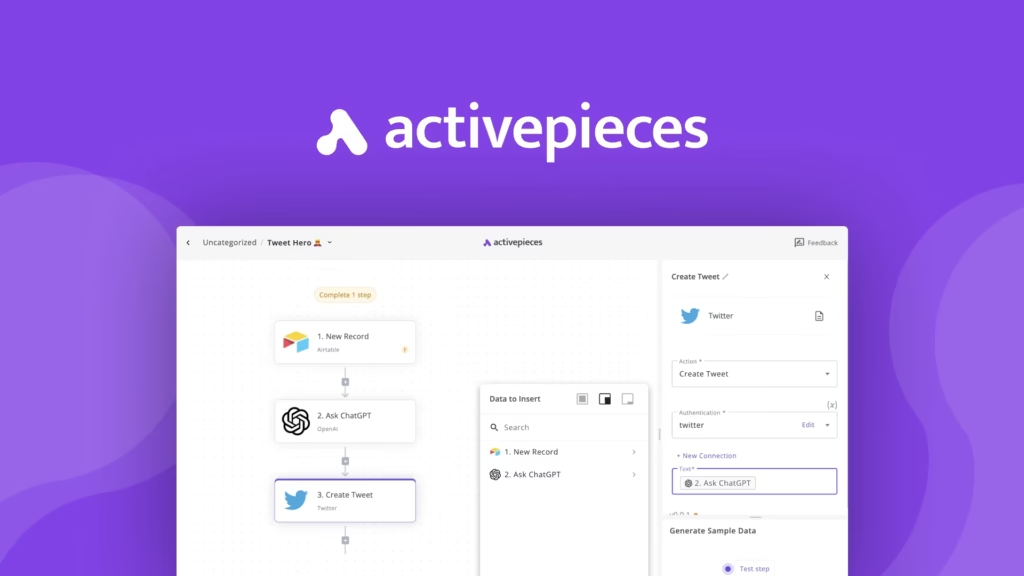
Activepieces occupies a specific and genuinely valuable niche: it does what Zapier does — connects apps with trigger/action workflows, no-code builder, growing integration library — while being fully open source, self-hostable, and free for the core functionality. Cloud pricing starts at $9/month, making it the lowest-cost entry point for cloud-hosted no-code automation in this comparison.
For organizations that want Zapier’s accessibility model without Zapier’s pricing trajectory, and whose technical team can handle a basic Docker deployment, Activepieces is worth serious evaluation. The builder is intuitive. The integration library is growing rapidly (200+ integrations as of 2026, compared to Zapier’s 8,000+ — a meaningful gap for long-tail SaaS connectivity). The self-hosted option gives complete data control.
The honest limitation: Activepieces is not Zapier. The integration count gap matters for organizations dependent on niche tools. The community support model means when something breaks, you’re posting in a forum rather than opening a support ticket. Enterprise features (SAML SSO, advanced RBAC, audit logs) exist on Enterprise tier but lack the production track record of established platforms.
Realistic 2026 pricing:
- Open source (self-hosted): $0
- Cloud Starter: $9/month
- Cloud Pro: $49/month
- Enterprise: Custom
- Best for: Technical teams or organizations with developer resources who want Zapier-style accessibility without per-task pricing at any scale
The Pricing Trap: What Vendors Don’t Put in the Marketing Materials
Every vendor in this category is selling you on starting price. This section names the specific billing mechanics that create surprise invoices.
Zapier’s Task Multiplication Problem
In Zapier’s pricing model, each individual action step in a workflow counts as one task. A workflow that: (1) receives a form submission, (2) looks up a record in HubSpot, (3) updates a Google Sheet row, (4) sends a Slack message, and (5) creates a task in Asana — consumes 5 tasks per form submission, not 1.
At 500 form submissions per month, that’s 2,500 tasks — already above the 750-task Professional plan. At 1,000 submissions per month, it’s 5,000 tasks, requiring the Team plan. This is not unusual usage. It’s typical for a mid-sized business.
The math compounds further when Zapier’s “Paths” feature (conditional branching) is used: each Path branch that executes also counts as a task. A workflow with 5 action steps and 2 active path branches consumes 7 tasks per execution.
Runaway loop protection: Zapier does not automatically pause or throttle a workflow that enters a loop. A misconfigured automation that triggers itself repeatedly will consume tasks until you notice, at 1.25x the overage rate. Set billing alerts. Zapier provides a usage dashboard but no automatic hard stops.
Make’s Operations Nuance
Make’s model is more transparent than Zapier’s: operations are counted per action module execution (similar to Zapier tasks), but the pricing per operation is significantly lower. The nuance: Make’s “Instant” triggers (webhooks) use operations every time the webhook fires and is processed, regardless of whether the scenario’s conditions pass. A scenario checking 1,000 incoming webhooks per month but filtering 80% out still consumes 1,000 operations on the trigger check.
Power Automate’s Premium Connector Proliferation
As documented above: every user whose workflow touches a premium connector (Salesforce, SAP, Oracle, Zendesk, Hubspot, most external CRMs and ticketing systems) requires an individual Premium license at $15/user/month. In a 100-person organization where 60 people have automations touching Salesforce — even simple ones like “when a deal closes, send me a Teams notification” — that’s $10,800/year in Power Automate licensing on top of existing M365 costs.
The calculation gets worse when you add RPA: each unattended bot (Process plan, $150/bot/month) handles one concurrent process. An accounts payable team running invoice processing bots across three concurrent streams needs three Process licenses ($5,400/year) plus Premium user licenses for the humans managing exceptions.
n8n’s Self-Hosting Hidden Costs
The self-hosted n8n Community Edition is free to download and run. The hidden costs are:
- Server cost: $10–50/month depending on workload
- Initial setup: 4–12 hours of technical labor for a basic Docker deployment with SSL, reverse proxy, and monitoring
- Maintenance: 1–3 hours/month for updates, backup verification, and incident response
- Opportunity cost: Every hour an engineer spends on infrastructure is an hour not spent on business automation development
- Incident cost: An unmonitored self-hosted n8n instance can fail silently — workflows stop running without alerts if the container crashes and isn’t auto-restarted. Implementing proper monitoring adds setup complexity.
For a developer earning $120,000/year ($60/hour), 20 hours/year of maintenance = $1,200/year in implicit labor — still cheaper than Zapier at medium volume, but not “free.”
Data Sovereignty and Compliance: The Selection Dimension Every Guide Ignores
For regulated industries and EU-based organizations, the platform’s data processing location is not a preference — it’s a compliance requirement. Here’s where each platform stands:
| Platform | Data Location | Self-Hosting | GDPR Compliance | HIPAA BAA Available | SOC 2 |
|---|---|---|---|---|---|
| Zapier | AWS US-East (exclusively) | ❌ No | Standard DPA available | ✅ Enterprise plans | ✅ Type II |
| Make | EU data centers (Celonis/Germany) | ❌ No | ✅ GDPR-native | ❌ | ✅ |
| n8n Cloud | EU or US (configurable) | ✅ Yes (any region) | ✅ GDPR + data sovereignty | ✅ Self-hosted | ✅ Cloud |
| Power Automate | Azure (EU, US, APAC configurable) | ❌ No (Azure only) | ✅ GDPR + EU Data Boundary | ✅ | ✅ Type II |
| Workato | US + EU data centers | ❌ No | ✅ | ✅ | ✅ Type II |
| Activepieces | Self-hosted (any region) or US cloud | ✅ Yes | ✅ (self-hosted) | ✅ Self-hosted | Cloud in progress |
The practical implications:
Healthcare (HIPAA): Zapier requires a Business Associate Agreement (BAA) to be used in workflows that process Protected Health Information (PHI). BAAs are available only on Enterprise plans. n8n self-hosted is compliant by architecture — PHI never leaves your infrastructure. Power Automate’s HIPAA compliance documentation is well-established through Azure Health Data Services.
EU organizations (GDPR): Workflow automation platforms that process personal data — which most business automations do (names, emails, deal information, employee records) — must comply with GDPR’s data transfer restrictions when data leaves the EU. Zapier’s exclusive US infrastructure triggers standard contractual clause requirements. Make’s EU-headquartered infrastructure simplifies this. n8n self-hosted in an EU data center is cleanest.
Financial services: PCI DSS, SOC 2, and financial regulatory requirements vary by jurisdiction. The common thread is audit trail requirements — immutable logs of what data was processed, when, by which workflow, and with what result. Workato and n8n Enterprise both provide structured audit logs. Zapier’s execution history logs are functional but not designed for compliance audit export.
The NIST Privacy Framework provides a structured approach to data governance that applies directly to workflow automation platform selection — specifically its PROTECT-P and CONTROL-P functions, which address data processing limitation, quality management, and disassociated processing that organizations should evaluate against each platform’s capabilities.
The Automation ROI Framework: What Business Cases Actually Look Like
Most automation purchase decisions are made on intuition — “we waste so much time on this” — rather than documented ROI models. This section provides department-level ROI benchmarks drawn from published research, so you can build the business case that gets automation budget approved.
The research consensus: 60% of organizations achieve positive ROI within 12 months of deploying workflow automation (multiple sources converge on this figure). The organizations that don’t typically cite three failures: poor use case selection (automating low-value processes), insufficient adoption (automating processes that humans work around), and total cost underestimation (the pricing traps documented in Part 2).
Finance and Accounts Payable
Finance automation delivers the most consistently documented ROI in the research literature. The data points that matter for a business case:
- Accounts payable automation can reduce per-invoice processing cost from approximately $10 to approximately $2 — an 80% cost reduction per transaction
- According to IBM research on business process automation, businesses waste $3 trillion annually on excess labor for tasks that could be automated
- Finance and accounting automation delivers an average 3-year ROI of 214% (Forrester, 2025)
The most automatable finance workflows: invoice receipt and routing, payment approval chains, expense report processing, month-end close reconciliation checklists, and vendor onboarding documentation. Each is a high-volume, rule-based process — exactly what workflow automation handles reliably.
Sample business case (100-person company):
- Current state: 500 invoices/month processed manually at 15 minutes each = 125 hours/month × $30/hour = $3,750/month
- Automated state: automated receipt, routing, and approval with human exception review = 30 hours/month × $30/hour = $900/month
- Gross savings: $2,850/month = $34,200/year
- Tool cost (Make Pro for finance team): ~$2,000–$4,000/year
- Year 1 net savings: ~$30,000–$32,000 after tool cost
- ROI timeline: positive within 2 months of full deployment
Human Resources and Onboarding
HR automation addresses the highest labor-concentration processes in the HR function: onboarding, offboarding, PTO request routing, compliance training tracking, and benefits enrollment.
- HR onboarding automation reduces time-to-productivity for new hires by an average of 23%
- Automated onboarding improves new hire satisfaction scores — employees who experience structured, automated onboarding report higher 30-day engagement than those experiencing manual, ad-hoc processes
- According to the US Bureau of Labor Statistics, the average HR specialist earns approximately $67,650/year ($32.52/hour) — hours reclaimed through automation translate directly to capacity for higher-value HR work
The most automatable HR workflows: new hire document collection and routing, IT access provisioning requests triggered by HRIS, offboarding checklists with automatic system deprovisioning, performance review reminders and form routing, and benefits change workflows.
The hidden automation gap in HR: Most organizations automate the visible part of onboarding (DocuSign forms, welcome emails) and leave the connected processes manual (IT access requests sit in a ticket queue; badge provisioning waits for manual approval; equipment orders sit in a spreadsheet). Full-cycle HR automation connects HRIS → IT ticketing → facilities → payroll → benefits in a sequence triggered by a single status change. That end-to-end workflow is where the real time savings accumulate.
Sales and Revenue Operations
Sales automation ROI is the most context-dependent because it depends heavily on deal velocity, average contract value, and how much sales capacity the automation actually frees up for selling vs. administrative work.
- Sales workflow automation (lead scoring, pipeline updates, follow-up sequences) correlates with a 14% increase in sales quota attainment
- Sales professionals using automation save approximately 2.5 hours per day on administrative tasks — time that can be reallocated to customer conversations
- 73% of sales professionals say automation lets them spend more time building client relationships
The most automatable sales workflows: lead routing from marketing to sales based on scoring criteria, CRM data enrichment from third-party sources, follow-up sequence triggers based on prospect behavior, pipeline stage update notifications to management, and contract generation triggered by deal close.
Important caveat: Sales automation has the highest misapplication rate of any department. Automating a poor follow-up sequence at scale doesn’t improve results — it scales the ineffectiveness. Before automating sales workflows, audit whether the manual process produces the desired outcome. Automation amplifies the quality of the underlying process; it doesn’t substitute for it.
Operations and IT
Operational automation — IT service management, employee request routing, system health monitoring responses, and infrastructure event handling — is where Make and n8n’s technical flexibility pays dividends that Zapier’s no-code model can’t match.
- By 2026, 30% of global enterprises have adopted an automation fabric strategy to link insights with execution — a figure that reflects the maturity of operational automation in larger organizations
- Companies adopting intelligent automation realize an average 22% cost reduction within 3 years
The most automatable operational workflows: IT ticket routing and escalation, scheduled infrastructure health checks with alert triggering, employee request fulfillment (software provisioning, access requests), security incident response automation (quarantine triggers, ticket creation, stakeholder notification), and reporting pipeline automation.
How to Choose: The Buyer Decision Framework
The competitive research for this article confirmed that no existing guide provides a structured decision framework tied to actual organizational characteristics. This one does.
Work through these five questions in sequence. The first question that produces a clear answer terminates the decision.
Question 1: Do you have data sovereignty or compliance requirements?
If your organization operates under HIPAA, GDPR with EU data residency requirements, PCI DSS, or financial regulatory frameworks that mandate data processing location — your choice of cloud-only US-hosted platforms is restricted. Zapier is off the table. Your options are: n8n self-hosted (maximum control), n8n Cloud EU, Power Automate (Azure EU Data Boundary), or Workato (EU data center option).
→ If YES, narrow to: n8n (self-hosted or EU Cloud), Power Automate, Workato
Question 2: Is your organization inside the Microsoft 365 ecosystem?
If your team runs on Teams, SharePoint, Outlook, and OneDrive — and your automation needs center on these tools plus standard Microsoft 365 integrations — Power Automate’s existing license coverage and native integration depth make it the default first evaluation.
→ If YES and simple automation needs: start with Power Automate (possibly already licensed) → If YES and complex non-Microsoft integrations: evaluate Power Automate Premium vs. n8n
Question 3: What is your expected automation volume at 18 months?
This is the question that determines whether the TCA Matrix produces a clear cost winner.
- Below 5,000 tasks/month at 18 months: Zapier or Make — cost difference isn’t material, and ease of use wins
- 5,000–20,000 tasks/month: Make is significantly cheaper than Zapier; n8n Cloud is comparable or cheaper than Make
- Above 20,000 tasks/month: n8n (self-hosted or Cloud) is structurally the lowest-cost option; other platforms require enterprise pricing conversations
Question 4: Do you have technical staff who can build and maintain automations?
This is the single most commonly ignored variable in automation tool selection.
- No technical staff available: Zapier, then Make. Do not evaluate n8n as your primary platform — the operational burden will exceed the cost savings for most workflows.
- 1 developer available part-time: Make or n8n Cloud — the developer can handle n8n’s learning curve and the cloud deployment removes infrastructure management
- Developer team available: n8n self-hosted is the optimal choice economically; consider n8n Enterprise for governance requirements
Question 5: Are you building AI-native workflows (agents that make decisions, not just connect APIs)?
- Simple AI API calls (summarize this text, classify this email): all platforms handle this
- AI agent workflows (LLM decides which tools to invoke, maintains state across sessions, uses RAG for knowledge retrieval): n8n with LangChain integration is the current best-in-class at accessible pricing
- Enterprise AI orchestration at scale with full governance: Workato
The Migration Reality: What Switching Platforms Actually Costs
Most automation guides cover switching costs with a paragraph. Here’s what moving between platforms actually involves, because the sunk cost of an existing automation library is a real factor in any purchase decision.
Moving FROM Zapier TO Make or n8n:
- No automated import tools exist between these platforms
- Process: export a list of all active Zaps; document trigger, actions, and filter logic for each; rebuild in the destination platform
- Time estimate: 30–90 minutes per workflow depending on complexity
- Priority order: migrate the highest-task-consumption workflows first — these produce the fastest cost savings
- Credentials: re-authenticate every app connection in the new platform (all platforms require this)
- Testing: every migrated workflow requires test runs before disabling the original
Moving FROM Power Automate TO n8n or Make:
- Power Automate’s flow export format is not compatible with other platforms
- Flows involving Microsoft-specific connectors (SharePoint file triggers, Teams notifications, Outlook routing) need to be redesigned, not just copied, because the destination platform handles these connections differently
- Consider hybrid architecture: keep Microsoft-specific flows in Power Automate, migrate non-Microsoft flows to n8n or Make
The honest migration advice: unless you’re at a usage volume where the cost savings genuinely justify the migration effort (typically above 20,000 tasks/month on Zapier), stay on your current platform and build new workflows on the target platform. The hidden cost of migration labor — typically 20–50% of the annual tool cost savings in Year 1 — makes aggressive migration projects economically marginal until volume is high.
Frequently Asked Questions
What is workflow automation and why do businesses need it?
Workflow automation uses software to execute business processes — or sequences of steps within them — without manual intervention. A form submission that automatically creates a CRM record, notifies a salesperson via Slack, schedules a follow-up email, and logs the interaction in a spreadsheet is a simple automated workflow. The business case is straightforward: 94% of workers report performing repetitive, time-consuming tasks that could be partially or fully automated (McKinsey Global Institute). Workflow automation reclaims that time for higher-value work while reducing errors from manual data handling.
What is the difference between workflow automation and robotic process automation (RPA)?
Workflow automation connects cloud applications via APIs — when an event happens in App A, it triggers an action in App B. It works with cloud software that has integration APIs. Robotic process automation (RPA) simulates human interaction with software interfaces — clicking buttons, reading screen data, filling forms — and works with applications that don’t have APIs, including legacy desktop software and mainframe systems. Most modern businesses need both: workflow automation for cloud-to-cloud integration and RPA for legacy system interaction. Power Automate is the only platform in this guide that handles both within a single product.
How do I calculate ROI before buying a workflow automation tool?
Start with three numbers: (1) the fully-loaded hourly cost of the people currently doing the manual work (salary + benefits, typically 1.25–1.4× base salary); (2) the hours per month those people spend on the specific processes you plan to automate; (3) the percentage of that work that automation will actually eliminate vs. merely accelerate (be conservative — assume 50–70% for a first estimate, not 100%). Multiply those three numbers to get monthly savings. Divide annual tool cost by monthly savings to get months-to-payback. If payback is under 12 months, the case is strong. Finance automation typically produces 2–3 month payback. Sales automation payback is longer and more variable.
Can small businesses afford workflow automation?
Yes. Make’s free tier (1,000 operations/month) and Zapier’s free tier (100 tasks/month) provide meaningful starting capability at zero cost. Activepieces is free and unlimited when self-hosted. For a 10-person business paying $10–$50/month for a basic automation plan, a single workflow that eliminates 2 hours/week of manual data entry pays for a year of the platform subscription in the first month.
What are the most common workflow automation use cases for SMBs?
The highest-ROI starting points for small businesses: (1) lead capture routing — new form submissions or ad leads automatically entered into CRM and assigned to a salesperson; (2) invoice processing — new invoices emailed to a shared inbox are automatically logged and routed for approval; (3) customer onboarding — new customers trigger a sequence of welcome communications, document requests, and internal setup tasks; (4) reporting — weekly or monthly data reports assembled and distributed automatically from multiple sources; (5) support ticket routing — incoming support requests classified and assigned based on content keywords or customer tier. Any of these use cases can be automated in a day on Zapier or Make with no prior experience.
Is no-code automation secure?
Security depends on the platform’s architecture and how you configure it, not on whether it’s no-code or not. Key security questions to ask any platform: Is it SOC 2 Type II certified? How are credentials stored (are API keys encrypted at rest)? What audit logging is available? Does it support SSO for enterprise user management? Can it be self-hosted for data sovereignty? Zapier, Make, Power Automate, and Workato all hold SOC 2 Type II certifications. n8n Cloud does as well; n8n self-hosted places security responsibility on the deploying organization.
What happens to my automations if my vendor shuts down or raises prices significantly?
Vendor lock-in is a real risk in automation, because your business logic — the rules and sequences your workflows encode — lives inside the platform’s proprietary format. Mitigation strategies: (1) document every workflow externally (a simple spreadsheet listing trigger, logic, and actions for each workflow provides a rebuild spec if you ever migrate); (2) prefer platforms with open formats or export capabilities; (3) n8n’s open-source status means the code is available even if the company stopped operating tomorrow — your self-hosted deployment continues to run. Zapier and Make workflows are not portable to other platforms without manual rebuild.
Should I hire an automation consultant or build automations in-house?
For organizations at Maturity Level 1–2 (the Automation Maturity Ladder from Part 1), in-house building on Zapier or Make is accessible and recommended — the tools are designed for self-service, and building your own automations develops institutional knowledge. For Level 3–4 (cross-functional automation, process architecture), a fractional automation specialist or a short consulting engagement to design the architecture and build the first 10–15 workflows pays dividends — a well-designed automation stack scales cleanly, while a poorly-designed one creates maintenance debt that grows linearly with workflow count. For Level 5 (AI orchestration), specialist expertise is effectively required.
What’s the difference between an automation platform and an AI agent platform?
Traditional automation platforms (Zapier, Make, Power Automate at basic tiers) execute deterministic workflows: if X happens, do Y and Z in a fixed sequence. AI agent platforms (n8n with LangChain, Workato with AI orchestration, specialized tools like Relevance AI) execute probabilistic workflows: the AI decides which steps to take based on the content it receives, can handle unstructured inputs, maintains memory across interactions, and can chain tool calls without a human predetermining the sequence. The distinction matters when your automation needs to handle variability — customer emails that don’t follow a template, documents with inconsistent formats, decisions that depend on context rather than fixed rules.
How do I get leadership buy-in for a workflow automation investment?
Three elements that consistently move budget approvals: (1) a documented time audit — log every instance of the target manual process for two weeks, calculate the monthly hour cost, multiply by loaded hourly rate; this turns “we waste a lot of time” into a number. (2) A pilot demonstration — most platforms offer free tiers; build the automation before asking for budget, then present the working proof of concept. (3) Peer evidence — industry-specific ROI benchmarks (finance: 214% 3-year ROI; HR onboarding: 23% time-to-productivity improvement; sales quota: +14%) translate the investment into language that CFOs recognize. The McKinsey Global Institute’s automation research provides the macro-level evidence base that adds credibility to department-level proposals.
Final Verdict: The Right Tool for Each Business Profile
Best for non-technical teams prioritizing speed: Zapier — 8,000+ integrations, fastest time-to-first-automation, AI Copilot for natural language workflow building. Expensive at scale; model Year 2 costs before committing.
Best overall value for growing businesses: Make — 60–70% lower cost than Zapier at equivalent volume, genuinely capable visual complexity handling, EU-headquartered for cleaner GDPR compliance. Worth the steeper initial learning curve for any team beyond basic point-to-point connections.
Best for technical teams and high-volume automation: n8n — execution-based pricing is structurally the cheapest model at any meaningful volume, self-hosting provides complete data sovereignty, and the LangChain AI agent architecture is the best in the accessible-pricing tier. Requires technical ownership to operate correctly.
Best for Microsoft-centric organizations: Power Automate — already partially licensed, deepest native M365/Teams/SharePoint integration, the only platform combining cloud automation and RPA. Model the premium connector costs carefully before expanding beyond standard M365 workflows.
Best for enterprise-grade multi-system integration: Workato — the governance, compliance, and enterprise connector depth justify the cost at scale. Not appropriate for organizations below mid-market.
Best budget option for technical teams: Activepieces (open source, self-hosted) — zero cost, growing integration library, complete data control. Lacks the ecosystem depth and support maturity of established platforms but is a legitimate choice for cost-constrained organizations with developer capacity.
The question every buyer should answer before signing: what does this tool cost when my automation program is 10 times its current size? The platform that’s cheapest today isn’t always the platform that’s cheapest in 24 months. That math, done honestly against the TCA Matrix in Part 1, is the most valuable analysis this guide provides.
[simple-author-box]