

![How to Improve Team Efficiency Using Smart Meeting Techniques [Step-by-Step Guide]](https://axis-intelligence.com/wp-content/uploads/2025/11/How-to-Improve-Team-Efficiency-Using-Smart-Meeting-Techniques-Step-by-Step-Guide-1109x638.webp "How to Improve Team Efficiency Using Smart Meeting Techniques [Step-by-Step Guide]")
AI tools have transformed the way teams work. Research shows that marketers save half of their time when they include artificial intelligence in their daily routines. The shift toward remote and hybrid work during the pandemic made efficiency more important than ever. Teams spread across locations and time zones needed new ways to stay connected, and improving meeting productivity became a major priority.
Microsoft Teams, introduced in 2017, changed how employees communicate and collaborate. Even with strong digital platforms in place, many organizations still struggle to run meetings that feel purposeful and productive. AI now plays a key role in solving this challenge. It takes over routine tasks, guides team interactions, and frees people to concentrate on work that adds real value. As a result, teams see meaningful improvements in performance and decision making.
The rewards extend far beyond time savings. Research shows that nearly forty percent of marketing teams experience better collaboration after adopting AI tools. Intelligent meeting agents can support discussions with ease. They manage agendas, keep conversations on track, and help quieter team members feel more confident contributing.
This article will give you practical strategies for improving your team meetings with smart technology and AI tools. You will explore common meeting challenges along with clear steps for creating a more organized and engaging experience that strengthens teamwork.
Identify Meeting Inefficiencies
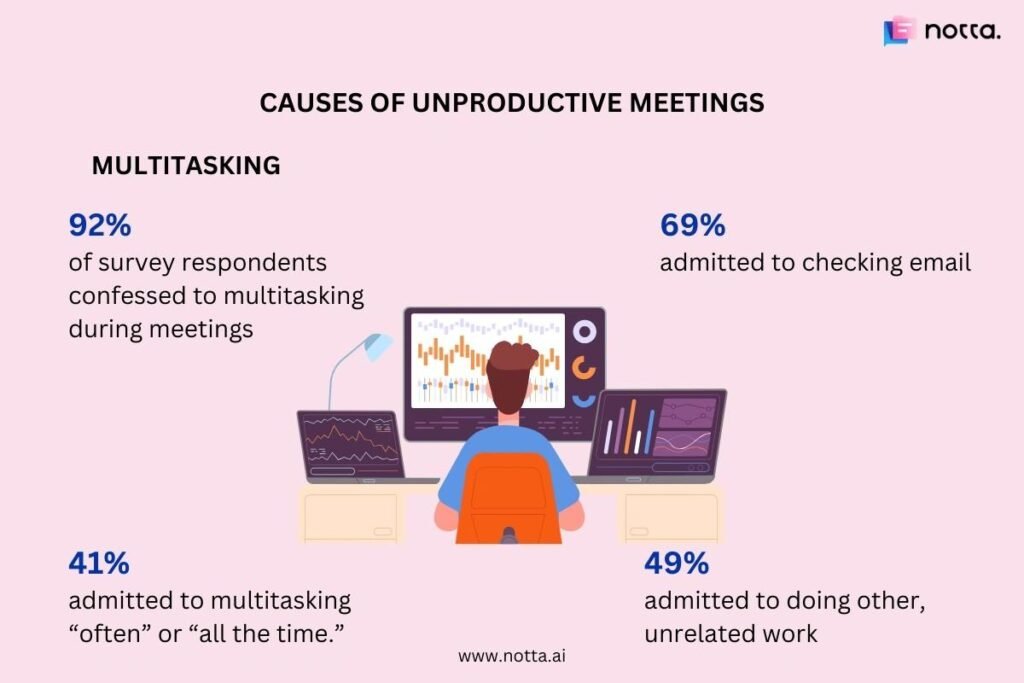
Research shows 47% of professionals find meetings unproductive. Today’s executives spend about 23 hours each week in meetings. This number has doubled since the 1960s. Teams need to spot these inefficiencies to boost their effectiveness.
Common time-wasters in team meetings
Teams must spot what kills productivity in their gatherings before they can make improvements. Research points to several main issues:
- Lack of clear purpose and agenda – Meetings become chaotic without a well-laid-out agenda shared ahead of time. The data shows 54% of participants leave meetings unclear about their next steps.
- Wrong participants – Teams waste time and energy by including people who don’t need to attend. This leads to multitasking, which 92% of attendees admit they do.
- Unnecessary length – Meetings typically run for 50.6 minutes. Many topics need nowhere near this much time. After just 30 minutes, 52% of people lose focus.
- Recurring meetings without review – Calendar data reveals that teams spend most of their week in recurring meetings. Yet they rarely review if these meetings still add value.
Signs your meetings are not productive
A study of 76 companies revealed something interesting – employee productivity jumped 71% when meetings dropped by 40%. Here are red flags to watch for:
Meetings that run past their end time show poor planning and disrespect everyone’s schedule. Topics that keep coming up week after week without solutions point to broken decision-making processes.
Virtual meetings where cameras stay off or just a few people do all the talking show a clear lack of involvement. People participate less because their calendars are packed. They waste about 31 hours monthly in meetings that don’t achieve anything.
The numbers tell the real story – unproductive meetings cost U.S. businesses $37 billion every year. This huge cost shows why teams must spot and fix these issues to perform better.
Set Up Smart Meeting Foundations
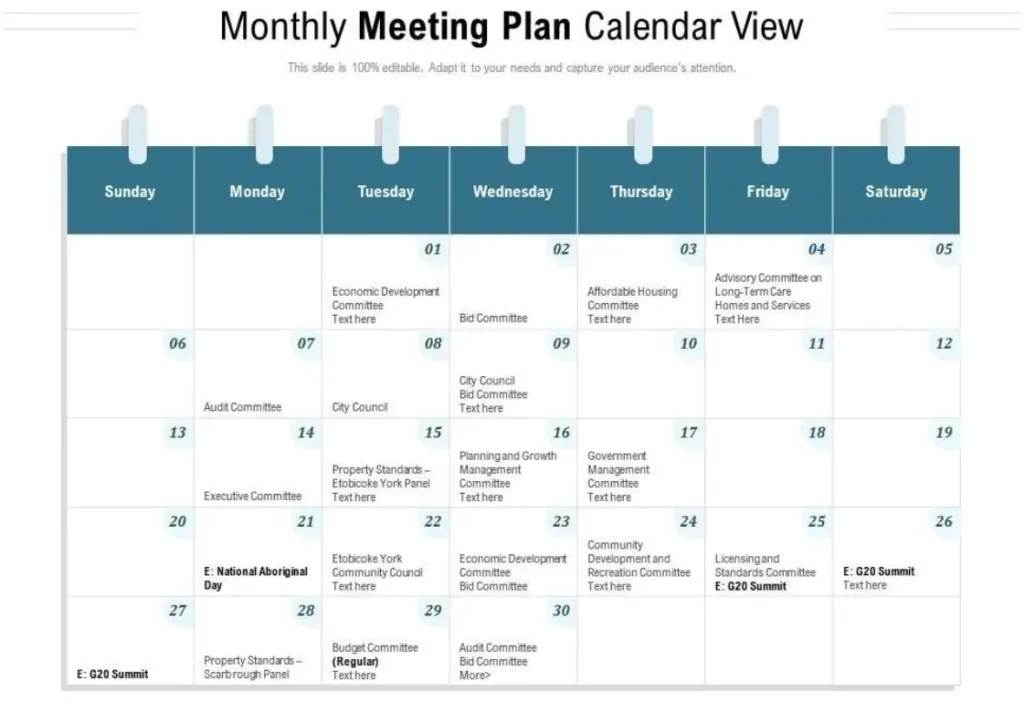
Teams need the right technology and processes to build reliable meeting infrastructure. Smart meeting rooms combine hardware and software. This combination creates smooth collaboration experiences that improve productivity and remove technical issues for everyone, whether they attend in person or remotely.
Choose the right collaboration tools
The choice of collaboration platform greatly affects how well meetings work. Microsoft Teams, Zoom with its 300 million daily active users, and Slack with 32.3 million daily users each bring unique strengths that match specific team needs.
Your collaboration tools should have:
- Wireless connectivity that makes device pairing and file sharing easy
- The ability to work with your existing software and tools
- Easy-to-use interfaces that reduce technical problems
- Support for teams using different types of devices
Many companies get better results by using multiple tools. They often use Teams for internal work and Zoom for client meetings.
Integrate calendars and scheduling assistants
AI-powered scheduling tools help teams work better. These tools connect with all calendars live and stop double-bookings. They also make coordination automatic.
Smart scheduling tools can:
- Add time buffers between meetings to help prevent burnout
- Check multiple calendars to avoid conflicts
- Let you customize your availability to protect focus time
- Connect with video platforms to create meeting links automatically
Tools like Calendly remove the need for back-and-forth emails. They look at everyone’s schedule to find the best meeting times.
Create shared agendas and templates
A clear purpose and well-laid-out agenda should come before any calendar invite. Meeting agendas guide the group by showing topics, who leads them, and how long each should take.
Good agenda templates include:
- Meeting details (title, date, time, location)
- A clear statement of what you want to achieve
- Who needs to attend and their roles
- Important topics and who presents them
- Room to write down tasks and next steps
Sending agendas a day before meetings lets people prepare better. This leads to more focused and productive discussions. Using these key elements creates the foundation needed for smarter, more efficient team meetings.
Use AI-Powered Tools to Boost Engagement
AI makes significant improvements to meeting participation, and research indicates it can boost a worker’s performance by nearly 40% compared to those who don’t use it. These tools change how teams work together by managing administrative tasks and allowing better involvement.
AI meeting assistants become part of your virtual meetings to automatically transcribe conversations and capture key points without manual note-taking. Users of tools like save over four hours weekly through automated transcription and summaries. Platforms like Fathom AI and record, transcribe, and extract action items so participants can stay focused during discussions.
Beyond simple transcription, advanced tools provide:
- Immediate analysis that tracks speaking time distribution and provides inclusion scores to ensure fair participation
- Automated meeting summaries with highlighted action items shared right after meetings end
- AI-powered cameras that frame in-room participants automatically to create a more inclusive experience for remote team members
The lasting impact of these tools shows as 81% of desk workers using AI report improved productivity. Team performance can increase by 42.5% with proper training on AI meeting tools. AI assistants help team members focus on meaningful discussions instead of administrative tasks as meetings continue to evolve.
Track and Improve Meeting Outcomes
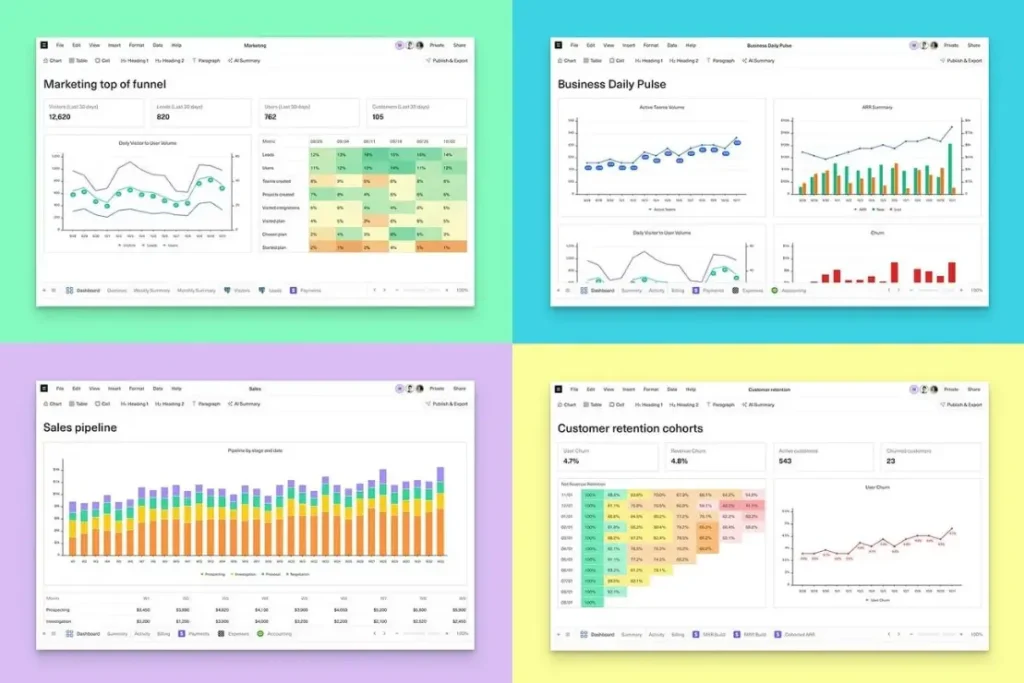
Teams need to measure their meeting effectiveness to learn about ways they can improve continuously. Smart meeting practices combined with outcome tracking will give a solid foundation for green progress.
Use analytics to measure meeting effectiveness
Meeting analytics tools reveal collaboration patterns throughout your organization. These platforms show which meetings waste time and identify what holds teams back. Your team’s productivity will improve by tracking these key metrics:
- Meeting satisfaction scores from attendees show overall effectiveness
- Action item completion rates demonstrate follow-through
- Cost calculations based on attendee hourly rates show meeting investment value
Viva Insights and similar platforms help identify behaviors that make meetings work better. They determine which teams use these behaviors and track changes in patterns over time. Teams can collect baseline data through these tools to understand their current performance before setting improvement goals.
Review action items and accountability
A dedicated “recorder of commitments” during meetings documents all tasks with clear ownership. Your team’s work often slips through the cracks without clarity on tasks and due dates.
Leaders should send participants a summary of responsibilities and deadlines after meetings. Tools like Fellow move incomplete items forward to next meetings automatically so tasks don’t get forgotten. This closed feedback loop creates continuous improvement and involves the whole team.
Refine future meetings based on feedback
Make specific changes when feedback points to problems. Modify future agendas if certain sessions run too long or prove unproductive.
Meaningful input comes from post-meeting surveys with specific questions about effectiveness, timing, and content. Response themes from this feedback guide future improvements.
Analytics data combined with participant feedback creates a strong base for ongoing meeting optimization.
A Stronger Path Forward
Smart meeting practices give teams a real chance to improve the way they work, communicate, and make decisions. When organizations use clear planning along with thoughtful technology choices, every discussion becomes more purposeful. AI tools add another layer of support that keeps conversations organized, encourages balanced participation, and helps teams stay focused on meaningful progress.
The insights gathered through continuous tracking guide teams toward better habits. Clear agendas, committed follow through, and honest feedback create a reliable structure where meetings serve a clear purpose instead of becoming routine obligations. With this foundation in place, every team member can contribute with confidence and clarity.
Modern meeting techniques bring people together with more intention. When teams pair strong preparation with intelligent tools, collaboration becomes smoother and outcomes become easier to reach. This approach shapes a more connected workplace where time is used well and shared goals become easier to achieve.