

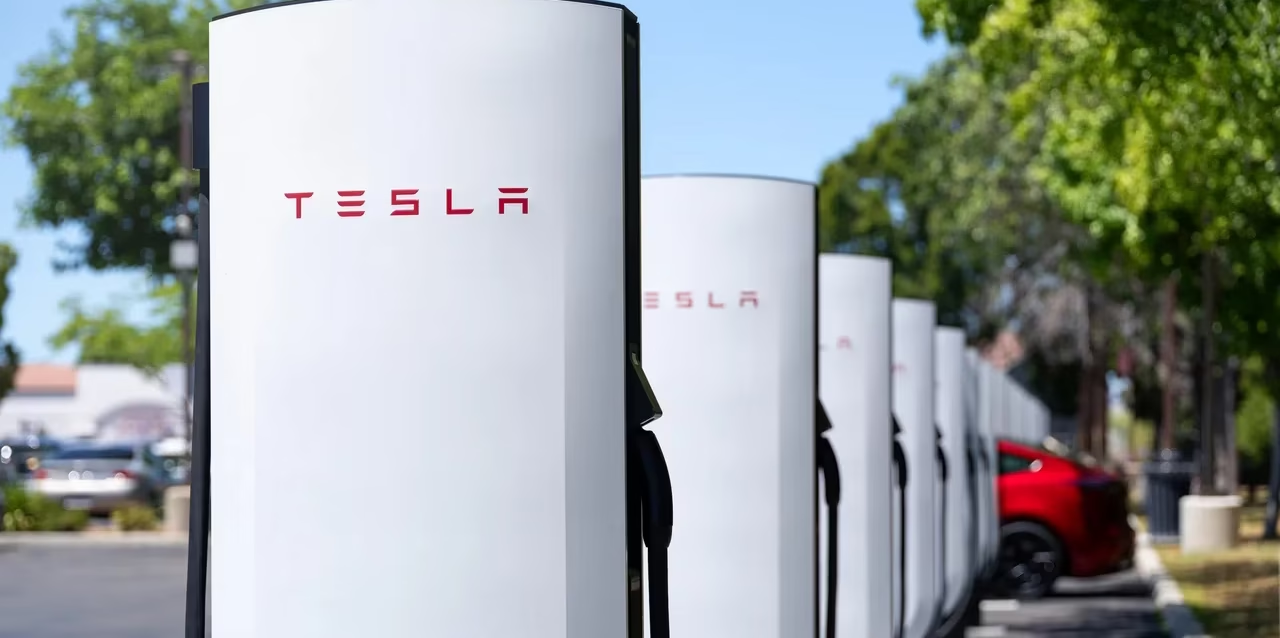
Tesla Supercharger Network 2026
Last updated: May 2026
Non-Tesla electric vehicles can now access most of the Tesla Supercharger network across North America — but the experience is not identical to what Tesla owners get, and the marketing doesn’t tell you that. This guide covers which vehicles qualify, the four distinct access types and what each means for your charging speed and cost, how the per-minute billing trap works in certain U.S. states, and when you are better off skipping Superchargers entirely for a competing DCFC network.
Table of Contents
Why This Matters: The Largest Fast-Charging Network Just Opened Its Doors
Tesla’s Supercharger network is the dominant DC fast-charging infrastructure in North America. As of early 2026, it operates more than 2,500 station locations with approximately 30,000 individual stalls in the United States alone. The U.S. Department of Energy’s Alternative Fuels Data Center confirms that the network remains the single largest DC fast-charging deployment in the country by stall count, with significant density advantage over competing networks on major highway corridors.
Between May 2023 and late 2024, Tesla reached interoperability agreements with effectively every major EV automaker: Ford, GM, Rivian, Volvo, Polestar, Mercedes-Benz, Nissan, Lucid, Hyundai, Kia, BMW, Acura, Audi, Lexus, and others. The trigger was Ford’s announcement in May 2023 that it would switch future EVs from CCS1 to Tesla’s connector standard — now officially codified by SAE as J3400, making it a recognized U.S. industry standard rather than a proprietary plug.
The practical result: if you bought or are buying a non-Tesla EV in 2024 or later, Supercharger access is either already available or will be within months. But “available” covers four meaningfully different experiences depending on your vehicle and the specific station you are visiting. Understanding which one applies to you is the difference between a seamless charge stop and a frustrating detour.
The Supercharger Access Matrix: Four Categories, Four Different Experiences
I use a framework I call the Supercharger Access Matrix to classify what non-Tesla EV owners actually experience when they pull up to a stall. The four categories reflect real differences in stall availability, charging speed, app requirements, and cost — none of which are clearly communicated in most coverage of this topic.
| Access Type | Who This Applies To | Stall Availability | Max Achievable Speed | App Needed |
|---|---|---|---|---|
| Native NACS | 2025+ Hyundai Ioniq 5, Kia EV6, Cadillac EVs, 2026 Lexus RZ, upcoming new models | V3 + V4 stalls | Your vehicle’s rated max (no adapter loss) | OEM app |
| NACS Adapter | Ford, Rivian, GM, Volvo, Polestar, Mercedes, Nissan, Lucid, Acura, Audi (with purchased/received adapter) | V3 + V4 stalls only | Your vehicle’s rated max (adapter adds negligible loss) | Tesla app or OEM app |
| Magic Dock (CCS) | Any CCS1 vehicle near one of ~2,000 Magic Dock-equipped stalls | Magic Dock stalls only | Typically capped, see speed section below | Tesla app |
| Incompatible | CHAdeMO vehicles (Nissan Leaf pre-2025), PHEVs without DC fast charging, Level 2-only EVs | None | N/A | N/A |
The number that matters for Magic Dock: Tesla has approximately 2,000 Magic Dock dispensers installed across the U.S. as of 2026 — a fraction of the 30,000+ total stalls. Most Supercharger locations do not have Magic Docks. If your vehicle requires a Magic Dock and you arrive at a station without one, you cannot charge.
How to Actually Use a Supercharger as a Non-Tesla Owner
The process differs by access type, and the steps matter — particularly for first-timers who expect the same tap-and-charge experience Tesla owners get.
If Your Vehicle Has Native NACS (2025+ Models)
- Navigate to any open Supercharger station using your OEM navigation system or a third-party app like PlugShare. V3 and V4 stalls are open to native NACS vehicles.
- Pull up to a stall. Note: unlike Tesla owners, your charging port may not be on the driver-side rear corner. See the cable reach section below before you select a stall.
- Open your OEM app (Hyundai Blue Link, Kia Connect, etc.) and link a payment method if you haven’t already. You do not need a Tesla account.
- Plug in. Charging initiates automatically via Plug & Charge protocol or through the app.
- Unplug before the idle timer starts. Tesla charges $0.50–$1.00 per minute when a station is busy and your car remains plugged in after completing its session.
If Your Vehicle Uses a NACS Adapter (Most Current Non-Tesla EVs)
- Obtain a manufacturer-approved adapter. Do not use third-party adapters — they are not OEM-validated and may cause communication errors that limit charging speed or prevent charging entirely. Manufacturer-approved adapters currently cost $230 from Tesla (Ford, Volvo, others) or are included free with new vehicle purchases (Rivian, Ford initial rollout).
- Download the Tesla app (required for some brands) or your OEM app (GM, Rivian, and others have integrated Supercharger access into their native apps).
- Set up a payment method before your first session. First-use setup at the stall — fumbling with a new account on a phone with cold hands — is avoidable with five minutes of preparation at home.
- Attach the adapter to the Supercharger cable, then plug into your vehicle.
- Initiate the session through your app. Wait for the session to confirm before walking away.
If Your Vehicle Needs a Magic Dock
- Find a Magic Dock-equipped station. On Tesla’s map, filter for stations labeled “Superchargers Open to Other EVs.” These are the Magic Dock locations. Not all stations appear this way — most do not.
- Open the Tesla app and create an account with payment. This is required; there is no walk-up payment option at most Magic Dock stations.
- Remove the Magic Dock adapter from its housing at the stall — it is captive to the charger, not something you carry. The adapter slides out from a dock on the side of the charging post.
- Attach it to your car’s CCS1 port, then plug in the Supercharger cable.
- Initiate the session through the Tesla app. The two-handed connector removal process (one hand on the adapter, one pulling the tab) is awkward but functional.
Charging Speed Reality: What Your Car Actually Gets
This is the section no guide covers honestly, and it is the most practically important information for a non-Tesla EV owner considering Supercharger access.
The rated charging speed of a DC fast charger and the speed your specific vehicle achieves at that charger are not the same number. The V3 Supercharger delivers up to 250 kW. The V4 delivers up to 350 kW (with future hardware targeting 500 kW). But your vehicle’s onboard charger and battery management system determine the actual charging rate — and non-Tesla vehicles frequently see significant speed gaps at Supercharger stalls.
The Gap by Vehicle Type
Vehicles with native NACS or validated NACS adapter (Ford, Rivian, GM): These vehicles typically charge at speeds consistent with their rated maximum on other DCFC networks. Testing by Consumer Reports on a Rivian R1T and Ford Mustang Mach-E found charging speeds “comparable to how quickly those same vehicles would charge at public DC fast chargers from other networks.” No significant penalty for the adapter itself.
Vehicles using Magic Dock (CCS through adapter): Consumer Reports testing documented significantly lower charging speeds at Magic Dock stations. A Mercedes-Benz EQE, rated for 170 kW DC fast charging, never exceeded 76 kW during testing — less than half its rated capability. The practical consequence: a charge session that should take 20 minutes takes over 45. The root cause involves communication protocol translation between Tesla’s NACS signaling and CCS protocol, which can limit the negotiated power level.
The Supercharger Access Reality Score (my framework for comparing scenarios):
| Scenario | Speed Vs. Rated | Cost Efficiency | Cord Reach Risk | Session Ease |
|---|---|---|---|---|
| Native NACS | ★★★★★ Full rated | ★★★★☆ OEM rates | ★★★☆☆ Port-dependent | ★★★★★ Plug & Charge |
| NACS Adapter (validated) | ★★★★☆ ~Full rated | ★★★☆☆ Non-Tesla premium | ★★★☆☆ Port-dependent | ★★★★☆ Two-app setup |
| Magic Dock (CCS) | ★★☆☆☆ Often 40–55% of rated | ★★☆☆☆ Highest per-session cost | ★★★★☆ Dock stalls easier | ★★★☆☆ Tesla app required |
| No access (CHAdeMO/PHEV) | ✗ | ✗ | ✗ | ✗ |
Cold weather note (specifically relevant to my testing context in Montreal): Battery pre-conditioning is essential for achieving rated DC fast charging speeds in winter. Tesla’s navigation system automatically pre-conditions the battery when routing to a Supercharger. Non-Tesla EVs vary in whether their native navigation triggers pre-conditioning when routing to a Supercharger. If your vehicle does not automatically pre-condition, manually activating the heat pump or seat/steering wheel heaters 15–20 minutes before arrival will narrow the gap — but for a 20% charge level in –15°C weather, expect charging speeds to be roughly 30–40% lower than rated in the first 5–10 minutes regardless.
Pricing Decoded: What You Will Actually Pay
Supercharger pricing for non-Tesla owners has three layers that interact in ways most guides do not explain clearly. Getting this wrong means either overpaying significantly or being blindsided mid-trip.
Layer 1: The Base Pricing Structure
In most U.S. states, Tesla bills by the kilowatt-hour (kWh) — the same unit your home electric bill uses, and the most transparent model. Current rates in 2026:
| Rate Category | Typical Range | Who Pays This |
|---|---|---|
| Tesla owner (standard) | $0.25–$0.45/kWh | Tesla vehicles |
| Non-Tesla owner (standard) | $0.35–$0.60/kWh | Non-Tesla vehicles without membership |
| Non-Tesla with membership | ~$0.10/kWh less than standard | Members paying ~$12.99/month |
| Magic Dock stations | ~$0.53–$0.55/kWh typical | CCS vehicles |
| Home charging (reference) | $0.12–$0.18/kWh | Any EV |
The non-Tesla premium is real. Tesla charges non-Tesla owners a systematic premium — typically $0.10/kWh or more above Tesla-owner rates at the same station. At a location charging $0.45/kWh for Tesla owners, you may pay $0.55/kWh. The membership fee (~$12.99/month) closes most of this gap, but adds a fixed monthly cost regardless of how often you use Superchargers.
Layer 2: The Per-Minute Billing Trap
A handful of U.S. states — including Texas — prohibit non-utility companies from selling electricity by the kilowatt-hour. In these states, Tesla bills by the minute, using four power tiers:
- Tier 1: Under 60 kW — cheapest per-minute rate
- Tier 2: 60–100 kW
- Tier 3: 100–180 kW
- Tier 4: Above 180 kW — most expensive per-minute rate
The trap: if your vehicle is charging at a lower speed than expected — because your battery is cold, nearly full, or because you’re using a Magic Dock with speed limitation — you drop into a lower tier and pay less per minute, but you occupy the stall longer. The effective cost-per-kWh can actually be higher than a kWh-billed state for slow-charging scenarios. Verify which billing method applies before you plug in — it is shown in the Tesla app when you select a station.
Layer 3: The Idle Fee
Tesla applies idle fees when a station is busy and your car remains plugged in after charging completes. The rate is $0.50–$1.00 per minute. This is not a rounding error: 10 minutes of idle fee is $5–$10 added to your session. The grace period before fees start is approximately five minutes.
Non-Tesla owners are particularly at risk because session completion is less visible without integration into your OEM’s native range/state-of-charge display. Set a notification in the Tesla app to alert you when charging slows near 100% — this is the leading indicator that the session is about to complete.
The Membership Math
The Tesla non-Tesla membership (~$12.99/month, price varies by market) lowers your per-kWh rate by approximately $0.10/kWh. Break-even math:
- At $0.10/kWh savings, you need to charge 130 kWh per month at Superchargers to break even on the $12.99 fee
- 130 kWh ≈ approximately 3–4 full DC fast charge sessions per month at Superchargers
- If you fast-charge more than 4 times monthly at Tesla stations: the membership pays
- If you fast-charge less than 2–3 times monthly: pay per session
Road trippers who use Superchargers heavily on a specific trip are better off activating the membership for that month and canceling before the next billing cycle.
The Three Physical Obstacles Nobody Warns You About
1. Cable Reach: The Port Location Problem
Every Tesla has its charging port in the same place: driver-side rear corner. The Supercharger cable is designed for that specific geometry. Non-Tesla vehicles have charging ports in many different locations — driver-side front corner, passenger-side rear, center rear bumper, and others.
When your port is not on the driver-side rear corner, the Supercharger cable may not reach without pulling forward or backward past the ideal stall position — sometimes blocking the adjacent stall. Tesla has acknowledged this problem and newer V4 Superchargers are being designed with longer cables specifically to address cross-brand compatibility.
Vehicle-specific examples:
- Ford F-150 Lightning: Charging port is on the passenger-side rear. At standard V3 stalls, reaching the port often requires positioning the vehicle to occupy significant space in the adjacent stall lane.
- Rivian R1T/R1S: Charging port is on the driver-side rear — similar to Tesla, so cord reach is generally not an issue.
- Mercedes-Benz EQS/EQE: Passenger-side rear port. Variable reach depending on cable length at the specific stall.
Before your first visit: Look up your vehicle’s charging port location and walk through Tesla’s charger map to identify V4 stations nearest your intended route. V4 stalls have meaningfully longer cables.
2. The Magic Dock Availability Cliff
The Magic Dock is a physical adapter permanently fixed to a small subset of Supercharger stalls — approximately 2,000 units out of 30,000+ installed in the U.S. Planning a road trip assuming Magic Dock availability without verifying specific station equipment is the fastest way to arrive at a station and discover you cannot charge.
How to verify before you go: In the Tesla app or on Tesla’s website, stations accessible to non-NACS vehicles are labeled “Superchargers Open to Other EVs.” This is the filter to use. Do not assume a nearby Supercharger is Magic Dock-equipped based on distance alone.
3. Stall Sharing and Throughput
V3 and V4 Supercharger stalls share power between paired stalls (A/B pairs). When two vehicles occupy a paired set simultaneously, the available power is split between them. Tesla’s power management prioritizes Tesla vehicles over non-Tesla vehicles at shared stalls when both are connected. For non-Tesla vehicles already charging at slower-than-rated speeds due to protocol issues, the additional power reduction from stall sharing can further reduce effective charging rates during busy periods.
The practical mitigation: if a station is busy, try to select an unpaired stall or an A-stall in a pair where the B-stall is unoccupied. The Tesla app does not always make this easy to determine remotely.
Compatible Vehicles: Full Brand-by-Brand Reference (2026)
This table covers all confirmed compatibility as of May 2026. Access type follows the Supercharger Access Matrix framework above.
| Brand | Models | Access Type | Adapter Source | Notes |
|---|---|---|---|---|
| Ford | Mustang Mach-E, F-150 Lightning, E-Transit | NACS Adapter | Tesla ($230, or free initial rollout) | 2025+ models ship with NACS port natively |
| Rivian | R1T, R1S | NACS Adapter | Free with new vehicles | R2 ships with native NACS. EDV commercial van excluded |
| GM / Chevrolet | Blazer EV, Equinox EV, Silverado EV | NACS Adapter | GM store (~$225) | 2025+ GM EVs ship with native NACS port |
| GM / GMC | Sierra EV, Hummer EV | NACS Adapter | GM store (~$225) | See above |
| GM / Cadillac | Lyriq, Optiq | Native NACS (2025+) or Adapter (2024) | — | Cadillac first GM brand with native NACS from factory |
| Volvo | EX90, EC40, EX40 | NACS Adapter | $230 | 2025 MY gets free adapter; not yet native NACS port |
| Polestar | Polestar 2, 3, 4 | NACS Adapter | $230 | Polestar 2 cord reach problem documented |
| Mercedes-Benz | EQS, EQE, EQS SUV, EQE SUV, EQB | Magic Dock or NACS Adapter | Tesla adapter available | CCS Magic Dock speed cap applies; see speed section |
| Nissan | Ariya | NACS Adapter | Nissan-approved adapter | Nissan Leaf (CHAdeMO) permanently incompatible |
| Lucid | Air | NACS Adapter | Lucid-approved adapter | High-voltage (900V) architecture performs well |
| Hyundai | Ioniq 5 (2026), Ioniq 6 (2026) | Native NACS (2025 MY) | — | 2024 MY requires adapter |
| Kia | EV6 (2026), EV9 (2026) | Native NACS (2025 MY) or Adapter | Kia-approved | 2025 Ioniq 5 first production non-Tesla with native NACS |
| BMW / MINI | iX, i4, iX1, iX2, Mini Cooper E | NACS Adapter | BMW-approved | 2025 MY+ ships with native NACS |
| Acura | ZDX | NACS Adapter | Dealer / online | Adapter now on sale |
| Audi | Q8 e-tron, Q4 e-tron | NACS Adapter | Free with new purchase | Existing owners: adapter availability varies |
| Lexus | RZ (2026) | Native NACS | — | 2026 RZ first Lexus with factory NACS |
| Subaru | Solterra (2026+) | Native NACS (2026 MY) | — | 2023–2025 Solterra needs paid adapter |
| Genesis | GV60, GV70e, Electrified G80 | NACS Adapter | Genesis-approved (rolling out 2026) | Timeline varies by market |
| Jaguar / Land Rover | I-Pace, Range Rover Electric | NACS Adapter | Announced | Timeline TBD |
| Volkswagen / Audi Group | ID.4, ID.Buzz | NACS Adapter | Announced | VW access rolling out 2026 |
Permanently incompatible:
- Nissan Leaf (all years): CHAdeMO port — no adapter path exists
- All plug-in hybrids (PHEVs) without DC fast charging capability
- Any EV with Level 2 AC charging only
How to Find Magic Dock Stations
If your vehicle requires a Magic Dock and you do not yet have a NACS adapter, locating compatible stations before departure is not optional — it is trip planning.
Method 1: Tesla App Open the charging map. Use the filter “Superchargers Open to Other EVs” — this tag identifies Magic Dock locations. Stations not carrying this label are not accessible to CCS vehicles.
Method 2: PlugShare PlugShare allows filtering by network and adapter type. Its community check-in feature shows real-time status from other drivers, which is more reliable for confirming that specific stalls within a station are operational.
Method 3: A Better Route Planner (ABRP) ABRP supports non-Tesla vehicle profiles and will route to appropriate Supercharger stations based on your vehicle’s access type. Configuring your vehicle profile accurately is essential — an incorrect profile will route you to stations your car cannot use.
Geographic reality: Magic Dock density is highest in the northeastern United States, near major metro areas, and along high-traffic I-95 and I-70 corridors. Rural Supercharger stations are predominantly standard stalls without Magic Dock hardware. If your route passes through rural areas and your vehicle requires a Magic Dock, identify backup DCFC alternatives (Electrify America, EVgo, Blink) along the same corridor before you depart.
When to Use Superchargers vs. Competing Networks
The Supercharger network’s superiority is real but not absolute. There are scenarios where a competing network is the more rational choice for a non-Tesla driver.
Use Superchargers When:
- You have a native NACS port or validated NACS adapter. The speed and cost experience is competitive, and Supercharger density on major corridors is unmatched.
- Supercharger station density makes it the only practical option. In much of rural America, particularly in western states, Superchargers are the only DCFC option for 80–100+ miles. This isn’t a preference; it’s geography.
- You do enough Supercharging monthly to justify the membership. At 130+ kWh/month via Supercharger, the membership savings offset the fee.
Consider Competing Networks When:
- Your vehicle is a Magic Dock user and a competing DCFC station is nearby. The Magic Dock speed limitation (often 40–55% of your vehicle’s rated capacity) means a session at Electrify America or EVgo could be meaningfully faster — and at comparable cost without the per-session premium.
- You are in a per-minute billing state with a slow-charging vehicle. A CCS vehicle that tops out at 80 kW in a state that bills by the minute in speed tiers is paying tier rates designed for faster vehicles. A competing network billing by kWh in the same market is often more cost-effective.
- Cord reach is a significant problem for your vehicle’s port location. If your charging port is awkwardly positioned for Supercharger cables and the station does not have V4 hardware, avoiding that session and using a station designed for your port geometry reduces the frustration.
The Competing Network Landscape (May 2026)
| Network | Port Types | Typical Speed | Typical Rate | Reliability Note |
|---|---|---|---|---|
| Electrify America | CCS, NACS | Up to 350 kW | $0.45–$0.60/kWh | Improving but historically lower uptime than Supercharger |
| EVgo | CCS, CHAdeMO, NACS | Up to 350 kW | $0.35–$0.60/kWh | Stronger metro coverage |
| Blink | CCS | Up to 80 kW | Varies | More Level 2 than DCFC |
| ChargePoint | CCS, NACS | Up to 250 kW | Varies | Network, not operator — quality varies by station owner |
| Ionna (new) | CCS, NACS | Up to 400 kW | TBD | New network backed by automaker consortium; actively expanding in 2026 |
What SAE J3400 Means for Non-Tesla EV Owners
In June 2023, SAE International formally adopted Tesla’s NACS connector design as an official industry standard, designating it SAE J3400. This is not a minor naming change — it has structural consequences for the EV charging landscape.
Before J3400, Tesla’s connector was a proprietary design used exclusively by one manufacturer. With J3400 standardization, any manufacturer can produce J3400-compatible hardware without Tesla’s approval. Charging equipment manufacturers are now deploying J3400 ports alongside CCS at public stations — including at Electrify America and EVgo — which means the connector that unlocks Supercharger access is becoming universal infrastructure.
The practical trajectory for non-Tesla EV owners:
2025: Most new EV models from major automakers ship with native J3400 (NACS) ports. Adapters are primarily needed for 2023–2024 model year vehicles.
2026–2027: J3400 ports appear alongside CCS at most new public DCFC stations across networks. Owning a NACS-equipped EV increasingly means access to the majority of fast-charging infrastructure from any network.
2027+: CCS adapters (going the other direction — letting a NACS vehicle use CCS stations) become the common accessory to carry, rather than NACS adapters. The Hyundai 2025 Ioniq 5 with native NACS already ships with a CCS adapter for backward compatibility.
The charging fragmentation problem that has frustrated non-Tesla EV owners since 2020 is functionally resolving within a 24–36 month window. The adapter ecosystem is a transition period, not a permanent state.
Frequently Asked Questions
Do I need a Tesla account to charge at a Supercharger in a non-Tesla EV?
It depends on your access type. Vehicles with native NACS ports (2025+ Hyundai, Kia, Cadillac) typically initiate sessions through their OEM app without a Tesla account. Most NACS adapter users need either the Tesla app or their OEM’s app with Supercharger integration (GM’s Ultium Charge 360, Rivian’s app, Ford BlueOval Charge). Magic Dock users require the Tesla app. Check your OEM’s guidance before your first session.
Can a Nissan Leaf charge at a Tesla Supercharger?
No. The Nissan Leaf uses a CHAdeMO charging port, which is electrically and mechanically incompatible with Supercharger hardware. There is no adapter pathway. Leaf owners must use CHAdeMO-equipped DC fast chargers, which are increasingly rare as the industry migrates away from CHAdeMO.
What is a Magic Dock and do I need one?
A Magic Dock is a CCS-to-NACS adapter permanently mounted at select Supercharger stalls. It allows CCS-equipped vehicles to plug into Superchargers without carrying their own adapter. You need one only if your vehicle has a CCS port and you do not have a NACS adapter. As of 2026, only about 2,000 of 30,000+ U.S. Supercharger stalls have Magic Docks.
Will I charge as fast at a Supercharger as at an Electrify America station?
It depends on your vehicle and access type. With a native NACS port or validated NACS adapter, charging speed at a Supercharger is typically comparable to your vehicle’s rated maximum on any DCFC network. With a Magic Dock, testing has documented significant speed reductions — the Mercedes-Benz EQE reached only 76 kW instead of its rated 170 kW in Consumer Reports testing. For Magic Dock users, Electrify America can be faster.
What happens if I forget to unplug and the session completes?
Tesla begins charging idle fees after approximately five minutes once your session completes and the station is busy. The rate is $0.50–$1.00 per minute. Non-Tesla owners are more at risk of missing the completion alert if their OEM app does not surface Supercharger session status. Set push notifications in the Tesla app or your OEM app before your first session.
Which Supercharger stalls can non-Tesla vehicles use?
V3 and V4 stalls (installed 2019 and later) are compatible with non-Tesla vehicles using NACS ports or adapters. Older V1 and V2 Superchargers do not support non-Tesla access, regardless of adapter. This means approximately 15,000 of the roughly 17,000 Supercharger ports in the U.S. are technically accessible to non-Tesla vehicles.
Is the $12.99/month Supercharger membership worth it?
Worth it if you Supercharge more than approximately 130 kWh per month (roughly 3–4 full fast-charge sessions). The membership saves approximately $0.10/kWh. For occasional road trippers, activate the membership the month of a trip and cancel before the next billing cycle. The math does not favor the membership for drivers who mostly charge at home and use Superchargers fewer than twice per month.
Will I have a problem if my charging port is not on the driver’s rear corner?
Possibly, depending on the specific stall and station generation. V3 Supercharger cables are shorter and cause more cord reach issues for vehicles with front-corner, center-rear, or passenger-side rear charging ports. V4 Superchargers have longer cables designed for cross-brand compatibility. If your vehicle has an awkward port position, prioritize V4 stations. Use the PlugShare community check-in feature to see whether other owners of your vehicle model have reported cord reach issues at your intended station.
Verdict: Who Benefits Most, Who Should Temper Expectations
Best Supercharger experience for non-Tesla EV owners: Rivian R1T/R1S, 2025 Hyundai Ioniq 5/Kia EV6 (native NACS), and vehicles whose charging port placement and adapter compatibility result in near-native experience. These owners gain access to the most reliable, densest DCFC network in North America with minimal friction.
Workable with planning: Most NACS adapter users (Ford, GM, Volvo, Polestar, Nissan, Lucid). The adapter process adds setup overhead, and the per-kWh premium is real, but the network coverage advantage on major routes justifies the tradeoff for regular road trippers.
Marginal until you get an adapter: Magic Dock-only users in 2026. The speed limitation, the restricted stall pool (~2,000 of 30,000+), and the highest per-kWh pricing in the Supercharger ecosystem make this the worst value proposition on the matrix. Prioritize getting your OEM-approved NACS adapter.
Worth tracking: J3400’s standardization trajectory means that by 2027, most of this guide’s adapter complexity will be obsolete. If you are buying an EV in 2026, verify that it ships with native NACS — the two-to-three-year adapter transition period is not worth navigating if you can avoid it.
The Supercharger network’s reliability, coverage density, and amenity positioning (most stations are near restaurants and retail) represent a genuine quality advantage over competing DCFC networks, particularly for highway travel. For non-Tesla owners who understand their access type, pricing structure, and vehicle-specific constraints, it is a significant asset to have available. The key is going in with accurate expectations — not the seamless experience Tesla owners have, but a workable and improving one.
Aidan Jad covers electric vehicles, battery technology, and clean transportation infrastructure for Axis Intelligence. His analysis applies engineering-level cost and efficiency math to EV purchasing and ownership decisions. He conducts cold-weather EV testing from Montreal, Quebec.
Aidan Jad covers electric vehicles, battery economics, and clean energy data for Axis Intelligence. He holds a degree in mechanical engineering with a powertrain concentration and spent 7 years building fleet electrification cost models before joining Axis Intelligence. He drives a 2024 Hyundai Ioniq 6 and charges primarily at home overnight in Montreal.