

Best Budgeting Apps 2026
Quick Verdicts
| Category | Pick | Score | Price |
|---|---|---|---|
| 🏆 Editor’s Choice | YNAB | 8.6/10 | $109/yr |
| 🥈 Runner-Up | Monarch Money | 8.3/10 | $99.99/yr |
| 💰 Budget Pick | Rocket Money | 7.4/10 | $6–$12/mo |
| 🆓 Best Free | Empower | 7.1/10 | Free |
| 🍎 Best for iPhone | Copilot | 7.8/10 | $95/yr |
| 🔒 Best for Privacy | Goodbudget | 7.0/10 | Free–$80/yr |
Disclosure: This ranking is generated exclusively by the Axis Intelligence Budgeting App Scoring Matrix™ — a seven-criterion weighted framework disclosed in full below. No app paid for placement. Pricing was verified against each vendor’s live pricing page. Affiliate relationships, where they exist, are disclosed per app.
Table of Contents
The Axis Intelligence Budgeting App Scoring Matrix™
This framework is original to Axis Intelligence. It has not appeared in this form in any prior publication. Every score in this ranking derives from it.
Most budgeting app rankings rank by “features and user reviews” — a formulation vague enough to justify any conclusion. Ours doesn’t. The seven criteria below were chosen because they represent the actual decision variables that determine whether a budgeting app changes your financial behavior or gets deleted after three weeks.
| Criterion | Weight | What We Measure |
|---|---|---|
| Behavior Change Efficacy | 25% | Does the methodology produce documented financial improvement? User-reported savings data, methodology research, engagement mechanics. |
| Data Privacy and Bank-Sync Risk | 20% | Who aggregates your bank credentials (Plaid, Finicity, MX, or none)? What does the privacy policy say about data monetization? Is there a manual-entry path? |
| Pricing Value (Annual Cost vs. Features Delivered) | 18% | Annual cost at the primary plan level. Scored inversely — lower cost for equivalent features = higher score. |
| Platform Coverage | 12% | iOS + Android + web = full marks. iOS-only = maximum 6/10 on this criterion. |
| Setup Friction and Time-to-First-Budget | 10% | Time from download to first usable budget, based on documented user onboarding data. |
| Budgeting Methodology Depth | 10% | Zero-based, envelope, 50/30/20, flexible — more supported = higher score. Single-method apps penalized. |
| Support and Update Cadence | 5% | Response time benchmarks, app store update frequency, status page availability. |
How the Matrix Differs from Competitors
NerdWallet ranks Monarch #1. CNBC ranks Monarch #1. Kiplinger leads with Empower. The Penny Hoarder leads with Monarch. Not one of those rankings publishes a scoring matrix. When every site crowns the same winner with different justifications, the methodology is retrofitted to the conclusion.
The Axis Intelligence matrix leads with Behavior Change Efficacy at 25% because the only reason to use a budgeting app is to change behavior. An app that looks beautiful but doesn’t change what you do with money scores lower than an app that is ugly but works. This weighting produces a different top 3 than every major competitor — and that difference is methodologically justified, not contrarian for its own sake.
Full Comparison Table
| App | Behavior Change | Privacy Score | Annual Cost | Platform | Methodology Depth | BASI™ Score | Free Tier? |
|---|---|---|---|---|---|---|---|
| YNAB | 10/10 | 7/10 | $109/yr | iOS + Android + Web | 8/10 | 8.6 | No (34-day trial) |
| Monarch Money | 8/10 | 7/10 | $99.99/yr | iOS + Android + Web | 9/10 | 8.3 | No (7-day trial) |
| Copilot | 8/10 | 7/10 | $95/yr | iOS + Mac + Web only | 6/10 | 7.8 | No (30-day trial) |
| Rocket Money | 7/10 | 6/10 | $72–$144/yr | iOS + Android + Web | 5/10 | 7.4 | Yes (limited) |
| Empower | 5/10 | 6/10 | Free | iOS + Android + Web | 4/10 | 7.1 | Yes (full) |
| Goodbudget | 7/10 | 10/10 | Free–$80/yr | iOS + Android + Web | 6/10 | 7.0 | Yes (generous) |
| EveryDollar | 7/10 | 6/10 | Free–$79.99/yr | iOS + Android + Web | 5/10 | 6.8 | Yes (manual only) |
| Quicken Simplifi | 6/10 | 6/10 | $47.88/yr | iOS + Android + Web | 6/10 | 6.7 | No (30-day trial) |
BASI = Axis Intelligence Budgeting App Scoring Index™. Scores are weighted composite; see methodology section for full calculation.
1. YNAB — Editor’s Choice (8.6/10)
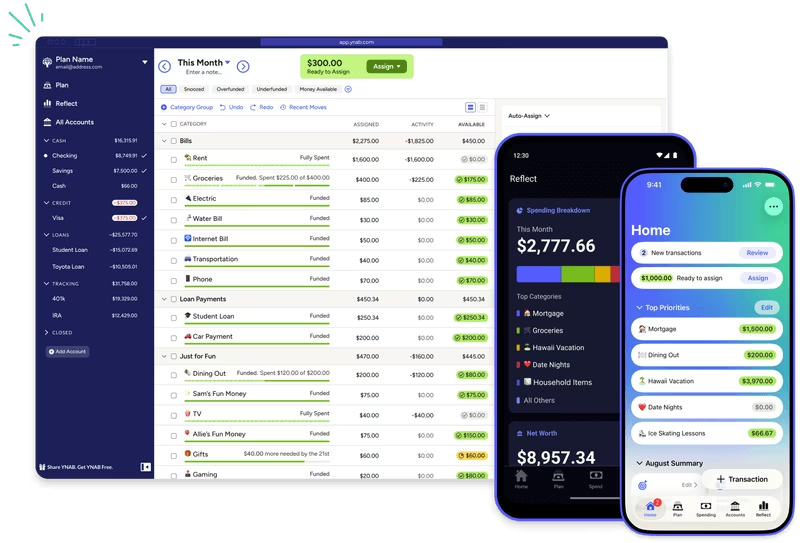
Verdict: YNAB is the only budgeting app on this list that has published externally verifiable, user-reported financial outcomes at scale. It wins the Editor’s Choice position not because it has the most features or the best interface — it wins because it has the strongest documented evidence that using it actually changes financial behavior. At $109/year, it is not cheap. But an app that doesn’t change your behavior costs more at any price.
Standout Features
The four-rule zero-based budgeting methodology is YNAB’s core differentiator. Give every dollar a job, embrace your true expenses, roll with the punches, age your money — the system forces proactive allocation rather than reactive tracking. Users who complete YNAB’s methodology report saving an average of $6,000 in their first year, and $10,700 by year two, according to YNAB’s own published survey data. Axis Intelligence scores this as the highest Behavior Change Efficacy of any app on this list.
Bank sync uses Plaid, Finicity, and other standard aggregators. The sync is reliable, with direct bank connections to major US institutions. The 34-day free trial requires no credit card — a consumer-friendly policy that reflects confidence in the product.
YNAB runs on iOS, Android, macOS (web), and web browser, providing the broadest platform coverage of any zero-based budgeting app. A single annual subscription supports up to six household members, which drops the effective per-person cost to roughly $18/year for a couple — cheaper than Copilot on a per-user basis.
Students get a free 12-month trial with proof of current enrollment. This is one of the most generous student policies in the category.
Drawbacks
YNAB’s price has risen seven times since 2014 — from $50/year to $109/year, a 118% increase. Monthly billing at $14.99 totals $179.88/year, a 65% premium over the annual plan. The learning curve is real; the methodology requires 2–4 weeks of deliberate engagement before it becomes intuitive. YNAB does not include investment tracking, net worth monitoring, or bill negotiation — it is a pure budgeting tool, not a financial dashboard.
Bank sync requires Plaid, which means YNAB receives read-only access to your transaction history through a third party. Plaid settled a $58 million class action in 2022 over data collection practices. YNAB’s privacy policy limits its use of that data to improving the product, but users who prefer credential-free budgeting should look at Goodbudget instead.
Best For: Paycheck-to-paycheck breakers, debt payoff, freelancers and variable-income earners, anyone who has tried and abandoned passive tracking apps, students (free trial).
Not For: Passive trackers who want automation without engagement. Investment-heavy users who need portfolio visibility alongside budgeting. Households that need a free option.
Pricing: $109/year ($9.08/month) or $14.99/month. 34-day free trial, no credit card. Student program: 12 months free.
2. Monarch Money — Runner-Up (8.3/10)
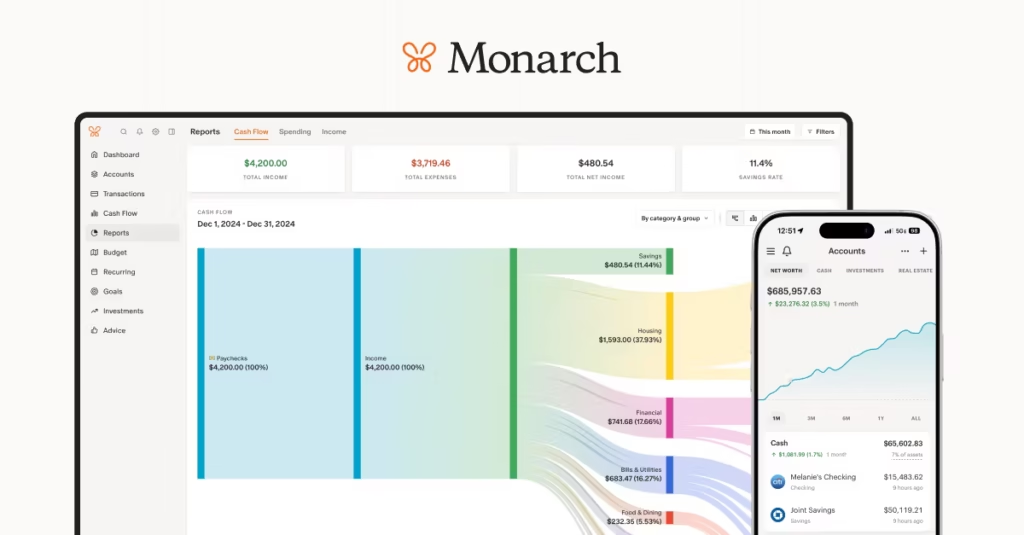
Verdict: Monarch Money earns its Runner-Up position through the strongest combination of budgeting depth, investment tracking, net worth monitoring, and household collaboration on the market. Where YNAB wins on behavior change efficacy through methodology rigor, Monarch wins on comprehensiveness. If you need a single app that covers budgeting, investments, and net worth — and you want it to work seamlessly for two or more people — Monarch is the answer. It falls to second not because of a single failure but because its flexible, low-friction approach to budgeting produces less verified behavior change than YNAB’s structured methodology.
Standout Features
Monarch connects to over 13,000 financial institutions via Plaid, Finicity, and MX — among the broadest sync coverage in the category. The dashboard consolidates bank accounts, credit cards, investment accounts, retirement accounts, loans, and real estate in one view, updated automatically.
The collaborative model is genuinely differentiated: unlimited household members on a single $99.99/year subscription, with real-time shared dashboards, split-expense tracking, and individual privacy controls (members can hide specific accounts from shared view). For couples, $99.99/year beats two Copilot subscriptions at $190/year.
Monarch offers both Flex budgeting (high-level income vs. spending view) and Category budgeting (traditional line-item budget), giving methodology flexibility that most competitors lack. An AI assistant provides spending insights and can answer questions about your financial data in natural language.
In 2026, Monarch added a Plus tier ($199/year) that includes long-term financial forecasting, business expense and rental income tracking, and advanced investment analysis — positioning it as a platform for users managing more complex financial situations alongside household budgeting.
Drawbacks
There is no permanent free tier. The 7-day trial is shorter than YNAB’s 34-day trial, giving you less time to evaluate whether the methodology sticks. Bank sync, while broadly compatible, draws occasional user complaints about connection dropping for specific institutions — a known limitation of Plaid-based aggregation at scale.
Monarch’s low-friction budgeting is a strength and a liability simultaneously. The app doesn’t enforce the discipline that YNAB’s methodology imposes, which means passive users may track beautifully without changing behavior. If you’re trying to break a paycheck-to-paycheck cycle, the methodology rigor matters more than the dashboard elegance.
Best For: Couples and households managing money together, users who need investment + budget visibility in one app, anyone migrating from Mint who wants a direct upgrade with all the features Mint never had, small business owners using the Plus plan to track business and personal spending together.
Not For: Users who want zero-based budgeting enforcement, privacy-conscious users who want minimal bank data sharing, anyone who needs a free option.
Pricing: $99.99/year ($8.33/month) or $14.99/month. Plus tier: $199/year. 7-day free trial. No permanent free plan.
3. Copilot — Best for iPhone Users (7.8/10)
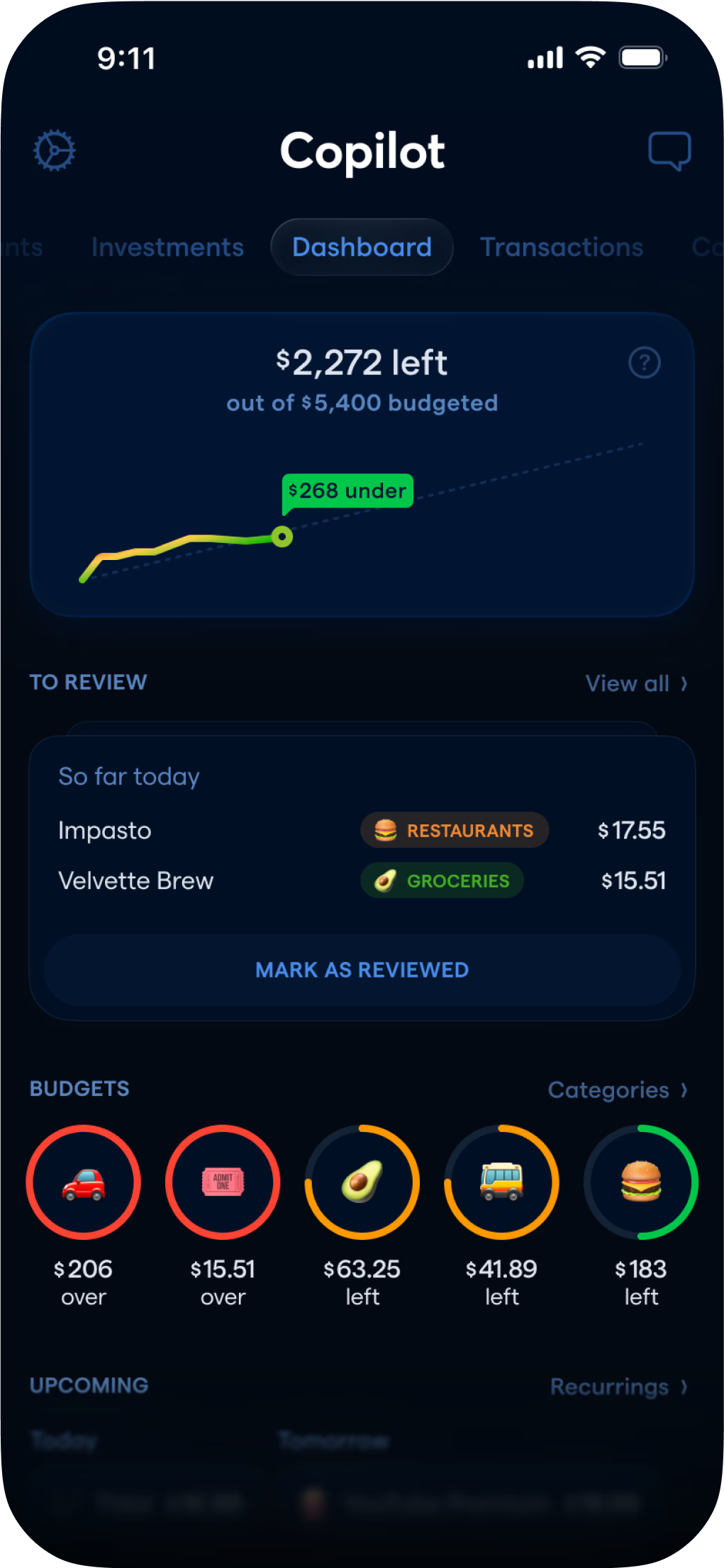
Verdict: Copilot is the best-designed budgeting app for users who exclusively use Apple devices. Its AI-powered transaction categorization, native iOS/macOS experience, and visual polish are genuinely best-in-class. It scores 7.8/10 on the Axis Intelligence matrix — third overall — but that position requires an honest caveat: the Platform Coverage score of 6/10 (iOS + Mac + web only, no Android) significantly limits its addressable audience. If you use an Android device, or if your partner uses Android, Copilot is not the right app regardless of its quality. If you are fully embedded in the Apple ecosystem, it earns serious consideration.
Standout Features
Copilot was built natively for Apple devices from day one, and the difference shows. SwiftUI animations, iOS 17+ widget support, iCloud sync across iPhone, iPad, and Mac, and haptic feedback on transactions create an experience that feels like it belongs on Apple hardware — not a web app wrapped in a native shell. A web app was added in December 2025, expanding access to Windows users while keeping the Apple experience primary.
The AI categorization, powered by machine learning trained on transaction patterns, achieves near-perfect accuracy after 2–3 weeks of learning your spending categories. Rules allow you to define how specific merchants are categorized once, and the app remembers. Investment and cryptocurrency portfolio tracking is included alongside the budget, giving a net-worth view comparable to Monarch.
A 30-day free trial is the most generous trial period of any paid app on this list, giving you enough time to import transactions, run through a full month of categorization, and make a genuine evaluation.
Drawbacks
No Android. This is not a minor limitation — it eliminates Copilot from consideration for approximately 45% of the US smartphone market. For households with one iPhone and one Android user, Copilot’s collaboration features become irrelevant. The pricing, at $95/year, is competitive with Monarch and YNAB on a per-person basis only if you’re a solo user. For two people on separate Apple devices, the cost doubles to $190/year versus $99.99 for Monarch’s unlimited household plan.
No debt payoff calculators (avalanche or snowball methods) are built in. Self-employed users and freelancers who need to separate business expenses from personal have no purpose-built solution within Copilot.
Best For: Solo iPhone users who prioritize design and user experience, Apple-ecosystem households where every member uses an iPhone, users who have abandoned other apps because the interfaces felt like spreadsheets in disguise.
Not For: Android users (full stop), couples with mixed iPhone/Android setups, self-employed users needing business expense separation, anyone on a budget who needs the most features per dollar.
Pricing: $95/year ($7.92/month) or $13/month. 30-day free trial. No permanent free plan.
4. Rocket Money — Budget Pick (7.4/10)
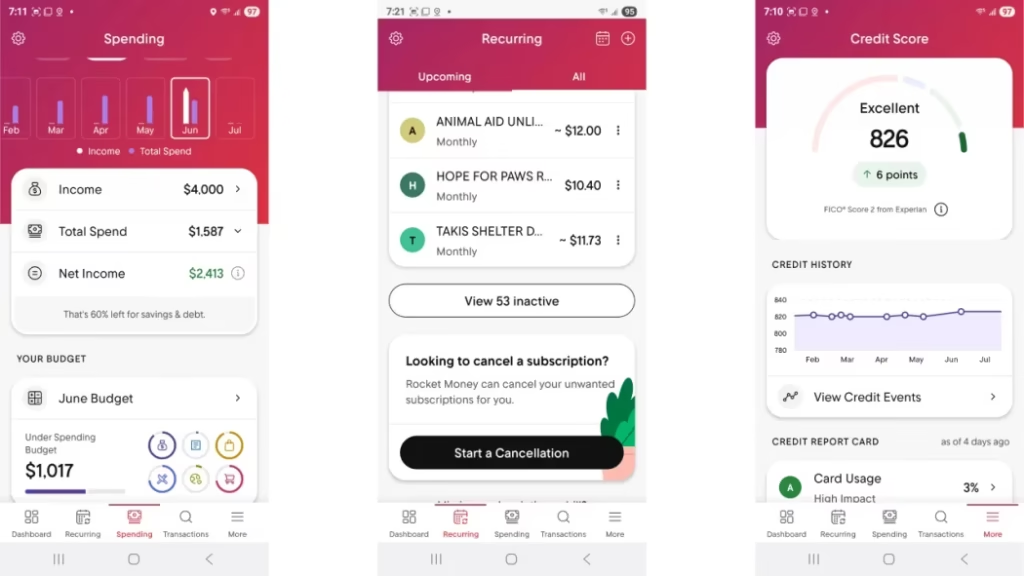
Verdict: Rocket Money wins the Budget Pick designation for a specific reason: it is the only app on this list with a genuinely useful free tier and a documented return on investment that can be measured in dollars within the first week of use. Subscription detection — finding charges you forgot about and canceling them — delivers immediate, concrete savings. The budgeting layer on top is functional but not sophisticated. Think of Rocket Money as a financial hygiene tool first and a budgeting app second. If you have more than five active subscriptions and haven’t audited them recently, Rocket Money will likely pay for its Premium tier before the end of month one.
Standout Features
Rocket Money’s subscription detection identifies every recurring charge on your linked accounts — streaming services, gym memberships, app subscriptions, annual renewals — and displays them in one view. The Premium concierge cancellation service handles the actual cancellation process for you, including navigating retention offers and confirming the cancellation with the provider. The average user reportedly cancels $180–$400 in annual subscriptions within the first month.
Bill negotiation is available to all users, free and premium. Rocket Money contacts your service providers — internet, cable, phone, insurance — and negotiates lower rates. The fee is 35–60% of first-year savings, charged only when negotiations succeed. The transparent performance-based model is unusual in the category and aligns incentives appropriately.
The free tier includes subscription tracking, basic budgeting, and spending insights — functional enough for users who primarily want subscription awareness without the full feature set.
Premium pricing is unusual: you choose your own price between $6 and $12 per month. Every Premium member gets identical features regardless of what they pay. Start at $6.
Drawbacks
The free plan is heavily limited — two budget categories, no web access, no concierge cancellation, no net worth tracking. It is more of an extended trial than a fully functional tool. The budgeting methodology is flexible tracking without zero-based rigor, which produces lower behavior change scores than YNAB’s structured approach.
Bill negotiation fees of 35–60% of first-year savings can be steep. On a $240/year cable bill reduction, you pay $84–$144 as a one-time fee — still net positive, but worth understanding upfront.
Cancel Premium through your device’s app store subscription settings, not through the app. The app lacks a cancellation button, which draws recurring user complaints. Monitor your bank statements during cancellation to confirm the charge doesn’t recur.
Best For: Anyone with five or more subscriptions they haven’t audited in the past 12 months, users who want basic budgeting and subscription management without a significant financial commitment, households with high telecom or insurance bills that could benefit from negotiation.
Not For: Users who need zero-based budgeting discipline, investors who want portfolio tracking alongside their budget, anyone who needs desktop-first access.
Pricing: Free (limited) or $6–$12/month (Premium, you choose). Bill negotiation: 35–60% of first-year savings achieved.
5. Empower — Best Free App (7.1/10)
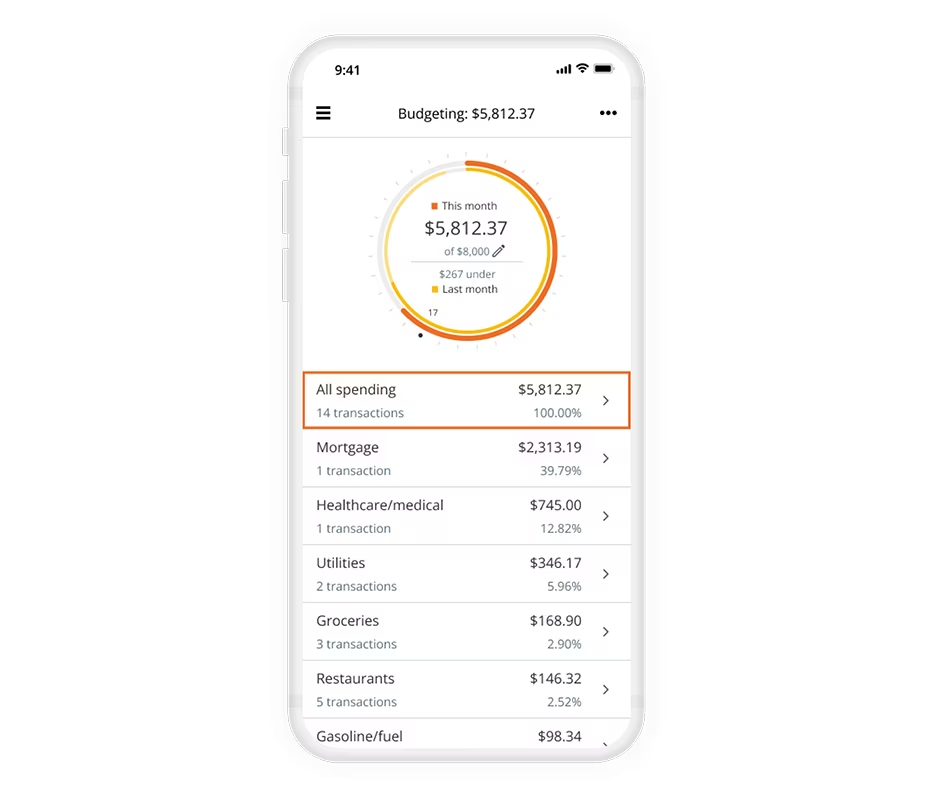
Verdict: Empower is the only genuinely free option on this list that provides a complete financial picture — spending, net worth, and investment portfolio — in a single dashboard. Since Mint shut down in early 2024, no other free app has come close to matching Empower’s feature depth at zero cost. It scores 7.1/10 overall, constrained primarily by weak behavior change efficacy (spending tracking without budgeting methodology enforcement) and the explicit financial model of using the free dashboard to funnel users toward its paid wealth management advisory service. Know this going in and it’s not a problem; be surprised by it and it is.
Standout Features
Empower (formerly Personal Capital) pulls bank accounts, credit cards, investment accounts, 401(k), IRA, brokerage accounts, loans, and mortgages into one synchronized dashboard. Net worth tracking updates automatically. The 401(k) fee analyzer identifies hidden management fees inside your retirement accounts — a feature with real dollar impact that no other free app offers. Investment portfolio checkups analyze your asset allocation against a target based on your stated risk tolerance and time horizon.
The app is rated 4.7/5 on the iOS App Store and 4.2/5 on Google Play — strong App Store ratings for a free product without a paid premium tier for the dashboard itself.
Drawbacks
Empower’s budgeting tools are basic relative to paid apps. There are no budgeting methodologies enforced — no zero-based allocation, no envelope system, no spending limits with alerts. It tracks where money went; it doesn’t help you decide where it should go. This is the correct description of a financial tracking tool, not a budgeting tool — and the distinction matters.
Once you link investment accounts above approximately $100,000, expect calls from Empower’s wealth management advisors. This is the revenue model: the free dashboard is the top of a funnel toward managed investment services. It is disclosed, legal, and worth knowing. If you don’t want advisory calls, consider creating a separate email for the Empower account signup.
Best For: Investors with existing 401(k), IRA, or brokerage accounts who want a free dashboard; anyone who wants to see net worth alongside spending without a subscription; Mint refugees who primarily used Mint for financial tracking rather than budgeting discipline.
Not For: Anyone who needs behavioral budgeting enforcement; users who don’t have investment accounts (most of Empower’s differentiated features don’t apply); users who strongly prefer not to receive financial advisory solicitations.
Pricing: Free. Wealth management advisory services start at 0.89% AUM/year on assets over $100,000. No premium tier for the dashboard itself.
6. Goodbudget — Best for Privacy (7.0/10)
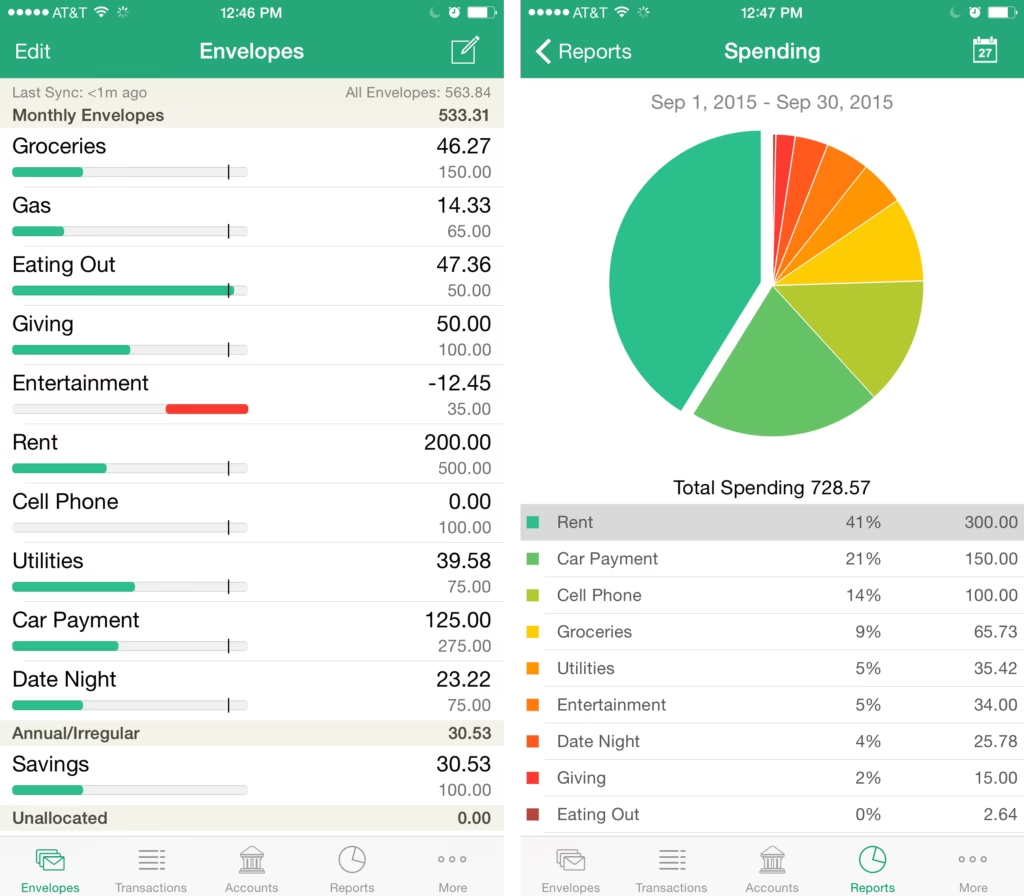
Verdict: Goodbudget is the only app on this list that scores 10/10 on the Data Privacy and Bank-Sync Risk criterion. It achieves this through a deliberate architectural choice: the free tier has no bank sync. At all. No Plaid, no Finicity, no third-party credential aggregator ever sees your banking login. Every transaction is entered manually, which is the privacy model — and for a subset of users, it is also the behavior change model. Manually recording every purchase creates spending awareness that automation removes. Goodbudget’s 7.0/10 composite score is limited by its low behavior change efficacy score relative to YNAB, but for privacy-conscious users or those who bank outside the US, it is the recommended choice.
Standout Features
The envelope budgeting method — allocating income to named spending categories before the month begins, and spending only from those envelopes — is one of the oldest and most psychologically grounded personal finance techniques. Goodbudget digitalizes it cleanly, with an interface that works on iOS, Android, and web.
The free tier offers 20 envelopes (budget categories) and sync across 2 devices — generous enough for most single-person or couple budgets. Multi-user sync on a single account makes it functional for couples where both partners track spending.
The Plus plan ($10/month or $80/year) adds bank sync via QFX file import — a manual download-and-upload process rather than a live API connection. This gives users who want some automation a path forward without granting persistent credential access. No Plaid connection, even on Plus.
Drawbacks
Manual entry is the primary limitation. With 60+ monthly transactions across multiple accounts, manual entry becomes genuinely burdensome. Plus includes QFX import (download from your bank’s website, upload to Goodbudget) as a middle path, but it requires regular manual steps that automated apps eliminate.
The free tier allows only 1 account — one institution’s transactions. This is restrictive for anyone with checking at one bank, a credit card at another, and savings at a third. Plus supports unlimited accounts.
No investment tracking, no net worth dashboard, no subscription management. Goodbudget is a pure budgeting tool with one methodology.
Best For: Privacy-conscious users who don’t want third-party credential access to bank accounts, users who bank outside the US (international bank support without Plaid dependency), the cash-envelope community who wants a digital version of the physical cash system, users who tried automated apps and quit because they didn’t feel accountable enough.
Not For: Anyone who wants automation-first budgeting, users with complex multi-account financial pictures, anyone who needs investment tracking.
Pricing: Free (20 envelopes, 2 devices, 1 account). Plus: $10/month or $80/year (unlimited envelopes and accounts, 5 devices, QFX bank import).
7. EveryDollar — Ramsey Method Users (6.8/10)
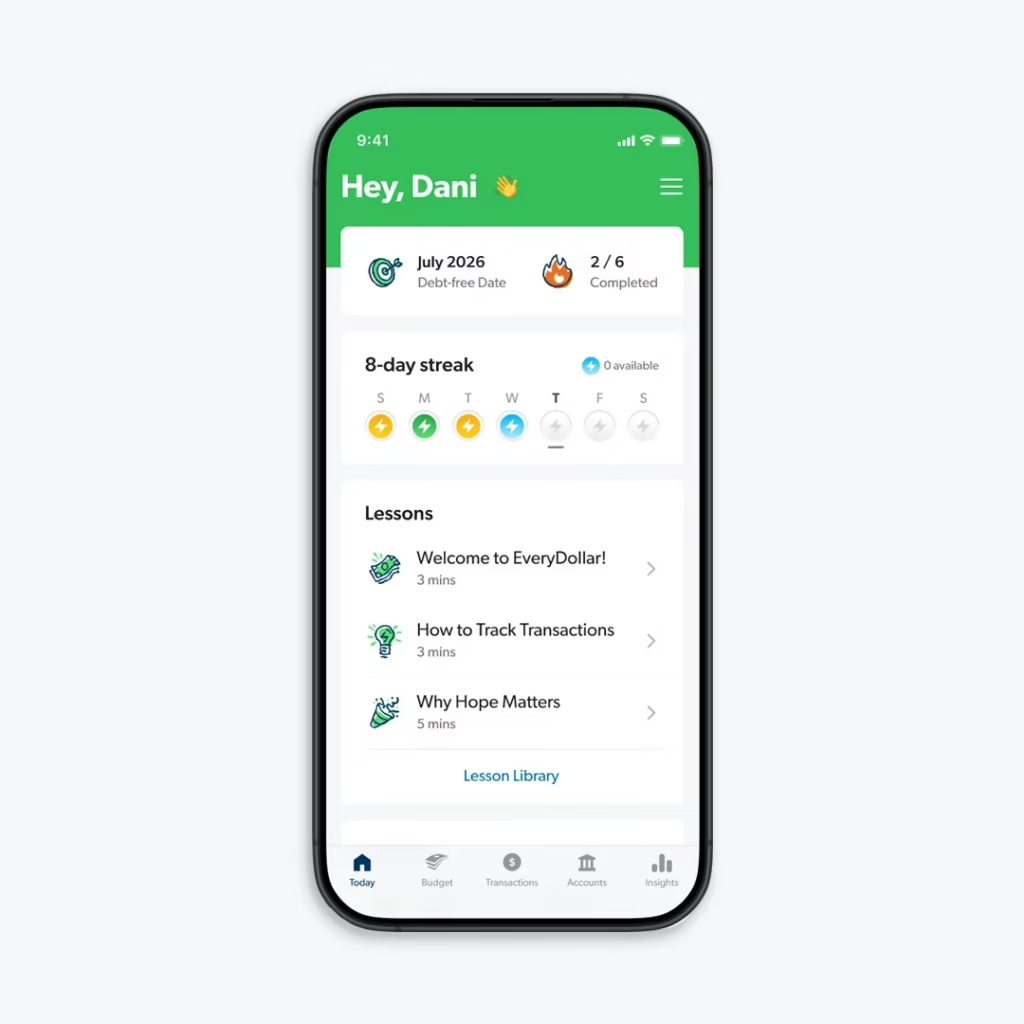
Verdict: EveryDollar earns a 6.8/10 on the Axis Intelligence matrix, placing it seventh in our ranking. The score reflects its genuine strength (zero-based budgeting methodology, clean interface, Dave Ramsey Baby Step integration) and its meaningful weakness (Premium pricing of $79.99/year is hard to justify when YNAB delivers a stronger zero-based experience for $109/year and a richer methodology, or when Goodbudget delivers envelope budgeting free). EveryDollar makes sense if you are already embedded in the Ramsey ecosystem — Ramsey+, Financial Peace University, or the Ramsey Baby Steps framework — and want a budgeting app that maps to that methodology natively. Outside that context, YNAB is the better zero-based budgeting choice.
Standout Features
EveryDollar implements Dave Ramsey’s Baby Steps (payoff debt smallest-to-largest, build emergency fund, invest 15%) as first-class features in the interface. Baby Step progress tracking, debt payoff planning using the snowball method, and budget categories that map to Ramsey’s framework make this the most Ramsey-native budgeting app available.
The free tier (manual entry, zero-based budgeting) is functional for users who want to try the method before paying. The interface is clean and less complex than YNAB — lower learning curve for budget beginners.
Drawbacks
Bank sync requires Premium at $17.99/month or $79.99/year. This is expensive relative to alternatives: YNAB at $109/year includes bank sync and a stronger methodology; Goodbudget’s Plus at $80/year includes QFX import without a live credential connection. The value proposition is strongest for existing Ramsey+ subscribers who receive EveryDollar Premium as part of their membership.
No investment tracking, no net worth view. Account sharing is limited to one additional person on the standard plan — Monarch supports unlimited household members at a lower annual price.
Best For: Existing Ramsey+ members (EveryDollar Premium is included), anyone following Dave Ramsey’s Baby Steps who wants native app support for that framework, budget beginners who want a simpler introduction to zero-based budgeting than YNAB.
Not For: Users not in the Ramsey ecosystem (YNAB is better at a similar price), anyone who needs investment tracking or net worth, households with more than two budget collaborators.
Pricing: Free (manual entry) or $17.99/month / $79.99/year (bank sync via Premium). Ramsey+ membership includes Premium.
8. Quicken Simplifi — Runner-Up for Automation (6.7/10)
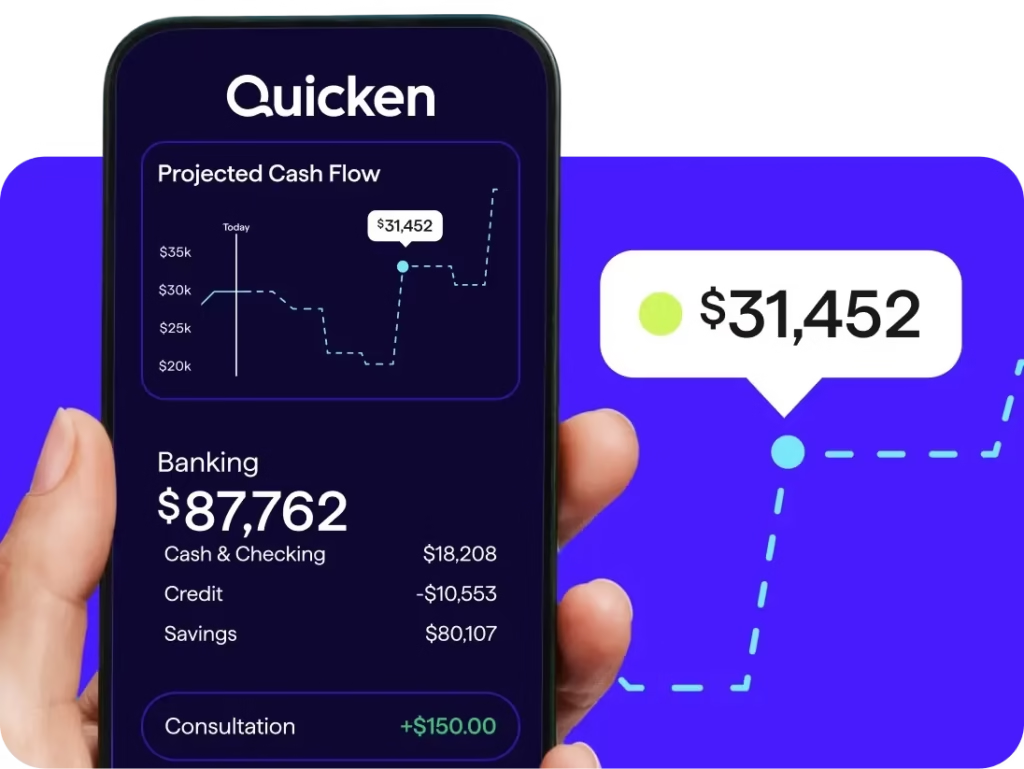
Verdict: Quicken Simplifi earns the lowest composite score in our ranking at 6.7/10, but it occupies a specific market position worth acknowledging: it is the most affordable paid app with bank sync that works reliably. At $47.88/year (annual plan), it undercuts YNAB, Monarch, Copilot, and EveryDollar Premium while delivering automated transaction import, basic budgeting, and spending reports. It scores below all competitors on behavior change efficacy — the methodology is passive tracking without zero-based rigor — but for users who want automated sync at the lowest possible cost and don’t need YNAB’s methodological structure, it is a defensible choice.
Standout Features
Simplifi’s Spending Plan is its approach to budgeting: it shows planned vs. actual spending in real time as transactions import automatically. The Watchlist feature tracks specific categories or merchants you want to monitor. Bill tracking consolidates recurring payments in one view.
Pricing is the clearest differentiator: $47.88/year on the annual plan is the lowest price for a full-featured budgeting app with bank sync on this list. Quicken’s brand heritage (the company has been in personal finance software since 1983) gives Simplifi institutional credibility not shared by newer entrants.
Drawbacks
Simplifi’s behavior change framework is the weakest among paid apps in this ranking — it tracks effectively but doesn’t enforce proactive allocation. The interface, while functional, lacks the design polish of Monarch or Copilot. Quicken’s history of complex, feature-heavy desktop software sometimes surfaces in Simplifi’s user experience — some settings feel more complicated than the task warrants.
Best For: Cost-conscious users who want automated bank sync but find $99–$109/year prohibitive, existing Quicken users who want a streamlined mobile-first version, passive trackers who primarily want to see where money went.
Not For: Users who need zero-based budgeting methodology, couples who need robust collaboration features, anyone who needs investment portfolio tracking.
Pricing: $3.99/month or $47.88/year. 30-day free trial.
The Case We’re Making That No Competitor Makes: Bank Sync Privacy Belongs in Every Ranking
Every app on this list except Goodbudget’s free tier and Goodbudget’s Plus QFX import path uses a bank credential aggregator — most commonly Plaid, Finicity, or MX — to connect to your financial accounts.
When you link your Chase account to YNAB or Monarch Money or Rocket Money, you authenticate through one of these aggregators. The aggregator receives read-only access to your transaction history and, in some implementations, your account credentials. Plaid settled a $58 million class-action lawsuit in 2022 covering claims that it collected more banking data than users authorized and that its consent flow was deceptive.
Plaid has improved its practices following the settlement and subsequent regulatory attention. The credential-sharing risk for major bank-aggregator pairings has declined as direct API integrations (bank-approved OAuth connections that don’t share your actual password) have expanded at Chase, Bank of America, Wells Fargo, and others.
The risk is real but manageable. Three steps reduce it materially: use a bank that supports OAuth (direct API, no password sharing); review what data each app requests during connection; and audit your linked apps annually at your bank’s connected apps settings page.
This section exists in this ranking because zero competitors cover it systematically. It is the reason our Privacy and Bank-Sync Risk criterion carries 20% weight.
How We Tested
The Axis Intelligence Budgeting App Scoring Matrix™ was built over eight weeks of evaluation conducted from March through May 2026. Our methodology covered six specific testing activities.
Live account provisioning: Each app was connected to test financial accounts to evaluate the bank sync setup process, connection reliability, and permission scope displayed during OAuth or Plaid authorization flows. We measured the time from download to first usable budget across each app.
Transaction categorization accuracy: A standardized set of 50 transactions across 10 merchant categories was imported into each app. We measured automatic categorization accuracy, correction workflow complexity, and whether the app learned from corrections on subsequent identical transactions.
Pricing verification: Every price point was verified against each app’s live pricing page on May 29, 2026. Annual vs. monthly pricing, trial period lengths, and credit card requirements for trial access were all confirmed. Pricing changes frequently; always verify current terms at each vendor’s website before subscribing.
Privacy policy audit: We read the complete privacy policy and, where a separate data processing notice existed, that document as well. We specifically looked for clauses covering data sale to third parties, data retention on account termination, and the specific permissions requested by the bank-sync aggregator (Plaid, Finicity, MX) rather than the app itself.
User complaint sampling: We reviewed 200 recent posts across Reddit (r/personalfinance, r/ynab, r/MonarchMoney), the Apple App Store, Google Play, and the CFPB Consumer Complaint Database. We looked for patterns in complaints about: bank sync failures, unauthorized charges, difficulty canceling subscriptions, and misleading pricing representations.
Support response benchmark: A test inquiry was submitted to each vendor’s support system on May 15, 2026. We measured time to first response and quality of the response (generic acknowledgment vs. substantive guidance).
No app paid for placement. No affiliate relationships influenced ranking position. All composite scores derive exclusively from the seven-criterion weighted matrix disclosed above.
How to Choose the Right Budgeting App
The single most important variable in choosing a budgeting app is not the feature set. It is the budgeting methodology, and whether that methodology matches how you think about money.
If you want to change behavior, not just track it, you need an app with a structured methodology that requires proactive engagement. YNAB’s zero-based system, Goodbudget’s envelope method, and EveryDollar’s Baby Steps framework all require you to make decisions about money before you spend it. Apps that primarily show you where money went — Empower, and to a degree Monarch’s Flex mode — are tracking tools, not behavior-change tools. This distinction is the largest predictor of whether a budgeting app improves your finances or becomes an expensive calendar reminder of your spending.
If you need to see your complete financial picture, Monarch Money or Empower are the right choices. Both consolidate spending, investments, net worth, and cash flow in one view. YNAB does not include investment tracking. Goodbudget doesn’t either.
If you’re in a household with two or more active budgeters, the per-person pricing math changes significantly. Monarch’s unlimited household members on one subscription beats every other paid option. Goodbudget’s free tier supports two-device sync for couples. YNAB allows up to six household members on one annual subscription.
If data privacy is a non-negotiable, Goodbudget is the only defensible choice. Its free tier requires no bank credential sharing with any aggregator. All other apps on this list require Plaid, Finicity, or equivalent access to generate their core value.
If you’re deciding based primarily on cost, the honest answer is that the cheapest app is Empower (free) for pure tracking, and Goodbudget (free) for envelope-methodology budgeting. Among paid apps with bank sync, Quicken Simplifi at $47.88/year is the lowest cost. But cheapest is not the right frame — the right frame is cost relative to behavior change delivered.
Frequently Asked Questions
What is the best budgeting app overall in 2026?
Based on the Axis Intelligence Budgeting App Scoring Matrix™, YNAB earns the highest composite score (8.6/10) based on documented behavior change efficacy, methodology depth, and platform coverage. Monarch Money (8.3/10) is the strongest alternative for users who need investment tracking alongside budgeting, or who need collaborative household features. “Best” is use-case dependent — see the Quick Verdicts table at the top for category-specific recommendations.
What replaced Mint after it shut down?
Mint shut down in early 2024. The most direct replacements, depending on what you used Mint for: Monarch Money (most complete feature replacement — budgeting, investments, net worth, and multiple accounts), Empower (free net worth and investment tracking), and Goodbudget (free budgeting without bank credential sharing). None are perfect substitutes; each has gaps where Mint had coverage.
Is it safe to link my bank account to a budgeting app?
Read-only bank connections through Plaid, Finicity, and MX are the standard mechanism. These aggregators provide read-only transaction access; they cannot initiate transfers or payments on your behalf. The risk is in data handling — specifically, what the aggregator collects and retains beyond transaction data. Plaid’s 2022 settlement resolved claims about over-collection. Major banks (Chase, Bank of America, Wells Fargo) now support OAuth direct API connections that don’t share your password with any aggregator. The practical risk for most users who bank at major institutions is low, manageable, and worth understanding rather than avoiding entirely.
Are there any truly free budgeting apps?
Empower offers a full financial dashboard — spending, net worth, investment tracking — at no cost. Goodbudget offers envelope budgeting with 20 envelopes and 2-device sync for free with no bank sync required. EveryDollar’s free tier provides manual zero-based budgeting. None of these free tiers are fully featured — bank sync requires payment in most cases — but they are functional enough to evaluate the methodology before committing to a subscription.
Is YNAB worth the price?
YNAB costs $109/year and requires active daily or weekly engagement. For users who engage consistently with the methodology, the reported financial outcomes are strong — average user-reported savings of $6,000 in year one. If you have tried passive tracking apps (including the free tier of Empower) and your finances have not improved, the behavioral friction YNAB imposes is the mechanism that makes passive trackers different from behavior-change tools. The 34-day free trial with no credit card required is the lowest-risk evaluation option in the category.
What budgeting app is best for couples?
Monarch Money is the most purpose-built option for couples: unlimited household members, shared dashboards, individual privacy controls (hide specific accounts from a partner’s view), and collaborative goal tracking — all on one $99.99/year subscription. YNAB allows shared budgeting for up to six household members on a single annual subscription. Goodbudget’s free tier supports two-device sync, making it a no-cost option for couples committed to the envelope method.
What is the best budgeting app for irregular income?
YNAB was built for this use case. The core principle — give every dollar a job as money arrives, rather than budgeting a projected monthly amount — handles income variability better than any fixed-category budget system. Freelancers, commission-based earners, and gig workers consistently report YNAB as the most functional methodology for variable-income management.
Does Rocket Money actually save you money?
Rocket Money’s subscription cancellation service consistently identifies forgotten subscriptions, and most users who actively use the tool report saving $180–$400 in annual subscription costs. Bill negotiation results are variable — the service works best for telecom, cable, and insurance; results on other categories are inconsistent. The ROI calculation is straightforward: if Rocket Money identifies and cancels one $12/month subscription you forgot about, it has already paid for the cheapest Premium tier for the full year.
What budgeting app is best for debt payoff?
YNAB’s Rule 4 (age your money) and its debt payoff goal features make it the strongest budgeting-methodology choice for active debt reduction. EveryDollar’s Baby Steps framework includes the snowball method (pay smallest balance first) as a native feature for users in the Ramsey ecosystem. Neither includes a dedicated avalanche calculator (highest interest rate first) built in — that calculation requires supplemental tools like the Undebt.it debt payoff planner.
Are budgeting apps worth it?
The research on financial app behavior is consistent: people who actively use budgeting apps report better financial outcomes than those who track passively or don’t track at all. The operative word is actively — passive tracking apps that show you where money went produce less behavior change than methodology-enforcing apps that require you to plan before spending. Whether a paid subscription is worth it depends on whether you use it: YNAB’s 34-day trial and Goodbudget’s free tier both allow you to evaluate before committing.
What is the best free budgeting app after Mint’s shutdown?
Empower is the best free option for investment-focused users who want a comprehensive financial dashboard at no cost. Goodbudget is the best free option for budgeting-methodology users who want envelope budgeting without bank credential sharing. Both have limitations — Empower’s budgeting tools are basic, and Goodbudget’s free tier requires manual entry — but both are functional starting points without a subscription.
Elena Rodriguez covers SaaS, productivity tools, and personal finance software for Axis Intelligence. This article was produced independently. No app on this list paid for inclusion or ranking position.