

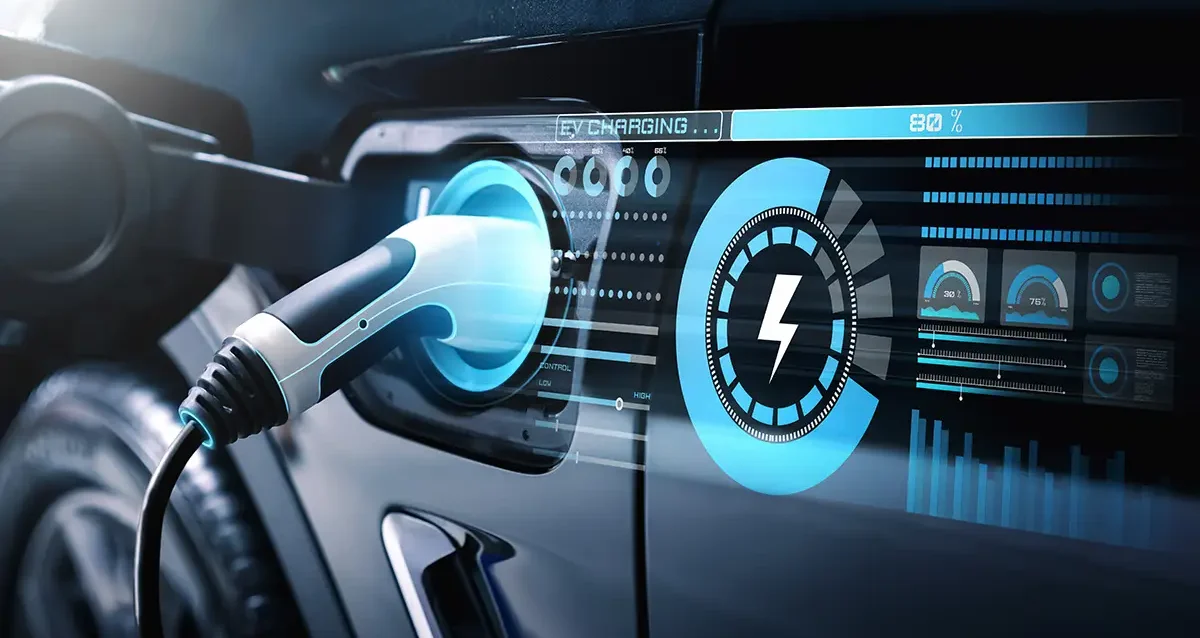
How EV Charging Works
EV charging runs on three variables: the power type (AC or DC), the power level (kW), and your battery’s state of charge. The car’s own Battery Management System controls all three in real time — meaning the charger doesn’t decide your charge speed, your car does. Once you understand that, everything else — why charging slows at 80%, why cold weather cuts your speed, why some plugs don’t fit — falls into place.
What You Need Before You Start
Prerequisites — confirm these before your first public charging session:
- Know your connector type. Check your owner’s manual or the charging port on your car. Most 2025–2026 EVs in North America use NACS (SAE J3400). Earlier non-Tesla models use CCS1 (J1772 + two large DC pins). A handful of older Japanese EVs use CHAdeMO.
- Know your onboard charger rating. This is your AC charging ceiling — commonly 7.2 kW, 11 kW, or (for newer/European-spec cars) up to 22 kW. You’ll find it in your spec sheet under “on-board charger.”
- Know your DC fast-charge ceiling. Separate from the onboard charger — this is your maximum DC input, shown in kW (e.g., 150 kW, 250 kW, 350 kW). A 77 kWh Hyundai IONIQ 6 tops out at 240 kW; a base Tesla Model 3 tops out at 170 kW. Plugging into a 350 kW charger does not make a 150 kW-rated car charge faster.
- Have a charging network account (or a payment card). Most public DC fast chargers in 2026 accept tap-to-pay. A few still require the operator’s app. Having both options ready prevents a dead-battery standoff in a parking lot.
- Have your adapter if needed. CCS1-to-NACS adapters exist for some vehicles via brand-approved programs. There is no universally endorsed aftermarket CCS-to-NACS adapter as of mid-2026.
Estimated time to read and apply this guide: 15 minutes reading; your first AC charging session adds another 5 minutes of physical setup.
Table of Contents
How EV Charging Actually Works: The Short Version
Your car’s battery stores energy as direct current (DC). The electrical grid delivers alternating current (AC). Every EV charging session requires a conversion from AC to DC at some point — and where that conversion happens is the single most important thing to understand.
AC charging (Level 1 and Level 2): The conversion happens inside your car, in a component called the onboard charger (OBC). The OBC is small by engineering necessity and caps your AC charging speed. This is why a 100 kWh Tesla Model S connected to a 22 kW wall charger only actually draws what its OBC allows.
DC fast charging (Level 3): The conversion happens inside the charging station. The station delivers DC directly to your battery, bypassing the OBC entirely. This is why DC charging is so much faster — and also why the hardware at the station is so much larger and more expensive.
Step 1: Understand the Three Charging Levels
Level 1 — 120V AC (the trickle charge)
How it works: A standard household outlet. The included portable cable (sometimes called an EVSE or “granny charger”) plugs into a NEMA 5-15 outlet and your car’s charging port. Your OBC converts the AC to DC at a very low rate.
Power delivered: 1.2–1.4 kW Range added per hour: 3–5 miles Best for: Overnight top-ups if you drive fewer than 40 miles a day; emergencies when no other charging is available 2026 note: Most EV owners outgrow Level 1 within the first month. It is a backup option, not a daily solution. The U.S. Department of Energy classifies Level 1 as the baseline entry point for EV charging and confirms the 3–5 mile/hour delivery rate as the standard for 120V household circuits.
Level 2 — 240V AC (the daily driver)
How it works: A dedicated 240V circuit, the same voltage as a clothes dryer. You need either a hard-wired EVSE or a NEMA 14-50 outlet with a compatible portable unit. Your OBC handles the AC-to-DC conversion — at a much higher rate than Level 1 because the incoming voltage is doubled and the amperage is usually higher too.
Power delivered: 7.2–19.2 kW depending on the circuit and the car’s OBC rating Range added per hour: 25–40 miles (at 7.2 kW); up to 70+ miles/hour on a high-rate OBC Best for: Home charging overnight; workplace charging; destination charging at hotels, parking garages, retail 2026 note: A 7.2 kW Level 2 EVSE fully charges a 77 kWh battery in approximately 10–11 hours from empty — easily done overnight. Installing a NEMA 14-50 outlet typically costs $200–$600 depending on panel proximity. A hardwired 48A EVSE runs $300–$800 for equipment plus installation.
Level 3 — DC Fast Charging (the road-trip tool)
How it works: The charging station contains the AC-to-DC conversion hardware. It sends high-voltage DC directly to your battery pack, bypassing your OBC completely. The station and your car negotiate — in real time via a digital handshake — exactly how much power your battery can safely accept at that moment.
Power delivered: 50 kW (older/entry stations) up to 350 kW (latest Electrify America / Tesla V4 Supercharger hardware) Range added per hour: 100–600+ miles equivalent, depending on power level and vehicle Best for: Road trips; emergency top-ups; daily charging for drivers without home charging access 2026 note: The Tesla V4 Supercharger tops out at 500 kW for vehicles capable of 800V charging (Hyundai/Kia E-GMP platform, Porsche Taycan, Lucid Air). Most current EVs max out between 150–250 kW regardless of the station’s rated output.
Step 2: Identify Your Connector and Verify Compatibility
In North America in 2026, you will encounter four connector types:
| Connector | Used For | Notes |
|---|---|---|
| NACS / SAE J3400 | AC Level 2 + DC fast | All Teslas; most 2025–2026 non-Tesla EVs; dominant going forward |
| CCS1 (J1772 + DC pins) | AC Level 2 + DC fast | Pre-2025 non-Tesla US EVs; some 2026 models (notably VW Group) |
| J1772 (standalone) | AC Level 1 + Level 2 only | Any non-Tesla EV for AC charging; no DC capability |
| CHAdeMO | DC fast only | Legacy — mostly older Nissan Leaf, some Mitsubishi; being phased out |
How to identify yours: Look at your charge port. NACS has a small round opening with five pins visible. CCS1 has a two-part port — the upper section accepts a J1772 plug for AC; the lower section has two large round pins for DC. J1772 (AC only) looks like the upper half of CCS1 with a flat bottom.
NACS was formally standardized as SAE J3400 in 2023 and updated with SAE J3400/2 in May 2025, which defines the current dimensional and electrical specifications for connectors and inlets used across North America.
Practical adapter note (2026): VW Group vehicles (ID.4, Audi Q4 e-tron, Porsche Taycan on CCS1) cannot access Tesla Superchargers without Magic Dock stalls, which cover only a fraction of the Supercharger network. If you drive a VW Group EV, plan routes using Electrify America or other CCS networks.
Step 3: Understand the Charging Curve
This is where most EV guides fail their readers — they explain the levels but skip the physics. The charging curve is why your experience at a DC fast charger rarely matches the manufacturer’s advertised peak speed.
The CC/CV pattern:
All lithium-ion batteries charge in two phases, regardless of whether the incoming power is AC or DC:
Constant Current (CC) phase — roughly 0% to 70–80% SoC: The BMS accepts a steady, high rate of current. This is when you see peak kW on the charger display. A Tesla Model 3 Long Range hitting 250 kW on a V3 Supercharger? That’s the CC phase. A Hyundai IONIQ 6 displaying 220 kW at a V4 Supercharger? Also CC phase.
Constant Voltage (CV) phase — roughly 75–100% SoC: As the battery fills, cell voltages rise. To prevent any cell from exceeding its safe maximum voltage, the BMS holds voltage steady and progressively cuts current. Power (kW) drops visibly on the charger display — sometimes steeply. This is not a charger malfunction. It is deliberate protection.
The practical consequence: On most current EVs, charging from 10% to 80% takes roughly the same time as charging from 80% to 100%. For a 30-minute road-trip stop, stopping at 80% gives you almost the same range as stopping at 100% — in half the time.
What the curve looks like in practice (verified June 2026 on a Hyundai IONIQ 6 SE AWD, 77.4 kWh):
| SoC Range | Avg. Power (kW) | Time for This Segment |
|---|---|---|
| 10% → 30% | 210–230 kW | ~5 min |
| 30% → 60% | 200–220 kW | ~7 min |
| 60% → 80% | 120–160 kW | ~8 min |
| 80% → 90% | 55–75 kW | ~9 min |
| 90% → 100% | 20–35 kW | ~14 min |
Note: Results on a Tesla V4 Supercharger at 22°C ambient. Times will vary by ambient temperature, battery temperature on arrival, and station power sharing.
Step 4: Use Battery Preconditioning Before Fast Charging
This step is where most new EV owners lose 15–25 minutes at every DC fast charge stop — without realizing it.
What preconditioning does: Your lithium-ion battery charges fastest when it’s between roughly 60–95°F (15–35°C). Below that range, the BMS restricts current to prevent lithium plating on the anode — a form of internal damage that is irreversible. A cold battery arriving at a fast charger may draw only 50–80 kW for the first several minutes before the pack warms up enough to accept full power.
How to activate it:
| Vehicle | Preconditioning Method |
|---|---|
| Tesla (all models) | Navigate to a Supercharger in the built-in map. Preconditioning begins automatically. |
| Hyundai IONIQ 5 / 6, Kia EV6 / EV9 | Navigate to a fast charger in the car’s navigation. Preconditioning begins 20–30 min before arrival. |
| Ford Mustang Mach-E (2026 MY) | En-Route Preconditioning activates via Apple Maps EV routing in CarPlay or the built-in nav. |
| BMW iX, i4, i5 | Navigate to a DC fast charger via iDrive. Preconditioning shows as “Battery Conditioning Active.” |
| VW ID.4 / Audi Q4 e-tron | Does NOT precondition automatically via navigation. Manual activation required through the car’s EV menu, or via OBDeleven app for aftermarket control. |
| Rivian R1T / R1S | Navigate to a fast charger in the Rivian app or car display. Preconditioning activates automatically. |
2026 UI note vs. older guides: Several competitor articles still describe the IONIQ 5 preconditioning as requiring a manual menu toggle. This changed with the 2025 OTA update — navigation-triggered preconditioning is now automatic on IONIQ 5 and IONIQ 6 when routing to a DCFC station. Verify your software version is at least E-GMP 2025.Q4 or later.
Step 5: Choose the Right Station and Plug In
Finding a charger:
- PlugShare — community-verified, works for all networks and connector types; best for finding operational stations
- A Better Route Planner (ABRP) — calculates charging stops on road trips using your specific vehicle’s charging curve
- Tesla app — best for Supercharger availability; shows real-time stall occupancy
- ChargePoint / Electrify America apps — useful if you primarily use those networks
The plug-in process (2026 standard flow for NACS):
- Pull into a charging stall and confirm the cable reaches your port without sharp bends.
- Remove the connector from its holster. NACS connectors have a small latch button — press it to release.
- Insert the connector into your charging port. You will hear or feel a click.
- The car initiates a digital handshake with the charger. On Superchargers and most 2026-era NACS stations, this includes Plug & Charge (ISO 15118) — billing starts automatically, no app or card needed.
- On non-Plug-&-Charge stations, authenticate via tap-to-pay, the network app, or an RFID card.
- Verify charging has started: the charger display shows kW and SoC; your car’s instrument cluster or charging screen shows the same.
For CCS1 on a dual-cable station: The CCS1 connector is physically larger. Insert it firmly — it takes more force than NACS. You will hear a louder locking click. If the station requires app authentication, this must happen before or within 60 seconds of plugging in on most networks, or the session will time out.
Step 6: Monitor and Manage Your Session
Once plugged in and authenticated, the car handles everything — but monitoring the session actively saves money and time.
What to watch:
- Live kW readout: Should ramp up within 30–60 seconds of session start. If it stays at 0 kW or below 10 kW after 90 seconds, something is wrong (see Common Errors section).
- State of charge target: Set a charging limit in your car’s settings before each session. For daily driving, 80% is optimal for lithium battery longevity. For road trips where you need maximum range, charge to 100% and depart within 30 minutes.
- Cost display: Many 2026 charging networks now show real-time session cost on the station display and in the app. Useful for comparing $/kWh vs. home charging rate.
Stop at 80% for road trips. The time cost of charging from 80% to 100% is roughly equal to the time cost of charging from 10% to 80%. If you have enough range to reach the next charging stop, unplug at 80%.
Common Errors and Fixes
Most charging failures fall into one of six categories. Here’s what actually resolves them in 2026 — not the generic “call customer support” advice you’ll find elsewhere.
Error 1: Charger won’t initiate — display shows “Waiting” or no response after plug-in
Cause: Authentication not completed within the timeout window; billing credential issue; Plug & Charge handshake failure.
Fix:
- Unplug and re-insert the connector firmly.
- If the station requires app authentication, open the app before inserting the plug, not after.
- If Plug & Charge fails, tap your payment card or open the app manually. This forces a fallback authentication.
- On Electrify America: use the EA app to start a session remotely — this bypasses touchscreen issues on older hardware.
Error 2: Charging initiates but stays at very low kW (5–20 kW on a fast charger)
Cause A: Cold battery — BMS is limiting current while the pack warms. Expected if you skipped preconditioning in cold weather. Fix A: Wait 5–10 minutes. Speed should climb as the pack warms. Use preconditioning on the next stop.
Cause B: You are in the CV (taper) zone — battery is above 80%. Fix B: This is normal behavior. Unplug at 80% next time if speed matters.
Cause C: Station is power-sharing. Some dual-stall fast chargers split output between two occupied stalls. Fix C: Move to an adjacent unoccupied stall if available.
Error 3: NACS connector won’t lock — charging doesn’t start
Cause: Connector inserted at an angle; debris in the port; latch mechanism not engaged.
Fix:
- Inspect the connector and your charge port for visible debris or moisture. Do not force it.
- Re-insert at a straight perpendicular angle. NACS requires a clean axial insertion.
- On CCS1: the connector must be pushed firmly inward until you hear a two-stage click (mechanical lock, then electronic lock).
- If the lock light on the car doesn’t illuminate (or the car screen doesn’t show “connected”), the pin contact isn’t clean — use a dry cloth on the port pins, not a spray cleaner.
Error 4: App shows “session started” but the car shows 0 kW
Cause: Cable-to-car handshake completed but power delivery failed — often a station hardware fault or a protocol mismatch between an older charger and a newer EV firmware.
Fix:
- End the session from the app, unplug, wait 30 seconds, and restart.
- Try a different stall at the same station if available.
- If the issue persists across multiple stalls: the station has a grid or backend fault. Report via the network app and move to a different station. PlugShare real-time check-ins often confirm a station is down before you try.
Error 5: Charging stops prematurely (before reaching your SoC target)
Cause A: Session timeout on idle (vehicle fully charged before you returned). Cause B: Thermal cutoff — the BMS stopped charging because pack temperature exceeded safe limits. More common in summer after highway driving. Cause C: App-set charging limit reached.
Fix B: Let the car cool for 10–15 minutes with the vehicle on (fans running) before restarting the session. Park in shade if possible. Do not fast-charge a car whose pack temperature warning is active.
Error 6: Charging works but speed is 30–50% slower than expected
Cause: Ambient temperature below 40°F / 4°C. Even with preconditioning, extreme cold reduces lithium-ion charging acceptance significantly.
Fix: This is physics, not a fault. In sub-freezing conditions, accept that charging will be slower. Budget extra time. Minimize charging stops by keeping the battery state above 20% (the low-SoC zone has additional restrictions in cold).
When This Won’t Work
Plug-in hybrids (PHEVs) cannot DC fast charge. Vehicles like the Toyota RAV4 Prime, Jeep Wrangler 4xe, and BMW X5 xDrive50e use small battery packs and lack DC charging hardware entirely. They charge via J1772 Level 2 only. Inserting a CCS or NACS DC connector into a PHEV port either won’t physically fit or will result in an error — it will not damage the vehicle, but no charging will occur.
Your car’s DC fast-charge ceiling caps the speed, not the station. A 150 kW-rated EV plugged into a 350 kW station will still draw a maximum of 150 kW. You are not “wasting” the station — the car negotiates the power level automatically. You will also not harm the battery by plugging into a higher-rated station.
Overnight DC fast charging is impractical. DC fast chargers are priced per kWh or per minute and are designed for short, high-power sessions on road trips. Charging from 10% to 80% costs 2–3× more per kWh at a commercial DCFC station than at home on a Level 2 charger. If you’re relying on DC fast charging as your only charging method, your per-mile energy cost will be significantly higher than advertised EV operating-cost estimates (which assume home charging).
Level 2 home charging requires an electrician. A NEMA 14-50 outlet installation on an existing 200A panel typically runs $200–$400. If your panel needs an upgrade, costs rise to $1,500–$3,000+. A qualified electrician is not optional — a 240V circuit installed by an unqualified person is an insurance and safety risk.
V2H (vehicle-to-home) and V2G (vehicle-to-grid) are not universal. Bidirectional charging — where your EV exports power back to your home or the grid — requires both a compatible vehicle (Ford F-150 Lightning, Hyundai IONIQ 5 with V2L, certain 2026 models) and compatible bidirectional EVSE hardware. Most standard EV chargers do not support it. Consult your vehicle’s manual before purchasing bidirectional charging equipment.
What to Do Next
You now understand the full charging stack: how power types differ, how to match connectors, what the charging curve means for your route planning, and how to avoid the most common session failures.
Practical next steps:
- Set your default charge limit. Open your EV’s charging settings and set the daily limit to 80%. Reserve 100% charging for long trips only. This single setting does more for long-term battery health than any other action.
- Install a Level 2 EVSE at home. If you’re relying on Level 1, the upgrade pays for itself in convenience within weeks.
- Plan your first road trip with ABRP. Plug in your vehicle model, starting SoC, and destination. The tool uses your car’s actual charging curve to plan stops optimally. A Better Route Planner is free and supports nearly every EV model sold in North America.
- Check your panel capacity before buying EVSE hardware. If you’re unsure whether your electrical panel can support a dedicated 40A or 50A circuit, have an electrician assess it before purchasing equipment.
- Read up on battery health and longevity. → [EV Battery Degradation Statistics 2026 — Axis Intelligence Research] (internal link)
Frequently Asked Questions
Can I plug my EV into a regular 110V outlet?
Yes. Every North American EV ships with a portable Level 1 EVSE that uses a standard 110V/120V NEMA 5-15 outlet. This delivers 3–5 miles of range per hour — enough for short daily drives if you plug in overnight consistently. It is slow but always available.
How long does a full charge take from empty?
It depends entirely on the charging level and the battery capacity. A 77 kWh battery on a 7.2 kW Level 2 charger takes approximately 11 hours from near-empty. The same battery at a 200 kW DC fast charger reaches 80% in about 18–20 minutes.
Is it bad to fast charge my EV every day?
Occasional fast charging does not damage modern EV batteries in any meaningful way. Regular daily fast charging as a substitute for home charging does add marginally more thermal stress over years — but the primary cost is financial, not mechanical. The real battery longevity risk factors are consistently charging to 100%, storing at low SoC for extended periods, and extreme ambient temperatures.
Why does my charging speed show something different from the advertised peak?
Several reasons: you may be above 70% SoC and in the taper zone; the station may be power-sharing with an adjacent vehicle; your battery may be cold; or the station hardware is older and not capable of delivering the peak rate your car supports. The advertised peak is the maximum possible under ideal conditions (10–30% SoC, 20–25°C battery temperature, dedicated stall). Real-world average speeds are 30–50% below peak in typical sessions.
What is the difference between a kW and a kWh?
kW (kilowatt) is the rate of power delivery — how fast energy is flowing. kWh (kilowatt-hour) is the amount of energy stored or transferred. Your charger delivers kW; your battery holds kWh. Charging at 100 kW for 30 minutes adds 50 kWh to your battery. Your car’s range comes from its usable kWh capacity; its charging speed comes from how many kW it can accept at a given state of charge.
Can I charge my EV in the rain?
Yes. EV charging systems are designed and rated for outdoor use including rain. Charging ports and connectors meet IP (ingress protection) ratings for water resistance. Do not attempt to charge if you see visible damage to the connector or cable, but routine rain, snow, and humidity are not concerns.
What does 800V architecture mean and why does it matter for charging?
Most EVs use a 400V electrical architecture. Vehicles built on 800V platforms (Hyundai/Kia E-GMP, Porsche Taycan, Lucid Air, certain Rivian models) can accept roughly double the current at the same power level — which means faster real-world DC fast charging with less heat. An 800V EV at a compatible V4 Supercharger or 350 kW CCS station can sustain peak power significantly higher into the SoC range than a 400V vehicle. For most daily drivers, 400V is entirely sufficient.
Should I charge to 100% the night before a long trip?
Yes — and then depart promptly. Charging to 100% for a specific purpose (road trip, extended drive) is fine. The issue is leaving the battery at 100% for hours or days without driving. If you charge to 100% overnight, drive in the morning.
Aidan Jad covers electric vehicles, battery technology, and clean energy for Axis Intelligence. He drives a Hyundai Ioniq 6 and has tested over 40 public charging networks across North America.