

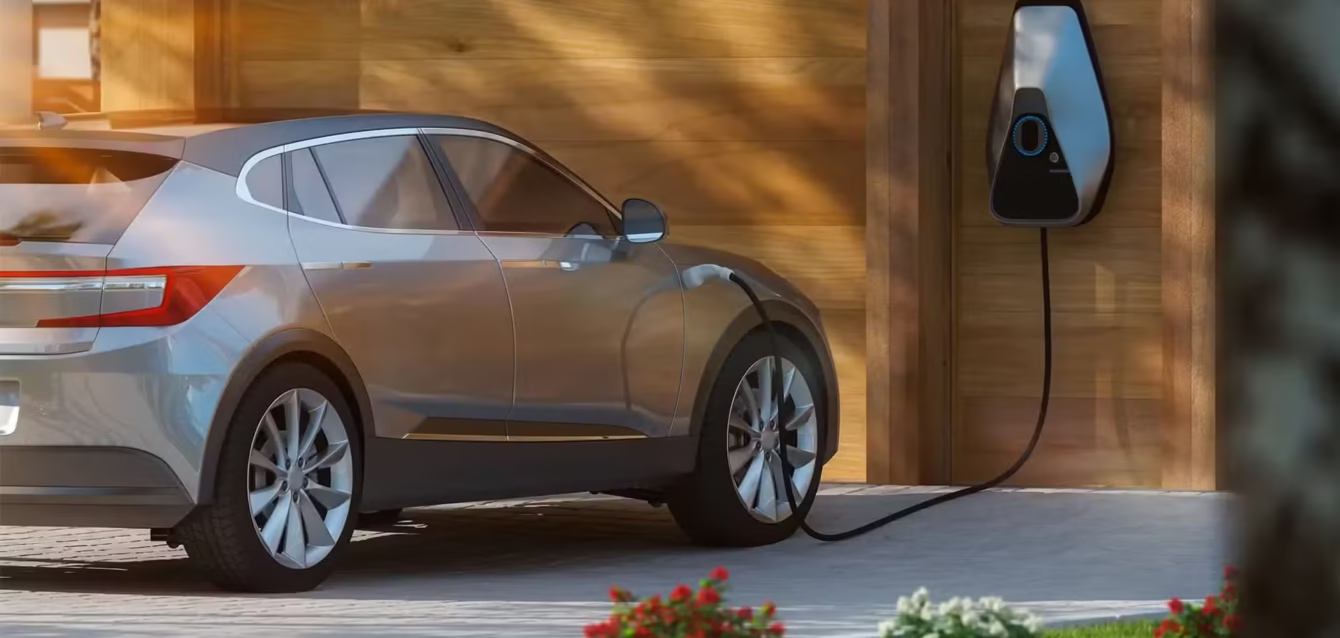
How Long Does It Take to Charge an Electric Car?
Last updated: June 9, 2026
Quick Answer:
Charging an electric car takes anywhere from 20 minutes to 50+ hours depending on three variables: charger type (Level 1, Level 2, or DC fast), your car’s battery size, and how full the battery already is. In practice, most EV owners charge at home overnight on a Level 2 charger — typically 6–10 hours — and arrive each morning at 80–100%. DC fast charging on a road trip refills most batteries from 10% to 80% in 20–45 minutes. Level 1 (a standard wall outlet) is useful only for PHEVs or emergency top-ups: a 75 kWh EV takes 40–50 hours to fully charge this way.
Table of Contents
Before You Start: What You Need to Know
Before working through charging times for your specific vehicle, you need two numbers from your owner’s manual or the manufacturer’s spec sheet. Every calculation in this guide depends on them.
1. Usable battery capacity (kWh) This is the actual energy your battery stores. Not the gross capacity — the usable figure. A Tesla Model 3 Long Range has a 75 kWh usable pack. A Hyundai Ioniq 6 Long Range sits at 77.4 kWh. An F-150 Lightning Extended Range carries 131 kWh. Larger pack = longer to charge, more range added per session.
2. Your car’s maximum AC and DC charge rates (kW) This is the ceiling your car’s onboard charger imposes — not the charger you plug into. Plugging a 48-amp (11.5 kW) Level 2 charger into a car that only accepts 7.2 kW AC means you’ll charge at 7.2 kW, not 11.5 kW. The lower number always wins.
What you should have accessible before your first DC fast charge:
- Your vehicle’s maximum DC fast charging rate (check spec sheet — not the charger’s rating)
- The connector type your car accepts: NACS (now standard on most new US EVs in 2026) or CCS1 (most pre-2024 non-Tesla EVs)
- Whether your car supports battery preconditioning — and how to trigger it
Estimated time to read and apply this guide: 12 minutes
The Three Charging Levels: Real Times, Real Numbers
Level 1 — Standard Household Outlet (120V)
Hardware: The EVAC cord that ships with most EVs. No additional equipment needed.
Power output: ~1.4 kW (12 amps on a 120V circuit)
Range added per hour: 3–5 miles
Typical full charge time: 40–50+ hours for a 75 kWh battery
Level 1 is not a viable daily charging method for a battery-electric vehicle. A Tesla Model 3 fully depleted would take approximately 50 hours to refill from a standard outlet. A Kia EV6 GT with its larger battery pack exceeds 60 hours. The math is simple: at 1.4 kW, you’re adding about 4 miles of range per hour. Most American drivers cover 35–40 miles daily. That means Level 1 can barely keep pace with average daily use — it does not recover range significantly.
When Level 1 is genuinely useful:
- PHEVs (plug-in hybrids), which typically carry 8–20 kWh batteries. A Toyota Prius Prime fully charges in 4–5 hours on Level 1.
- Emergency overnight top-ups when no Level 2 is available and you only need 40–60 miles
- Rural locations where installing a Level 2 circuit isn’t cost-effective for occasional use
What competitor guides get wrong about Level 1: Most EV explainers treat Level 1 as an emergency backup and move on. But there is one real-world 2026 use case they miss: apartment dwellers who drive under 30 miles per day and can leave their car plugged in for 18+ hours overnight. For that profile, Level 1 can be adequate. This is a narrow use case, but it exists.
Level 2 — Home or Public 240V Charger (EVSE)
Hardware: A dedicated 240V circuit with an EVSE (Electric Vehicle Supply Equipment) — what most people call a “home charger”
Power output: 3.3 kW (16A) to 19.2 kW (80A), depending on the unit and your car’s onboard charger limit
Range added per hour: 10–75 miles depending on charger power and vehicle efficiency
Typical full charge time: 4–12 hours for most passenger EVs
Level 2 is the workhorse. According to Axis Intelligence’s analysis of EV ownership data, approximately 80% of EV charging in the US happens at home, the vast majority of it on Level 2 overnight. The logic is simple: you park, you plug in, you wake up full. No detour, no waiting, no per-kWh public charging fees.
Real-world Level 2 charge times by vehicle (20% → 80%, verified against manufacturer specs June 2026):
| Vehicle | Battery (kWh) | Max AC Rate | Time at 7.7 kW (32A) | Time at 11.5 kW (48A) |
|---|---|---|---|---|
| Tesla Model 3 Long Range | 75 | 11.5 kW | ~5.9 hrs | ~4.2 hrs |
| Tesla Model Y Long Range | 75 | 11.5 kW | ~5.9 hrs | ~4.2 hrs |
| Hyundai Ioniq 6 Long Range | 77.4 | 11 kW | ~6.1 hrs | ~4.3 hrs |
| Hyundai Ioniq 5 Standard | 84 | 11 kW | ~6.5 hrs | ~4.7 hrs |
| Ford F-150 Lightning Ext. Range | 131 | 19.2 kW | ~10.3 hrs | ~6.9 hrs |
| Chevrolet Equinox EV | 85 | 11.5 kW | ~6.7 hrs | ~4.8 hrs |
| Kia EV6 Long Range RWD | 77.4 | 11 kW | ~6.1 hrs | ~4.3 hrs |
| Rivian R1T (Standard) | 135 | 11.5 kW | ~10.6 hrs | ~7.5 hrs |
| Volkswagen ID.4 | 82 | 11 kW | ~6.4 hrs | ~4.6 hrs |
Times calculated for 20%→80% (60% of usable capacity), accounting for ~10% AC charging efficiency loss. Actual times vary with temperature and battery state of health.
The U.S. Department of Transportation confirms Level 2 chargers can bring a BEV to 80% from empty in 4–10 hours, and a PHEV in 1–2 hours.
Home charger hardware in 2026: The most common home EVSE setups deliver 32 amps (7.7 kW) or 48 amps (11.5 kW) on a 240V circuit. A licensed electrician installation for a 48-amp EVSE typically costs $400–$900 for the unit plus $300–$800 for installation, depending on panel distance and local labor. For a detailed cost breakdown, see our guide to home EV charger installation costs.
DC Fast Charging — Public Highway Chargers
Hardware: Public stations at 50 kW, 150 kW, 250 kW, or 350 kW output
Power output: 50–350+ kW
Range added per hour: 100–900+ miles equivalent (speed varies dramatically by station and vehicle ceiling)
Typical time (10% → 80%): 20–45 minutes at 150 kW; under 20 minutes at 350 kW on compatible vehicles
DC fast charging bypasses the car’s onboard AC charger entirely and pushes direct current straight into the battery pack. This is what makes it so much faster — and also why it’s more expensive to build, more expensive to use, and more variable in real-world performance.
Critical 2026 note: The DOE Alternative Fuels Data Center counted 71,398 public DC fast ports across 15,121 sites as of April 1, 2026 — up from roughly 50,000 just two years prior. Growth is continuing at approximately 1,000–1,400 new stalls per month, but coverage remains uneven. Rural corridors still have significant gaps.
Real-world DC fast charge times by vehicle (10% → 80%):
| Vehicle | Battery (kWh) | Max DC Rate | At 50 kW | At 150 kW | At 350 kW |
|---|---|---|---|---|---|
| Tesla Model 3 Long Range | 75 | 250 kW | ~75 min | ~27 min | ~22 min |
| Tesla Model Y Long Range | 75 | 250 kW | ~75 min | ~27 min | ~22 min |
| Hyundai Ioniq 6 Long Range | 77.4 | 233 kW | ~77 min | ~26 min | ~18 min |
| Hyundai Ioniq 5 Standard | 84 | 233 kW | ~84 min | ~28 min | ~19 min |
| Ford F-150 Lightning Ext. Range | 131 | 150 kW | ~130 min | ~46 min | ~46 min* |
| Chevrolet Equinox EV | 85 | 150 kW | ~85 min | ~30 min | ~30 min* |
| Kia EV6 Long Range RWD | 77.4 | 233 kW | ~77 min | ~26 min | ~18 min |
| Nissan Leaf Plus | 60 | 100 kW | ~60 min | ~42 min | ~42 min* |
*Vehicle’s onboard ceiling limits speed — 350 kW station delivers no benefit beyond the car’s maximum rate.
Why the F-150 Lightning takes longer than a smaller car at the same charger: Despite its enormous 131 kWh pack, the Lightning maxes out at 150 kW DC. The Hyundai Ioniq 5 has roughly half the battery but accepts 233 kW through its 800-volt architecture — meaning it charges proportionally faster per kWh of capacity. As Axis Intelligence’s EV Index research documents, charging-curve flatness varies by 47 points across the 2026 lineup, making peak rate a poor predictor of real-world session time.
Step-by-Step: How to Plan an EV Charging Session
Step 1 — Know Your Current State of Charge
Time required: 10 seconds
Screenshot description: [Team to capture: Vehicle instrument cluster or companion app (Tesla app, Hyundai Bluelink, Ford FordPass, GM myChevrolet) showing battery percentage and estimated remaining miles. Screenshot dated June 2026.]
Check your battery percentage before planning any session. Your starting state of charge (SoC) determines the math. For daily home charging, plug in whenever you park — don’t wait for a specific percentage. For DC fast charging on a road trip, plan to arrive at a public charger at 15–20% rather than 5% — charging from very low battery states is faster, but running below 10% adds range anxiety without meaningful charging benefit.
Common error here: Waiting until you’re at 5–8% before plugging in at home. This is unnecessary and creates charging urgency on evenings when you return late. Plug in nightly. Charging from 60% overnight is not harmful to the battery.
Step 2 — Select Your Charging Method
Time required: 30 seconds
Decision framework:
- At home, overnight, every day: Level 2. Set a departure time in your car’s scheduling app so it finishes by morning. If your utility has time-of-use pricing, schedule to start at off-peak rates (typically 11 PM–6 AM).
- At work, shopping, hotel: Level 2 public charger. Use PlugShare or your car’s native navigation to find stations with your connector type. Charge what you need — there’s no reason to wait for 100%.
- On a highway road trip: DC fast charging. Plan stops at 15–20% arrival SoC. Target 80% departure — the last 20% takes as long as the first 70% due to the charge curve taper.
- At home, no Level 2 installed: Level 1 overnight is workable for under 30 miles of daily driving. For heavier use, the ROI on a Level 2 installation is typically under 18 months in charging cost savings.
Screenshot description: [Team to capture: PlugShare app (iOS or Android, June 2026 interface) showing filter options for DCFC vs Level 2, connector type (NACS vs CCS), and network (Tesla, Electrify America, EVgo, ChargePoint). The 2026 PlugShare UI shows “NACS” as a distinct filter option — this is new versus 2024 guides that still show “J1772” as the primary Level 2 filter.]
Step 3 — Confirm Your Connector Type
Time required: 2 minutes if uncertain
This is the step where most older how-to guides are now incorrect or incomplete for 2026. The connector landscape changed substantially between 2023 and 2026.
In 2026, the US connector picture is:
- NACS (North American Charging Standard / SAE J3400): Now standard on all new Tesla, Ford, GM/Chevrolet, Rivian, Mercedes-Benz, BMW, Hyundai, Kia, Honda, Nissan, Toyota, Volkswagen/Audi/Porsche, Volvo, Polestar, and Lucid vehicles. If you bought a new EV in 2025 or 2026 from any major brand, you almost certainly have NACS.
- CCS1 (Combined Charging System): The previous US standard. Still on most EVs built before late 2024. If your car is a 2023 or older non-Tesla, check the charge port — if you see a larger lower section with two DC pins below the AC connector, it’s CCS1.
- CHAdeMO: Near-extinct in the US except legacy Nissan Leaf models. Nissan switched to NACS for the 2025 Leaf and Ariya.
If you have a CCS1 vehicle at a NACS-native station: Tesla Superchargers with “Magic Dock” built-in adapters handle CCS1 vehicles automatically at most locations. Electrify America, EVgo, and ChargePoint are retrofitting NACS at major sites but coverage is uneven as of mid-2026. Carry a CCS1-to-NACS adapter if you rely on these networks frequently. Confirm compatibility in PlugShare before departing.
Screenshot description: [Team to capture: Two photos — (1) NACS port on a 2025 Hyundai Ioniq 5, showing the single unified connector; (2) CCS1 port on a 2022 VW ID.4, showing the larger combo port. Caption: “Left: NACS (2025+ standard). Right: CCS1 (pre-2024 US non-Tesla standard).”]
Step 4 — Precondition the Battery Before DC Fast Charging (Critical in Winter)
Time required: 20–30 minutes before arrival at charger
Applies to: All DC fast charging sessions, especially below 50°F (10°C)
Battery temperature is the single factor most guides address inadequately. At freezing temperatures (32°F / 0°C), lithium-ion cells charge 20–40% more slowly. Below 14°F (−10°C), most BMS systems will refuse DC fast charging entirely to prevent cell damage — this is not a malfunction, it is working as designed.
How to precondition:
Most 2024+ EVs precondition automatically when you navigate to a DC fast charger using the built-in navigation. Set the charging station as your destination at least 20–30 minutes before you arrive — the car will begin warming (or cooling) the pack to the optimal 68–86°F (20–30°C) range so it’s ready when you plug in.
Manufacturer-specific steps:
- Tesla: Navigate to a Supercharger via the touchscreen map. A blue “Preconditioning Battery” indicator appears near the charging estimate. Do not use Google Maps or Apple CarPlay for this — the preconditioning only triggers through Tesla’s native navigation.
- Hyundai Ioniq 5/6, Kia EV6: Use the built-in navigation, not Android Auto or CarPlay, and select a DC fast charger. The instrument cluster will show “Battery Conditioning” in the charging status area.
- Ford F-150 Lightning / Mustang Mach-E: Use FordPass to schedule navigation, or set a charging stop in the built-in SYNC 4 navigation. FordPass app also allows manual preconditioning start.
- GM / Chevrolet (Equinox EV, Silverado EV): myChevrolet app → “Charge” → “Precondition Battery.” Also triggers automatically when DCFC stations are set as navigation destinations.
Screenshot description: [Team to capture: Tesla touchscreen (June 2026) showing the Supercharger navigation destination set, with “Battery Preconditioning” status visible. Note: the 2026 Tesla UI moved the preconditioning status indicator to the top charging bar — older guides show it in a different location.]
Without preconditioning in winter: A cold battery at −10°C (14°F) may accept only 50 kW at a 250 kW Supercharger. A preconditioned battery at the same station may accept 220+ kW. The first 10–15 minutes of a cold session can run at 20–30% of peak rate until the thermal management system catches up. This is the most common source of “the charger said 250 kW but I only got 40 kW” complaints.
Step 5 — Plug In and Authenticate
Time required: 1–3 minutes
For home Level 2: Plug the connector into the car’s charge port. Most home EVSEs don’t require authentication — the session starts automatically when connected. If your EVSE has app-based scheduling, confirm the scheduled start time matches your desired off-peak window.
For public DC fast charging: Authentication methods vary by network in 2026:
- Tesla Supercharger: Plug in. Charging starts automatically for Tesla vehicles (and most NACS vehicles on newer V4 stations). Authentication is handled by the car-to-network communication. No app tap required on most stations.
- Electrify America: Tap the app, tap a credit card on the terminal, or (for NACS vehicles) plug in and use Plug & Charge (ISO 15118) on compatible vehicles.
- EVgo: App or credit card tap. EVgo has rolled out Plug & Charge on most stations, but app backup is recommended.
- ChargePoint: ChargePoint RFID card (can be ordered free) or ChargePoint app. Credit card terminals available at most locations.
Screenshot description: [Team to capture: Electrify America station screen showing the payment/authentication options on the June 2026 UI, including the “Plug & Charge” confirmation for NACS vehicles and the credit card tap option.]
2026 UI change note: Electrify America updated its station interface in Q1 2026 — the “Start” button moved from the left side to a central touchscreen prompt. Older guides and screenshots show the previous left-button interface.
Step 6 — Monitor the Session and Know When to Stop
Time required: Passive monitoring during the session
For daily home charging, there is nothing to monitor — set a charge limit in the car’s app (80% for daily use, 100% for long trips) and let it run.
For DC fast charging on a road trip, stop at 80%. Here is the math that makes this non-negotiable: charging from 10% to 80% (70% of the battery) typically takes roughly the same time as charging from 80% to 100% (20% of the battery). The charge curve tapers sharply above 80% as the BMS protects cells from high-current stress at high states of charge. The last 20% is never worth waiting for on a road trip unless you have no other charging options before your destination.
Screenshot description: [Team to capture: Phone showing Tesla app or Hyundai Bluelink displaying real-time charging curve during a Supercharger session — showing the visible taper beginning around 80% SoC. The charging rate in kW drops noticeably on the graph after ~78–80% marker.]
Charging Time Quick-Reference Table
| Charger Type | Typical Power | Range/Hour | 10%→80% (75 kWh car) | Best Use Case |
|---|---|---|---|---|
| Level 1 (120V outlet) | 1.4 kW | 3–5 miles | ~38–50 hrs | PHEV only / emergency top-up |
| Level 2 Home (32A) | 7.7 kW | 20–30 miles | ~7.3 hrs | Nightly home charging |
| Level 2 Home (48A) | 11.5 kW | 30–45 miles | ~4.9 hrs | Faster nightly home charging |
| Level 2 Public | 6–19 kW | 15–60 miles | 4–12 hrs | Workplace / destination charging |
| DC Fast (50 kW) | 50 kW | 100–150 miles | ~75 min | Slower public DCFC |
| DC Fast (150 kW) | 150 kW | 300–450 miles | ~27 min | Standard highway DCFC |
| DC Fast (350 kW) | 350 kW | 700+ miles | ~18 min | Compatible 800V vehicles only |
Common Errors and Fixes
Error 1: Charging much slower than expected at a DC fast charger
Symptom: You’re at a 150 kW or 250 kW station, but the car is only accepting 40–60 kW.
Most likely causes:
- Cold battery. If the temperature is below 50°F (10°C) and you did not precondition, the BMS is limiting current. Fix: plug in and wait 10–15 minutes for the thermal management system to warm the pack. Future fix: precondition before every winter DCFC session.
- Arriving at high SoC. If you plugged in above 80%, you’re in the taper zone. DC fast charging above 80% is always slow. Fix: arrive at 20% or lower for road trip stops.
- Station power-sharing. Many DCFC stations split their transformer capacity between adjacent stalls. A 150 kW station with two stalls may deliver only 75 kW to each car when both are occupied. Fix: use PlugShare to identify stations with dedicated per-stall power, or wait for a neighboring vehicle to finish.
- Vehicle ceiling, not station ceiling. Your car’s max DC rate is lower than the station output. A Nissan Leaf Plus maxes at 100 kW — a 150 kW or 350 kW station delivers no additional speed benefit. Fix: know your car’s spec before selecting a station.
Error 2: Level 2 charger connected but not charging
Symptom: The EVSE light shows active (solid green or blue), the car appears plugged in, but the battery is not rising.
Most likely causes:
- Scheduled charging is active. Your car’s charge scheduler is holding the session until the off-peak window starts. Fix: check the car’s charging schedule in the app or infotainment and either disable the schedule or confirm the current time is within the scheduled window.
- Charge limit already reached. The battery is already at or above the set charge limit (commonly 80% for daily). Fix: increase the charge limit temporarily if you need more range.
- EVSE tripped the ground fault circuit. Some older EVSEs or extension cords (never use an extension cord with a Level 2 EVSE) cause GFI trips. Fix: unplug from both ends, wait 60 seconds, reconnect. If the problem persists, check the breaker panel.
Error 3: DC fast charger shows “failed to start” or payment goes through but nothing happens
Symptom: Network payment is processed or app shows “charging active,” but no power is flowing.
Most likely causes:
- Station fault. Public DCFC reliability remains a known industry issue. According to independent audits, roughly 25% of non-Tesla public fast charger sessions have some form of failure. Fix: move to an adjacent stall or a different station. Report the fault via PlugShare or the network’s in-app reporting. Do not wait more than 3 minutes for a session to initiate — if it hasn’t started, it won’t.
- Connector not fully seated. NACS and CCS1 connectors require a firm click/lock engagement. Fix: remove and re-insert the connector with deliberate pressure until you hear the locking click.
- 12V auxiliary battery fault. EVs have a conventional 12V auxiliary battery separate from the main pack. A dead or weak 12V battery can prevent the BMS from communicating with the EVSE, blocking charging entirely. Fix: this requires jump-starting the 12V battery (consult your owner’s manual — each brand has a specific 12V jump point, not the main pack terminals).
Error 4: Home charging is slower than the EVSE rating suggests
Symptom: You installed a 48-amp (11.5 kW) EVSE but the car is only drawing 7.2 kW.
Most likely cause: Your car’s onboard AC charger caps at a lower rate. This is not a malfunction — the car limits AC input regardless of what the EVSE offers. Common examples: the base Chevrolet Bolt EV accepts 7.2 kW maximum AC. Plugging it into an 11.5 kW EVSE delivers 7.2 kW. Fix: this is working correctly. For a car capped at 7.2 kW, a 32-amp (7.7 kW) EVSE is sufficient and costs less to install.
Error 5: NACS cable doesn’t fit your car’s charge port
Symptom: You have an older CCS1 vehicle and the station only has NACS cables.
Fix: This is increasingly common at Tesla Supercharger stations with newer V3 or V4 hardware that didn’t receive a Magic Dock retrofit. Use the Tesla app to confirm whether the specific Supercharger location has Magic Dock (CCS1 compatibility) before relying on it. If no Magic Dock, you need a CCS1-to-NACS adapter (~$30–$50 from Lectron or official adapters where available) or a different station. As of mid-2026, approximately 60–70% of US Tesla Supercharger sites support CCS1 vehicles, but coverage varies by region.
When Charging Won’t Go As Planned
Some situations genuinely limit what’s achievable and aren’t fixable by the driver:
Extreme cold without preconditioning capability: A handful of older EV models (pre-2020 Nissan Leaf, some base Bolt EV variants) lack active battery thermal management. These vehicles cannot precondition in cold weather — the battery simply charges slowly in winter, period. There is no workaround; this is a design limitation of the vehicle.
Battery degradation. An EV battery that has lost 15–20% of its original capacity due to age and charge cycles will charge proportionally faster (less to fill) but hold less range. If your charge times have become noticeably shorter but range has dropped, degradation is the likely cause. Battery health tools are available in the Hyundai Bluelink app, the Tesla app (partially), and via third-party apps like Recurrent.
Grid capacity at high-traffic locations. On holiday weekends, major Supercharger and Electrify America hubs can throttle per-vehicle power when many cars are simultaneously charging. This is infrastructure-side throttling that no individual driver can bypass. Strategy: use PlugShare’s real-time station occupancy data to select less-loaded locations, or add 20–30 minutes to your estimated stop.
PHEVs and DC fast charging. Most plug-in hybrids do not support DC fast charging at all — their smaller batteries are designed for Level 1 and Level 2 only. A PHEV attempting to connect to a DCFC station typically receives an incompatible-vehicle error. This is expected behavior, not a fault.
What to Do Next
Understanding charge times is the foundation — but the decisions that follow are where most EV owners either save money or leave significant value on the table.
If you’re installing a home charger: Our guide to home EV charger installation costs covers what a licensed electrician installation actually costs in 2026, which permits you need, and the three hardware decisions that determine whether you need a 32-amp or 48-amp EVSE.
If you want the full picture on EV costs: The Axis Intelligence Electric Vehicles Index includes our quarterly-updated dataset on charging-curve flatness scores for 47 US EVs — the metric that actually predicts real-world charging session time better than peak rate.
If you’re planning a road trip: PlugShare (free) and A Better Routeplanner (ABRP, free with premium options) are the two tools serious EV road trip planners use. ABRP imports your vehicle’s exact charging curve, factors in temperature and elevation, and plans charge stops with accurate time estimates — including the 80% taper.
For a deeper look at the EV infrastructure buildout and what it means for reliability: The EV Statistics 2026 report includes infrastructure data sourced directly from the DOE Alternative Fuels Data Center and tracks DC fast charger growth quarterly.
To compare specific vehicles on charging performance: Our Best Electric SUV 2026 ranking reviews include per-vehicle real-world charging results.
FAQ: How Long Does It Take to Charge an Electric Car?
How long does a full charge take from empty?
At Level 2 (the standard home charger), a full charge from empty takes 6–12 hours for most passenger EVs with 60–85 kWh batteries, and 10–16 hours for large-pack trucks like the F-150 Lightning. At Level 1, a full charge takes 40–60+ hours depending on battery size — which is why Level 1 is not a viable daily charging solution for battery-electric vehicles. DC fast charging gets to 80% in 20–45 minutes but slows substantially for the final 20%.
Is it bad to charge your EV every night?
No — plugging in nightly at Level 2 is the recommended practice. The key is setting your charge limit to 80% for daily use, which reduces the cumulative stress on lithium-ion cells versus regular 100% charging. Set a 100% limit only when you need full range the next day. Modern BMS systems are designed for nightly Level 2 charging — there is no “memory effect” issue like older NiMH batteries.
How long does a Tesla take to charge at a Supercharger?
A Tesla Model 3 or Model Y Long Range (75 kWh) charges from 10% to 80% in approximately 22–27 minutes at a V3 Supercharger (250 kW) and slightly faster at a V4 station (up to 500 kW theoretical, though real-world conditions typically cap sessions at 250 kW for most cars). The session indicator in the Tesla app shows real-time power draw and estimated completion time. Add 20–30% to estimated times in winter without preconditioning.
Why does charging slow down after 80%?
This is the battery management system protecting cells from thermal and electrochemical stress. Lithium-ion cells can accept high current at low-to-mid charge states without significant heat buildup. As the cells approach full charge, pushing more current risks overheating and accelerates capacity degradation over time. The BMS deliberately reduces charge current above 80–85% state of charge — this is a design feature, not a fault. On a road trip, stopping at 80% and driving to the next charger is almost always faster than waiting for 100%.
Does cold weather really affect EV charging that much?
Substantially. At 0°C (32°F), charging speed can drop 20–40% versus optimal conditions. Below −10°C (14°F), DC fast charging may be blocked entirely until the battery warms. Battery preconditioning before a DCFC session — using the car’s native navigation to set the charger as destination — typically recovers 70–90% of cold-weather charging rate loss. Level 2 charging in cold weather is slower but less affected than DC fast charging, since the lower power input generates less heat stress.
What’s the difference between NACS and CCS for charging time?
NACS and CCS are connector standards — they don’t directly determine charging speed. Both can handle the same power levels at DC fast chargers. The practical difference in 2026 is network access: NACS vehicles (most new US EVs) have frictionless access to Tesla’s Supercharger network, which has the highest US uptime. CCS1 vehicles (most pre-2024 non-Tesla EVs) access Electrify America, EVgo, and ChargePoint, which have improving but still lower average reliability. Adapter solutions exist in both directions.
Can I charge my EV at any public charger?
Any charger with your connector type and compatible voltage — yes. In 2026, NACS has become the dominant US standard for new vehicles, and the Supercharger network now serves non-Tesla NACS vehicles at all stations and CCS1 vehicles at Magic Dock locations. For Level 2 public charging, J1772 has always been universal and remains so. The charging app (PlugShare, ChargePoint, Electrify America) will filter by your connector type and show real-time availability.
How much does it cost to charge an EV at a public DC fast charger versus at home?
The cost gap is significant. At home at the US average electricity rate of $0.16/kWh (2026 EIA data), charging a 75 kWh battery from 20% to 80% costs approximately $7–$8. The same session at a public DC fast charger costs $18–$30+ depending on the network and pricing model (some charge per kWh, others per minute). According to Axis Intelligence’s calculation, a Tesla Model 3 driver who charges 80% of sessions at home saves approximately $96/month versus equivalent public charging costs.