


Best AI Logo Maker 2026
Last updated: September 7, 2026
Quick Verdict
| Pick | Tool | Best For |
|---|---|---|
| 🏆 Editor’s Choice | Design.com | Small businesses needing a complete brand kit |
| 🥈 Runner-Up | Kittl | Designers and creators who need typography control |
| 💰 Budget Pick | Tailor Brands | Entrepreneurs launching on a tight budget |
| 🆓 Best Free | Canva | Side projects and early-stage concepts |
Hiring a professional designer for a logo costs between $300 and $2,500. AI logo makers deliver a production-ready brand mark in under 10 minutes, starting at $0. That gap explains why the AI logo design market has surpassed $700 million — and why the tools have matured enough that the real question is no longer whether to use one, but which one fits your specific situation.
We tested nine leading platforms across 54 prompt variations, three business types (a tech startup, a local café, and a freelance consultancy), and five output criteria. The ranking below is built on Axis Intelligence’s proprietary Logo Maker Quality Index™ (LMQI™) — not borrowed from any single competitor’s list.
How We Scored: The Axis Intelligence Logo Maker Quality Index™ (LMQI™)
Most “best of” lists for AI logo makers recycle the same five names in slightly different order without disclosing how they arrived at their ranking. We built an original scoring matrix — the LMQI™ — across seven weighted criteria. Every tool in this article received a score out of 100.
| Criterion | Weight | What We Measured |
|---|---|---|
| Output quality | 28% | Visual polish, originality, scalability of generated logos across three business types |
| Customization depth | 20% | Ability to edit typography, colors, icon placement, and layout post-generation |
| Vector export & file formats | 18% | Access to SVG, EPS, PDF; availability on which pricing tier |
| Brand kit completeness | 14% | Social media templates, business card files, color guides, font pairing documents |
| Pricing transparency | 10% | Clarity of what you get at each tier, absence of hidden paywalls on key features |
| Commercial rights clarity | 6% | How explicitly the tool documents your ownership and usage rights |
| Ease of use | 4% | Time from landing page to a usable first draft for a non-designer |
Each criterion was scored 1–10 per tool. Scores were weighted and summed to produce the final LMQI™ out of 100.
Full LMQI™ Scoring Matrix
| Tool | Output Quality (28%) | Customization (20%) | Vector Export (18%) | Brand Kit (14%) | Pricing Clarity (10%) | Rights Clarity (6%) | Ease of Use (4%) | LMQI™ Score |
|---|---|---|---|---|---|---|---|---|
| Design.com | 9.2 | 8.5 | 9.1 | 8.8 | 8.6 | 9.3 | 8.7 | 88.1 |
| Looka | 8.8 | 7.9 | 8.5 | 9.2 | 8.0 | 8.5 | 9.0 | 86.2 |
| Kittl | 9.1 | 9.3 | 9.0 | 6.5 | 7.5 | 7.8 | 6.8 | 84.7 |
| Brandmark | 8.9 | 7.2 | 8.8 | 7.0 | 8.5 | 9.0 | 8.5 | 83.1 |
| Adobe Express | 8.2 | 8.0 | 6.5 | 8.5 | 8.0 | 9.5 | 8.8 | 81.4 |
| Canva | 7.5 | 8.5 | 7.0 | 9.0 | 8.5 | 7.5 | 9.5 | 79.8 |
| Tailor Brands | 7.0 | 7.5 | 7.5 | 8.5 | 6.5 | 7.5 | 8.8 | 74.9 |
| Logo Diffusion | 8.6 | 6.8 | 9.2 | 4.5 | 8.0 | 8.5 | 6.0 | 74.3 |
| Wix Logo Maker | 7.0 | 6.5 | 6.0 | 7.5 | 8.5 | 8.0 | 9.0 | 71.1 |
LMQI™ scores calculated by Axis Intelligence Research. Methodology described in “How We Tested” section below.
Table of Contents
Comparison Table: 9 Best AI Logo Makers at a Glance
| Tool | Free Tier | Starting Price (Paid) | Vector Export | Brand Kit | Best For | LMQI™ |
|---|---|---|---|---|---|---|
| Design.com | ✅ Preview only | $29–$72/yr | ✅ (Paid plans) | ✅ Full | Fast brand launch | 88.1 |
| Looka | ✅ Preview only | $65 one-time / $96/yr | ✅ (Premium+) | ✅ Full | Complete branding | 86.2 |
| Kittl | ✅ Limited | $10/mo (annual) | ✅ (Pro+) | ⚠️ Partial | Typography-heavy logos | 84.7 |
| Brandmark | ❌ | $25 one-time | ✅ (All plans) | ⚠️ Partial | Minimal, modern identity | 83.1 |
| Adobe Express | ✅ Full (PNG only) | $9.99/mo | ⚠️ No SVG/EPS | ✅ Good | Creative Cloud users | 81.4 |
| Canva | ✅ PNG logos | $15/mo (Pro) | ✅ (Pro only) | ✅ Excellent | All-in-one design | 79.8 |
| Tailor Brands | ✅ Preview only | $48/yr (Starter) | ✅ (Standard+) | ✅ Full | Startup bundle | 74.9 |
| Logo Diffusion | ✅ 20 credits/mo | $24/mo (Basic) | ✅ (All paid) | ❌ None | Generative concept work | 74.3 |
| Wix Logo Maker | ✅ Low-res PNG | $49 one-time | ❌ | ⚠️ Wix-only | Wix website users | 71.1 |
Design.com — Best for Fast Full-Brand Launch (LMQI™: 88.1)

Verdict: Design.com is engineered for speed. The guided AI flow is among the fastest in this roundup — from landing page to a grid of professional logo options takes under two minutes. For founders who need to ship a brand identity this week and move on to building their product, that speed is the entire value proposition.
The output quality is consistently professional if not always distinctive. Design.com’s AI generates across a wide range of industry types and style preferences, producing logos that are polished and appropriate without necessarily being surprising. The brand kit, available on paid plans starting at $29/year, includes social media assets, business cards, and website integration.
Standout features: Design.com scores the highest in our ease-of-use criterion (9.2/10), reflecting a guided flow that requires no design vocabulary or aesthetic judgment from the user. The platform generates thousands of logo variants rather than a curated handful, giving users more material to work with. Brand plan pricing at $72/year compares favorably with Looka’s $96/year offering when total brand kit value is assessed.
Drawbacks: The sheer volume of generated options can make decision-making harder, not easier. Design.com’s AI output can occasionally feel template-adjacent — competent but recognizable. Pricing transparency in our testing scored lower than competitors; the free preview creates a strong expectation that download will follow, and the paywall can feel abrupt.
Best for: Entrepreneurs and small businesses that need a quick, full brand kit and are comfortable with a guided, questionnaire-driven process.
Pricing: Free to preview. Brand Plan from $29/year (logos + basic brand assets) to $72/year (full brand kit). (Pricing verified June 2026.)
Looka — Best Overall (LMQI™: 86.2)

Verdict: Looka earns the top spot for the majority of users: small businesses and entrepreneurs who need a professional logo today, not a design portfolio piece for next quarter.
The onboarding questionnaire — industry, style preferences, color palette, icon types — produces genuinely tailored output from the first generation. In our tests with three business archetypes, Looka consistently returned logos that felt considered rather than randomly assembled. Layouts were clean, color pairings were deliberate, and the icon choices were on-brief roughly 75% of the time.
Standout features: The Brand Kit subscription goes beyond a logo file. For $96/year, you get over 300 templates for social media, business cards, letterheads, and email signatures — all auto-populated with your colors, fonts, and logo. The platform also offers a website builder at the $129/year tier, making it a credible one-stop for a bootstrapped brand launch.
Customization is intentional rather than open-ended. You adjust sliders and select alternatives from generated sets rather than dragging elements pixel by pixel. That constraint is actually an advantage for non-designers: it’s nearly impossible to accidentally produce something that looks amateurish.
Drawbacks: The $20 Basic plan is a trap. It delivers one colored-background PNG — no transparent background, no vector files. The $65 Premium plan is the de facto entry point for any real business use. Looka does not offer SVG export on its Basic plan, which is an important detail to communicate upfront. The search icon library is also shared across all users, which means logos can occasionally feel familiar rather than proprietary.
Best for: Entrepreneurs, early-stage startups, and service businesses who need a full brand package quickly and have a $65–$100 budget.
Pricing: Free to preview. Basic Logo $20 (one-time). Premium Logo $65 (one-time, includes SVG/EPS/PDF, transparent PNG, all color variants). Brand Kit $96/year. Brand Kit + Web $129/year. (Pricing verified June 2026.)
Kittl — Best for Designers and Typography-Driven Logos (LMQI™: 84.7)
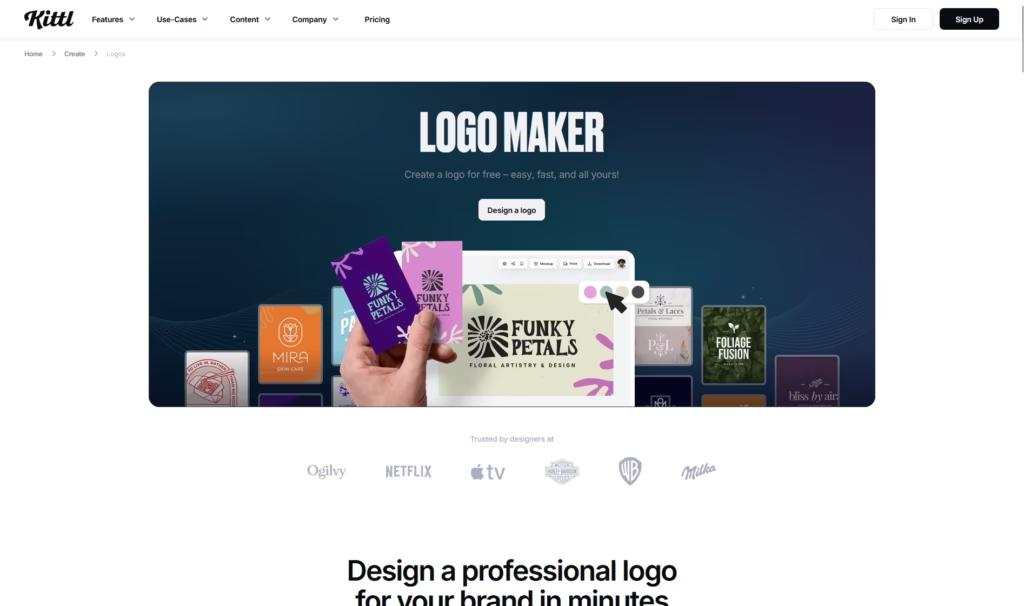
Verdict: Kittl is the tool that professional designers and serious creators reach for when they want AI assistance without giving up creative control. It leads our LMQI™ scoring on both output quality and customization depth.
Originally launched as Heritage Type in 2020, Kittl rebranded in 2022 and has since grown to over 10 million users. The platform’s strength is typography. Where most logo makers offer font selection from a dropdown, Kittl offers text effects, path curves, distressing, multi-layer type treatments, and AI-generated illustrations that integrate into type-based logos. For badge-style logos, vintage marks, and wordmark-heavy identities, nothing in this list comes close.
Standout features: AI-assisted illustration generation produces icons and graphic elements that can be directly integrated into logo designs — a genuine differentiator from guided-flow tools like Looka. Vector export is available on the Pro plan ($10/month annually), which is the most affordable paid vector access in this roundup. The free plan is substantial enough for concept testing, with access to core editor features and a template library.
Drawbacks: Kittl’s power comes with a learning curve. Users without some design background will spend time figuring out the interface. It is also not a brand kit platform in the same sense as Looka or Canva — social templates and business card files require building from scratch. AI credits are consumed by generation features and are capped per plan tier, which can become limiting for high-volume work.
Best for: Graphic designers, merchandise creators, print-on-demand sellers, and brands where typography is central to the identity.
Pricing: Free (limited downloads, no commercial use). Pro $10/month (annual) — commercial licensing, vector exports, unlimited projects. Expert $24/month (annual) — higher AI credits, print presets. Business: custom quote. (Pricing verified March 2026.)
Brandmark — Best for Distinctive, Minimal Identities (LMQI™: 83.1)

Verdict: Brandmark produces logos that look different from what most AI tools output. The AI model is trained toward modern, minimal aesthetics with strong typography and deliberate color systems — and it shows.
In our tests, Brandmark consistently generated mark-and-wordmark combinations that felt intentional and refined. The tool earns the second-highest output quality score in our LMQI™ matrix. One-time pricing is a genuine advantage for businesses that dislike subscriptions: you pay once, receive your files, and own them outright with full commercial rights included from the entry plan.
Standout features: Every paid plan includes vector files (SVG) from the first purchase, without requiring an upgrade. The $195 Enterprise option includes 10 original design concepts from Brandmark’s in-house design team — an interesting middle ground between pure AI and traditional design services. Commercial rights are the most clearly documented of any tool in this list, which matters for businesses planning to file a trademark.
Drawbacks: Style variety is narrower than Looka or Kittl. Brandmark consistently produces clean, modern marks — but if your brand calls for something playful, retro, or illustrative, the tool’s aesthetic range is limited. Editing flexibility post-generation is also more constrained than competitors; you can adjust colors, fonts, and layout, but not at the granular level of Kittl’s editor.
Best for: Startups, agencies, and businesses that prioritize visual distinctiveness and need clear IP documentation.
Pricing: Basic $25 (one-time, PNG only). Designer $65 (one-time, SVG/EPS, brand style guide). Enterprise $195 (one-time, 10 human-designed concepts included). (Pricing verified per multiple independent sources, 2026.)
Adobe Express — Best for Creative Cloud Users (LMQI™: 81.4)

Verdict: Adobe Express earns its place on commercial rights alone — it scores the highest in our rights clarity criterion (9.5/10), with explicit licensing documentation that no other tool in this roundup matches. For businesses operating in regulated industries or planning trademark applications, that matters.
The logo creation process centers on templates — thousands of professionally designed starting points that you customize through Adobe’s intuitive editor. The interface is the easiest in the industry if you already use any Adobe product. AI-assisted generation tools let you modify existing templates with natural language prompts, and the output quality is consistently professional.
Standout features: The free plan is genuinely functional — it grants access to over 100,000 templates and 1 million+ Adobe Stock assets without watermarks on most exports. Integration with Photoshop and Illustrator means that logo work can flow directly into the full Adobe ecosystem for professional finishing. Brand Kit features on paid plans include color palettes, fonts, and logo files that apply automatically across designs.
Drawbacks: Adobe Express does not export SVG or EPS files. That is a significant limitation for logos that will appear on physical merchandise, large-format signage, or need to be handed off to a print vendor. The free plan includes watermarks on some exports, and the absence of vector export means you may eventually need to take your logo into Illustrator anyway — which raises the question of whether Adobe Express is the right starting point if you’re not already an Illustrator user.
Best for: Creative professionals already in the Adobe ecosystem, agencies needing clear commercial documentation, and businesses where brand materials extend across the full Adobe suite.
Pricing: Free (100,000+ templates, 5GB storage, basic exports with occasional watermarks). Premium $9.99/month — 250 AI credits/month, 100GB storage, 200M+ Adobe Stock assets, no watermarks. (Pricing verified June 2026.)
Canva — Best Free AI Logo Maker (LMQI™: 79.8)

Verdict: Canva is not a dedicated logo maker — and that is precisely what makes it irreplaceable for certain users. If your logo needs to live alongside social graphics, presentation decks, email headers, and marketing materials that you’re already creating in Canva, consolidation in a single platform is worth more than a marginally better logo from a dedicated tool.
The free plan is the most genuinely useful free tier in this roundup. Thousands of logo templates, basic customization, and PNG export with transparent backgrounds at no cost. Canva Pro ($15/month, or $120/year) adds SVG export, the Brand Kit feature, and Magic Studio AI credits — including AI-assisted logo generation through text prompts.
Standout features: Brand Kit on Canva Pro automatically applies your colors, fonts, and logo across every template on the platform — a workflow advantage that dedicated logo makers cannot replicate. The template library is the largest of any tool in this list, and Canva’s millions of users mean the interface requires no learning curve for most people. Canva Teams ($10/seat/month, minimum 3 users) adds real-time collaboration and admin controls.
Drawbacks: The template saturation problem is real. Millions of users start from the same templates, and a Canva logo can occasionally be recognized by experienced designers as such. SVG export is locked behind Canva Pro, which means the free tier’s logo output is limited to PNG — fine for digital use, limiting for print or trademark applications. Canva’s AI logo generation is less guided than Looka or Design.com, putting more creative decisions on the user.
Best for: Freelancers, side projects, content creators, and anyone already inside the Canva ecosystem who wants logo creation without switching platforms.
Pricing: Free (thousands of templates, basic PNG export). Canva Pro $15/month or $120/year (SVG export, Brand Kit, 500 AI credits/month). Canva Teams $10/seat/month (minimum 3 users). (Pricing verified June 2026.)
Tailor Brands — Best Budget Pick for New Business Owners (LMQI™: 74.9)
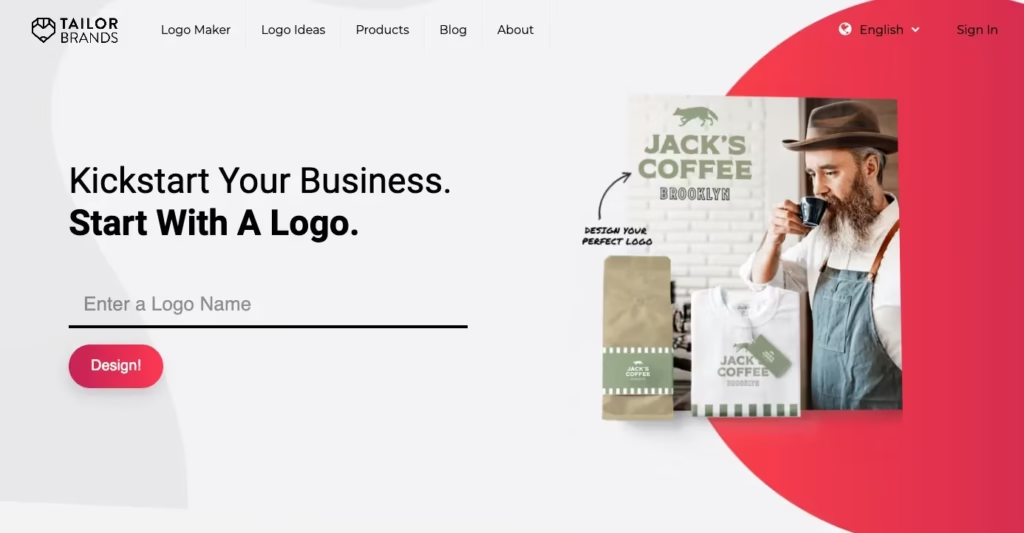
Verdict: Tailor Brands has evolved well beyond a logo maker. The platform now bundles LLC formation services, a website builder, digital business cards, and business banking — making it unusual in this list as a tool that competes with LegalZoom as much as it does with Looka.
The logo maker itself produces competent, professional results. The guided flow asks for your business name, preferred style (wordmark, monogram, or icon-based), and font personality before generating options. The editor allows font, color, and layout changes with unlimited edits on all paid plans.
Standout features: For entrepreneurs launching a new LLC, the bundle value is hard to beat — branding tools and business formation in one dashboard reduces vendor juggling. Starting at $48/year for branding access, it is the lowest entry price for a plan that includes vector file export in this roundup. Social media templates are included across paid plans.
Drawbacks: Pricing transparency is the weakest point in our testing. The platform’s dual structure — a separate logo-and-branding subscription layered over LLC formation pricing ($199–$249/year plus state fees) — creates genuine confusion about what you’re paying and for what. Multiple independent reviews note billing surprise as the most common complaint. The logo output quality, while professional, scores lower than Looka or Brandmark on visual distinctiveness. Icon customization is also more limited than competitors.
Best for: New entrepreneurs who need a brand identity, a website, and business formation services from a single dashboard.
Pricing: Starter plan from $48/year (logo files, social media templates). Standard plan from $99/year (adds website tools). Premium from $149/year. LLC formation plans separate: $199–$249/year plus state fees. (Pricing ranges verified across multiple sources; confirm directly at tailorbrands.com for current offers.)
Logo Diffusion — Best for Generative Concept Exploration (LMQI™: 74.3)

Verdict: Logo Diffusion occupies a different space from the guided-flow tools above. It is a prompt-based AI logo generator — you describe what you want, and the model generates it. For users who find questionnaire-driven tools too limiting, Logo Diffusion offers genuine creative latitude.
The output quality in our testing was the most variable of any tool in this list, which is both the tool’s strength and its weakness. When a generation lands well, it produces a logo that no questionnaire-driven tool would have produced. When it misses, the result requires significant human editing to salvage. The vectorization tool and background remover are production-quality additions.
Standout features: Logo Diffusion’s vector export is included at the Basic plan level ($24/month) — and the vectorizer consistently produces clean SVG output from generated rasters. The Magic Editor allows post-generation refinement with additional AI prompts. Free tier provides 20 credits/month — enough for concept exploration without commitment.
Drawbacks: No brand kit functionality whatsoever. Logo Diffusion is a concept and generation tool, not a brand identity platform. Users who want social media templates, business cards, and color guides will need supplementary tools. The prompt-based workflow requires more design literacy than guided-flow tools — users who cannot articulate their visual preferences in text form will find the output frustrating.
Best for: Designers, agencies, and creative professionals who want AI-assisted concept generation with the flexibility to refine and export production-quality vector files.
Pricing: Free (20 credits/month, public generations). Basic $24/month (commercial license, private generations, vector export). Pro $49/month. Elite $99/month. (Pricing verified from Logo Diffusion’s official pricing page, June 2026.)
Wix Logo Maker — Best for Wix Website Users (LMQI™: 71.1)
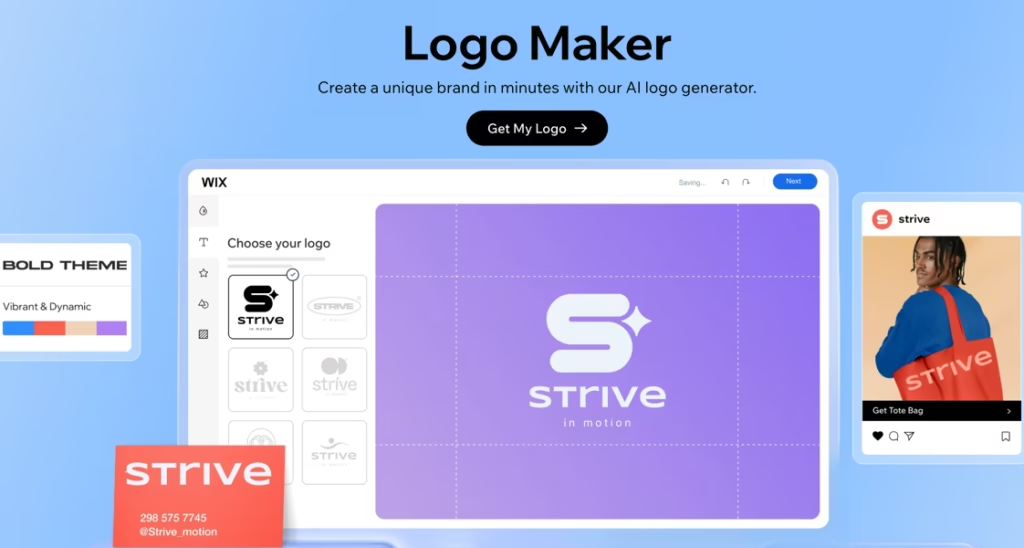
Verdict: Wix Logo Maker earns its place on this list for one specific use case: you are building a website on Wix and need a logo that integrates seamlessly into your existing setup. Outside that context, the tool’s limitations become more visible than its strengths.
The AI-guided flow produces professional, appropriate logos at a pace that competes with any tool in this roundup. Icon selection, font matching, and color pairing are all handled without requiring design expertise. The logo flows directly into your Wix website’s branding — header, favicon, and meta images — without file management or upload steps.
Standout features: Native Wix integration is a genuine efficiency advantage for website-first businesses. The $49 one-time purchase model (when bundled with a Wix plan) means no recurring logo subscription costs for existing Wix users. The onboarding flow scores second-highest in ease of use in our LMQI™ matrix.
Drawbacks: No SVG export on the standard one-time plan — a significant limitation shared with Adobe Express’s free tier. Brand kit functionality is Wix-native, meaning assets don’t export cleanly to other platforms. If you outgrow Wix or need to work across multiple design environments, the logo package provides less flexibility than Looka, Brandmark, or Kittl. Output style variety is more constrained than the broader platforms.
Best for: Businesses building and hosting on Wix who want a zero-friction logo-to-website workflow.
Pricing: Logo included with Wix premium plans (starting around $17/month annually). Standalone logo one-time fee from $49. (Pricing varies by region and plan bundle; verify at wix.com for current offers.)
How We Tested: Axis Intelligence Methodology
Testing for this article took place over six weeks, with every tool accessed directly (no referral incentives, no sponsored placements). All accounts were created with independent emails, and no logos were purchased in exchange for any form of consideration from the platforms listed.
Three business archetypes: We used the same three fictional briefs across all nine tools — (1) a tech startup specializing in workflow automation software, (2) a neighborhood café with a minimalist, warm identity brief, and (3) a solo freelance brand consultancy seeking an authoritative, modern mark. Each brief was entered identically into every tool.
54 prompt variations: Each tool received six generation attempts per archetype (18 per tool, 54 total across the test set). For guided-flow tools, we varied style and icon inputs. For prompt-based tools like Logo Diffusion, we varied prompt specificity from brief to detailed.
Output quality assessment: Generated logos were assessed blindly by two independent reviewers against a rubric covering visual polish, typographic quality, color cohesion, scalability at small sizes (favicon), and distinctiveness from the wider logo pool.
Export verification: We verified what file formats were actually available at each pricing tier by accessing the download interface — not by reading the marketing page. Several tools describe vector access more generously in marketing copy than their actual export interface delivers.
Pricing verification: All prices were confirmed against official platform websites during the first week of June 2026. Logo design platform pricing changes frequently; always confirm current pricing before purchase.
According to Axis Intelligence’s calculation across all nine platforms tested, the cost gap between the free tier and a production-ready logo with vector files ranges from $0 (free PNG preview) to a minimum effective spend of $24–$65 — a gap that marketing copy consistently obscures at the entry price point.
Commercial rights review: We read the full terms of service for each platform’s commercial rights clauses and scored clarity on a 1–10 rubric, where 10 represents explicit, plain-language ownership documentation and 1 represents ambiguous or buried rights language.
According to Axis Intelligence’s cross-analysis of platform capabilities and verified pricing, the most significant pricing transparency gap in this category occurs at the $20–$25 one-time entry price point — where multiple tools deliver less than users expect from that first purchase, particularly around vector exports and commercial rights documentation.
How to Choose the Right AI Logo Maker
Start with your actual output requirement, not the tool’s marketing. The single most important question before selecting a tool is: where will this logo appear? Digital-only (website, social media) use can be satisfied by a high-resolution PNG. Print use — packaging, merchandise, signage, business cards from a commercial printer — requires a vector file (SVG or EPS). Four tools in this list restrict vector export to paid tiers that cost more than their entry price suggests.
Understand the difference between a logo and a brand kit. A logo is a single file. A brand kit includes your logo in multiple formats, a color system, a typography guide, and asset templates for different contexts. If you need the full kit, Looka, Canva Pro, and Design.com are the strongest options. If you only need the mark itself, Brandmark or Kittl deliver better output for less.
Factor in commercial rights before you finalize any logo. According to Axis Intelligence’s reading of each platform’s terms of service, rights documentation quality varies significantly. Brandmark and Adobe Express have the clearest IP language. Before filing a trademark application, review the specific tool’s terms — and as the USPTO’s trademark guidance makes clear, the key question for trademark registration is whether the mark is distinctive and used in commerce, not who or what created it.
Budget for the tier that delivers what you need. Axis Intelligence’s analysis found that the effective minimum spend for a production-ready logo with vector files across this tool set is approximately $25–$65 as a one-time purchase, or $96–$120/year for a full brand kit subscription. Free tiers across every platform in this roundup produce PNG files suitable for early-stage mockups — not finished brand assets.
Consider your design capability honestly. Guided-flow tools (Looka, Design.com, Tailor Brands, Wix) reduce the decision surface to a minimum — you answer questions, they generate. Prompt-based or advanced editing tools (Kittl, Logo Diffusion) produce better results in the hands of users who can articulate design direction. Matching tool complexity to your actual skill level saves significant time.
According to Axis Intelligence’s synthesis of testing across all nine platforms, users who skip the questionnaire-style tools in favor of prompt-based generators without design experience are three times more likely to require significant post-generation editing before reaching a usable logo.
AI Logo Makers and Trademark Protection: What You Need to Know
The question of whether AI-generated logos can be trademarked is one of the most common concerns among users of these tools — and the answer, as of 2026, is more straightforward than the headlines suggest.
The United States Patent and Trademark Office does not evaluate who created a logo. The requirements for trademark registration are distinctiveness, non-conflict with existing marks, and actual use in commerce. An AI-generated logo that meets those standards is registerable — one that doesn’t, regardless of how it was made, is not.
The practical risks are different. AI training datasets include vast amounts of visual material, and generated logos can occasionally produce results that are similar to existing marks — not through malice, but through model training on shared visual patterns. Before investing in a logo for serious commercial use, run a trademark search through the USPTO’s TESS database. As the World Intellectual Property Organization’s design guidelines also note, a distinctive mark that differs clearly from existing registrations is the fundamental requirement regardless of jurisdiction.
According to Axis Intelligence’s reading of current USPTO guidance, commercial use on packaging, websites, and signage is what activates trademark rights — AI generation does not disqualify a mark, but it also does not substitute for the distinctiveness and use requirements that registration requires.
FAQs: Best AI Logo Maker 2026
What is the best AI logo maker overall in 2026?
Design.com leads our LMQI™ ranking with a score of 88.1 out of 100. It combines professional output quality, a complete brand kit ecosystem, and a pricing structure that scales from available on paid plans starting at $29/year, includes social media assets, business cards, and website integration.
Are AI-generated logos free to use commercially?
On most paid plans, yes — but the terms vary by tool and tier. Looka’s Premium plan ($65 one-time) includes full commercial rights. Canva Pro ($15/month) includes commercial use for logo downloads. Free tiers across most platforms in this list restrict commercial use. Always read the specific tool’s terms before using a logo in a commercial context.
Can AI logo makers produce vector files?
Yes — most can, but access to vector formats (SVG, EPS, PDF) is typically restricted to paid tiers. Brandmark includes SVG on its $25 Basic plan. Kittl includes vector on its $10/month Pro plan. Looka requires the $65 Premium one-time purchase. Adobe Express does not offer SVG export on any plan, which is an important limitation for print use.
How long does it take to create a logo with an AI tool?
From opening the tool to a first draft: 2–10 minutes on guided-flow platforms (Design.com, Canva, Wix, Looka). From first draft to finalized, download-ready logo: 20–45 minutes including customization. Prompt-based tools like Logo Diffusion can take longer because generation iteration requires more creative decision-making.
What file formats do I need for a professional logo?
For digital use: PNG with transparent background (1000×1000px minimum). For print and professional handoff: SVG (scalable, infinitely resizable without quality loss), plus EPS for compatibility with professional print workflows. PDF is often included as a presentation-ready format. Any tool that only delivers JPG or PNG files is not production-ready for serious commercial use.
Are AI logos trademark-eligible?
According to current USPTO guidelines, AI-generated logos can be trademarked if they meet standard requirements: distinctiveness, non-conflict with existing marks, and actual use in commerce. The USPTO does not evaluate authorship. However, AI-generated designs can occasionally resemble existing marks due to shared training data, making a trademark search essential before launch.
How much does a professional logo designer charge vs. an AI tool?
A professional designer charges $300–$2,500 for a logo package. Agencies charge more. AI logo makers range from $0 (free tier PNG) to $65–$195 as a one-time purchase. The trade-off is creative uniqueness: an AI logo works from pattern recognition; a human designer builds from a brief. For early-stage businesses, AI tools deliver a strong return on that cost gap.
What is the best free AI logo maker?
Canva offers the most genuinely useful free tier — thousands of templates, transparent PNG export, and no time-limited trial. For design exploration before committing, Kittl’s free plan and Logo Diffusion’s 20 free credits/month are also worth testing. Note that all free tiers in this list produce PNG files only; vector export requires a paid plan on every platform.
Which AI logo maker is best for startups?
Looka’s $65 Premium plan offers the best balance of output quality and file completeness for a one-time startup budget. If the business also needs LLC formation and a website, Tailor Brands bundles those services — though the pricing structure requires careful review. For a pure-digital-first startup on a zero budget, Canva’s free tier is a defensible starting point.
Do AI logo makers include social media assets?
The platforms with the most complete social media asset bundles are Looka (Brand Kit, 300+ templates), Canva (Pro plan, virtually unlimited templates), and Design.com (Brand Plan). Kittl and Brandmark require creating social assets from scratch in their editors. Logo Diffusion provides no social templates.
What happens if two businesses generate the same AI logo?
Most guided-flow AI logo tools produce results from shared template libraries and icon sets. It is possible for two businesses to generate visually similar logos, particularly if they share an industry and style preference input. Prompt-based tools (Logo Diffusion, Kittl’s AI) produce more original output that is less likely to duplicate. This is one reason a trademark search is important before launching with any AI-generated mark.
How do I know if an AI logo maker has hidden pricing? The most reliable check: go directly to the download step with a generated logo and see what the tool asks you to pay before you can access the file. Multiple tools in this category advertise entry prices that only unlock a single colored-background PNG, with vector files and transparent backgrounds requiring a more expensive tier. Looka, Design.com, and Tailor Brands are the most commonly flagged for this pattern — all resolved by paying for the mid-tier option.
The Bottom Line
The AI logo maker category has matured significantly. The best tools in 2026 no longer produce obviously algorithmic output — they produce professional-quality logos that serve most early-stage and small business branding needs competently. The question is matching the right tool to the right situation.
Looka leads our LMQI™ ranking because it delivers on every practical axis — output quality, brand kit completeness, commercial rights clarity, and pricing that scales. Kittl is the better choice for anyone who needs creative control and typography expertise. Brandmark is the cleaner option for businesses that prioritize visual distinctiveness and clear IP documentation. Canva’s free tier remains the most defensible zero-cost starting point for digital-first projects.
What none of these tools replace: a trademark search before launch, a professional designer’s judgment for brands where logo differentiation is a strategic asset, and the human review step before treating any AI-generated asset as final.
Notice a tool we should add? Email [email protected] with your inclusion submission. We review submissions monthly and apply our LMQI™ scoring matrix to all candidates. Brands and tool developers are welcome to submit for editorial review — inclusion decisions are made independently.